 +91 981-810-8884, 0114-214-3250
| Technical Name | hospitalization_management_knk |
| License | OPL-1 |
| Also available in version | v 16.0 |
Hospitalization Management System
Complete Patient Admission & Ward Management System in Frappe
Hospitalization Management in Frappe streamlines patient admission, bed allocation, surgeries, and billing within a single unified workflow.
It ensures smooth coordination between hospital wards, doctors, operation theaters, and finance teams while maintaining accurate patient records.

🏥 Key Features
Everything required to manage inpatient hospital operations efficiently.
Bed Management
Create and track beds with real-time availability and occupancy status.
Ward Management
Organize beds under wards with capacity control and category classification.
Patient Admission
Admit patients with admission date, assigned doctor, and automatic bed linking.
Surgery Management
Schedule surgeries with operation theater allocation and surgeon assignment.
Integrated Billing
Automatically generate invoices for room rent, procedures, and surgery charges.
Occupancy Reports
Monitor ward occupancy, discharge history, and revenue reports in real-time.
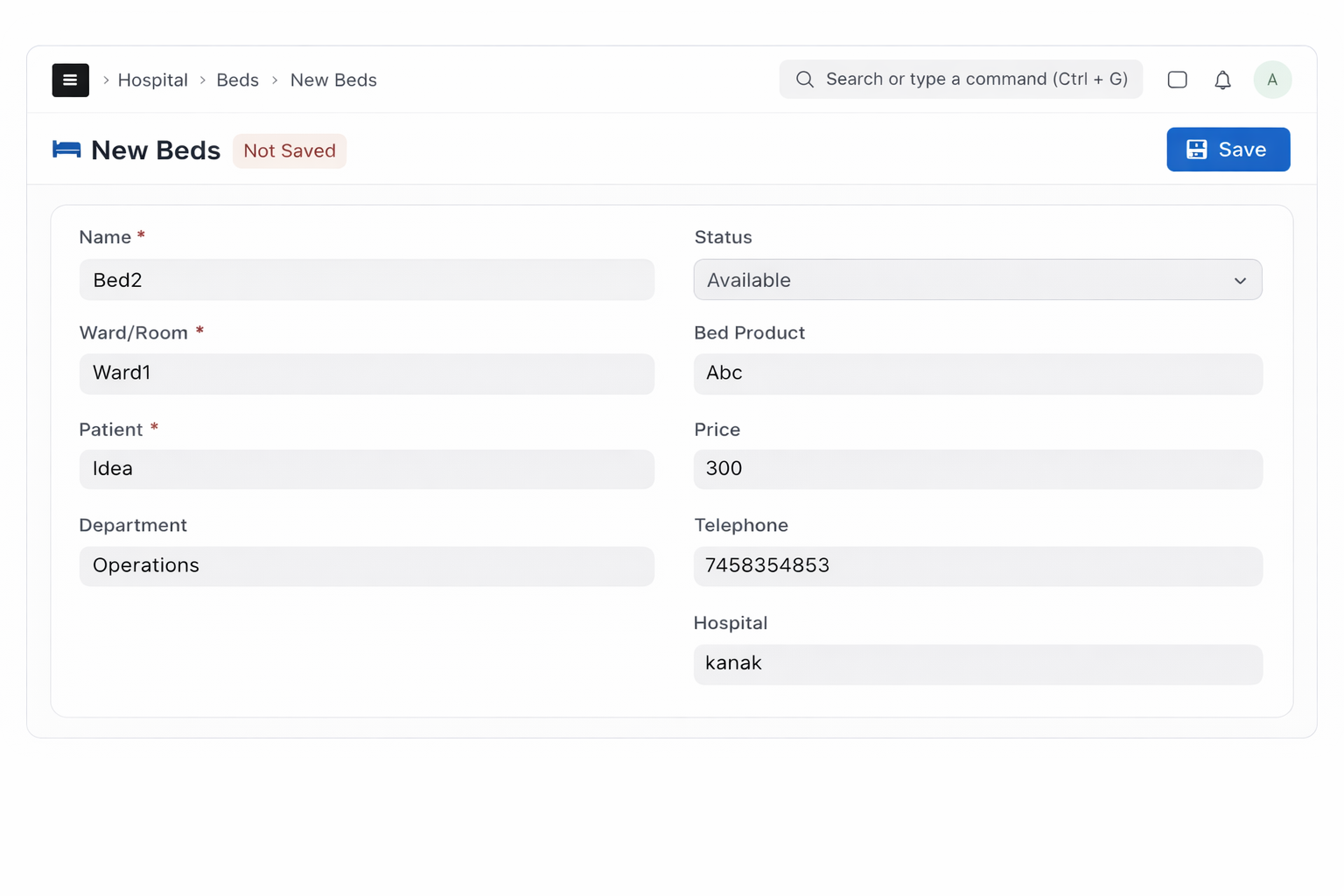
1. How to Configure Beds
Go to: Menu → Beds → New Bed
Fill all the required fields while creating a new bed record. At the time of creation, make sure to set the status as Available.
The bed status will automatically change based on the hospitalization workflow (Admitted / Discharged).
2. Hospitalization Process
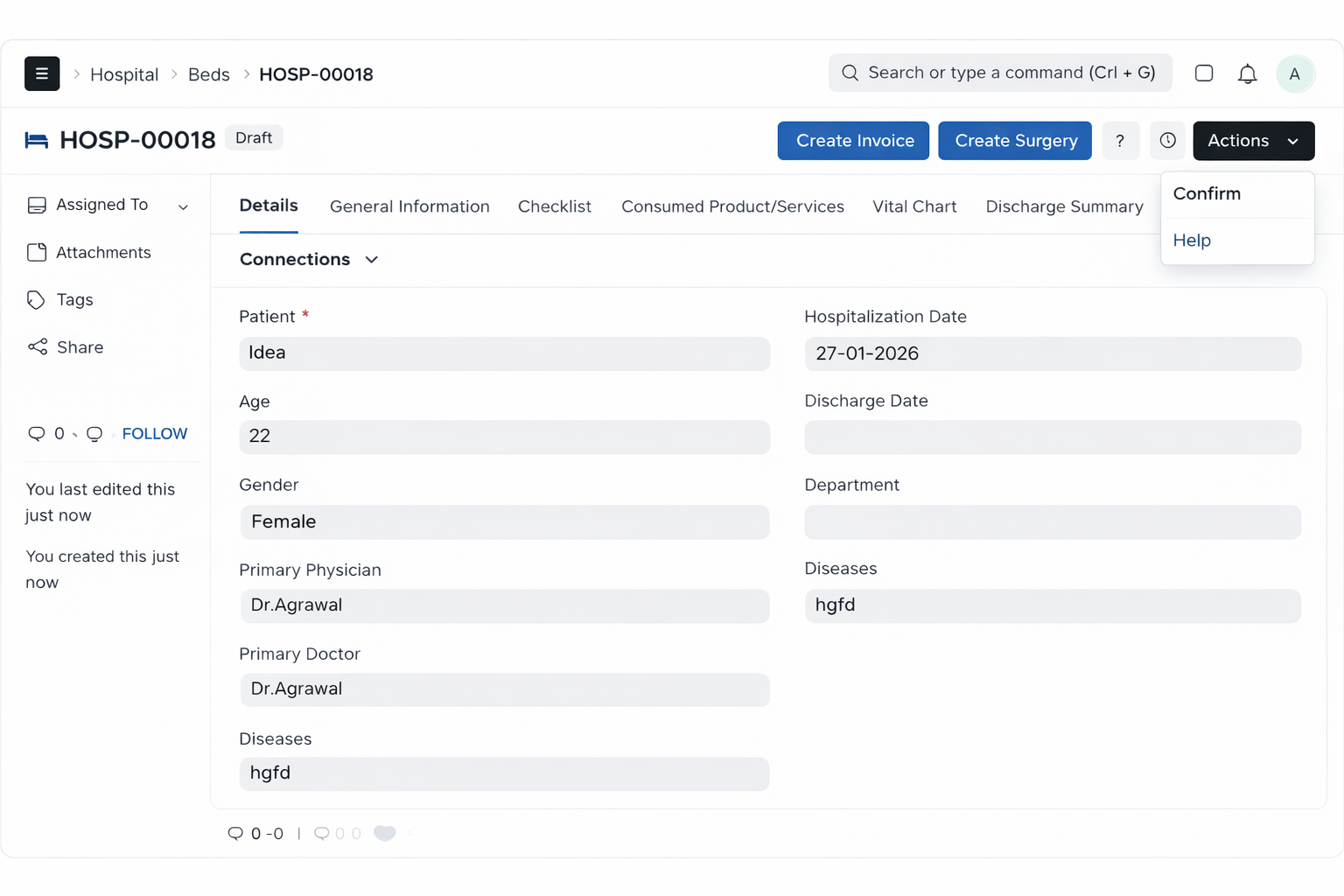
Users start by creating a new Hospitalization record and filling all required details.
After Saving:
- The document remains in Draft state.
- Two custom buttons appear:
- Create Surgery
- Create Invoice
An Action button appears in the top-right corner with: Confirm and Help options.
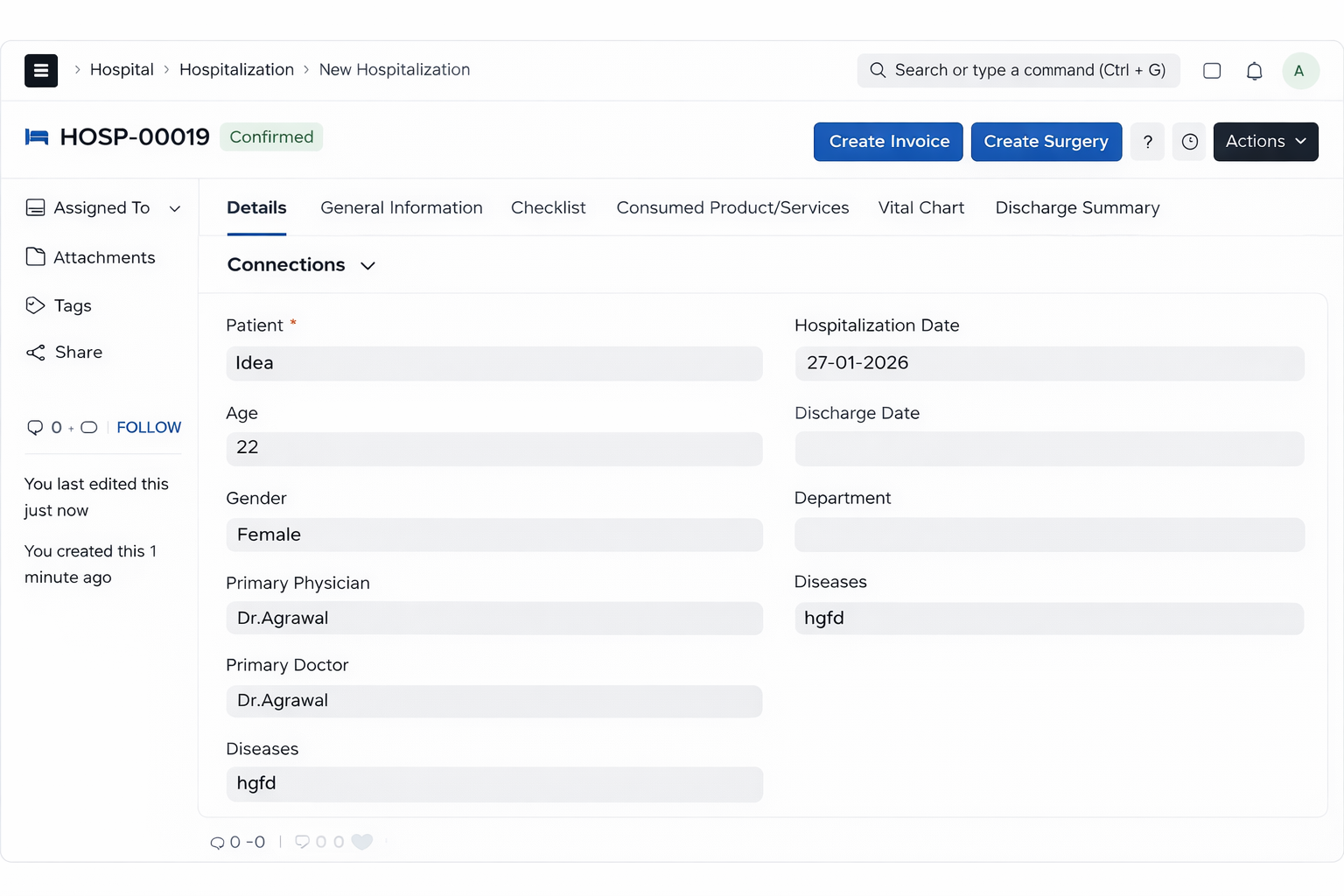
When the user clicks Confirm, the document status changes to Confirmed (based on workflow).
After confirmation, users can select Admit Patient, and the status changes to Hospitalized.
3. Discharge Process
Before discharging the patient, users must fill the Discharge Summary.
If the summary is not completed, the system will show a warning message and prevent discharge.
After completing the discharge process:
- Status changes to Discharged.
- Finally, the document status becomes Done.
4. Surgery from Hospitalization
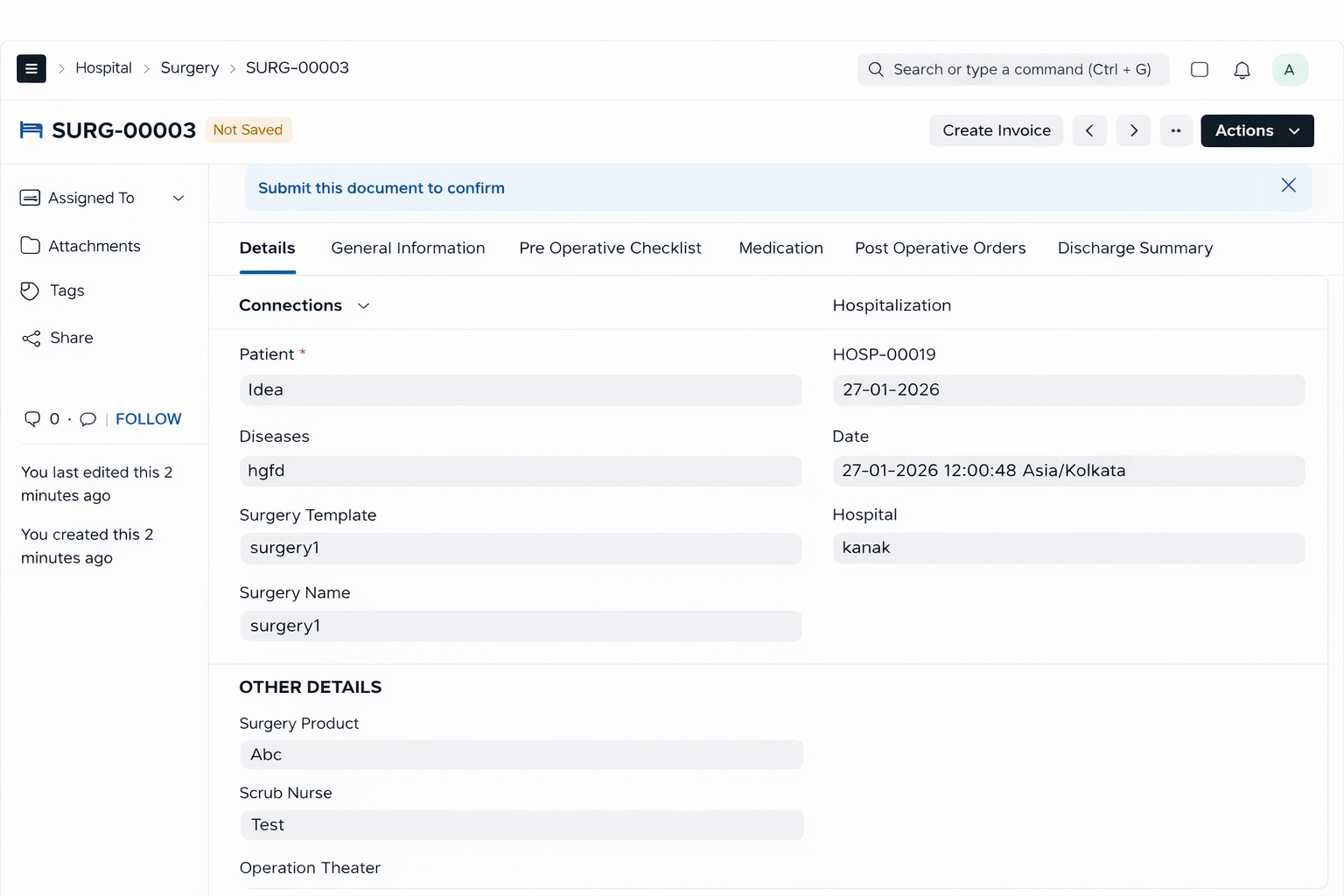
From the Hospitalization record, users can create a Surgery using the Create Surgery button.
In the Surgery form:
- Select a Surgery Template.
- Once selected, the Medication section is automatically filled from the template.
From the Surgery form, users can also generate an Invoice using the Invoice button.
Hospital Management Module Support
- Hospital Module Installation & Setup Assistance
- Ward, Bed & Hospitalization Configuration Guidance
- Surgery Template & Billing Integration Support
- Workflow Customization & Role Permission Setup
- Bug Fix & Performance Optimization
Version 15 (Latest Release)
- Bed Management with real-time availability tracking
- Ward Configuration with capacity management
- Hospitalization Workflow (Draft → Confirmed → Hospitalized → Discharged → Done)
- Automated Bed Status Update during admission & discharge
- Surgery Management with Surgery Template support
- Automatic Medication Loading from Surgery Template
- Integrated Billing from Hospitalization & Surgery
- Discharge Summary Validation before discharge completion
- ERPNext Accounting Integration for invoice generation
Our Frappe Apps









Frappe Proprietary License v1.0

This software and associated files (the "Software") may only be used (executed,
modified, executed after modifications) if you have purchased a valid license
from the authors, typically via Frappe Apps, or if you have received a written
agreement from the authors of the Software (see the COPYRIGHT file).

You may develop Frappe apps that use the Software as a library (typically
by depending on it, importing it and using its resources), but without copying
any source code or material from the Software. You may distribute those
apps under the license of your choice, provided that this license is
compatible with the terms of the Frappe Proprietary License (For example:
LGPL, MIT, or proprietary licenses similar to this one).

It is forbidden to publish, distribute, sublicense, or sell copies of the Software
or modified copies of the Software.

The above copyright notice and this permission notice must be included in all
copies or substantial portions of the Software.

THE SOFTWARE IS PROVIDED "AS IS", WITHOUT WARRANTY OF ANY KIND, EXPRESS OR
IMPLIED, INCLUDING BUT NOT LIMITED TO THE WARRANTIES OF MERCHANTABILITY,
FITNESS FOR A PARTICULAR PURPOSE AND NONINFRINGEMENT.
IN NO EVENT SHALL THE AUTHORS OR COPYRIGHT HOLDERS BE LIABLE FOR ANY CLAIM,
DAMAGES OR OTHER LIABILITY, WHETHER IN AN ACTION OF CONTRACT, TORT OR OTHERWISE,
ARISING FROM, OUT OF OR IN CONNECTION WITH THE SOFTWARE OR THE USE OR OTHER
DEALINGS IN THE SOFTWARE.

Comment on this module. Please Login