 +91 981-810-8884, 0114-214-3250
| Technical Name | knk_hr_esic_pf_challan_report |
| License | OPL-1 |
| Technical Name | knk_hr_esic_pf_challan_report |
| License | OPL-1 |
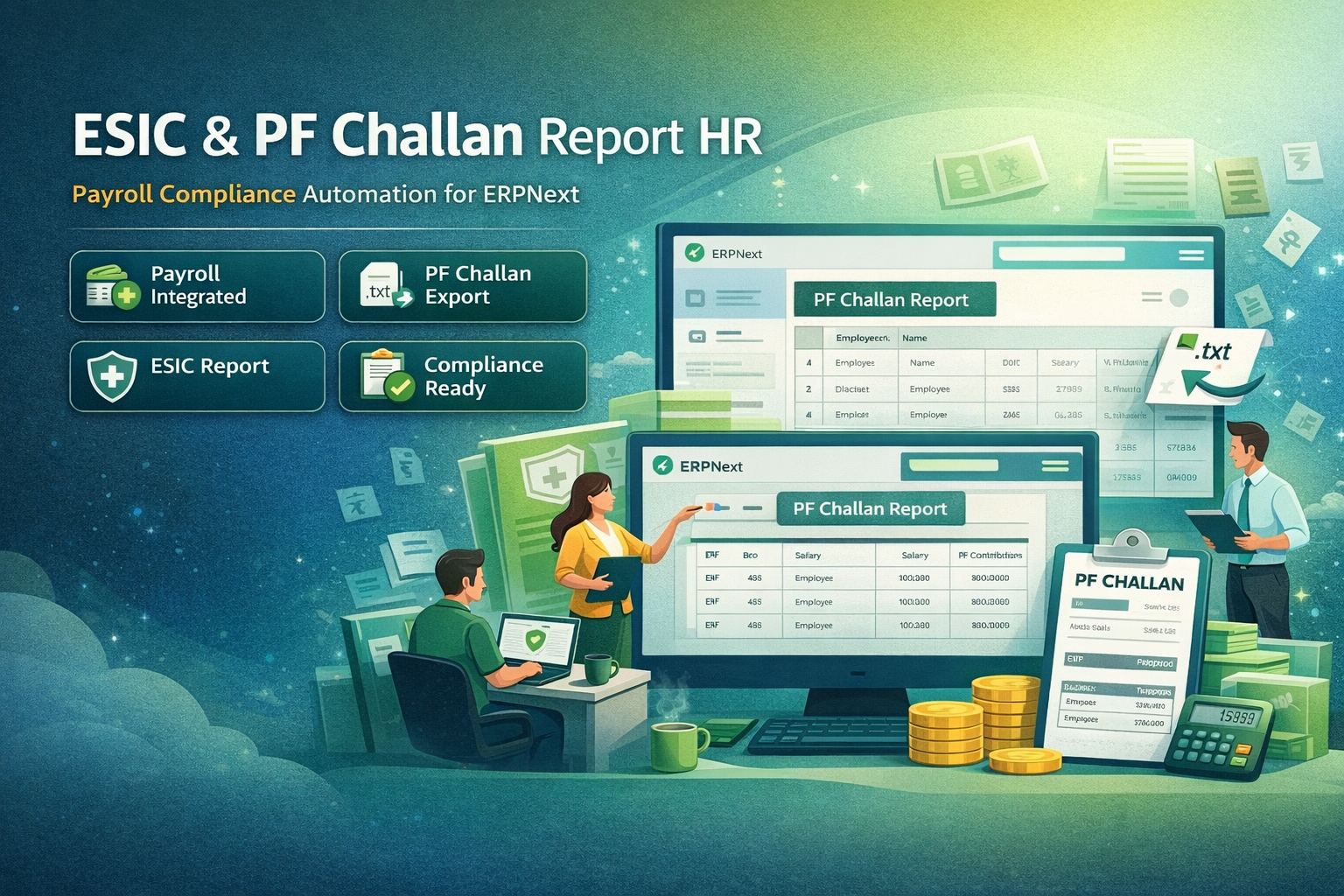
ESIC & PF Challan Report HR
Payroll Compliance Automation for ERPNext
ESIC & PF Challan Report App developed by Kanak is built on the Frappe Framework and is designed to automate the generation of Provident Fund (PF) Challans and Employees’ State Insurance (ESIC) Reports.
The application integrates directly with the ERPNext Payroll Module and uses payroll data to generate compliant government reports required for Indian payroll regulations.
🚀 Key Features
Automate payroll compliance and generate statutory reports easily.
Payroll Integration
Seamlessly integrates with ERPNext Payroll to fetch employee salary and contribution data automatically.
PF Challan Generation
Automatically calculates employee and employer PF contributions and generates a compliant EPFO challan.
ESIC Report
Generates ESIC reports using IPN numbers configured in employee records following ESIC authority formats.
EPFO TXT File Export
Generates a single .txt file for all salary slips in a payroll entry that can be uploaded directly to the EPFO portal.
Compliance Validation
Ensures all PF and ESIC calculations follow Indian payroll compliance standards.
Easy Report Generation
Generate PF challans and ESIC reports with a single click directly from ERPNext.
How the ESIC & PF Challan Report HR App Works
To generate a Provident Fund Challan in ERPNext, navigate to the submitted Payroll Entry within the Payroll module.
Users will see the option: Create → Generate PF Challan. By clicking this button, the system automatically prepares a PF Challan based on employees whose Salary Slip contains PF earning and deduction components.
The generated PF Challan contains essential information including: PF Number (Employee Master), Employee Name, Employee & Employer PF Contribution, and Employee Working Days.
To generate the ESIC report, open the Awesome Bar (Search) in ERPNext and navigate to the ESIC Report menu.
Select the relevant Payroll Entry, and the system will automatically display employees who have: Salary Slips in the selected payroll entry and ESIC enabled in their Employee record.
Users can review the report directly within ERPNext and export the data in Excel or CSV format for compliance submissions.
The ESIC report includes required fields such as IPN Number, Employee Name, Basic + HRA Amount, and Working Days.
Prerequisites:
- PF Number and ESIC Number must be configured in the Employee Master.
- Required salary components such as Basic, House Rent Allowance, PF (Employer Contribution), and PF (Employee Contribution) must be created.
- These components ensure accurate calculation and reporting within the generated PF Challan and ESIC Report.
PF Challan Module Support
- Installation & Configuration Assistance
- Employee PF Calculation Setup
- PF Challan Generation Guidance
- ERPNext Payroll Integration Support
- Bug Fixes & Performance Improvements
Version 15 (Latest Release)
- PF Challan Generation directly from Payroll entries
- Automatic PF Contribution Calculation for Employer & Employee
- PF Register Report for monthly contribution tracking
- Employee-wise PF Deduction Tracking
- Challan Summary Report for easy verification
- Integration with Payroll Module in ERPNext
- Improved Report UI for HR & Finance teams
- Export Options for accounting and compliance
Our Frappe Apps









Frappe Proprietary License v1.0

This software and associated files (the "Software") may only be used (executed,
modified, executed after modifications) if you have purchased a valid license
from the authors, typically via Frappe Apps, or if you have received a written
agreement from the authors of the Software (see the COPYRIGHT file).

You may develop Frappe apps that use the Software as a library (typically
by depending on it, importing it and using its resources), but without copying
any source code or material from the Software. You may distribute those
apps under the license of your choice, provided that this license is
compatible with the terms of the Frappe Proprietary License (For example:
LGPL, MIT, or proprietary licenses similar to this one).

It is forbidden to publish, distribute, sublicense, or sell copies of the Software
or modified copies of the Software.

The above copyright notice and this permission notice must be included in all
copies or substantial portions of the Software.

THE SOFTWARE IS PROVIDED "AS IS", WITHOUT WARRANTY OF ANY KIND, EXPRESS OR
IMPLIED, INCLUDING BUT NOT LIMITED TO THE WARRANTIES OF MERCHANTABILITY,
FITNESS FOR A PARTICULAR PURPOSE AND NONINFRINGEMENT.
IN NO EVENT SHALL THE AUTHORS OR COPYRIGHT HOLDERS BE LIABLE FOR ANY CLAIM,
DAMAGES OR OTHER LIABILITY, WHETHER IN AN ACTION OF CONTRACT, TORT OR OTHERWISE,
ARISING FROM, OUT OF OR IN CONNECTION WITH THE SOFTWARE OR THE USE OR OTHER
DEALINGS IN THE SOFTWARE.

Comment on this module. Please Login