 +91 981-810-8884, 0114-214-3250
| Technical Name | point_of_sale |
| License | OPL-1 |
| Also available in version | v 16.0 |
Advanced Offline POS System
Reliable, Fast & Always Connected — Even When You're Offline
Offline POS System is a smart retail billing solution built for modern businesses that require speed, stability, and zero downtime.
Continue creating orders without internet, securely store transactions on the local device, and automatically sync invoices, payments, and stock data once connectivity is restored — ensuring uninterrupted business operations.
Watch the complete POS workflow demonstration including Item Management, Payments, Discounts, Receipt Printing, Loyalty, and Serial/Batch Handling:
🚀 Key Features
Everything you need for powerful and reliable retail billing.
Full Offline Operation
Continue billing without internet. Automatic syncing when connection is restored.
POS Session Control
Opening & closing balance management with controlled POS sessions.
Flexible Pricing
Global & item discounts, manual price override, and batch-wise pricing.
Loyalty Program
Earn & redeem loyalty points offline with seamless ERP sync.
Split Payments
Accept multiple payment methods including cash, card, wallet & custom modes.
Direct Receipt Printing
Print preview & direct printing support with customizable templates.
POS Mobile App Available
Dedicated POS mobile application supported on Android, iOS, and iPad devices, enabling billing on the go with a seamless user experience.
Offline Sync in Mobile App
Perform transactions offline in the mobile app and automatically sync invoices, payments, and stock data once internet connectivity is restored.
Real-Time Dashboard View
Monitor sales performance, session summaries, payment breakdown, and daily collection insights through an intuitive dashboard interface.
1. Offline POS Mode
Create Orders Without Internet :-
POS users can continue creating sales orders even when there is no active internet connection. The system ensures uninterrupted billing operations, allowing businesses to run smoothly without downtime.
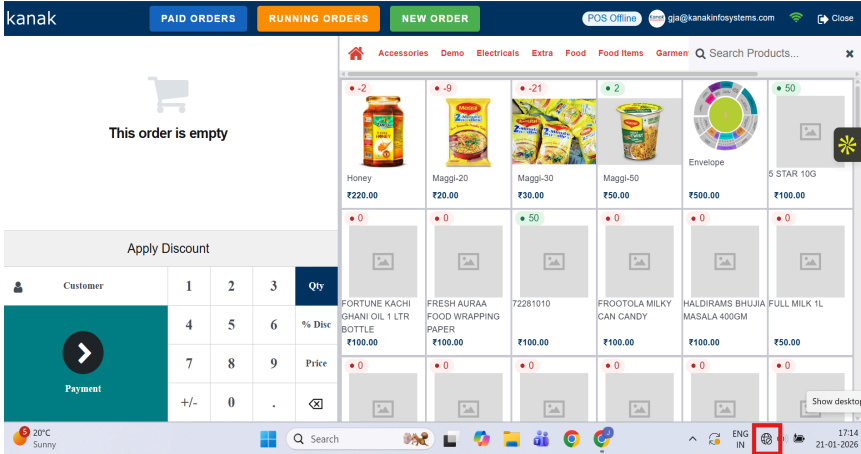
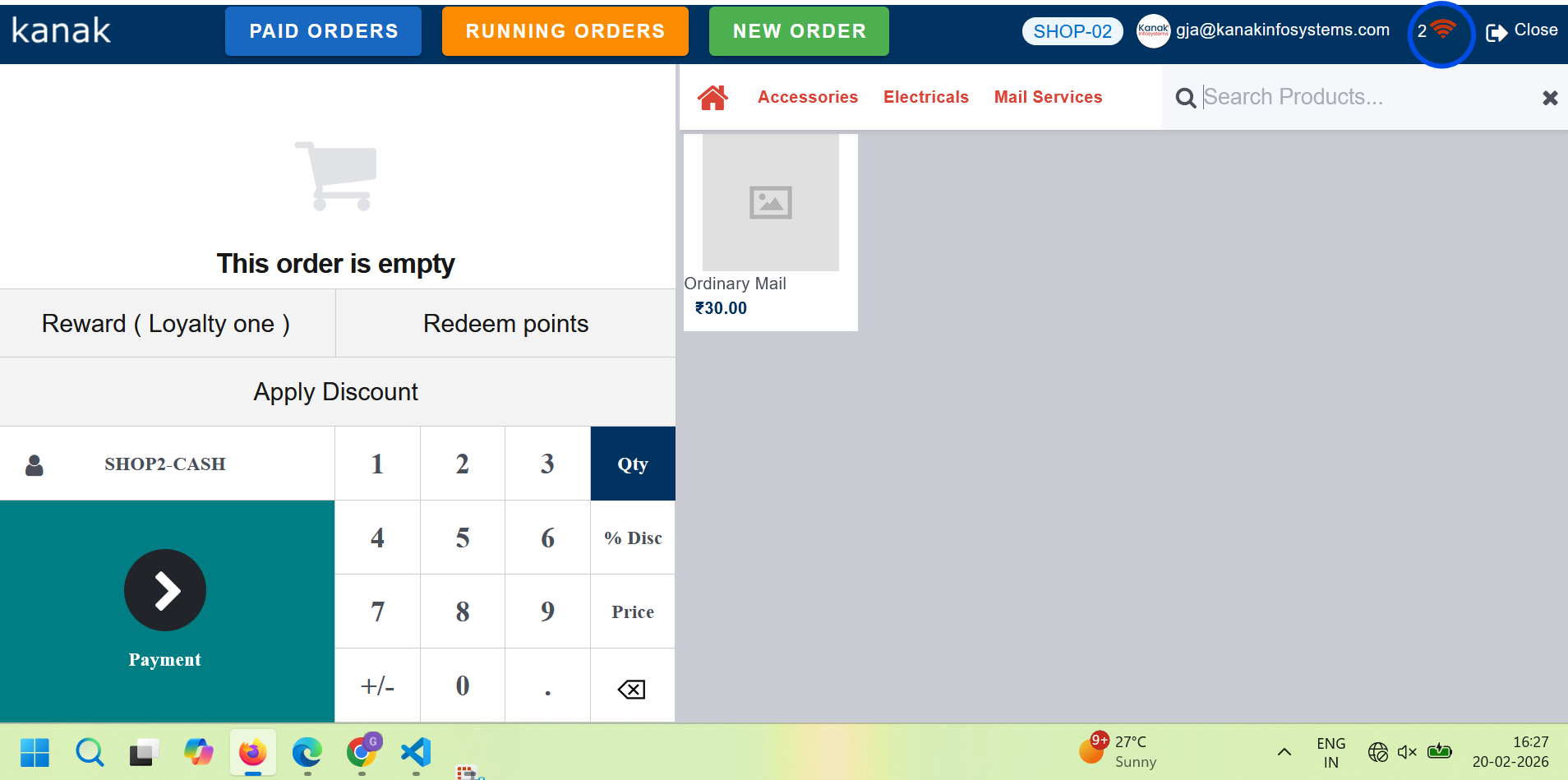
Store Orders Locally :-
All offline transactions are securely stored in the local device storage. This ensures that no sales data is lost during network interruptions and maintains complete transaction integrity.
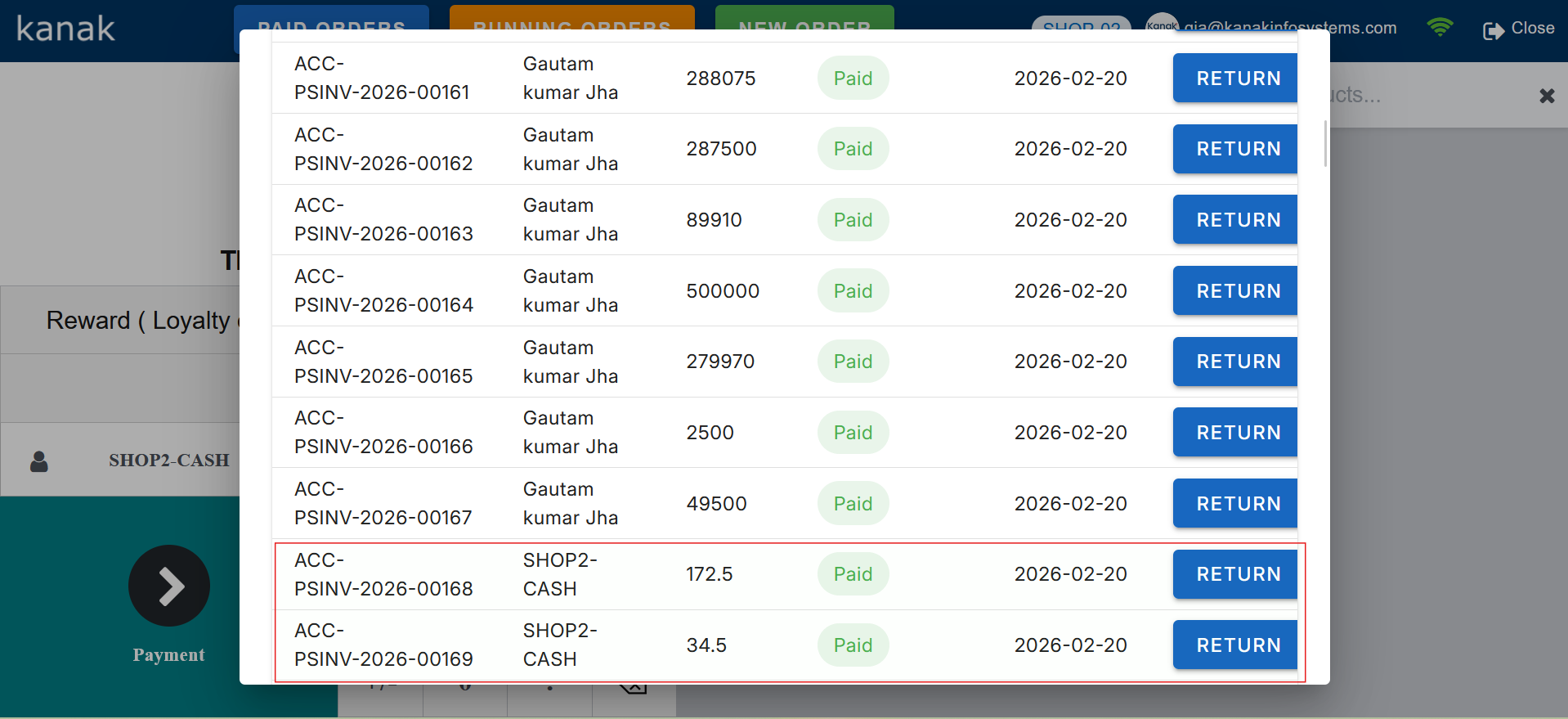
Prevent Duplicate Invoice Submission :-
The system intelligently prevents duplicate invoice creation during synchronization. Each transaction is assigned a unique reference ID to ensure that invoices are submitted only once.
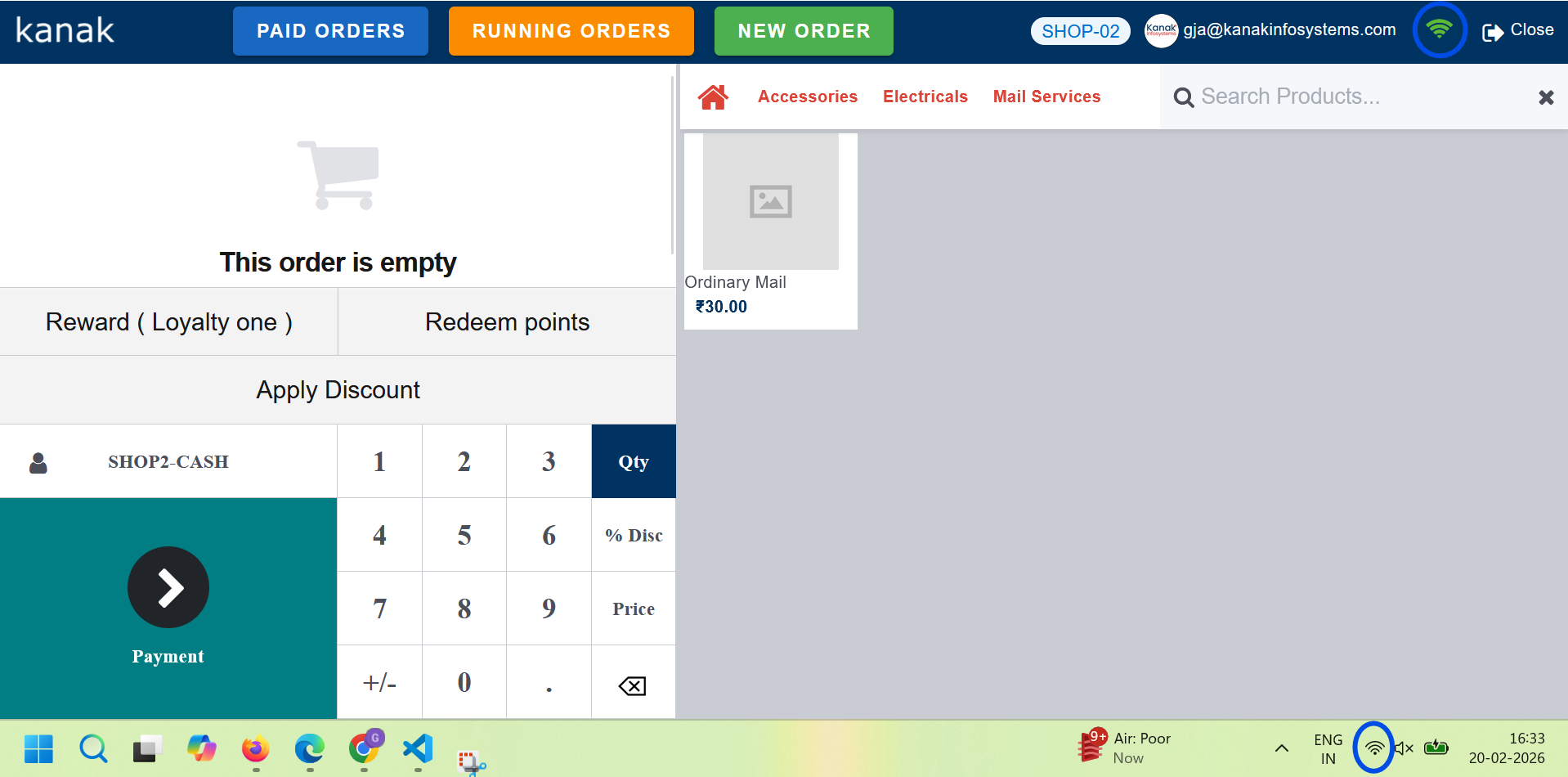
Sync Orders When Internet is Restored :-
Once internet connectivity is re-established, all locally stored offline orders are automatically synchronized with the server. The system updates stock, payments, and invoices in real-time without manual intervention.
Synchronization process ensures:
• Automatic data push to server
• Real-time stock adjustment
• Accurate invoice generation
• Complete reporting consistency
2. Item & Cart Management
Add Item to Cart :-
Users can add products to cart by: Scanning Barcode or Searching Item Name :-
- Scan product barcode using barcode scanner
- Search product manually from POS search bar
- Item appears in cart with price & default quantity
Category-wise Products :-
Admin can organize products using POS Categories :-
- Create POS Categories
- Assign POS Category in Item Master
- Filter items category-wise in POS screen
Quantity Increase / Decrease :-
Users can manage item quantity directly from cart :-
- Increase item quantity
- Decrease item quantity
- Remove item if quantity becomes zero
Add Multiple Products :-
Users can add multiple different products in a single order :-
- Select multiple items sequentially
- Each item appears separately in cart
- Order total reflects all added products
Search Product with Barcode :-
Barcode must be configured in Item Master :-
- Set barcode in Item Master
- Scan barcode in POS search field
- System auto-detects and adds product to cart
3. Pricing, Discounts, Loyalty, Payments & Serial/Batch
Pricing & Discounts :-
POS supports flexible pricing and discount management :-
- Apply manual discount per product
- Apply global discount on total order
- Use predefined pricelists
- Customer-specific pricing support
- Tax-inclusive and tax-exclusive pricing
Loyalty Program :-
POS supports customer loyalty management :-
- Earn loyalty points on purchases
- Redeem points during payment
- Configure loyalty rules and rewards
- Track customer loyalty balance
Payments :-
POS supports multiple payment methods :-
- Cash payment
- Bank / Card payment
- Digital payment methods
- Split payments (multiple methods in one order)
- Partial payments
Serial & Batch Management :-
POS supports tracking of serial and batch-controlled products :-
- Select serial number during sale
- Select batch number for batch-tracked items
- Automatic stock validation
- Prevents selling unavailable serial/batch
4. Receipt Printing
Automatic Receipt Generation :-
Once the order is successfully validated and payment is completed, POS automatically generates a receipt :-
- Displays company name and logo
- Shows order number and date
- Lists purchased items with quantity and price
- Displays subtotal, taxes, and total amount
- Shows payment method details
Print Receipt :-
Users can print receipt using configured POS printer :-
- Supports thermal receipt printers
- Print button available on receipt screen
- Auto-print option can be enabled
Reprint Receipt :-
Users can reprint receipts for completed orders :-
- Access past orders from POS
- Select order and click reprint
- Receipt prints again with same details
Receipt Customization
POS allows basic receipt customization through settings :-
- Add or update company logo
- Configure header and footer message
- Display tax breakdown
- Show cashier name
Our Frappe Apps










Frappe Proprietary License v1.0

This software and associated files (the "Software") may only be used (executed,
modified, executed after modifications) if you have purchased a valid license
from the authors, typically via Frappe Apps, or if you have received a written
agreement from the authors of the Software (see the COPYRIGHT file).

You may develop Frappe apps that use the Software as a library (typically
by depending on it, importing it and using its resources), but without copying
any source code or material from the Software. You may distribute those
apps under the license of your choice, provided that this license is
compatible with the terms of the Frappe Proprietary License (For example:
LGPL, MIT, or proprietary licenses similar to this one).

It is forbidden to publish, distribute, sublicense, or sell copies of the Software
or modified copies of the Software.

The above copyright notice and this permission notice must be included in all
copies or substantial portions of the Software.

THE SOFTWARE IS PROVIDED "AS IS", WITHOUT WARRANTY OF ANY KIND, EXPRESS OR
IMPLIED, INCLUDING BUT NOT LIMITED TO THE WARRANTIES OF MERCHANTABILITY,
FITNESS FOR A PARTICULAR PURPOSE AND NONINFRINGEMENT.
IN NO EVENT SHALL THE AUTHORS OR COPYRIGHT HOLDERS BE LIABLE FOR ANY CLAIM,
DAMAGES OR OTHER LIABILITY, WHETHER IN AN ACTION OF CONTRACT, TORT OR OTHERWISE,
ARISING FROM, OUT OF OR IN CONNECTION WITH THE SOFTWARE OR THE USE OR OTHER
DEALINGS IN THE SOFTWARE.

Comment on this module. Please Login