 +91 981-810-8884, 0114-214-3250
| Technical Name | prescription_management_knk |
| License | OPL-1 |
| Also available in version | v 16.0 |
Prescription Management System
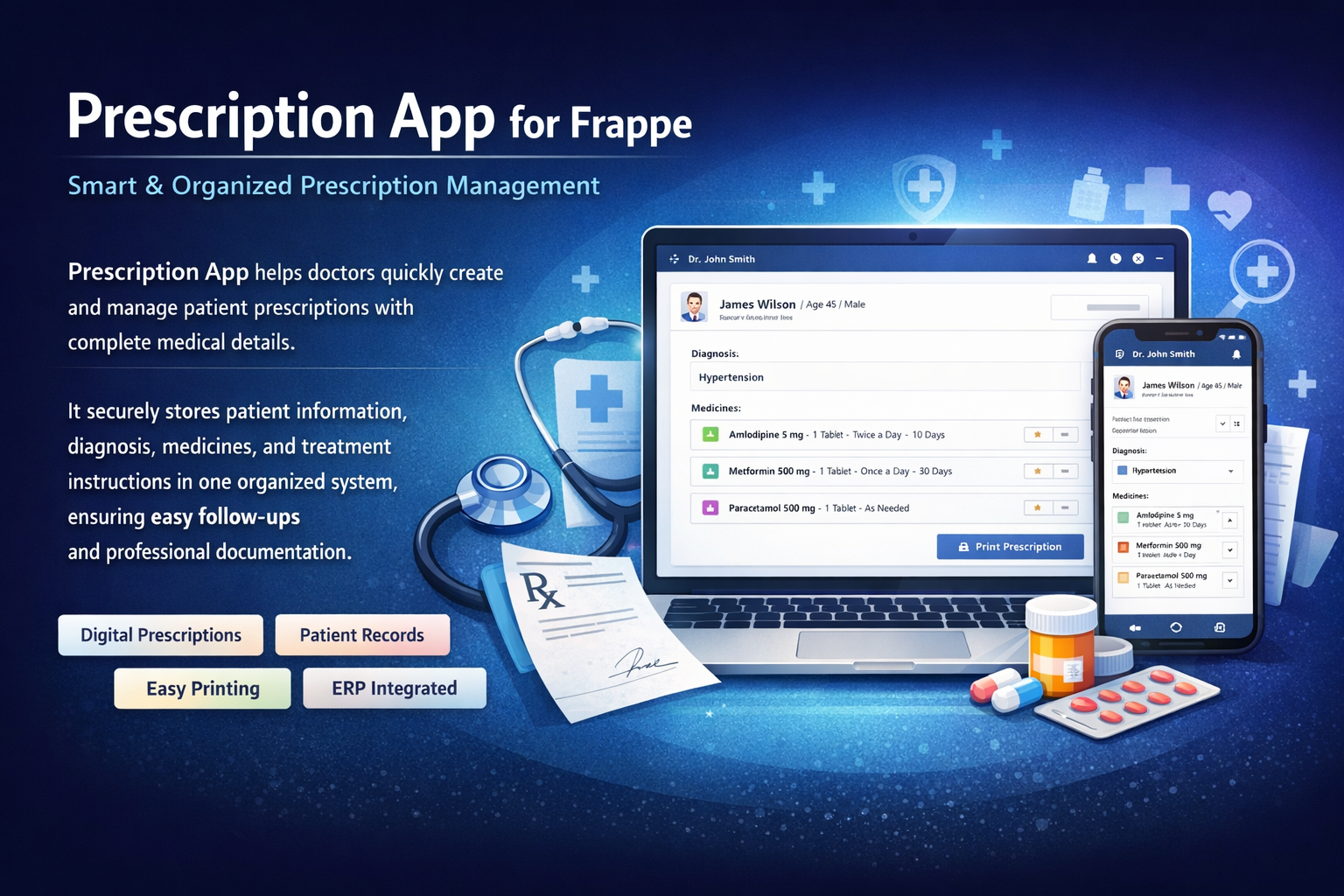
Smart & Organized Prescription Management
Prescription App helps doctors quickly create and manage patient prescriptions with complete medical details.
It securely stores patient information, diagnosis, medicines, and treatment instructions in one organized system, ensuring easy follow-ups and professional documentation.
💊 Key Features
Everything required for efficient prescription management.
Quick Prescription Creation
Easily create prescriptions with patient details, diagnosis, and medicines.
Past Prescription Records
Access previous prescriptions anytime for smooth follow-ups.
Dosage & Instructions
Add medicine dosage, duration, frequency, and special instructions.
Professional Printing
Print clean and professional prescription sheets with clinic branding.
Patient Vital Tracking
Record patient vitals such as BP, temperature, weight, and pulse.
Invoice Integration
Automatically generate invoices linked with prescription orders.
How to Use the Prescription App for Frappe
How to Configure a Prescription Order Record
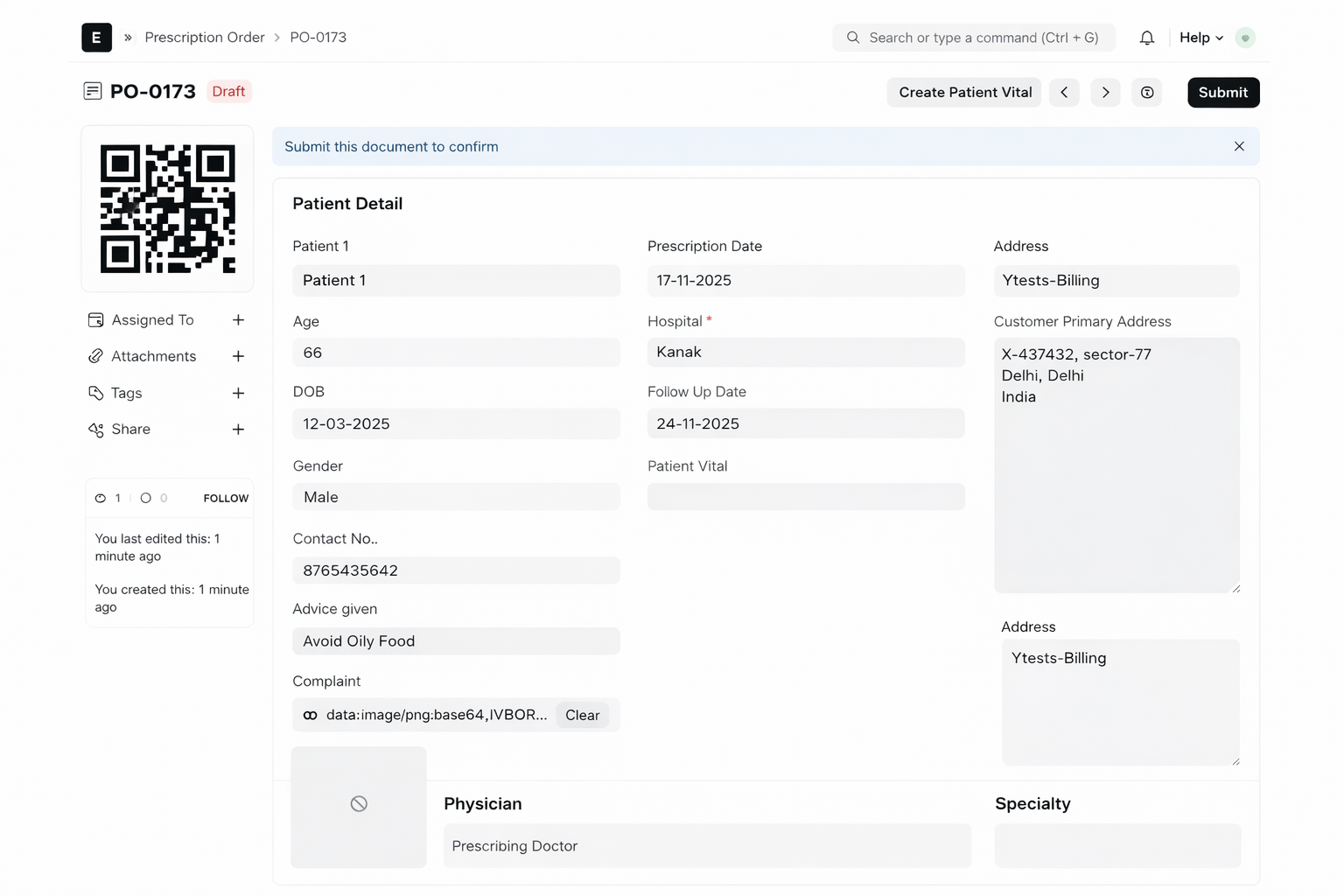
Go to Prescription Order Menu → New Prescription and enter the patient’s details along with medicine instructions.
Example:
First, select a patient. The system automatically fetches patient details like Age, Gender, Contact Number, and Date of Birth. Then select the prescribing doctor and add the medicine name with dosage, duration, and instructions.
QR Code & Patient Vital Creation
When the prescription record is saved, a QR Code automatically appears in the image section.
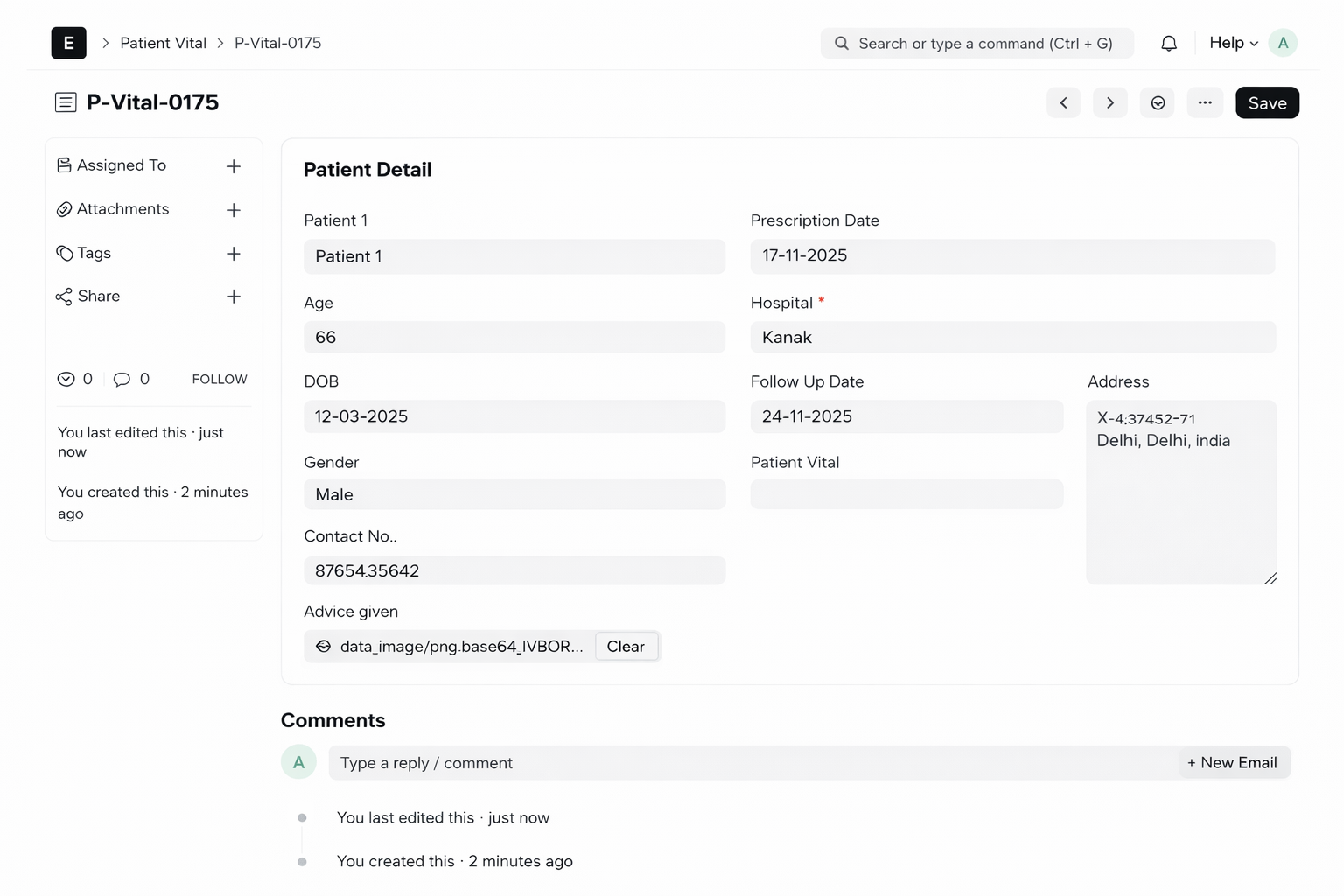
A custom button named “Create Patient Vital” also appears. When clicked, a new form opens to enter patient vitals such as:
- Height
- Weight
- Temperature
- Pulse
- Blood Pressure
After saving the Patient Vital form, the created record automatically links back to the Prescription Order in the Patient Vital field.
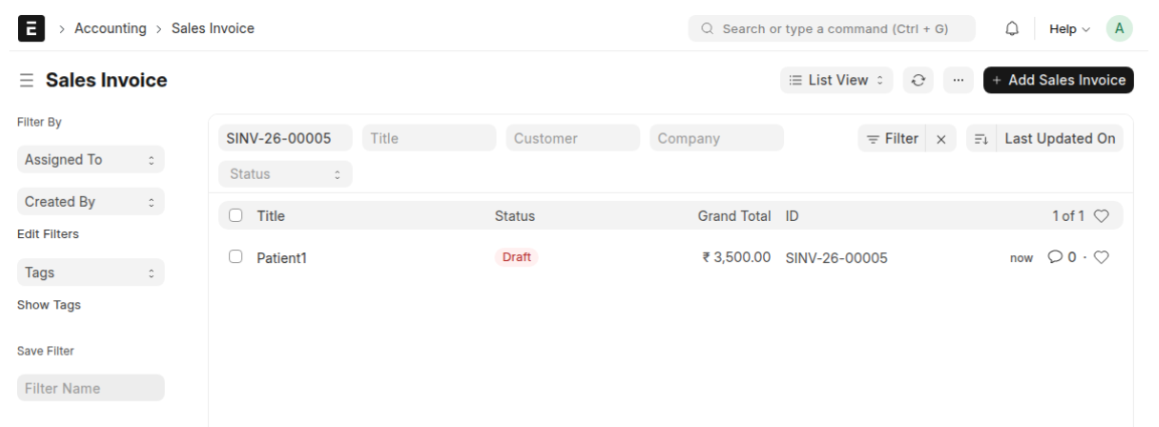
Invoice Creation from Prescription
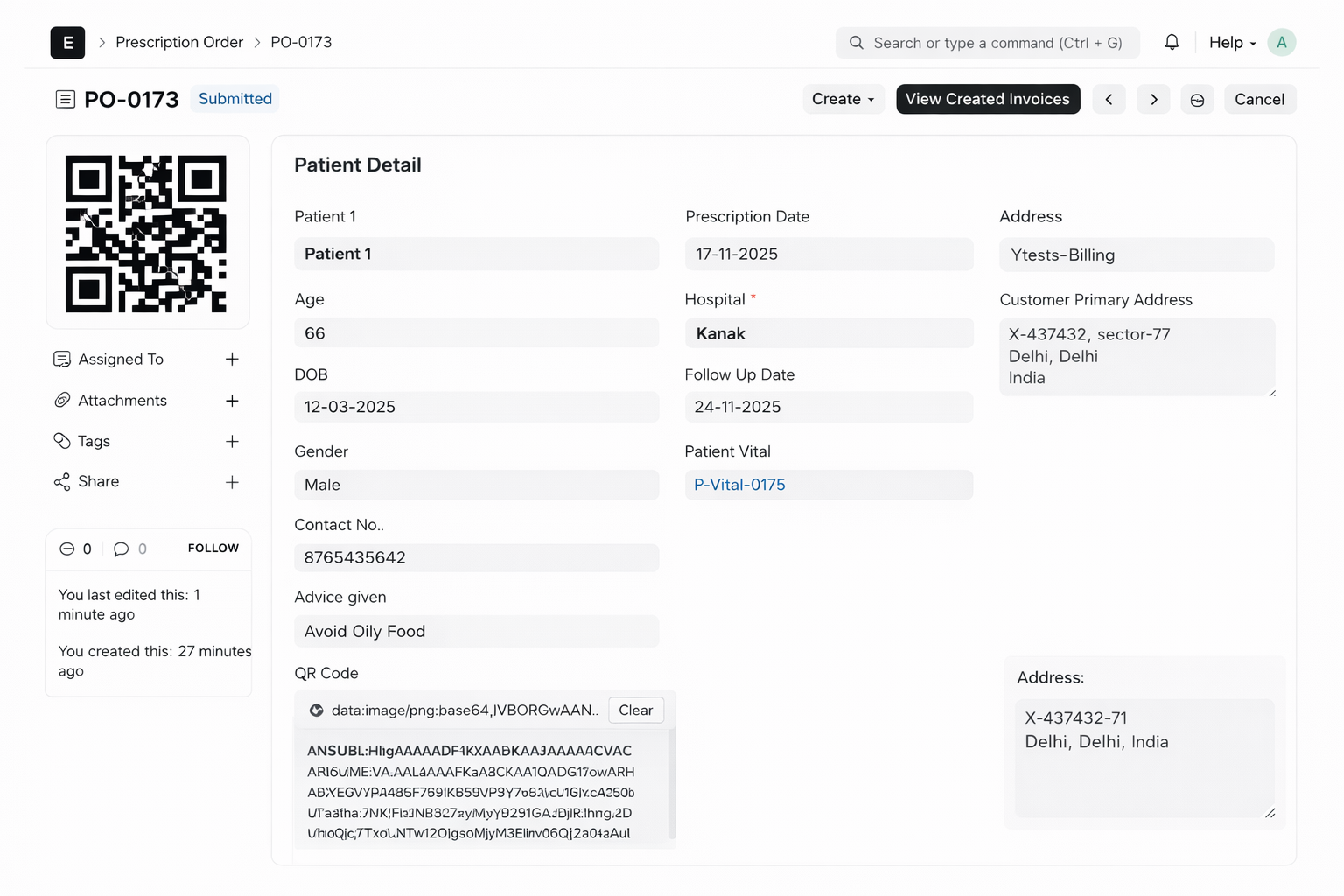
After submitting a Prescription Order record, two custom buttons appear:
- Create Invoice – Generate a new invoice directly from the prescription.
- View Invoices – View all invoices created for that specific prescription.
Prescription Order Report
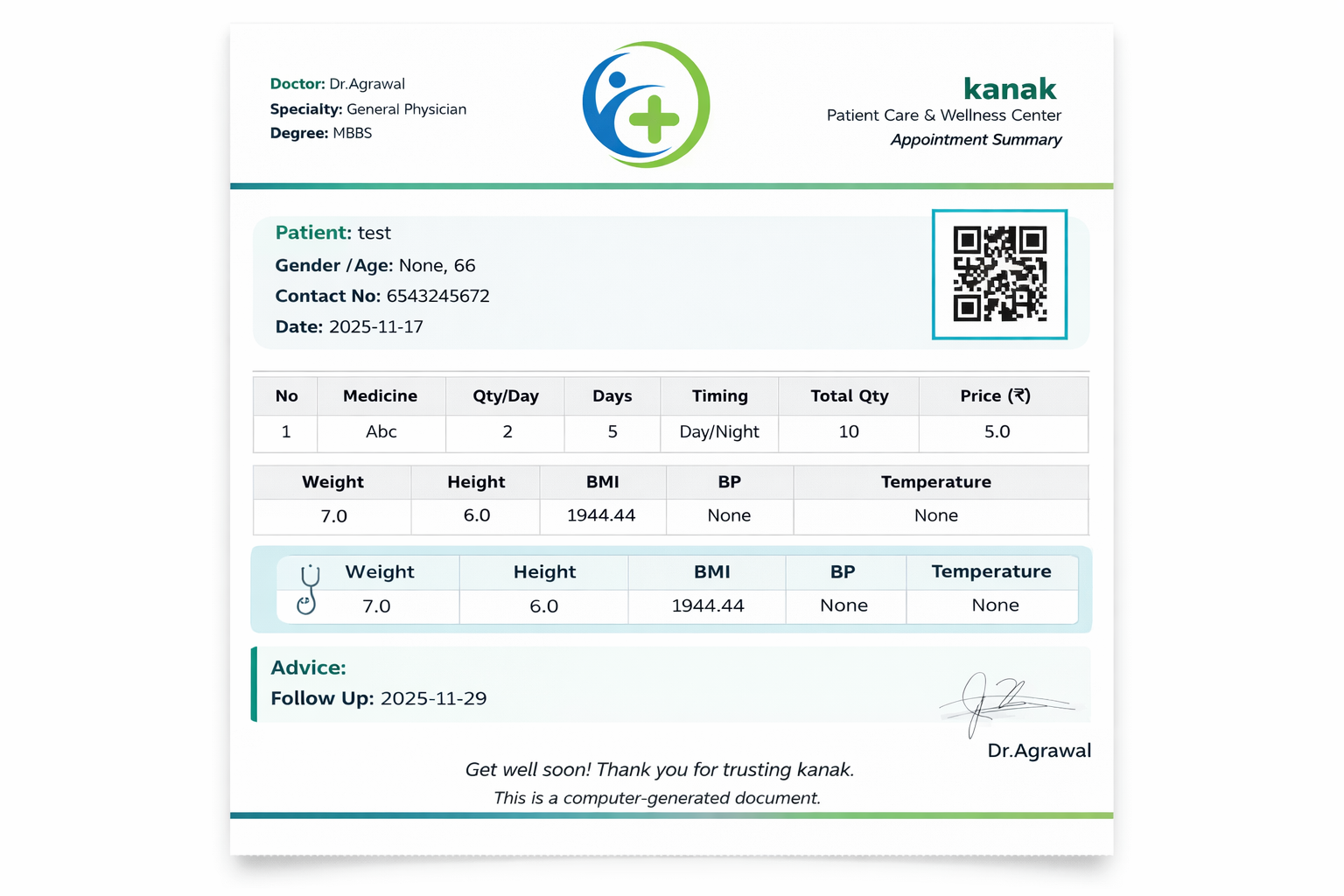
Finally, the system provides a detailed Prescription Order Report containing all related information including:
- Patient Details
- Doctor Information
- Medicines & Instructions
- Patient Vitals
- Linked Invoices
Prescription Management Support
- Prescription Order Setup & Configuration Assistance
- Doctor & Patient Data Integration Support
- QR Code & Patient Vital Workflow Guidance
- Invoice Integration & Billing Support
- Bug Fixes & Performance Optimization
Version 15 (Latest Release)
- Prescription Order Module with complete patient & doctor linkage
- Auto Fetch Patient Details (Age, Gender, Contact, DOB)
- Medicine Dosage & Instruction Management
- QR Code Generation on Prescription Save
- Patient Vital Integration with automatic linking
- Invoice Creation from Prescription with custom buttons
- Prescription Order Report with complete medical details
- Optimized Print Format for professional prescriptions
Suggested Frappe Apps


Frappe Proprietary License v1.0

This software and associated files (the "Software") may only be used (executed,
modified, executed after modifications) if you have purchased a valid license
from the authors, typically via Frappe Apps, or if you have received a written
agreement from the authors of the Software (see the COPYRIGHT file).

You may develop Frappe apps that use the Software as a library (typically
by depending on it, importing it and using its resources), but without copying
any source code or material from the Software. You may distribute those
apps under the license of your choice, provided that this license is
compatible with the terms of the Frappe Proprietary License (For example:
LGPL, MIT, or proprietary licenses similar to this one).

It is forbidden to publish, distribute, sublicense, or sell copies of the Software
or modified copies of the Software.

The above copyright notice and this permission notice must be included in all
copies or substantial portions of the Software.

THE SOFTWARE IS PROVIDED "AS IS", WITHOUT WARRANTY OF ANY KIND, EXPRESS OR
IMPLIED, INCLUDING BUT NOT LIMITED TO THE WARRANTIES OF MERCHANTABILITY,
FITNESS FOR A PARTICULAR PURPOSE AND NONINFRINGEMENT.
IN NO EVENT SHALL THE AUTHORS OR COPYRIGHT HOLDERS BE LIABLE FOR ANY CLAIM,
DAMAGES OR OTHER LIABILITY, WHETHER IN AN ACTION OF CONTRACT, TORT OR OTHERWISE,
ARISING FROM, OUT OF OR IN CONNECTION WITH THE SOFTWARE OR THE USE OR OTHER
DEALINGS IN THE SOFTWARE.

Comment on this module. Please Login