 +91 981-810-8884, 0114-214-3250
| Technical Name | payment_installment_kanak |
| License | OPL-1 |
| Technical Name | payment_installment_kanak |
| License | OPL-1 |
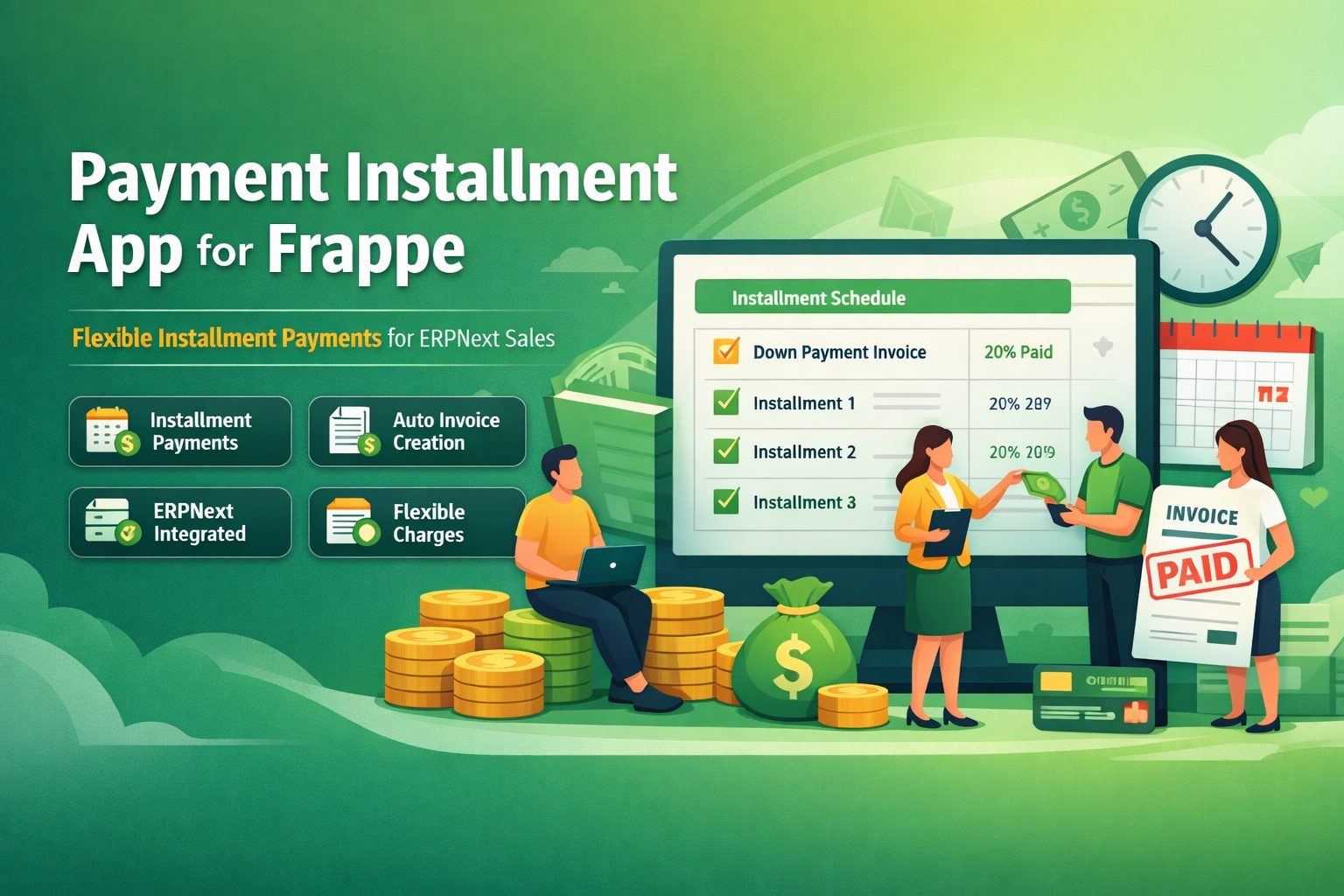
Payment Installment App for Frappe
Flexible Installment Payments for ERPNext Sales
Payment Installments App enables businesses using Frappe & ERPNext to receive customer payments in structured installments.
Customers can make advance payments, and the remaining balance can be paid in scheduled installments automatically generated by the system.
💡Key Features
Smart payment scheduling and invoice automation for ERPNext sales.
Sales Integration
Fully integrated with ERPNext Sales Orders and Finance modules.
Automatic Installments
Installment schedules are automatically generated based on payment terms.
Down Payment Support
Receive advance payments and divide the remaining balance into installments.
Extra Charges
Add additional charges such as freight, delivery, or service fees.
Separate Invoices
Each installment automatically generates its own invoice.
Automated Scheduler
Scheduler automatically creates installment invoices before due date.
How to Use the Payment Installment App
The Payment Installment App allows businesses to easily manage customer payments through down payments and scheduled installments. Follow the steps below to configure and use the app.
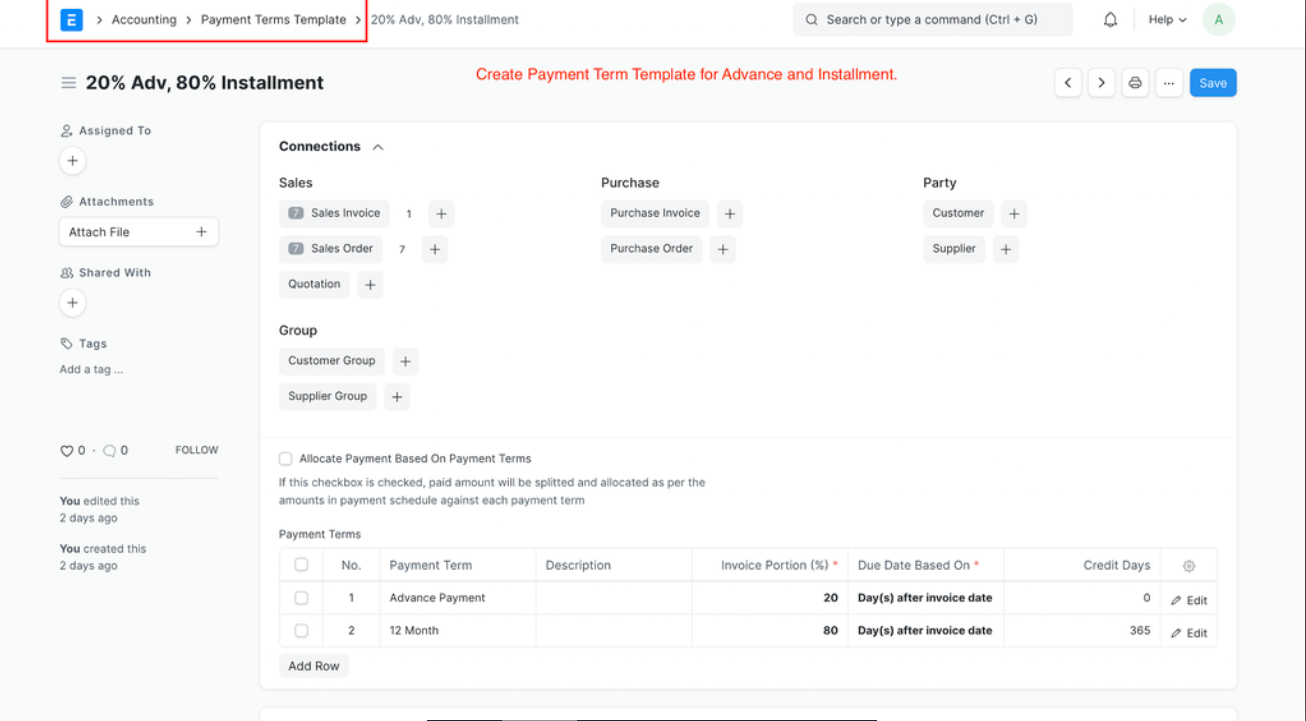
Configure Payment Term Template :-
Navigate to Payment Term Template → Create New Template → Add Payment Terms.
Example: 20% Advance Payment + 80% Installments.
Create Sales Order :-
Go to Sales Order → Create New Sales Order and enter the required
details such as Customer, Delivery Date, and Sale Items.
Set Payment Term Template :-
In the created Sales Order, open the Terms Tab and
select the Payment Term Template.
The installment structure will automatically populate based on the template.
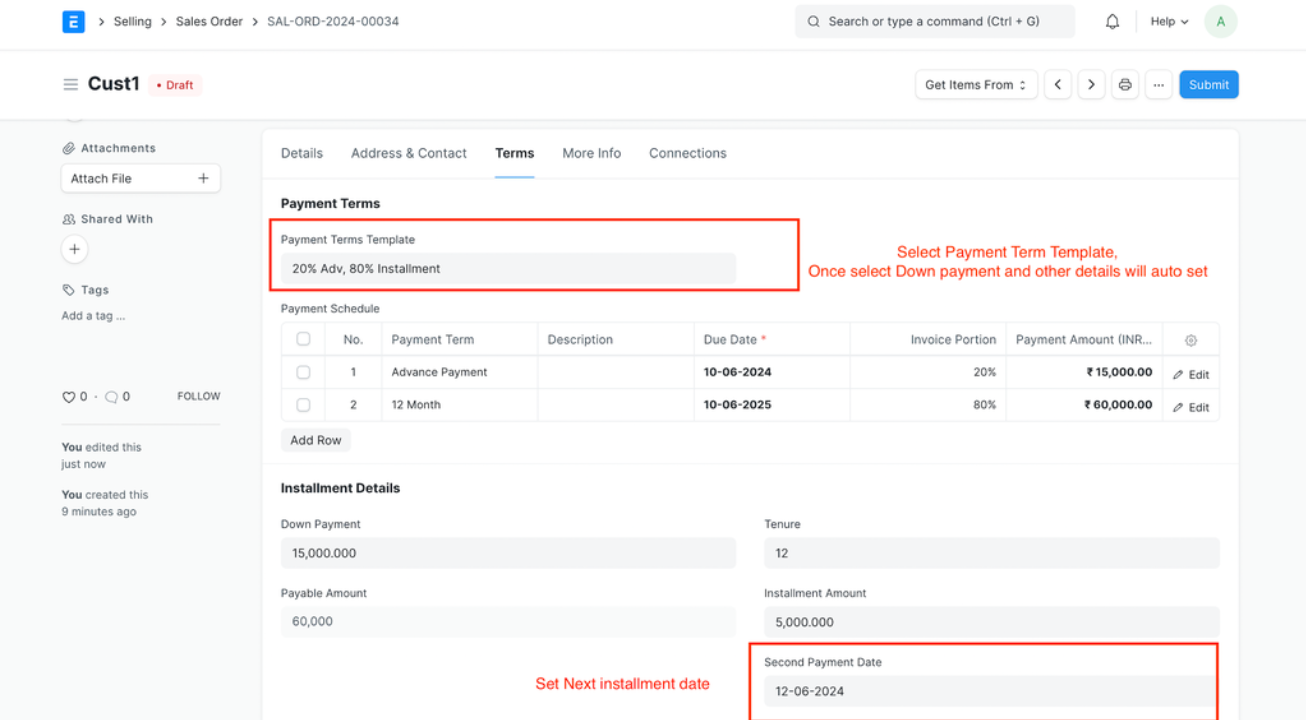
Set First Installment Date :-
In the Terms Tab, define the
First Installment Date. The system will automatically
calculate the remaining installment dates accordingly.
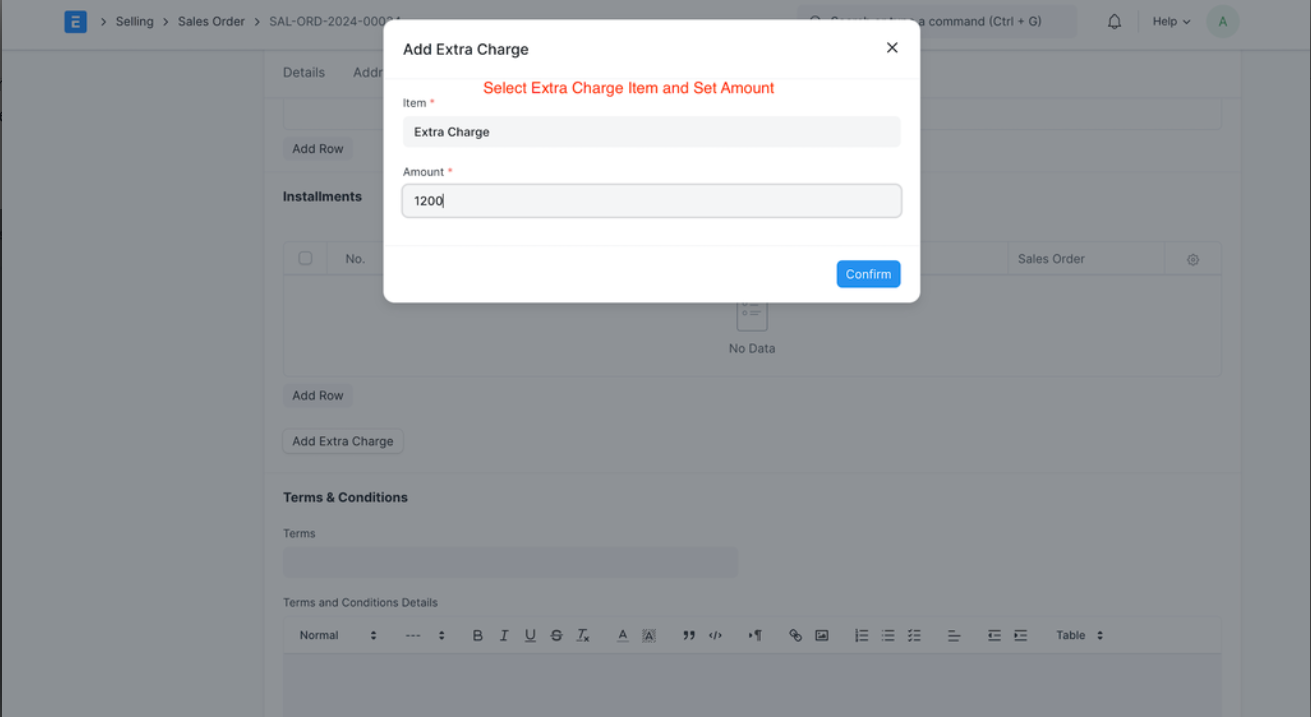
Add Extra Charges :-
In the Terms Tab, click on the
Add Extra Charge button.
A popup will appear where you can add the item and amount.
This allows you to include additional charges like
Freight Charges, Delivery Charges, or Service Fees.
Submit Sales Order :-
Once the Sales Order is submitted:
- Installment lines will be automatically generated.
- An invoice for the down payment will be created instantly.
- The invoice will also include the extra charges added earlier.
Automatic Installment Invoices :-
The app includes a background scheduler that automatically
creates separate invoices for each installment
2 days before the installment due date.
Looking for a partner to customize ERPNext or provide dedicated support?
Contact us today and let our experts help you streamline your business processes.
Payment Installment App Support
- Installation & Configuration Support for Frappe / ERPNext
- Payment Term Template Setup Assistance
- Installment Billing Workflow Guidance
- Customization for Installment Logic & Payment Flows
- Bug Fixes & Performance Optimization
Version 15 (Latest Release)
- Installment Payment System integrated with Sales Orders
- Down Payment Invoice Generation at Sales Order submission
- Automatic Installment Line Creation based on Payment Terms
- First Installment Date Configuration with auto-calculated schedule
- Extra Charges Support (Freight, Delivery, Service Charges)
- Separate Invoice for Each Installment
- Automatic Scheduler to generate installment invoices before due date
- Full Integration with ERPNext Sales & Finance Modules
Our Frappe Apps









Frappe Proprietary License v1.0

This software and associated files (the "Software") may only be used (executed,
modified, executed after modifications) if you have purchased a valid license
from the authors, typically via Frappe Apps, or if you have received a written
agreement from the authors of the Software (see the COPYRIGHT file).

You may develop Frappe apps that use the Software as a library (typically
by depending on it, importing it and using its resources), but without copying
any source code or material from the Software. You may distribute those
apps under the license of your choice, provided that this license is
compatible with the terms of the Frappe Proprietary License (For example:
LGPL, MIT, or proprietary licenses similar to this one).

It is forbidden to publish, distribute, sublicense, or sell copies of the Software
or modified copies of the Software.

The above copyright notice and this permission notice must be included in all
copies or substantial portions of the Software.

THE SOFTWARE IS PROVIDED "AS IS", WITHOUT WARRANTY OF ANY KIND, EXPRESS OR
IMPLIED, INCLUDING BUT NOT LIMITED TO THE WARRANTIES OF MERCHANTABILITY,
FITNESS FOR A PARTICULAR PURPOSE AND NONINFRINGEMENT.
IN NO EVENT SHALL THE AUTHORS OR COPYRIGHT HOLDERS BE LIABLE FOR ANY CLAIM,
DAMAGES OR OTHER LIABILITY, WHETHER IN AN ACTION OF CONTRACT, TORT OR OTHERWISE,
ARISING FROM, OUT OF OR IN CONNECTION WITH THE SOFTWARE OR THE USE OR OTHER
DEALINGS IN THE SOFTWARE.

Comment on this module. Please Login