 +91 981-810-8884, 0114-214-3250
| Technical Name | direct_print_frappe |
| License | OPL-1 |
| Also available in version | v 16.0 |
Send Direct Print To Printer
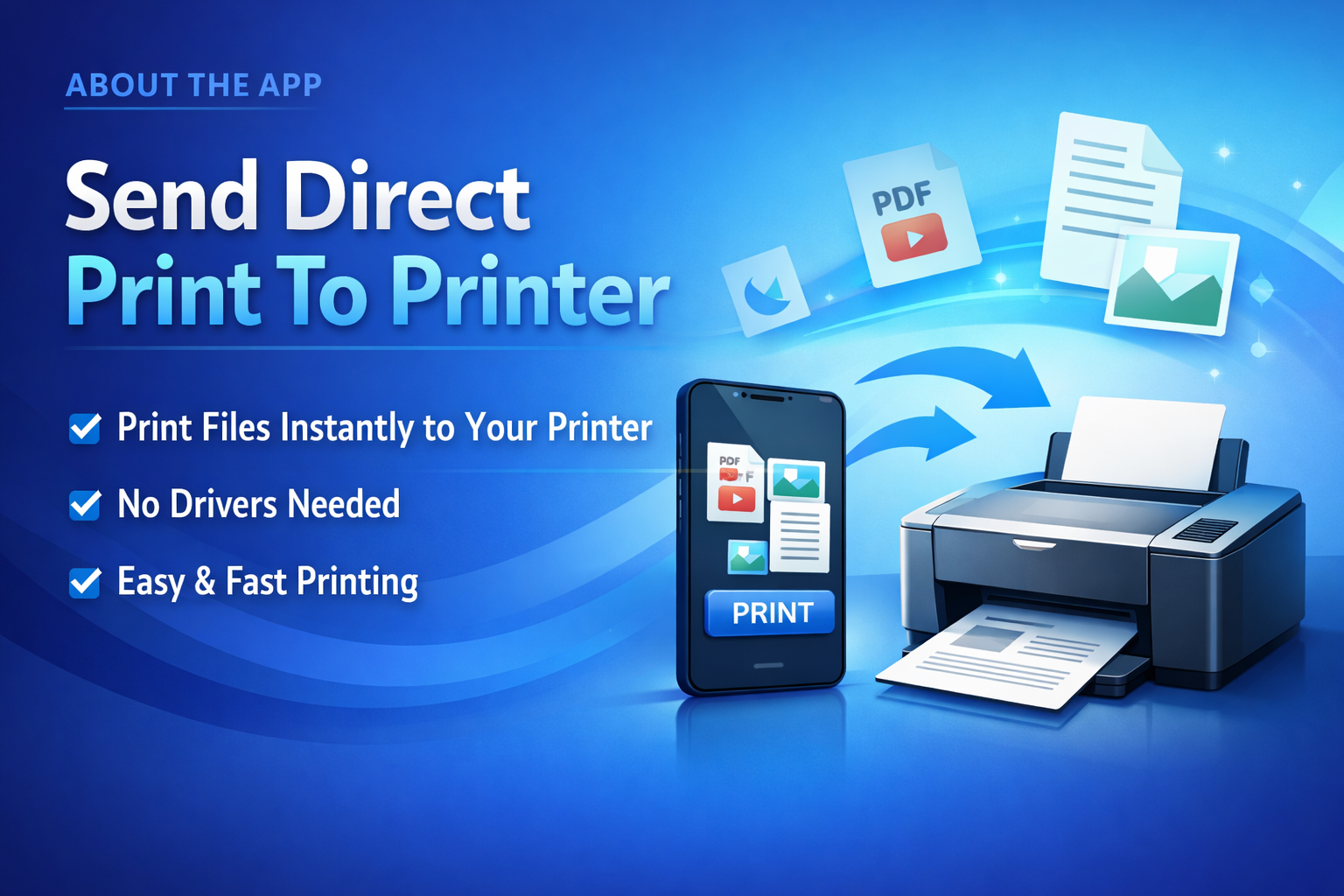
Seamless & Instant Printing Without Download
Send Direct Print To Printer allows users to print documents instantly without downloading files manually.
This module enables direct communication between the system and connected printers, ensuring fast and hassle-free printing for POS receipts, invoices, PDFs, and barcode labels.
🚀 Key Features
Fast, reliable, and automated printing for your business operations.
Direct Printing
Print documents directly to the connected printer without downloading.
POS Receipt Print
Instantly print POS order receipts with a single click.
PDF Printing
Print PDF documents directly without opening or downloading them.
Barcode Label Print
Generate and print barcode labels directly from the system.
Bulk Invoice Printing
Print multiple invoices in bulk to save time and effort.
No Third-Party Required
Works independently without any external apps or additional licenses.
Mobile Printing Support
Print documents directly from mobile devices when connected to the same network.
Network Printer Support
Seamlessly works with network printers for centralized and flexible printing.
Zebra & EPL Printer Support
Supports Zebra printers and EPL for efficient label and barcode printing.
One-Click Printing
Execute print commands instantly with a single click for faster workflow.
Multi-Document Support
Print various document types including invoices, receipts, labels, and reports seamlessly.
Secure Printing
Ensures safe and controlled printing with user-level access and permissions.
How to Use Direct Print To Printer
1. Select User for Direct Print Access :-
Choose the user for whom you want to enable direct printing access.
2. Enable Direct Print Permission :-
Go to User → Roles & Permissions and enable
"Direct Print User" option.
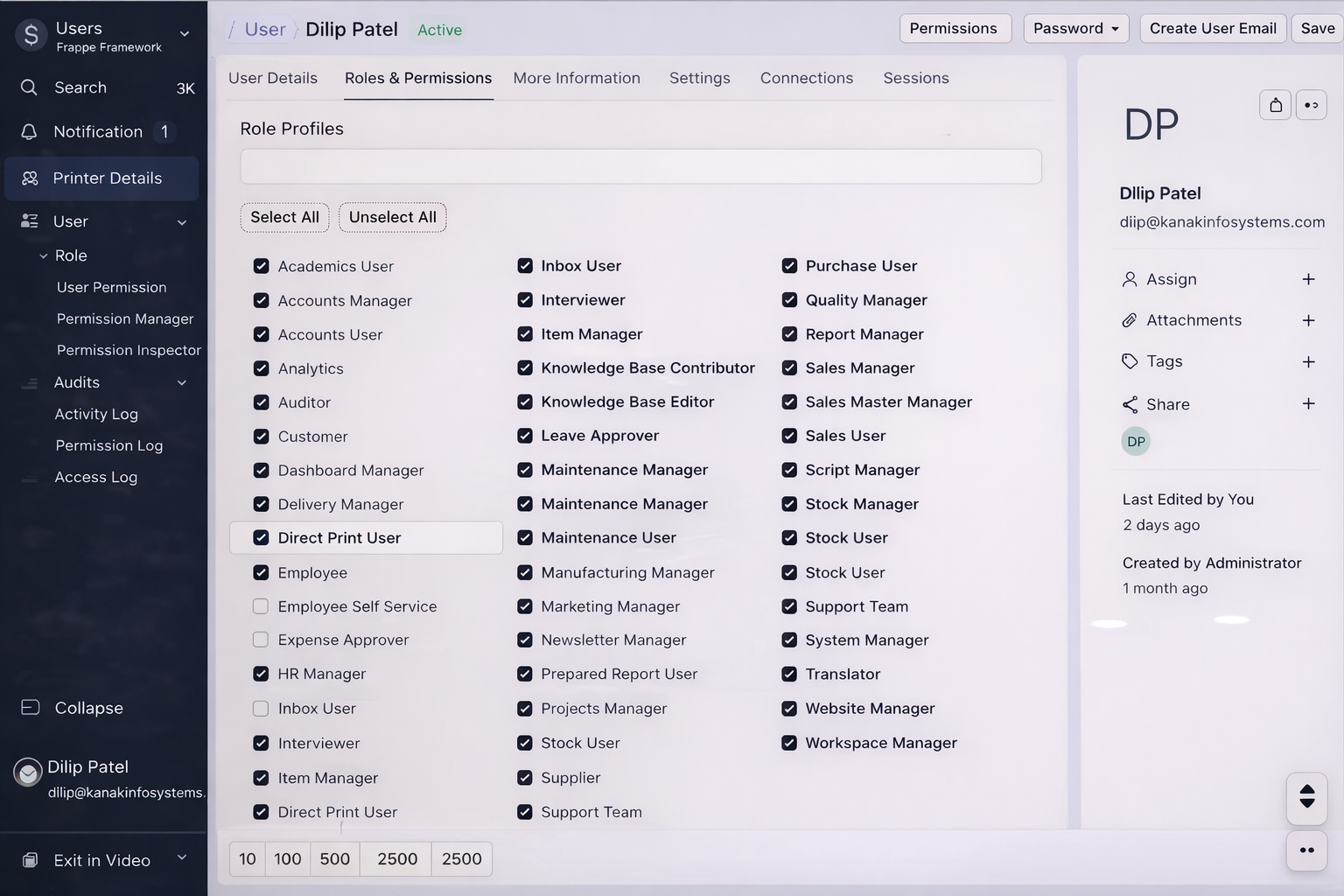
After enabling, the user will only have access to direct printing functionality.
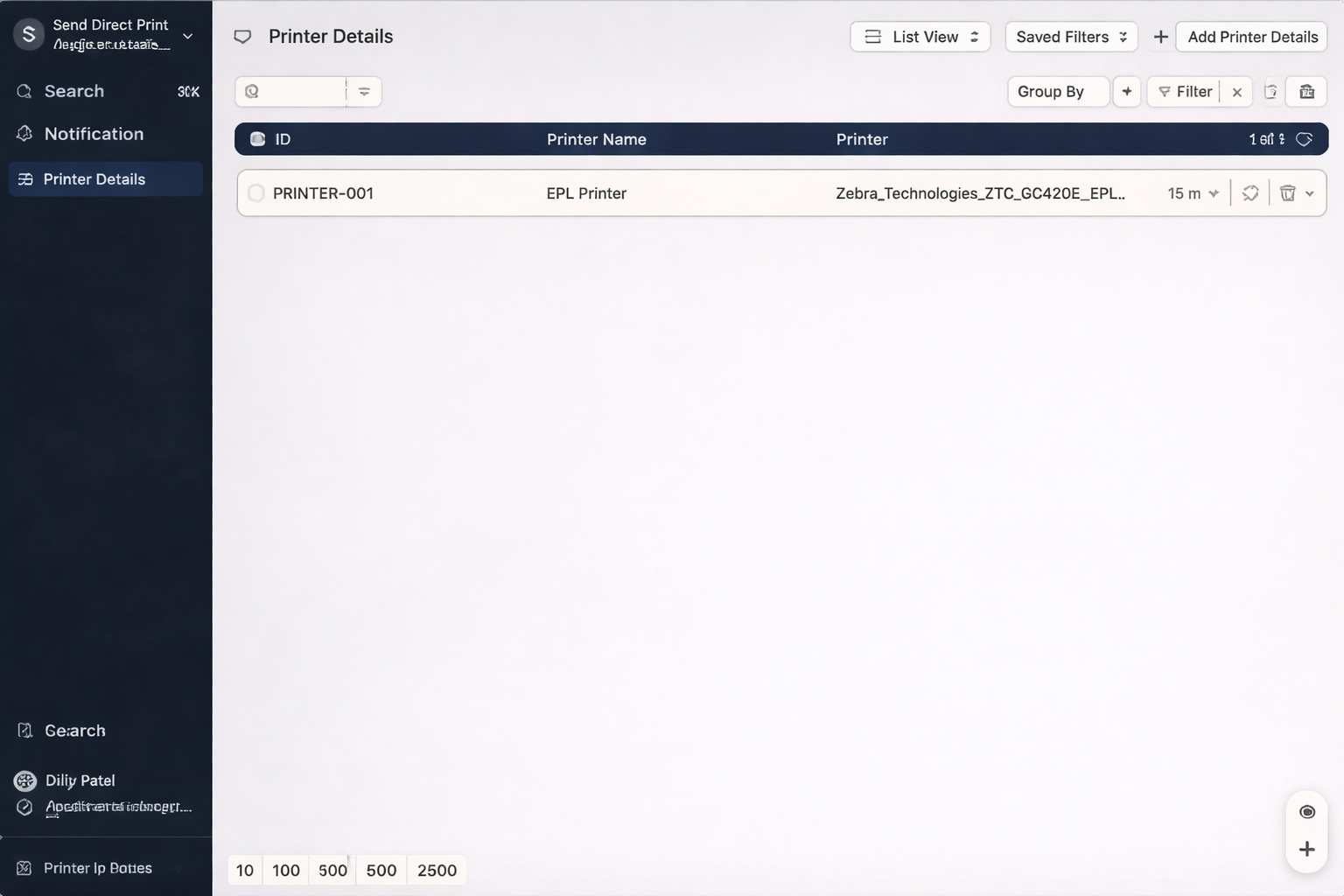
4. Search Printer Details :-
Open the printer list and search for available printers.
5. Add Printer Details :-
Create a new printer configuration by adding required printer details.
6. Enable Printer Configuration :-
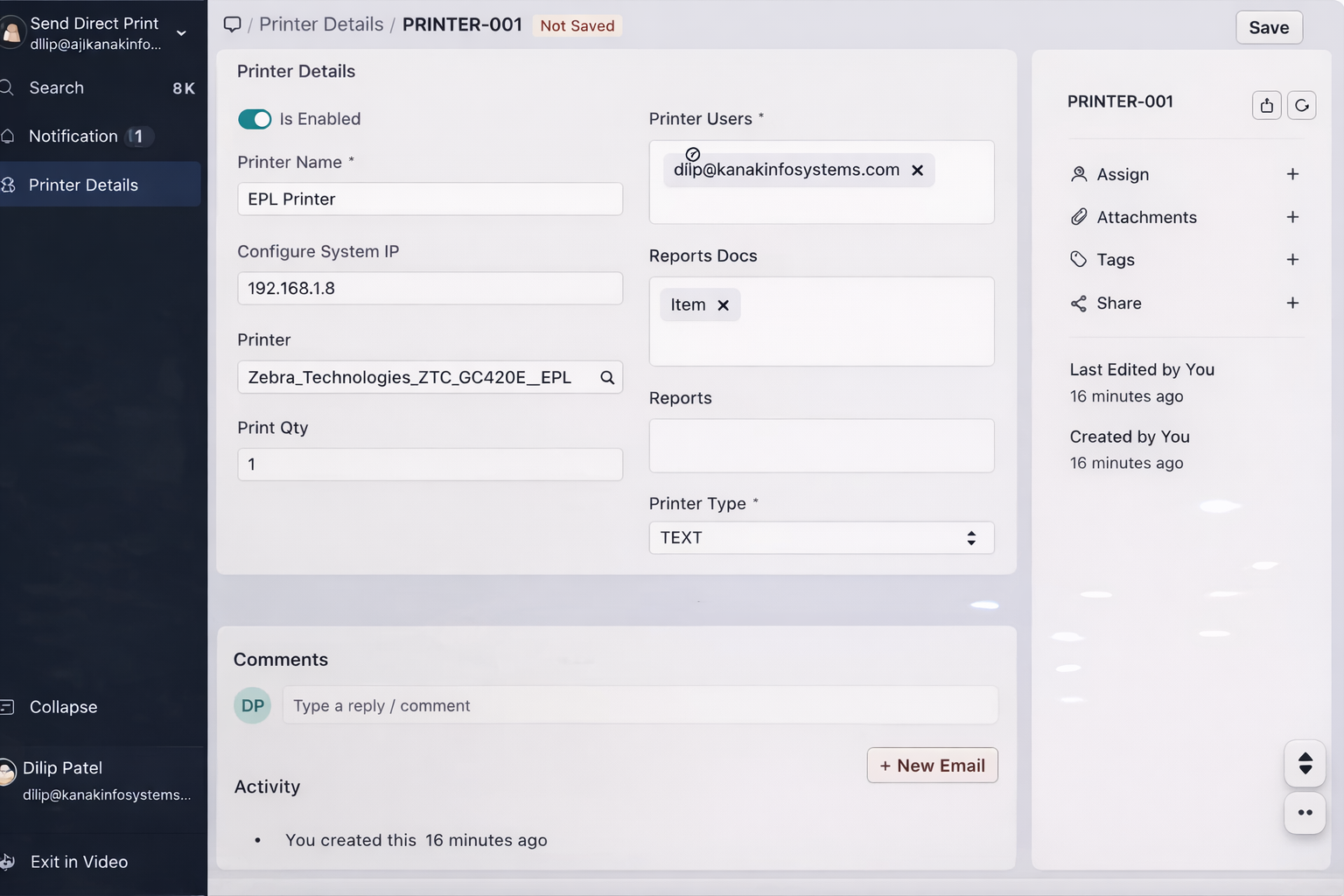
Turn on "Is Enabled" option to activate the printer.
7. Add System IP :-
Enter the system or printer IP address to establish connection.
8. Configure Printer Settings :-
Select Printer, assign Printer User, choose
Report/Document, define Printer Type and
Print Quantity.
9. Start Direct Printing :-
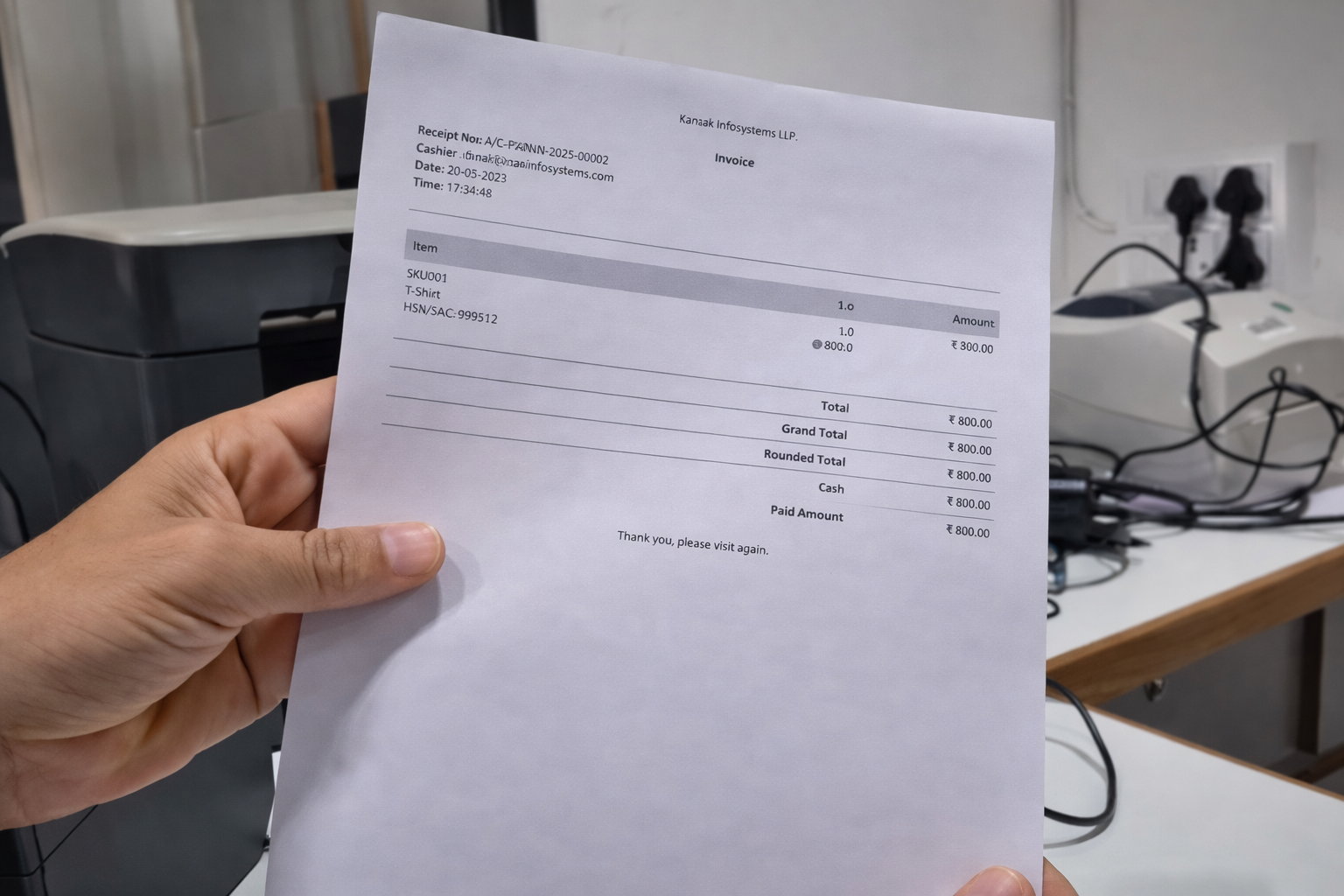
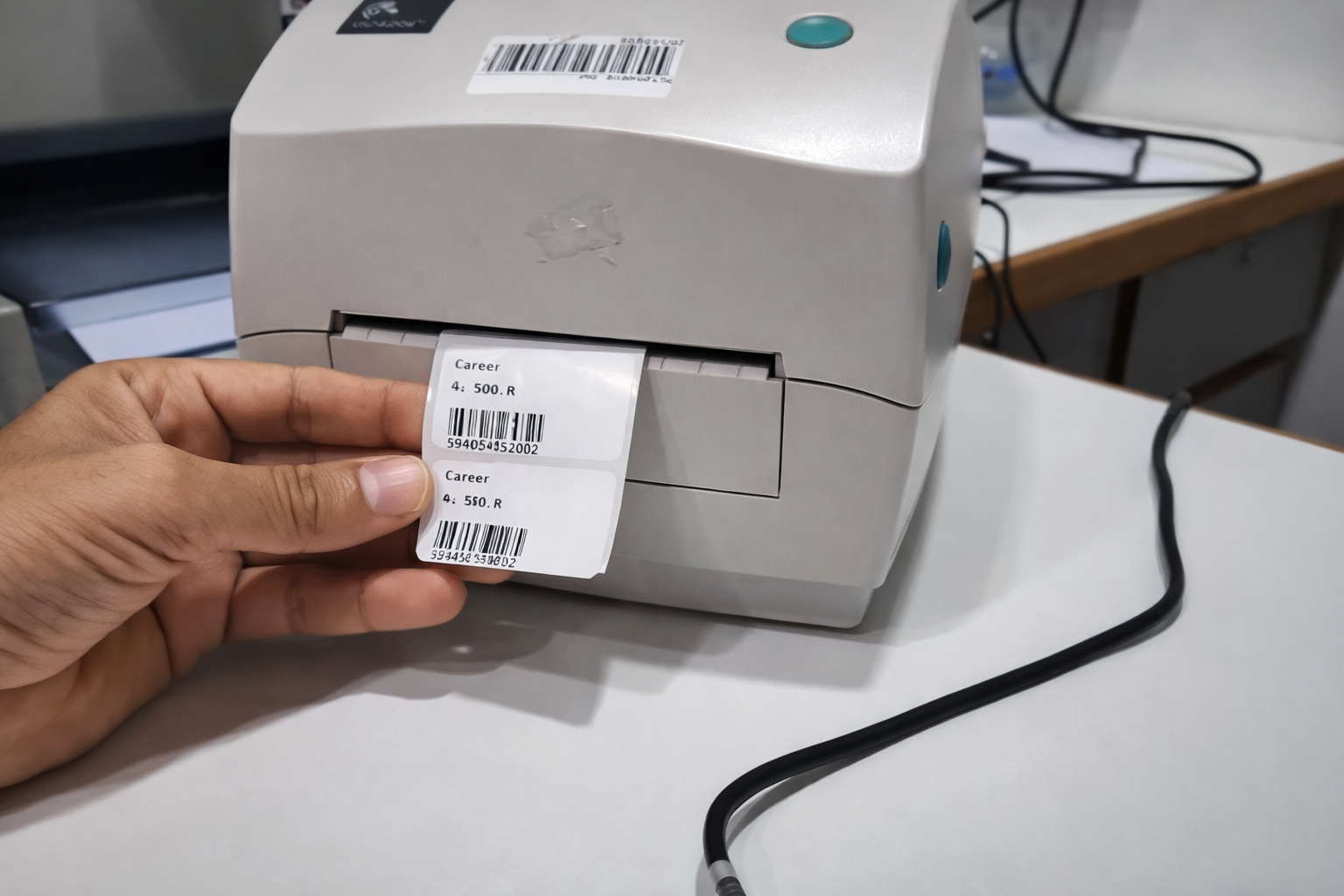
Once configured, documents like Barcode Labels,
POS Receipts, Invoices, and
Bulk Invoices will be printed directly without download.
Quick Checklist :-
| Field | Location | Purpose |
|---|---|---|
| Direct Print User | User Roles & Permissions | Enable direct printing access |
| Printer | Printer Configuration | Select printer device |
| System IP | Printer Setup | Connect printer with system |
| Print Format | Report Settings | Define output format |
Watch Demo
Watch the complete demonstration of Frappe Direct Print including instant printing of POS receipts, invoices, and labels with easy IP-based configuration without downloads or third-party apps.
Direct Print To Printer Support
- Printer Configuration & Setup Assistance
- User Role & Direct Print Permission Setup
- POS Receipt, Invoice & Barcode Printing Support
- Bulk Printing Configuration Guidance
- Bug Fixes & Performance Optimization
Version 15 (Latest Release)
- Direct Print Feature without download
- User-Based Access Control for printing
- Printer Configuration Module with IP setup
- POS Receipt Printing support
- Invoice & Bulk Invoice Printing
- Barcode Label Printing support
- No Third-Party Integration Required
- Multi Printer Mapping support
Our Frappe Apps







Frappe Proprietary License v1.0

This software and associated files (the "Software") may only be used (executed,
modified, executed after modifications) if you have purchased a valid license
from the authors, typically via Frappe Apps, or if you have received a written
agreement from the authors of the Software (see the COPYRIGHT file).

You may develop Frappe apps that use the Software as a library (typically
by depending on it, importing it and using its resources), but without copying
any source code or material from the Software. You may distribute those
apps under the license of your choice, provided that this license is
compatible with the terms of the Frappe Proprietary License (For example:
LGPL, MIT, or proprietary licenses similar to this one).

It is forbidden to publish, distribute, sublicense, or sell copies of the Software
or modified copies of the Software.

The above copyright notice and this permission notice must be included in all
copies or substantial portions of the Software.

THE SOFTWARE IS PROVIDED "AS IS", WITHOUT WARRANTY OF ANY KIND, EXPRESS OR
IMPLIED, INCLUDING BUT NOT LIMITED TO THE WARRANTIES OF MERCHANTABILITY,
FITNESS FOR A PARTICULAR PURPOSE AND NONINFRINGEMENT.
IN NO EVENT SHALL THE AUTHORS OR COPYRIGHT HOLDERS BE LIABLE FOR ANY CLAIM,
DAMAGES OR OTHER LIABILITY, WHETHER IN AN ACTION OF CONTRACT, TORT OR OTHERWISE,
ARISING FROM, OUT OF OR IN CONNECTION WITH THE SOFTWARE OR THE USE OR OTHER
DEALINGS IN THE SOFTWARE.

Comment on this module. Please Login