 +91 981-810-8884, 0114-214-3250
| Technical Name | knk_survey_management |
| License | OPL-1 |
| Technical Name | knk_survey_management |
| License | OPL-1 |
Survey Management
Complete Survey Creation, Distribution & Analytics for Frappe & ERPNext
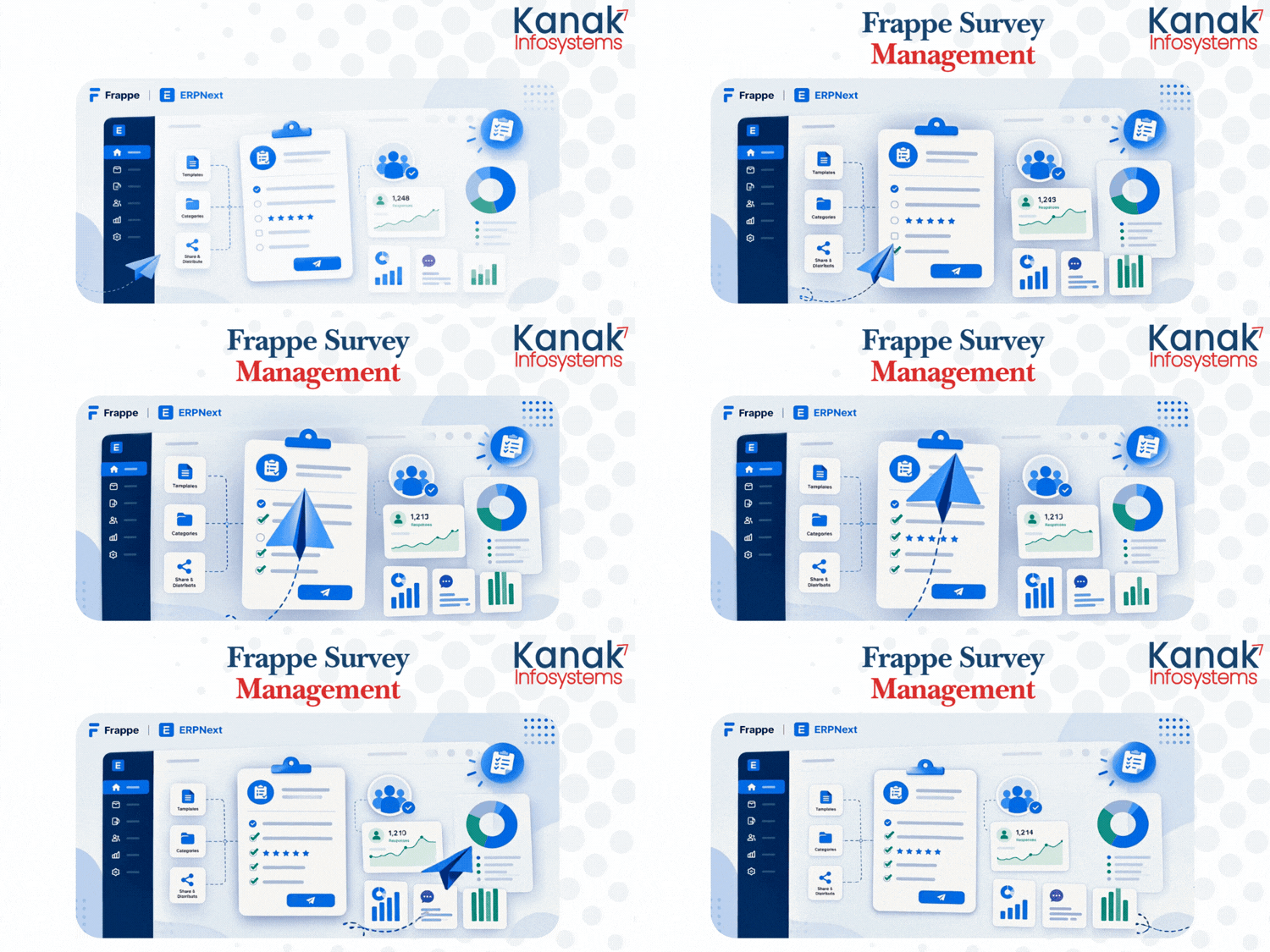
Survey Management gives you an end-to-end toolkit to design, distribute, and analyze surveys directly inside Frappe and ERPNext. Build surveys from reusable templates and categories, run live or shared-link sessions, collect responses from registered or anonymous participants, and turn every answer into actionable analytics — session-level, question-level, and participant-level — all from one connected workspace.
🎉 Key Features
Everything you need to build, run, and measure surveys — built directly into Frappe & ERPNext.
Survey List
View, create, and manage every survey from a single centralized list with quick status tracking.
Survey Session List
Track every survey session that has been scheduled, run, or completed, with full session history.
Survey Response List
Review all submitted responses in one place, filterable by survey, session, or participant.
Survey Category List
Organize surveys into categories for easier discovery, filtering, and reporting across teams.
Survey Template List
Reuse pre-built survey templates to launch new surveys quickly and maintain consistency.
Survey Analytic List
Access a consolidated list of analytics records generated across all surveys and sessions.
Survey Participant List
Manage every participant who has taken part in a survey, including their status and history.
Survey Certification List
Track certificates issued to participants based on survey completion or scoring thresholds.
Session Analytics
Get a detailed breakdown of participation, completion, and engagement for every session.
Survey Response Summary
View aggregated summaries of responses per survey to quickly understand overall outcomes.
Question Analytics
Drill down into how each individual question performed, including answer distribution.
Participant Report
Generate individual reports per participant covering their responses, scores, and status.
Live Session
Run surveys in real time with a live session mode, letting participants respond simultaneously.
Shared URL
Distribute surveys instantly through a shareable link, no login required to access the form.
Enable Paged Mode
Switch on multi-page survey with next/previous navigation for a guided, step-by-step experience.
Show Results After Submit
Automatically display results to participants right after they submit their responses.
Show Score
Reveal a calculated score to participants on completion, ideal for quizzes and assessments.
Allow Anonymous
Let participants submit responses without identifying themselves, ideal for candid feedback.
Require Login
Restrict survey access to authenticated users only, ensuring responses are tied to known accounts.
Randomize Questions
Shuffle question order per participant to reduce bias and prevent answer sharing.
How to Use Survey Management
1. Create a Survey :-
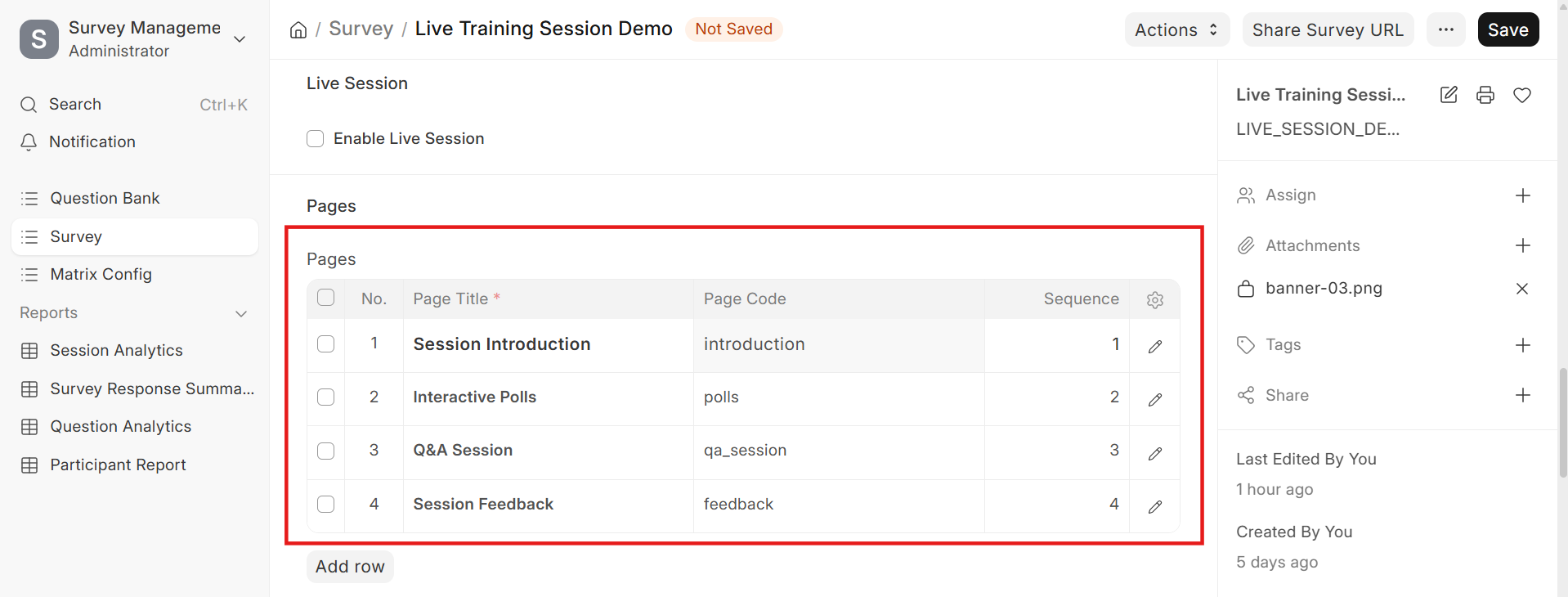
Open the Survey Management module and start a new survey from scratch or from a Survey Template. Assign it to a Survey Category to keep your survey list organized, then build out your questions.
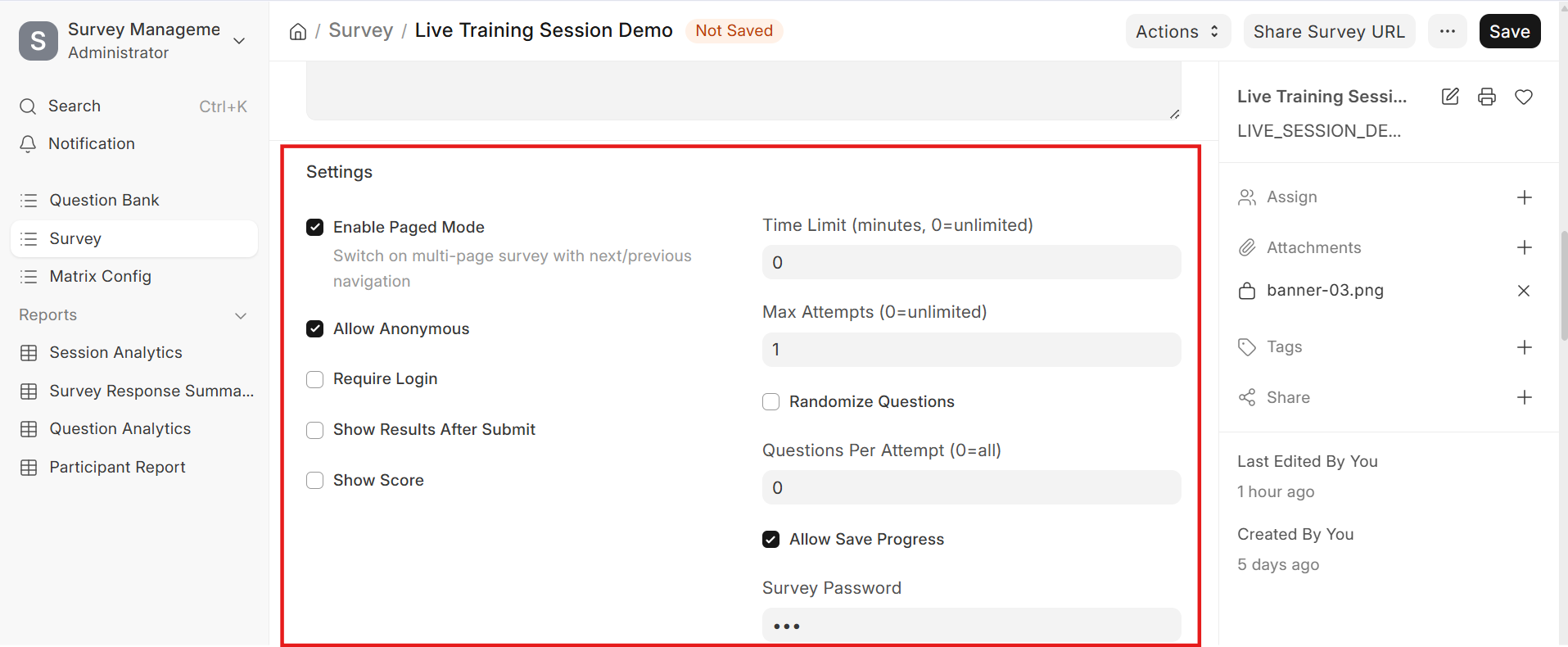
Configure survey-level settings such as Enable Paged Mode to switch on a multi-page layout with next/previous navigation, Randomize Questions to shuffle question order per participant, and Show Score or Show Results After Submit to control what participants see once they finish.
Decide who can respond by toggling Allow Anonymous for open feedback collection, or Require Login when responses must be tied to a known account.
2. Distribute the Survey :-
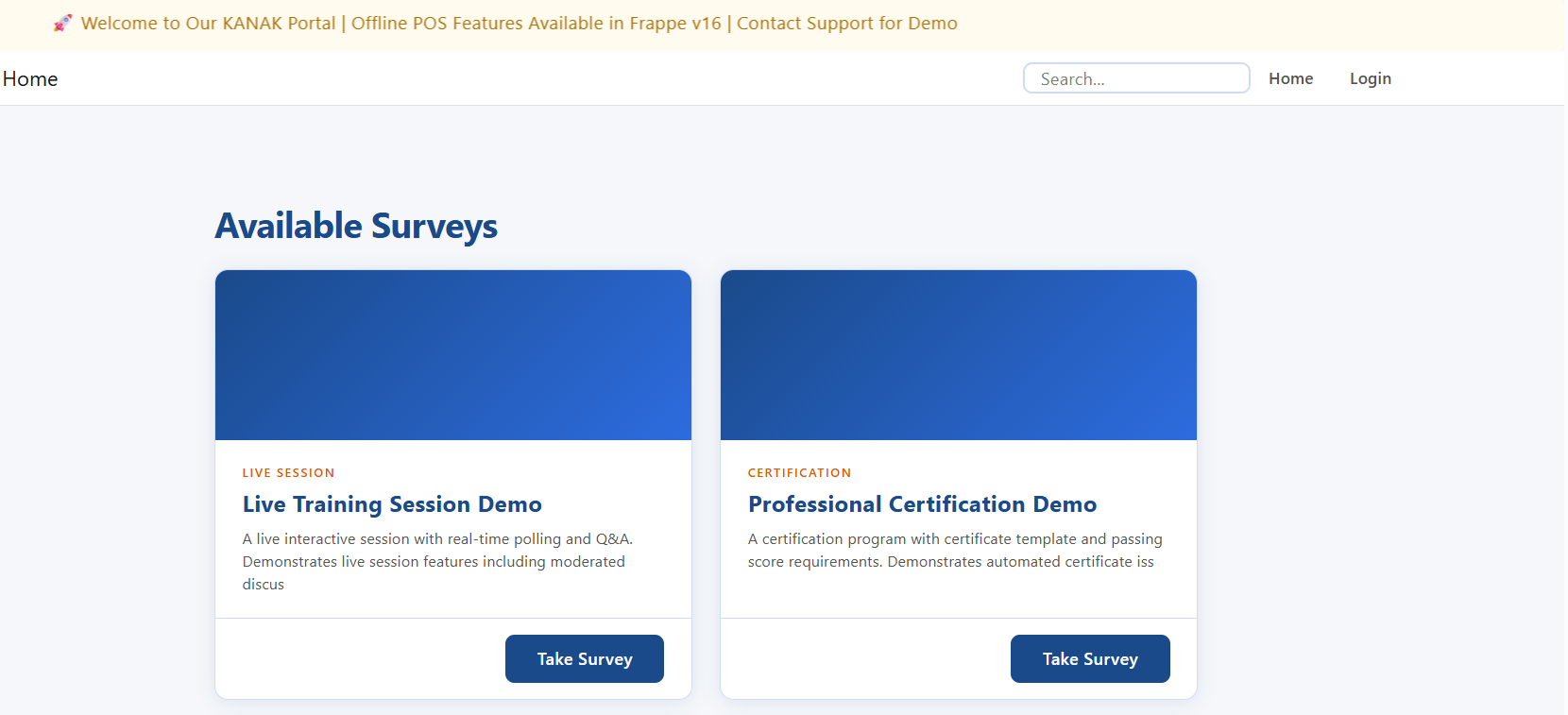
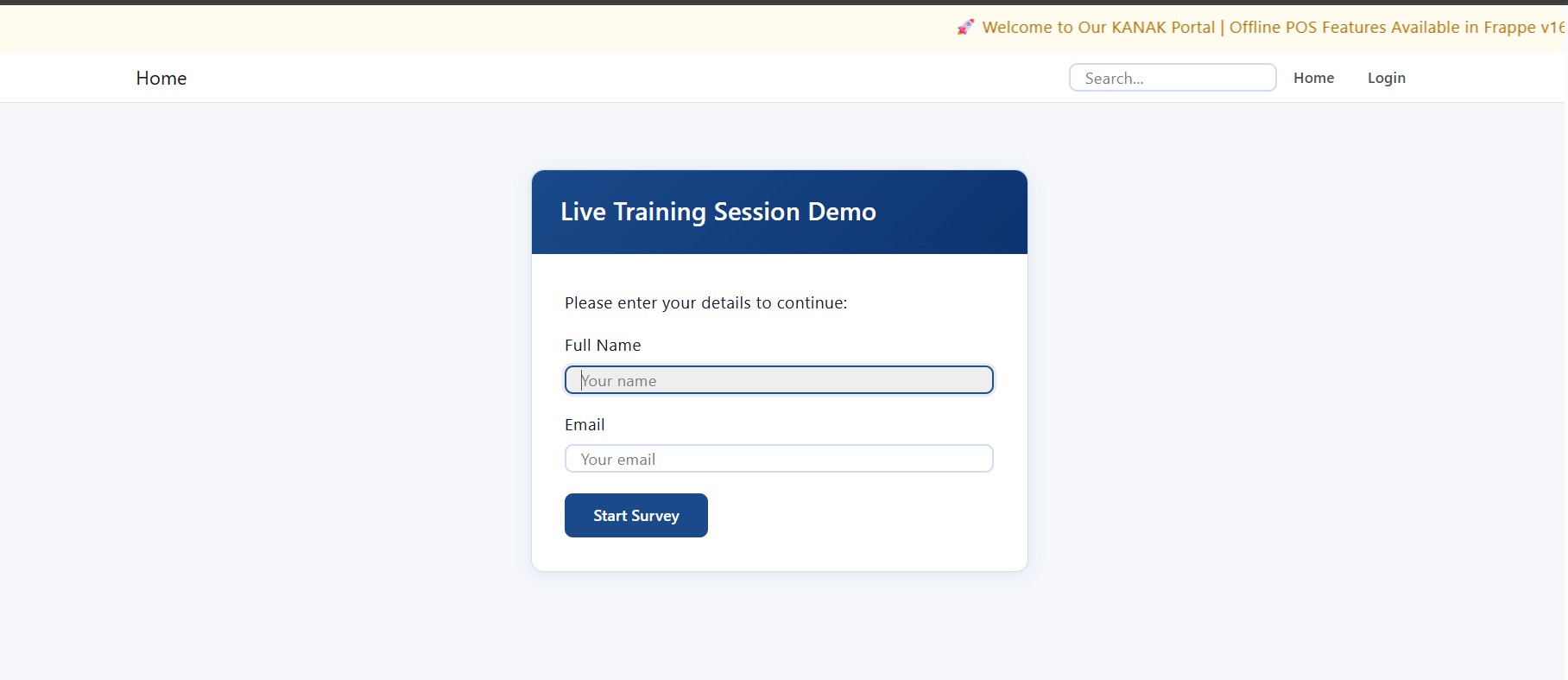
Launch a Live Session to run the survey in real time with participants responding simultaneously, or generate a Shared URL to let anyone access and complete the survey without needing to log in.
Track everyone who joins through the Survey Participant List, and monitor active and past sessions from the Survey Session List.
3. Review Responses :-
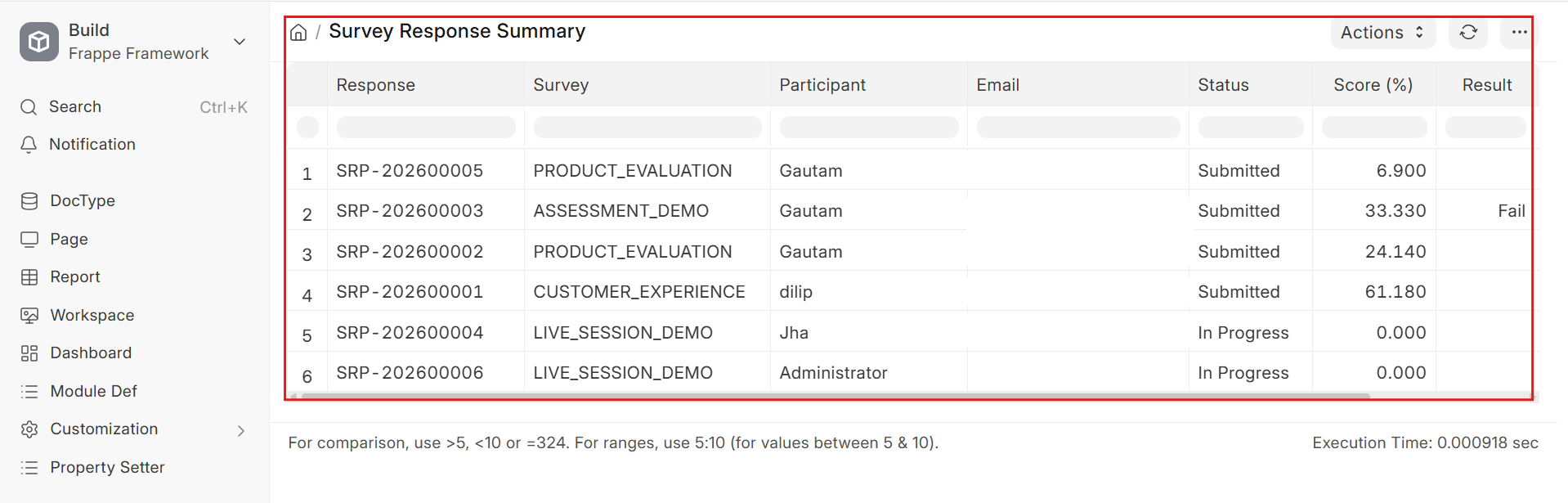
As submissions come in, view them from the Survey Response List. Use the Survey Response Summary to see aggregated outcomes at a glance, or open the Survey Analytic List for a consolidated analytics view across every survey.
4. Analyze Results :-
Dive into Session Analytics to understand participation and completion for a specific session, or use Question Analytics to see how each individual question performed, including answer distribution.
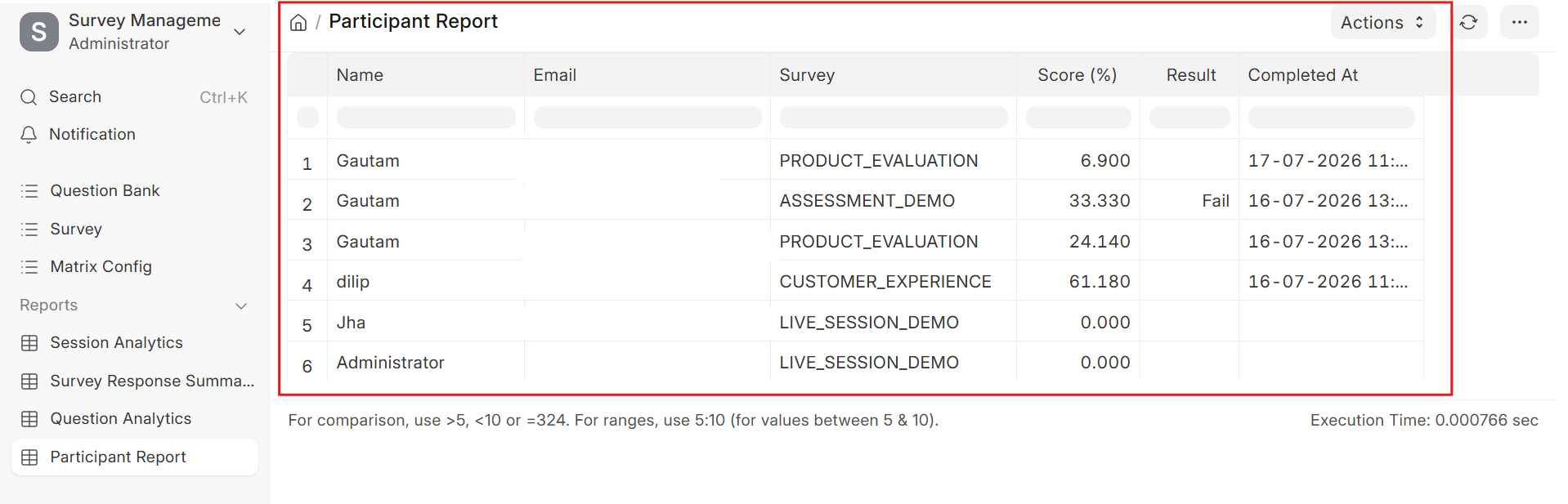
Generate a Participant Report for a detailed, individual breakdown of a participant's responses and score, and issue credentials through the Survey Certification List once completion or scoring criteria are met.
Survey Management Support
- Installation & Setup Assistance
- Survey & Template Configuration Guidance
- Session & Analytics Troubleshooting
- Performance Optimization & Issue Resolution
Version 16 (Latest Release)
- Survey Builder Create surveys from templates, categories, and custom question sets.
- Session Tools Live Sessions and Shared URLs for flexible survey distribution.
- Analytics Suite Session Analytics, Question Analytics, and Participant Reports for deep insight.
- Access Controls Allow Anonymous, Require Login, Randomize Questions, and Paged Mode for flexible survey behavior.
Our Frappe Apps








Frappe Proprietary License v1.0

This software and associated files (the "Software") may only be used (executed,
modified, executed after modifications) if you have purchased a valid license
from the authors, typically via Frappe Apps, or if you have received a written
agreement from the authors of the Software (see the COPYRIGHT file).

You may develop Frappe apps that use the Software as a library (typically
by depending on it, importing it and using its resources), but without copying
any source code or material from the Software. You may distribute those
apps under the license of your choice, provided that this license is
compatible with the terms of the Frappe Proprietary License (For example:
LGPL, MIT, or proprietary licenses similar to this one).

It is forbidden to publish, distribute, sublicense, or sell copies of the Software
or modified copies of the Software.

The above copyright notice and this permission notice must be included in all
copies or substantial portions of the Software.

THE SOFTWARE IS PROVIDED "AS IS", WITHOUT WARRANTY OF ANY KIND, EXPRESS OR
IMPLIED, INCLUDING BUT NOT LIMITED TO THE WARRANTIES OF MERCHANTABILITY,
FITNESS FOR A PARTICULAR PURPOSE AND NONINFRINGEMENT.
IN NO EVENT SHALL THE AUTHORS OR COPYRIGHT HOLDERS BE LIABLE FOR ANY CLAIM,
DAMAGES OR OTHER LIABILITY, WHETHER IN AN ACTION OF CONTRACT, TORT OR OTHERWISE,
ARISING FROM, OUT OF OR IN CONNECTION WITH THE SOFTWARE OR THE USE OR OTHER
DEALINGS IN THE SOFTWARE.

Comment on this module. Please Login