 +91 981-810-8884, 0114-214-3250
| Technical Name | knk_frappe_purchase_geolocation |
| License | OPL-1 |
| Technical Name | knk_frappe_purchase_geolocation |
| License | OPL-1 |
Purchase Geolocation
Location Tracking for Smarter Purchase Operations
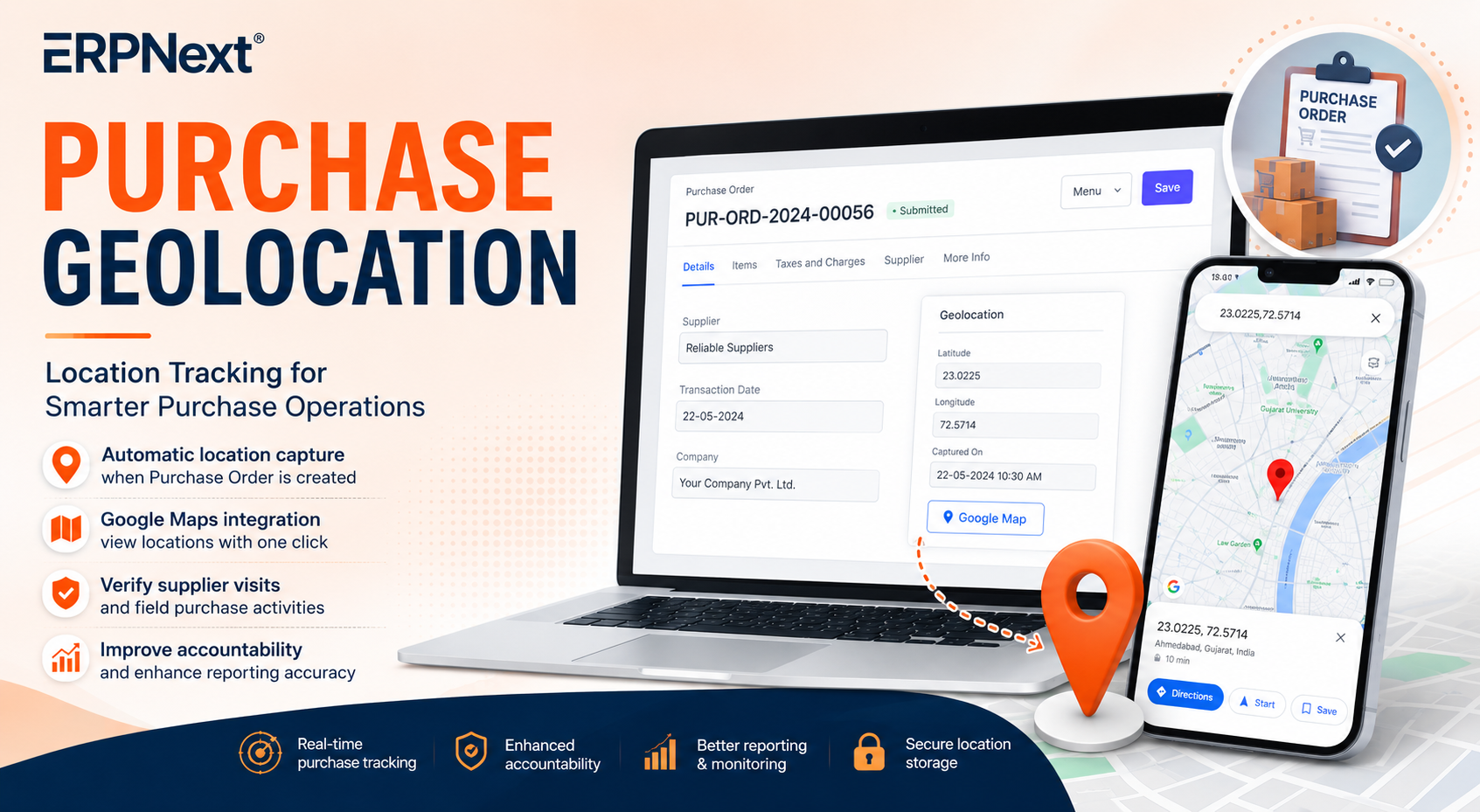
The Purchase Geolocation feature captures the user's location when a Purchase Order is created. It enables real-time location tracking, improves accountability, and enhances reporting accuracy, making it ideal for field purchase teams and managers to monitor purchase activities efficiently.
📍 Key Features
Enhance purchase operations with Purchase Geolocation.
Automatic Location Capture
Captures the user's current latitude and longitude automatically when a Purchase Order is created.
Google Maps Integration
Open the captured location directly in Google Maps using the dedicated Google Map button.
Location Verification
Verify supplier visits and purchase activities using recorded geolocation data.
Improved Accountability
Helps managers ensure field purchase teams are operating from actual supplier locations.
Enhanced Reporting
Location data is stored within Purchase Orders for audit trails, reporting, and analysis.
ERPNext Integration
Seamlessly integrated with ERPNext Purchase Orders without disrupting existing workflows.
How to Use Purchase Geolocation
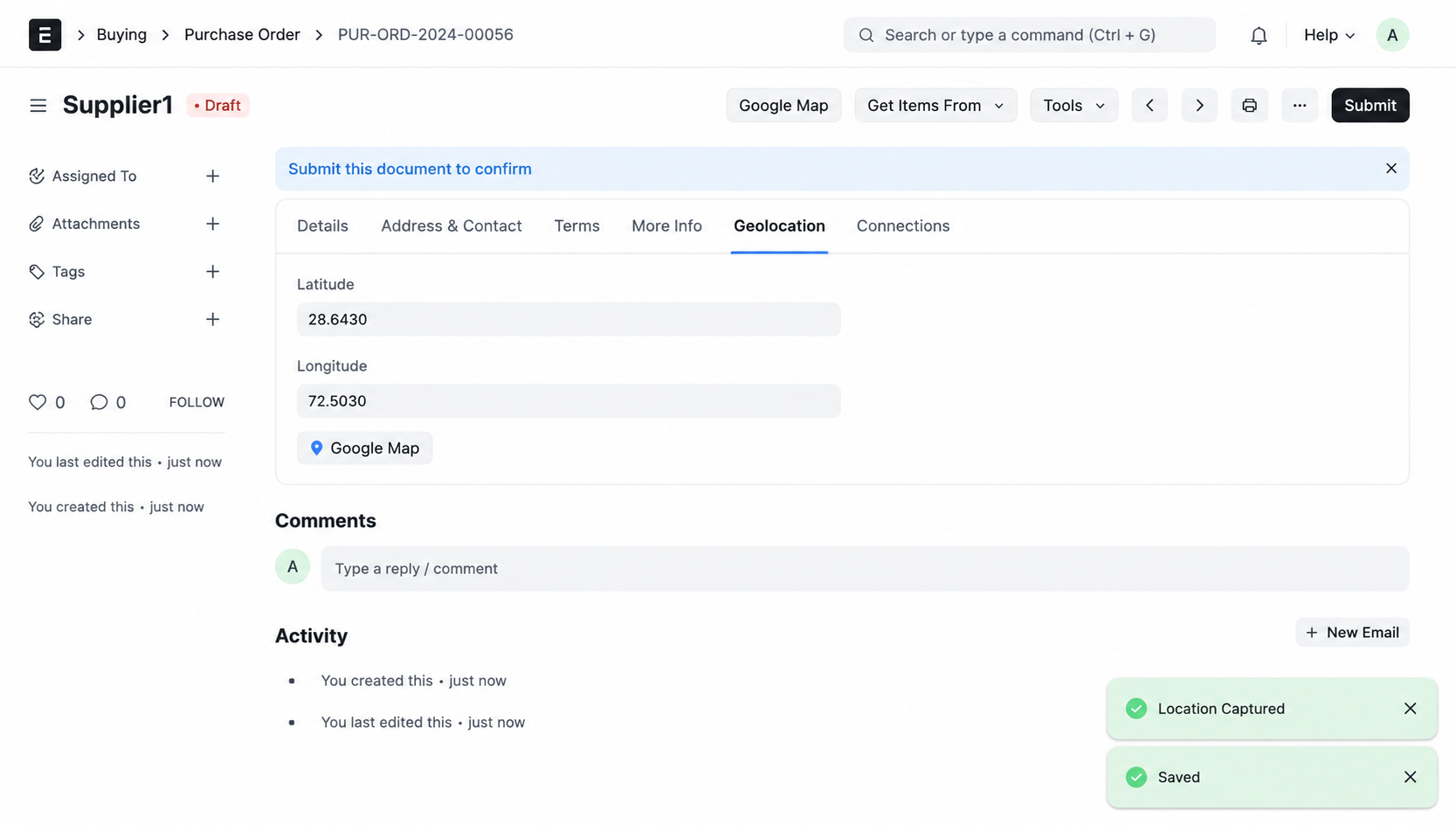
1. When a Purchase Order is created, the system automatically captures the user's current latitude and longitude, subject to browser location permission. The captured coordinates are stored in the Purchase Order record for future reference and reporting.
2. View the Captured Location :-
A Google Map button is available on the Purchase Order form.
Clicking this button opens Google Maps and displays the location where the Purchase Order was created.
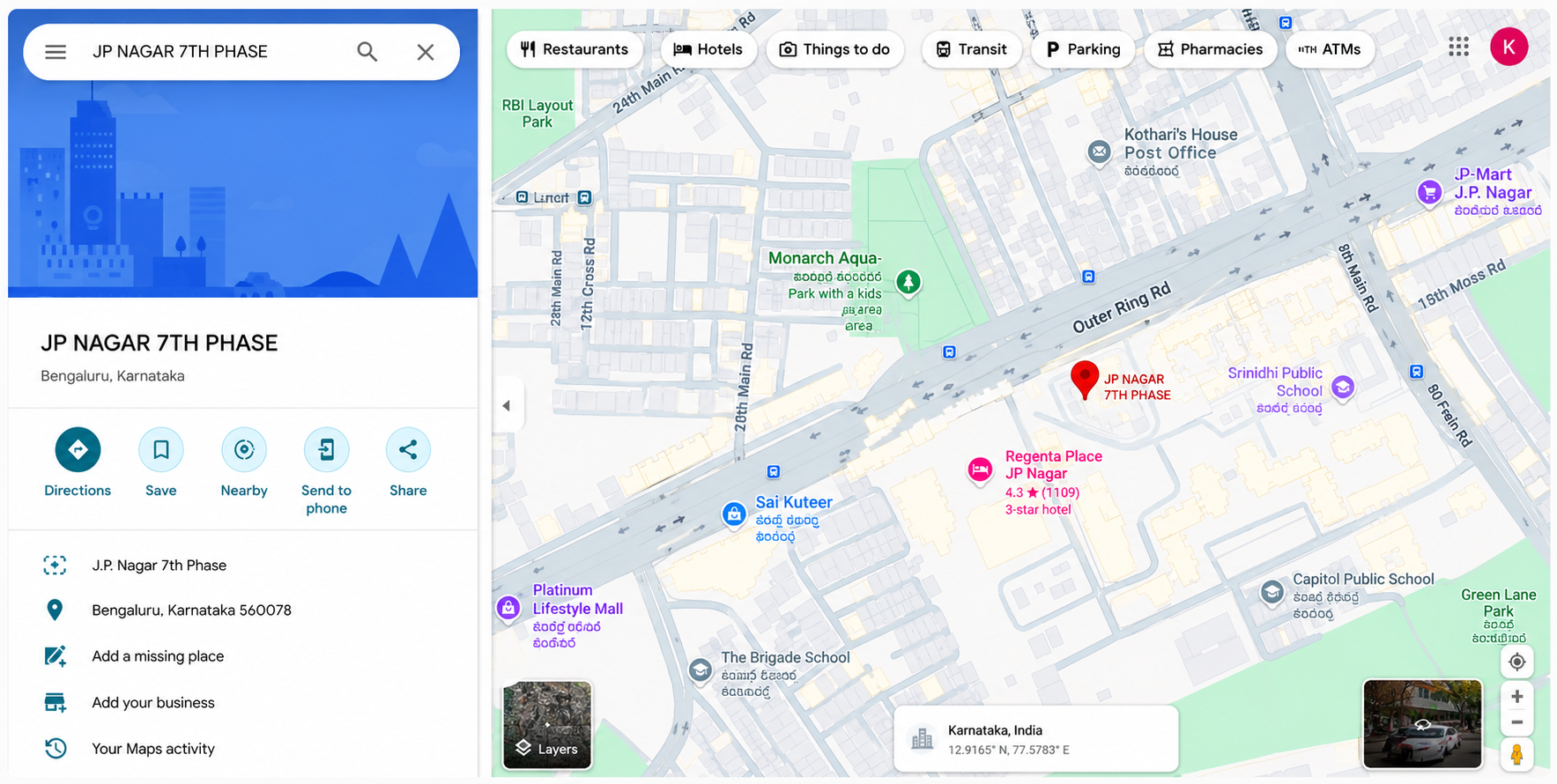
3. Open the Location in Google Maps :-
After clicking the Google Map button, Google Maps opens and navigates to the captured location. This helps managers and purchase teams verify supplier visits and track field purchase activities.
Purchase Geolocation Support
- Installation & Setup Guidance
- Location Tracking Assistance
- Google Maps Integration Guidance
- Issue Resolution & Performance Improvements
Version 16 (Latest Release)
- GPS-Based Location Tracking Stores the exact coordinates of the user during Purchase Order creation.
- Instant Map Access Quickly view the recorded location through Google Maps.
- Purchase Activity Visibility Provides managers with better insight into field purchase operations and supplier visits.
- Native ERPNext Experience Integrated directly into the Purchase Order workflow without additional steps.
- Browser location permission is denied
- GPS/location services are disabled on the device
- Internet connectivity is unavailable
- The user is using an unsupported browser
Our Frappe Apps








Frappe Proprietary License v1.0

This software and associated files (the "Software") may only be used (executed,
modified, executed after modifications) if you have purchased a valid license
from the authors, typically via Frappe Apps, or if you have received a written
agreement from the authors of the Software (see the COPYRIGHT file).

You may develop Frappe apps that use the Software as a library (typically
by depending on it, importing it and using its resources), but without copying
any source code or material from the Software. You may distribute those
apps under the license of your choice, provided that this license is
compatible with the terms of the Frappe Proprietary License (For example:
LGPL, MIT, or proprietary licenses similar to this one).

It is forbidden to publish, distribute, sublicense, or sell copies of the Software
or modified copies of the Software.

The above copyright notice and this permission notice must be included in all
copies or substantial portions of the Software.

THE SOFTWARE IS PROVIDED "AS IS", WITHOUT WARRANTY OF ANY KIND, EXPRESS OR
IMPLIED, INCLUDING BUT NOT LIMITED TO THE WARRANTIES OF MERCHANTABILITY,
FITNESS FOR A PARTICULAR PURPOSE AND NONINFRINGEMENT.
IN NO EVENT SHALL THE AUTHORS OR COPYRIGHT HOLDERS BE LIABLE FOR ANY CLAIM,
DAMAGES OR OTHER LIABILITY, WHETHER IN AN ACTION OF CONTRACT, TORT OR OTHERWISE,
ARISING FROM, OUT OF OR IN CONNECTION WITH THE SOFTWARE OR THE USE OR OTHER
DEALINGS IN THE SOFTWARE.

Comment on this module. Please Login