 +91 981-810-8884, 0114-214-3250
| Technical Name | knk_frappe_canada_payroll |
| License | OPL-1 |
| Technical Name | knk_frappe_canada_payroll |
| License | OPL-1 |
Frappe HR Canada Payroll & CRA Compliance
CRA-Compliant Payroll Processing for ERPNext & Frappe HR
Frappe HR Canada Payroll & CRA Compliance provides complete payroll management aligned with Canada Revenue Agency (CRA) requirements.
The module supports province-wise payroll configuration, Federal & Provincial Taxes, CPP/CPP2 contributions, EI calculations, yearly rates, tax brackets, YTD tracking, and annual contribution maximum enforcement.

🚀 Key Features
Advanced payroll automation and statutory compliance for Canada.
Province Based Payroll
Configure payroll separately for Canadian provinces and territories.
Federal & Provincial Tax
Automatic tax calculations using configurable tax brackets and constants.
CPP / CPP2 Support
Manage employee and employer CPP contributions with yearly limits.
EI Contribution Tracking
Calculate Employment Insurance deductions and employer contributions.
Yearly Rate Configuration
Configure yearly payroll rates, YMPE, YAMPE and tax percentages.
YTD Maximum Enforcement
Automatically stop deductions after yearly contribution limits are reached.
Workflow
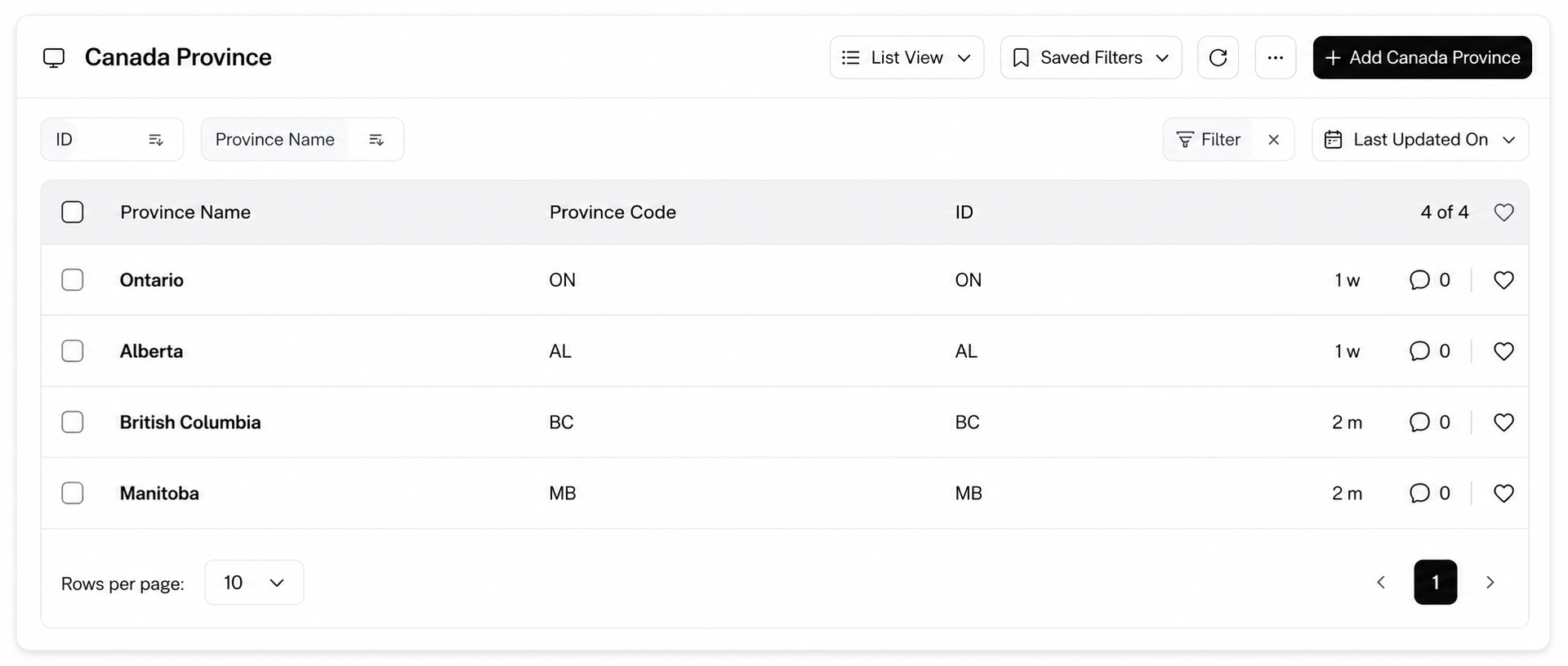
Configure Canada Province :-
Go to Canada Province and create
province records where payroll will be processed.
Add essential province details including:
Province Code (ON, QC, AB)
and Province Name
(Ontario, Quebec, Alberta).
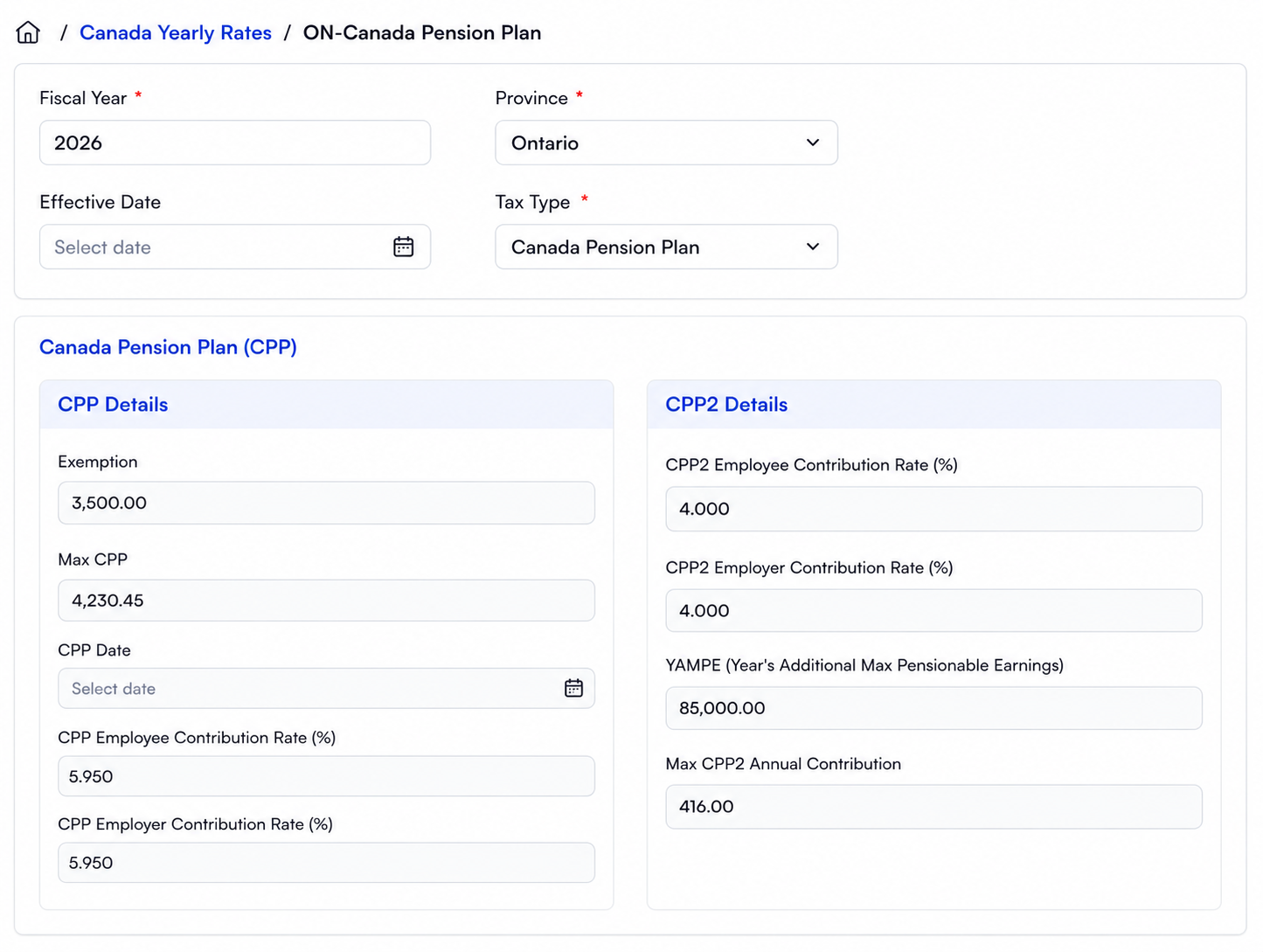
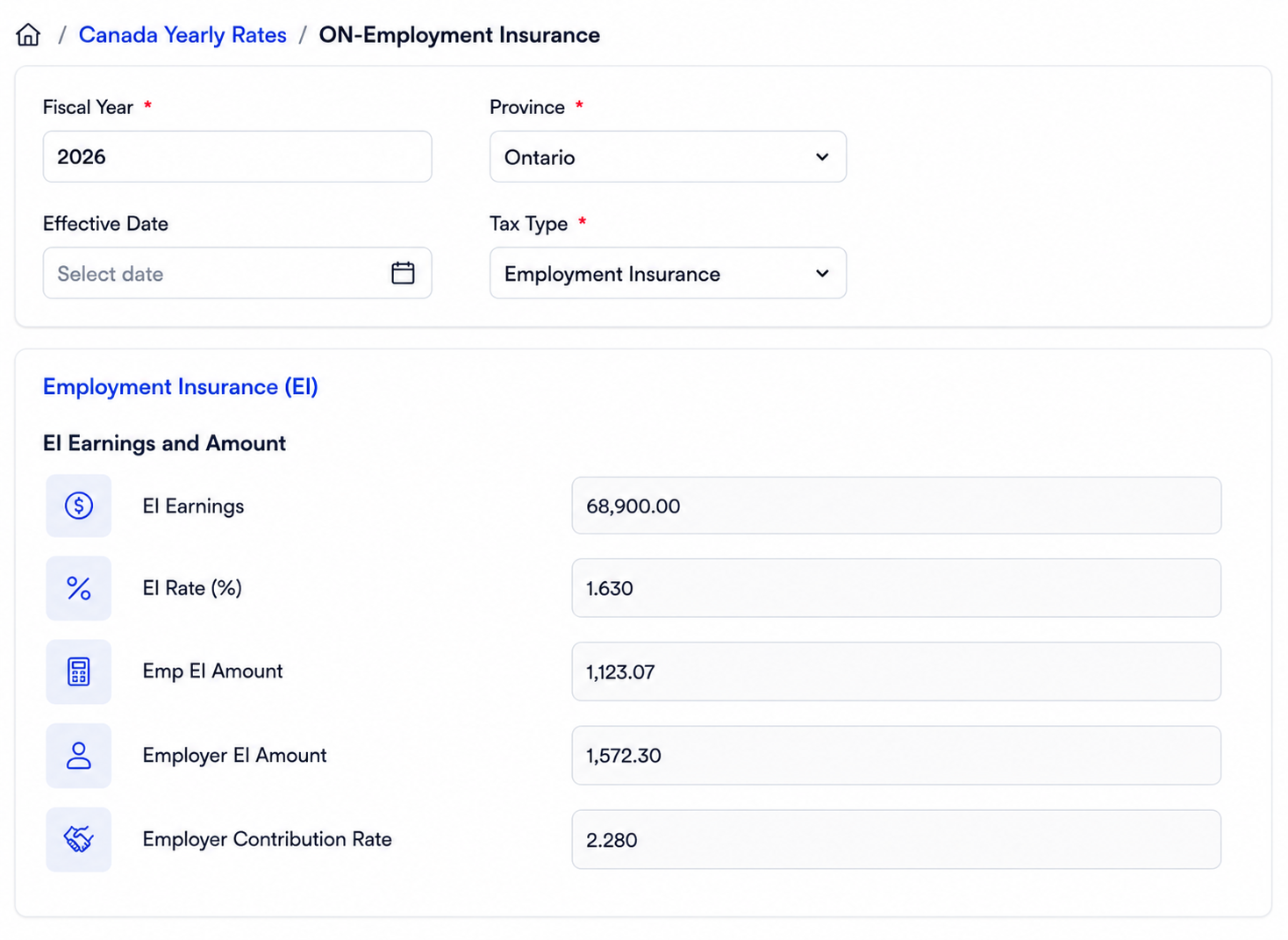
Configure Canada Yearly Rates
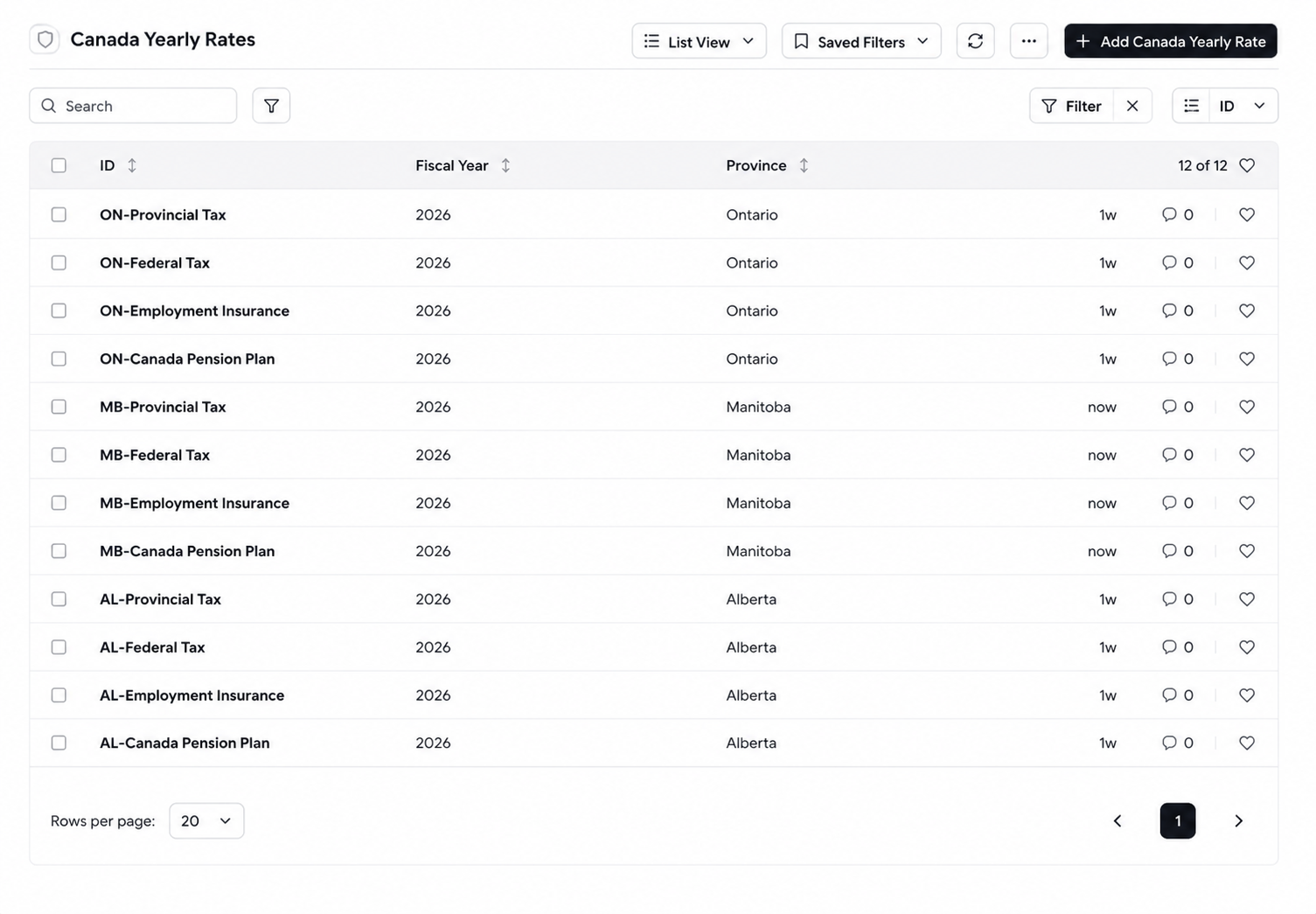
Create CRA Payroll Rates, Configure Tax & Contribution Settings :-
Create yearly CRA payroll rates for each Province and Tax Type. The configuration helps businesses manage payroll deductions accurately according to Canadian compliance requirements. Configure Federal Tax, Provincial Tax, CPP, CPP2, and Employment Insurance (EI) contribution settings with yearly rate definitions.
Configure Tax Brackets & Rates
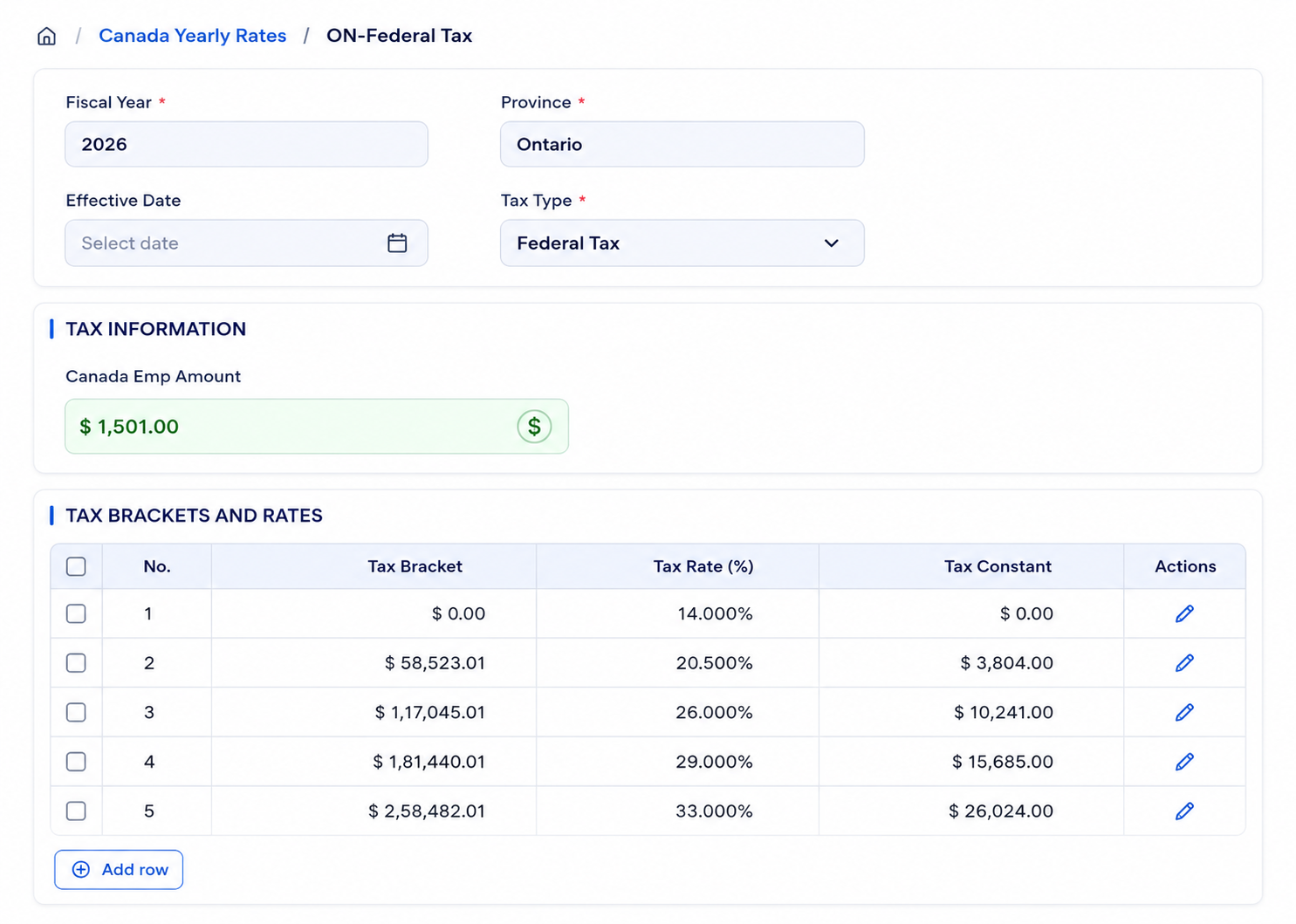
Configure Tax Calculation Parameters :-
Configure Tax Bracket, Tax Rate (%), and Tax Constant values for precise payroll deduction and taxation processing.
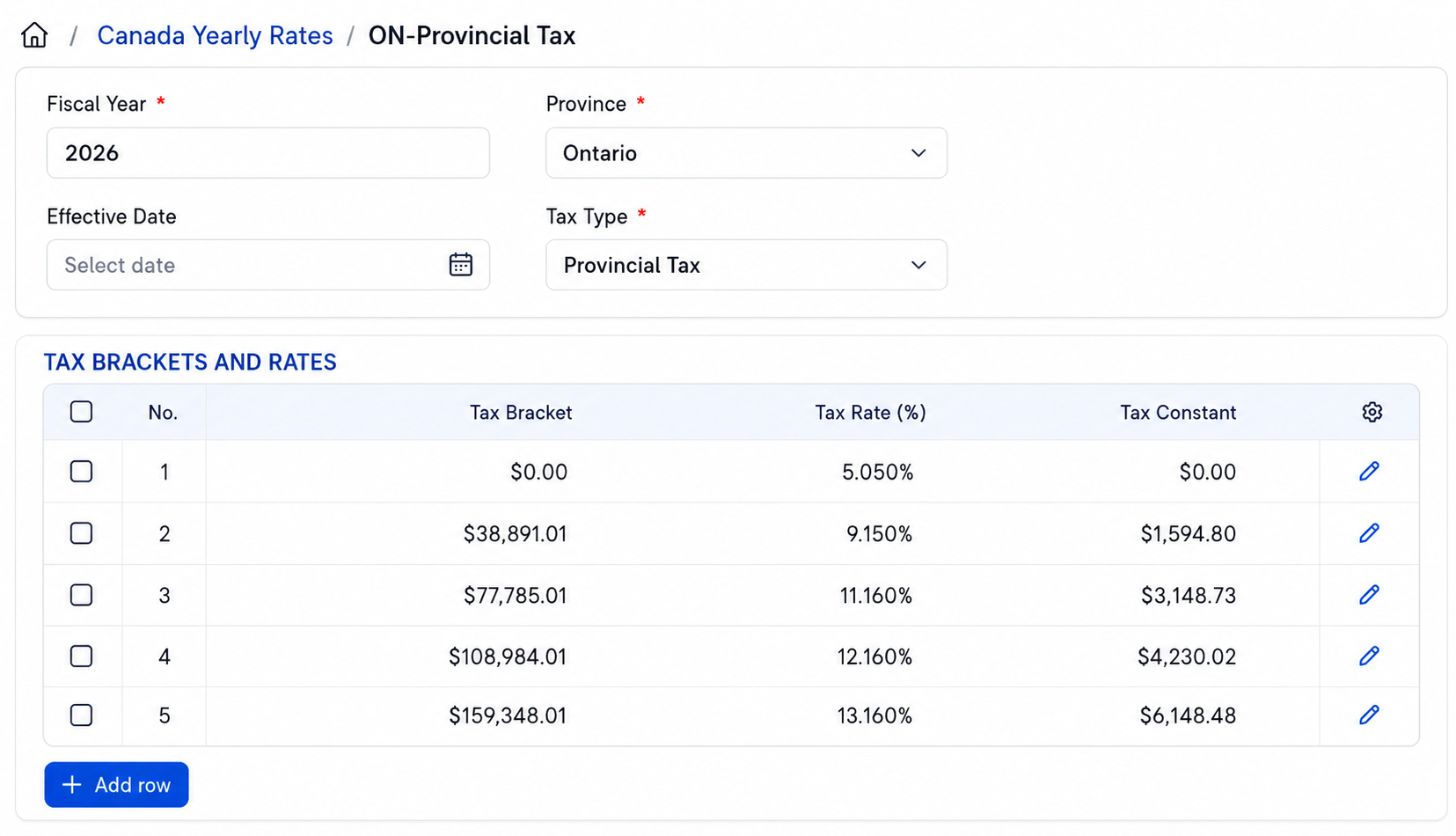
Define Progressive Tax Structure :-
Define progressive Federal and Provincial tax brackets to ensure accurate CRA payroll tax calculations across different income ranges and provinces.
Create Chart of Accounts
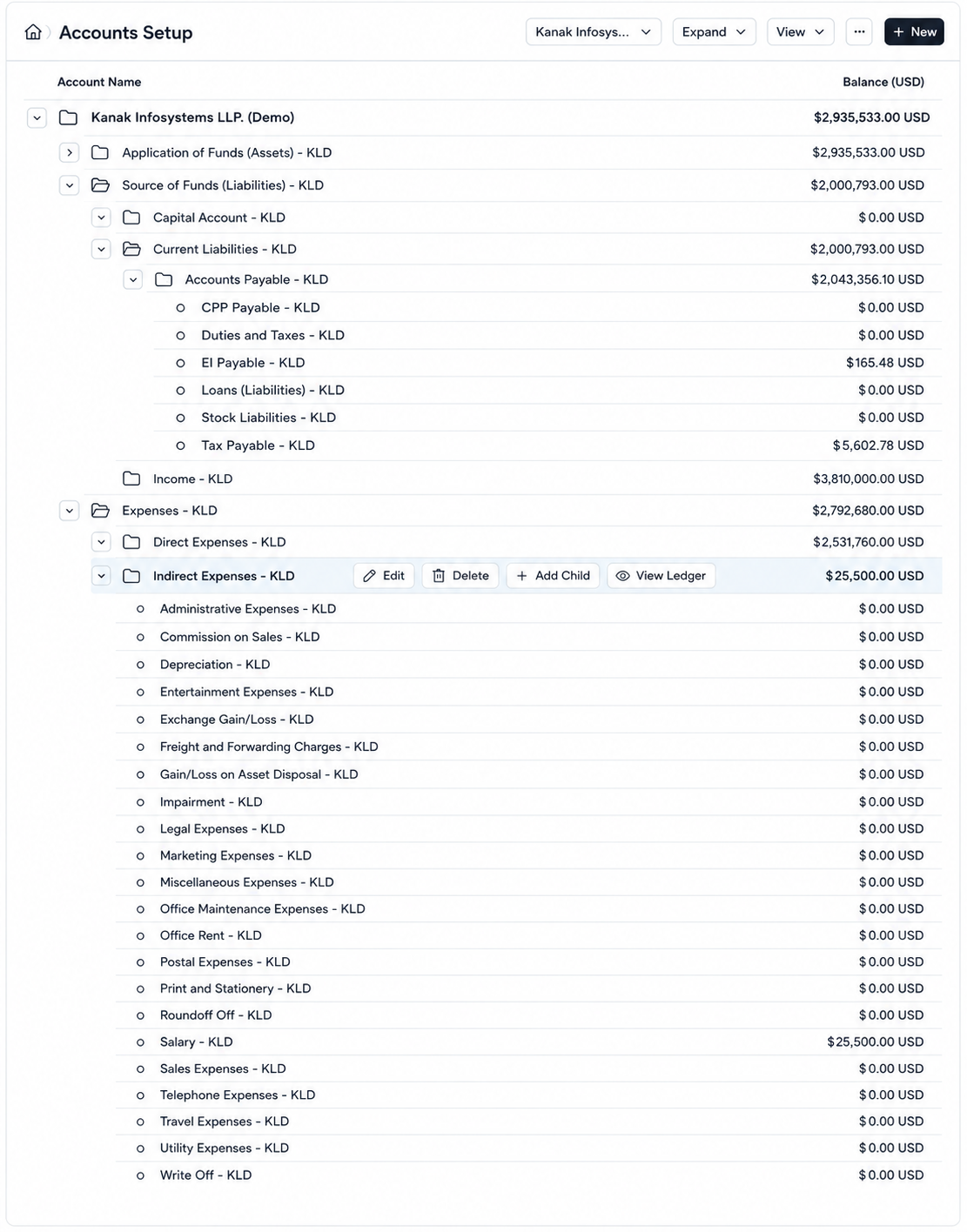
Configure Payroll Accounting Structure :-
Before configuring salary components, create the required payroll-related accounts to properly record salary expenses and statutory liabilities.
Setup Expense & Liability Accounts :-
Create the following payroll accounts:
Expense Account: Salary
Liability Accounts:
CPP Payable, EI Payable, and Tax Payable
for managing employee deduction obligations.
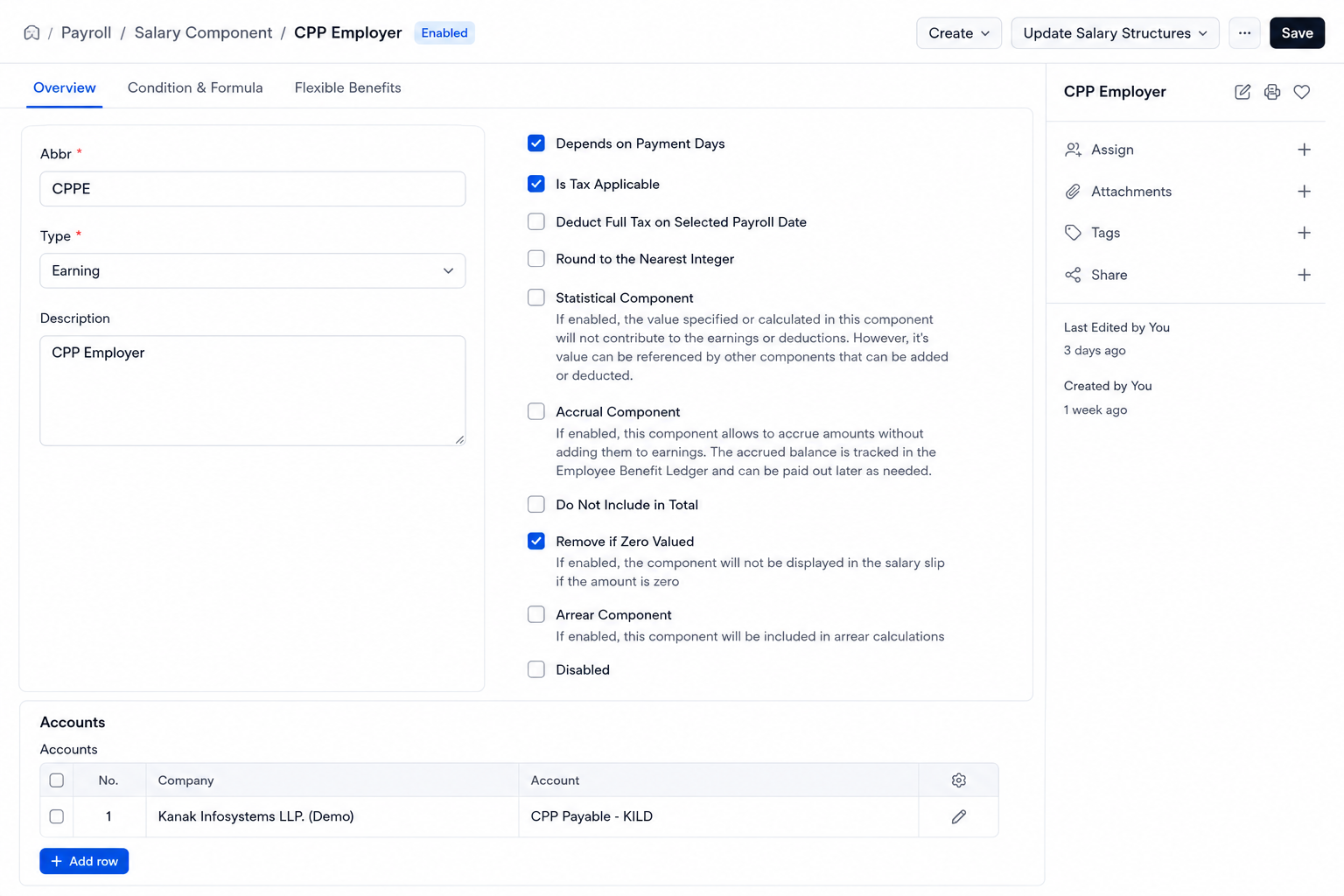
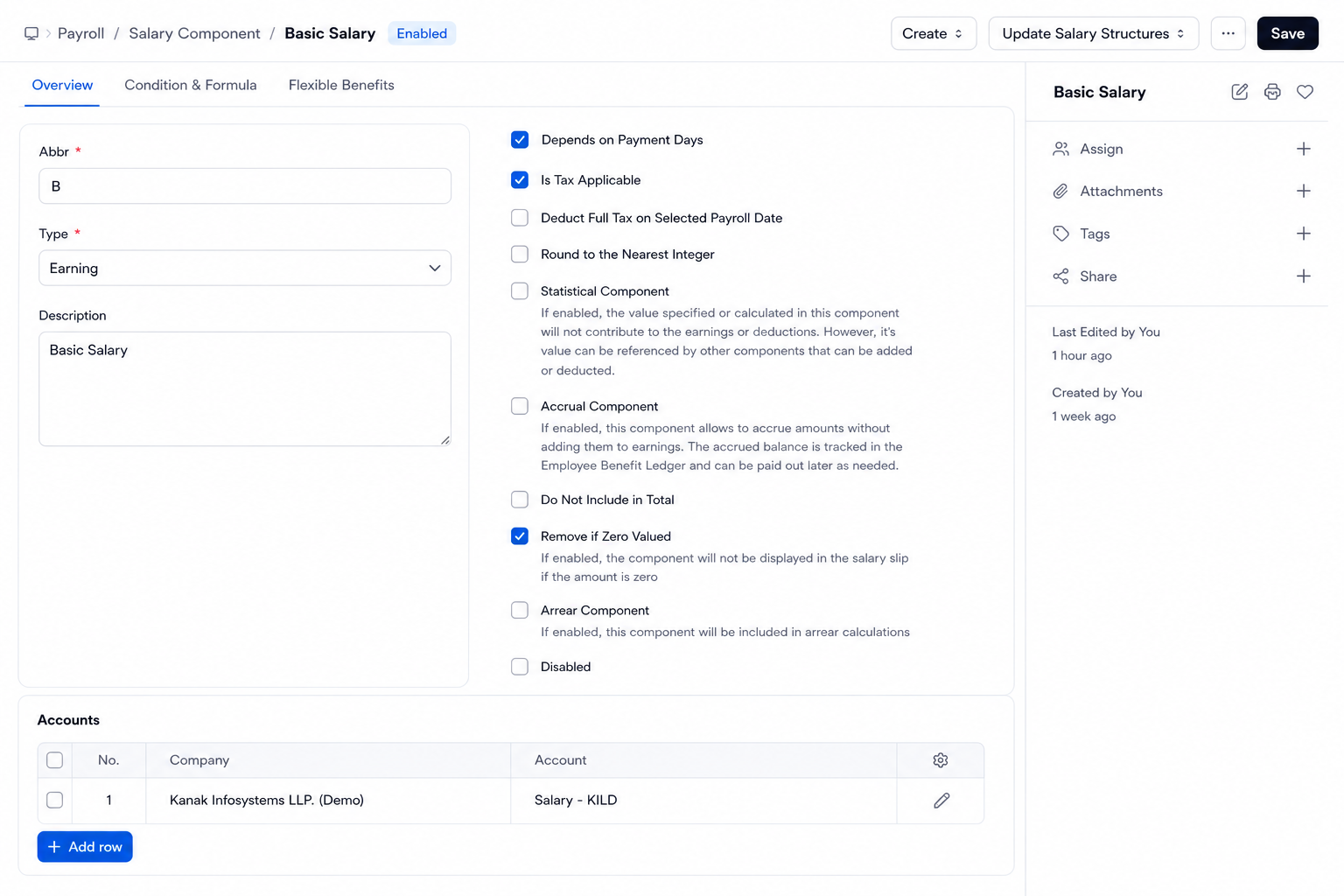
Create Salary Components
Configure Payroll Earnings & Deductions :-
Configure payroll earning and deduction components to manage employee salary structures, allowances, employer contributions, and statutory tax deductions.
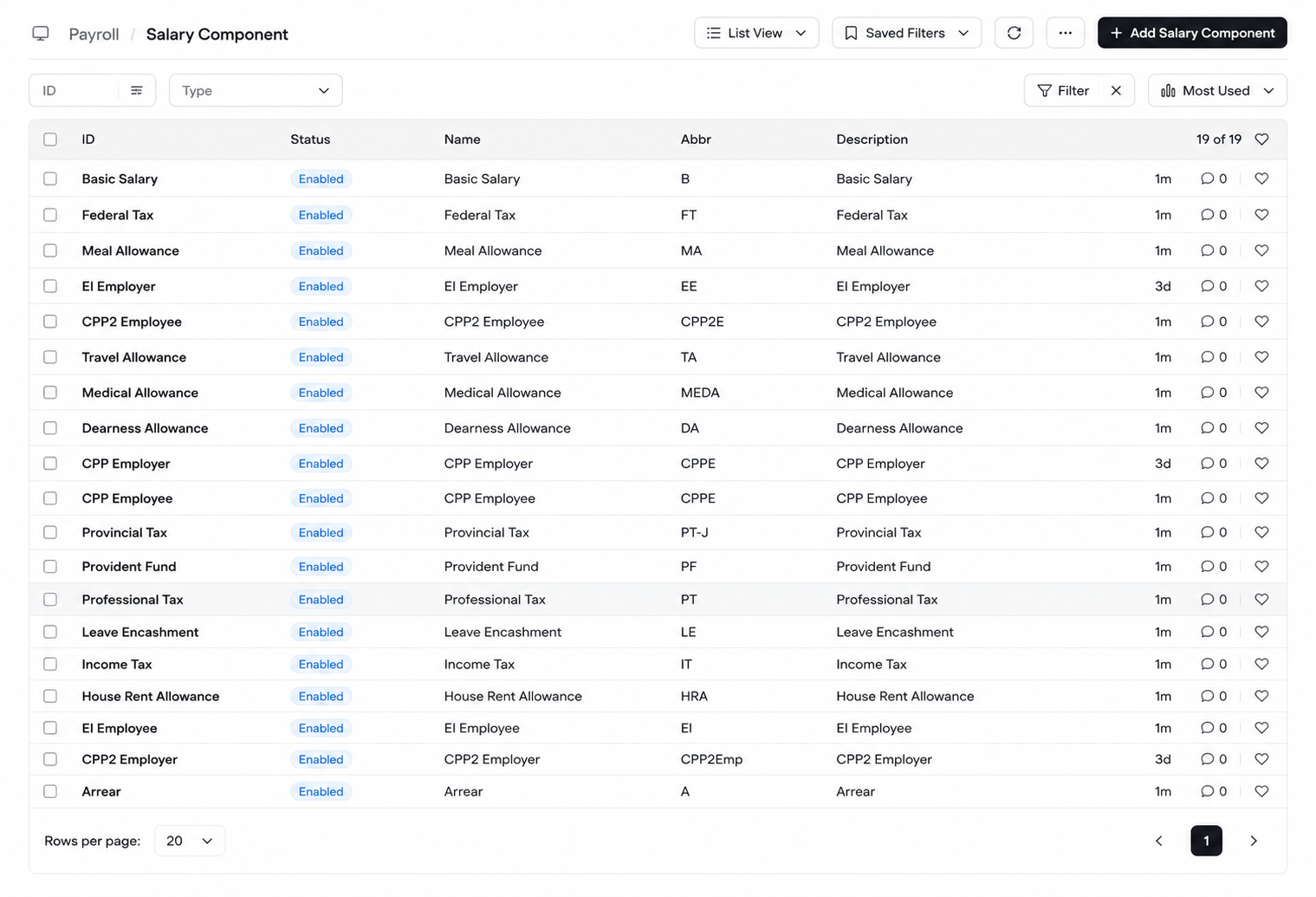
Setup Earnings Components :-
Configure earning components including: Basic Salary, HRA, DA, Travel Allowance, Meal Allowance, Medical Allowance, CPP Employer, CPP2 Employer, and EI Employer.
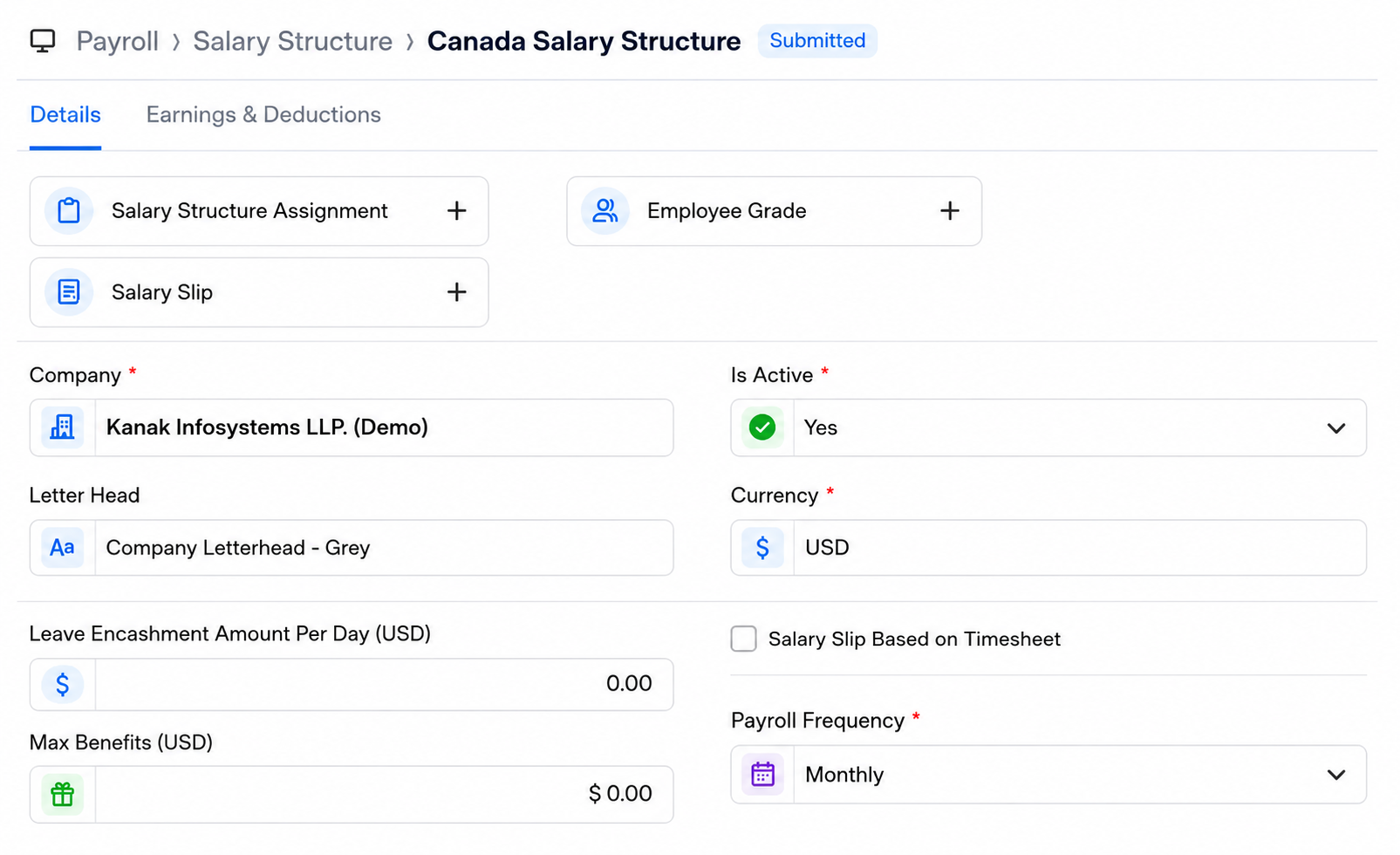
Create Salary Structure
Configure Active Salary Structure :-
Create an active Salary Structure and configure the required Payroll Frequency based on the organization’s payroll cycle.
Add Earnings & Deduction Components :-
Add all earning and deduction salary components into the salary structure for complete payroll calculation and employee salary processing.
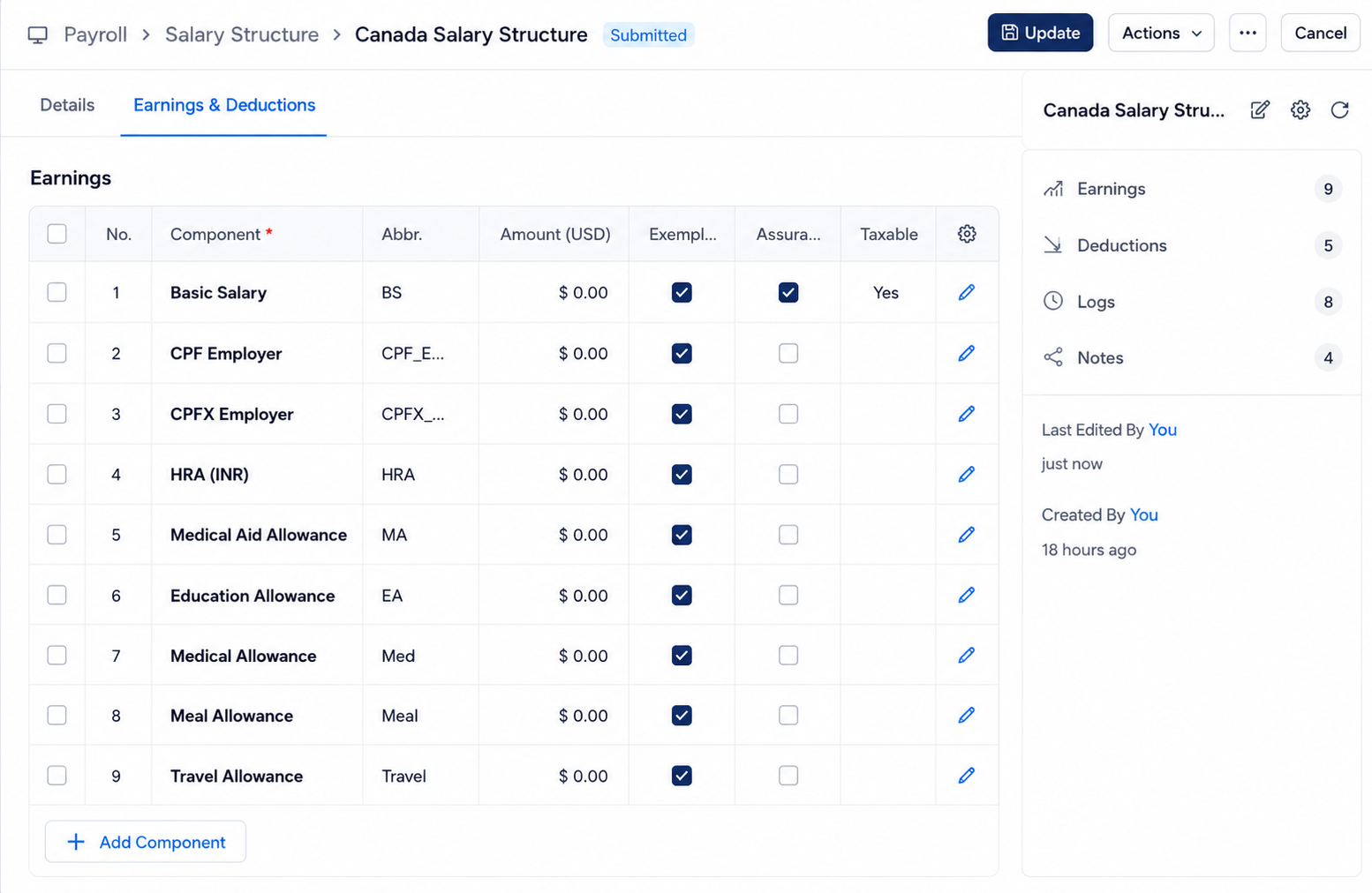
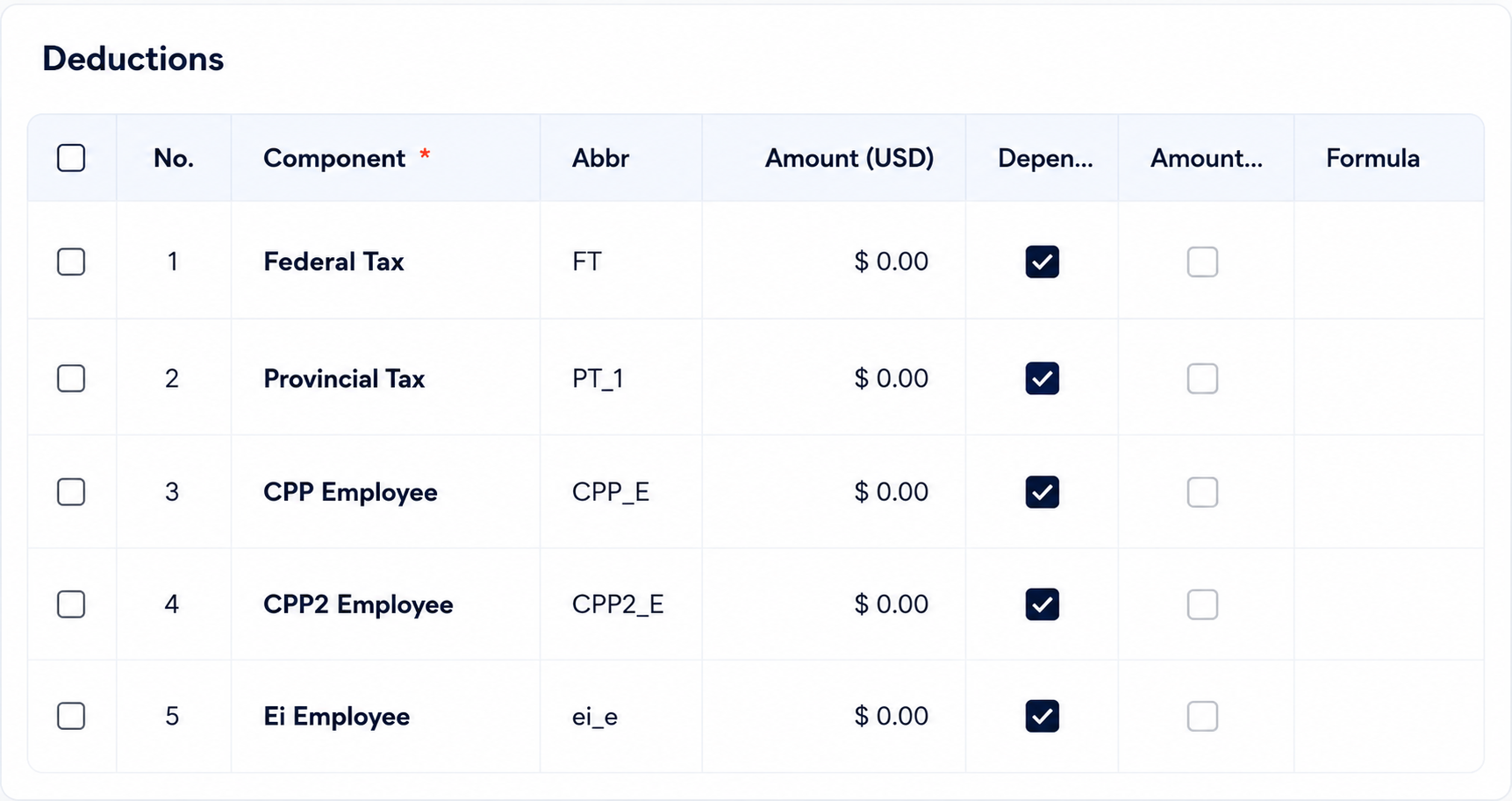
Note :- Employer contribution components should be configured with "Do Not Include In Total" enabled to ensure employer liabilities are tracked separately from the employee net salary calculation.
Configure Employee Payroll Details & Assign Salary Structure
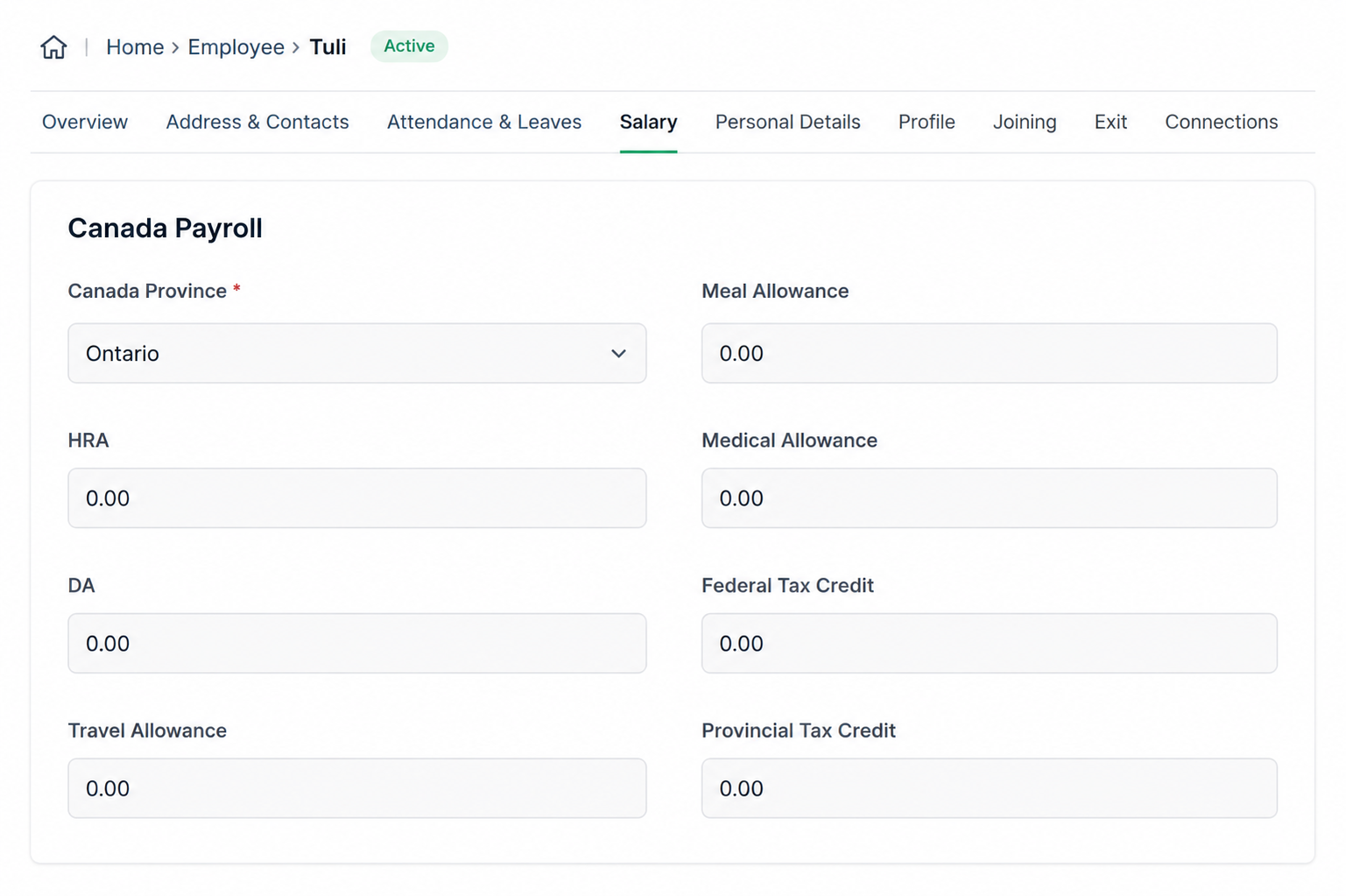
Configure Employee Payroll Details :-
Open the Employee master and configure payroll-related details including: Province, Allowances, Federal Tax Credit, and Provincial Tax Credit for accurate payroll and CRA tax calculations. Add employee allowances such as HRA, DA, Travel Allowance, Meal Allowance, and Medical Allowance as part of the payroll configuration.
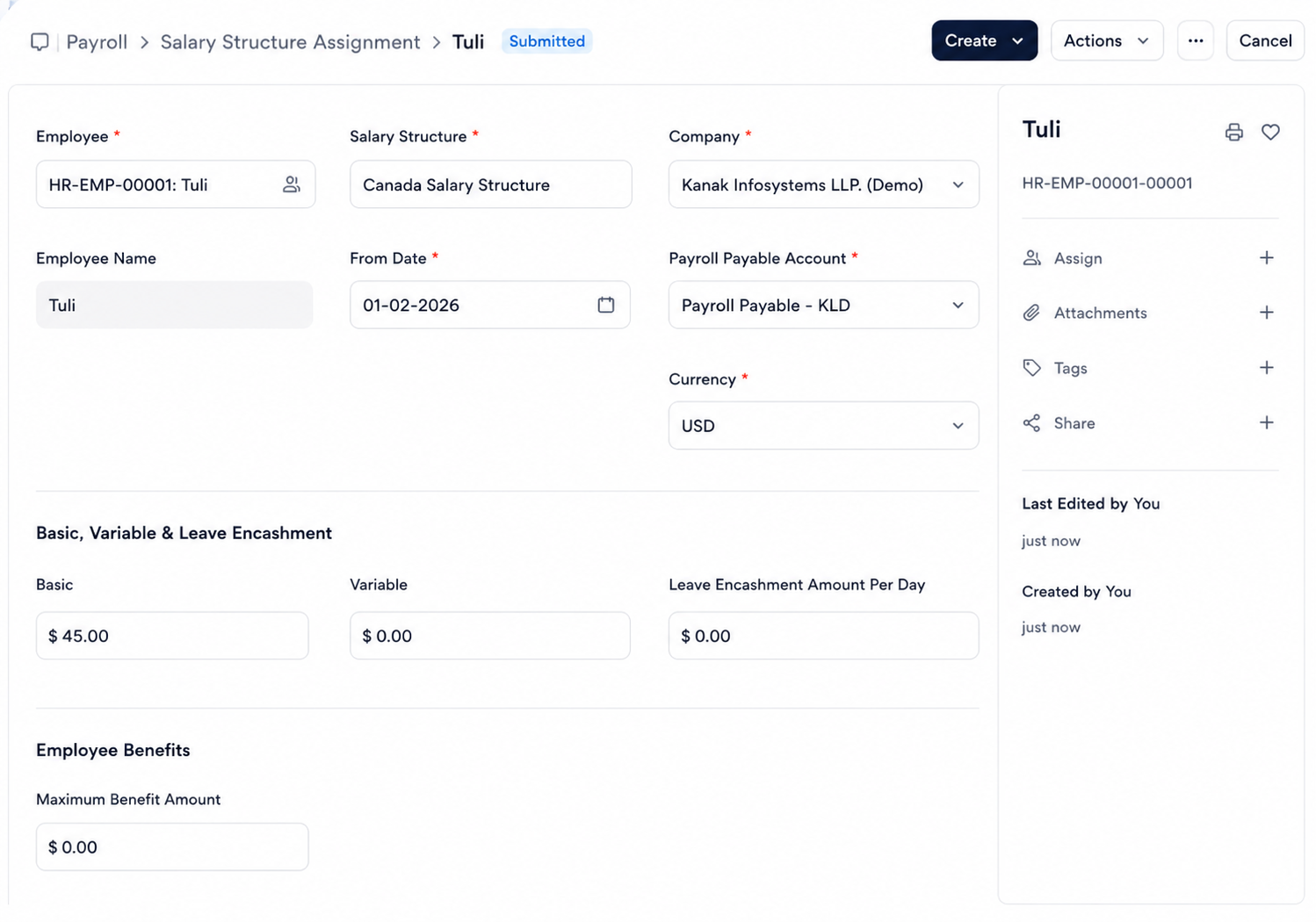
Assign Salary Structure :-
Create a Salary Structure Assignment for each employee by selecting: Employee, Salary Structure, Base Salary, and From Date, then click Submit to activate payroll processing.
Process Payroll
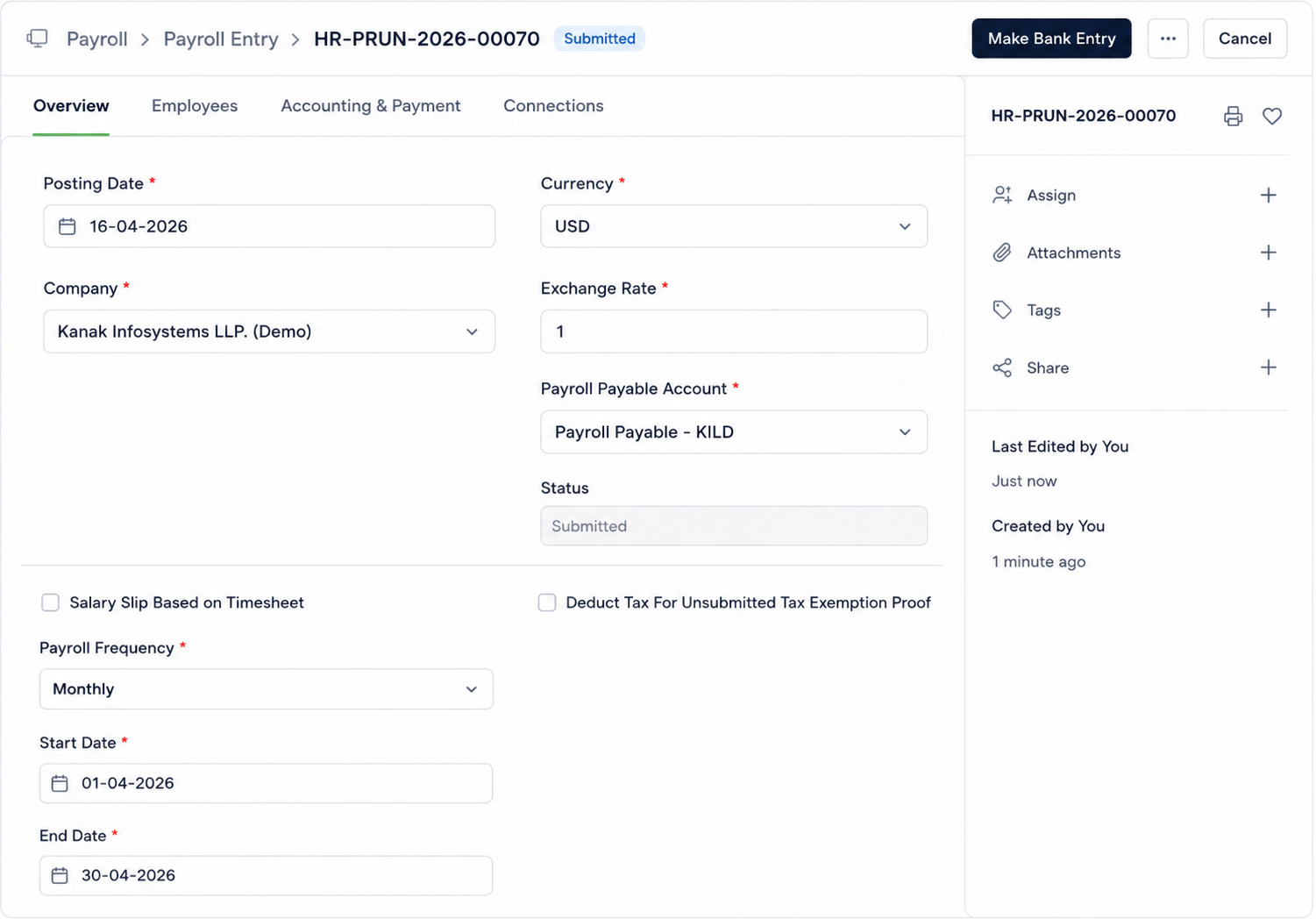
Create Payroll Entry :-
Create a Payroll Entry and configure the required payroll details including: Posting Date, Payroll Frequency, Start Date, and End Date for the payroll processing period.
Generate & Submit Salary Slips :-
Process payroll using the following workflow:
Get Employees
→ Create Salary Slips
→ Review Slips
→ Submit Salary Slips
→ Submit Payroll Entry.
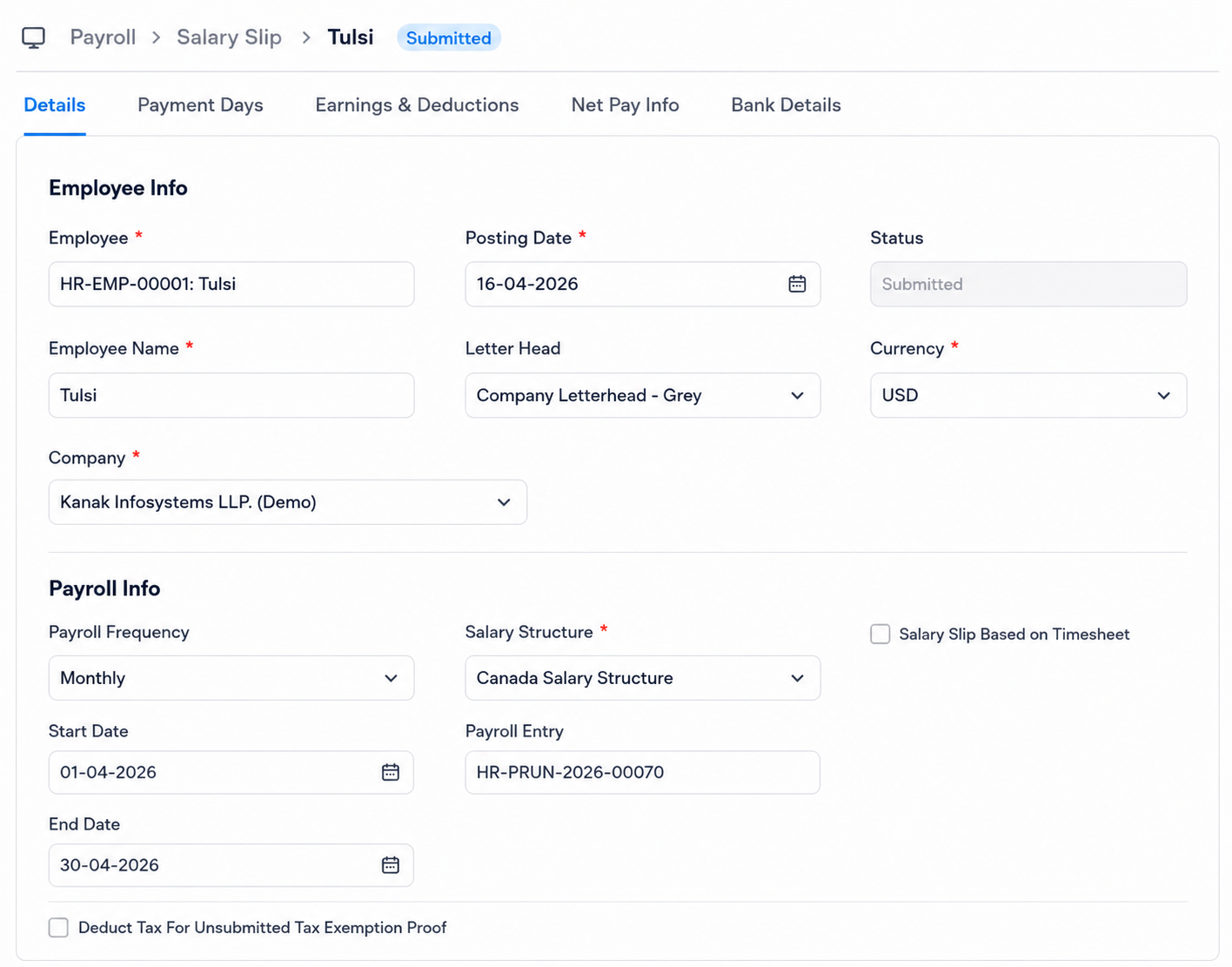
Generate Salary Stub
Automatically Generate Salary Slips :-
The generated salary slips automatically display detailed payroll earnings, deductions, and final payment calculations for each employee. Salary slips include earning components such as: Basic Salary, Allowances, CPP Employer, CPP2 Employer, and EI Employer. Salary slips also include deduction components such as: CPP Employee, CPP2 Employee, EI Employee, Federal Tax, and Provincial Tax.
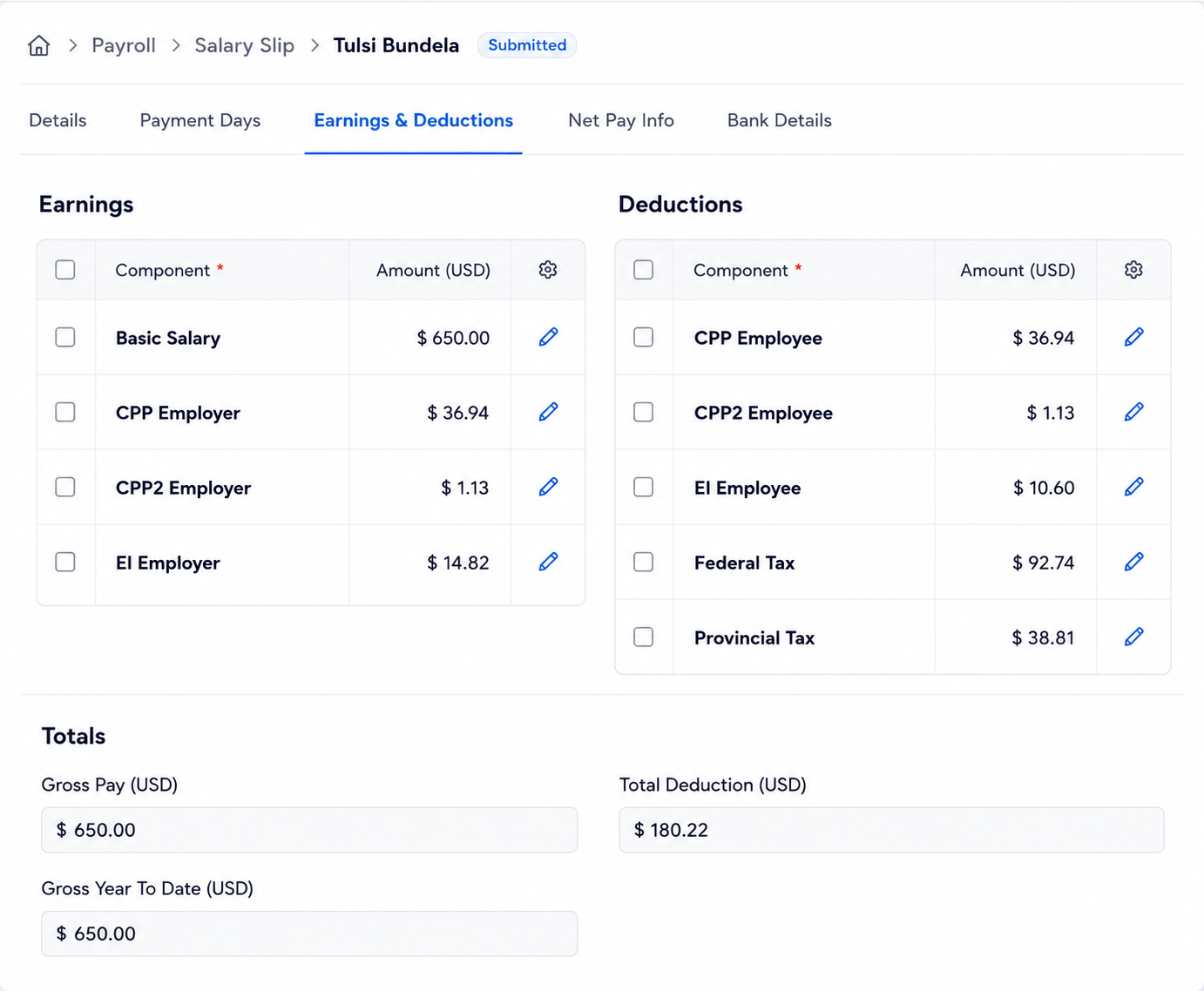
Calculate Final Payroll Totals :-
Final payroll calculations automatically include: Gross Pay, Total Deductions, and Net Pay for accurate employee payroll processing.
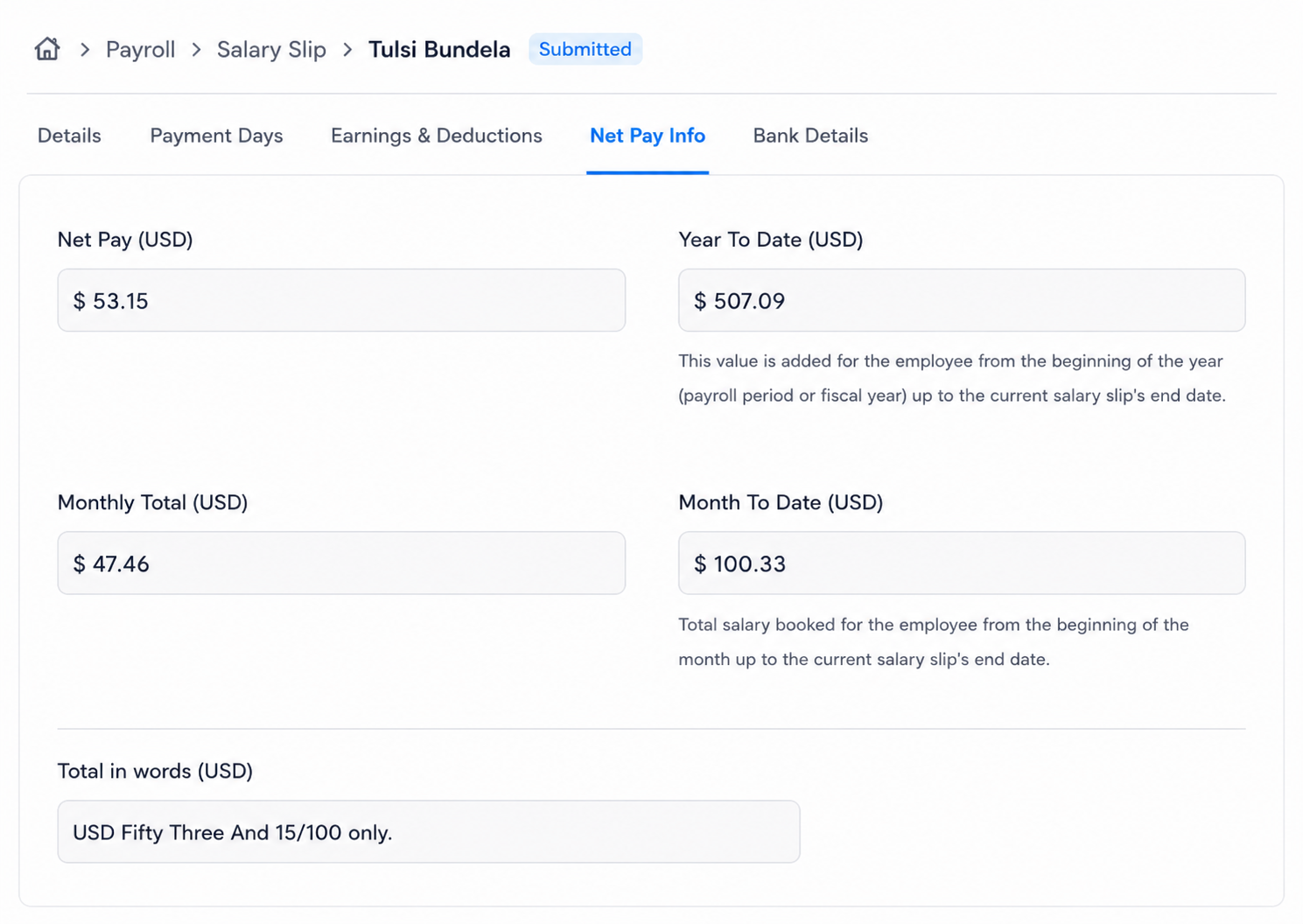
Frappe HR Canada Payroll Support
- Canada Province & CRA Configuration Assistance
- Federal & Provincial Tax Setup Guidance
- CPP / CPP2 / EI Contribution Configuration
- Salary Components & Salary Structure Support
- Payroll Entry & Salary Slip Troubleshooting
- Bug Fixes, Enhancements & Performance Optimization
Version 16 (Latest Release)
- CRA-Compliant Payroll Processing
- Province-Based Tax Configuration
- Federal & Provincial Tax Brackets
- CPP / CPP2 Contributions with Maximum Limits
- Employment Insurance (EI) Calculations
- Year-To-Date (YTD) Tracking
- Automated Salary Slip Generation
- Payroll Entry Automation & Reporting
Our Frappe Apps








Frappe Proprietary License v1.0

This software and associated files (the "Software") may only be used (executed,
modified, executed after modifications) if you have purchased a valid license
from the authors, typically via Frappe Apps, or if you have received a written
agreement from the authors of the Software (see the COPYRIGHT file).

You may develop Frappe apps that use the Software as a library (typically
by depending on it, importing it and using its resources), but without copying
any source code or material from the Software. You may distribute those
apps under the license of your choice, provided that this license is
compatible with the terms of the Frappe Proprietary License (For example:
LGPL, MIT, or proprietary licenses similar to this one).

It is forbidden to publish, distribute, sublicense, or sell copies of the Software
or modified copies of the Software.

The above copyright notice and this permission notice must be included in all
copies or substantial portions of the Software.

THE SOFTWARE IS PROVIDED "AS IS", WITHOUT WARRANTY OF ANY KIND, EXPRESS OR
IMPLIED, INCLUDING BUT NOT LIMITED TO THE WARRANTIES OF MERCHANTABILITY,
FITNESS FOR A PARTICULAR PURPOSE AND NONINFRINGEMENT.
IN NO EVENT SHALL THE AUTHORS OR COPYRIGHT HOLDERS BE LIABLE FOR ANY CLAIM,
DAMAGES OR OTHER LIABILITY, WHETHER IN AN ACTION OF CONTRACT, TORT OR OTHERWISE,
ARISING FROM, OUT OF OR IN CONNECTION WITH THE SOFTWARE OR THE USE OR OTHER
DEALINGS IN THE SOFTWARE.

Comment on this module. Please Login