 +91 981-810-8884, 0114-214-3250
| Technical Name | appointment_management_knk |
| License | OPL-1 |
| Also available in version | v 15.0 |
Appointment Management
Smart Scheduling & Booking System for Frappe
Appointment Management helps healthcare organizations efficiently manage patient visits, doctor schedules, and department-wise planning in one centralized system.
It ensures smooth coordination between physicians, reception staff, and patients by organizing time slots, reducing conflicts, and improving overall scheduling efficiency.
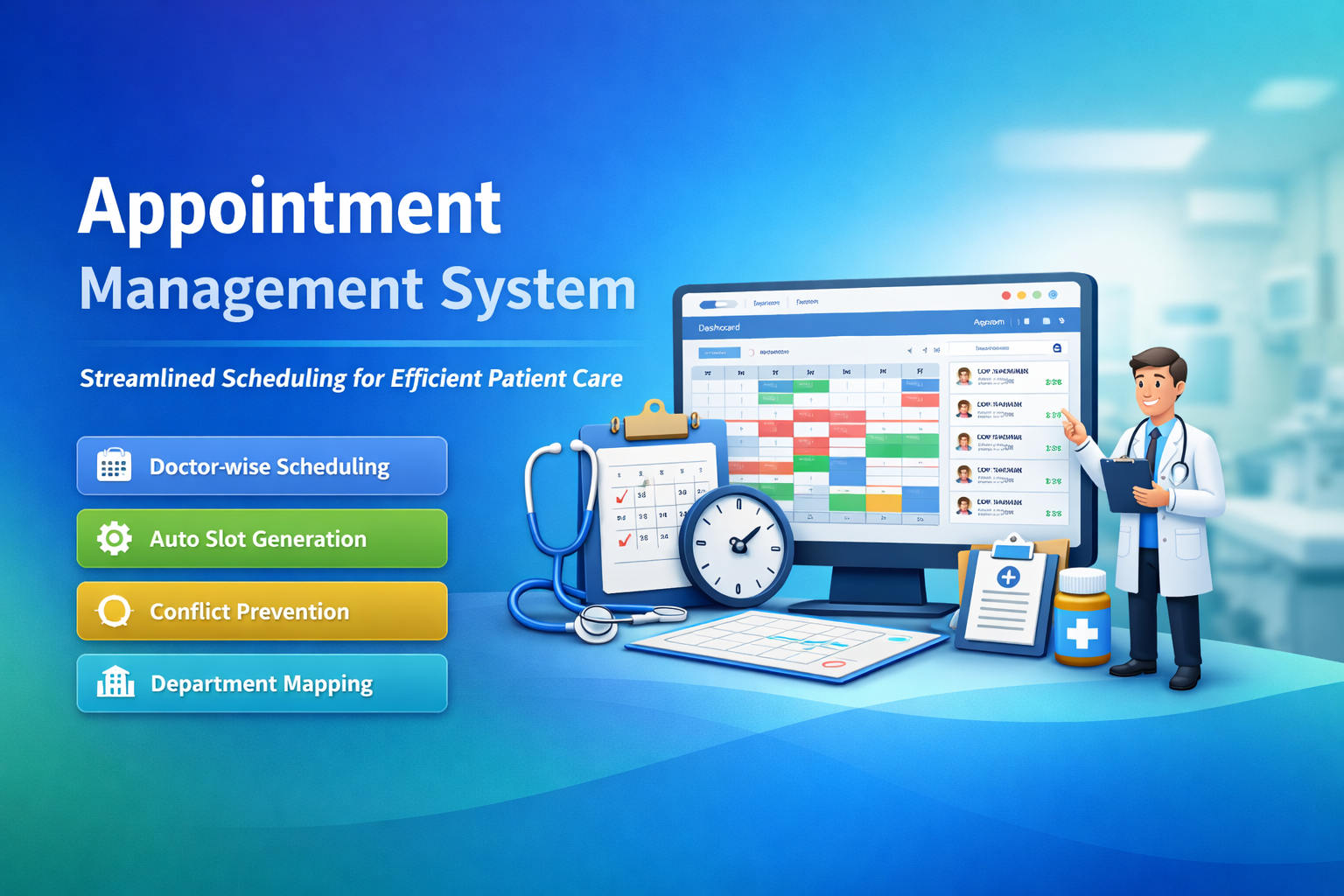
🚀 Key Features
Streamlined scheduling for physicians and departments.
Appointment Schedule
Define doctor availability, working days, and consultation hours.
Slot Management
Configure time slots with duration, patient limits, and buffer time.
Doctor & Department Mapping
Assign appointments department-wise with physician-based control.
Easy Booking
Quick booking through reception or portal with availability check.
Notifications & Reminders
Automated SMS/Email reminders to reduce no-shows.
Appointment Reports
Track daily appointments, doctor utilization, and patient flow analytics.
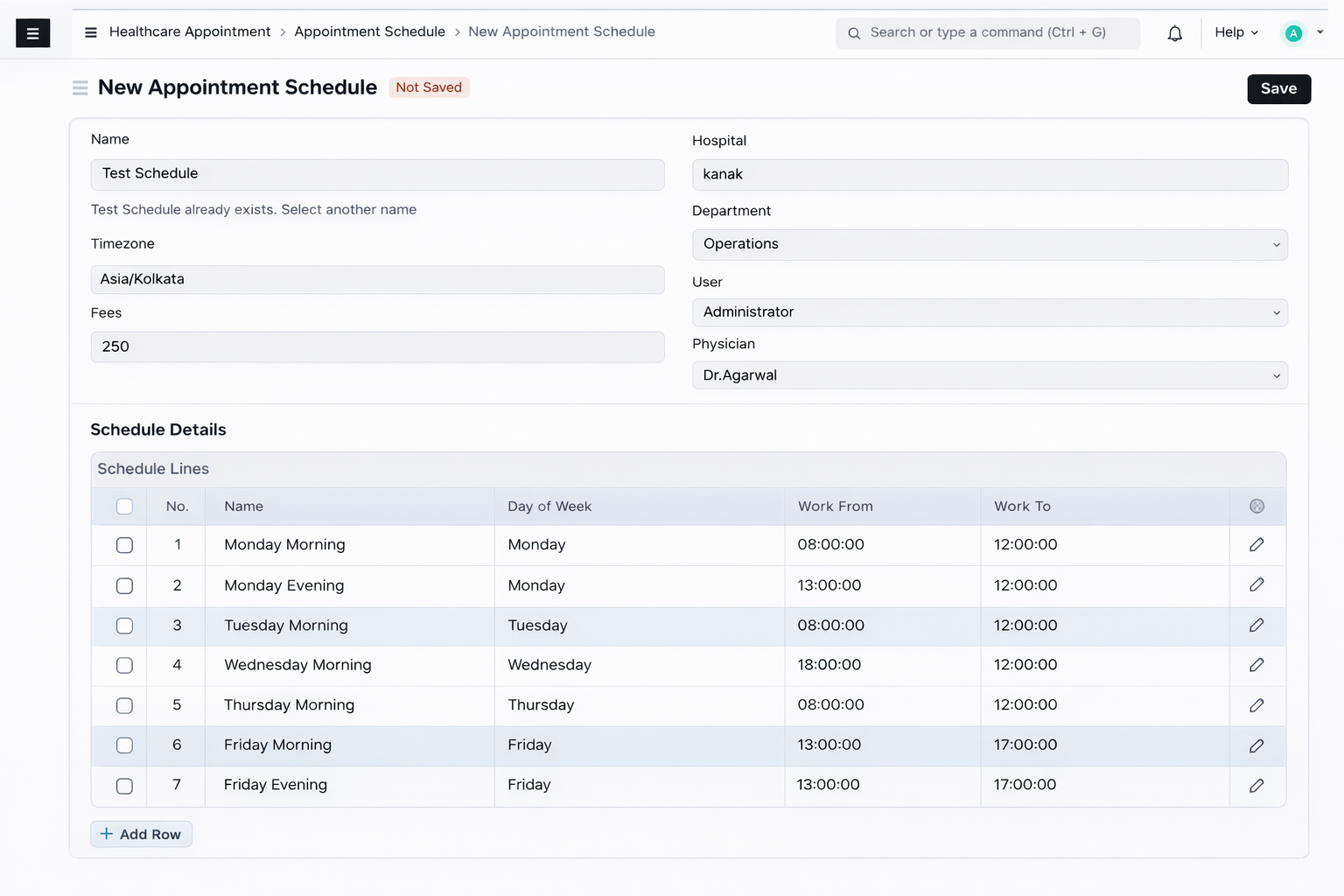
How to Configure Appointment Schedule
Go to:
Menu → Appointment Schedule → New Appointment Schedule
Fill in the following fields:
- Name – Schedule name
- Fees – Appointment charges
- Select Appointment Type – Choose Appointment
After selecting Appointment, two additional fields will appear:
- Physician
- Department
Define Schedule Details:
- Which physician the schedule is for
- Which department it belongs to
- On which day
- At what time
In the Schedule Lines table, configure:
- Day (Example: Monday, Tuesday, etc.)
- Work From Time
- Work To Time
This defines the days and time range during which the physician will be available for appointments.
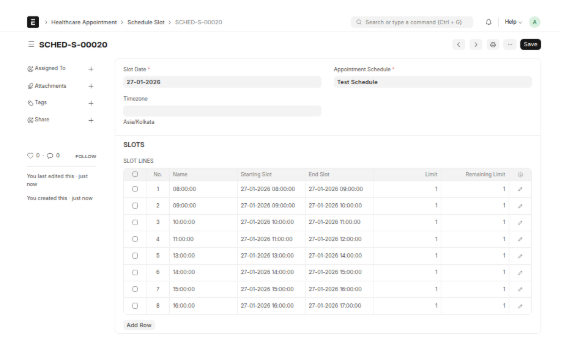
Booking Schedule Configuration
Go to:
Menu → Booking Schedule → New Booking Schedule
Fill the following details:
- Appointment Schedule – Select the schedule created earlier
- Start Date – When booking should begin
- End Date – When booking should end
- Slot Duration (Minutes) – Duration of each appointment slot
Based on these configurations, schedule slots are generated automatically.
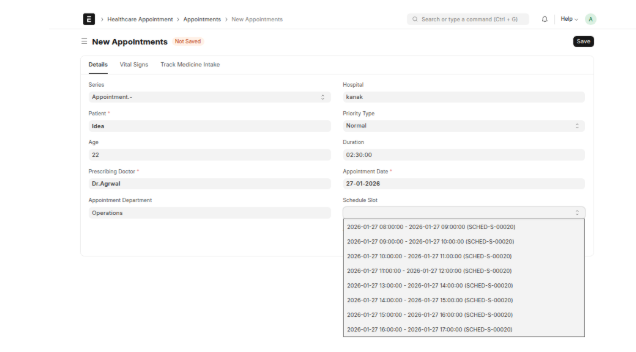
Final Appointment Creation
Go to:
Menu → Appointment → New Appointment
Fill the required fields:
- Patient – Patient age is fetched automatically
- Prescribing Doctor
- Appointment Department
- Duration
- Appointment Date
Based on the selected Prescribing Doctor and Appointment Date, available options will appear in the Schedule Slot field.
Users can select the appropriate slot and confirm the appointment.
This process ensures that appointments are booked only in available slots and are properly linked to physicians and their schedules.
Appointment Management Support
- Appointment Schedule Setup Assistance
- Doctor & Department Configuration Guidance
- Slot Generation & Booking Workflow Support
- Bug Fix & Performance Optimization
Version 15 (Latest Release)
- Appointment Schedule Configuration with physician & department mapping
- Automated Slot Generation based on booking duration
- Booking Schedule Control with start & end date validation
- Real-time Slot Availability Check during appointment creation
- Doctor-wise & Department-wise Planning
- Conflict Prevention Logic to avoid double booking
- Integrated Workflow from Schedule → Booking → Slot → Appointment
- Improved UI for faster appointment entry
Our Frappe Apps








Frappe Proprietary License v1.0

This software and associated files (the "Software") may only be used (executed,
modified, executed after modifications) if you have purchased a valid license
from the authors, typically via Frappe Apps, or if you have received a written
agreement from the authors of the Software (see the COPYRIGHT file).

You may develop Frappe apps that use the Software as a library (typically
by depending on it, importing it and using its resources), but without copying
any source code or material from the Software. You may distribute those
apps under the license of your choice, provided that this license is
compatible with the terms of the Frappe Proprietary License (For example:
LGPL, MIT, or proprietary licenses similar to this one).

It is forbidden to publish, distribute, sublicense, or sell copies of the Software
or modified copies of the Software.

The above copyright notice and this permission notice must be included in all
copies or substantial portions of the Software.

THE SOFTWARE IS PROVIDED "AS IS", WITHOUT WARRANTY OF ANY KIND, EXPRESS OR
IMPLIED, INCLUDING BUT NOT LIMITED TO THE WARRANTIES OF MERCHANTABILITY,
FITNESS FOR A PARTICULAR PURPOSE AND NONINFRINGEMENT.
IN NO EVENT SHALL THE AUTHORS OR COPYRIGHT HOLDERS BE LIABLE FOR ANY CLAIM,
DAMAGES OR OTHER LIABILITY, WHETHER IN AN ACTION OF CONTRACT, TORT OR OTHERWISE,
ARISING FROM, OUT OF OR IN CONNECTION WITH THE SOFTWARE OR THE USE OR OTHER
DEALINGS IN THE SOFTWARE.

Comment on this module. Please Login