 +91 981-810-8884, 0114-214-3250
| Technical Name | knk_frappe_product_tabs |
| License | OPL-1 |
| Technical Name | knk_frappe_product_tabs |
| License | OPL-1 |
Frappe Product Tabs
Organize Product Information with Customizable Product Tabs
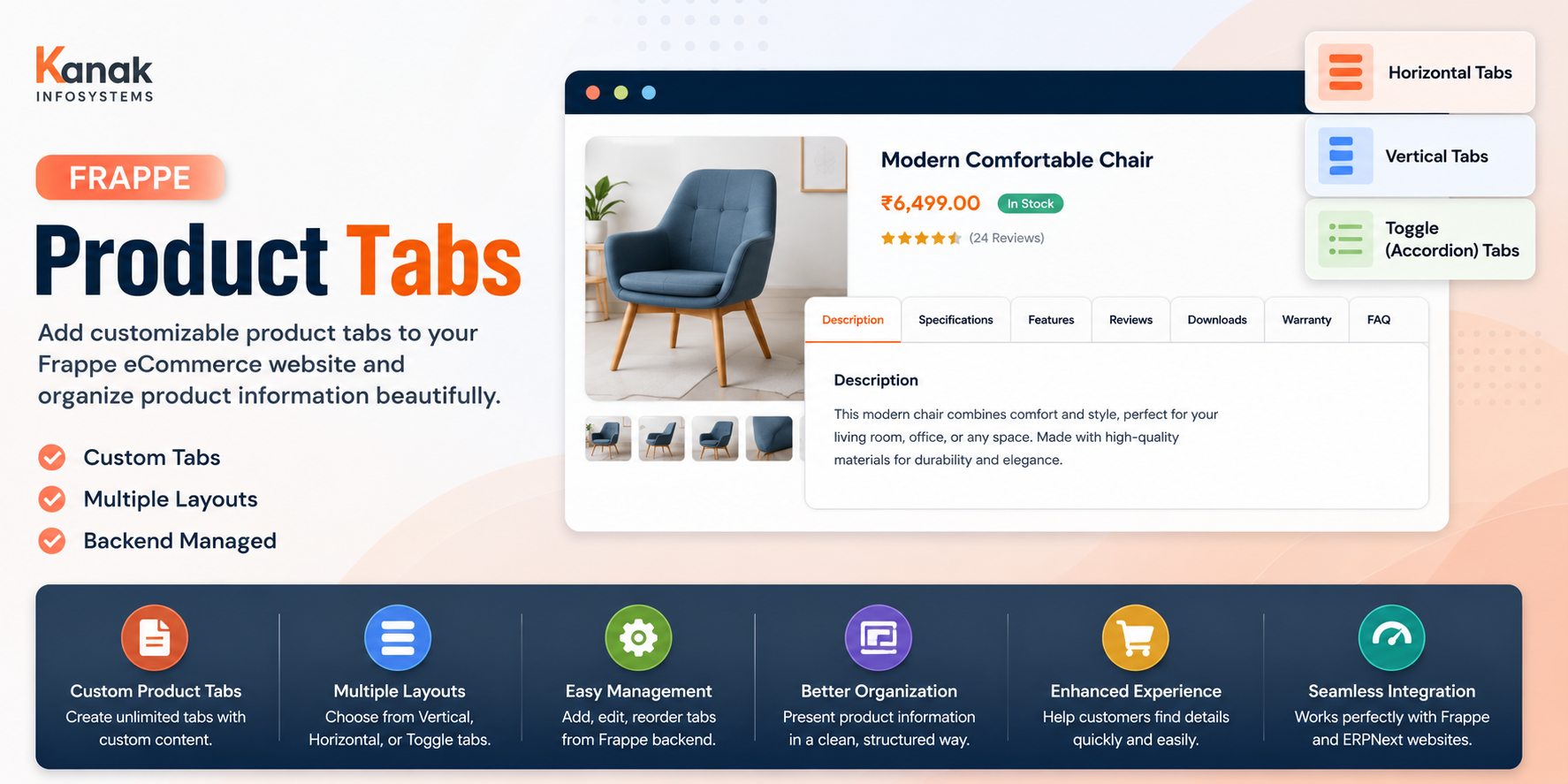
Frappe Product Tabs by Kanak enables you to create and manage custom product tabs on your Frappe and ERPNext eCommerce product pages. Easily display detailed product information such as Description, Specifications, Features, FAQs, Downloads, Warranty, Reviews, or any custom content in organized tab layouts. Choose from Horizontal, Vertical, or Toggle/Accordion tab styles to provide customers with a better shopping experience while managing everything directly from the Frappe backend without any coding.
🚀 Key Features
Display organized product information using flexible tab layouts.
Custom Product Tabs
Create unlimited custom tabs for displaying additional product information.
Description Tab
Present detailed product descriptions in a dedicated and organized tab.
Specifications Tab
Display technical specifications and product attributes clearly for customers.
Features & Benefits
Highlight important product features and benefits in a structured format.
FAQs & Downloads
Add frequently asked questions, manuals, brochures, and downloadable files.
Warranty & Reviews
Showcase warranty information, customer reviews, and product policies.
Horizontal Tabs
Display product information using modern horizontal tab navigation.
Vertical Tabs
Organize large amounts of content using clean vertical tab layouts.
Toggle / Accordion View
Enable expandable accordion-style sections for mobile-friendly product pages.
Backend Configuration
Manage all tabs and content directly from the Frappe backend without coding.
Custom Content Support
Add rich text, images, videos, links, tables, and other custom content.
Enhanced Shopping Experience
Improve product presentation and help customers find information quickly.
How to Use Frappe Product Tabs
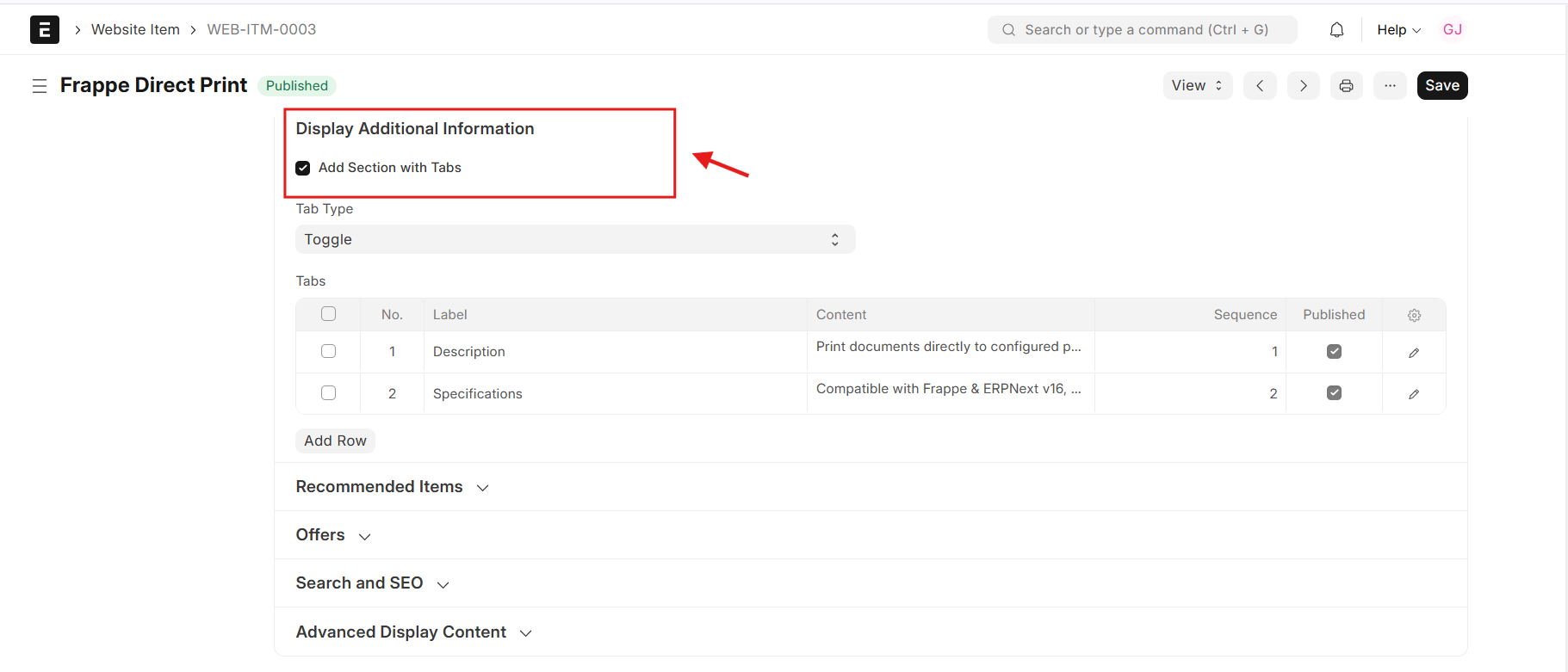
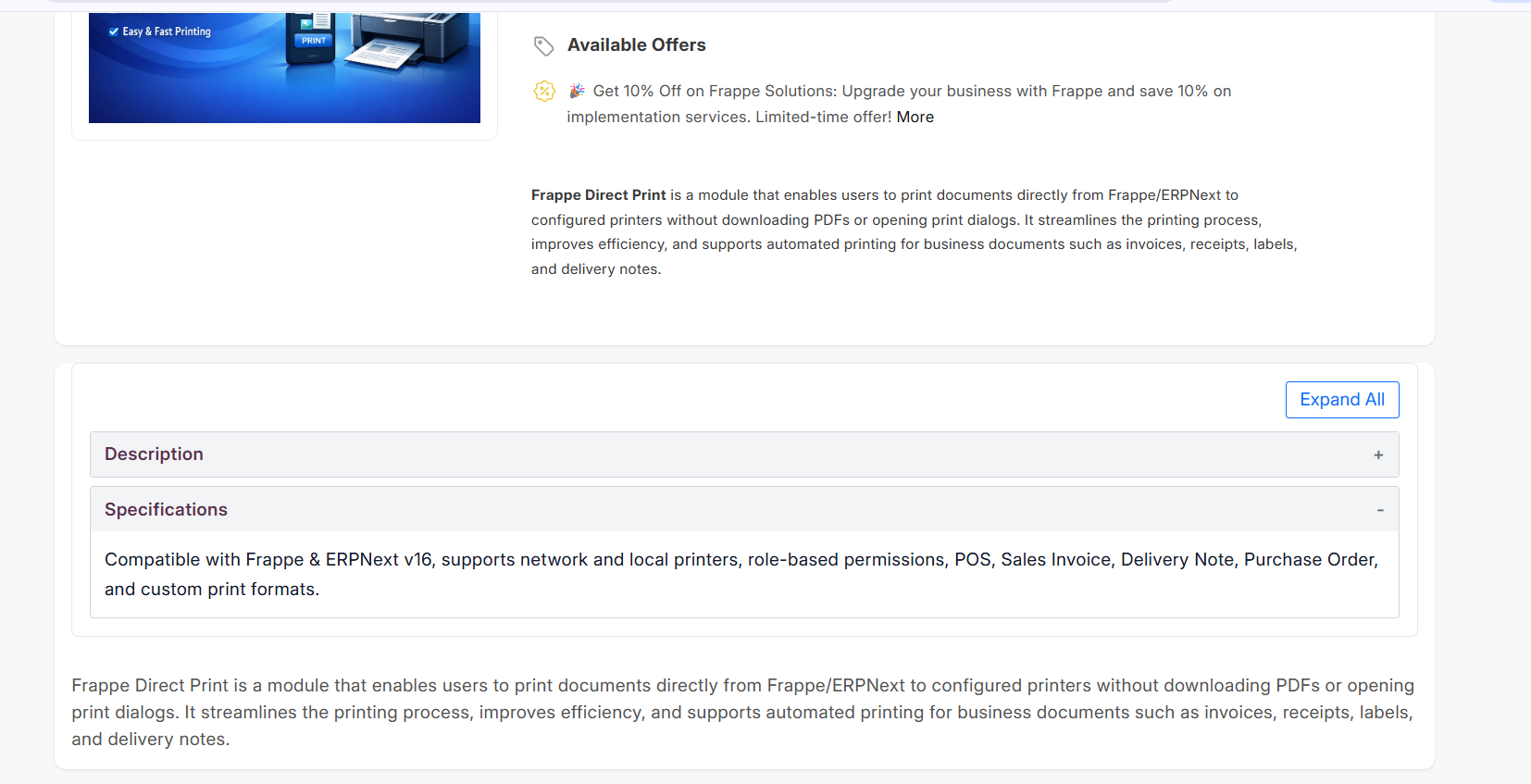
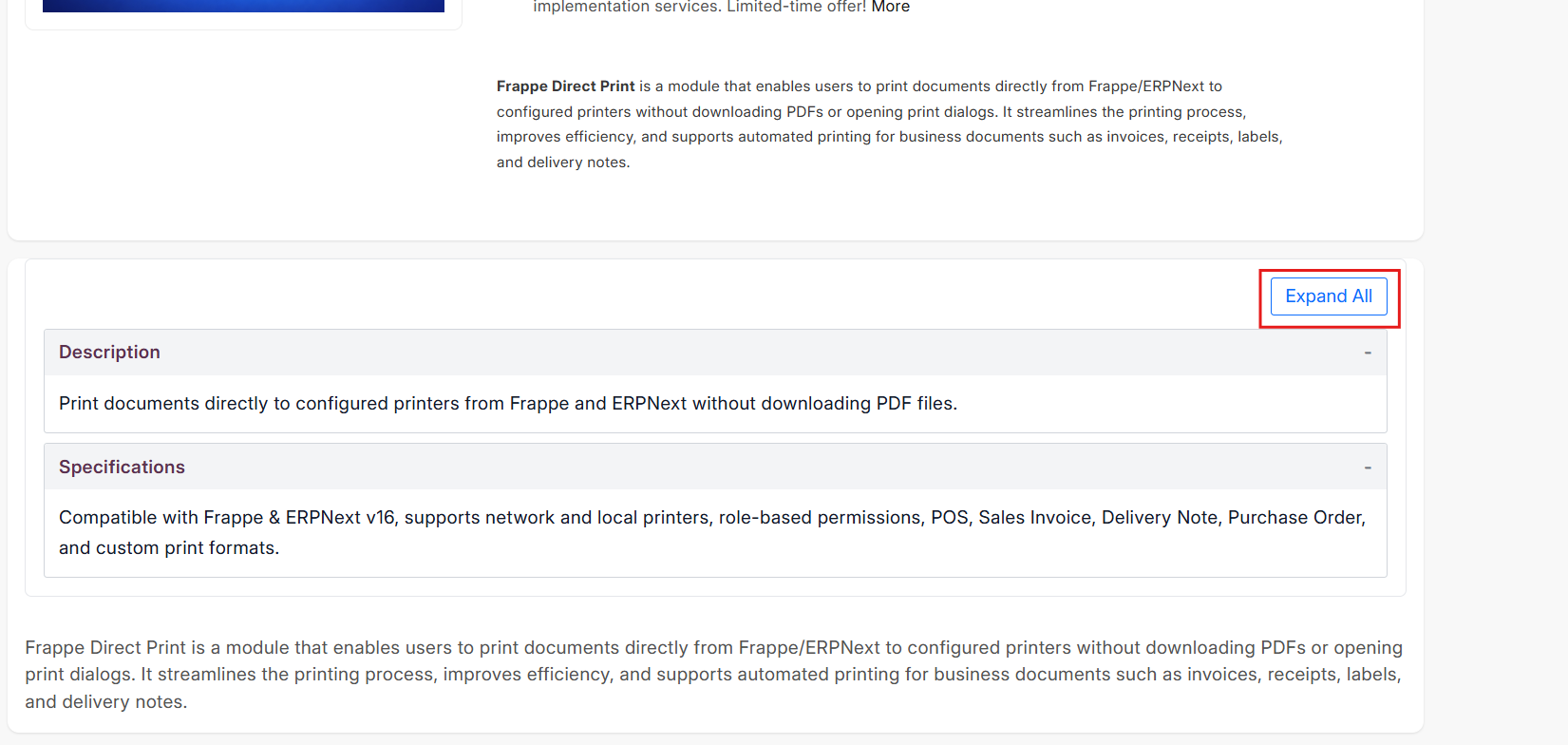
1. Navigate to Website Item, scroll to the Display Additional Information section, enable Add Section with Tabs, and save the document.
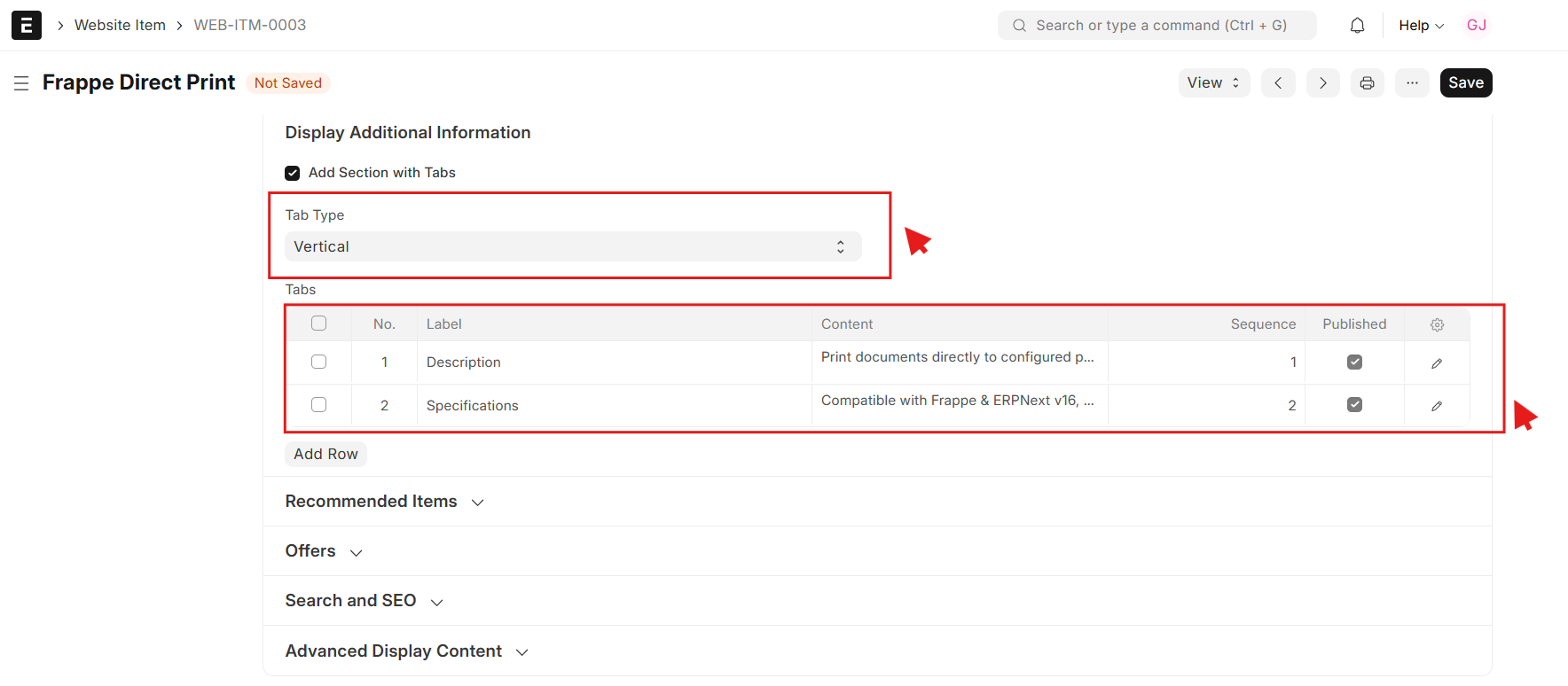
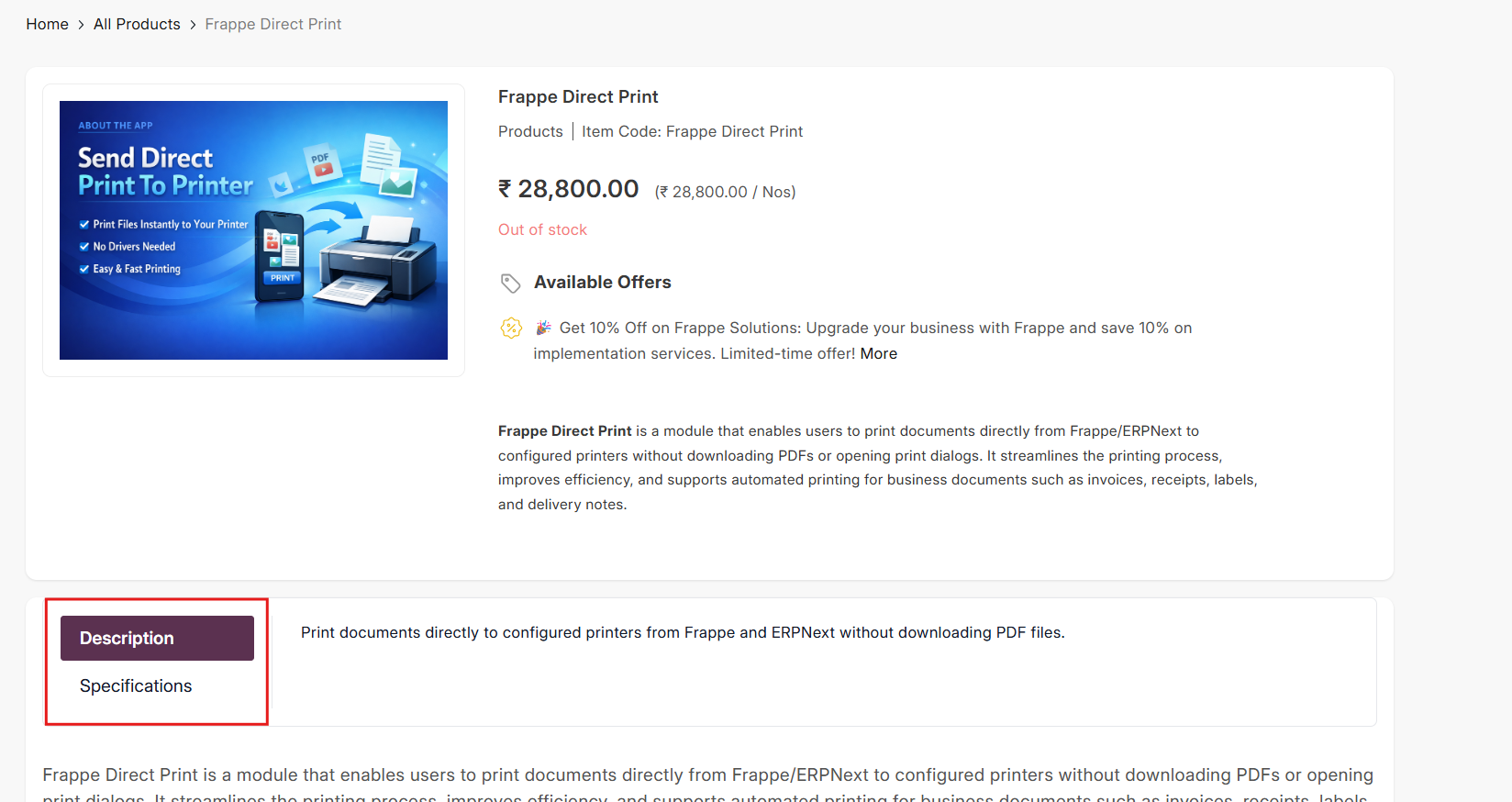
2. Select the Tab Type and Tab Details, then add the Label, Content, Sequence, and enable Published on Website to display the tab on the product page.
Frappe Product Tabs Support
- Module Installation & Setup Assistance
- Custom Product Tabs Configuration
- Vertical, Horizontal & Toggle Tab Setup
- Product Content & Custom Tab Management
- UI Customization & Layout Assistance
- Bug Fixes & Performance Optimization
Version 15 (Latest Release)
- Custom Product Tabs Create unlimited tabs such as Description, Specifications, Features, FAQs, Downloads, Warranty, Reviews, and more.
- Multiple Tab Layouts Supports Vertical, Horizontal, and Toggle (Accordion) tab styles.
- Backend Management Add, edit, and organize product tabs directly from the Frappe backend without coding.
- Enhanced Product Pages Display well-structured product information to improve customer experience.
Our Frappe Apps








Frappe Proprietary License v1.0

This software and associated files (the "Software") may only be used (executed,
modified, executed after modifications) if you have purchased a valid license
from the authors, typically via Frappe Apps, or if you have received a written
agreement from the authors of the Software (see the COPYRIGHT file).

You may develop Frappe apps that use the Software as a library (typically
by depending on it, importing it and using its resources), but without copying
any source code or material from the Software. You may distribute those
apps under the license of your choice, provided that this license is
compatible with the terms of the Frappe Proprietary License (For example:
LGPL, MIT, or proprietary licenses similar to this one).

It is forbidden to publish, distribute, sublicense, or sell copies of the Software
or modified copies of the Software.

The above copyright notice and this permission notice must be included in all
copies or substantial portions of the Software.

THE SOFTWARE IS PROVIDED "AS IS", WITHOUT WARRANTY OF ANY KIND, EXPRESS OR
IMPLIED, INCLUDING BUT NOT LIMITED TO THE WARRANTIES OF MERCHANTABILITY,
FITNESS FOR A PARTICULAR PURPOSE AND NONINFRINGEMENT.
IN NO EVENT SHALL THE AUTHORS OR COPYRIGHT HOLDERS BE LIABLE FOR ANY CLAIM,
DAMAGES OR OTHER LIABILITY, WHETHER IN AN ACTION OF CONTRACT, TORT OR OTHERWISE,
ARISING FROM, OUT OF OR IN CONNECTION WITH THE SOFTWARE OR THE USE OR OTHER
DEALINGS IN THE SOFTWARE.

Comment on this module. Please Login