 +91 981-810-8884, 0114-214-3250
| Technical Name | kanak_theme |
| License | OPL-1 |
| Also available in version | v 15.0 |
Frappe Theme Module
Modern UI Enhancement for Frappe & ERPNext
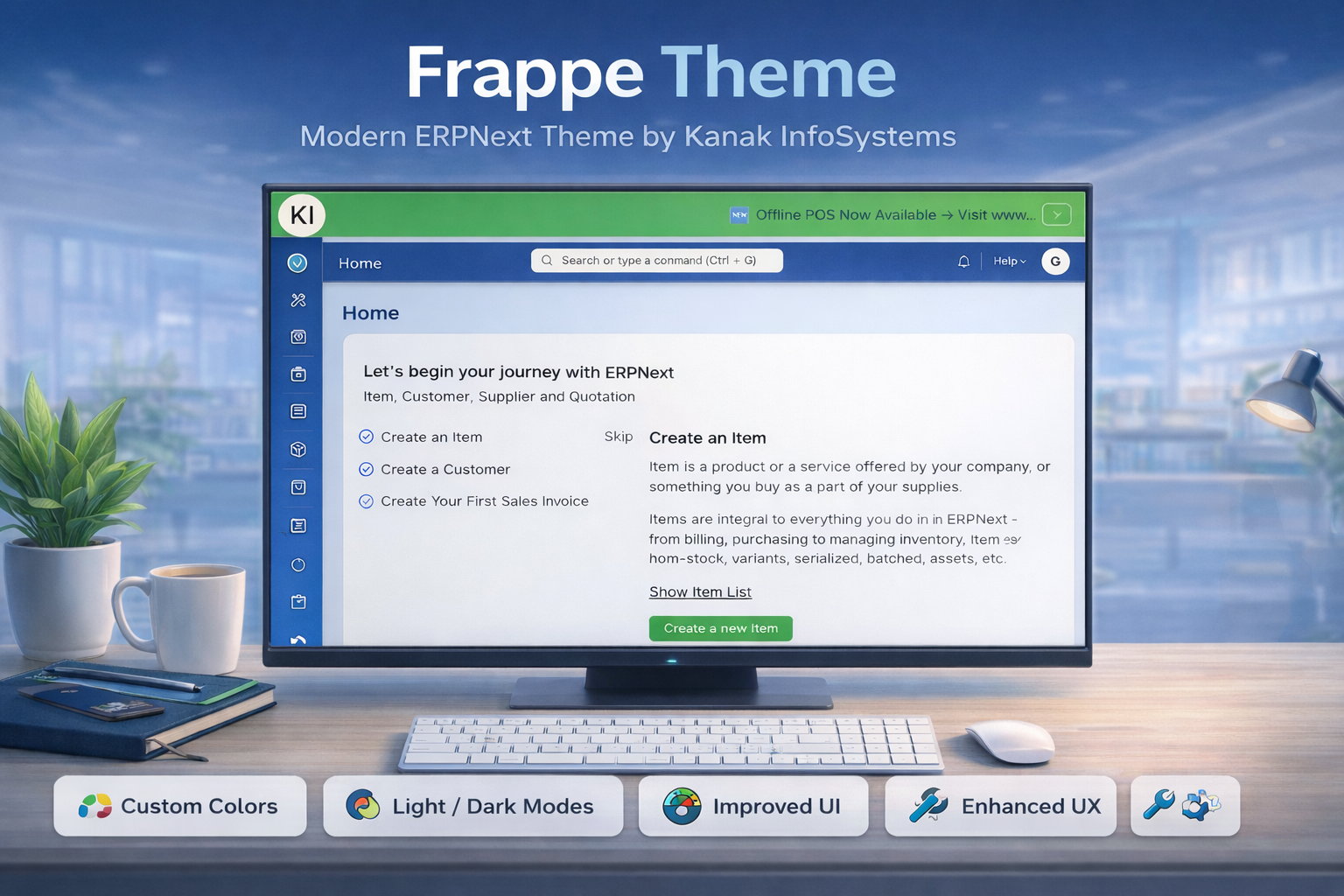
Kanak Premium Theme is a powerful UI/UX enhancement solution built specifically for Frappe and ERPNext environments.
It transforms the default system interface into a sleek, modern, and highly customizable workspace that enhances usability, boosts productivity, and delivers a superior user experience.
🚀 Key Features
Powerful enhancements designed to transform your Frappe & ERPNext experience.
12+ Theme Variations
Choose from multiple pre-built premium themes or create your own fully customized company-branded theme.
Advanced List View
Sticky headers, nested grouping, quick edit options, smart filters, and modern list styling.
Full Screen Grid Menu
Modern full-screen navigation layout with customizable icons, colors, and background styles.
UI Customization Control
Full control over header colors, sidebar styling, fonts, buttons, and layout appearance.
Language & RTL Support
Dynamic language switcher with complete RTL compatibility for global business operations.
Premium Form & Button Styles
Multiple modern form layouts with 7 premium button style variations.
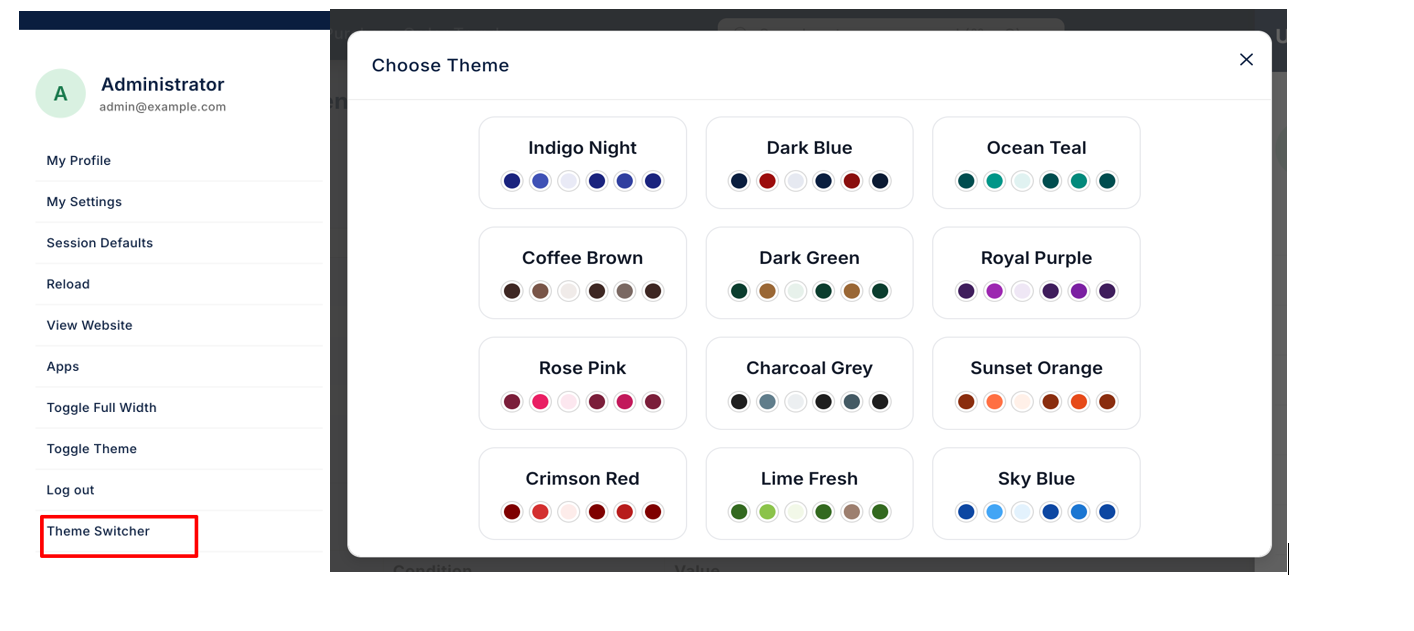
1. Theme Switcher
Users can change theme from User Icon → Theme Switcher → Choose Theme :-
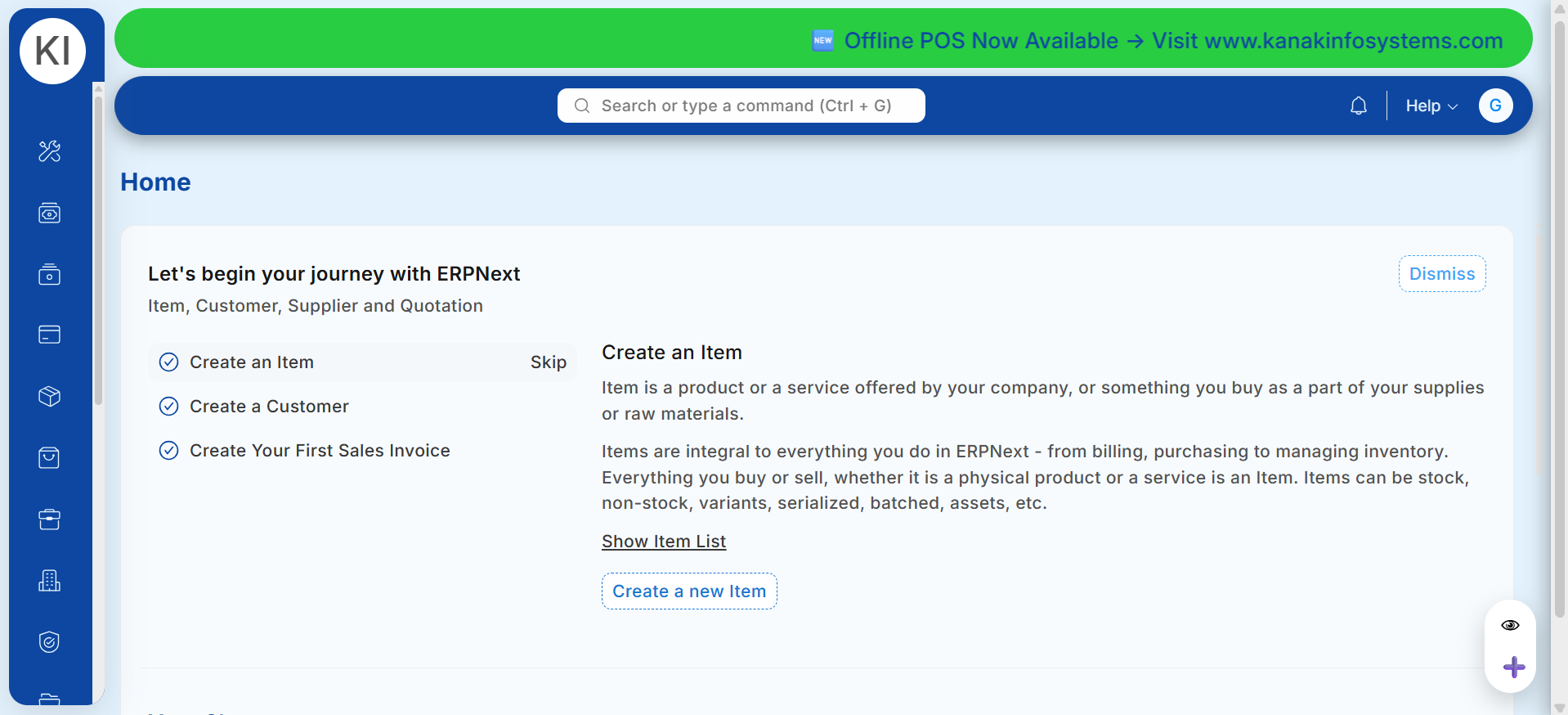
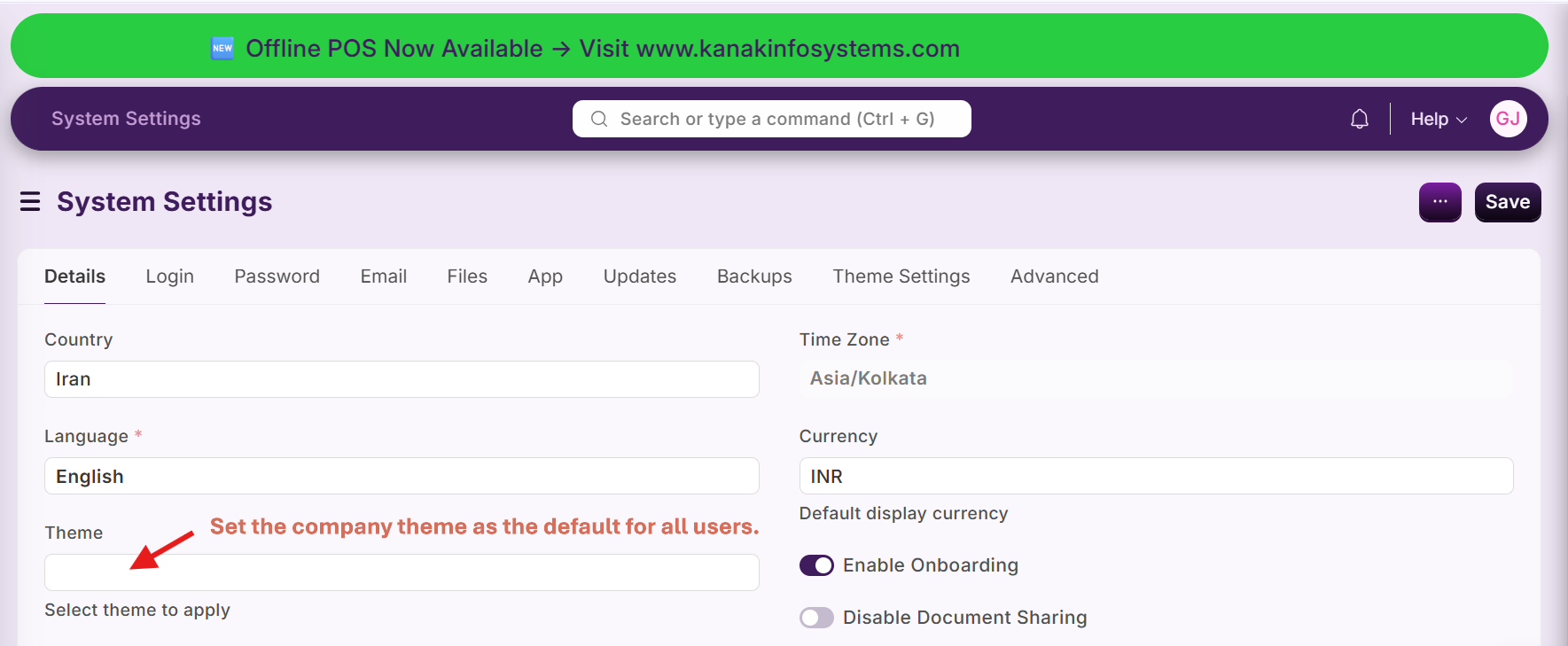
Admin can configure the default theme from System Settings :-
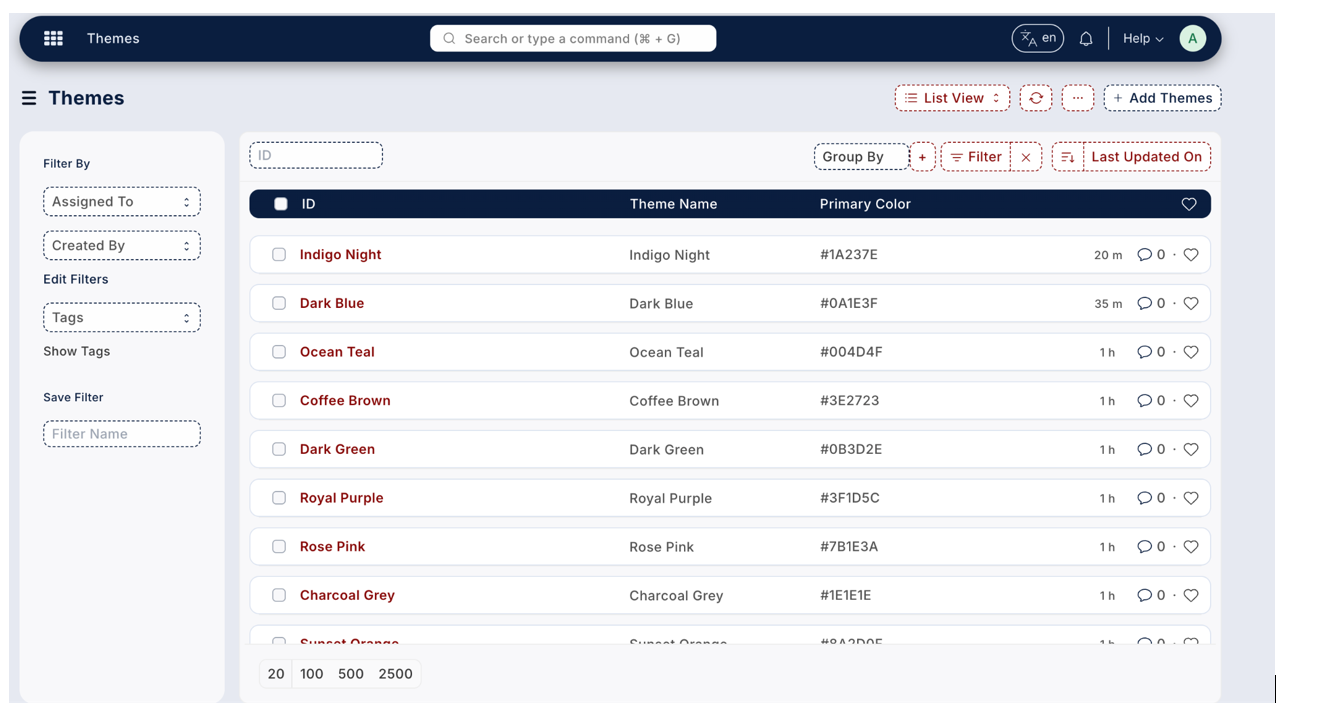
Supports 12 demo themes along with full custom theme creation capability :-
2. Advanced List View Features
Sticky Header :-
List view header remains fixed while scrolling, helping users identify columns without losing context.

Quick Edit from List (Pencil Icon) :-
Users can edit records directly from list view without opening full form view.
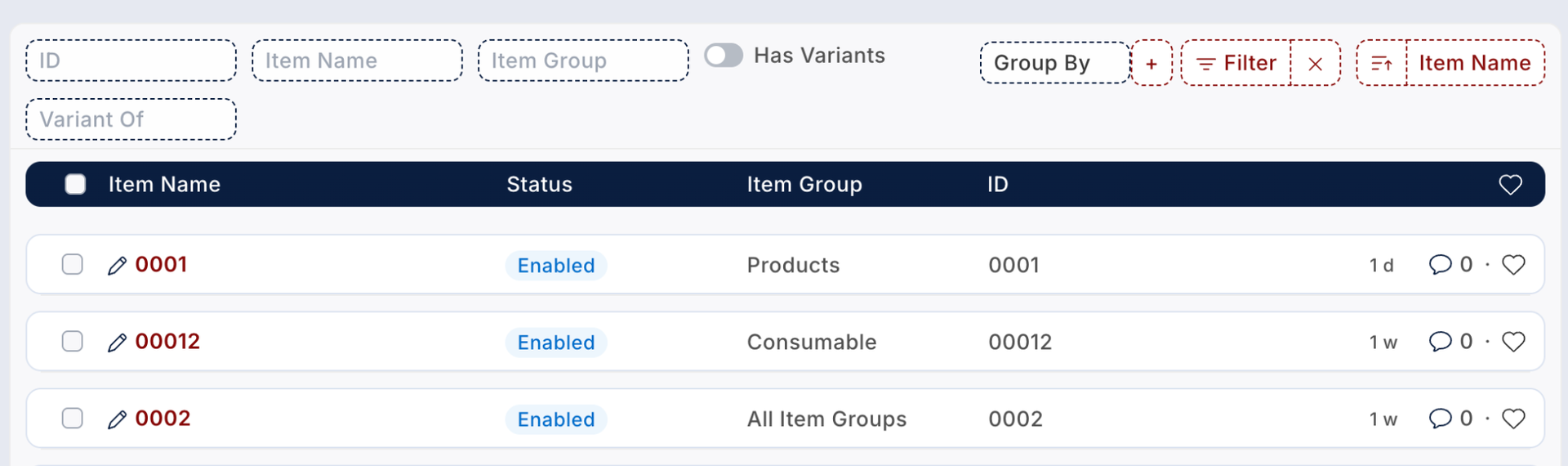
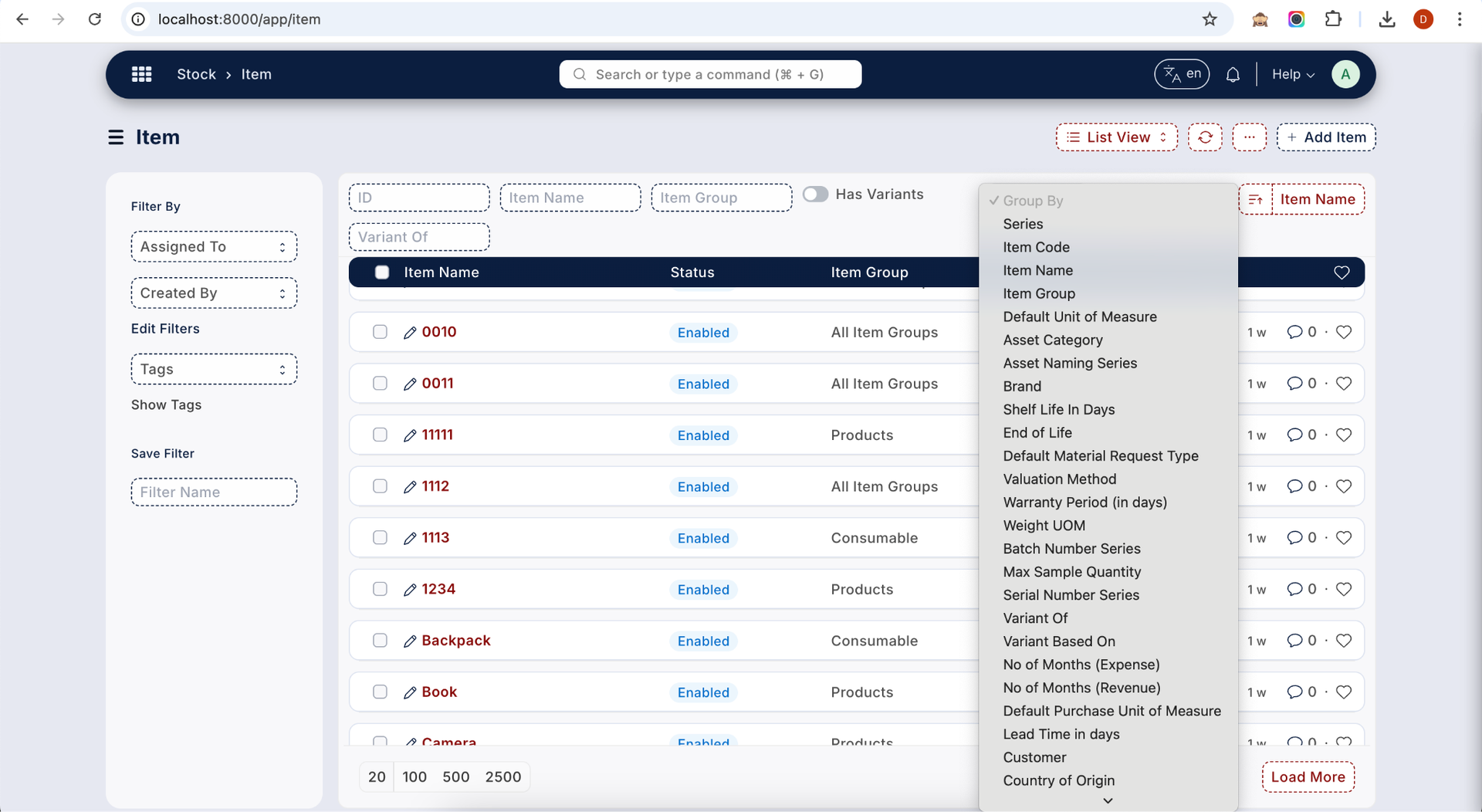
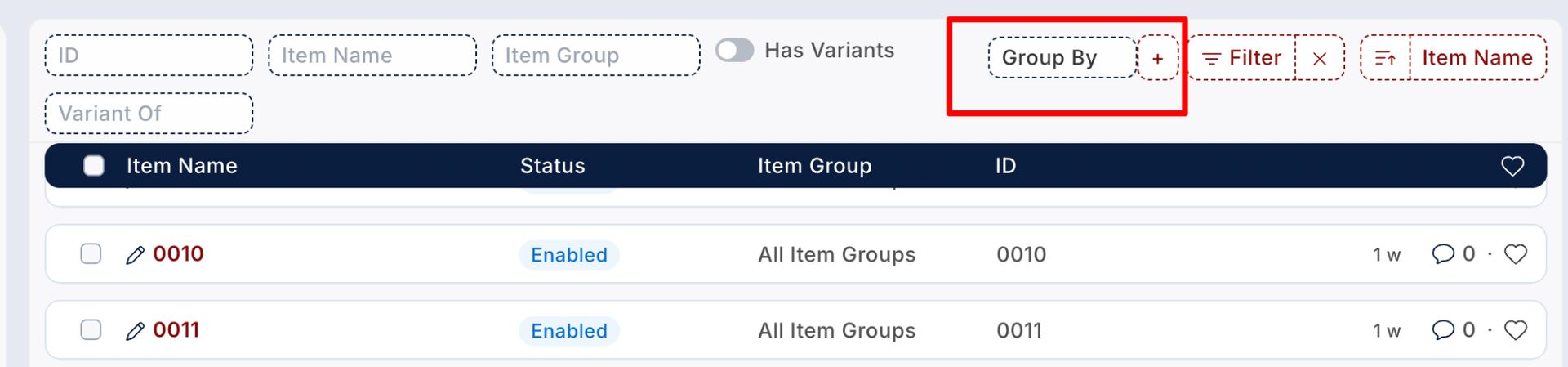
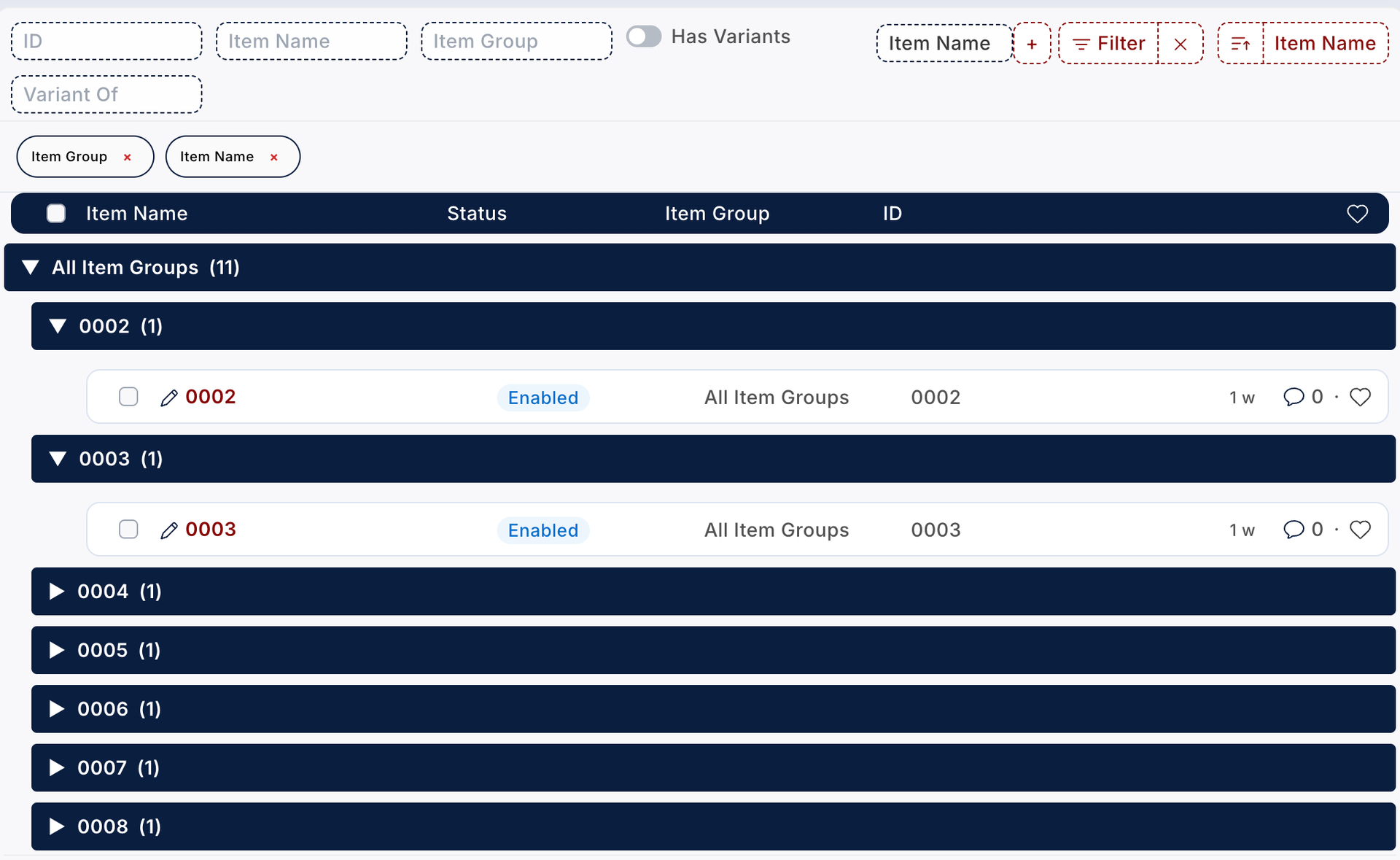
Nested Group By + Filter Support :-
Advanced multi-level grouping that works seamlessly with filters and supports dynamic regrouping.
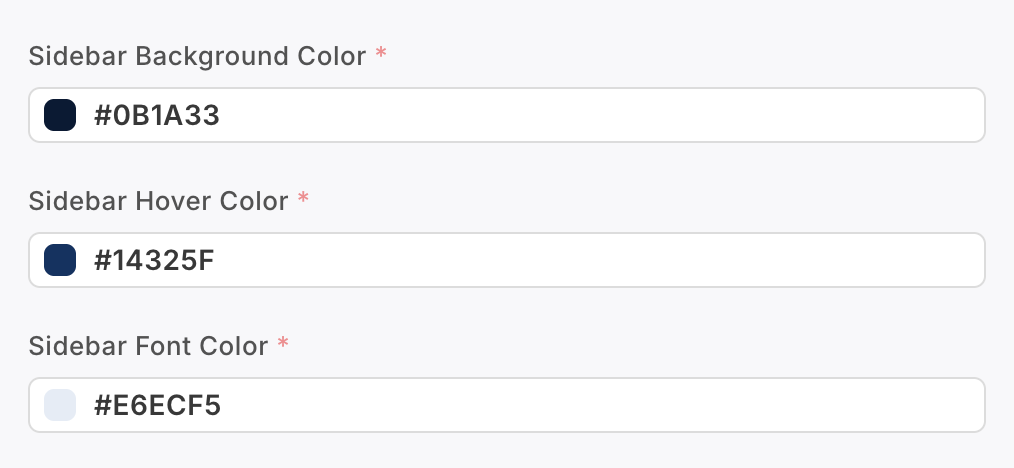
Sidebar Color Customization :-
Admin can configure sidebar background and font colors for grouped records directly from Theme Settings.
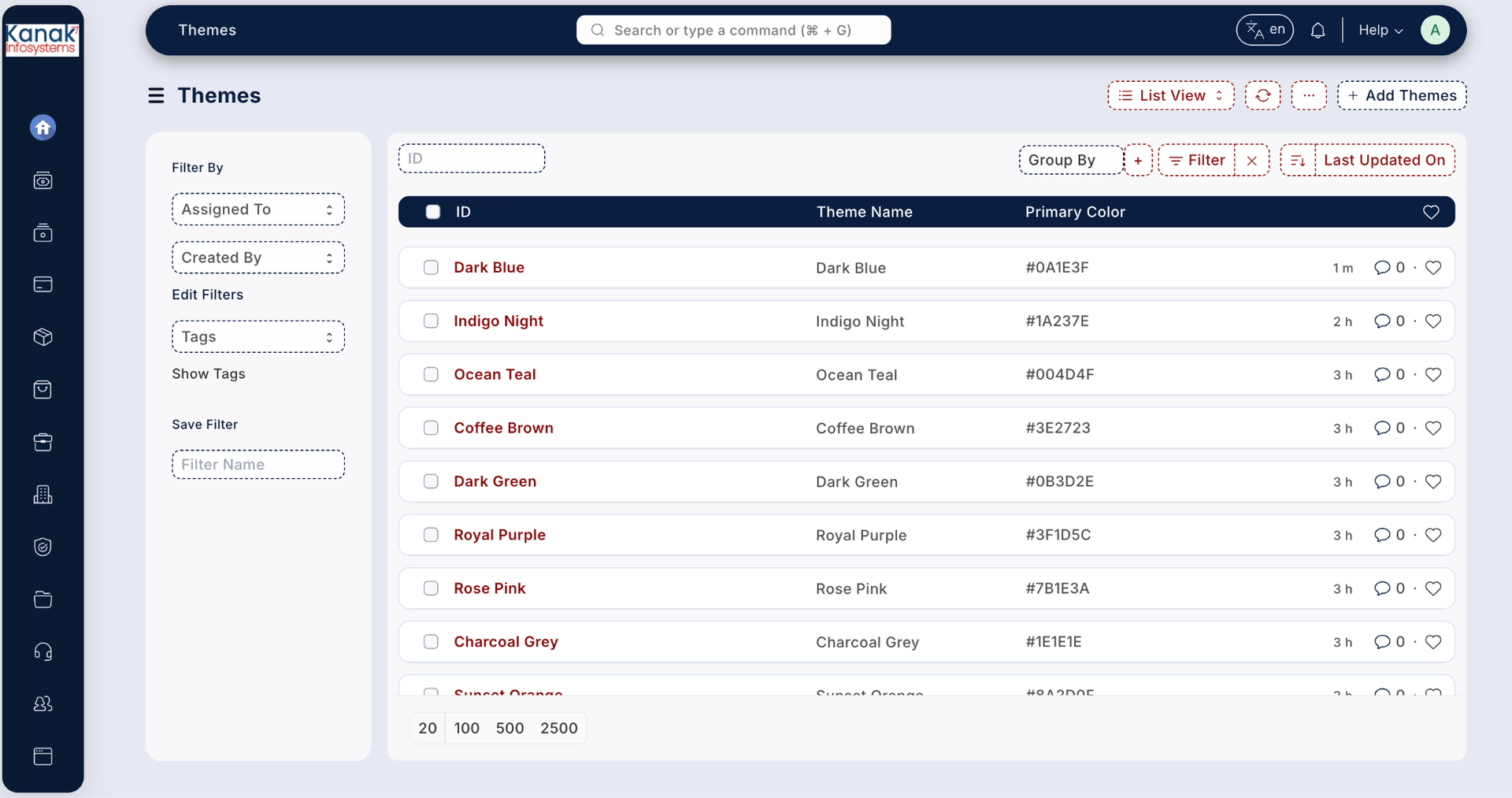
Filter Display Above List View :-
Applied filters appear above the list view, allowing users to quickly review and remove them.
3️⃣ Sidebar & Header Interaction
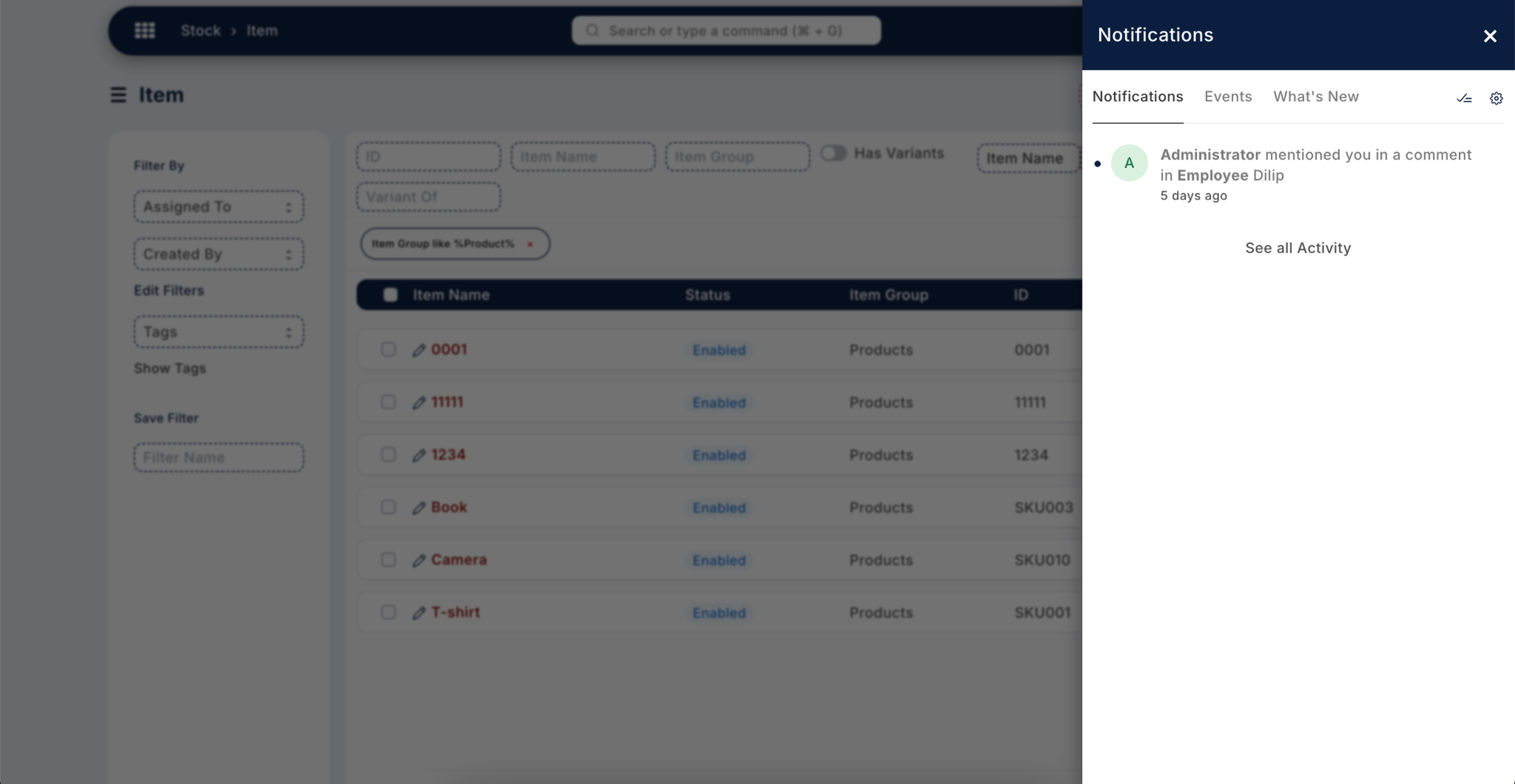
Open Sidebar Notification Panel :-
When the user clicks on the notification icon in the header, a beautifully designed side notification panel opens. It displays alerts, updates, and system notifications in a clean and organized layout.
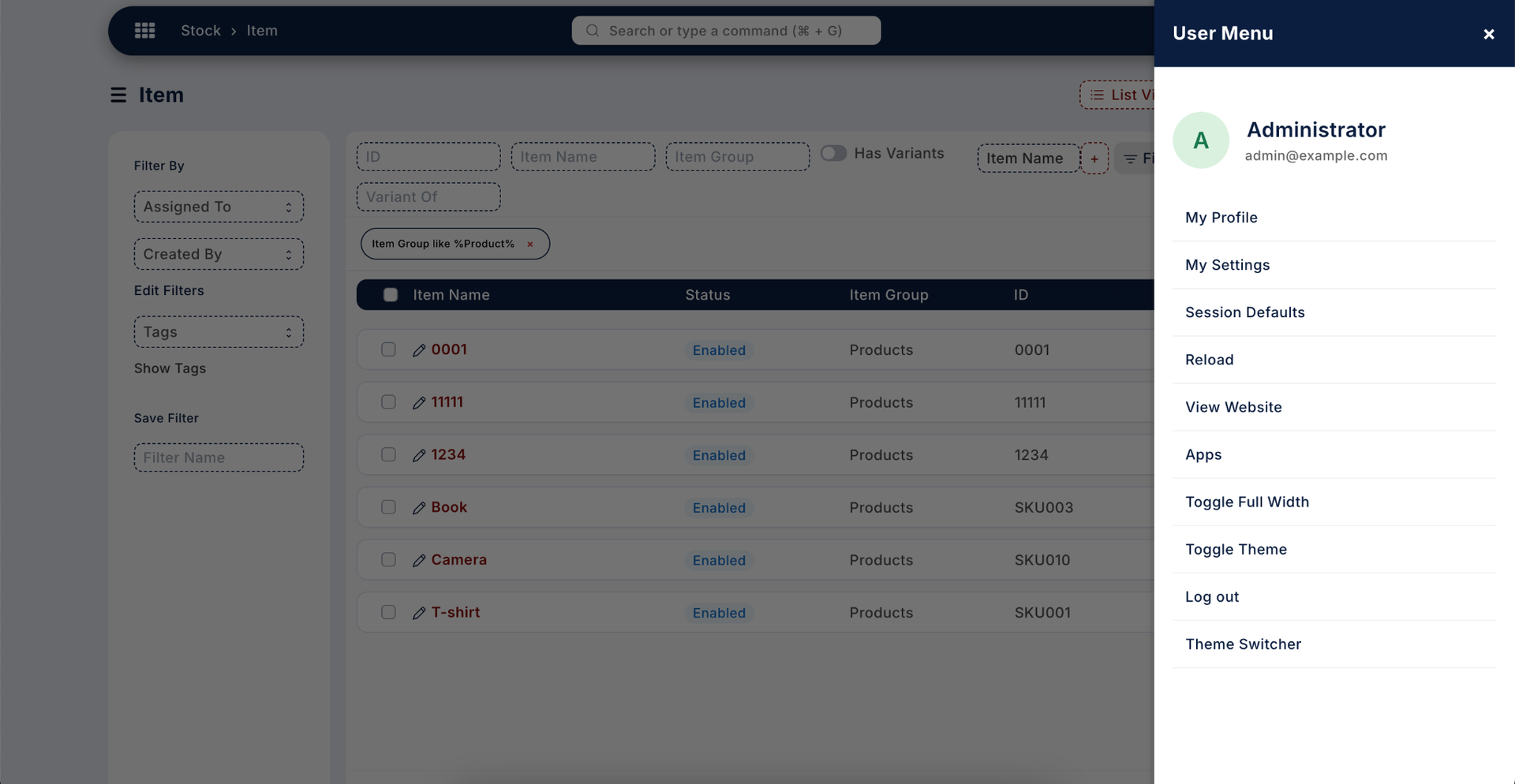
User Menu Sidebar :-
Clicking on the user profile image opens a modern slide-in user menu panel. It includes profile access, theme switcher, settings, and logout options in a premium side layout.
Advanced Sidebar Settings :-
Admin can fully customize sidebar behavior including icon style, background color, hover effects, font styling, and menu expand mode directly from Theme Settings.
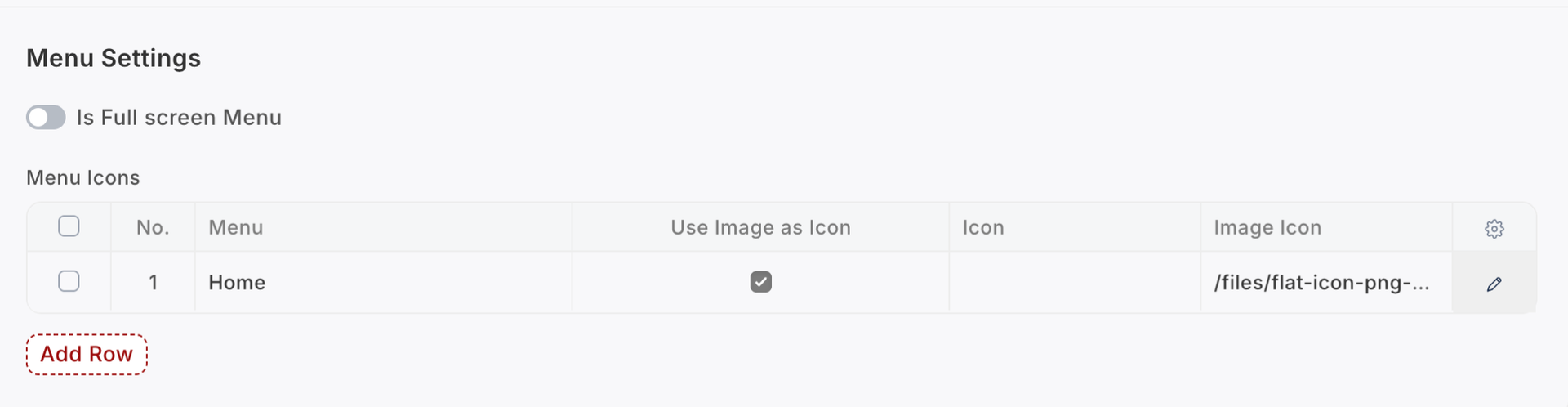
By default, if the "Full Screen Menu" option is disabled,
the standard sidebar layout will be used.
To change menu icons, admin can select either:
• Standard icon library
• Custom image (Enable "Use Image as Icon" to upload image)
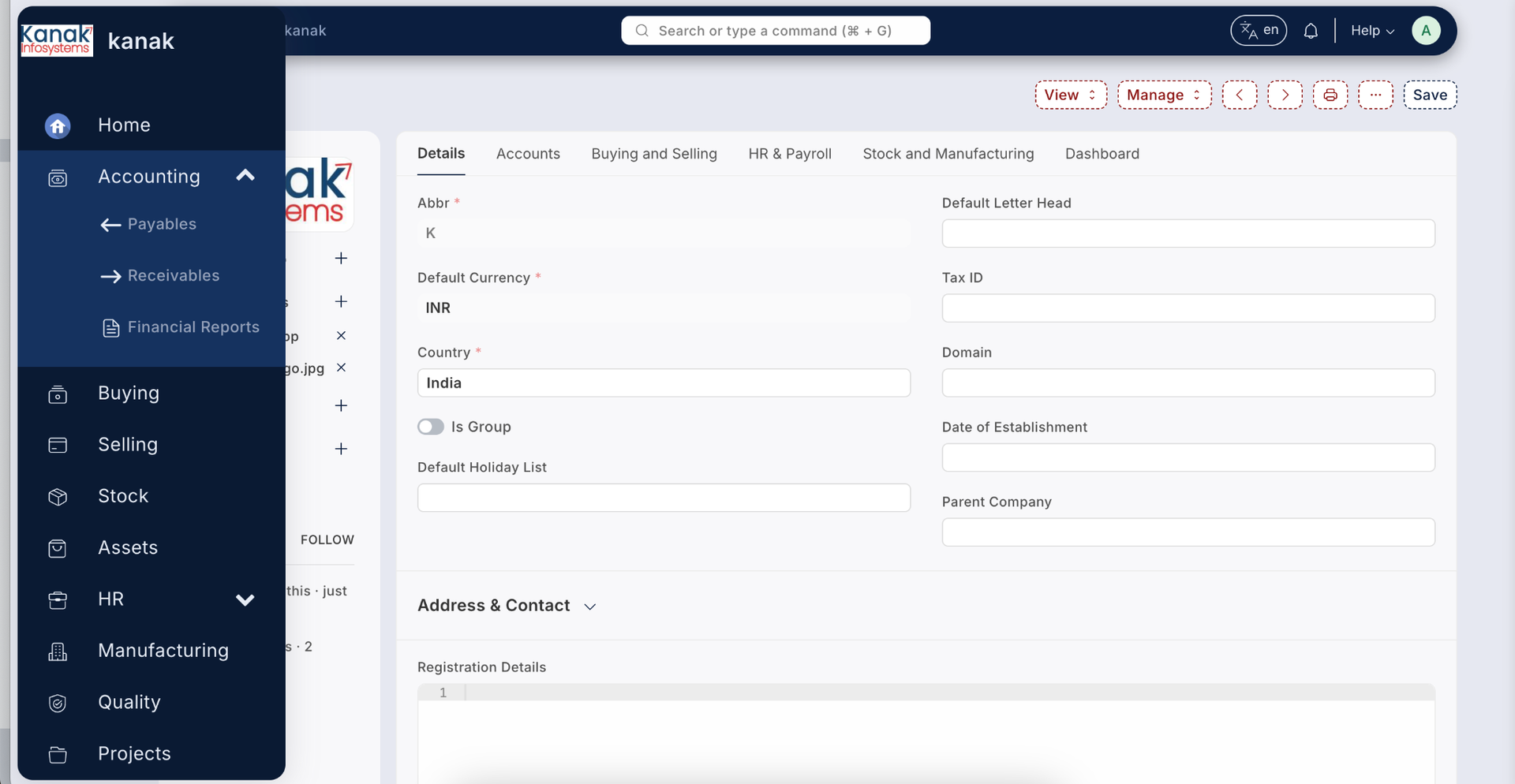
Sidebar menu supports three color controls: Background Color, Hover Color, and Font Color — configurable directly in Theme Settings.
Sidebar Screen Toggle feature allows hover-expand behavior. When enabled, the sidebar automatically expands on mouse hover and collapses when the mouse leaves.
4️⃣ Full Screen Grid Menu & UI Enhancements
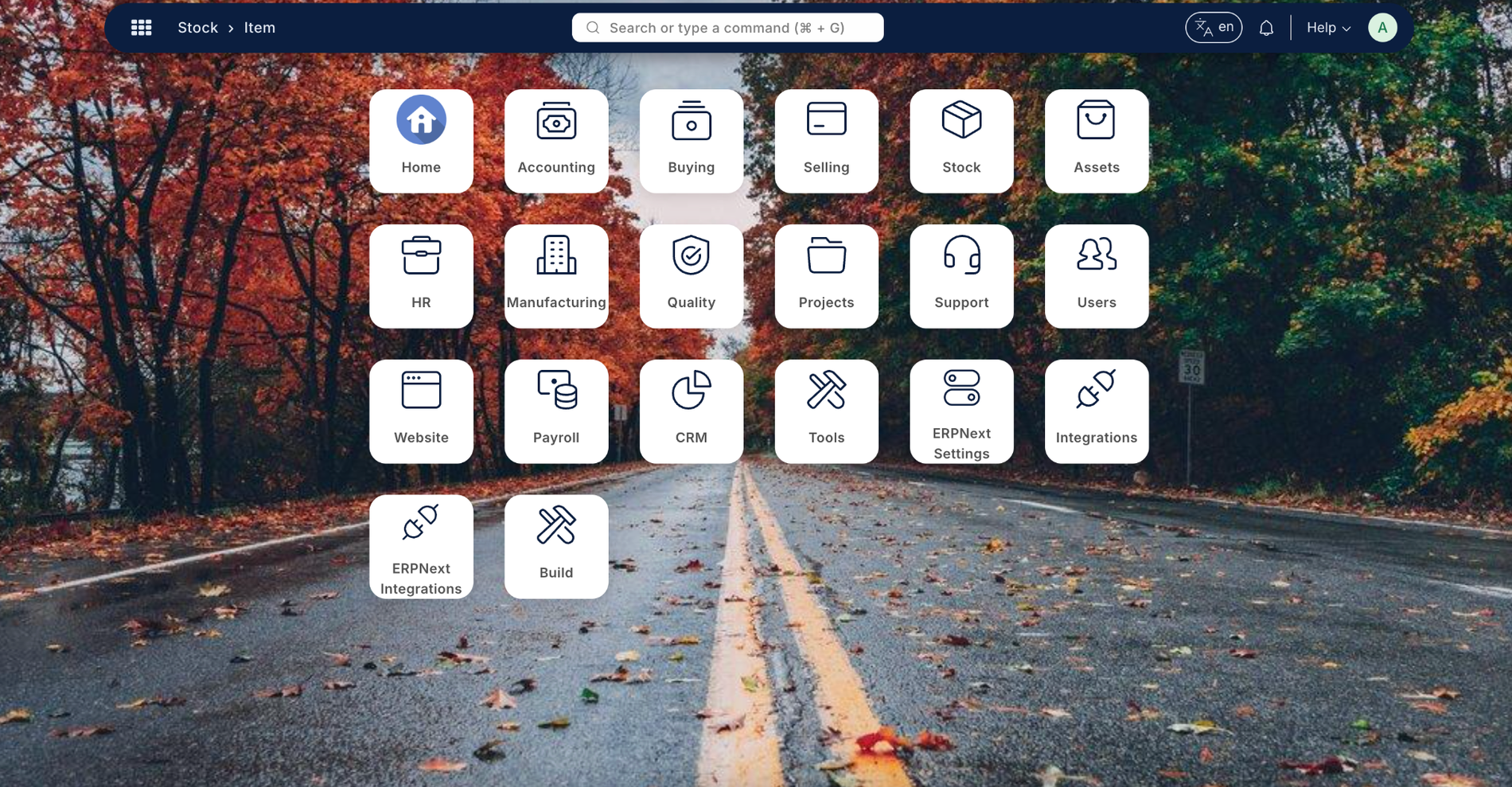
Full Screen Grid Menu
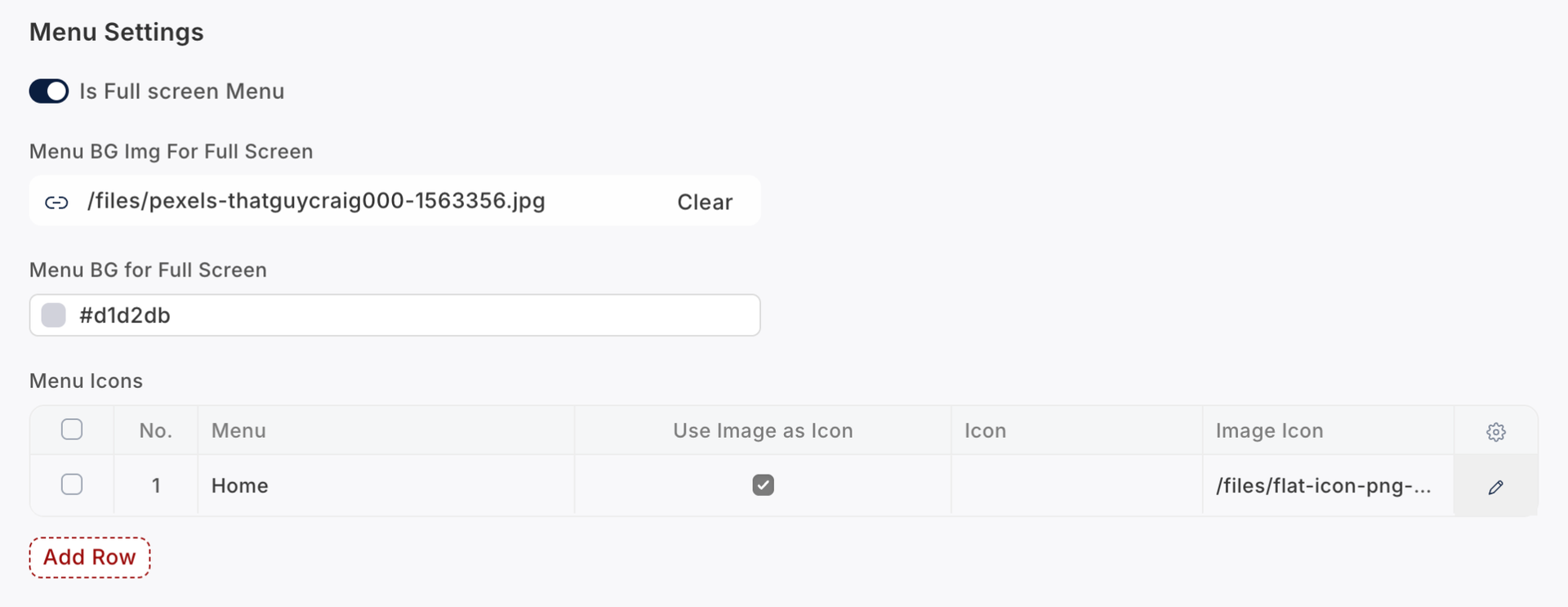
When the Full Screen Menu option is enabled, the system displays a modern full-screen grid navigation layout.
Admin can customize:
- Background image
- Background color
- Menu icons
A grid icon appears in the header (left side). When users click the grid icon, the full-screen menu opens. Clicking any menu item directly navigates to the selected page.
Language Switcher :-
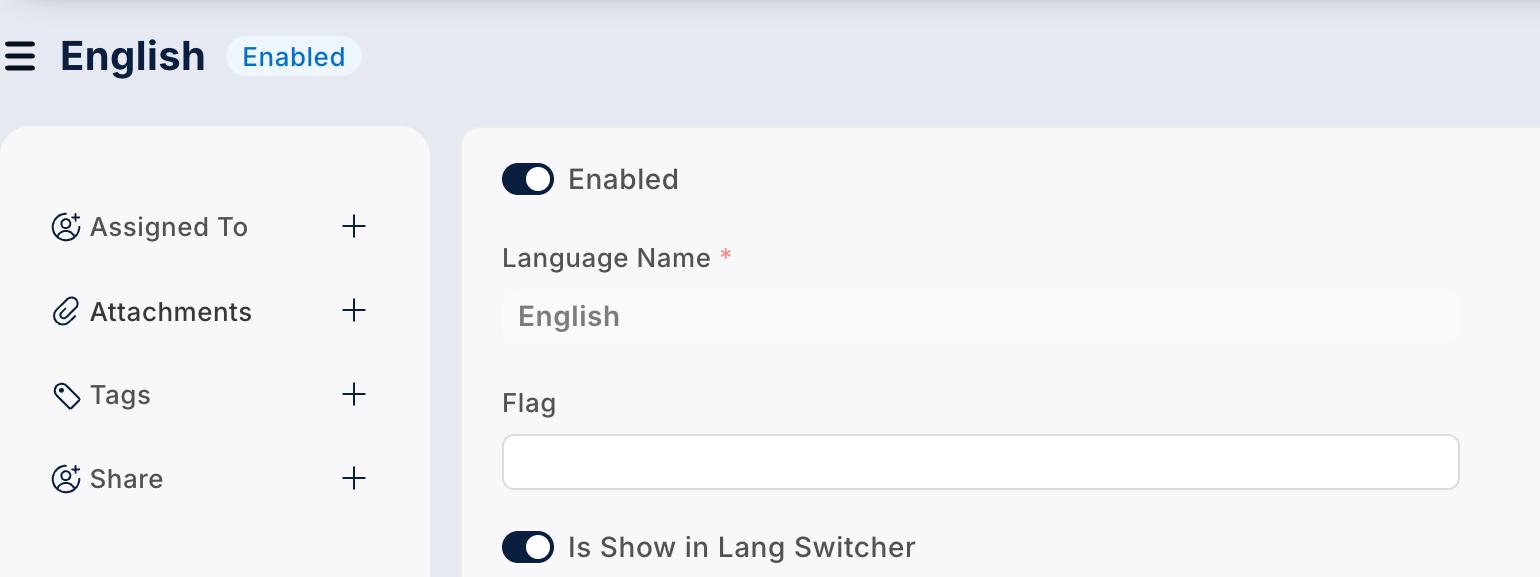
Steps to Enable:
- Go to Language List.
- Open the desired language form.
- Enable "Is Show in Language Switcher".
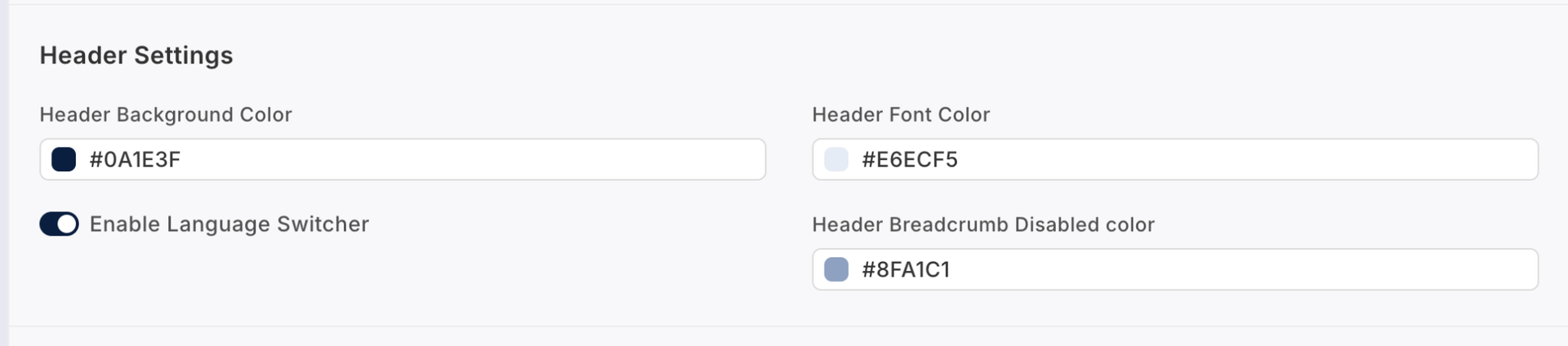
- Go to Theme Settings and enable the Language Switcher option.
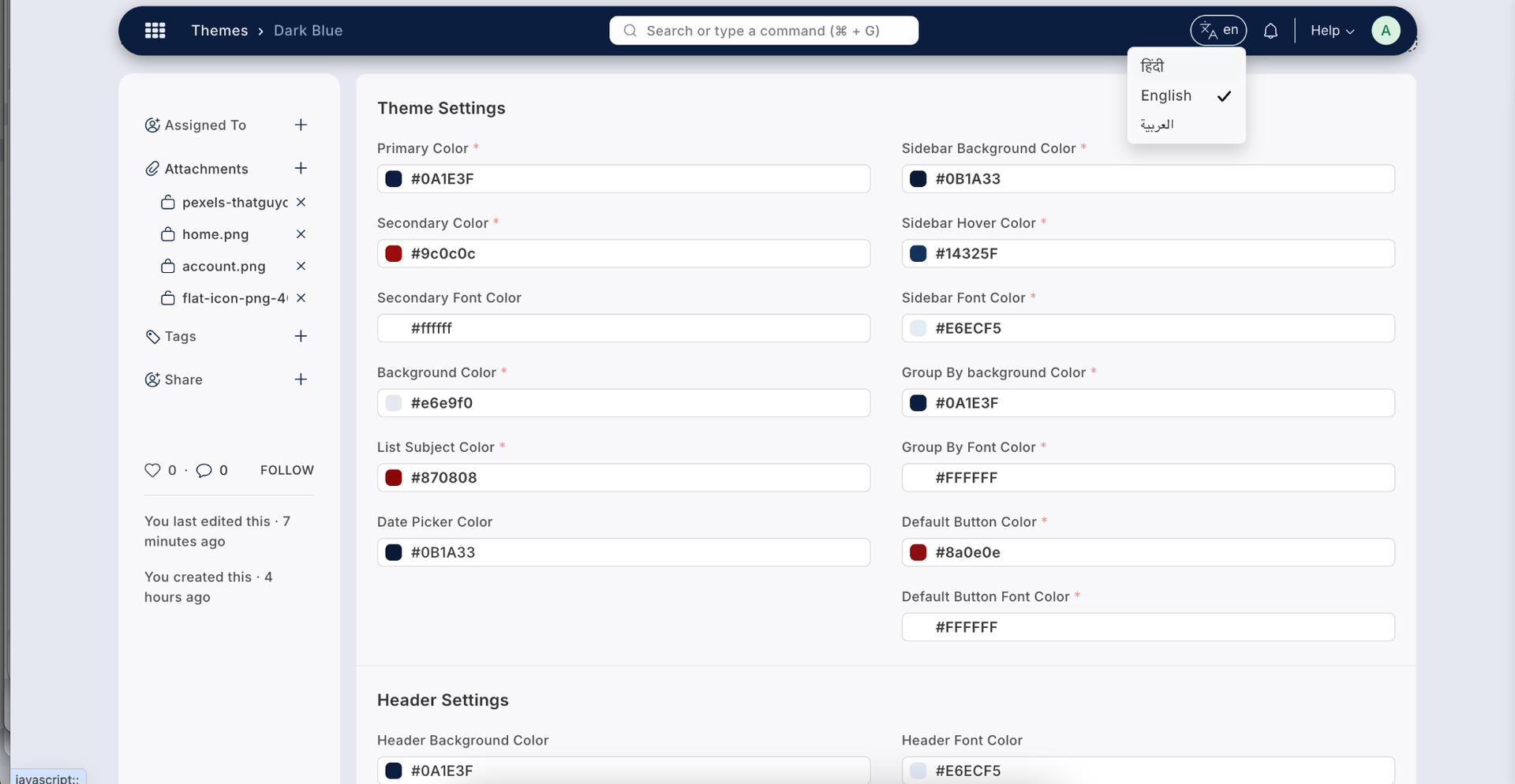
Once enabled, a language dropdown appears in the header, allowing users to dynamically switch the system language.
List View Subject Color Customization :-
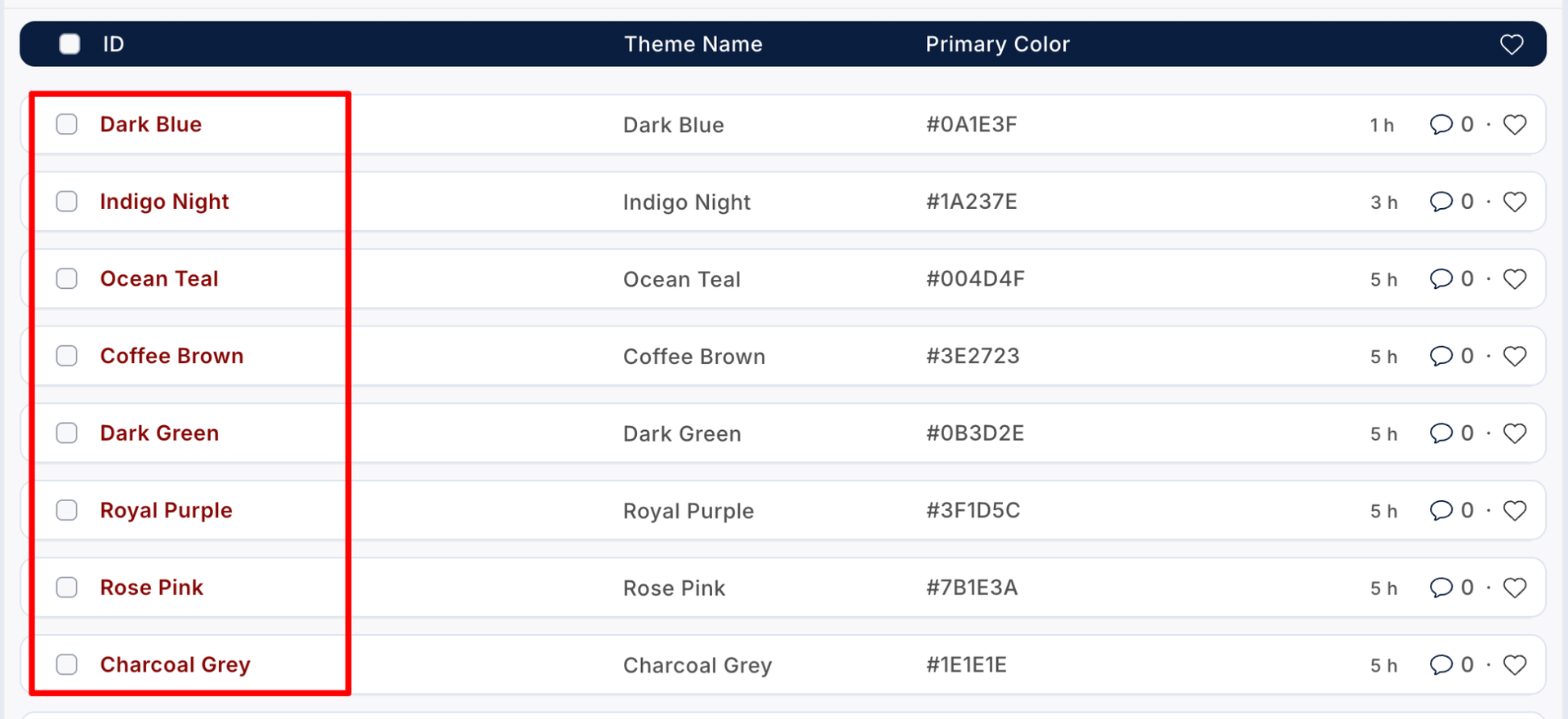
Admin can change the subject link color in List View directly from Theme Settings to match company branding.

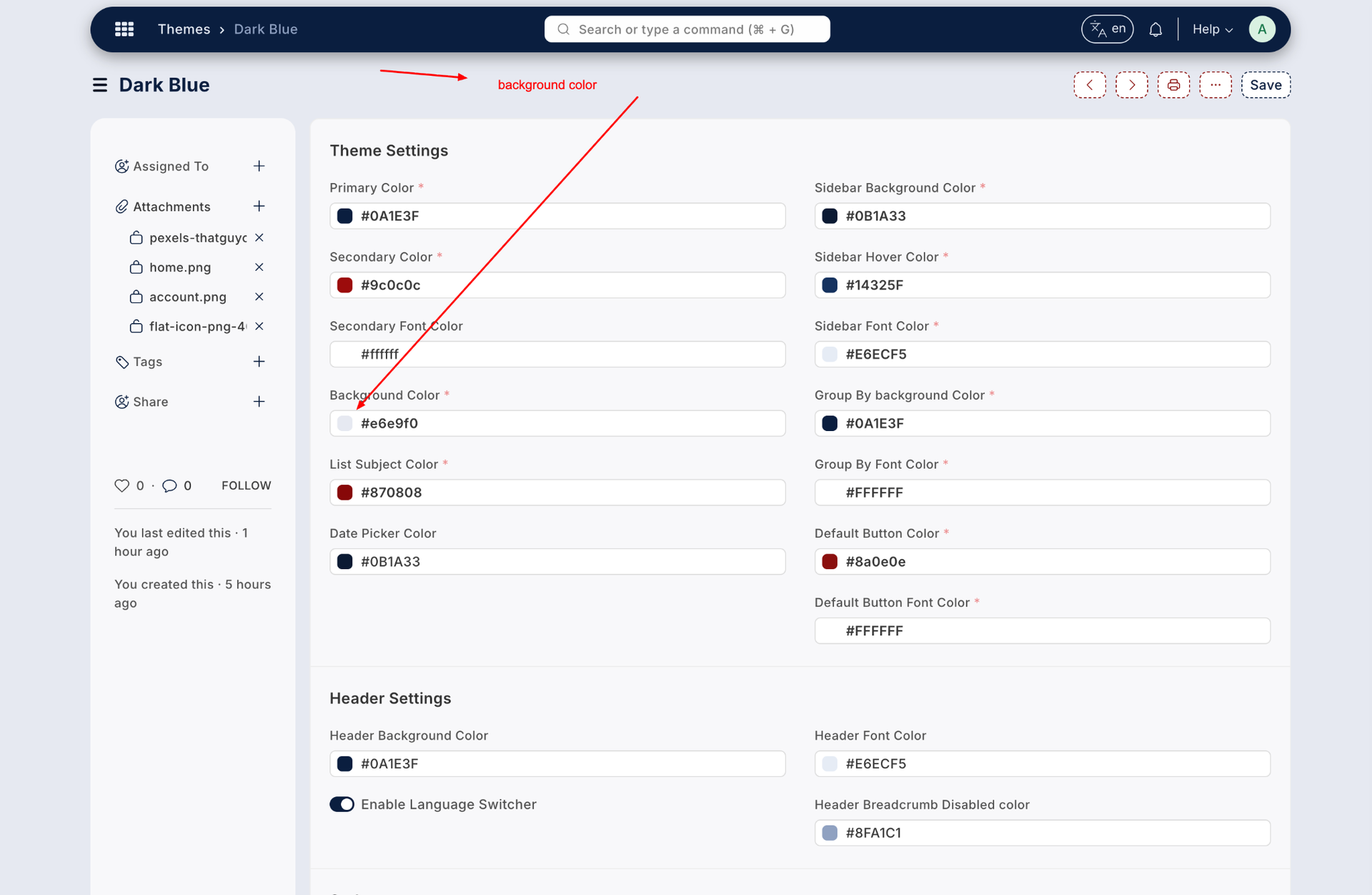
Background Color Control :-
Gain full control over system background colors. The primary UI background can be modified directly from Theme Settings.

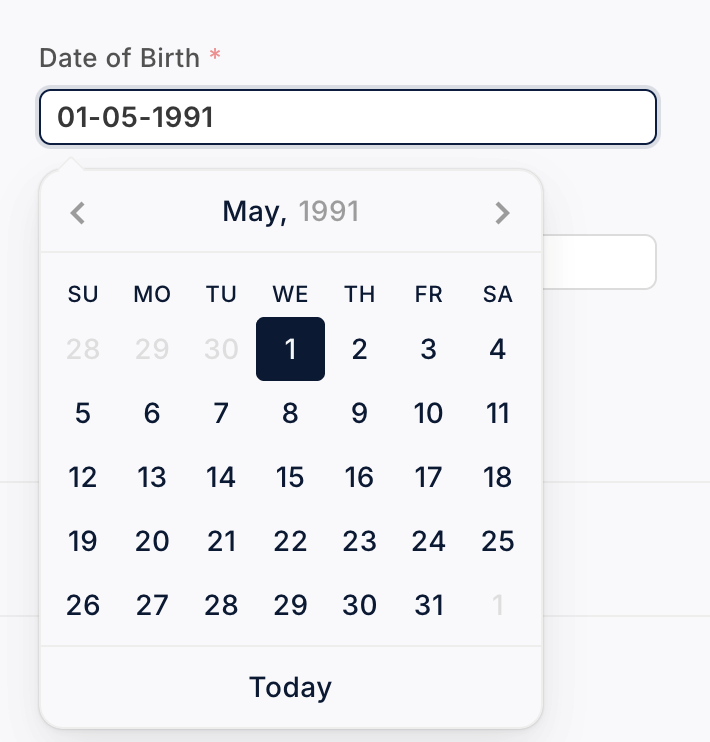
Date Picker Color Customization :-
Customize the date picker appearance, including highlight and selection colors, to align with your theme design.

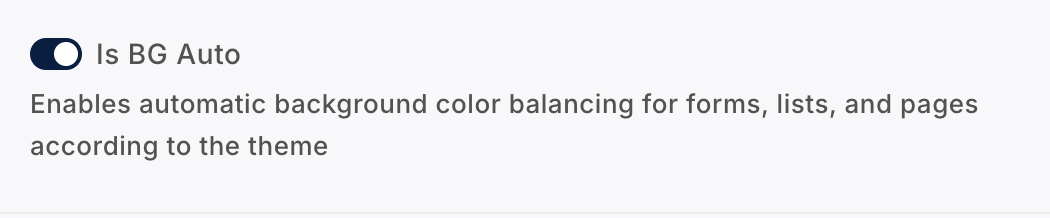
Automatic Form Background Mode :-
If Background Auto Mode is enabled, the form background automatically adjusts according to the selected theme background color.
If disabled, the form background remains white (default system behavior).
5️⃣ Form & List Style Customization
Form Styles in Theme Settings :-
The theme provides three professionally designed form styles that can be configured directly from the Theme Settings panel. These styles enhance the user interface and improve overall user experience across all forms.
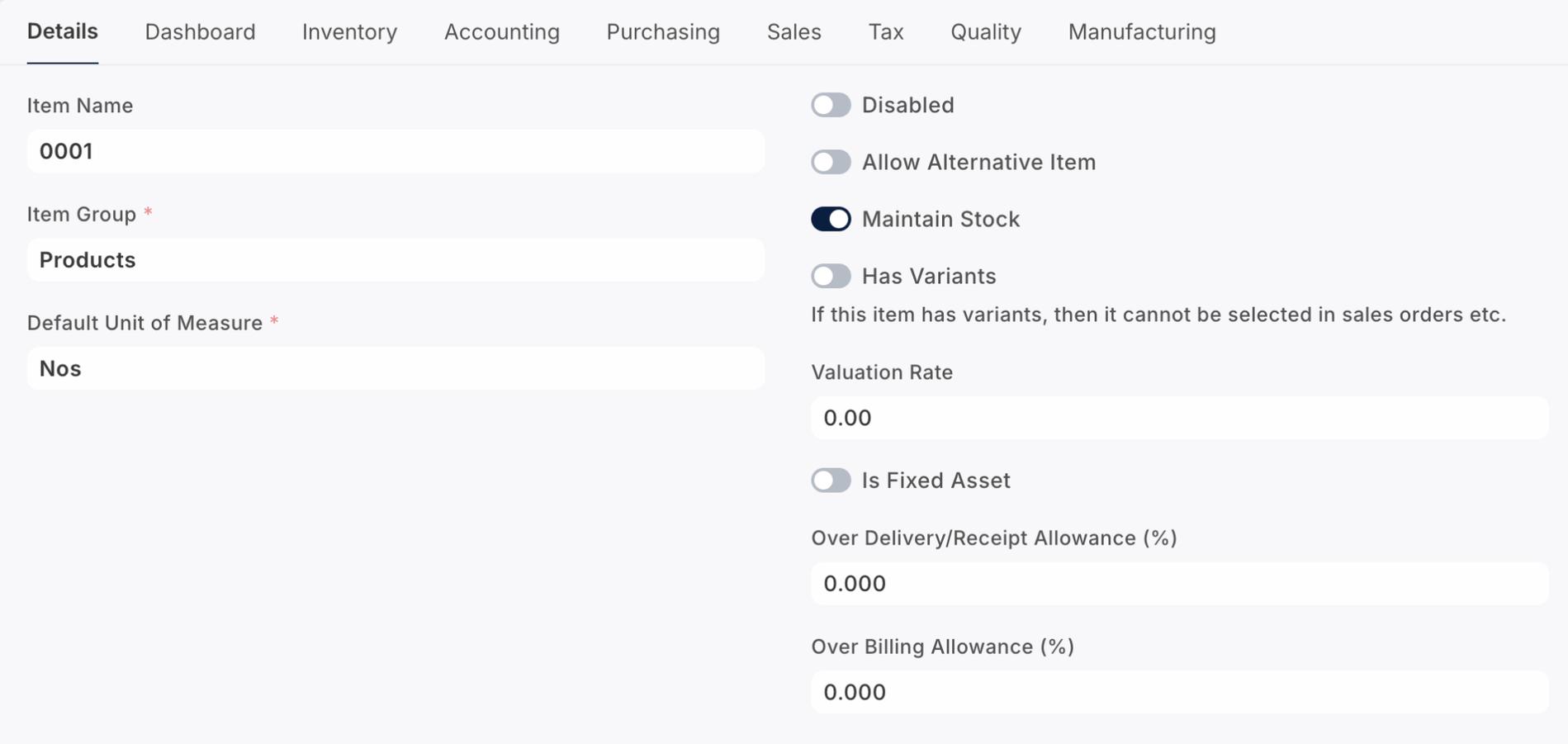
If no form style is selected, the system will automatically apply the default Frappe form style.
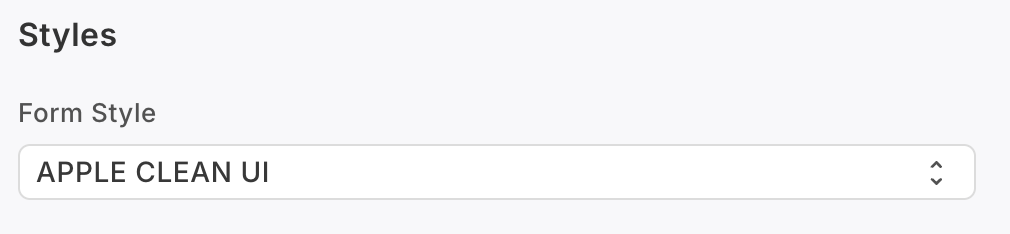
Available Form Styles :-
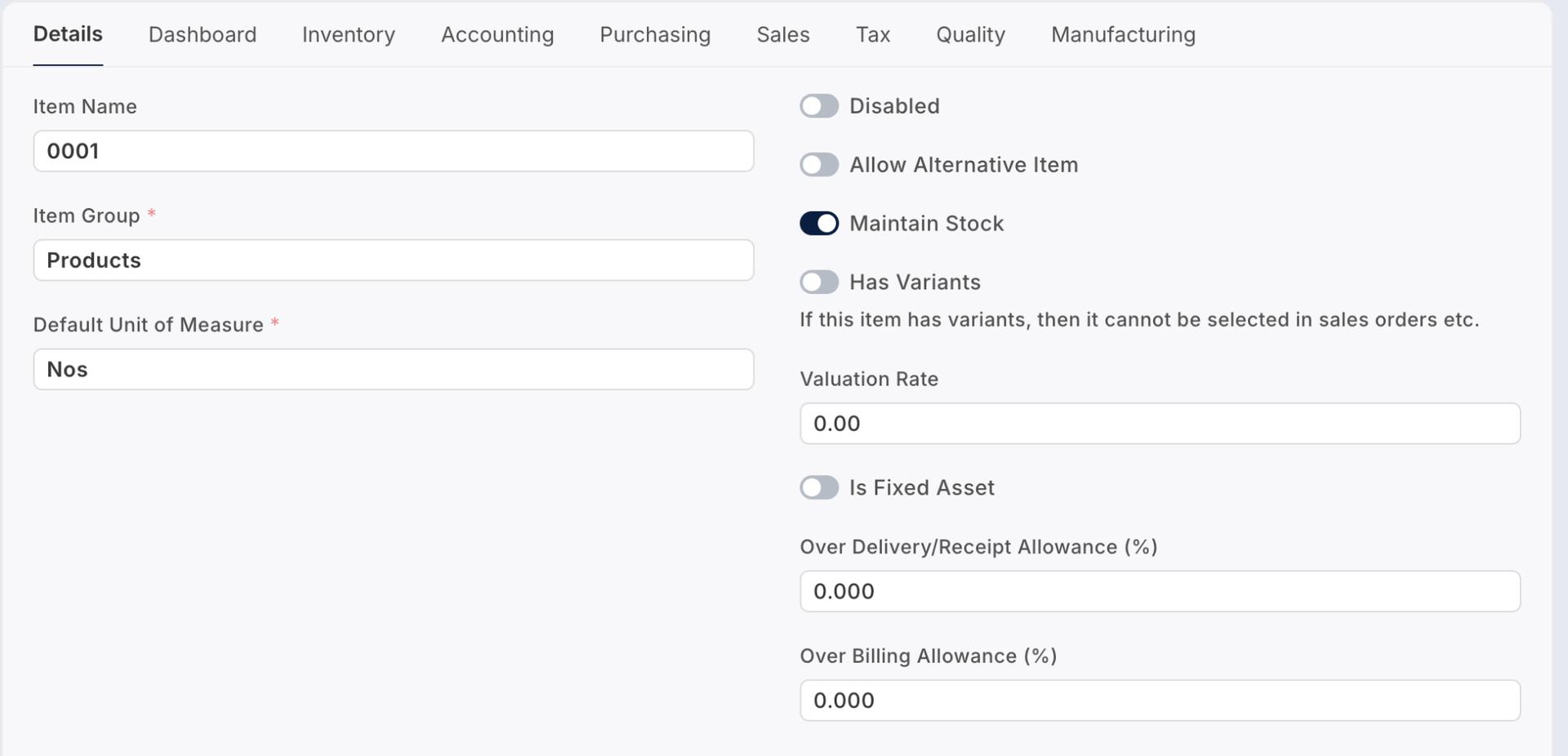
1. Apple Clean UI
A minimal and elegant interface inspired by Apple’s design language,
focusing on clean spacing, soft visuals, and a distraction-free experience.
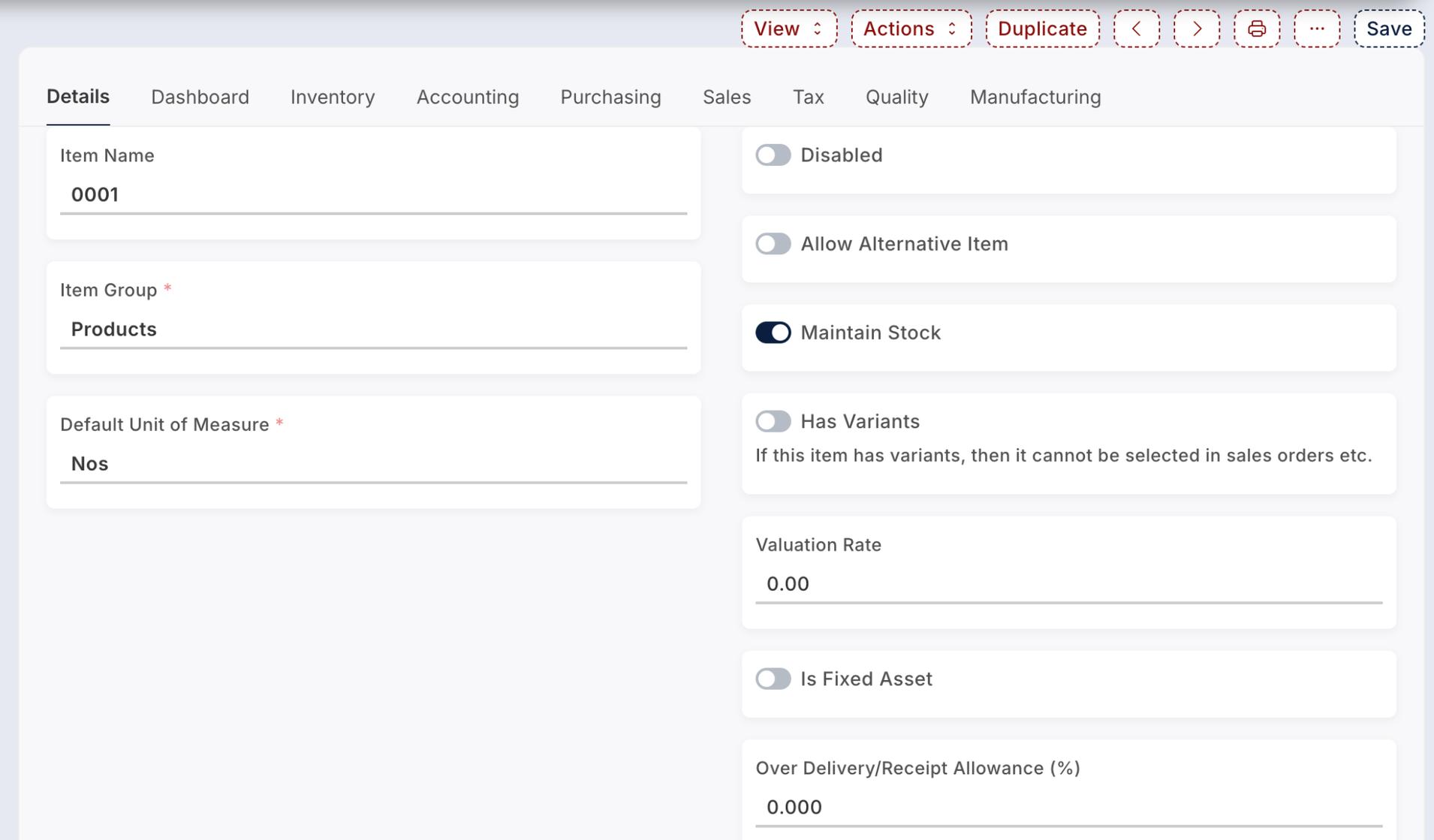
2. Material UI Form Style
A modern layout inspired by Material Design principles,
offering structured alignment, improved field clarity,
and enhanced interaction feedback.
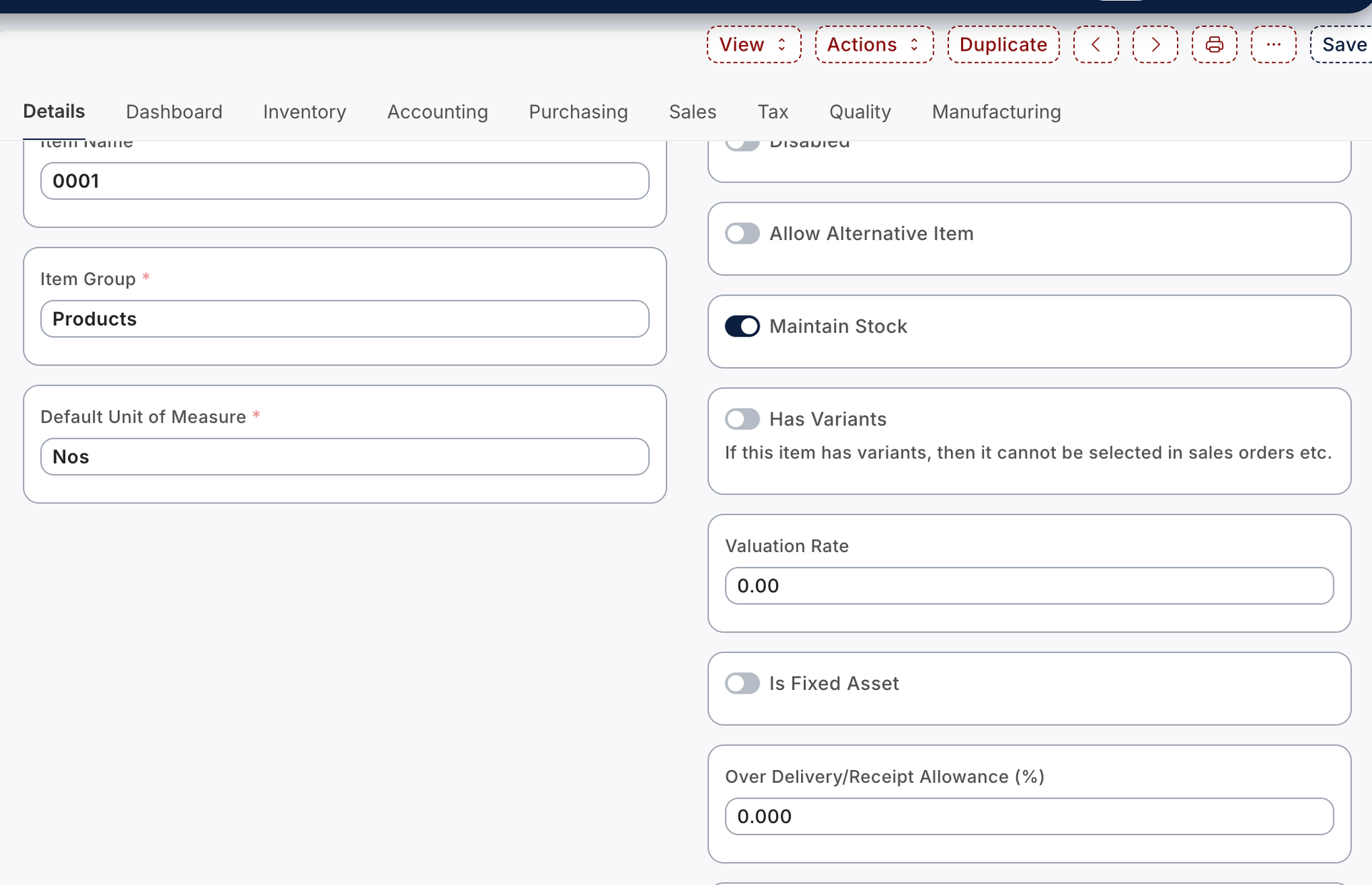
3. Frappe Neo
A refreshed and modernized version of the standard Frappe interface,
providing a sleek and professional appearance while maintaining usability.
If no form style is configured, the default Frappe form style will be applied automatically.
Multiple List View Styles :-
The theme offers four different list view styles, including the default layout. This allows users to customize how records are displayed within the system for better readability and visual preference.
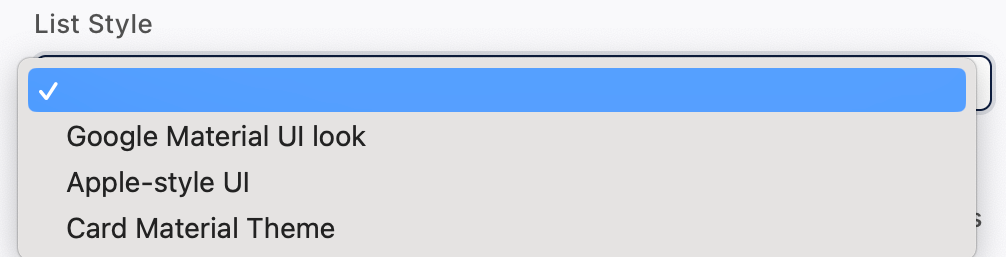
Available List Styles:
1. Default List View
The standard Frappe tabular layout designed for efficient
data management and quick record access.
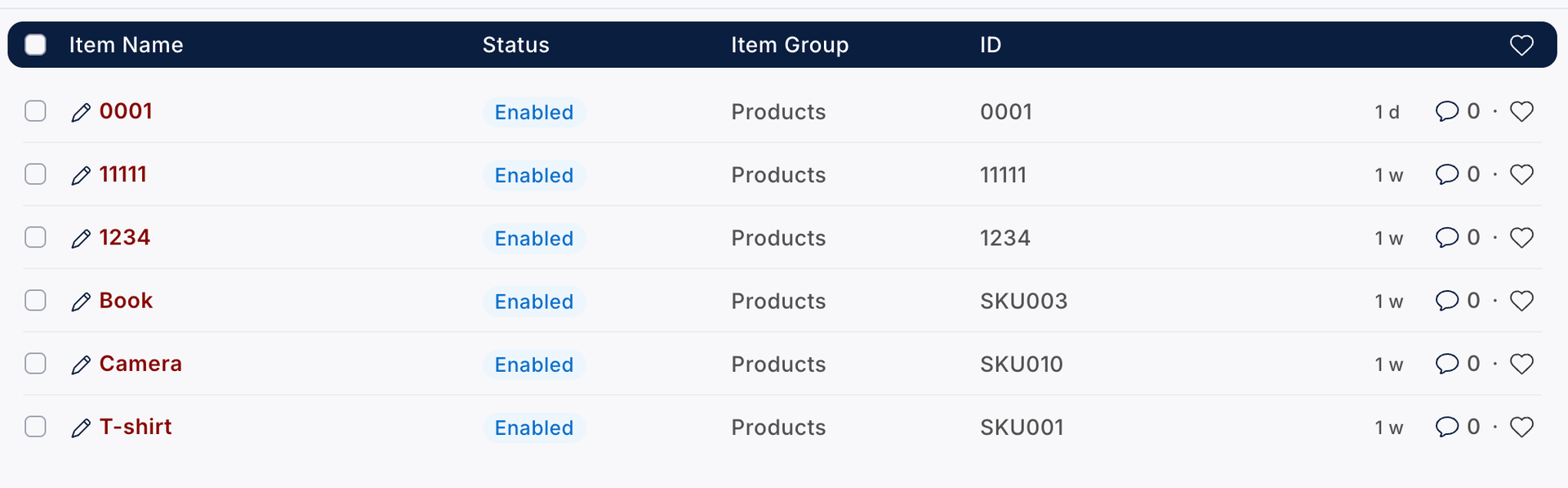
2. Google Material UI List Style
A structured list layout inspired by Material Design,
featuring balanced spacing and improved visual hierarchy.
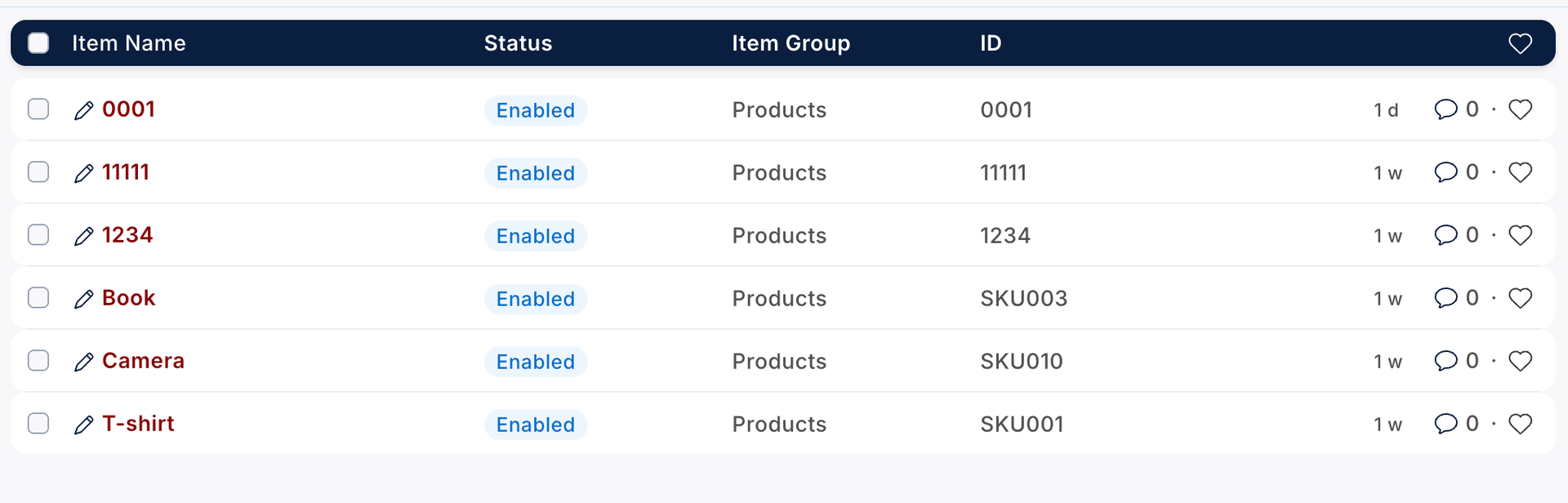
3. Apple Style UI List
A clean and minimal list design inspired by Apple’s UI,
offering smooth alignment and modern aesthetics.
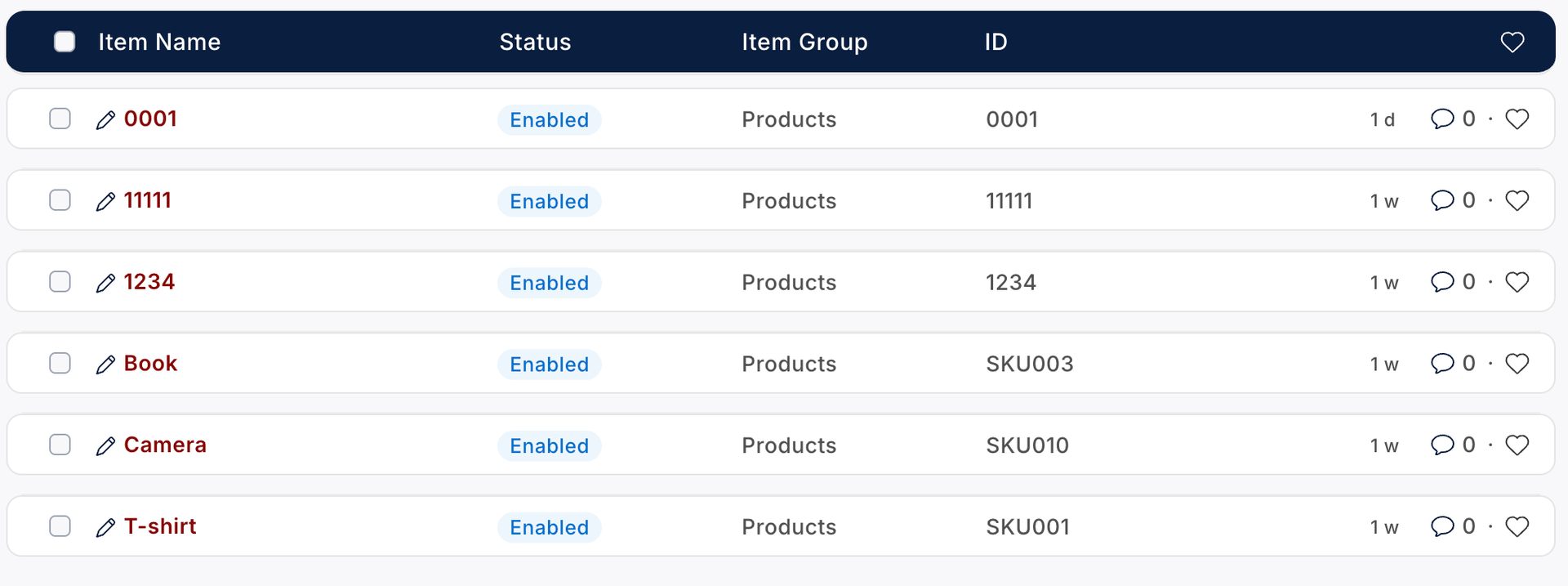
4. Card Material UI List Style
A card-based list presentation where records are displayed
in visually separated cards, providing a modern and
user-friendly browsing experience.
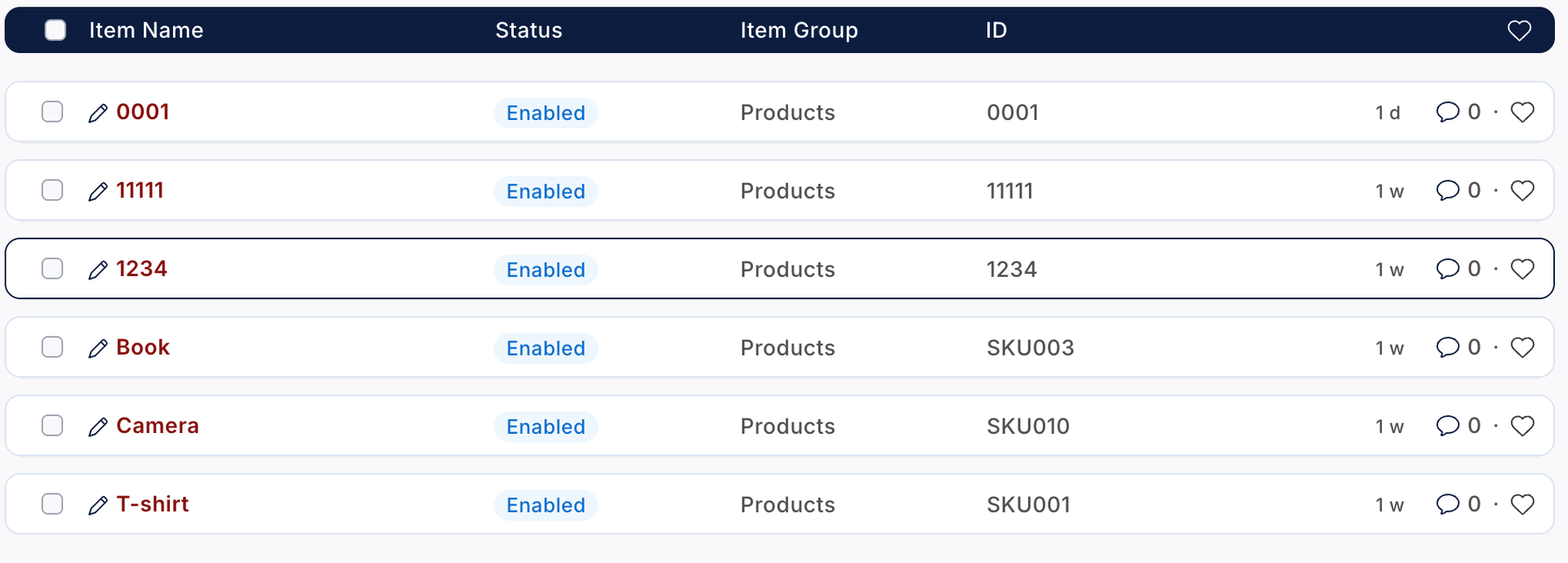
If no list style is selected, the system will automatically apply the default Frappe list view.
6️⃣ Premium Button Styles
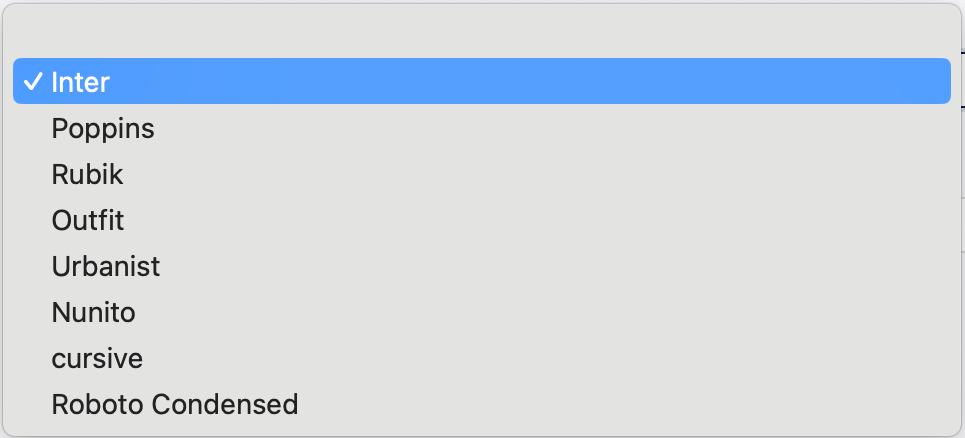
Font Family Selection :-
The theme allows administrators to select and apply a global font family across the entire system interface. Once configured, the selected font will be applied consistently throughout the theme, ensuring a unified and professional appearance.

Admin can choose from the available font list in Theme Settings and apply it system-wide with a single configuration.
Available Font Options:-
Multiple Button Styles :-
The theme provides seven different button styles that can be configured directly from Theme Settings. Administrators can select a preferred button style to maintain consistent UI design across the system.

Available Button Styles:-

Flat Button Style-
A simple and clean button design with a solid background and minimal effects.

Outline Button-
A bordered button style with transparent background for a modern look.

3D Button-
A raised button design with depth effect to enhance interactivity.

Gradient Button-
A visually appealing button style featuring gradient background colors.

Pill Rounded Button-
A fully rounded button style offering a soft and modern appearance.

Minimal Border Button-
A subtle and lightweight bordered button for a clean interface.

Dashed Border Button-
A distinctive dashed border button style for creative UI presentation.

(Refer to the screenshots below for visual examples of each button style.)
Default Button Color Configuration:-
Administrators can customize the default button background color and font color directly from Theme Settings.
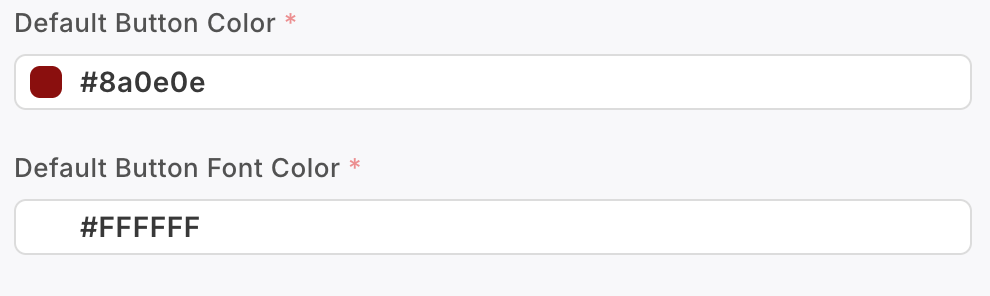
Once configured, the selected colors will be applied consistently across all primary buttons within the system.
Header Color Customization :-
The theme allows administrators to configure header colors according to branding requirements.

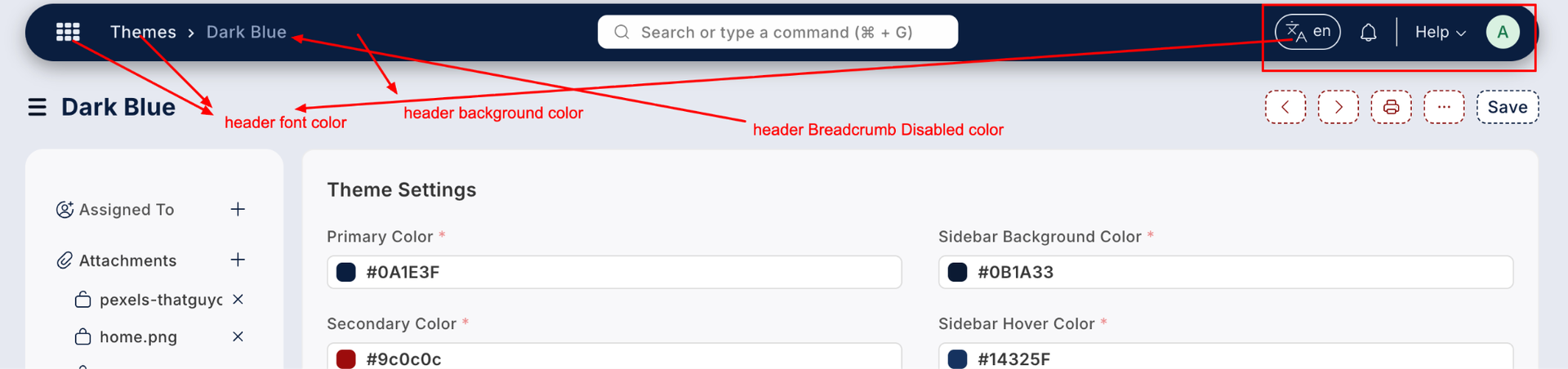
Header background color, font color, and related visual elements can be customized to match the organization's identity.
Theme Set Options :-
The system provides two flexible methods for applying themes:
1. System-Level Theme Setting
Administrators can select a default theme from System Settings. Once configured, the selected theme will automatically apply to all users across the system.
2. User-Level Theme Selection
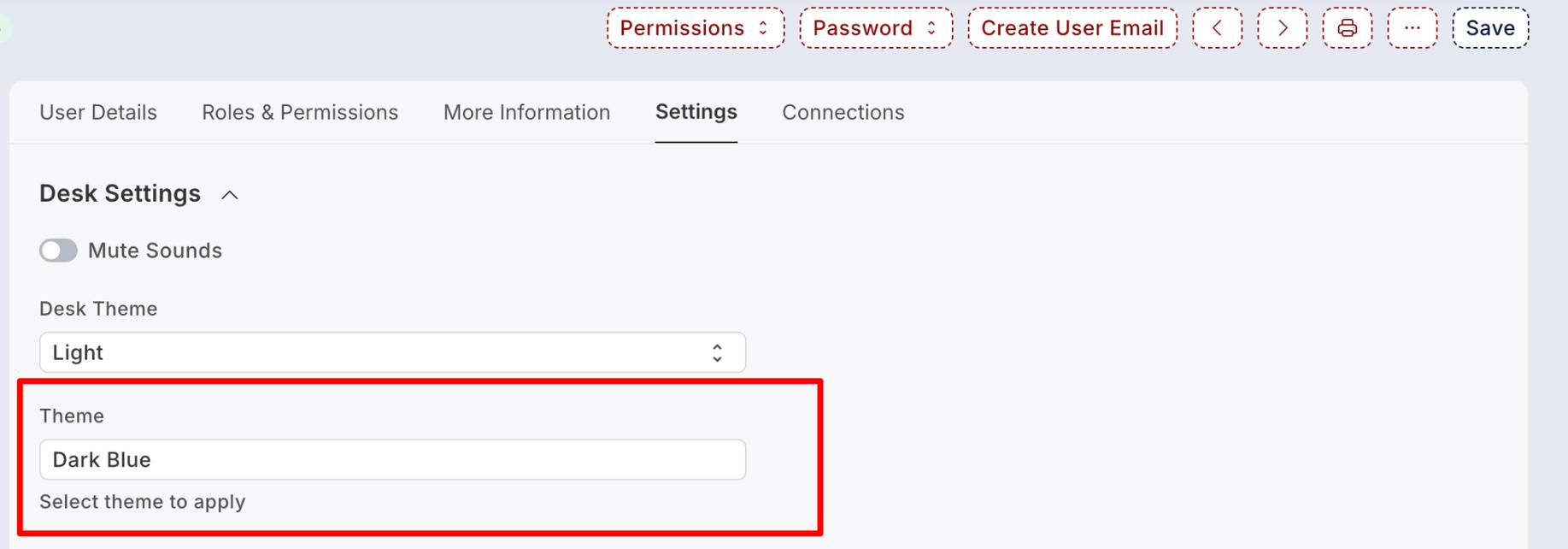
Users can individually change their theme using the Theme Switcher available in the menu. Upon clicking, a popup window opens, allowing the user to select their preferred theme.
The selected theme is saved in the User Profile document, ensuring a personalized experience without affecting other users.
7️⃣ Advanced Features
Announcement Marquee :-
The theme includes an Announcement Marquee feature that allows administrators to display important messages across the top of the system interface.
This scrolling announcement bar can be used to highlight system updates, alerts, offers, or critical information that needs immediate user attention.
Admin can configure the announcement text and visibility directly from Theme Settings.

Language Switcher :-
The Language Switcher allows users to change the system language directly from the interface without requiring a page reload or complex configuration.
This feature enhances usability for multilingual organizations by enabling quick and seamless language transitions.
Selected language preferences are saved at the user level for a personalized experience.

RTL (Right-to-Left) Support :-
The theme fully supports RTL (Right-to-Left) layouts, making it compatible with languages such as Arabic, Hebrew, and other RTL-based scripts.

Header Color Customization
Administrators can customize the header background color, font color, and related visual elements directly from Theme Settings.
This feature allows organizations to align the system header with their brand identity and corporate color guidelines.
Changes are applied system-wide unless overridden by user-specific theme settings.
Watch Demo
Watch the complete demonstration of Kanak Premium Theme — a powerful UI/UX enhancement solution built specifically for Frappe and ERPNext environments, delivering a modern, responsive, and user-friendly interface experience.
Theme Module Support
- Theme Configuration & Setup Assistance
- UI Customization Guidance
- Bug Fix & Performance Support
Version 16 (Latest Release)
- Theme Switcher Added (User-based & System-based)
- 12 Demo Themes Included
- Advanced Nested Group By Feature
- Sticky Header in List View
- Quick Edit Inline Feature Added
- Full Screen Grid Menu Option
- Language Switcher Support
- RTL Support Enabled
- 7 Button Styles Added
- Form & List Style Variations Added
Suggested Frappe Apps
Frappe Proprietary License v1.0

This software and associated files (the "Software") may only be used (executed,
modified, executed after modifications) if you have purchased a valid license
from the authors, typically via Frappe Apps, or if you have received a written
agreement from the authors of the Software (see the COPYRIGHT file).

You may develop Frappe apps that use the Software as a library (typically
by depending on it, importing it and using its resources), but without copying
any source code or material from the Software. You may distribute those
apps under the license of your choice, provided that this license is
compatible with the terms of the Frappe Proprietary License (For example:
LGPL, MIT, or proprietary licenses similar to this one).

It is forbidden to publish, distribute, sublicense, or sell copies of the Software
or modified copies of the Software.

The above copyright notice and this permission notice must be included in all
copies or substantial portions of the Software.

THE SOFTWARE IS PROVIDED "AS IS", WITHOUT WARRANTY OF ANY KIND, EXPRESS OR
IMPLIED, INCLUDING BUT NOT LIMITED TO THE WARRANTIES OF MERCHANTABILITY,
FITNESS FOR A PARTICULAR PURPOSE AND NONINFRINGEMENT.
IN NO EVENT SHALL THE AUTHORS OR COPYRIGHT HOLDERS BE LIABLE FOR ANY CLAIM,
DAMAGES OR OTHER LIABILITY, WHETHER IN AN ACTION OF CONTRACT, TORT OR OTHERWISE,
ARISING FROM, OUT OF OR IN CONNECTION WITH THE SOFTWARE OR THE USE OR OTHER
DEALINGS IN THE SOFTWARE.

Comment on this module. Please Login