 +91 981-810-8884, 0114-214-3250
  Smart Kitchens: Integrating Product Bundles & Manufacturing in ERPNext
 Kajal Singh
·
22 Jun 2026
·
537
views
Kajal Singh
·
22 Jun 2026
·
537
views
Smart Kitchens: Integrating Product Bundles & Manufacturing in ERPNext
Running a restaurant is about more than just great flavors—it’s about managing ingredients, kitchen preparation, inventory movement, and POS billing with precision. In high-volume environments like cafés, cloud kitchens, and fast-food chains, inventory accuracy is critical because every dish consumes multiple raw materials behind the scenes.
ERPNext offers a powerful solution by combining Manufacturing and Product Bundles. This blog explains how to implement a professional restaurant workflow using a practical Burger example.
Why Restaurants Need This Dual Approach
In a restaurant, the final menu item is rarely "manufactured" the exact moment a customer orders. Instead, kitchens typically:
- Prep in advance: Semi-finished items (like patties or sauces) are made in bulk.
- Assemble on demand: Final items are put together during the POS sale.
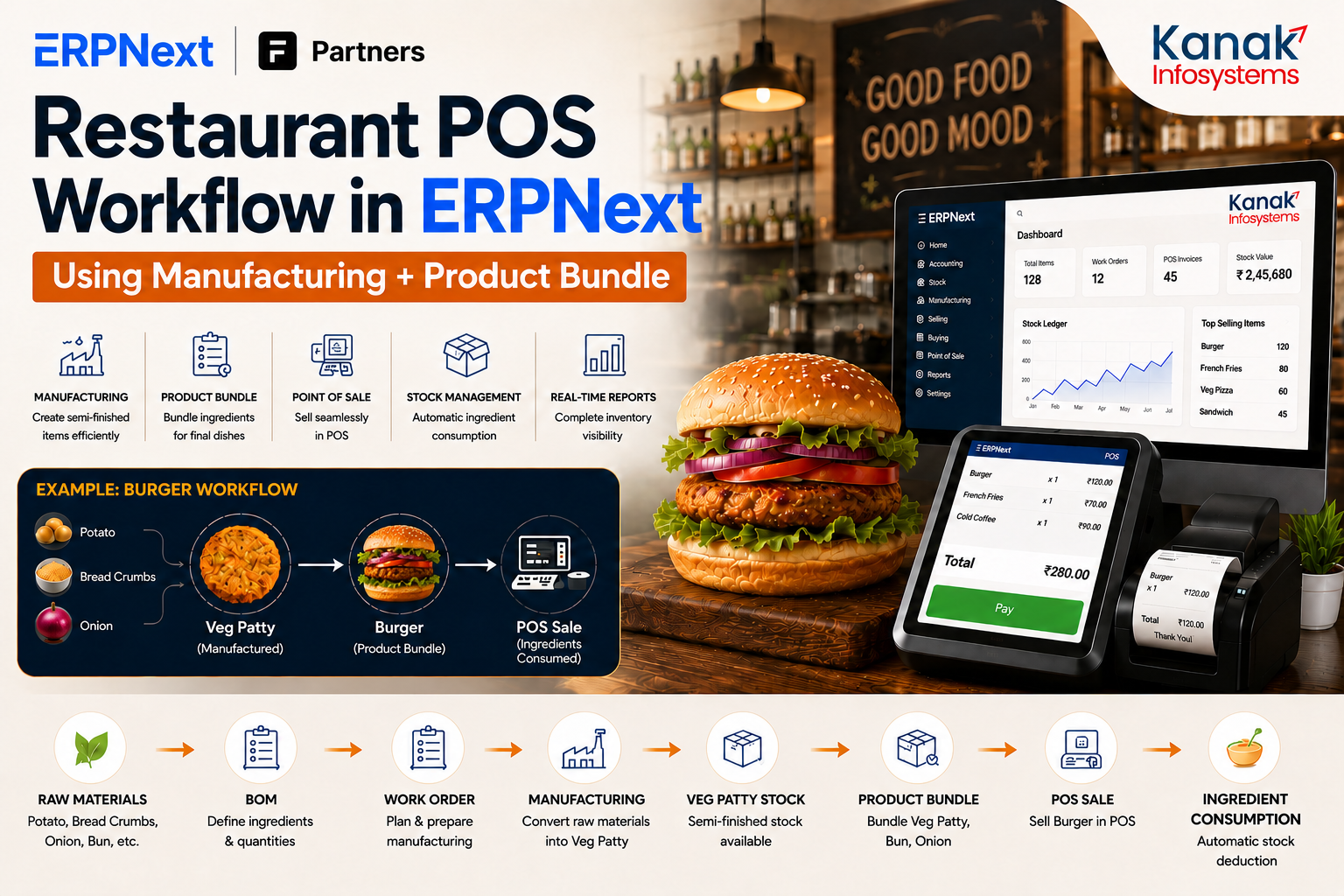
The Burger Logic
- Manufacturing: Potato + Bread Crumbs + Onion → Veg Patty
- Product Bundle: Bun + Veg Patty + Onion → Burger
| Requirement | ERPNext Feature |
| Create Veg Patty from raw materials | Manufacturing |
| Sell Burger in POS with auto-deduction | Product Bundle |
The Complete Workflow Architecture
- Raw Materials & BOM: Inputting the ingredients and the "recipe" into the system.
- Work Order: Triggering the request for the kitchen to start prep.
- Manufacturing: The conversion process where raw ingredients are "consumed" in the system to create Veg Patty Stock.
- Product Bundle: Linking that semi-finished Patty with other "instant" items (like Buns and Lettuce).
- POS Sale: The front-of-house transaction.
- Ingredient Consumption: The final step where the system automatically deducts all sub-items from your inventory.
Step-by-Step Implementation
Step 1: Create Raw Material Items
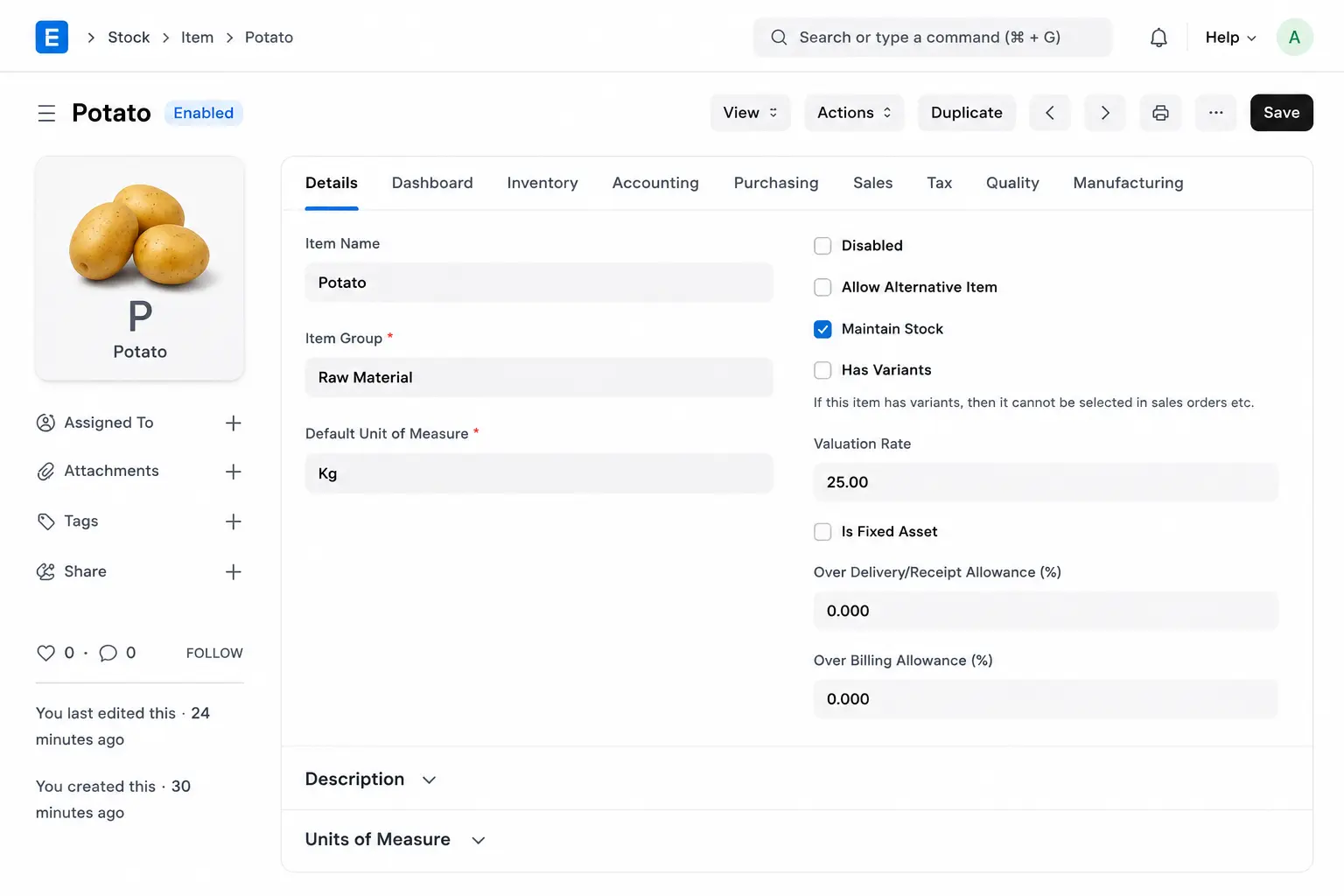
Navigate to Stock → Item → Add Item. Create items like Potato, Bread Crumbs, Onion, and Buns.
Example: Potato Configuration
- Maintain Stock: Enabled
- Allow Purchase: Enabled
- Allow Sales: Disabled (since you don't sell raw potatoes to customers)
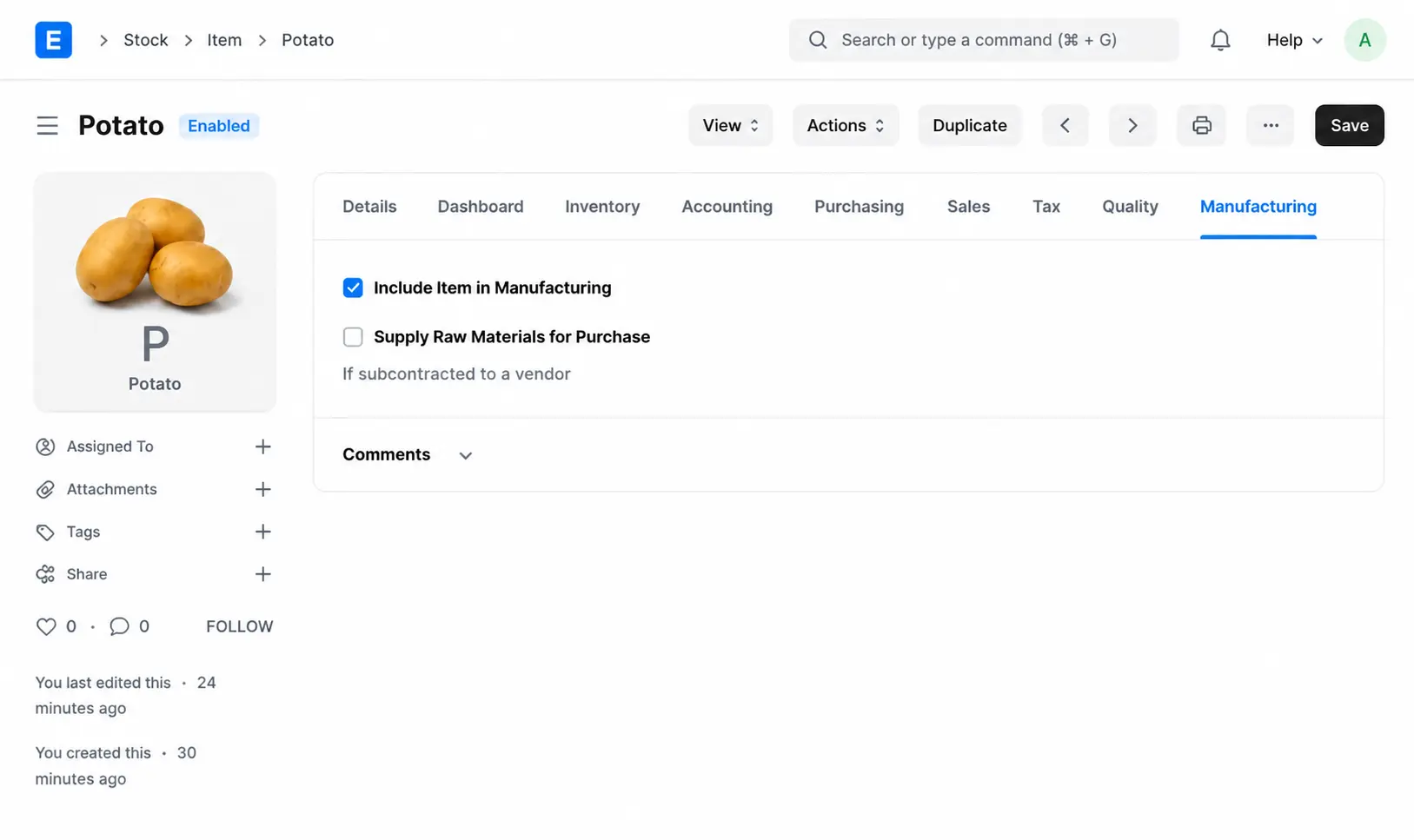
- Allow True: Include Item In Manufacturing (if this is not true you can not add this product in BOM)
Step 2: Create Semi-Finished Item (Veg Patty)
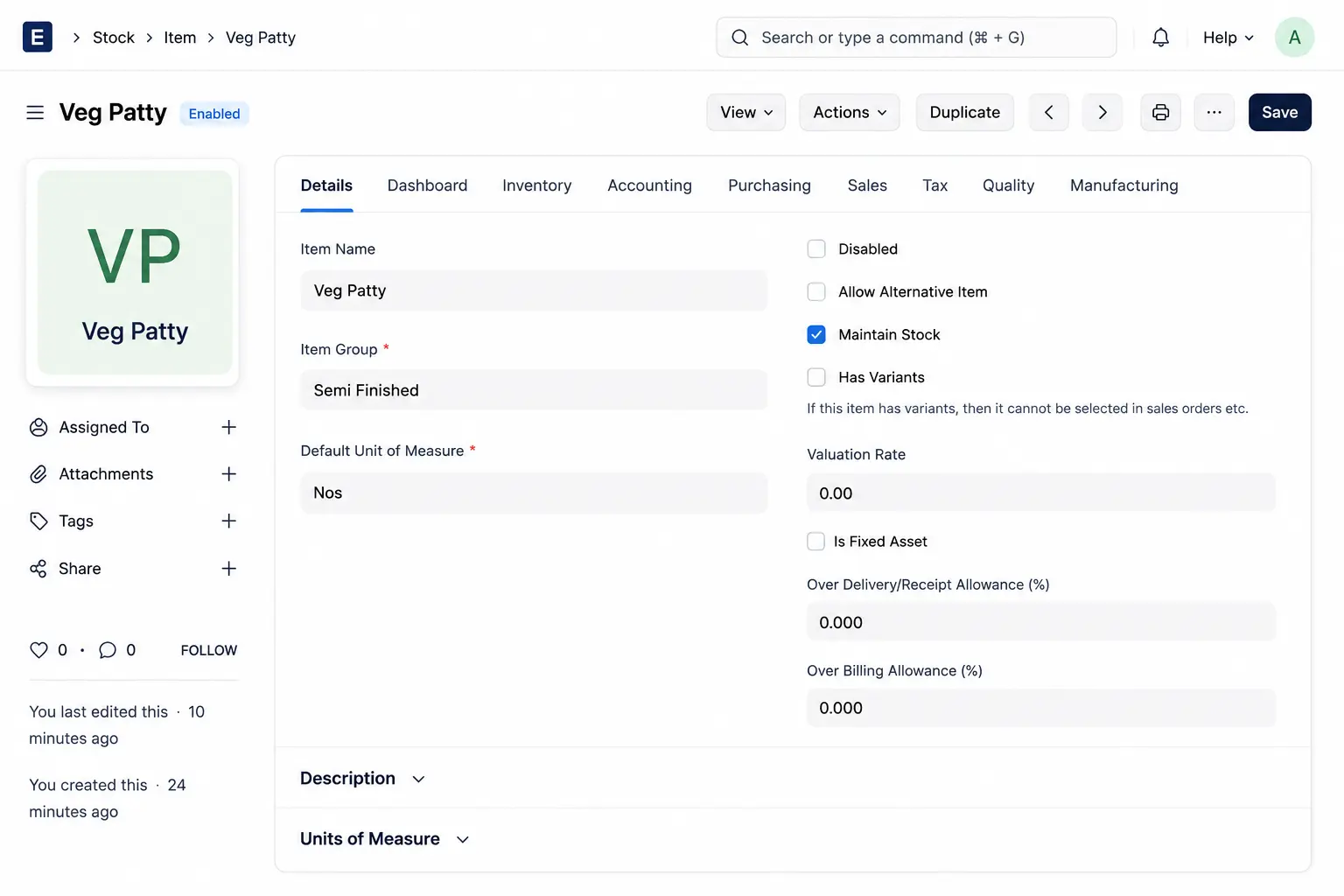
The Veg Patty is something you make, store, but don't sell individually.
- Maintain Stock: Enabled
- Allow Purchase: Disabled
- Allow Sales: Disabled
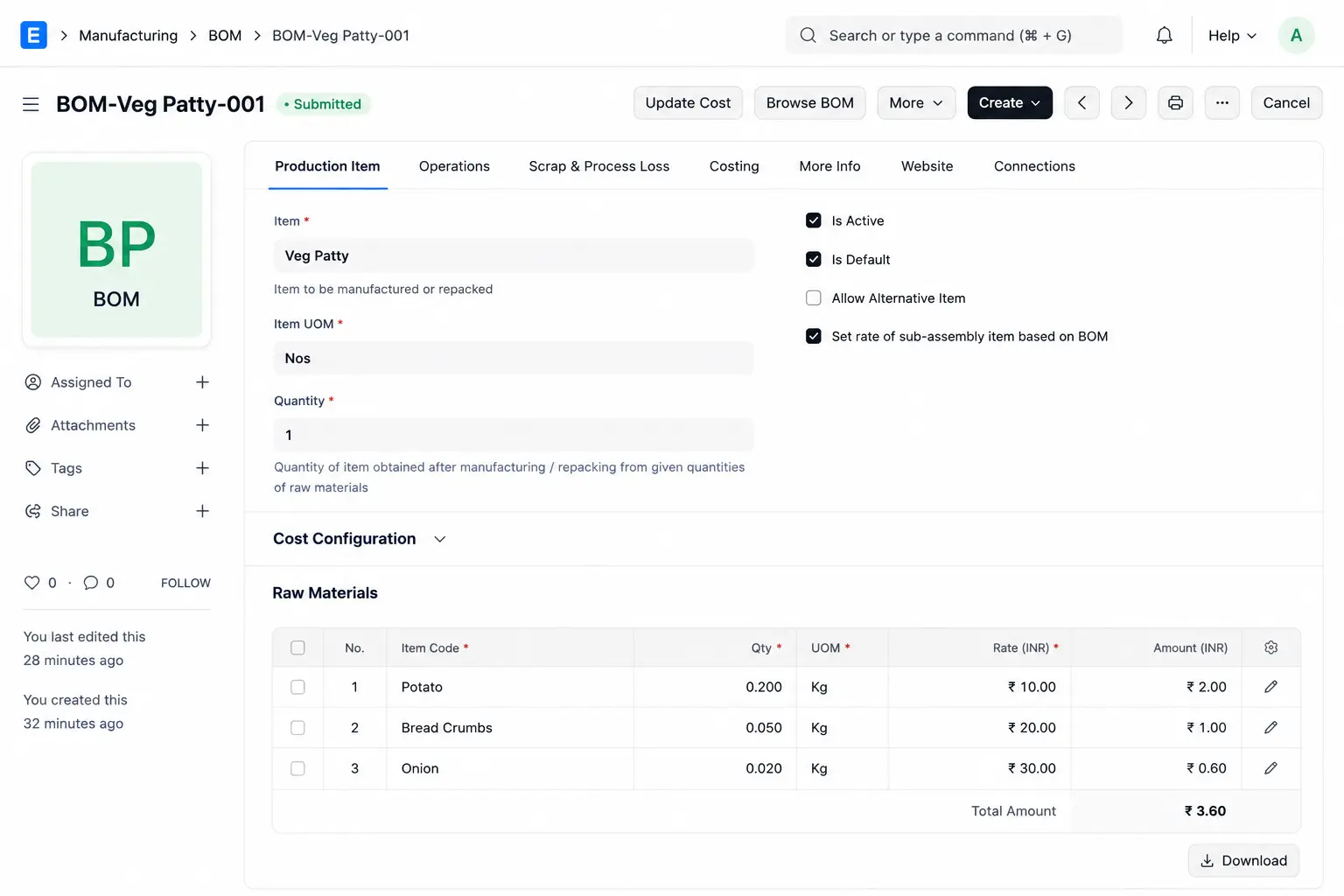
Step 3: Create the Bill of Materials (BOM)
Navigate to Manufacturing → Bill of Materials. This is your recipe.
- Item: Veg Patty (Qty: 1)
- Materials: Potato (0.2kg), Bread Crumbs (0.05kg), Onion (0.02kg).
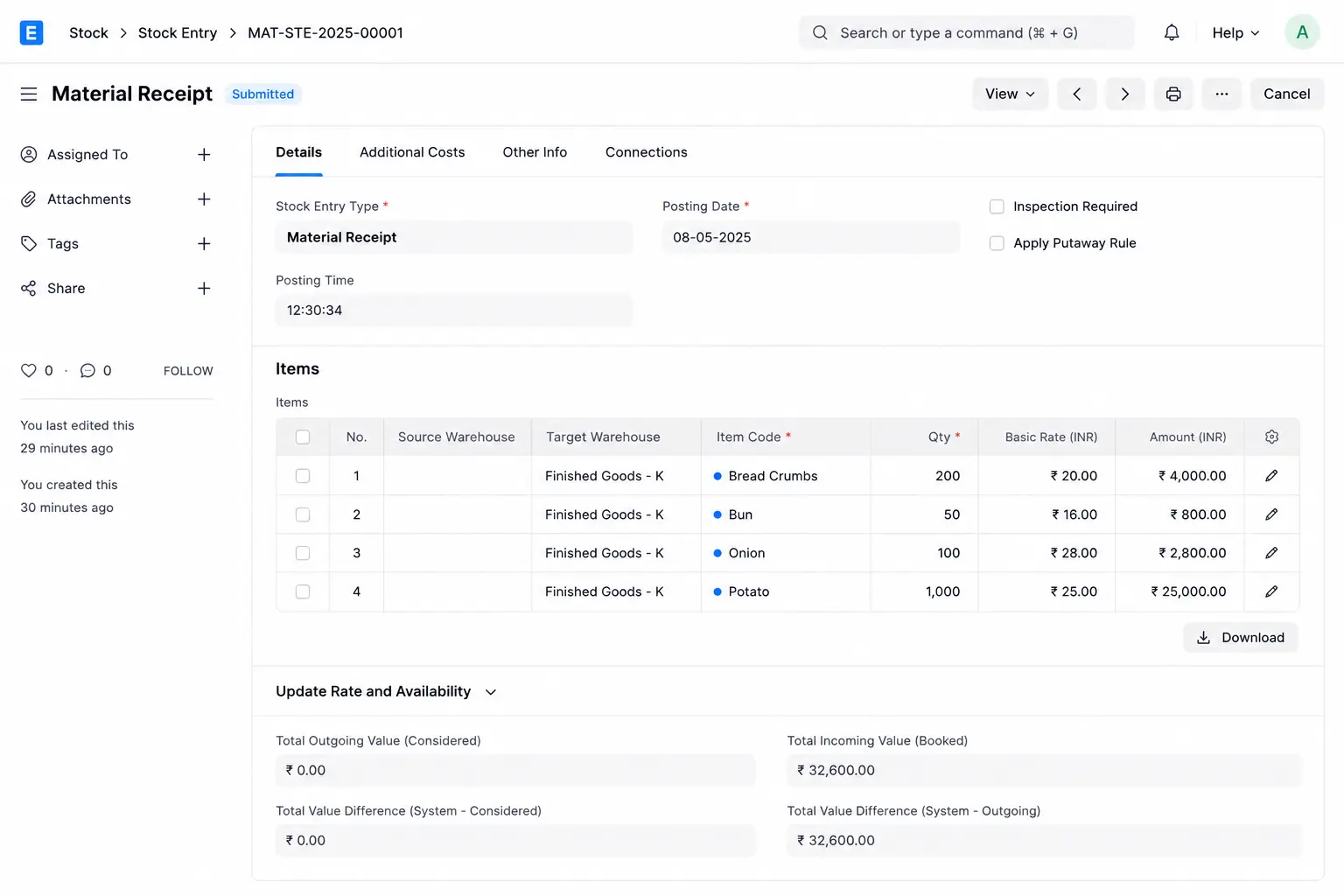
Arrange and receive the required raw materials in warehouse
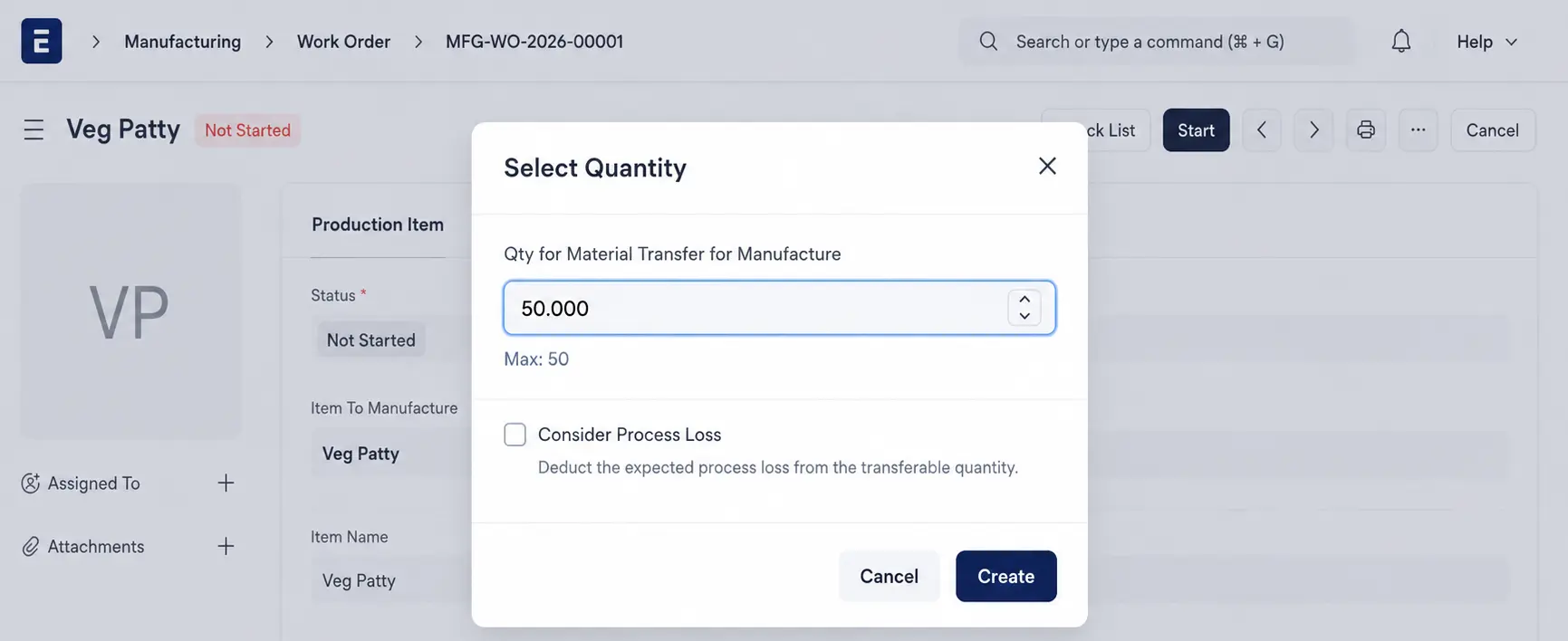
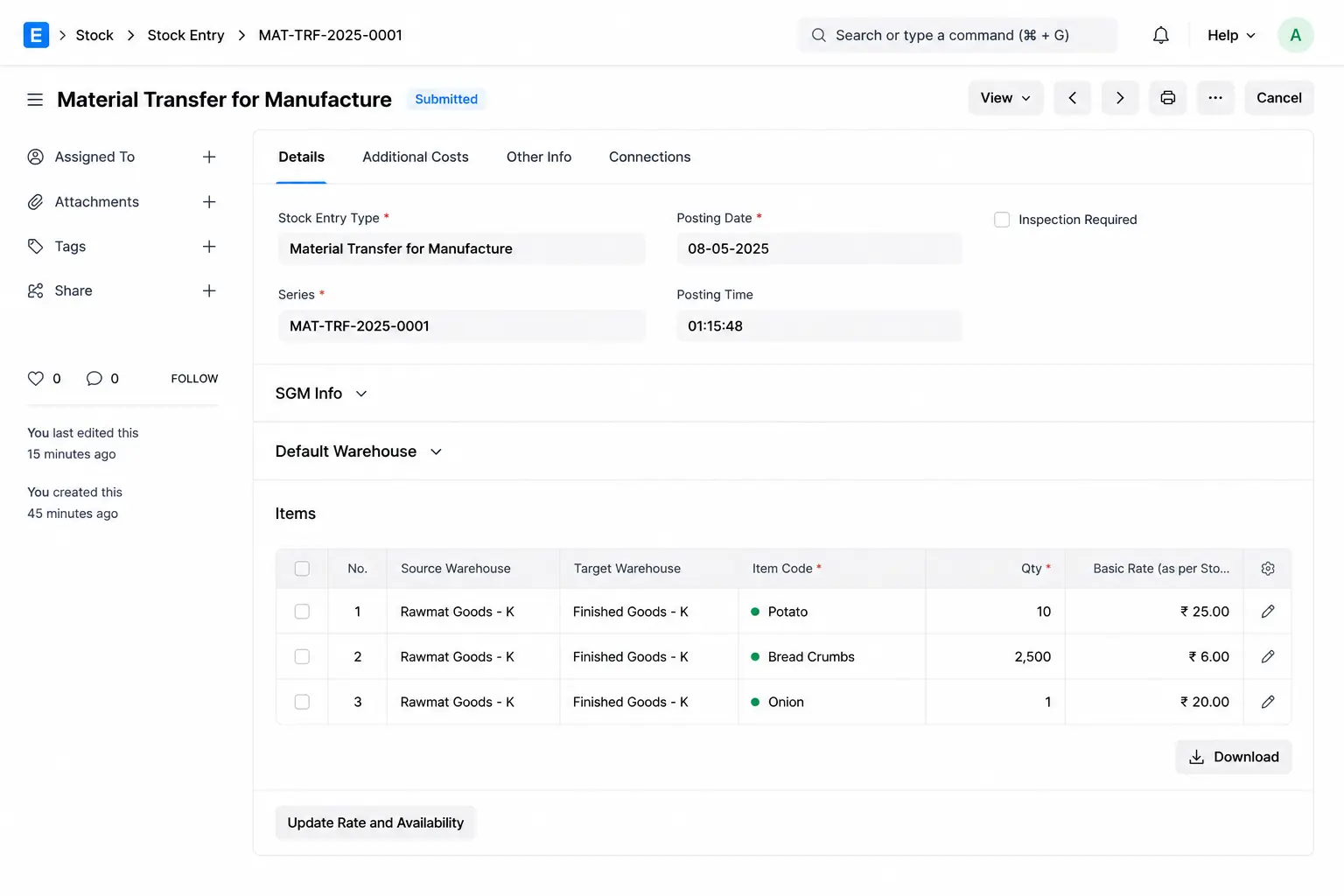
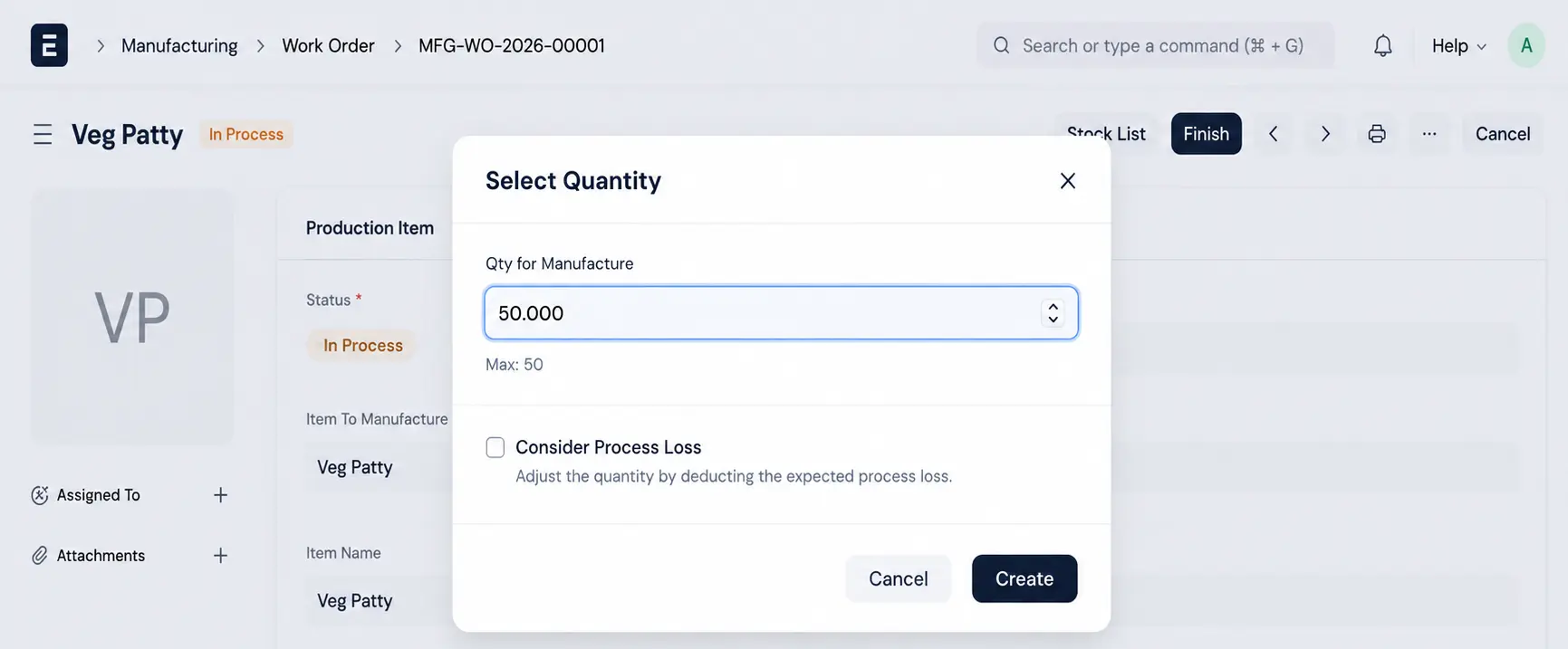
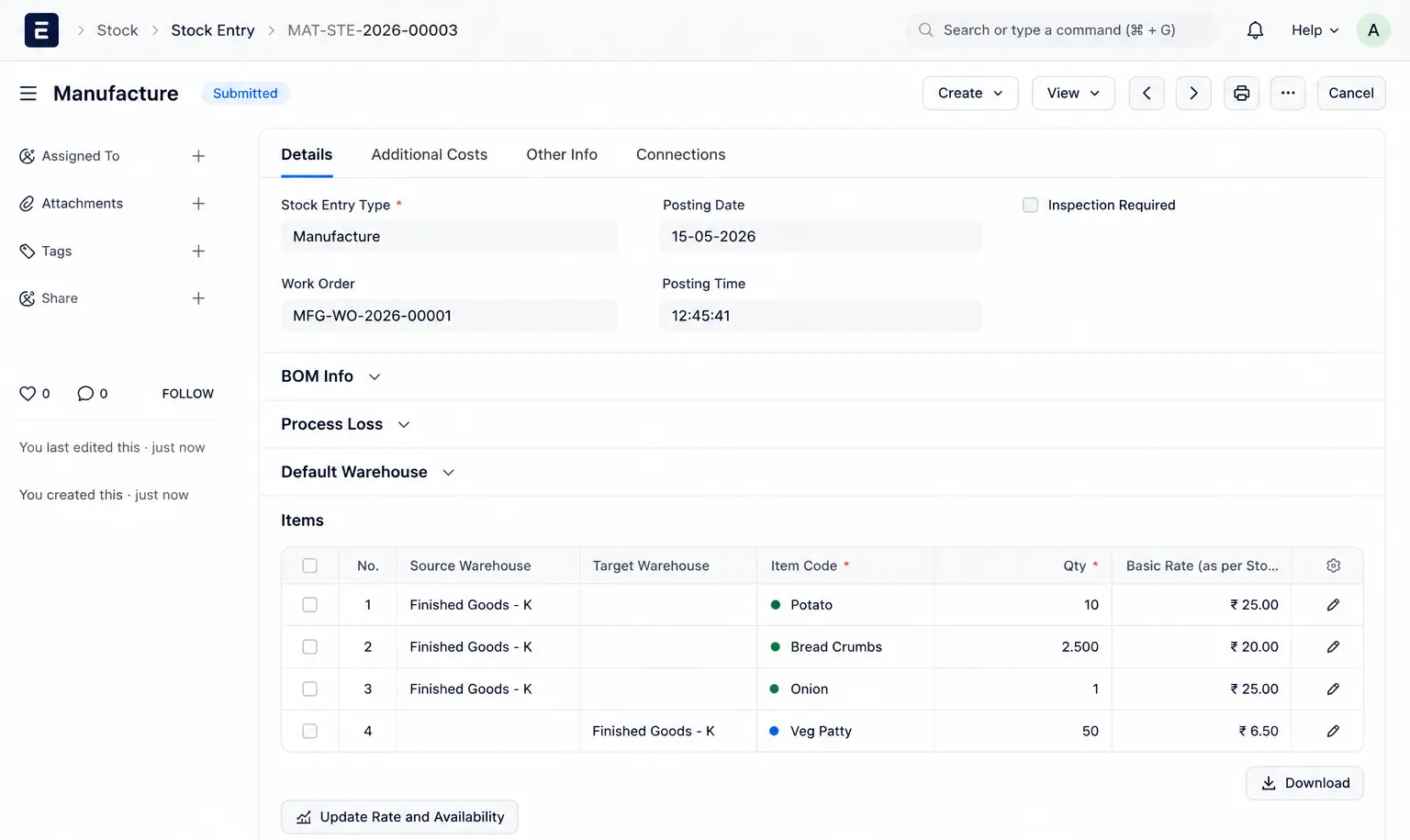
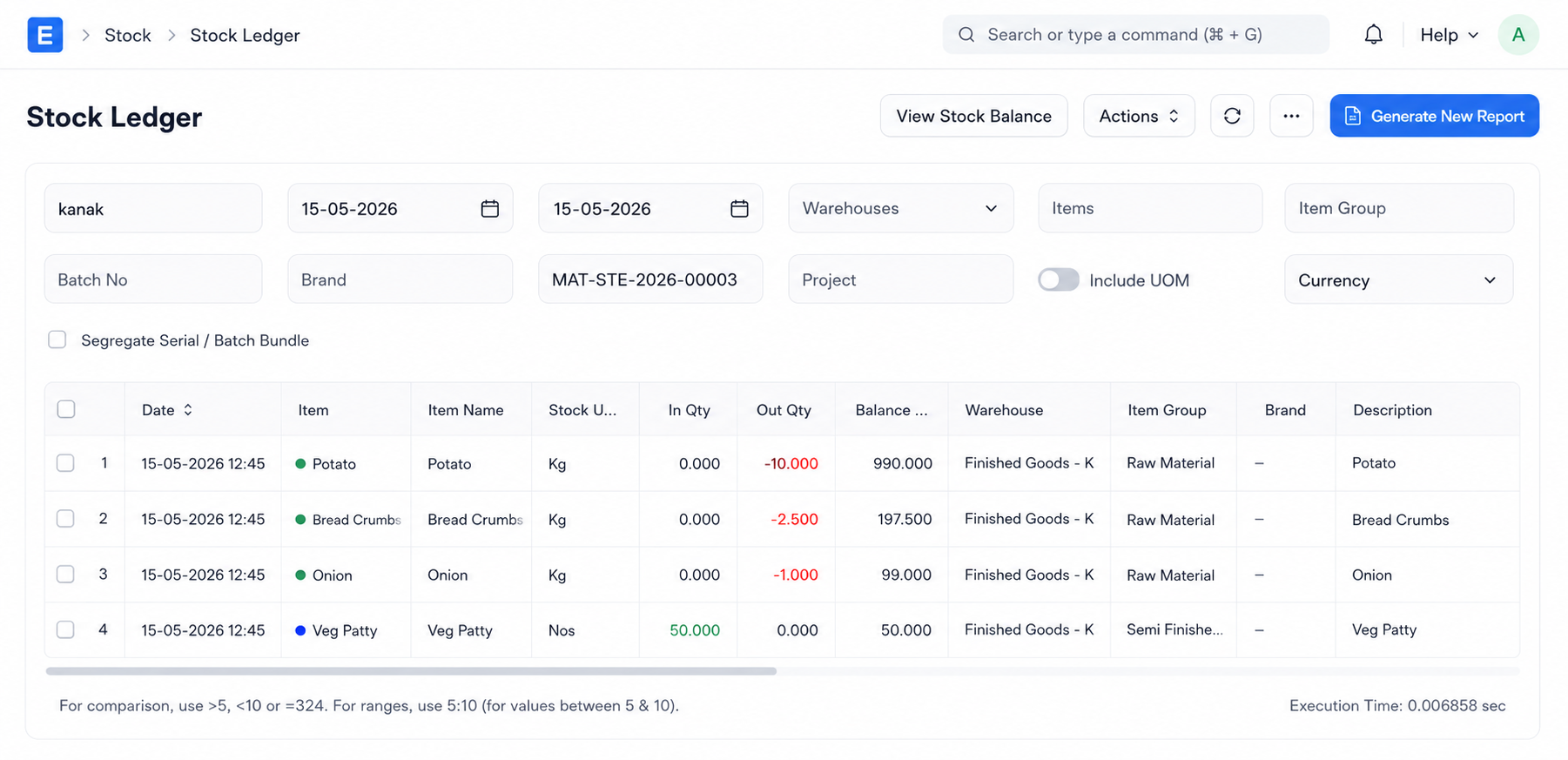
Step 4: Manufacturing (Work Order & Finish)
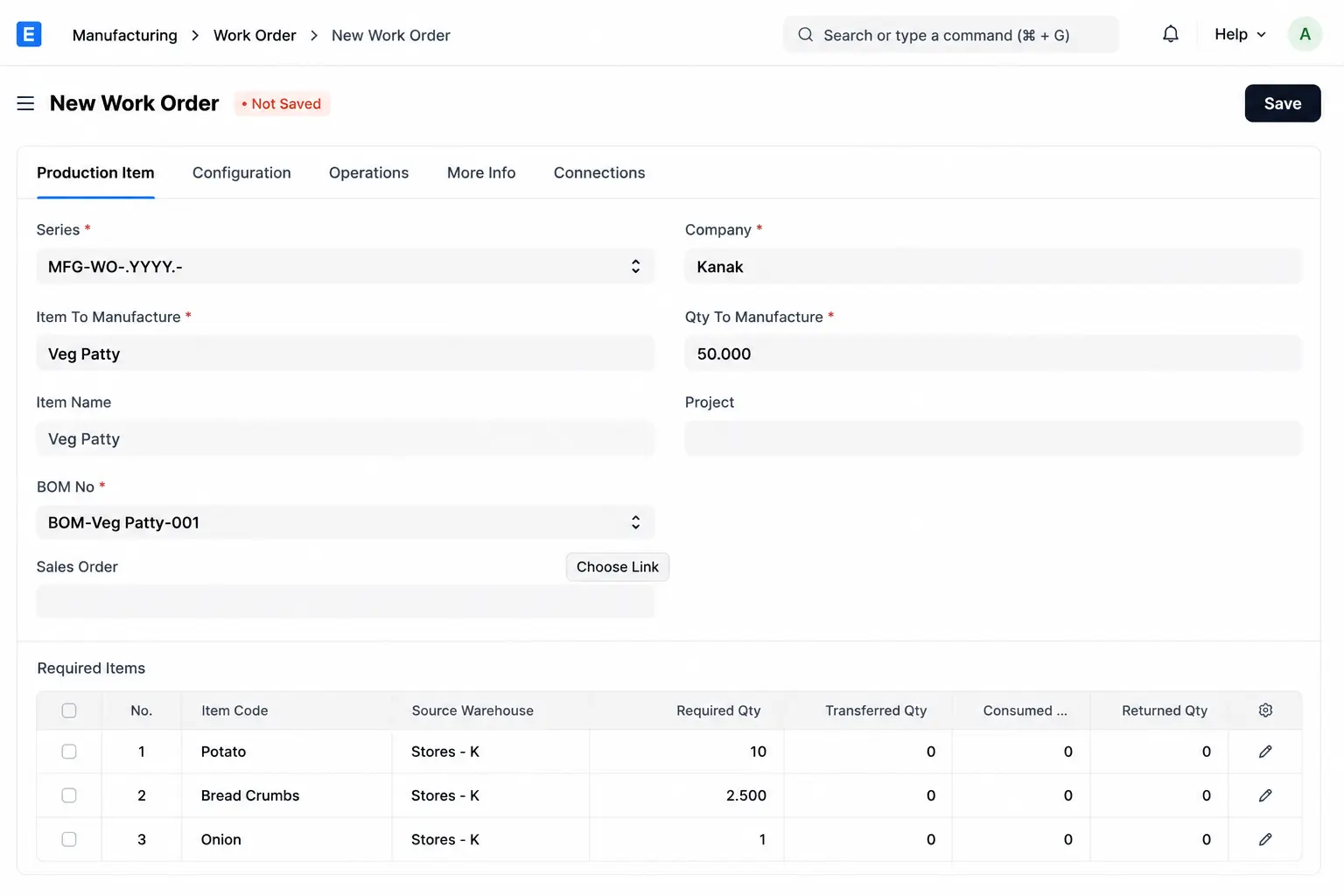
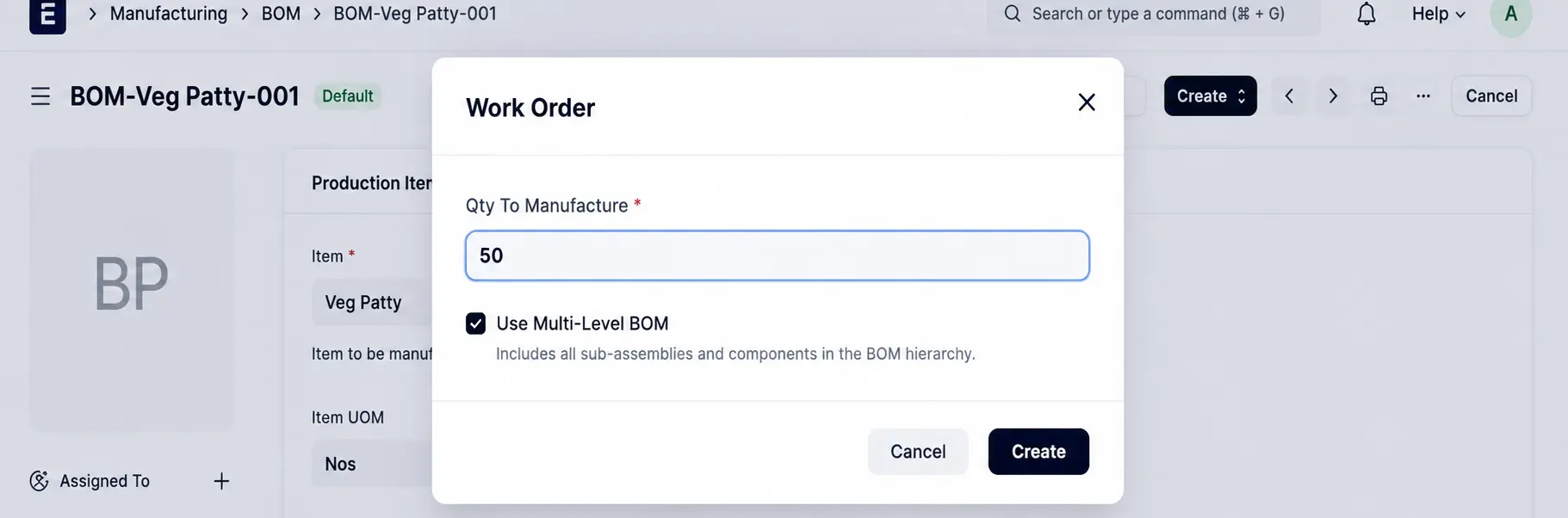
When the kitchen preps 50 patties:
- Create a Work Order for 50 Veg Patties and it automatically fetches materials from the BOM.
- ERPNext calculates the total raw material requirement based on the production quantity.
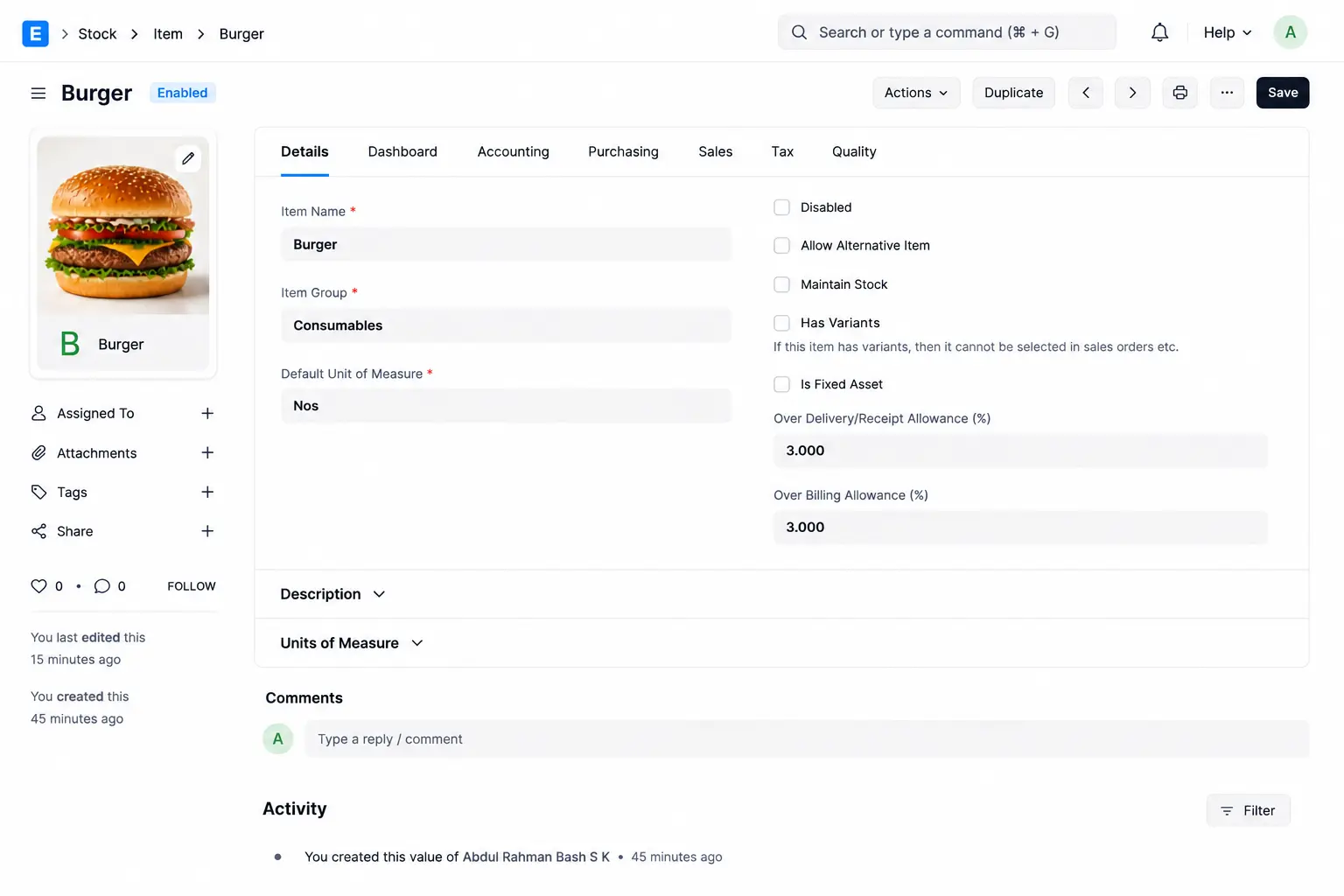
Step 5: Create the Final POS Item (Burger)
Navigate to Stock → Item. The Burger is a "Non-Stock" item because you don't keep "finished burgers" in a freezer; you assemble them fresh.
- Maintain Stock: Disabled
- Allow Sales: Enabled
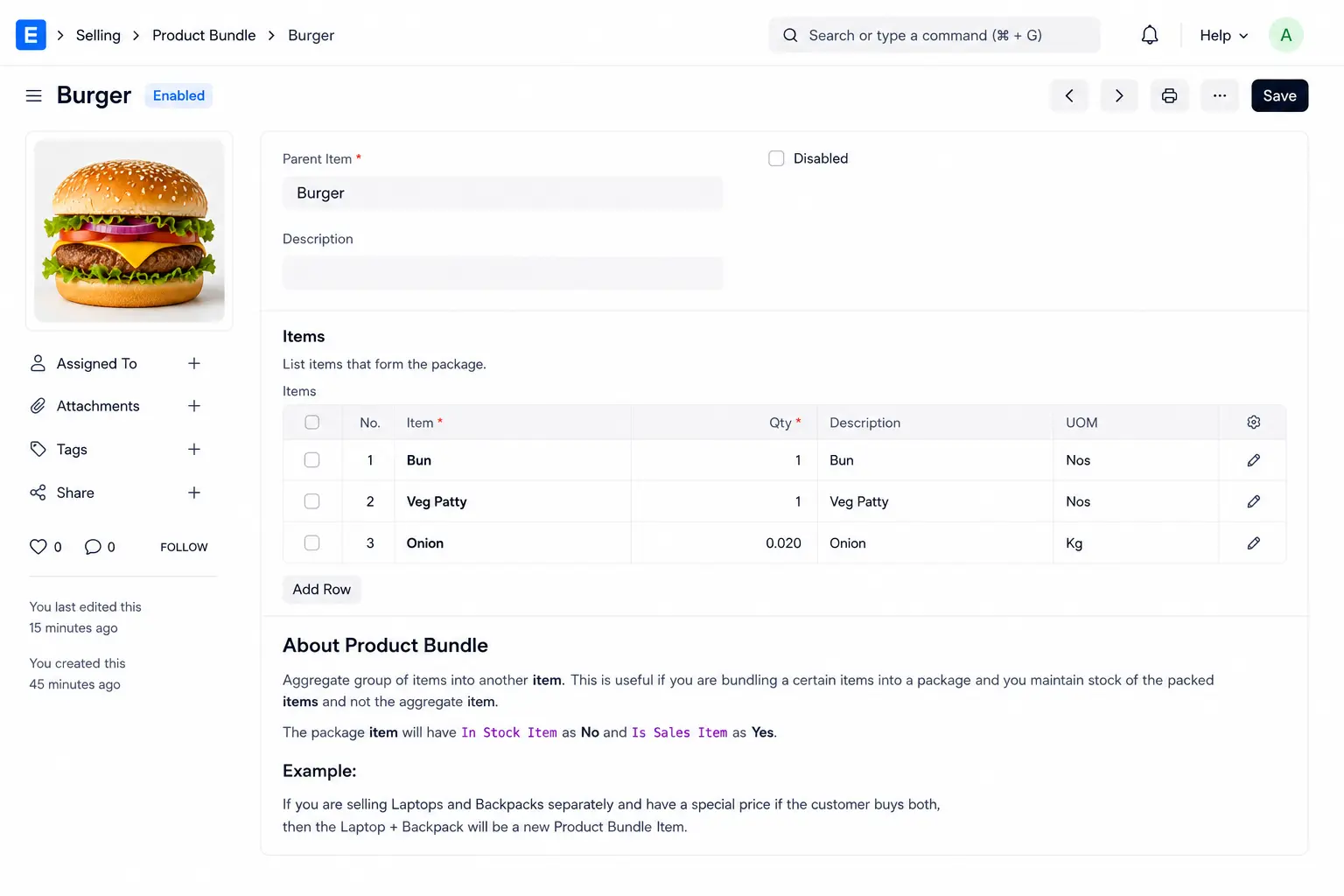
Step 6: Create the Product Bundle
Navigate to Selling → Product Bundle.
- Parent Item: Burger
- Child Items: Bun (1), Veg Patty (1), Onion (0.02kg).
The Result: Seamless POS Sales
When a waiter sells a Burger in the POS:
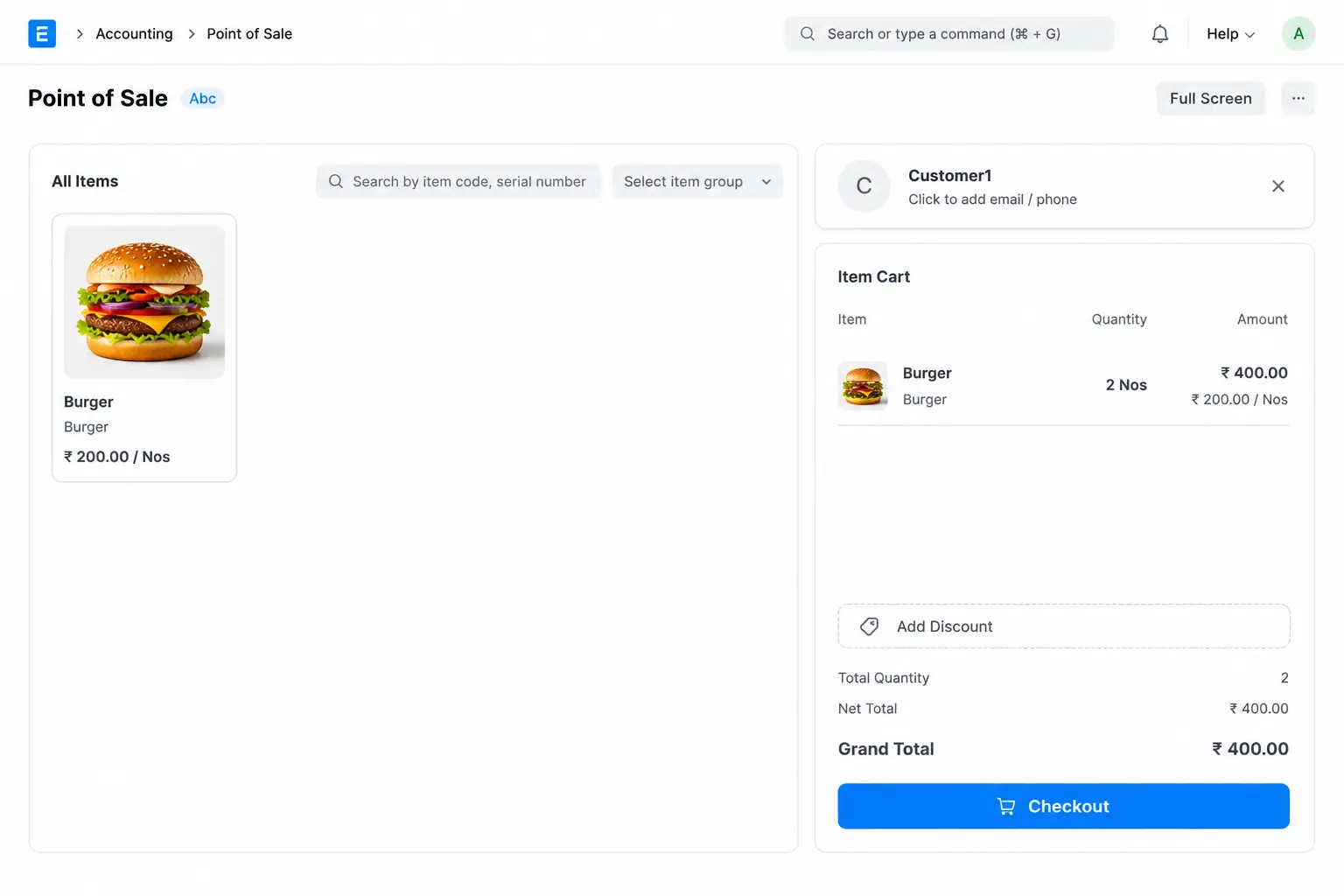
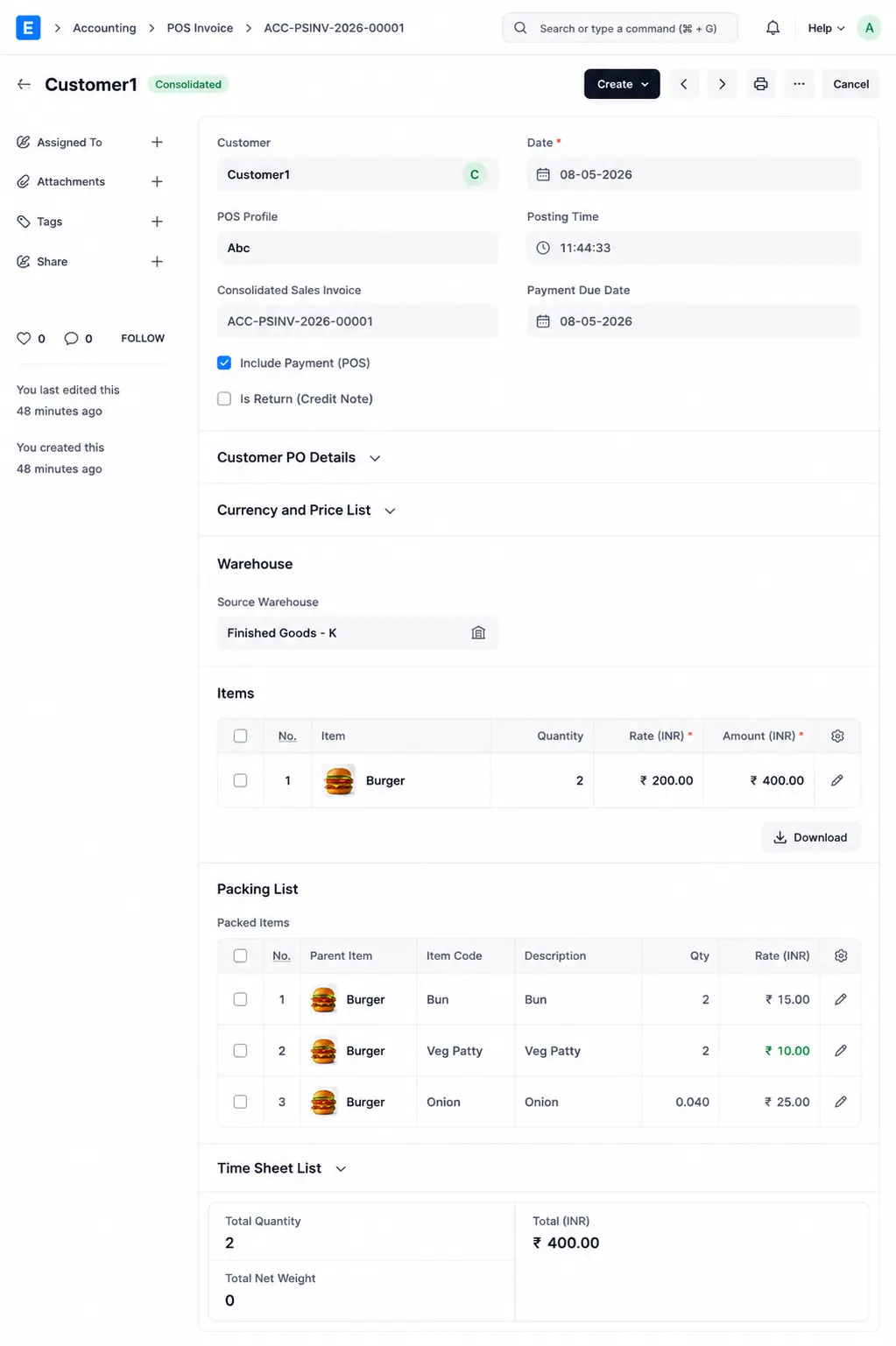
- ERPNext recognizes the Product Bundle.
- It creates the POS Invoice of Product Bundle Item and automatically reduces the stock of the Bun, the Veg Patty, and the Onion.
- No manual inventory adjustments are required by the kitchen staff.
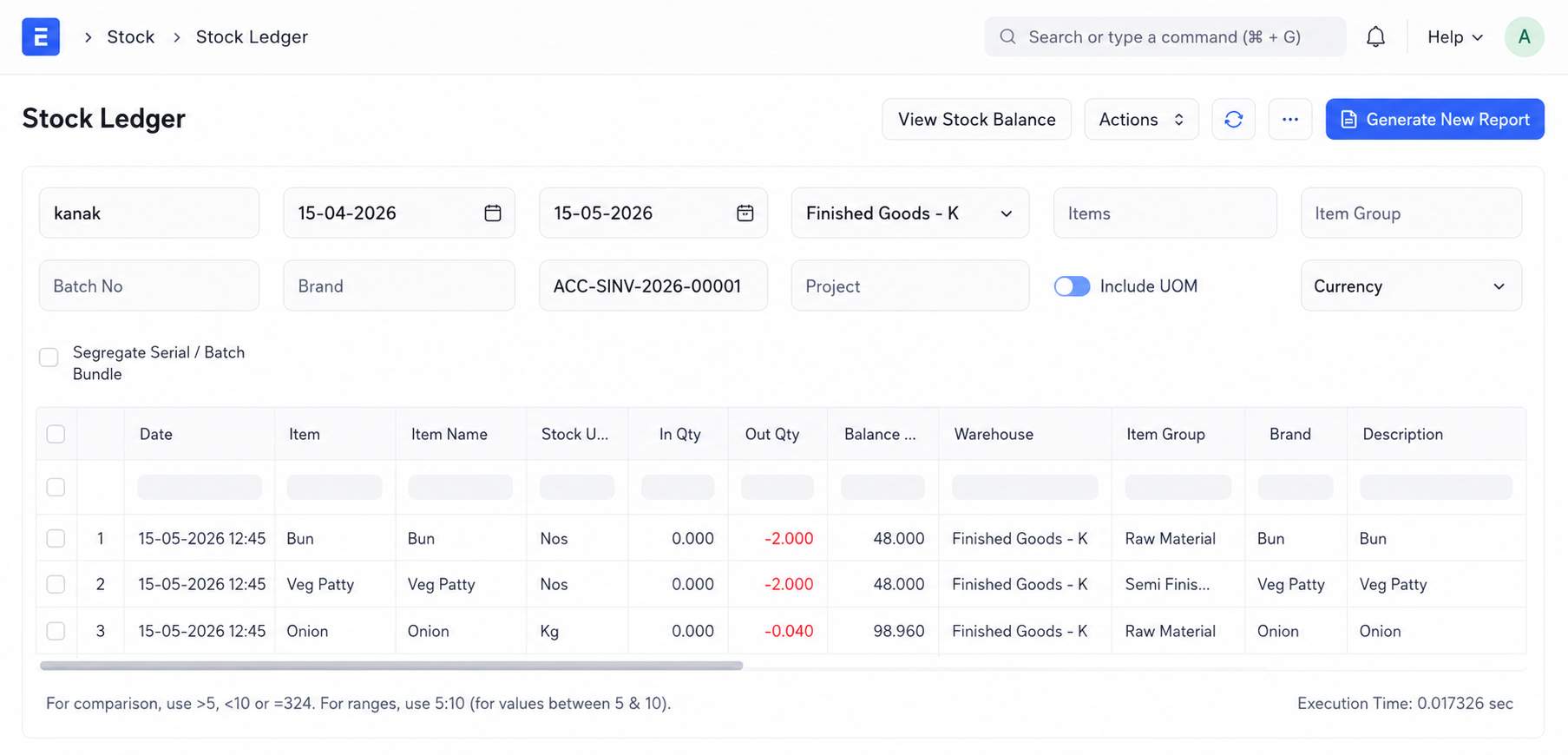
Stock Ledger Impact (After selling 2 Burgers)
| Item | Stock Change |
| Bun | -2 Nos |
| Veg Patty | -2 Nos |
| Onion | -0.04 kg |
Benefits of this Setup
- Accurate Ingredient Tracking: Know exactly how much onion or potato you have left.
- Real-time Visibility: See your semi-finished (prep) levels instantly.
- Scalability: Perfect for multi-location franchises and cloud kitchens.
- Reduced Waste: Identify discrepancies between prep-made and items-sold.
By mastering the link between Manufacturing and Product Bundles, your ERPNext setup transforms from a simple billing tool into a professional kitchen management system.
Your email address will not be published.
