Skip to Content
Mailbox (Odoo Inbox)

Mailbox (Odoo Inbox)

286.72   286.72
v 18.0 72
Live Preview
Required Apps portal
mail
contacts
Technical Name odoo_inbox
License OPL-1
Also available in version v 10.0 v 11.0 v 12.0 v 13.0 v 14.0 v 15.0 v 16.0 v 17.0 v 19.0
You bought this module and need support? Click here!
Technical Name odoo_inbox
License OPL-1
Also available in version v 10.0 v 11.0 v 12.0 v 13.0 v 14.0 v 15.0 v 16.0 v 17.0 v 18.0 v 19.0
Mailbox (Odoo Inbox) - 
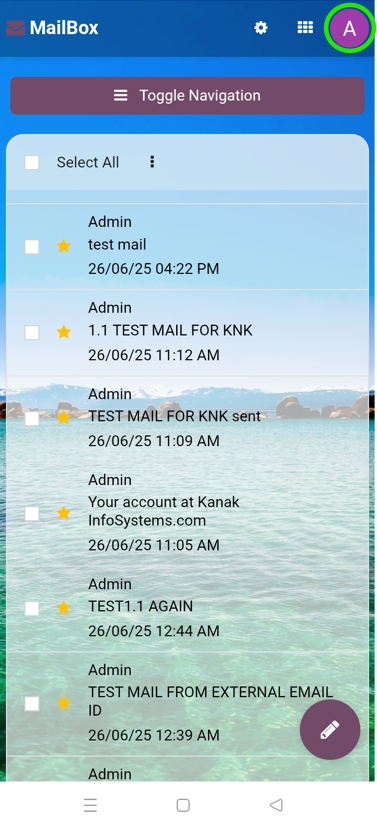
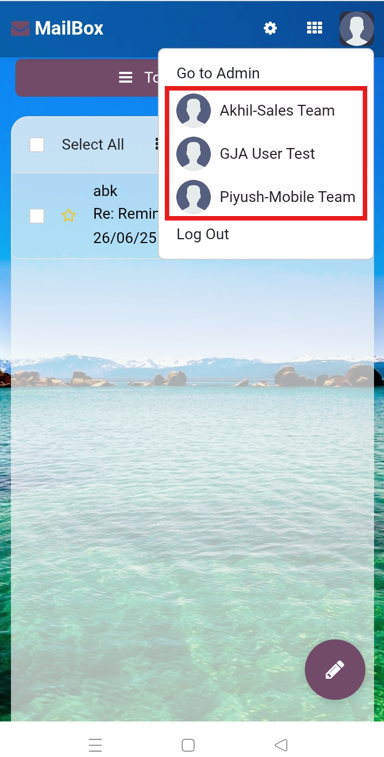
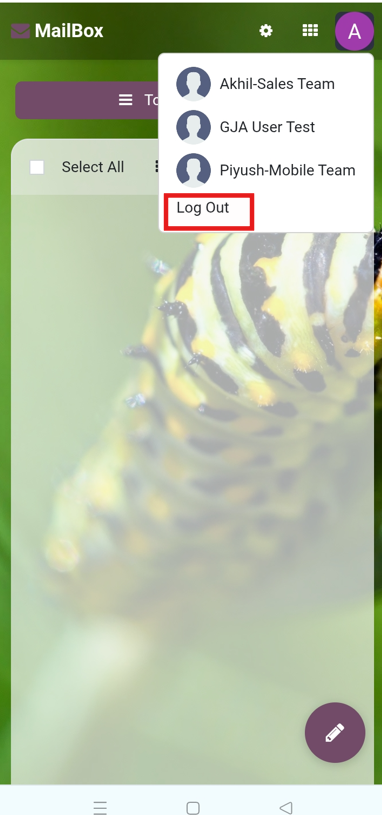
        This module is used to send or receive mail through the recipient, user can do the following types of message-send message, inbox message, starred or unstarred message, etc.
Kanak Infosystems LLP.
Community
Enterprise
Odoo.sh
Mailbox (Odoo Inbox) - 
        This module is used to send or receive mail through the recipient, user can do the following types of message-send message, inbox message, starred or unstarred message, etc.

Upcoming Features

Spam Filters
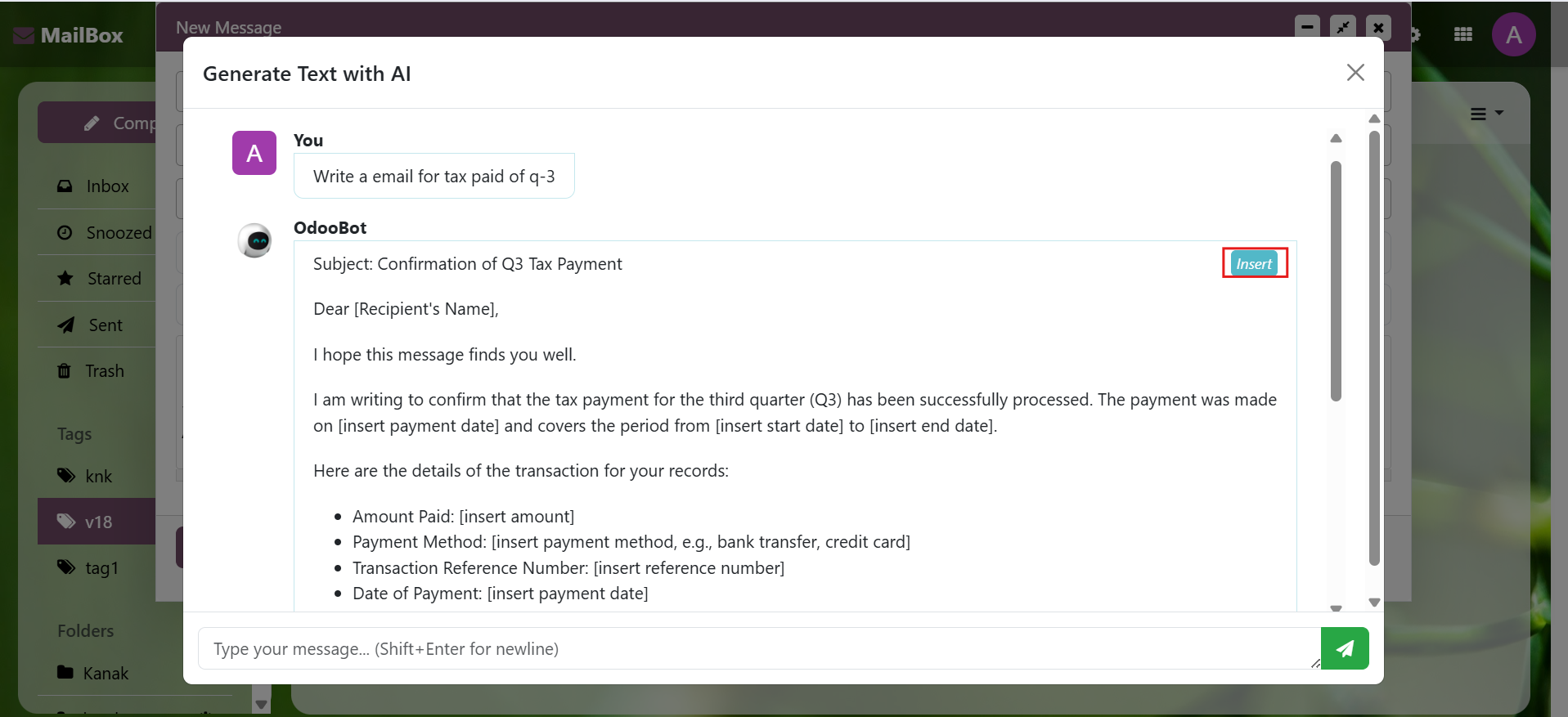
Email spam filters using AI
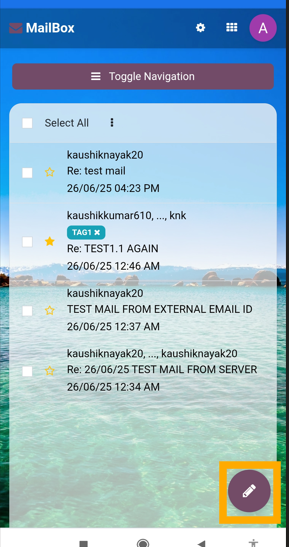
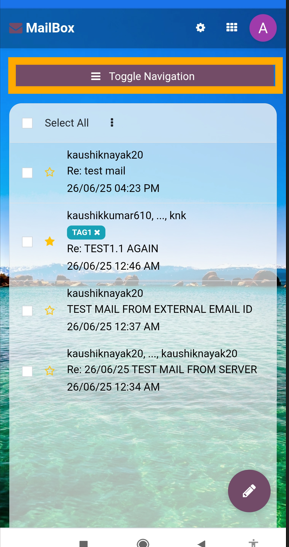
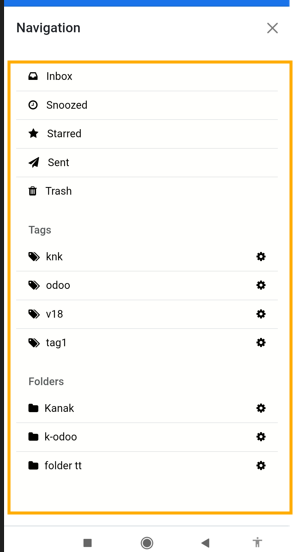
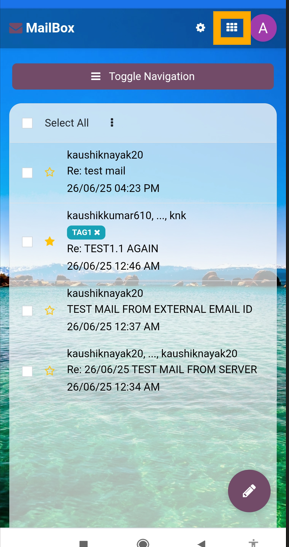
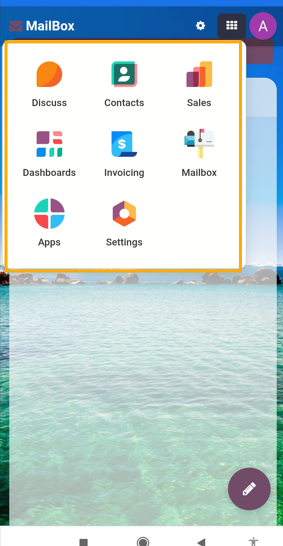
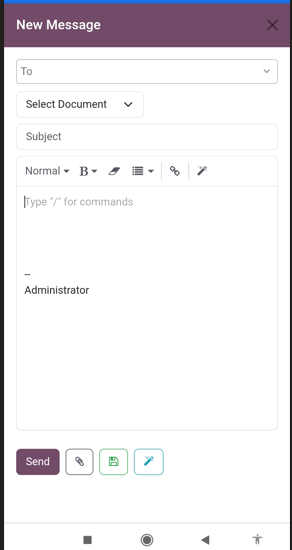
Mobile App
Mobile App
Mailbox (Odoo Inbox) - 
        This module is used to send or receive mail through the recipient, user can do the following types of message-send message, inbox message, starred or unstarred message, etc.

New Features

Mailbox (Odoo Inbox) - 
        This module is used to send or receive mail through the recipient, user can do the following types of message-send message, inbox message, starred or unstarred message, etc.
Mailbox (Odoo Inbox) - 
        This module is used to send or receive mail through the recipient, user can do the following types of message-send message, inbox message, starred or unstarred message, etc.

Odoo Inbox in Action: See the Difference

Experience how Odoo Inbox streamlined interface and advanced tools can transform the way you manage communications.
Watch Demo 
Mailbox (Odoo Inbox) - 
        This module is used to send or receive mail through the recipient, user can do the following types of message-send message, inbox message, starred or unstarred message, etc.

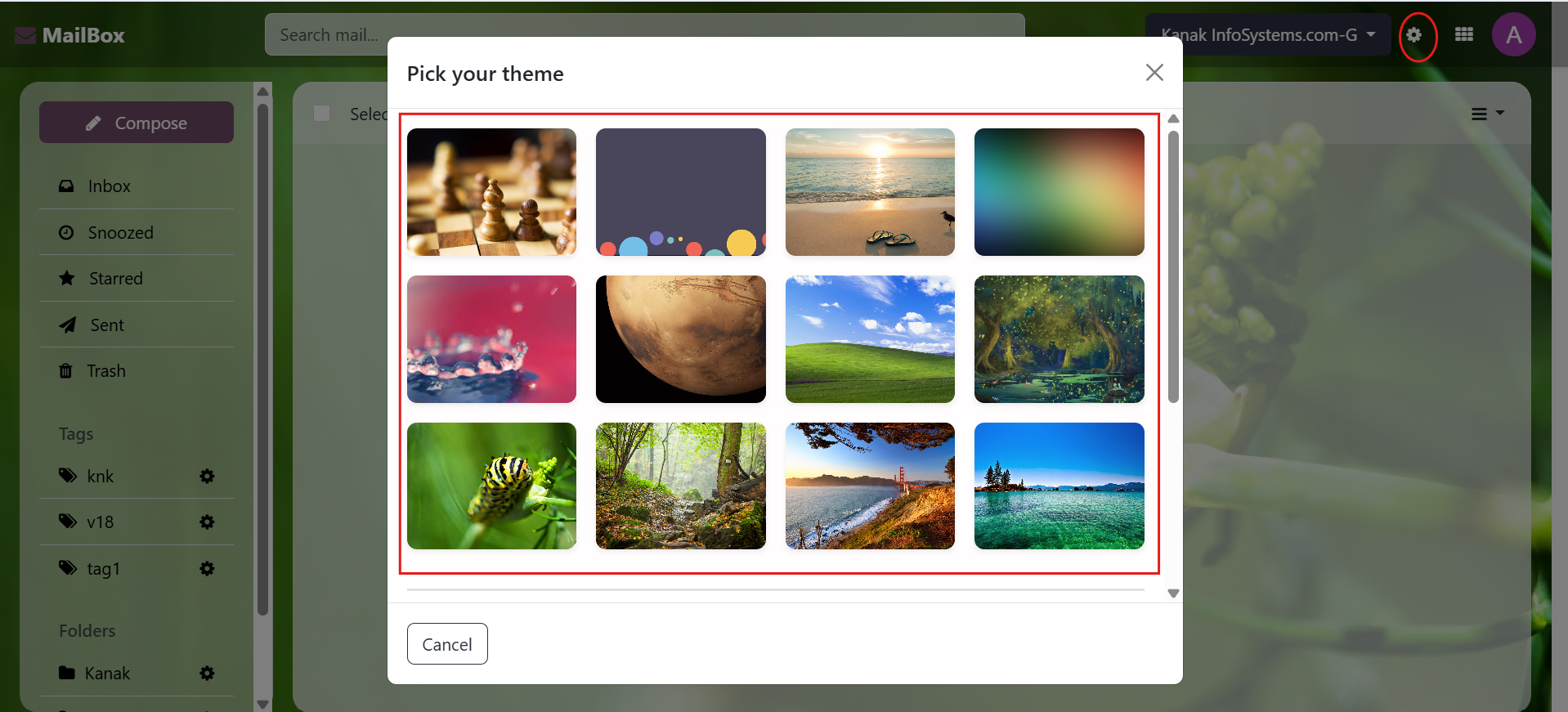
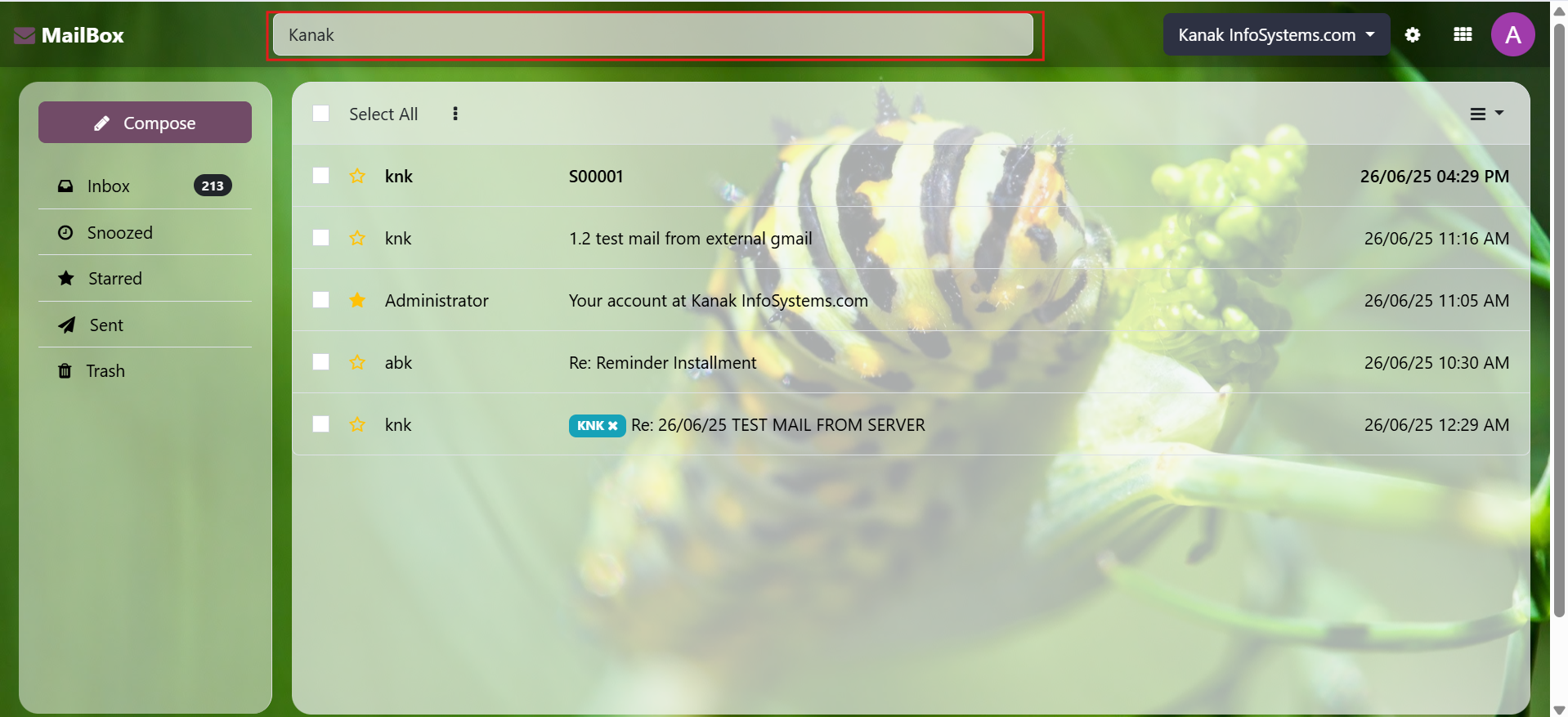
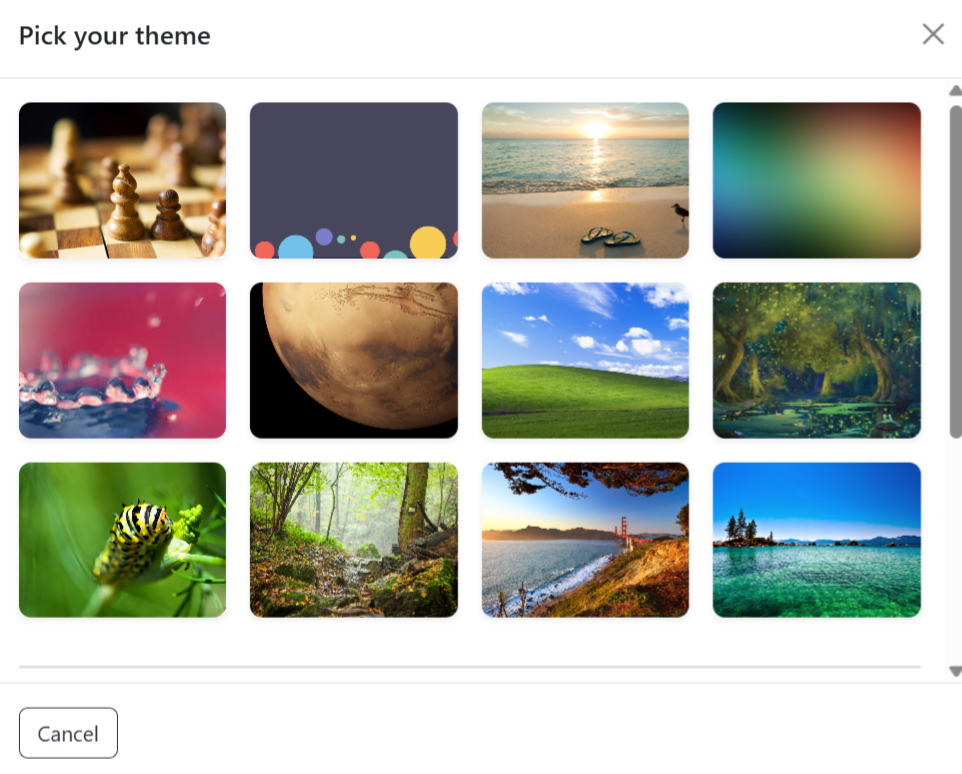
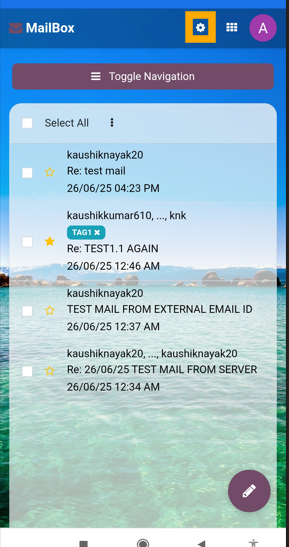
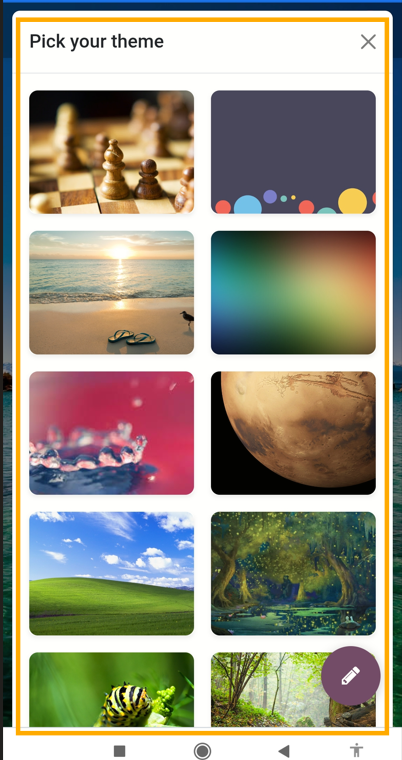
Inbox Theme Configuration Options

Apply different theme designs & make it look all the more nicer and dynamic.
Watch Demo Mailbox (Odoo Inbox) - 
        This module is used to send or receive mail through the recipient, user can do the following types of message-send message, inbox message, starred or unstarred message, etc.

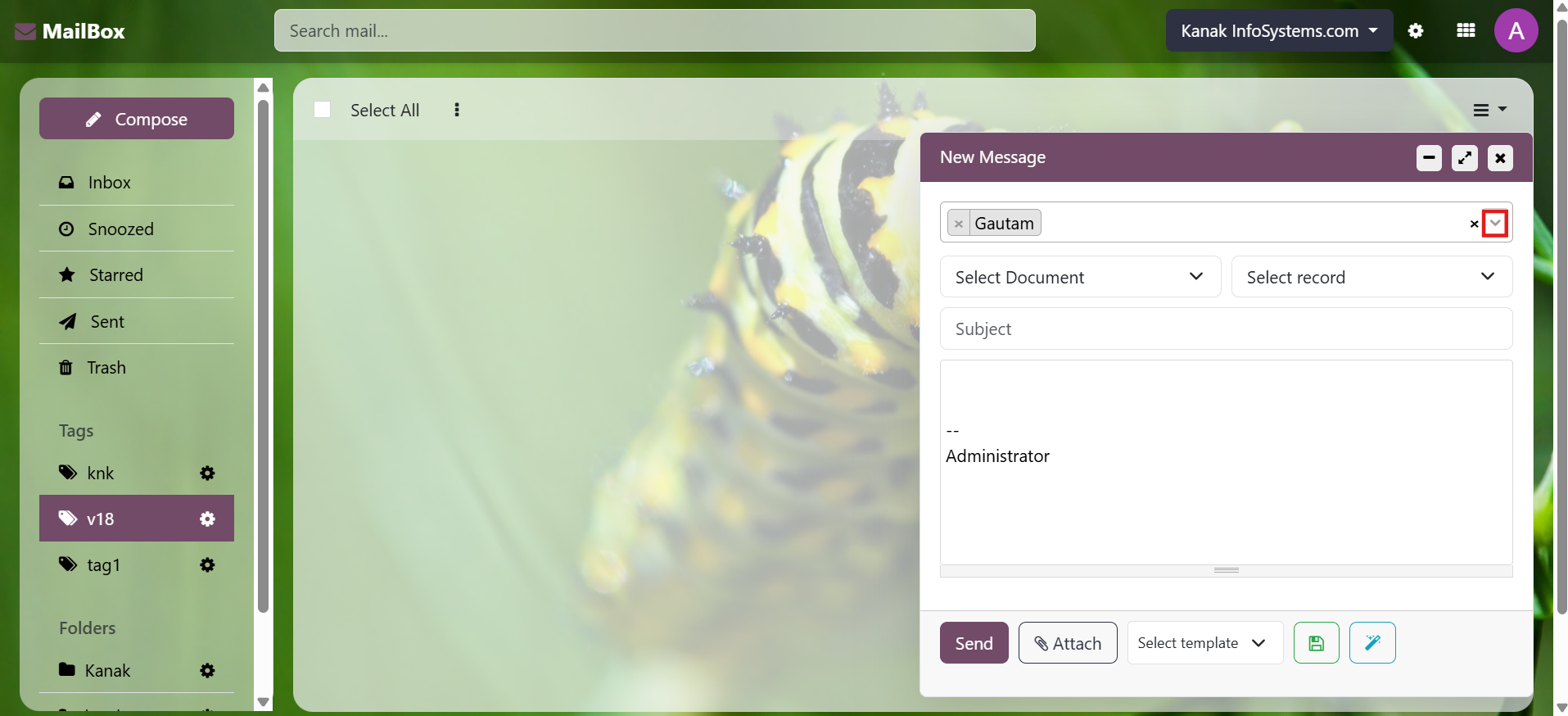
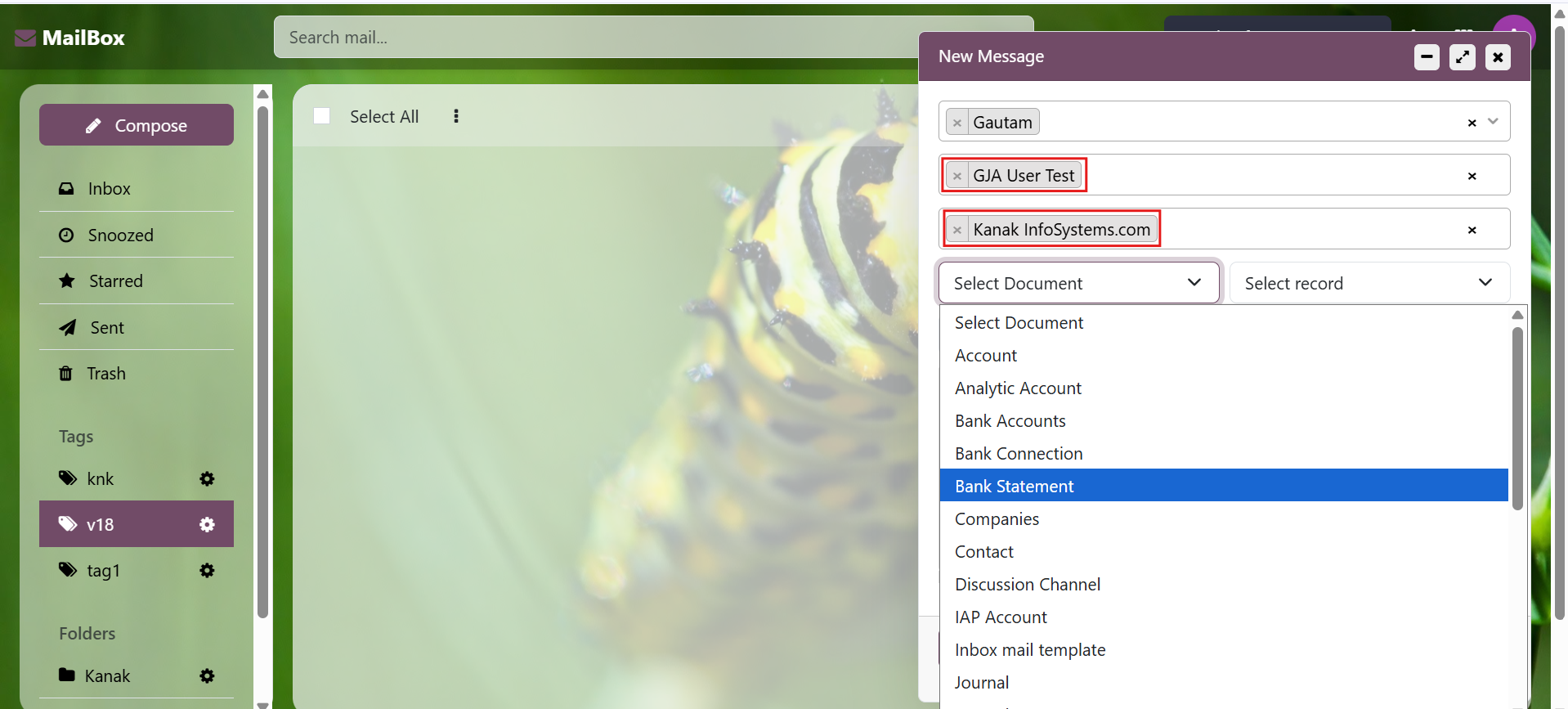
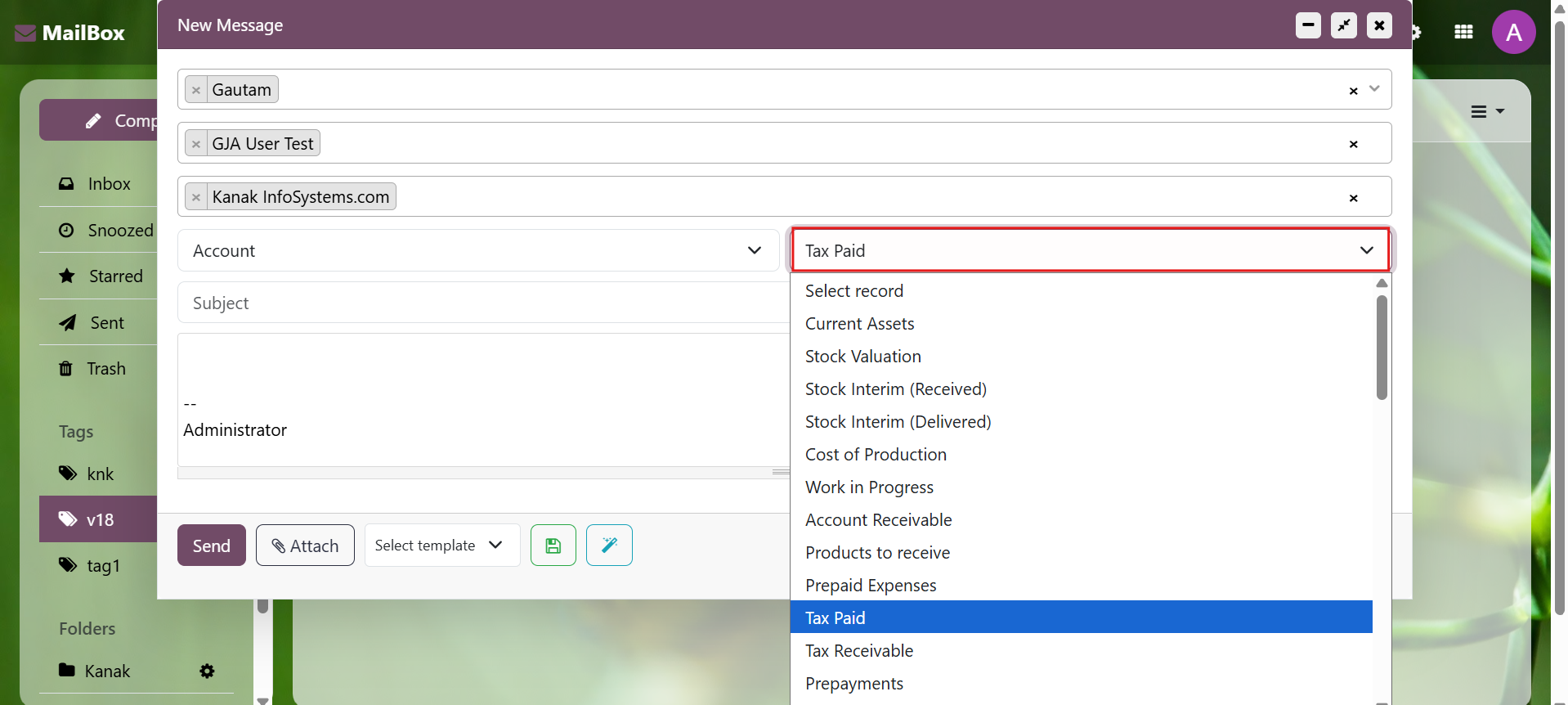
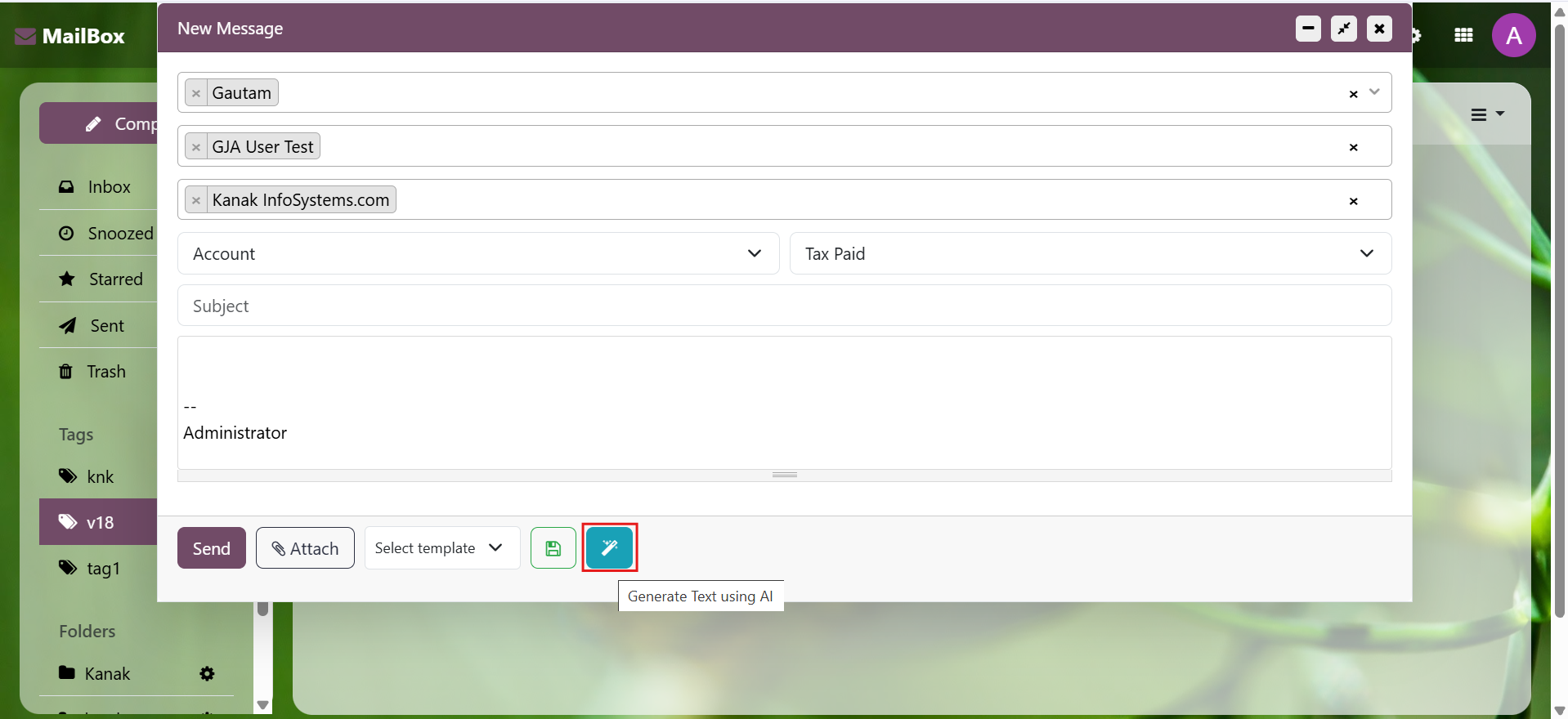
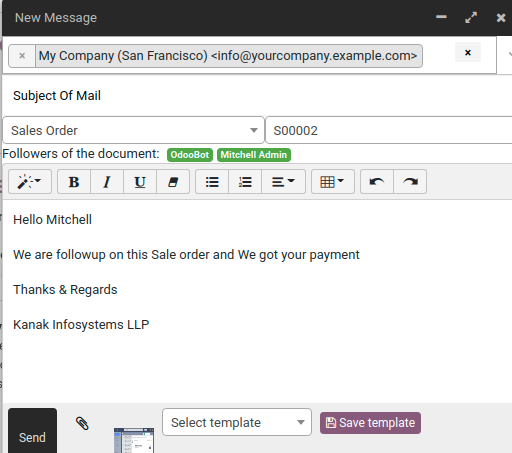
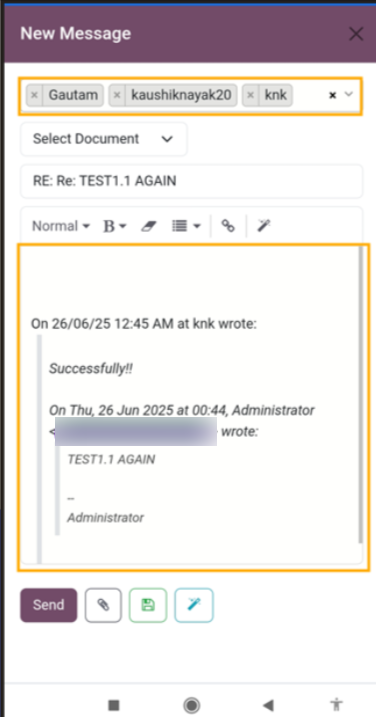
Inbox Compose Message

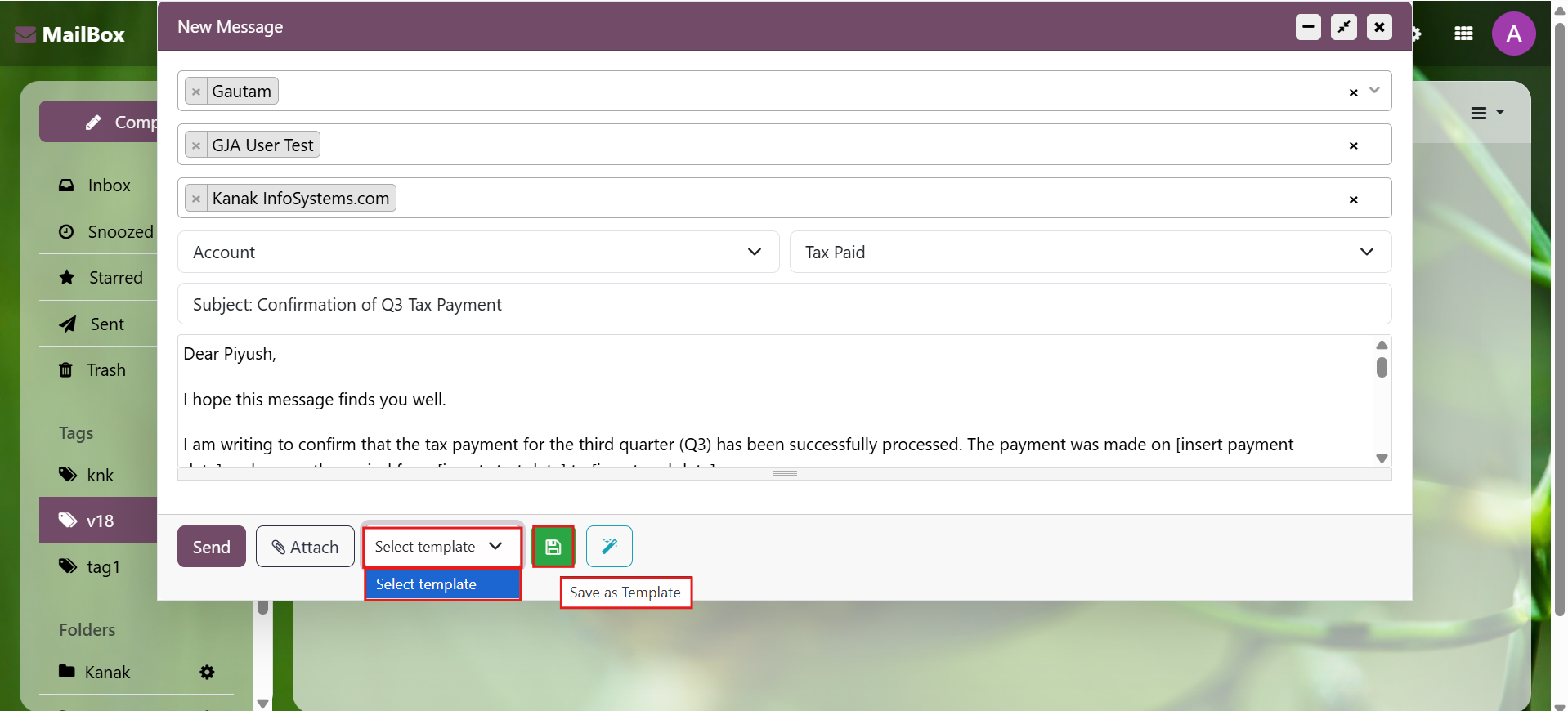
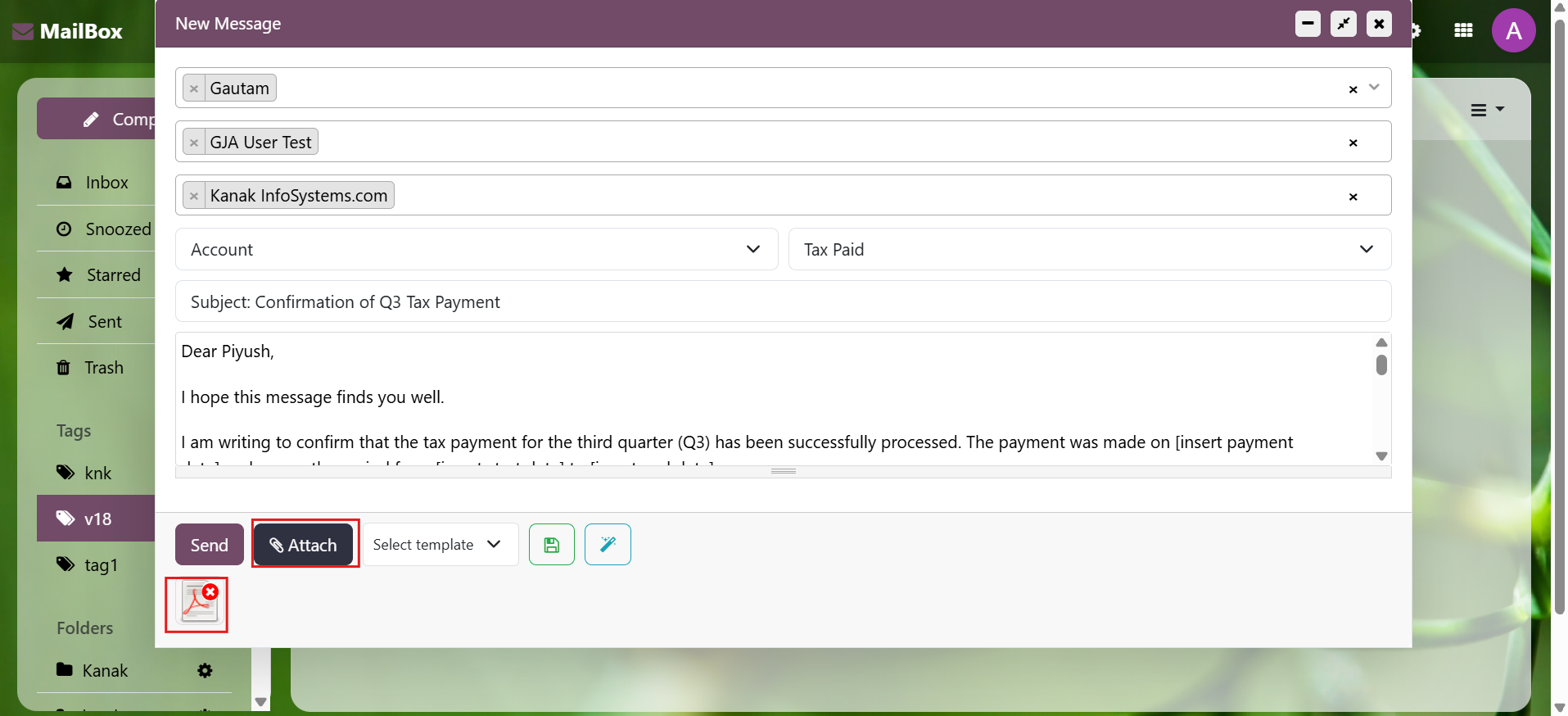
The compose message window provides varied options like of using a template, select the subject as related to a particular document which can be a lead, sales order or an invoice.
Watch Demo Mailbox (Odoo Inbox) - 
        This module is used to send or receive mail through the recipient, user can do the following types of message-send message, inbox message, starred or unstarred message, etc.

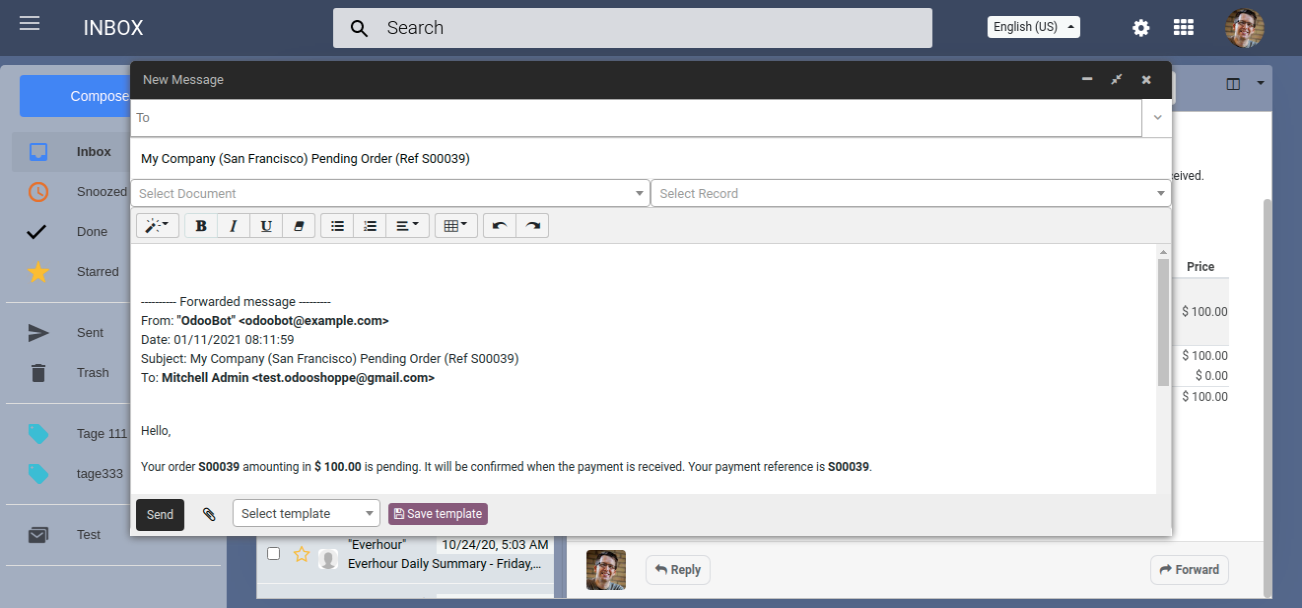
Forward Message

Easily forward messages with the forward button on every message linked to a document, thread, or any other model.
Watch Demo Mailbox (Odoo Inbox) - 
        This module is used to send or receive mail through the recipient, user can do the following types of message-send message, inbox message, starred or unstarred message, etc.

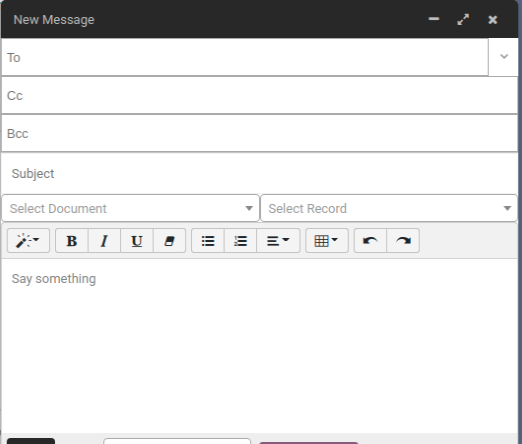
Email CC/ BCC

In-built option to send emails to cc/bcc.
Watch Demo Mailbox (Odoo Inbox) - 
        This module is used to send or receive mail through the recipient, user can do the following types of message-send message, inbox message, starred or unstarred message, etc.

Messages Tools

Message can be marked as Done, Snoozed, starred etc.. with features like Move to a folder, tagging makes categorization, message managing fast & easy.
Watch Demo Mailbox (Odoo Inbox) - 
        This module is used to send or receive mail through the recipient, user can do the following types of message-send message, inbox message, starred or unstarred message, etc.

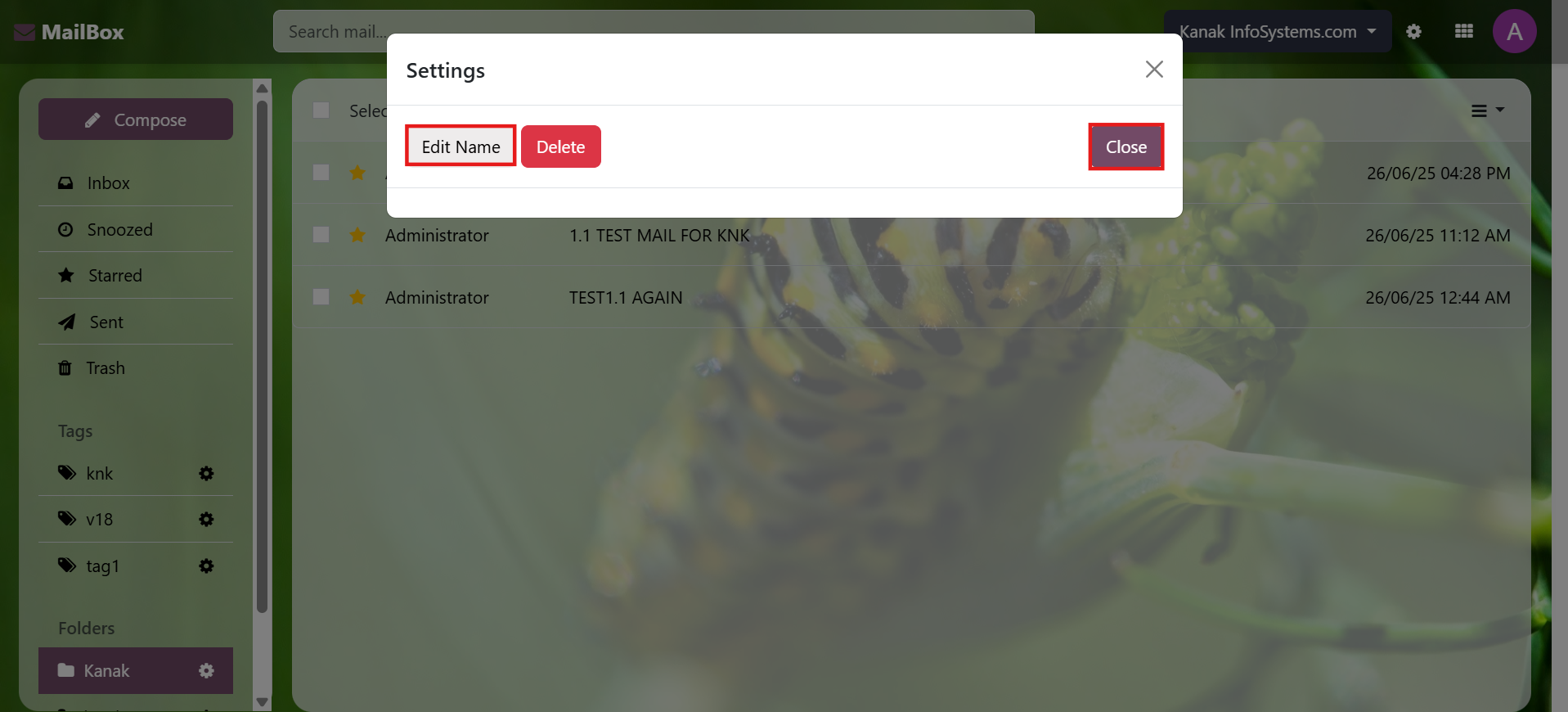
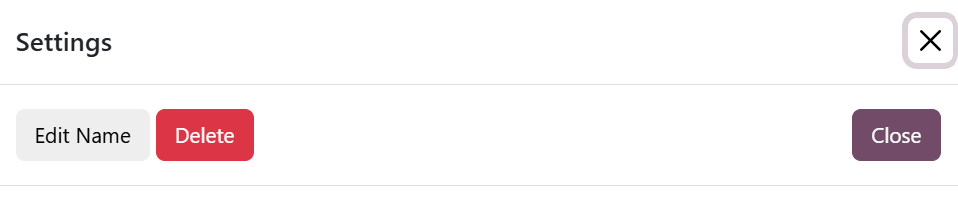
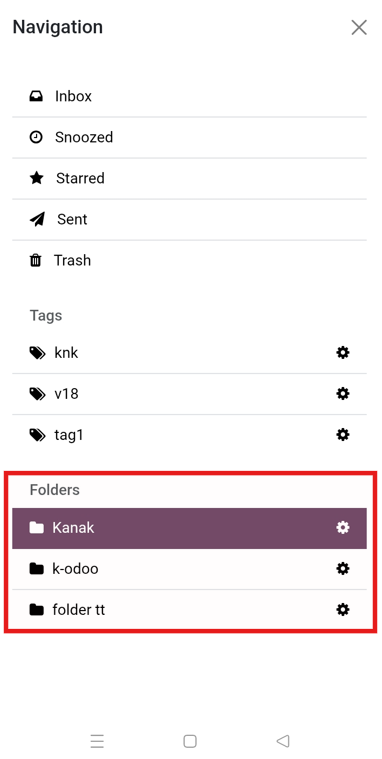
Folders And Tags Editable and Deletable

Easily Manage Tags, Folders and be able to organize messages in folders or group them with tags.
Watch Demo Mailbox (Odoo Inbox) - 
        This module is used to send or receive mail through the recipient, user can do the following types of message-send message, inbox message, starred or unstarred message, etc.

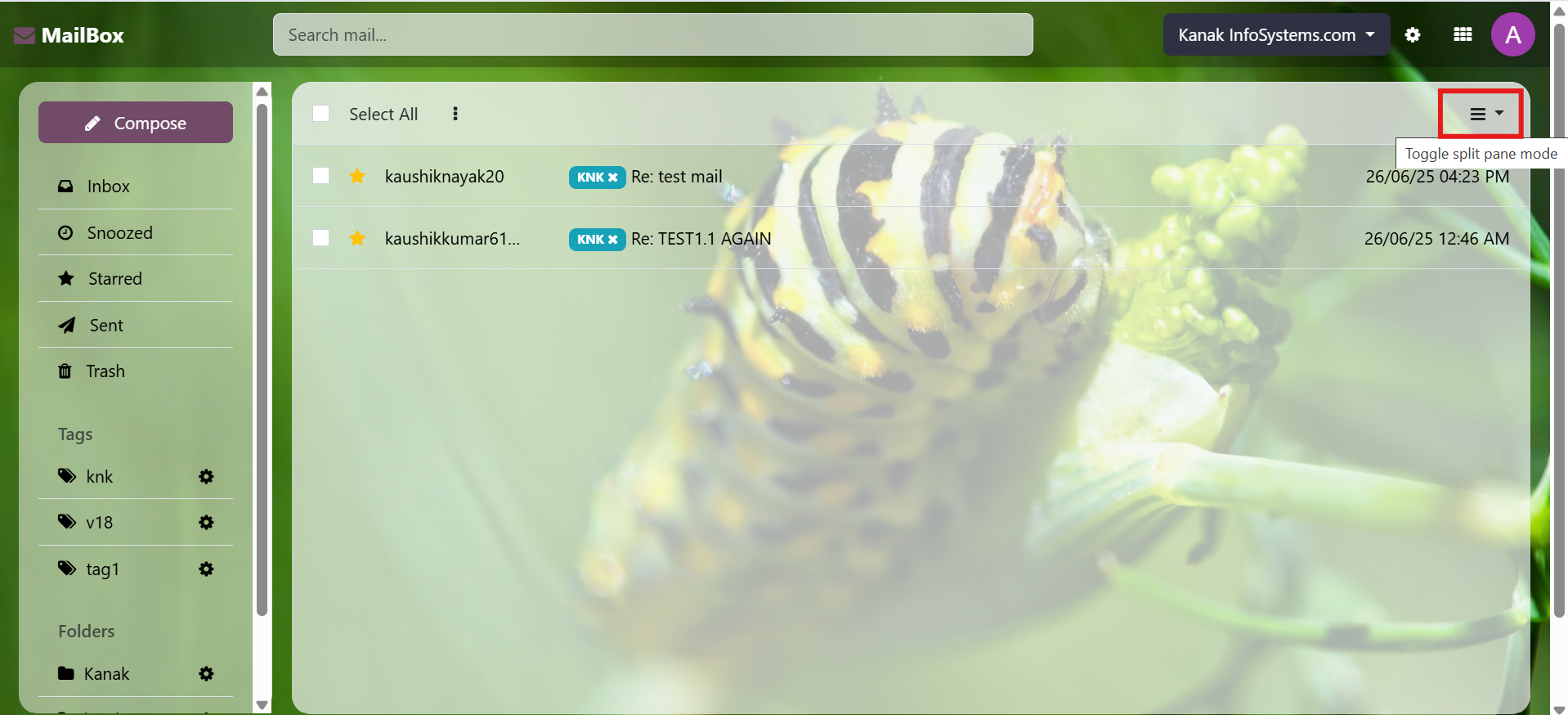
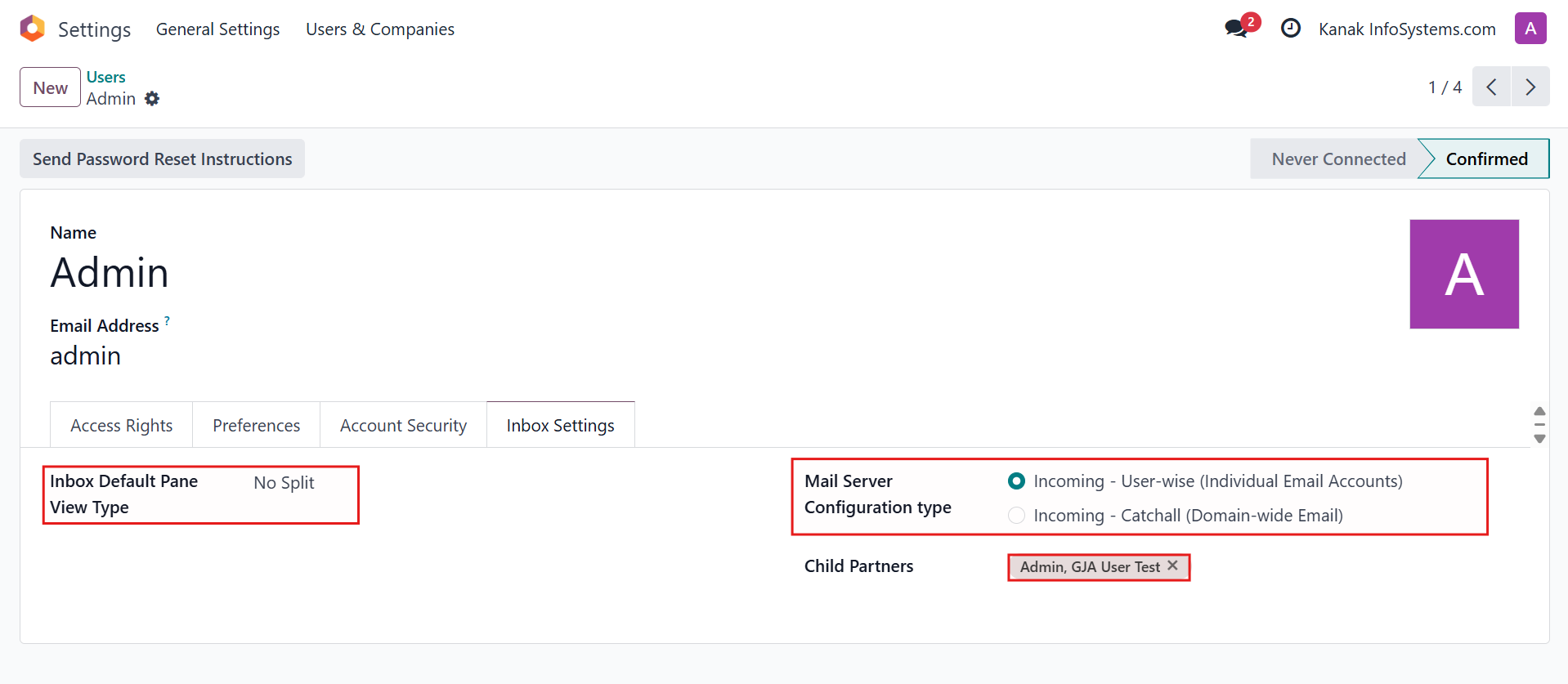
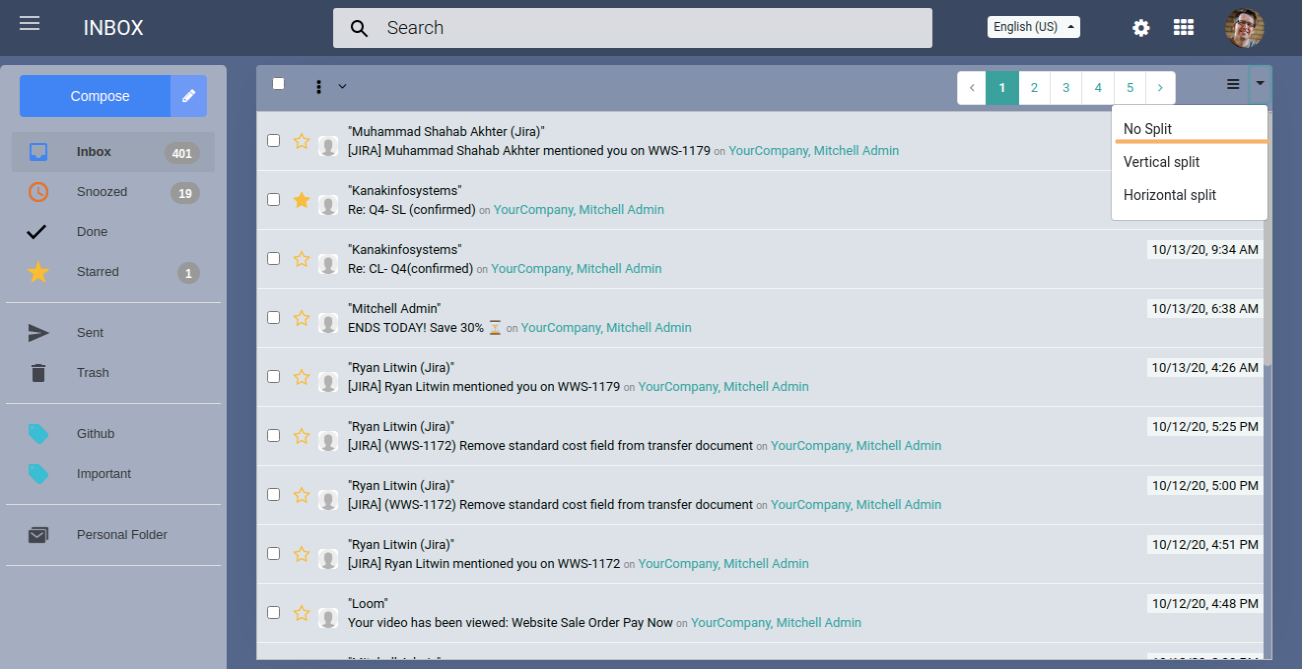
Pane View No Split

As its name suggests, lets you read the message in full with no splits.
Watch Demo Mailbox (Odoo Inbox) - 
        This module is used to send or receive mail through the recipient, user can do the following types of message-send message, inbox message, starred or unstarred message, etc.

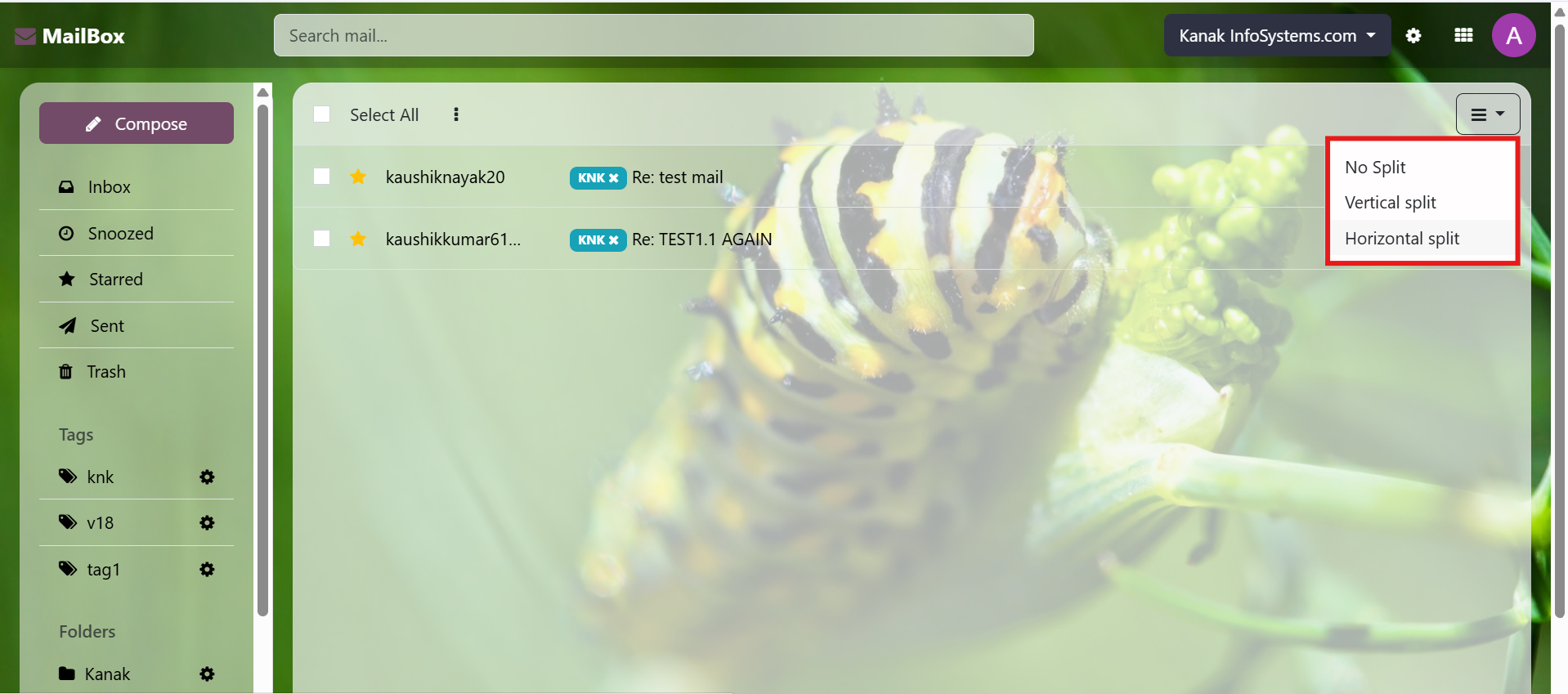
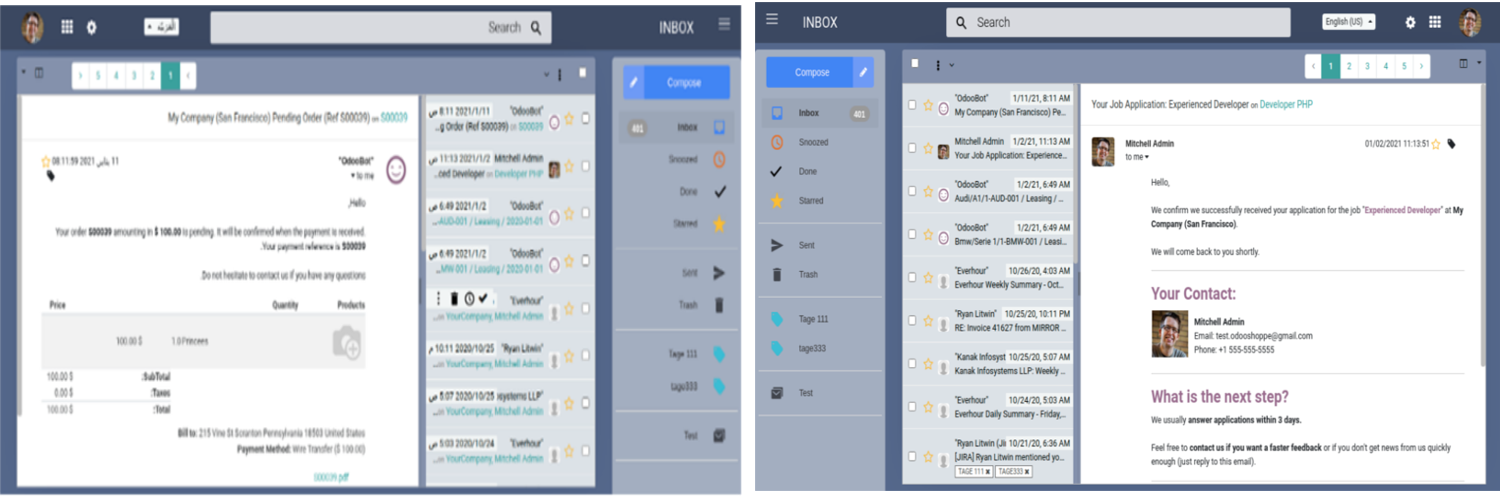
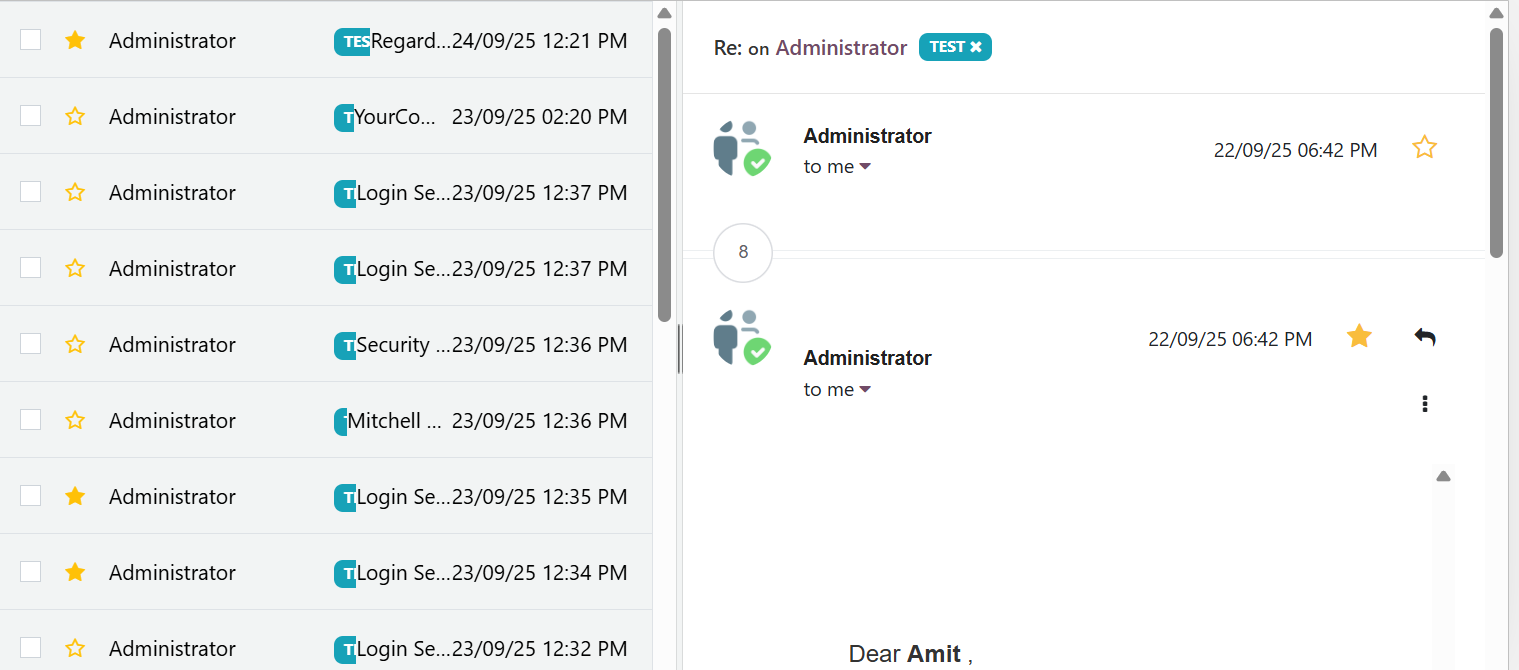
Vertical Pane View

Vertical split allows you to control the division between the message list and see the message window in a pane view side by side.
Watch Demo Mailbox (Odoo Inbox) - 
        This module is used to send or receive mail through the recipient, user can do the following types of message-send message, inbox message, starred or unstarred message, etc.

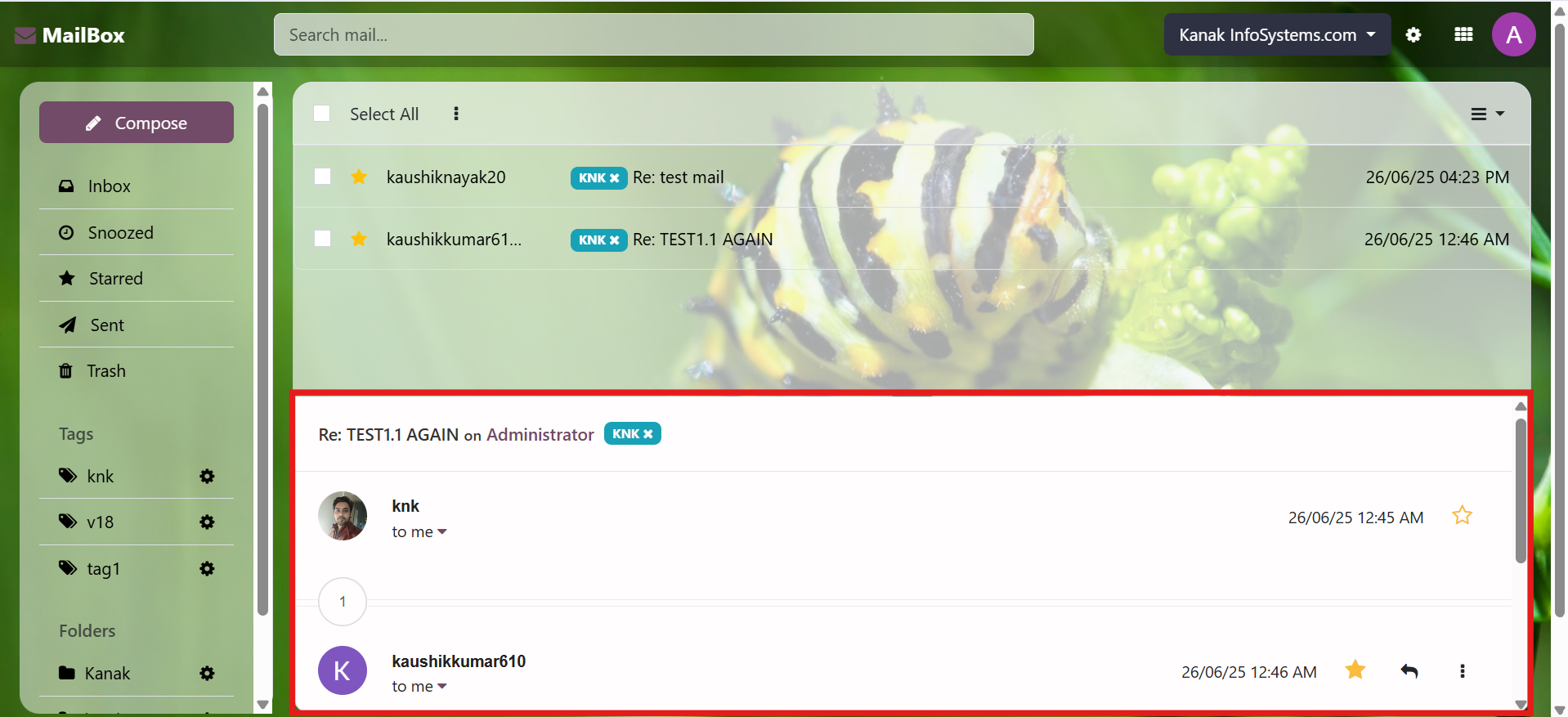
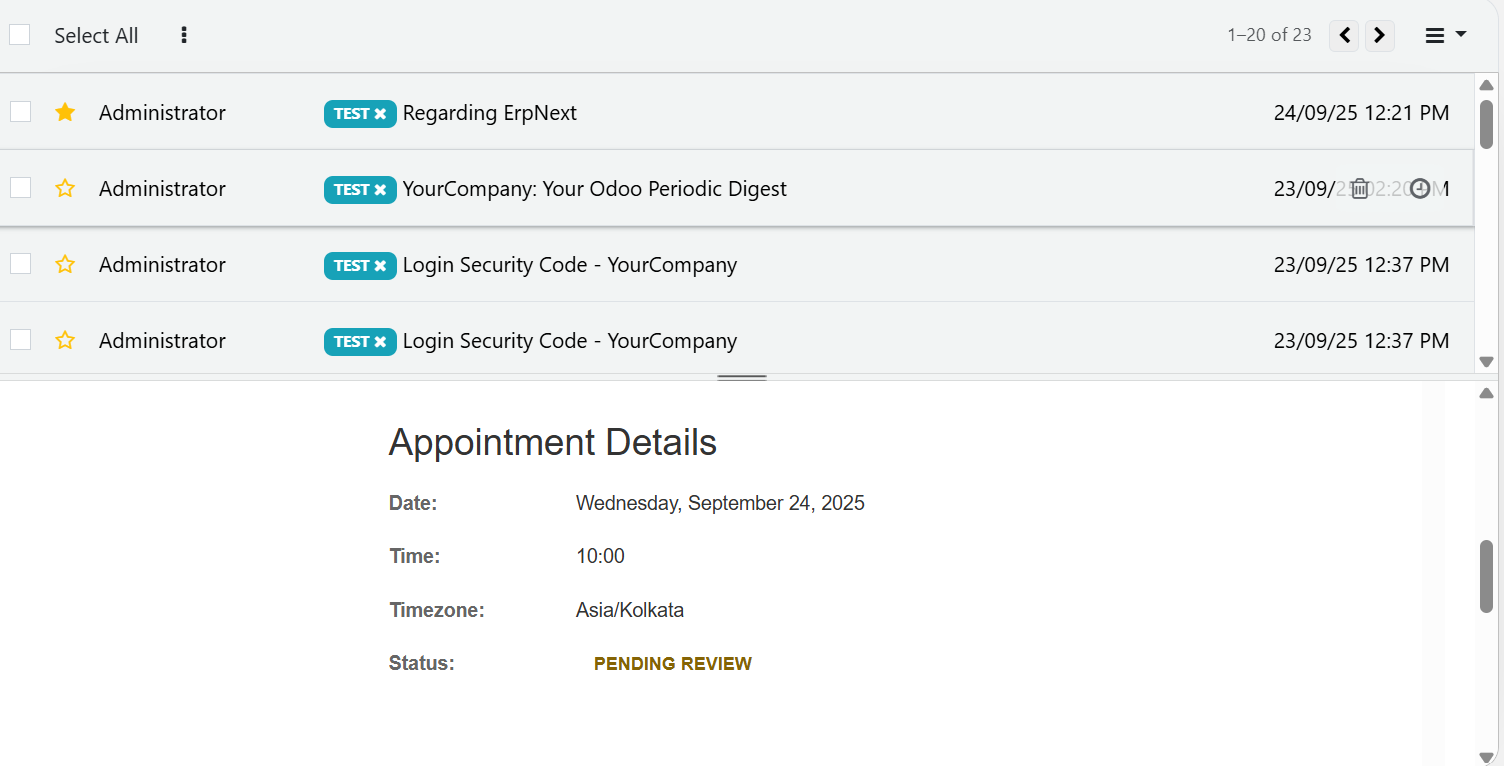
Horizontal Pane View

It also allows you to see the list of messages, click on the message and see the details but horizontally.
Watch Demo Mailbox (Odoo Inbox) - 
        This module is used to send or receive mail through the recipient, user can do the following types of message-send message, inbox message, starred or unstarred message, etc.

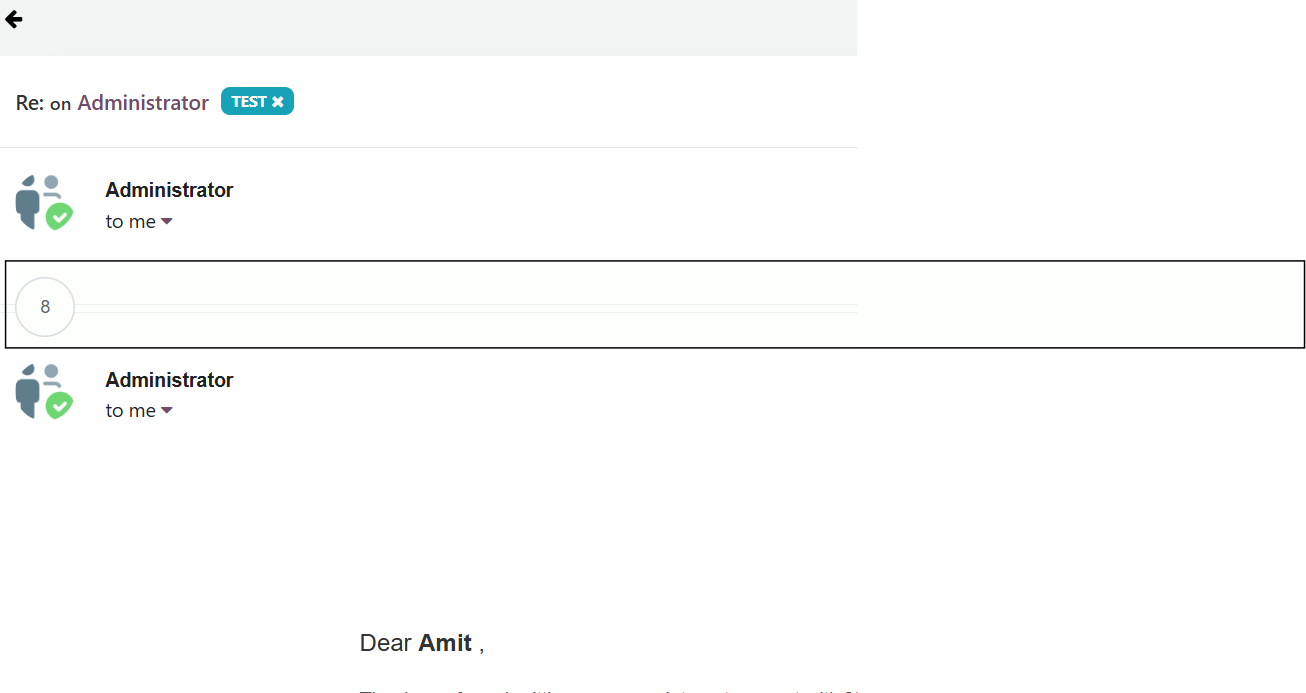
Email Thread: Seamless Conversation Management
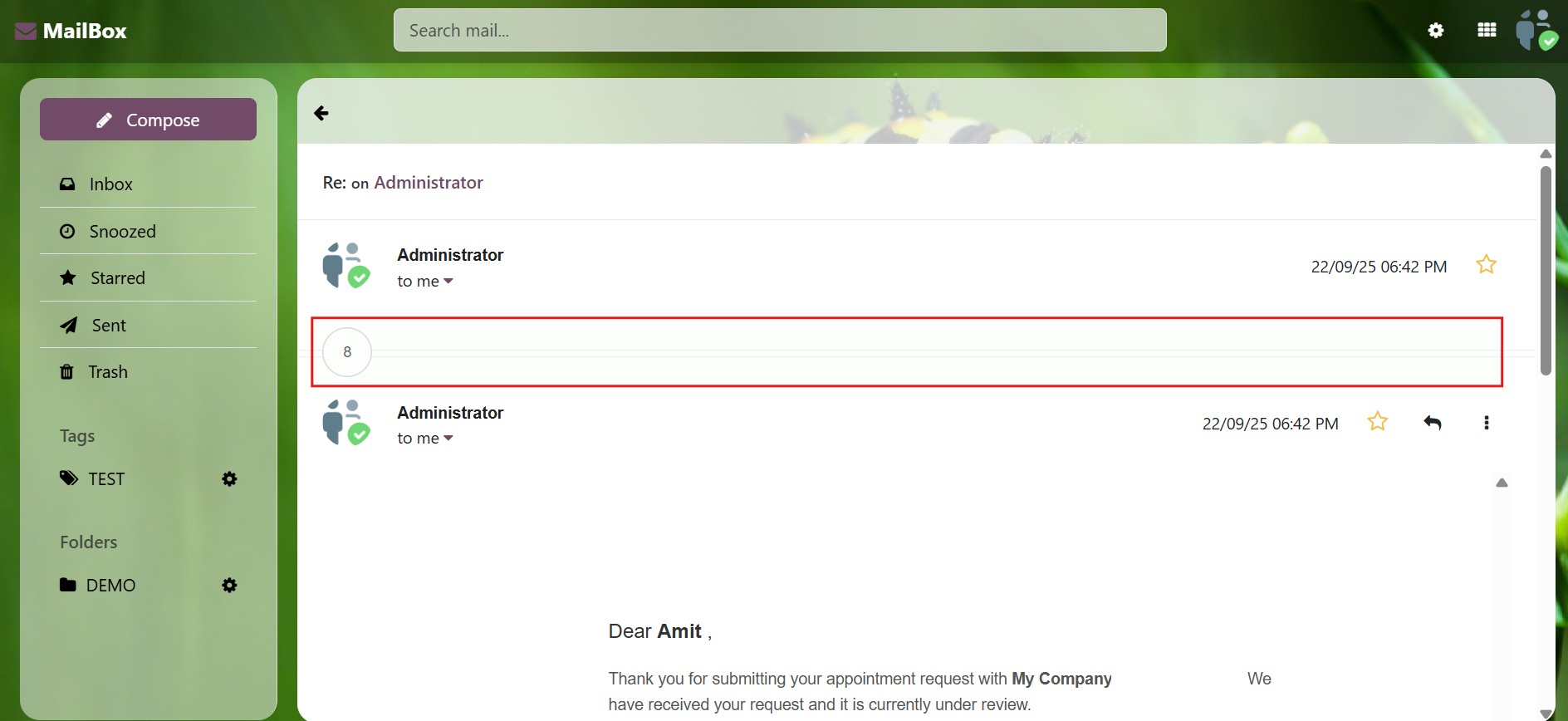
View and manage entire email conversations in a single, organized thread. Odoo Inbox keeps all replies, forwards, and attachments together, making it easier to follow and respond efficiently.
Watch Demo Mailbox (Odoo Inbox) - 
        This module is used to send or receive mail through the recipient, user can do the following types of message-send message, inbox message, starred or unstarred message, etc.

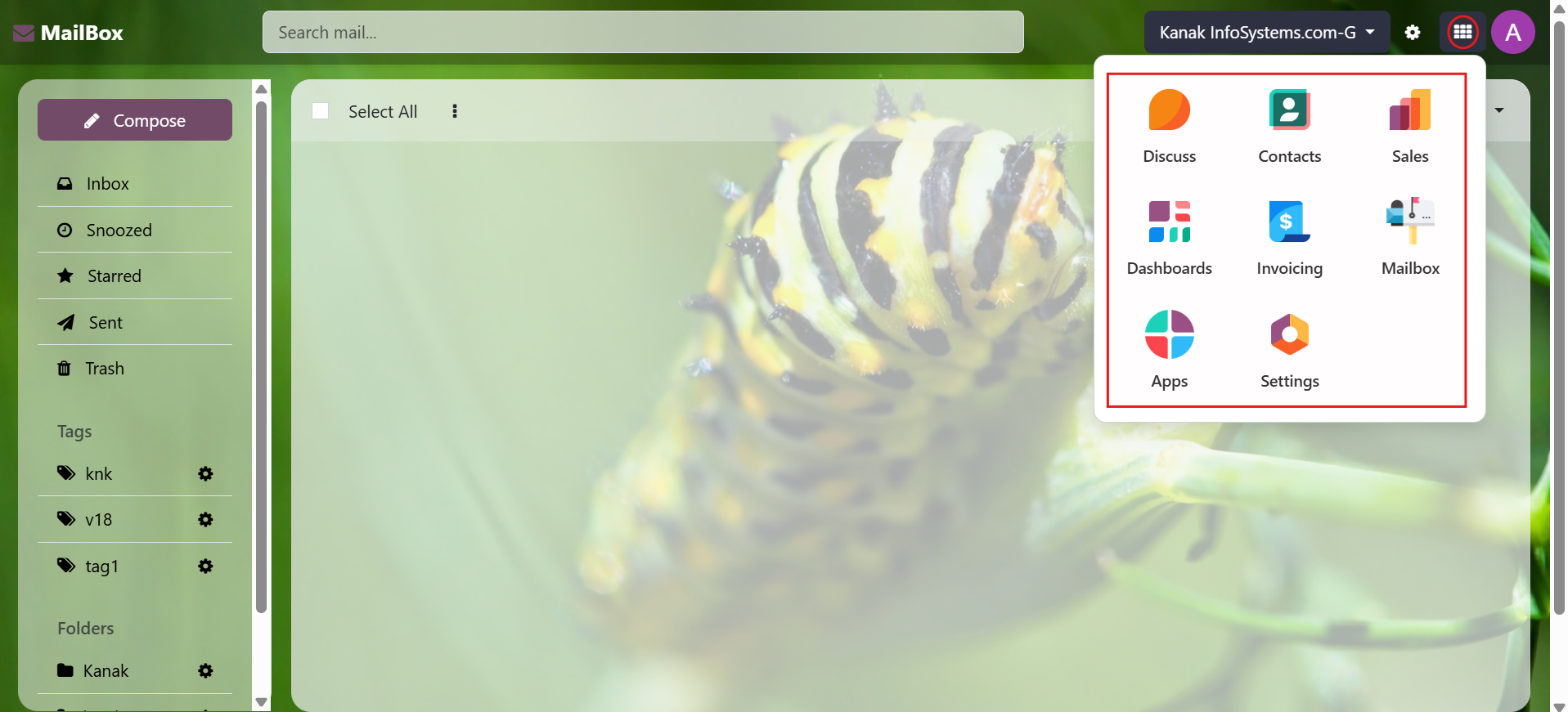
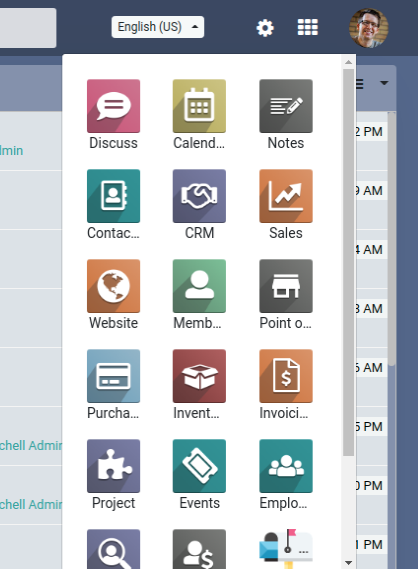
Menu

There is a Menu link which allows you to move out of the Inbox to any of the other modules like sales, purchase or any other.
Watch Demo Mailbox (Odoo Inbox) - 
        This module is used to send or receive mail through the recipient, user can do the following types of message-send message, inbox message, starred or unstarred message, etc.

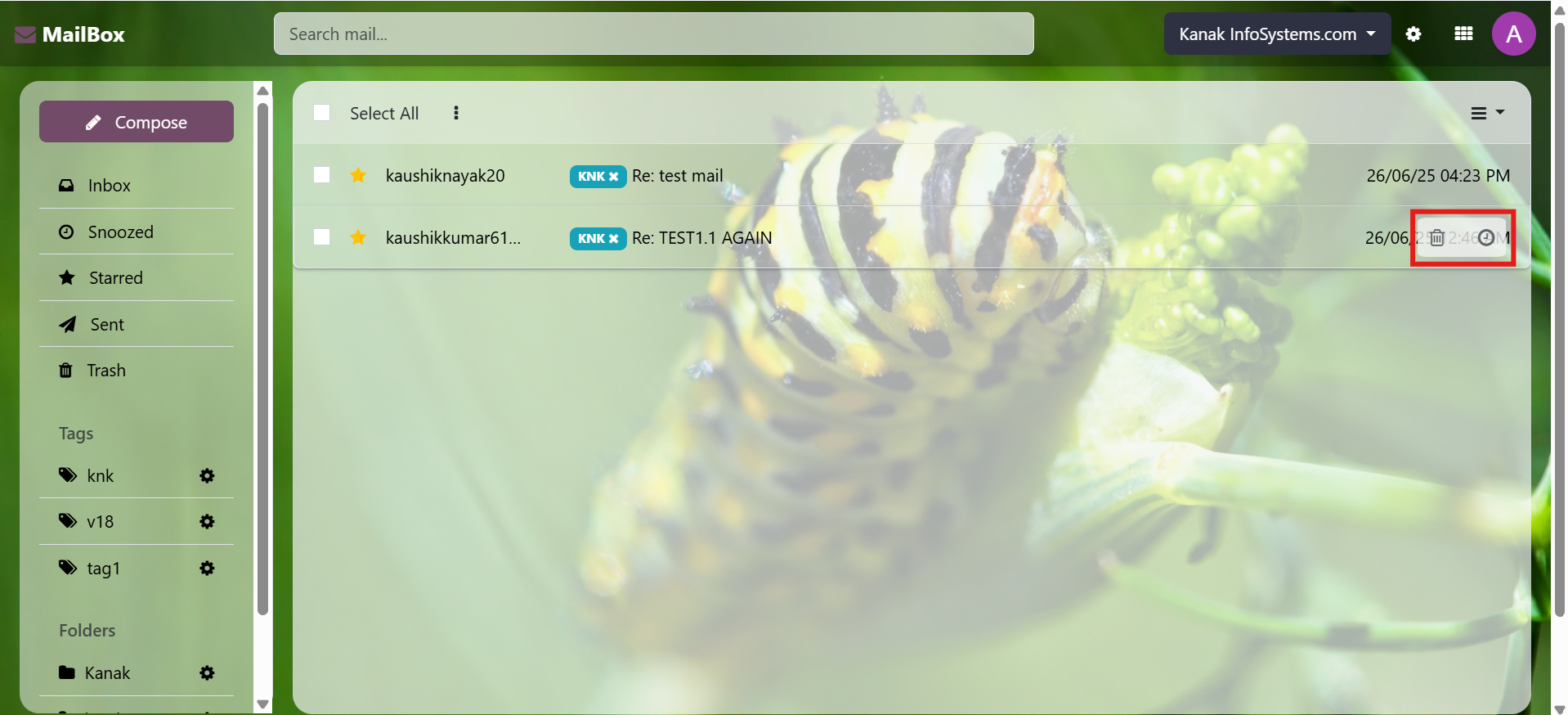
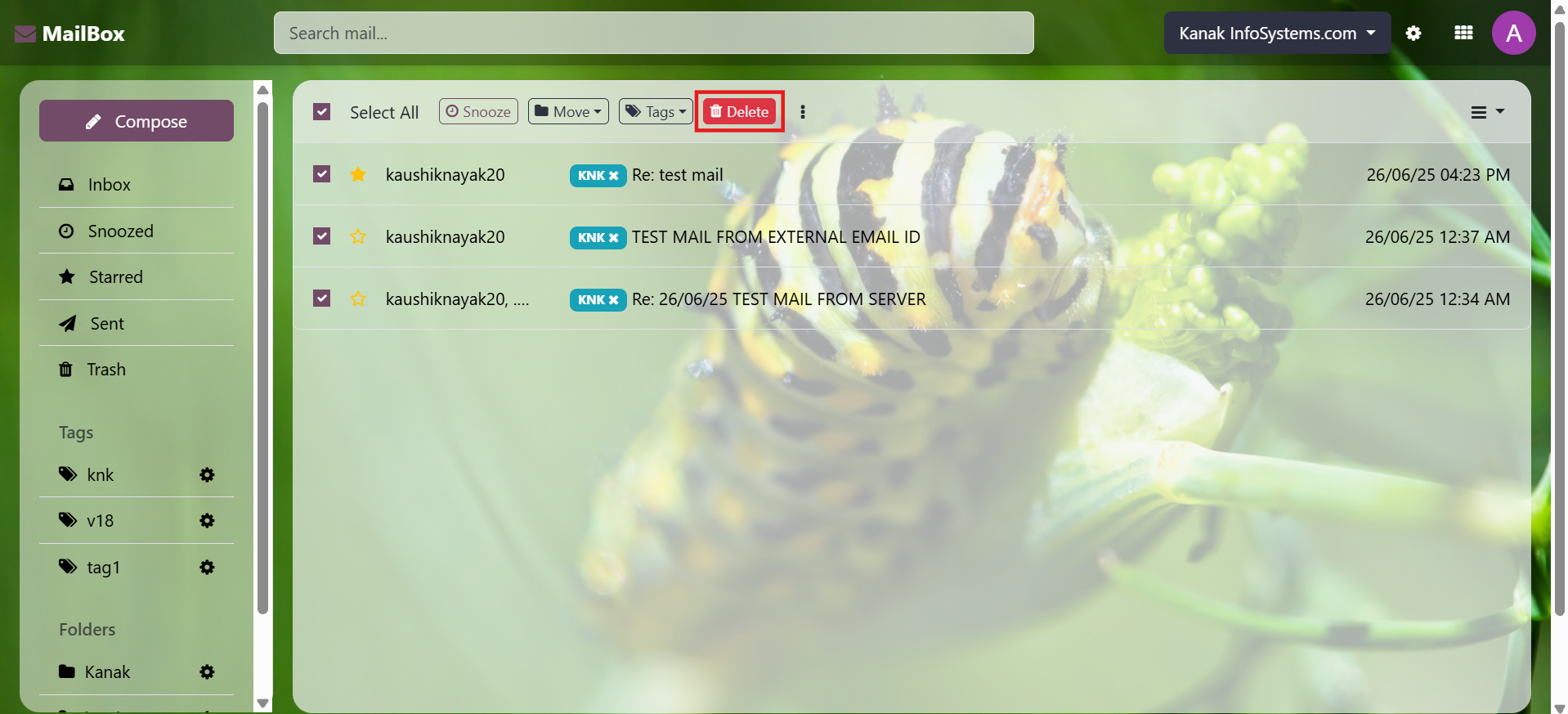
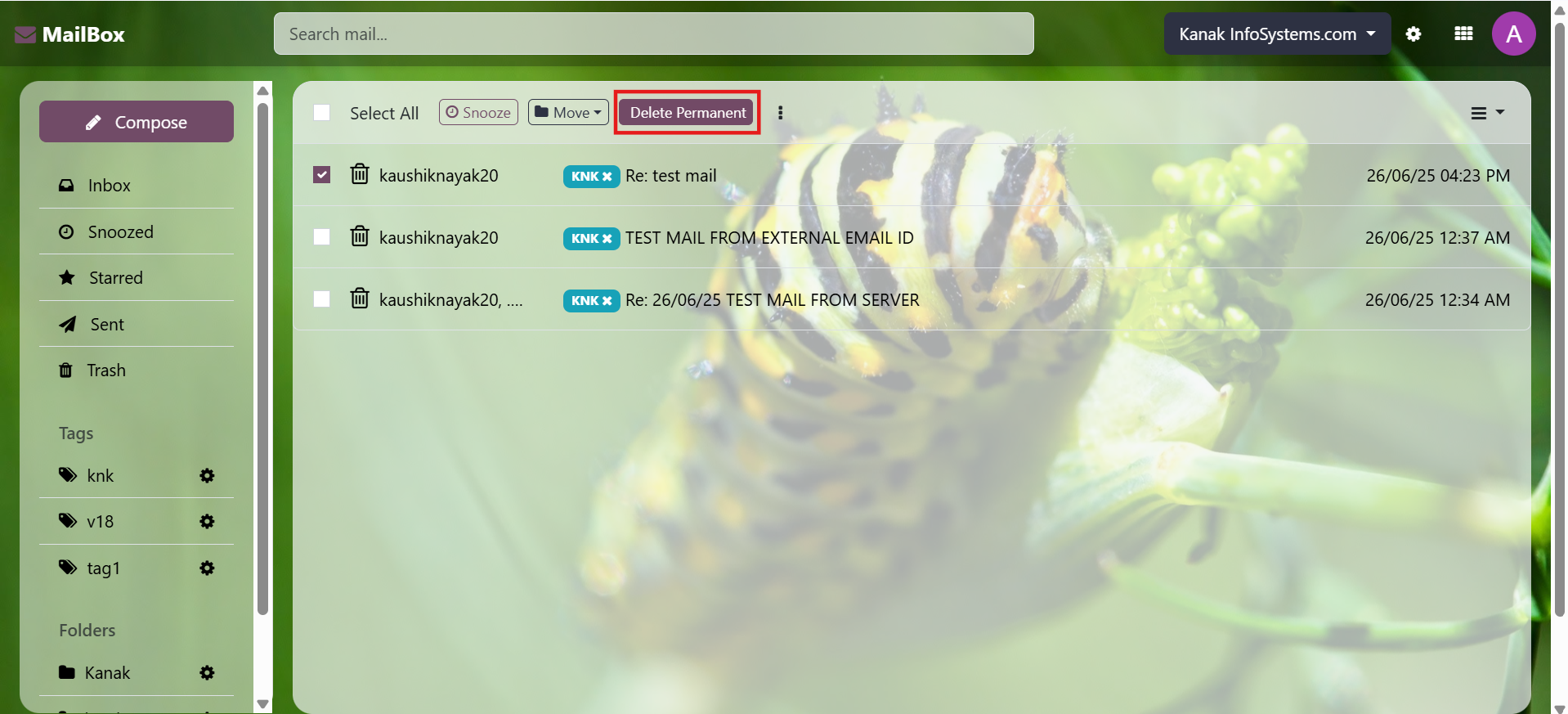
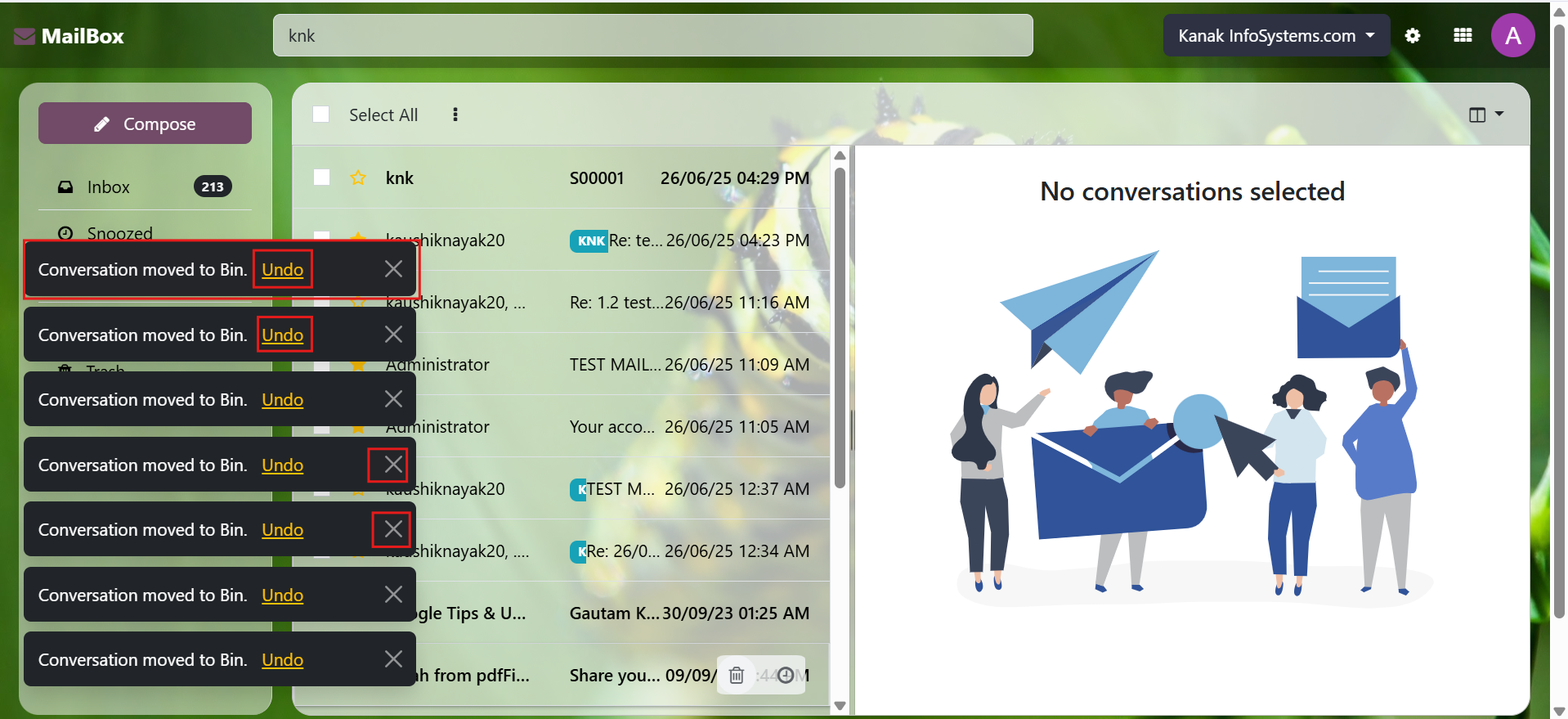
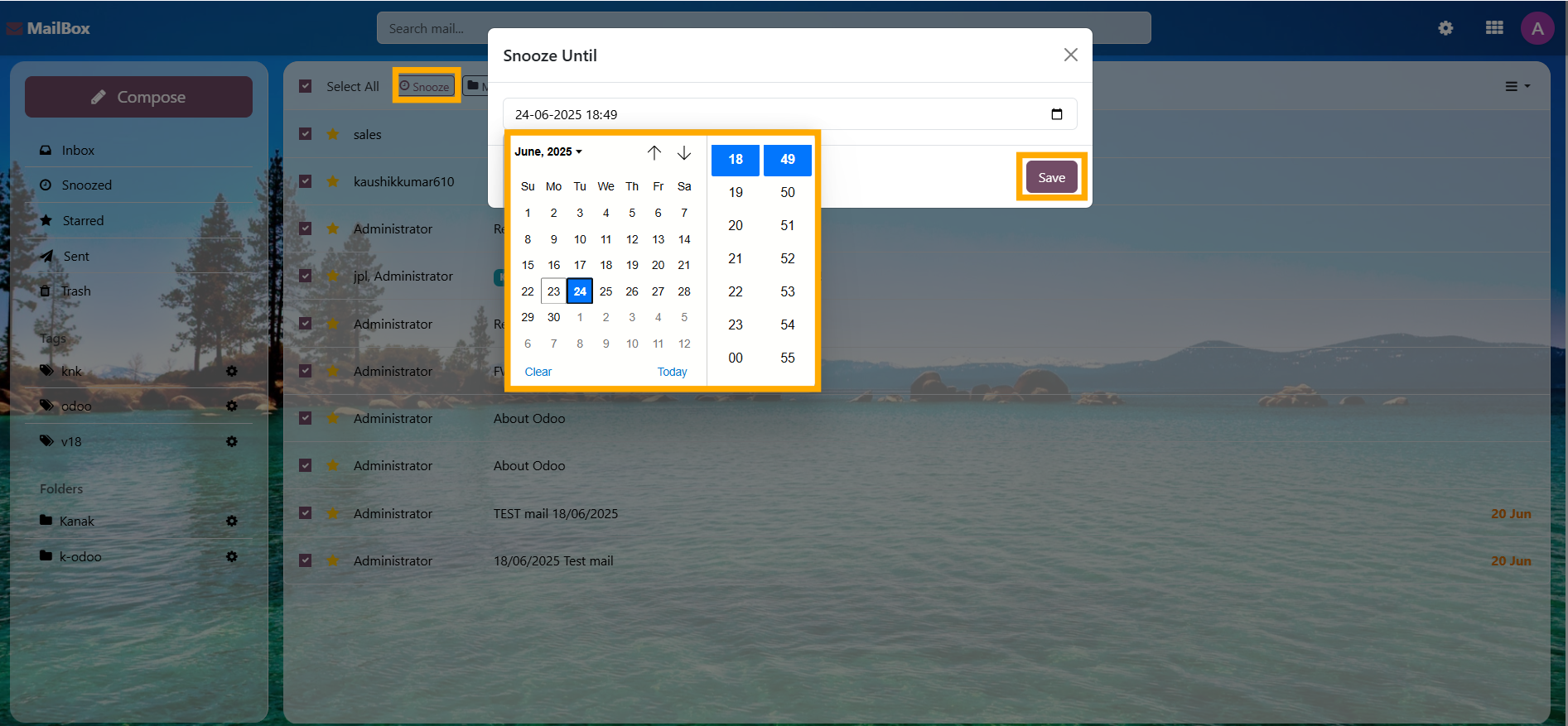
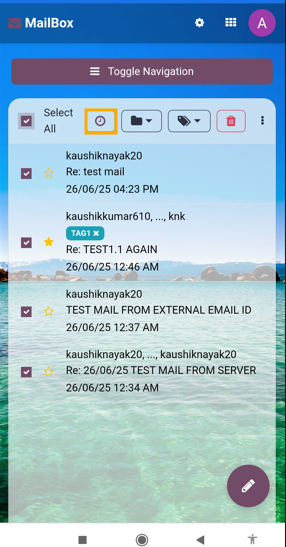
Delete and Snooze in List View

Efficiently manage messages with Delete and Snooze functionalities directly in the List View.
Watch Demo 
Mailbox (Odoo Inbox) - 
        This module is used to send or receive mail through the recipient, user can do the following types of message-send message, inbox message, starred or unstarred message, etc.

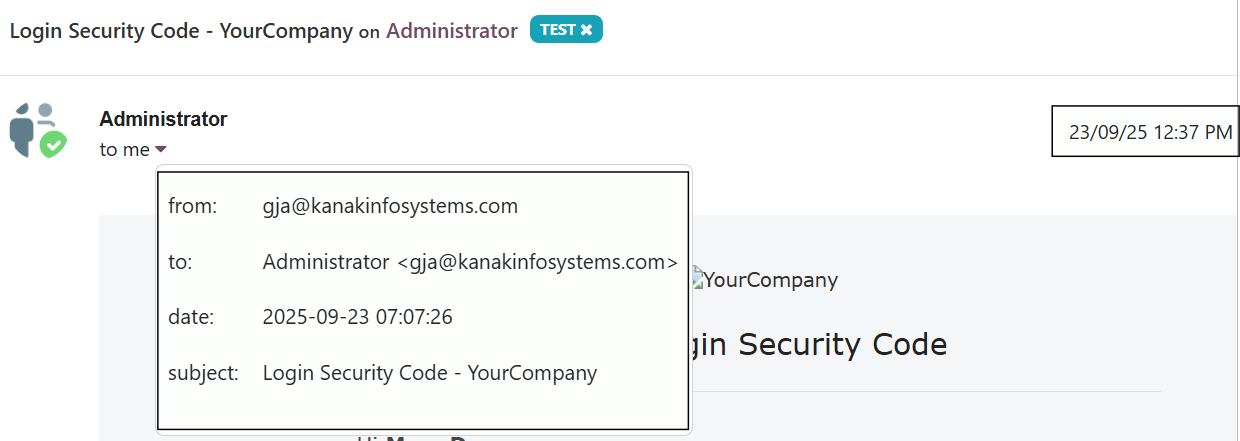
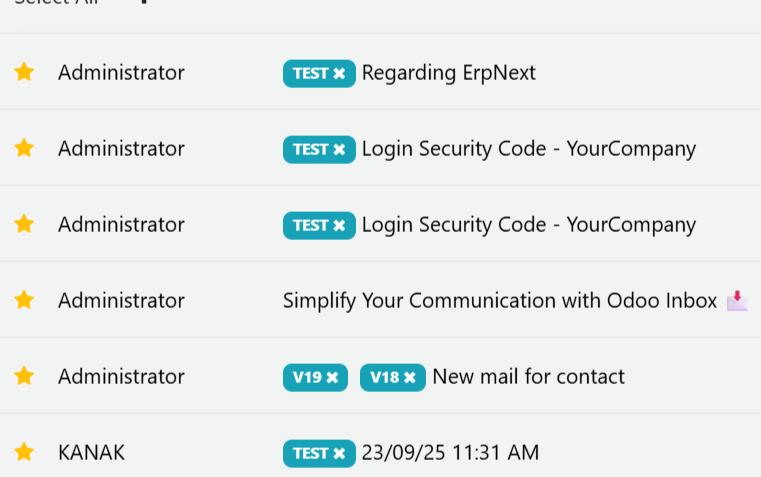
Inbox Messages

Display messages with details like title, description, timestamp, and recipient.
Watch Demo Mailbox (Odoo Inbox) - 
        This module is used to send or receive mail through the recipient, user can do the following types of message-send message, inbox message, starred or unstarred message, etc.

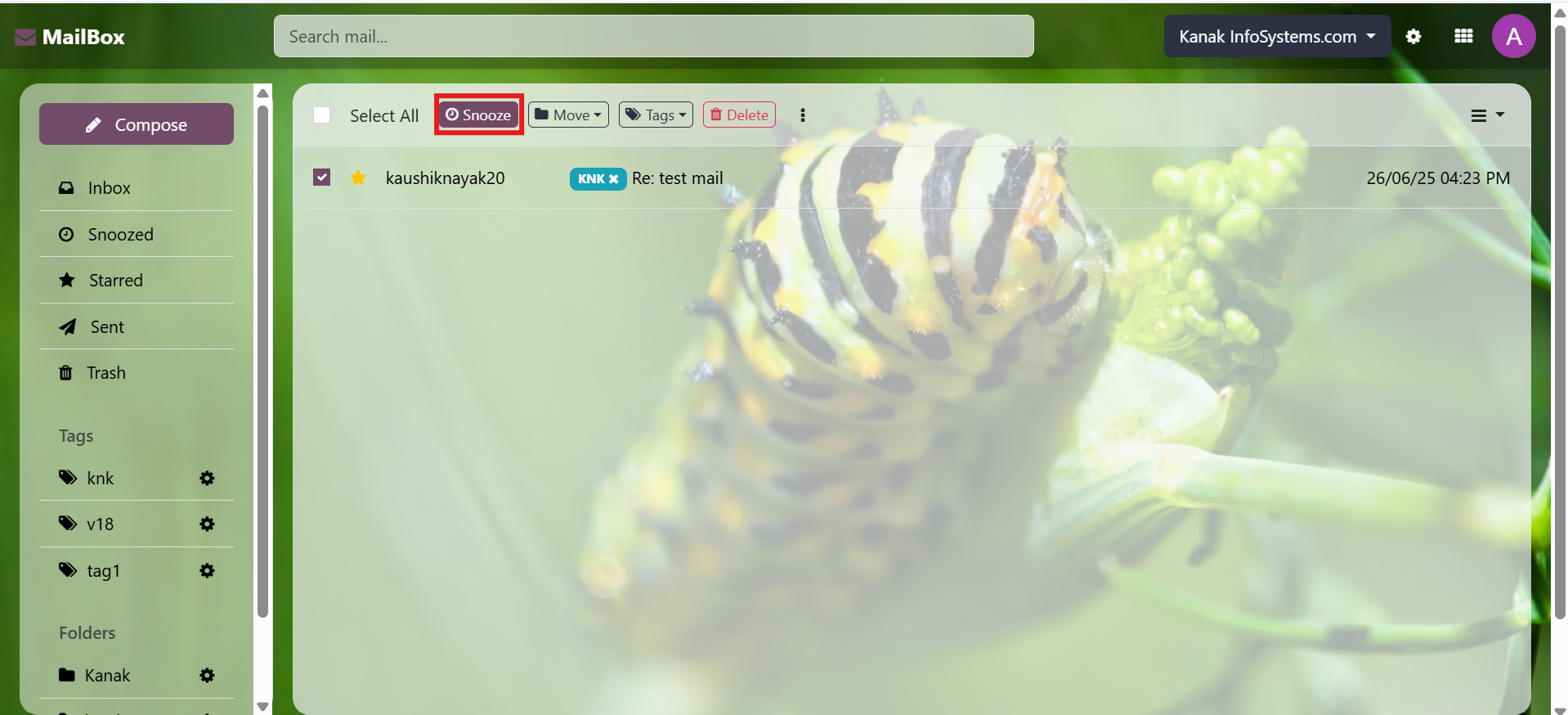
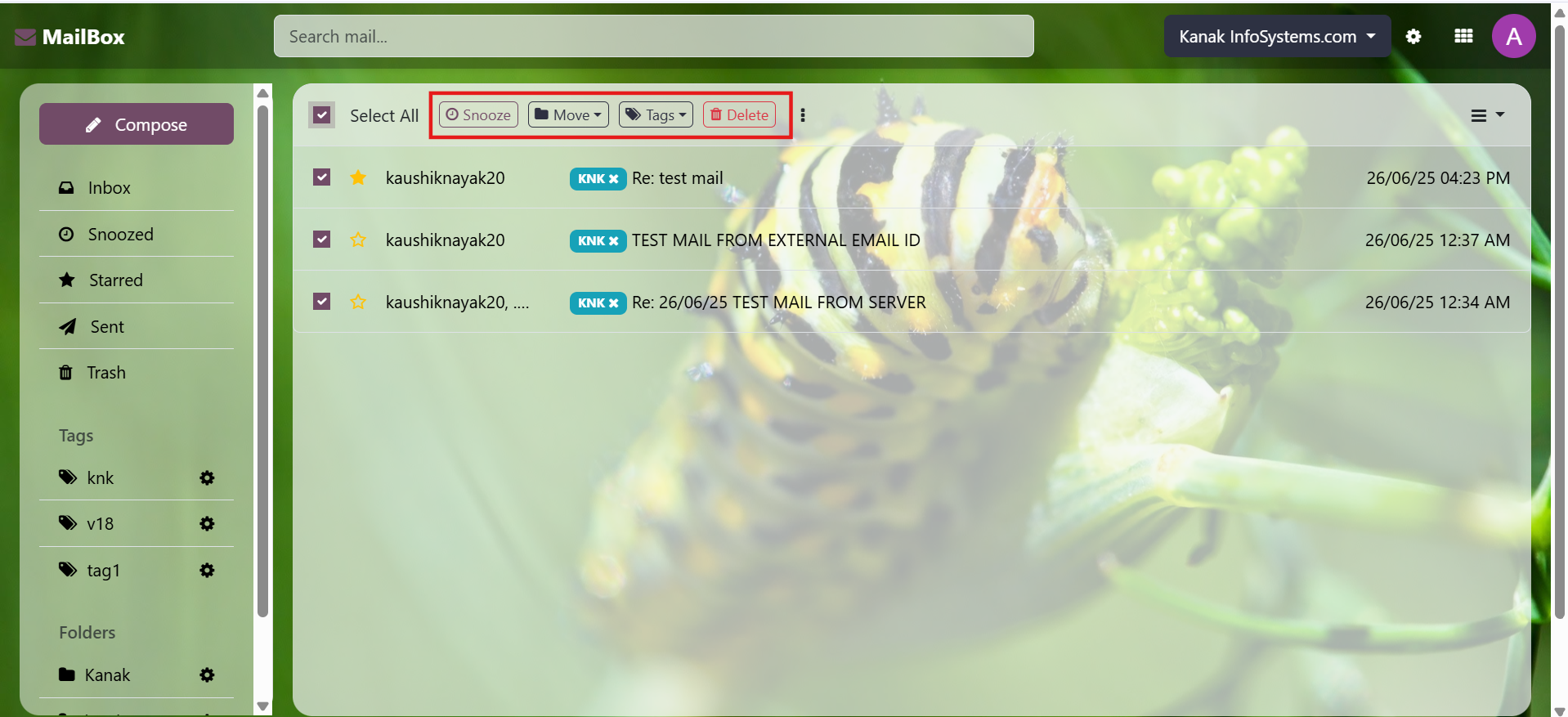
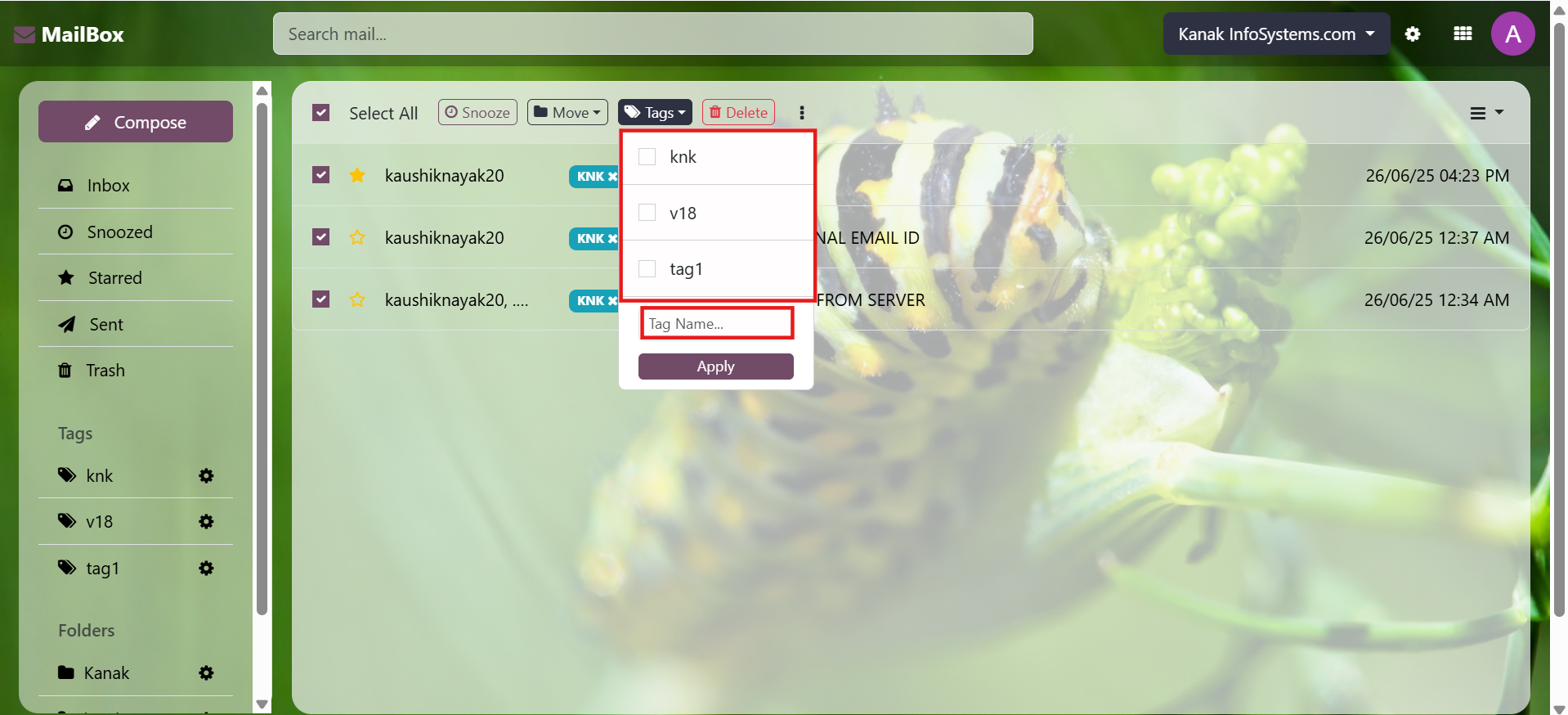
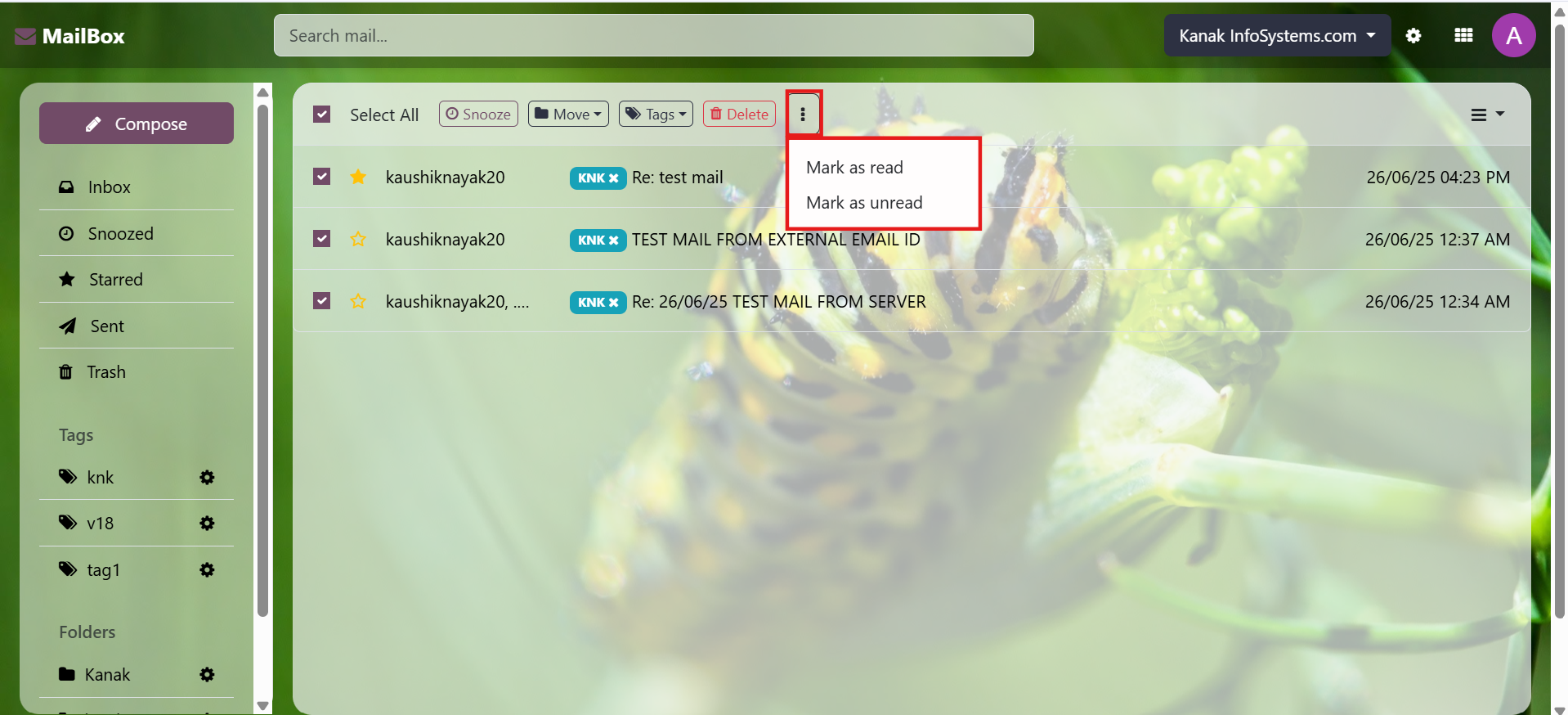
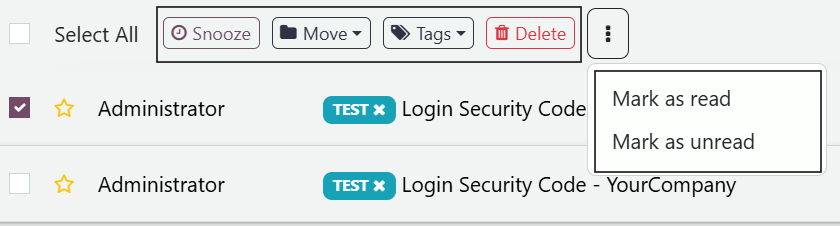
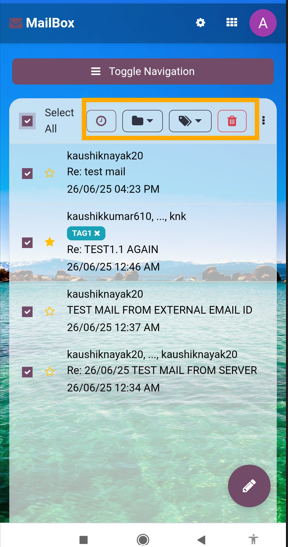
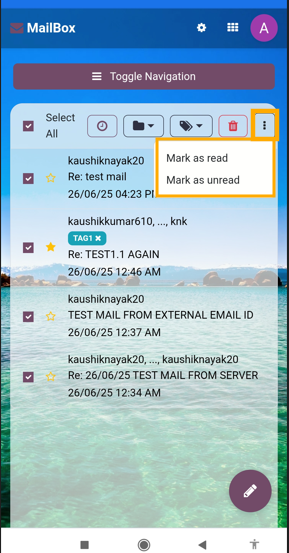
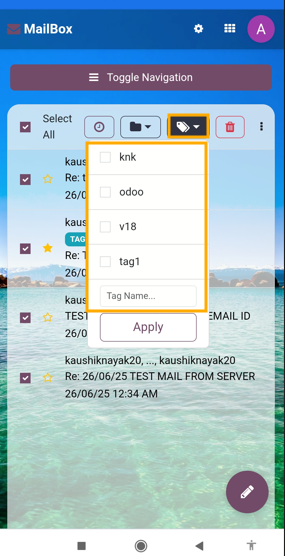
Bulk Action

Perform bulk actions such as Delete, Snooze, Add Tag, or Move to Folder. Easily mark multiple messages as read or unread in a single step.
Watch Demo 
Mailbox (Odoo Inbox) - 
        This module is used to send or receive mail through the recipient, user can do the following types of message-send message, inbox message, starred or unstarred message, etc.

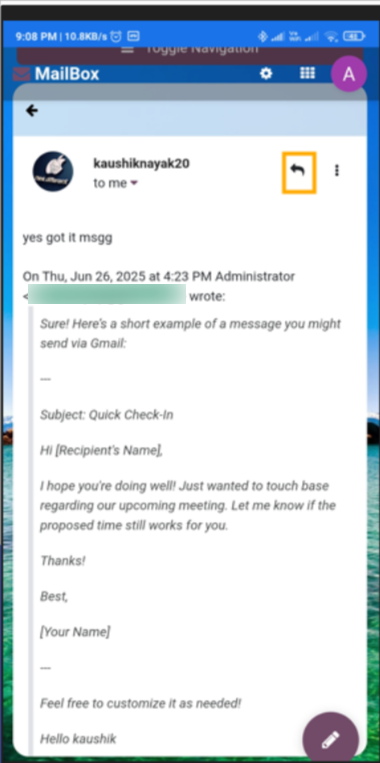
Reply Button

A prominent Reply Button appears at the top when opening an inbox message.
Watch Demo Mailbox (Odoo Inbox) - 
        This module is used to send or receive mail through the recipient, user can do the following types of message-send message, inbox message, starred or unstarred message, etc.

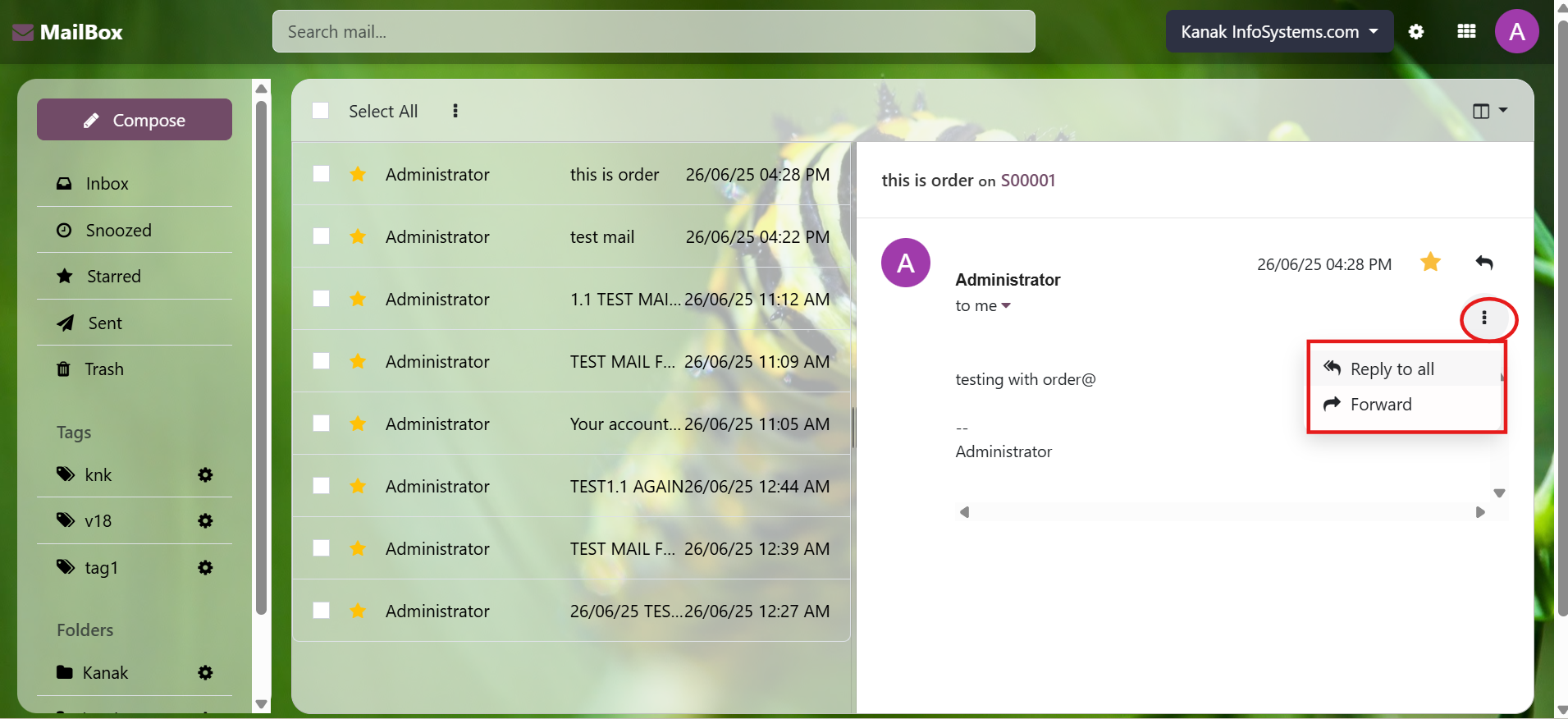
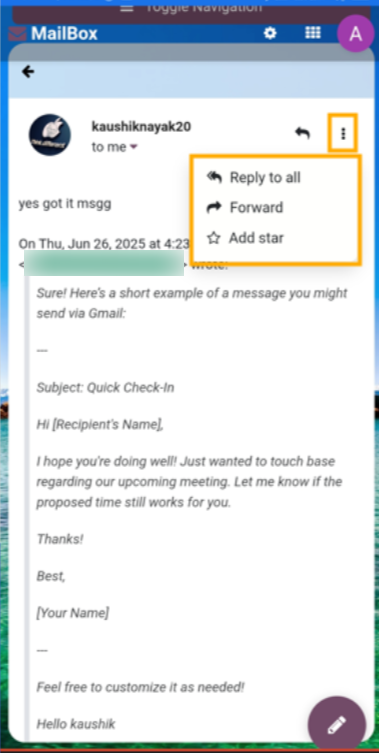
Forward Button

Click the three dots to access the Forward Button at the top of an inbox message.
Watch Demo Mailbox (Odoo Inbox) - 
        This module is used to send or receive mail through the recipient, user can do the following types of message-send message, inbox message, starred or unstarred message, etc.

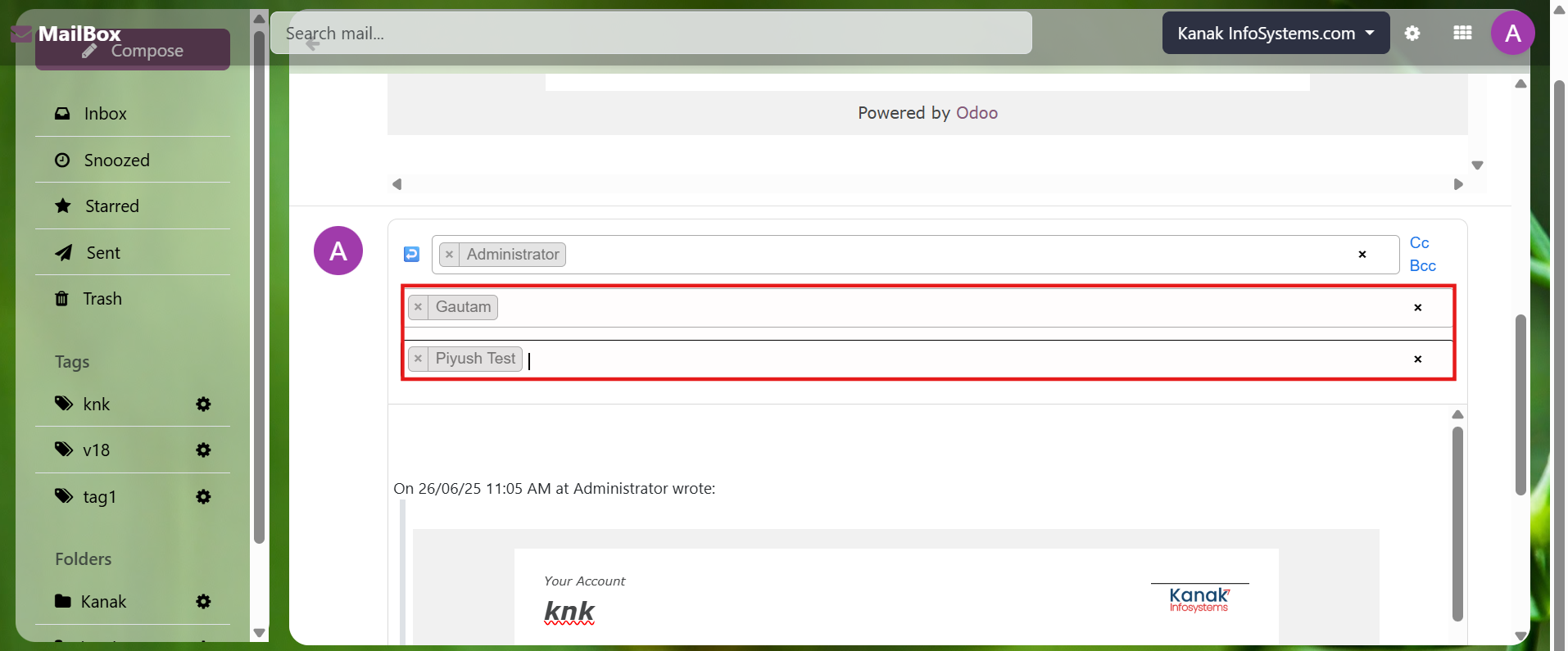
On Reply (CC & BCC)

Reply with CC and BCC fields for comprehensive communication.
Watch Demo Mailbox (Odoo Inbox) - 
        This module is used to send or receive mail through the recipient, user can do the following types of message-send message, inbox message, starred or unstarred message, etc.

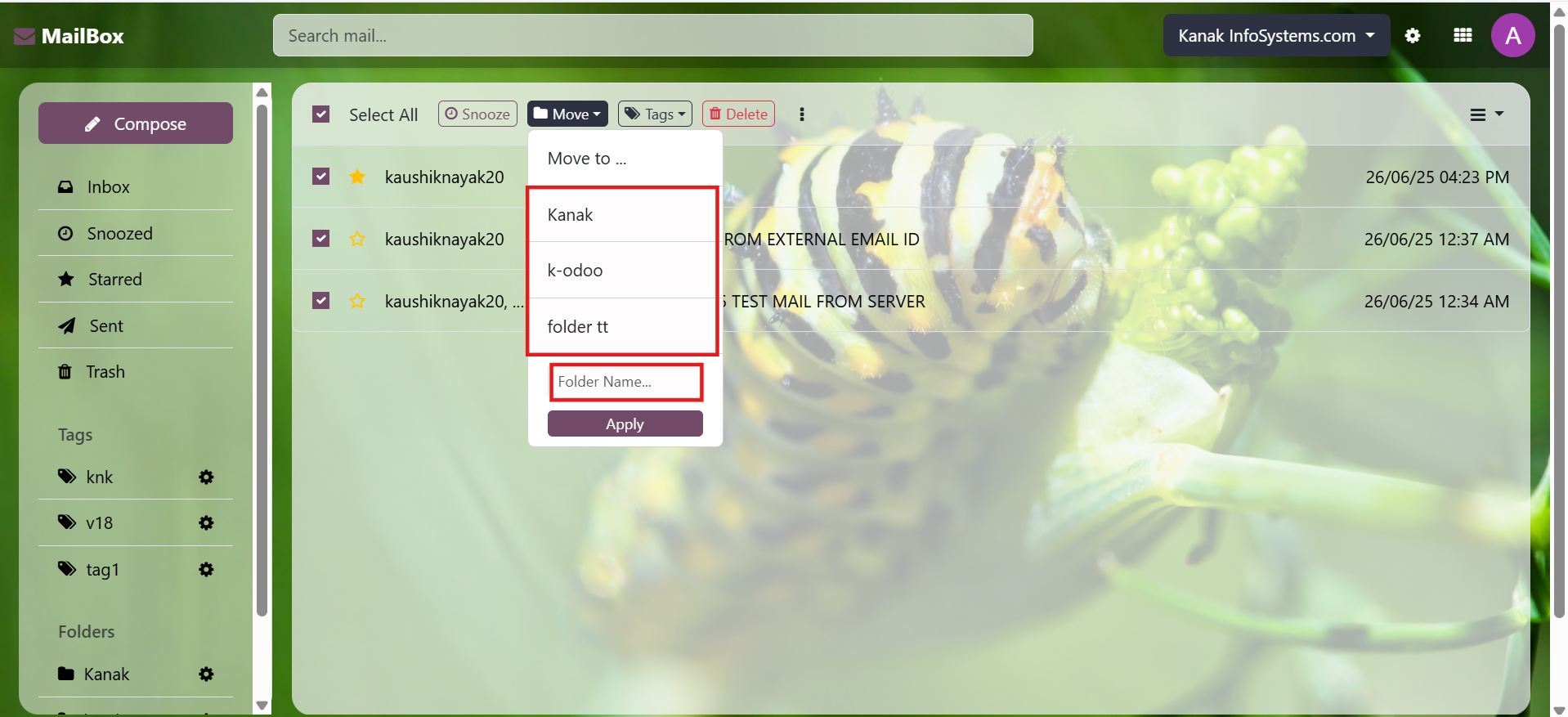
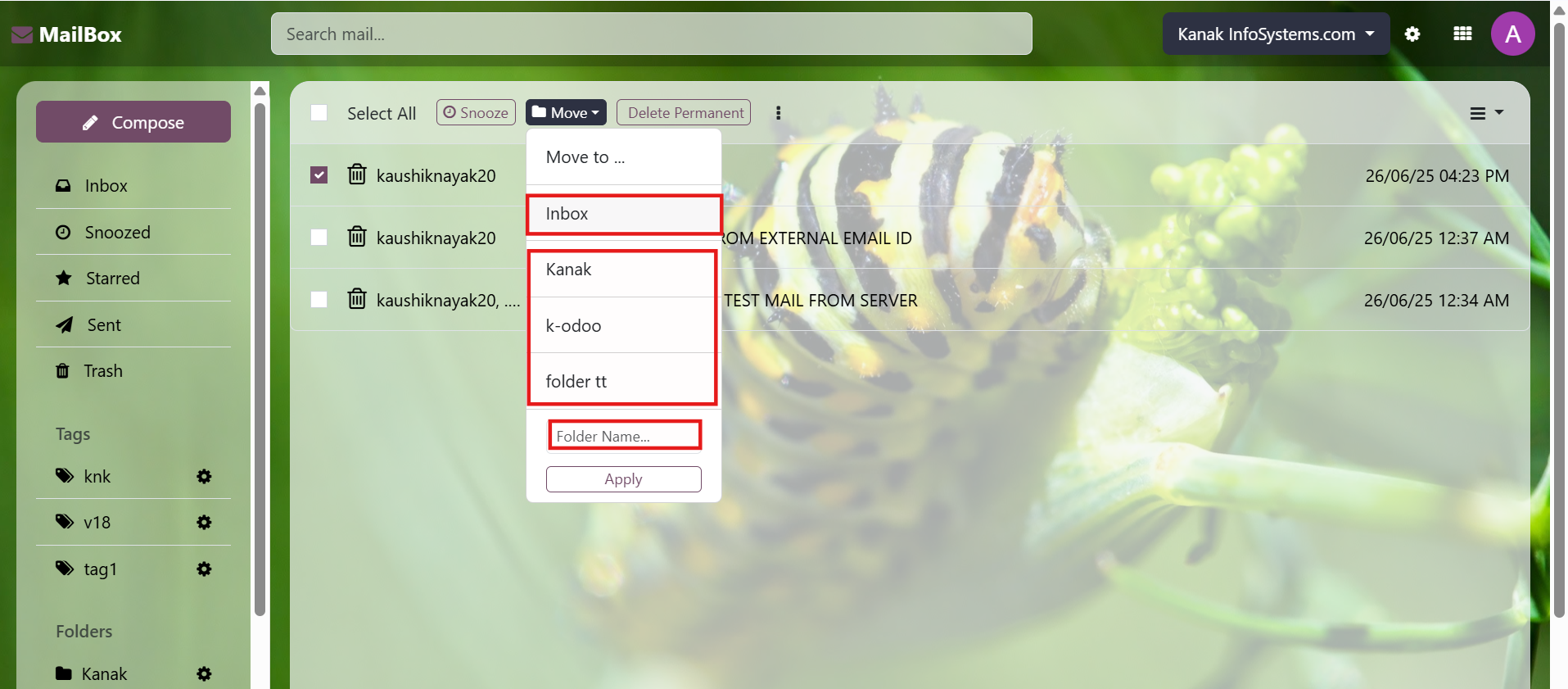
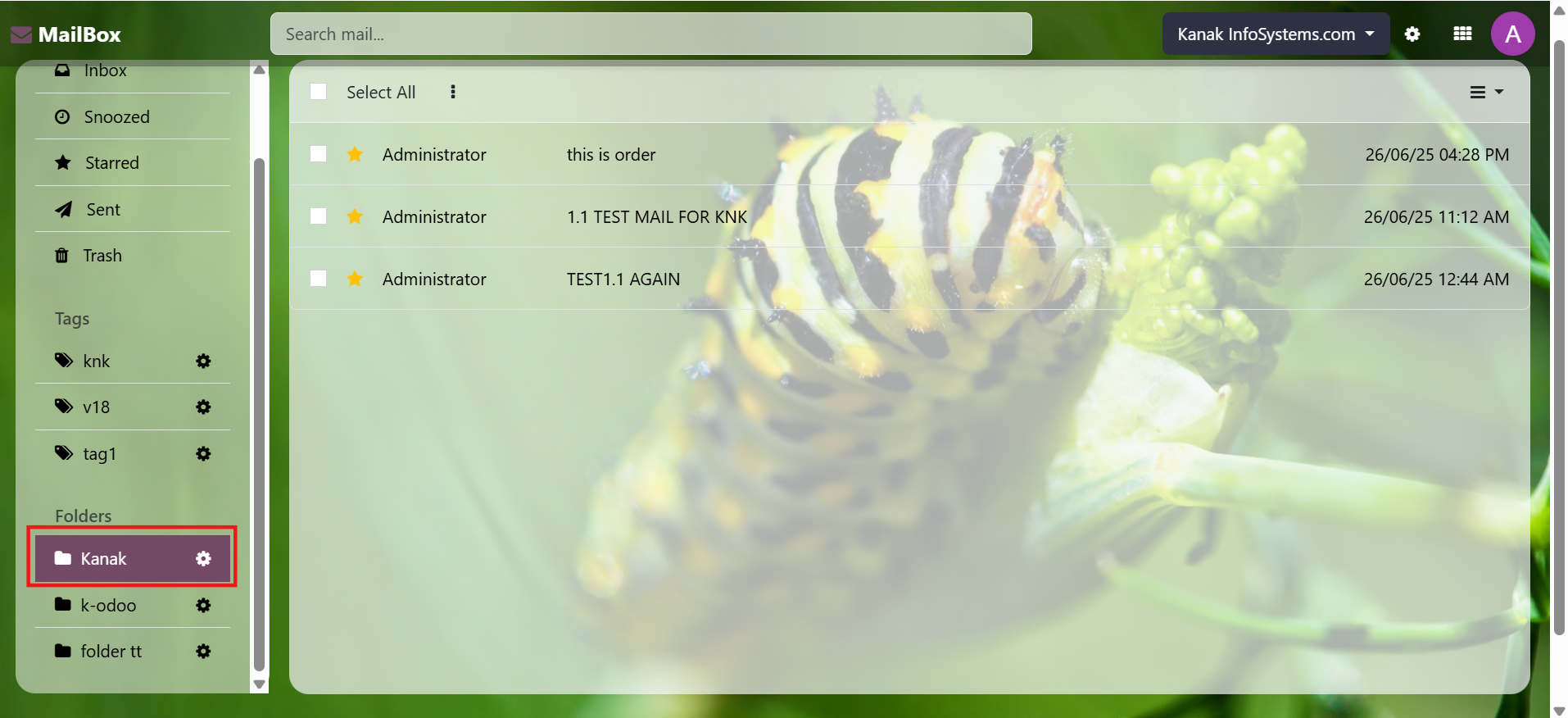
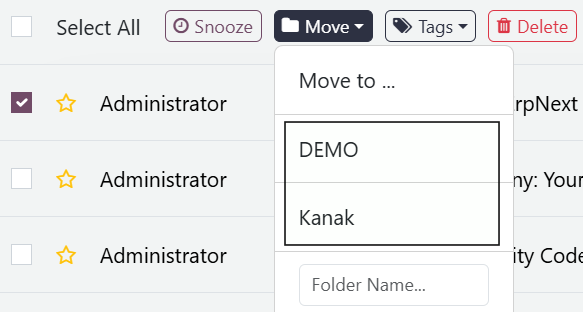
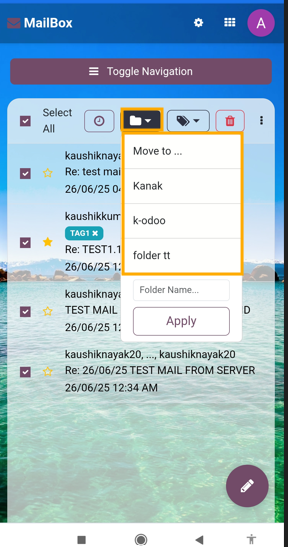
Move to Folder

Select emails and move them to a folder using the Move button.
Watch Demo Mailbox (Odoo Inbox) - 
        This module is used to send or receive mail through the recipient, user can do the following types of message-send message, inbox message, starred or unstarred message, etc.

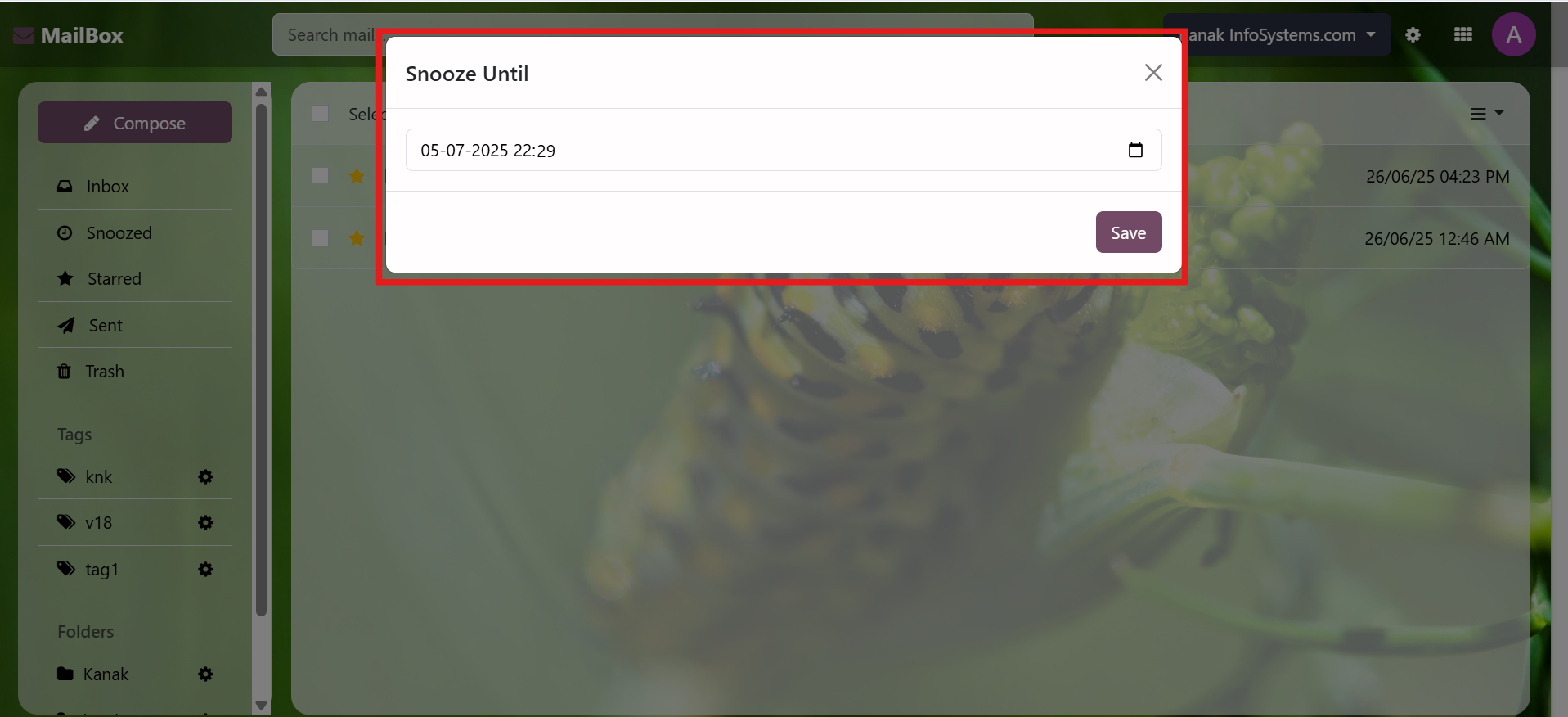
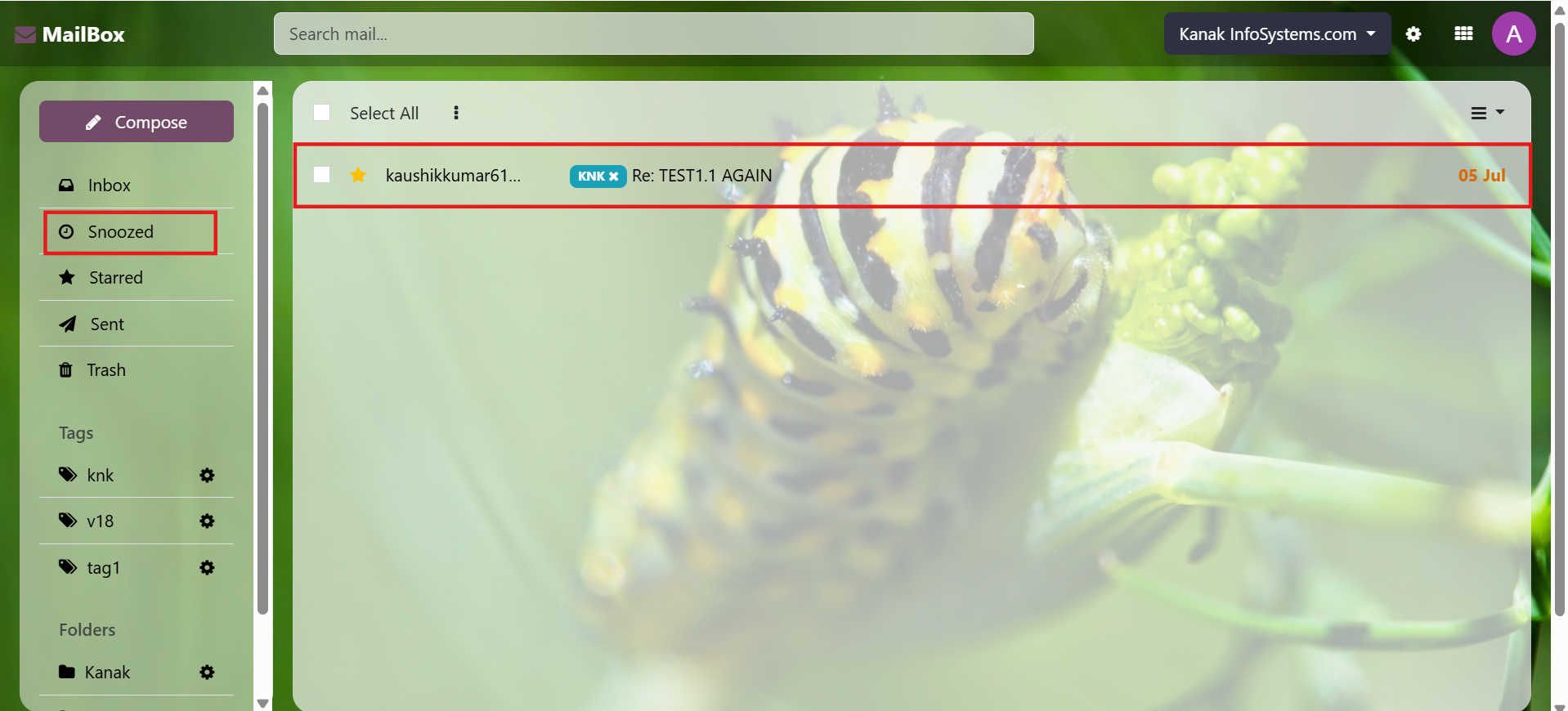
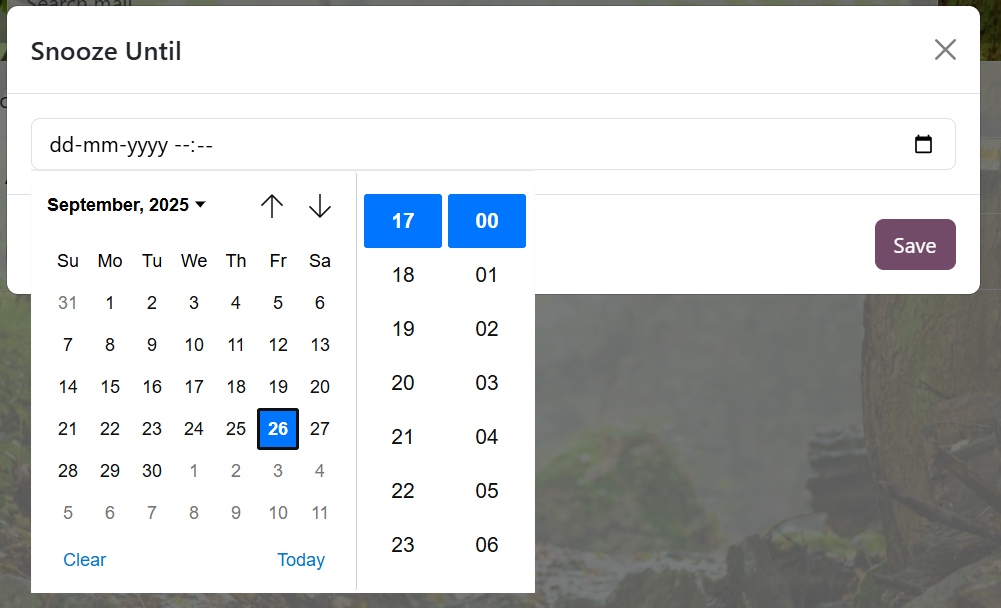
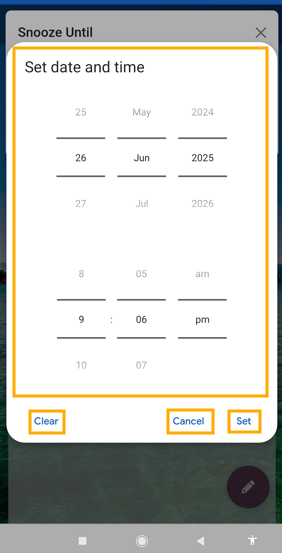
Snooze Email

Temporarily hide emails with the Snooze option.
Watch Demo Mailbox (Odoo Inbox) - 
        This module is used to send or receive mail through the recipient, user can do the following types of message-send message, inbox message, starred or unstarred message, etc.

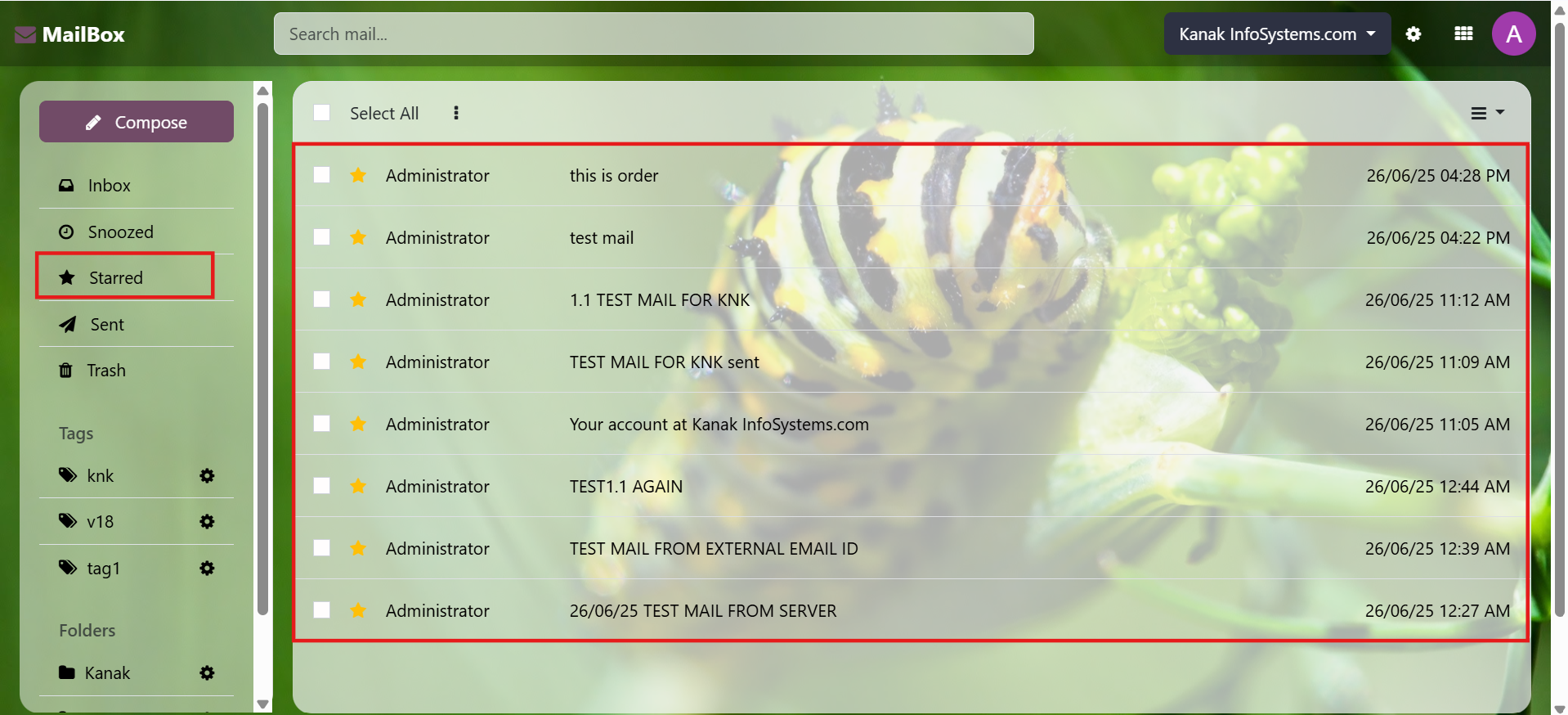
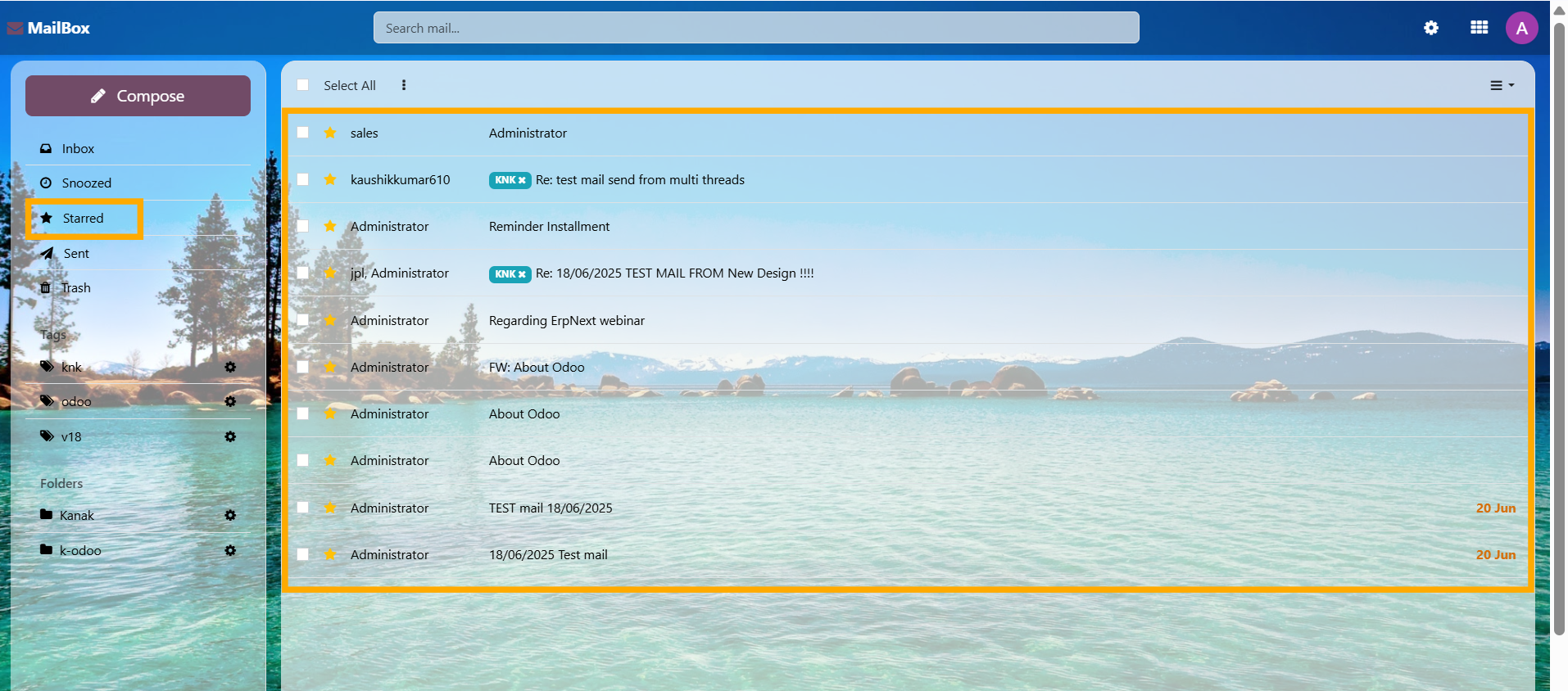
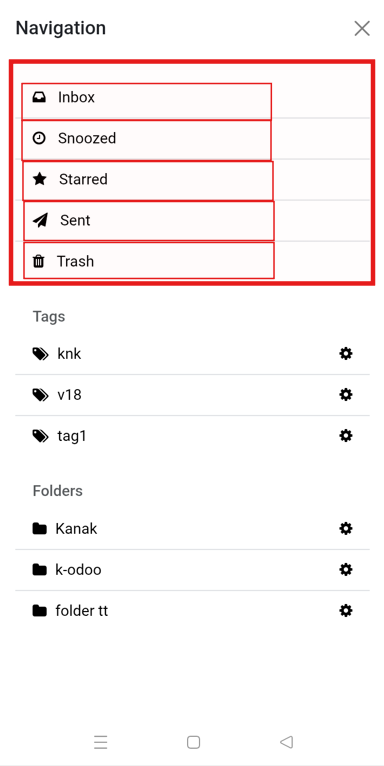
Starred Email Details

Access all starred messages in a dedicated view.
Watch Demo Mailbox (Odoo Inbox) - 
        This module is used to send or receive mail through the recipient, user can do the following types of message-send message, inbox message, starred or unstarred message, etc.

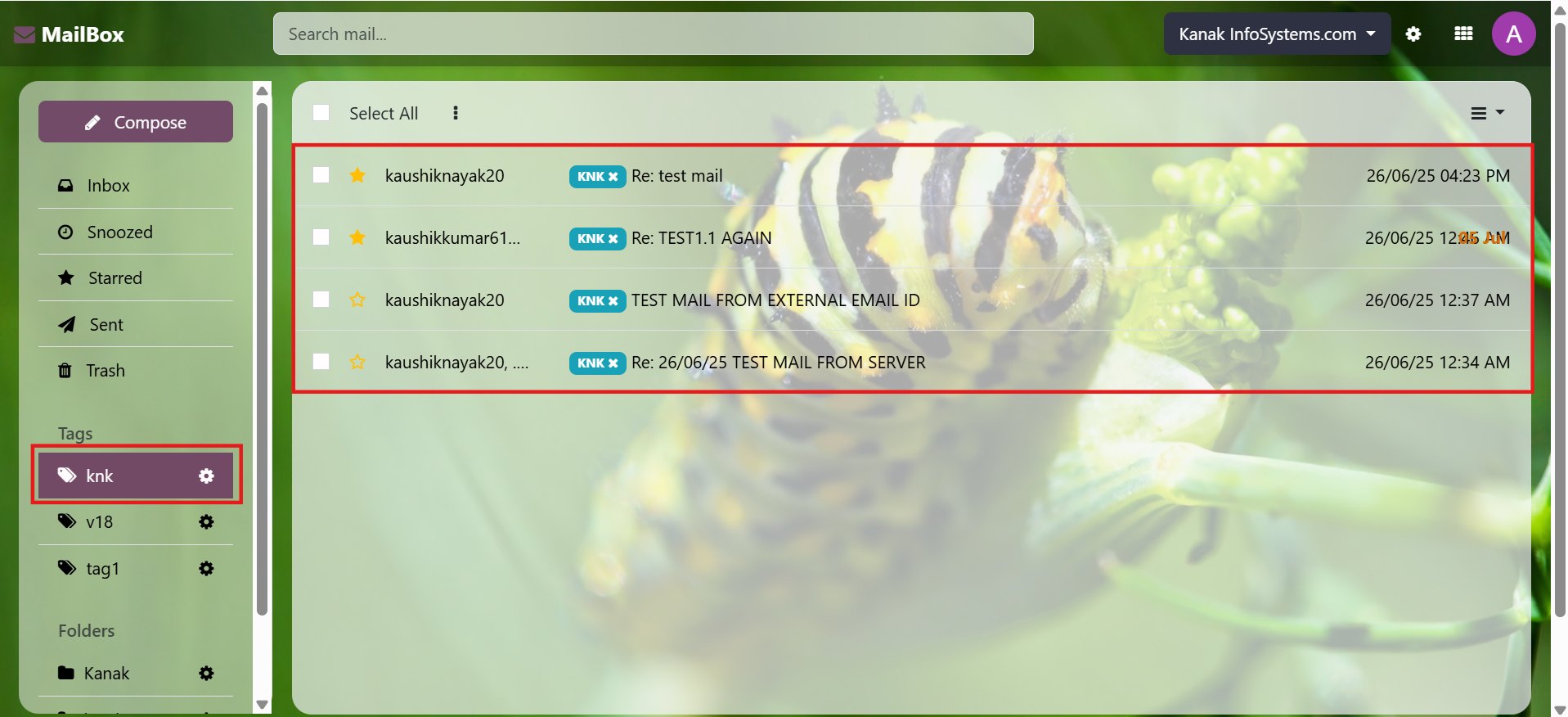
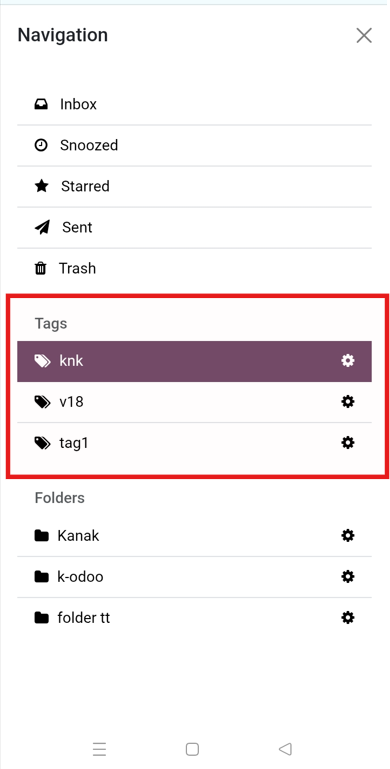
View Tagged Email Details

Display all tagged messages in a dedicated view by clicking the Tag button.
Watch Demo Mailbox (Odoo Inbox) - 
        This module is used to send or receive mail through the recipient, user can do the following types of message-send message, inbox message, starred or unstarred message, etc.

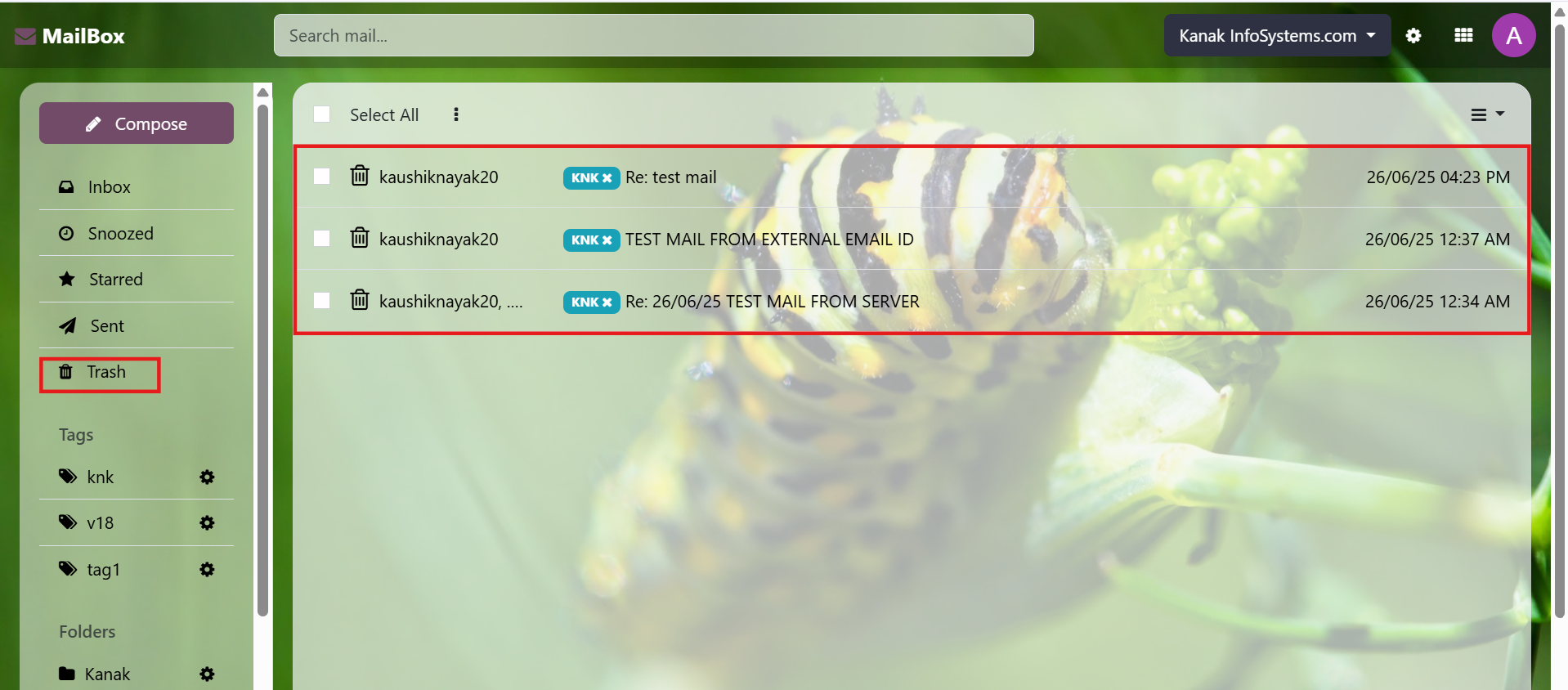
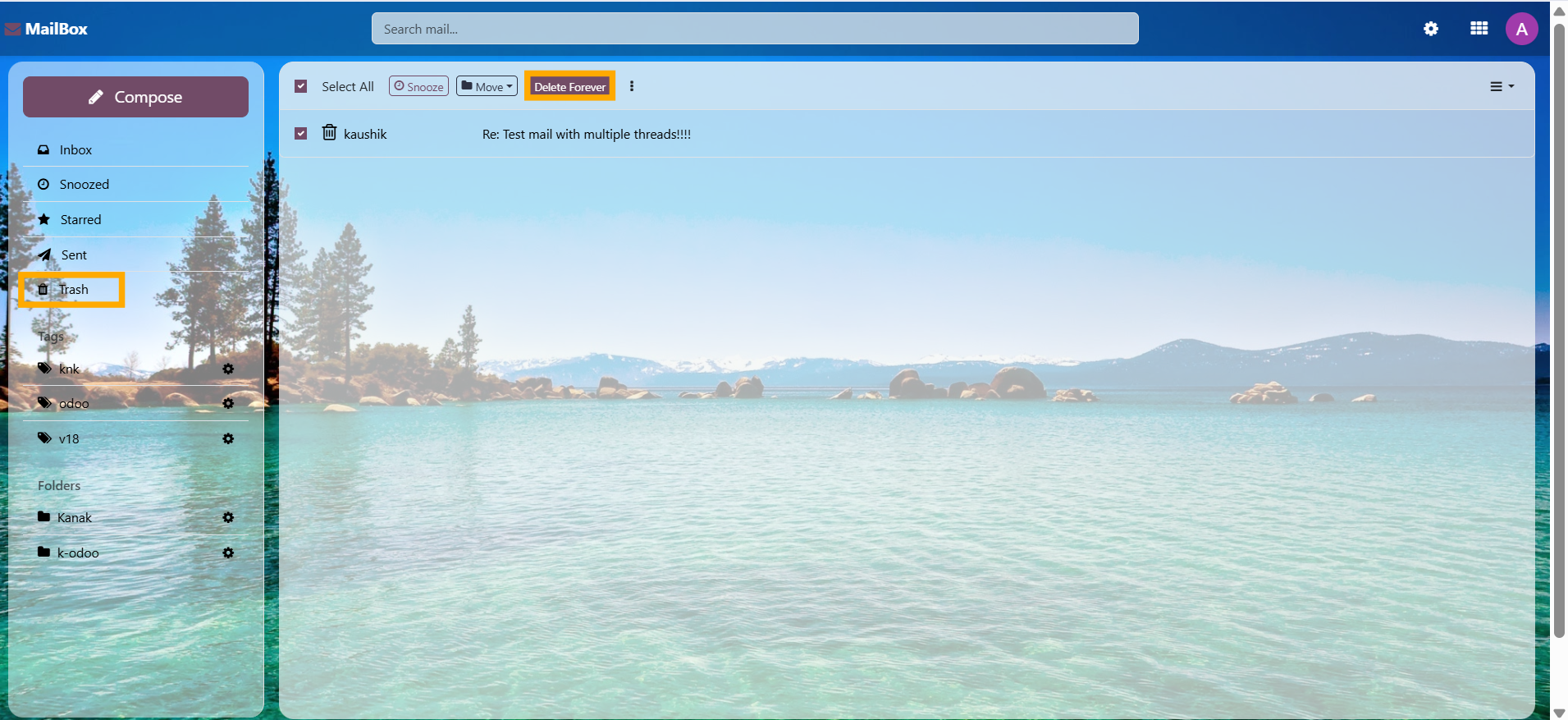
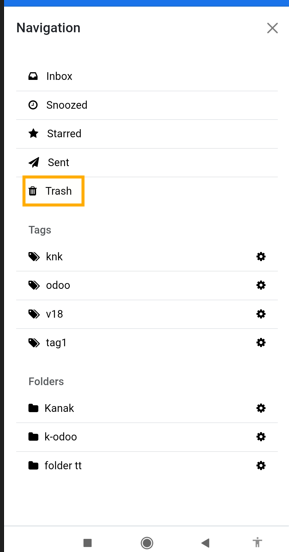
Details of Emails in Trash

View all deleted messages in a dedicated trash view by clicking the Trash button.
Watch Demo Mailbox (Odoo Inbox) - 
        This module is used to send or receive mail through the recipient, user can do the following types of message-send message, inbox message, starred or unstarred message, etc.
Mailbox (Odoo Inbox) - 
        This module is used to send or receive mail through the recipient, user can do the following types of message-send message, inbox message, starred or unstarred message, etc.
Mailbox (Odoo Inbox) - 
        This module is used to send or receive mail through the recipient, user can do the following types of message-send message, inbox message, starred or unstarred message, etc.

Explore All Features

Free 3 Months Support

Need help or any technical support?

Label Printing From Zebra Printer

Kanak Infosystem will provide free 3 months support for bug fixes, any doubts or queries, installation, configuration support or any types of issues related to this module.

Label Printing From Zebra Printer

At our company, we take pride in providing exceptional help and technical support to our valued customers.

Label Printing From Zebra Printer

Our team of dedicated experts is well-versed in the intricacies of the Odoo platform.

Label Printing From Zebra Printer
Version 18.0.1.1 (22thNov 2024)
  • Initial Release

v1.12 -November 05, 2022

  • [FIX]Fixed the tag issue.

v1.11 -September 02, 2022

  • [ADD]Mapping of email to inbox for sent items sent through gmail or other 3rd party email.
  • [ADD]Need to set the author id to be able to map the user and email without catchall for both incoming and outgoing.
  • [ADD]Removed website dependency.
  • [IMP]Miscellaneous issues fixed.

v1.10 -September 18, 2020

  • [ADD]Improved Speed Loading Inbox 4x faster then Before.
  • [IMP]Code Improved.

v1.9 -September 14, 2020

  • [ADD]Document Link on Messages.
  • [ADD]Compose Message Select Document and Records.
  • [ADD]Compose Message Selectd Documents Followers See.

v1.8 -September 7, 2020

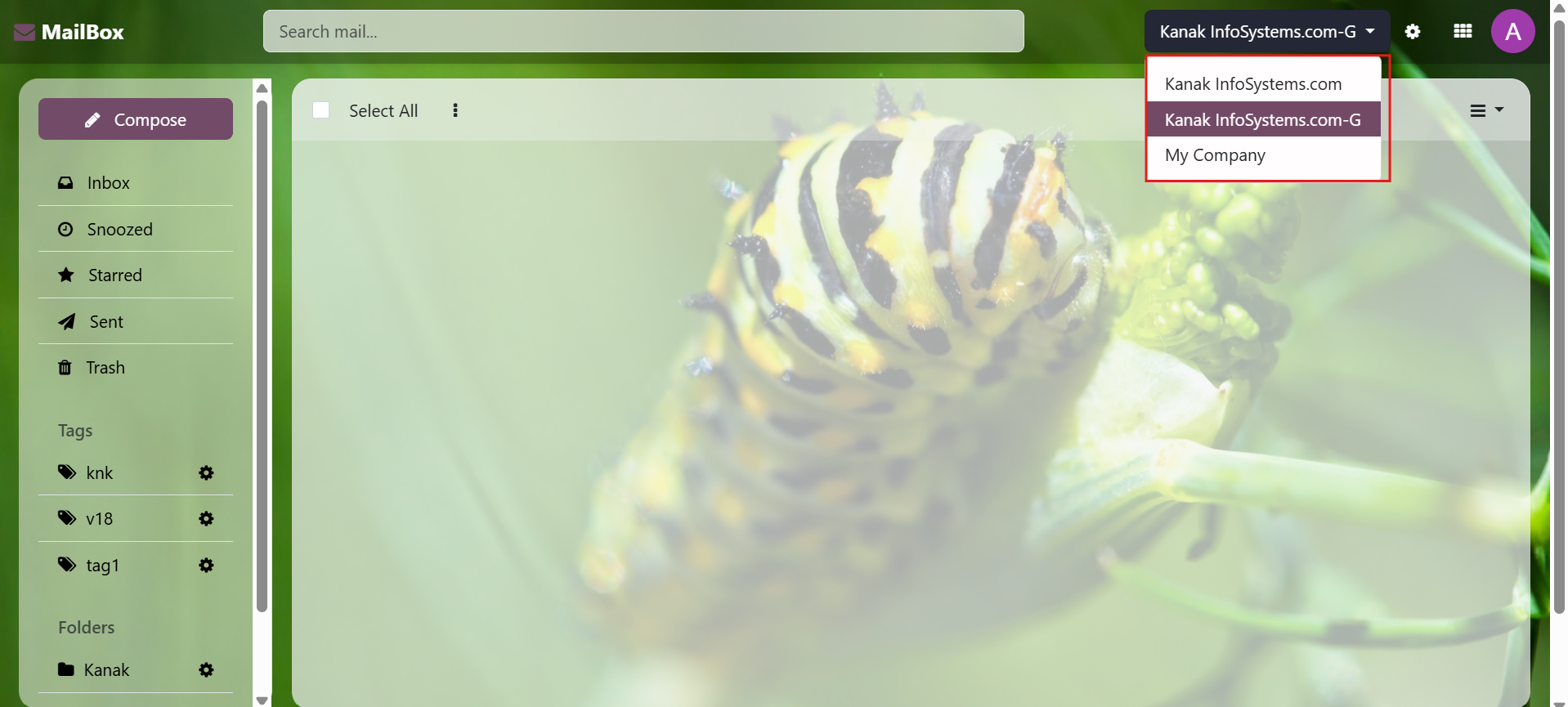
  • [ADD]Multi Company Support Now.

v1.7 -August 5, 2020

  • [FIX]When logged in and navigating on a frontend page, the accessible `ir.ui.menu` would be loaded in qcontext.

v1.6 -July 31, 2020

  • [FIX]When Click On Import Button throw the Error it was Fixed.
  • [IMP]Select2 JS Latest Library Updated.

v1.5 -July 27, 2020

  • [IMP]Performance Improvement.
  • [ADD]Tag User wise Different Create edit and delete.
  • [ADD]Folder User Wise Different Create edit and delete.
  • [FIX]Issue fixed Multiple Snooze not working.
  • [IMP]Summer-note JS Latest Version with emojie which used on Replay and Compose Message.
  • [FIX]Some CSS is Applied on Website so it was Only Apply one Odoo Inbox pages fixed.
  • [FIX]Pagination is not looks Good in so it was also fixed.
  • [IMP]When that Left top corner burger icon Click then small burger then not showing the Counting that was also showing the counting both small and full.
  • [IMP]Refactor code.

16.0.1.5 -August 17, 2023

  • [IMP]Define multiple emails in users backend.
  • [IMP]Show another/multiple email: Email defined in backend can be accessed from inbox and can read his email and can also reply from inside it.
  • [IMP]Go back to main user.

16.0.1.6 -September 19, 2023

  • [IMP]Add Dynamic Email Signature in new compose mail message. come from user Preferences in backend.

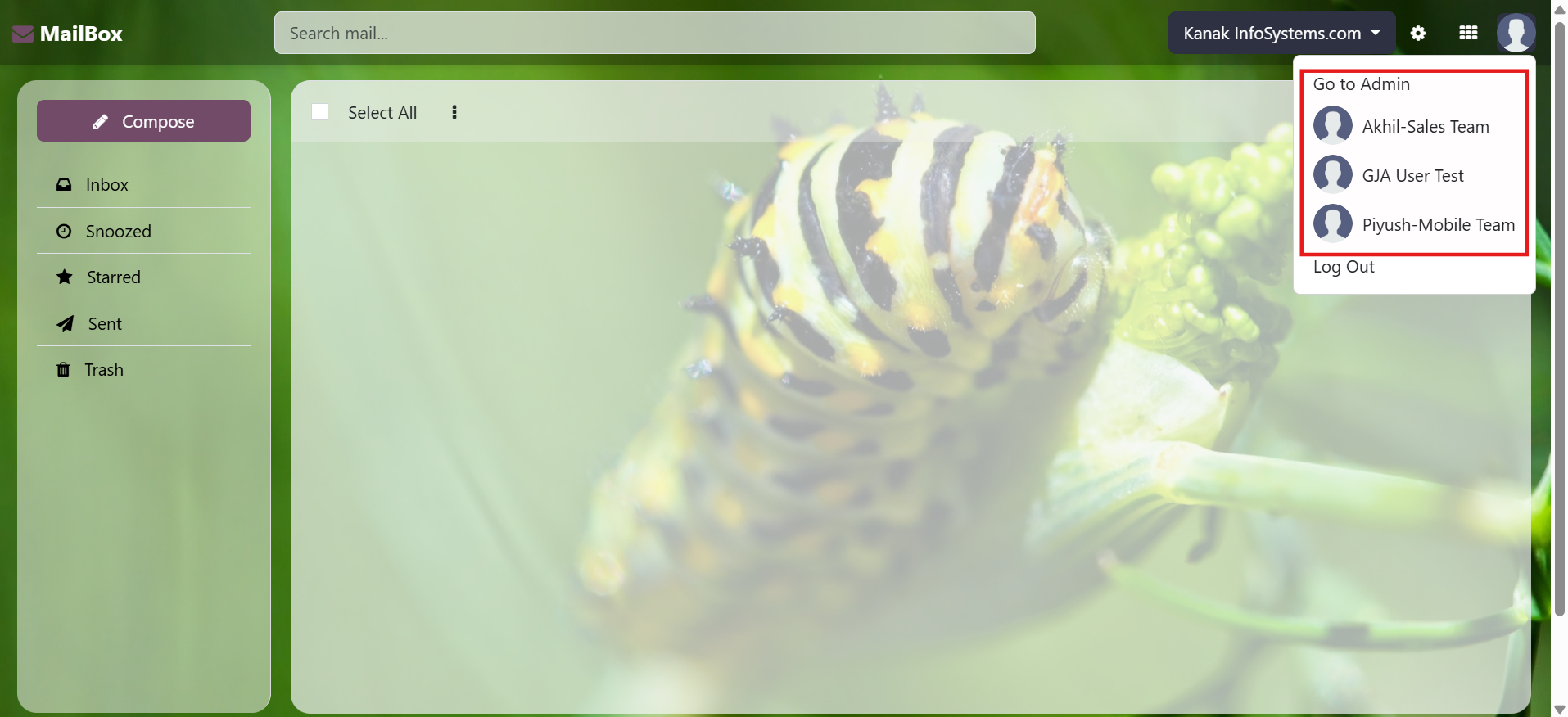
Yes, our app works with Odoo Enterprise as well as Community.

Yes, our app works with Windows or Ubuntu operating system.

No, install module and use this features.

No! You cannot resell or distribute this module. This module can only be used for your Odoo ERP System.

No! You cannot integrate any other mail box. This module can only be used for your Odoo ERP Messages.

Yes, you will use IMAP and POP mail server, and that mail server must be configured in outgoing and incoming mail server.

Yes, you have to set up mail aliases because without mail aliases, message routing will not work, so you must create mail aliases in Odoo.

Mailbox (Odoo Inbox) - 
        This module is used to send or receive mail through the recipient, user can do the following types of message-send message, inbox message, starred or unstarred message, etc.

Our Services

Mailbox (Odoo Inbox) - 
        This module is used to send or receive mail through the recipient, user can do the following types of message-send message, inbox message, starred or unstarred message, etc.

Hire Odoo Developer

Mailbox (Odoo Inbox) - 
        This module is used to send or receive mail through the recipient, user can do the following types of message-send message, inbox message, starred or unstarred message, etc.

Odoo Customization

Mailbox (Odoo Inbox) - 
        This module is used to send or receive mail through the recipient, user can do the following types of message-send message, inbox message, starred or unstarred message, etc.

Odoo Development

Mailbox (Odoo Inbox) - 
        This module is used to send or receive mail through the recipient, user can do the following types of message-send message, inbox message, starred or unstarred message, etc.

Odoo Installation

Mailbox (Odoo Inbox) - 
        This module is used to send or receive mail through the recipient, user can do the following types of message-send message, inbox message, starred or unstarred message, etc.

Odoo Integration

Mailbox (Odoo Inbox) - 
        This module is used to send or receive mail through the recipient, user can do the following types of message-send message, inbox message, starred or unstarred message, etc.

Odoo Resource

Mailbox (Odoo Inbox) - 
        This module is used to send or receive mail through the recipient, user can do the following types of message-send message, inbox message, starred or unstarred message, etc.

Odoo Themes

Mailbox (Odoo Inbox) - 
        This module is used to send or receive mail through the recipient, user can do the following types of message-send message, inbox message, starred or unstarred message, etc.

Odoo Training

Mailbox (Odoo Inbox) - 
        This module is used to send or receive mail through the recipient, user can do the following types of message-send message, inbox message, starred or unstarred message, etc.

Important Notice

All applications are developed within the default, up-to-date Odoo environment, and as such, we cannot guarantee flawless compatibility with third-party apps. While we strive to ensure smooth integration, any conflicts or issues that arise due to third-party applications will require additional support services, which can be provided at an extra cost. Kindly contact our support team for more information or to arrange paid support.

Kanak Infosystems LLP.

Reach out to us at our offices for any inquiries or collaboration.

Delhi Office

Unit no. 1017 & 1026, 11th Floor, Westend Mall,

Janak Puri, New Delhi,

Delhi, India - 110058

Gujarat Office

Unit no. 307, The Landmark, Urjanagar 1, Kudasan,

Gandhinagar, Gujarat, India - 382421

Kanak Infosystems LLP. Proprietary License v1.0

This software and associated files (the "Software") may only be used (executed,
modified, executed after modifications) if you have purchased a valid license
from the authors, typically via Odoo Apps, or if you have received a written
agreement from the authors of the Software (see the COPYRIGHT file).

You may develop Odoo modules that use the Software as a library (typically
by depending on it, importing it and using its resources), but without copying
any source code or material from the Software. You may distribute those
modules under the license of your choice, provided that this license is
compatible with the terms of the Kanak Infosystems LLP. Proprietary License (For example:
LGPL, MIT, or proprietary licenses similar to this one).

It is forbidden to publish, distribute, sublicense, or sell copies of the Software
or modified copies of the Software.

The above copyright notice and this permission notice must be included in all
copies or substantial portions of the Software.

THE SOFTWARE IS PROVIDED "AS IS", WITHOUT WARRANTY OF ANY KIND, EXPRESS OR
IMPLIED, INCLUDING BUT NOT LIMITED TO THE WARRANTIES OF MERCHANTABILITY,
FITNESS FOR A PARTICULAR PURPOSE AND NONINFRINGEMENT.
IN NO EVENT SHALL THE AUTHORS OR COPYRIGHT HOLDERS BE LIABLE FOR ANY CLAIM,
DAMAGES OR OTHER LIABILITY, WHETHER IN AN ACTION OF CONTRACT, TORT OR OTHERWISE,
ARISING FROM, OUT OF OR IN CONNECTION WITH THE SOFTWARE OR THE USE OR OTHER
DEALINGS IN THE SOFTWARE.

Comment on this module. Please Login