 +91 981-810-8884, 0114-214-3250
  GeoMarking - An Employee Attendance Tracking Application
GeoMarking- An Application To Track Employee Attendance
It doesn’t matter what size or industry your organization belongs to; having a proper attendance management system for your employees is your top priority. An attendance management system would help you record the working hours, time-offs, breaks, etc.
By replacing the paper-based or spreadsheet-based attendance management system, you will be able to save your time and human effort, and you would be able to eliminate long processes.
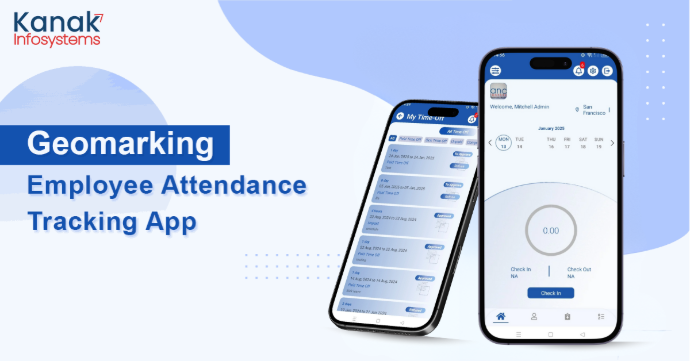
What is GeoMarking?
GeoMarking is a Location Based Employee Attendance Tracker app developed at the house of Kanak Infosystems. It is an app that will use your face recognition to register your Check-In and Check-Out.
By Geological, we mean that you will be able to register your Workplace’s location and set a desired radius using the longitude and latitude. Using this radius, the eligibility of being able to punch in and out for your employees would be determined.
In simple words, Anybody who will be in the radius will have the options of checking in and out, however, if you step out of that radius, the employee will no longer have the option to check in or out.
Check out the GeoMarking App on Google Play Store and Apple Play Store!


How is GeoMarking Safe?
GeoMarking uses Face Recognition for the Authentication. You have to register your face points for recognition.
It makes the app personalized for each and every user and helps in avoiding the cases of proxies which are easily done using the card punch-ins or on-paper attendance marking.
The fact that the user will have to register their selfie in order to check in or out makes it user specific and much safer.
Curious to see how GeoMarking can transform your employee attendance process? Request a FREE demo today and experience the future of attendance tracking!
What is so Distinctive about GeoMarking Employee Attendance App?
To explain how GeoMarking stands out, let us give you a list of features for you to pinpoint its uniqueness:
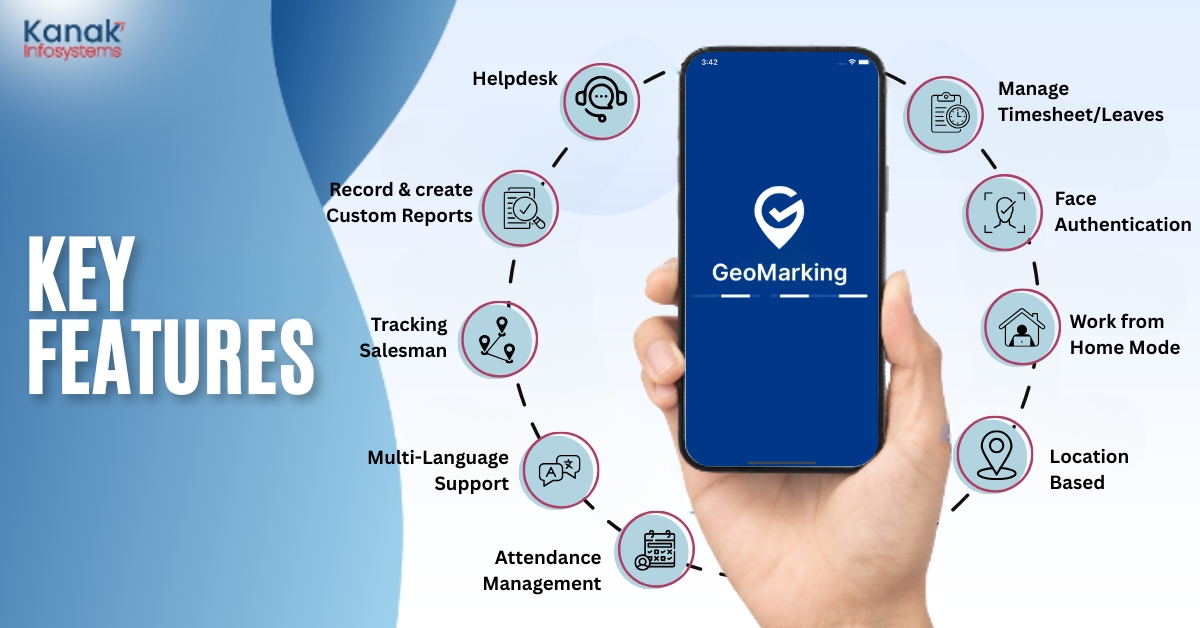
Quick Attendance & Monitoring
With GeoMarking, employees can mark their attendance with just a few clicks. These attendance records can also be viewed within the app using the filters like Today, Last Week and Last Month.
Face Authentication for Enhanced Security
With quick and secure face authentication, you can eliminate errors and prevent proxy attendance along with adding a personalized touch to the app.
Work from Home Mode
In the Work from Home mode, the location of the employee while checking in also gets saved.
Location-Based Tracking
Employees will be able to mark their attendance from the multiple assigned locations in the Work from Office mode only. Managers can assign the different locations to different employees from where they can mark the attendance.
Timesheet Management
You can utilize the filters to view the Project, Task Duration and Description for the Timesheet. Managers can also view the employee-wise report of the Timesheets.
Leave Management
Can’t keep track of leaves? Employees can apply for leaves via the GeoMarking app, and managers can approve or reject requests with just a simple click instantly.
Real-Time Push Notifications
Get instant push notifications for timesheets, leave applications, approvals, and many more to keep everyone informed and updated.
Effortless Custom Reporting
Looking to record and generate daily logs for employees? GeoMarking allows you to do the same with a few clicks! These logs can be easily downloaded as PDF reports.
Employee Profile
Employees will have a profile section to view their details such as Department, DOB, Employee ID, Location- however, these can only be edited by the HR Manager. The employees will have the ability to change the Profile Picture in their profiles.
Intuitive User Interface
A user-friendly interface with super-efficient experience, GeoMarking empowers employees and managers to navigate seamlessly.
Multi-Server Functionality
GeoMarking is built to support multiple servers, to further ensure scalability for organizations of all sizes.
Cross-Platform Compatibility
Android or iOS users, GeoMarking is flawlessly compatible with both.
What’s in the Drawer Menu of GeoMarking App?
Attendance Modification Requests
With this feature, employees can modify their attendance. This option will also give them a view of all their Modification Requests and Status.
The managers also can approve or reject such attendance modification requests from employees.
Help Desk at your Service
(a) Employees will be able to raise helpdesk tickets for the issues they may be facing.
(b) With push notifications, managers will get instantly notified. Managers will then be able to view the raised tickets by the employees and can further approve or refuse which can then be assigned to the concerned department.
(c) If a ticket is assigned, they will be able to see it in the assigned request. The assigned employee will then be able to fill the timesheet directly from the ticket itself. Any of the assigned Employee, Manager and Employee can comment on the tickets which will also trigger notifications.
Quick Payslips
The employees will be able to download the Payslips in the PDF documents based on the months- With just a few clicks!
Public Holiday
The employees can see the list of Public Holidays assigned to them by the company in their mobiles itself.
HRMS Features that you can’t miss of Geomarking Mobile App!
1) Available in latest version of Odoo
The GeoMarking App is now available for Odoo version 18.
2) Face Recognition/Biometric ( On/Off features)
The app is now available in four modes- two of them are pretty simple- you can either enable or disable the Facial Recognition/biometric feature. Along with that, it also offers Normal and Restricted mode based on the accuracy of the facial recognition. While the Normal facial recognition offers 70%-75% accuracy, Geomarking facial recognition offers 95%-100% accuracy.
3) User Can marked the attendance for both Location (single and multiple)
The revamped GeoMarking allows user to check in from Multiple Locations as well. So you don't have to stress if your employee is visiting a client location or a warehouse, they can check in from those respective places.
4) Location would be Saved in the System (Backend)
The locations from where the users are checking in will be saved in the backend. The Admin will now be able to come back to the backend system and refer to those location.
5) Multi-Language Support like English, Arabic, etc
The all new GeoMarking now supports multiple languages and even supports the R-to-L language format.
6) "Work from Home" (Optional Feature)
The Work From Home feature is now optional, it means that you can easily enable or disable this mode of Work.
7) Manager can track salesman's live location/tracking
The managers will now be able to track the live location of their salesmen within the app.
8) Salesman can see their optimized Route
Managers can optimize the route of their salesman, they can allocate the multiple location of the visits and plan the route in the app.
9) Seamless Leave Management
The applied leaves will be visible on the Calendar of the users.
10) Safe & Secure to use
The user can login from a single device which has been registered in the backend.
GeoMarking - All New Salesman App Functionality
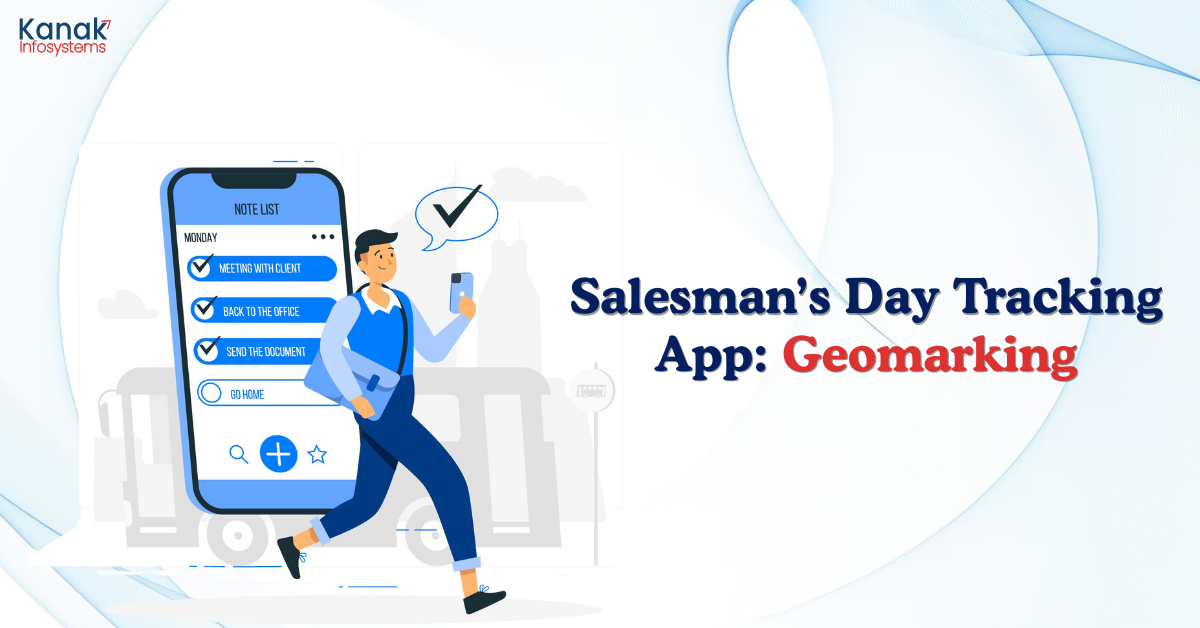
i) Quick Order Punch Ins
The salesman can create Sale Orders from the customer location itself using his GeoMarking App.
ii) Quotations & Invoice
The Sales rep will be able to view all the quotations in the app itself along with the option to download, edit or delete the invoices as well.
iii) Create Customer
The user can create a customer from the GeoMarking App itself.
iv) Share Location
Sales Rep can easily share their locations on whatsapp through GeoMarking to their Managers.
v) Optimized Route & Number of Visits
The Sales Executive will get to see the number of his visits in a Day, Week or Month using the GeoMarking App. Along with that, he also gets to see the optimized route for the visits as well.
Let us take you through the features present for the Managers in the GeoMarking SalesMan App:
i) Completed/Uncompleted Visits
The Manager will get to see the number of Completed as well as the Uncompleted Visit using the SalesMan Functionality of the Mobile App. The Uncompleted Visits will be marked in the red colour.
ii) Tracking Salesman
The Managers will be able to track the Sales men of their team. The manager gets to see the live location when the application is running mode.
Get ahead in mobile app development! Subscribe now for expert insights and updates.
Is GeoMarking Mobile App Reliable and a Good Investment?
GeoMarking can prove to be a very reliable app for you. It is based and developed on the Odoo Backend Framework. This will help you in further integrating your app with Modules like HR and Payroll offered by the Odoo ERP Software, which makes it a good and long term investment.
This will further smooth out your entire Employee Management System and will make the entire process efficient and hassle-free.
Another remarkable feature is that you can add unlimited users up till version 15 of Odoo. There wouldn’t be any hidden charges for the same.
This app is a good long-term investment which looks out for your future and your entire workflow process.
Are you curious? Do you wish to know more?
Do you find GeoMarking an apt choice for your business? Does it intrigue you? If the answer is yes, Book a Trial with us Now
Punch In to GeoMarking: Watch the video for an immersive overview of Our App
✅ Get the App now and experience seamless convenience at your fingertips! Download Today!
Frequently Asked Questions
How accurate is the GPS tracking?
The app provides more than 90% accuracy in GPS tracking with customizable geofencing features to ensure seamless location tracking.
Can the app be used for remote employees?
Yes, employees working remotely can also log their locations and work hours efficiently with GeoMarking.
Does the app integrate with payroll systems?
Yes, the app can be seamlessly integrated with Payroll systems to automate calculations.
What is the process of the GeoMarking mobile app?
GeoMarking works in the following process: Within the radius > Fingerprint and face authentication > Punch-In and Punch-Out > Manage your timesheets > Manage your time-off and leave requests > Download custom reports from your dashboard.
How does the GeoMarking attendance app work?
Using biometrics, you can implement two-factor authentication to accurately identify employees and eliminate buddy clocking. GeoMarking attendance app is an app that automatically logs employee timestamps directly to a database, reducing manual data entry costs and payroll processing.
How do you maintain daily attendance records?
Finger-print authentication is the first step to effective attendance management. It helps the user to run their business efficiently and reduce unscheduled absenteeism. The policy should be outlined to request time-off and the consequences of not following attendance procedures.
Why do we need an attendance app?
Manually recording the attendance has a high chance of human error, it becomes a long and time-consuming process. The online attendance app is much faster and more accurate than manual attendance, thus it saves time for both admin and employees and reduces the chances of errors.
Your email address will not be published.

|
kytehrseo - 20 Mar 2024 A daily attendance app is a digital solution designed to simplify the process of tracking employee attendance on a daily basis. With features tailored to meet the needs of modern workplaces, these apps offer a range of benefits that traditional methods simply cannot match. From real-time tracking to automated reporting, here's a closer look at how a daily attendance app can transform the way businesses manage their workforce. |
