 +91 981-810-8884, 0114-214-3250
  How To Configure Advance Salary Rules In Odoo
How To Configure Advance Salary Rules In Odoo
Odoo is one of the most reliable open-source ERP management software used by small, medium, and big businesses all over the world. Recently, the no of active users in Odoo has reached 5+ million. The reason for this great success is the versatility it provides to its users in terms of their business requirements.
One such great feature of Odoo is its HR Management feature. Odoo provides almost all the HR features like employee management, employee contract management, Leaves management, Managing Employee Attendance, and Timesheets. Odoo also provides the privilege of managing Payroll for Employees easily.
Also Read: Odoo Review- Features, Pros, and Cons of the ERP Platform
Payroll refers to the total amount of wages a company pays to its employees. For proper payroll management, you need to maintain all the records of employees, such as Worktime, overtime, attendance, incentives, etc. Payroll management is very important for financial management and legislation compliance.
In Odoo, the HR Payroll module is used to deal with all the Payroll Management work and make sure that the employees are getting paid correctly. For generating payslips in Odoo, we need to configure contracts for each and every employee. Contracts help in the seamless management of payroll.
For generating payslips in Odoo, an active contract should be present for the employees. This contract, along with the salary structure, helps in generating the final payslip for the employees.
The salaries paid to employees contain many components, such as basic salary, allowance, overtime, deductions, etc. Salary structure is the detail of the salary being offered to the employee, in terms of the breakup of the different components constituting the compensation. After the payslip is generated, the journal entry is created automatically in Accounting.
Subscribe our Newsletter for Odoo tips, technical insights, and more!
In this blog, we'll see how we can configure salary structures, and rules and then use them to generate payslips in Odoo. So, let us start.
1. First, We will create Categories for Salary Rules.
Before Creating Salary rules, we have to create some different Categories, these categories will define the types of payments in Payslip. At the time of the creation of the Salary rule, we are going to set categories to summarize the rules. Some of the common categories used are Basic, Allowance, Gross, Deduction, and Net.
A unique code is present in each category which will help in calculating Gross and Net amounts.
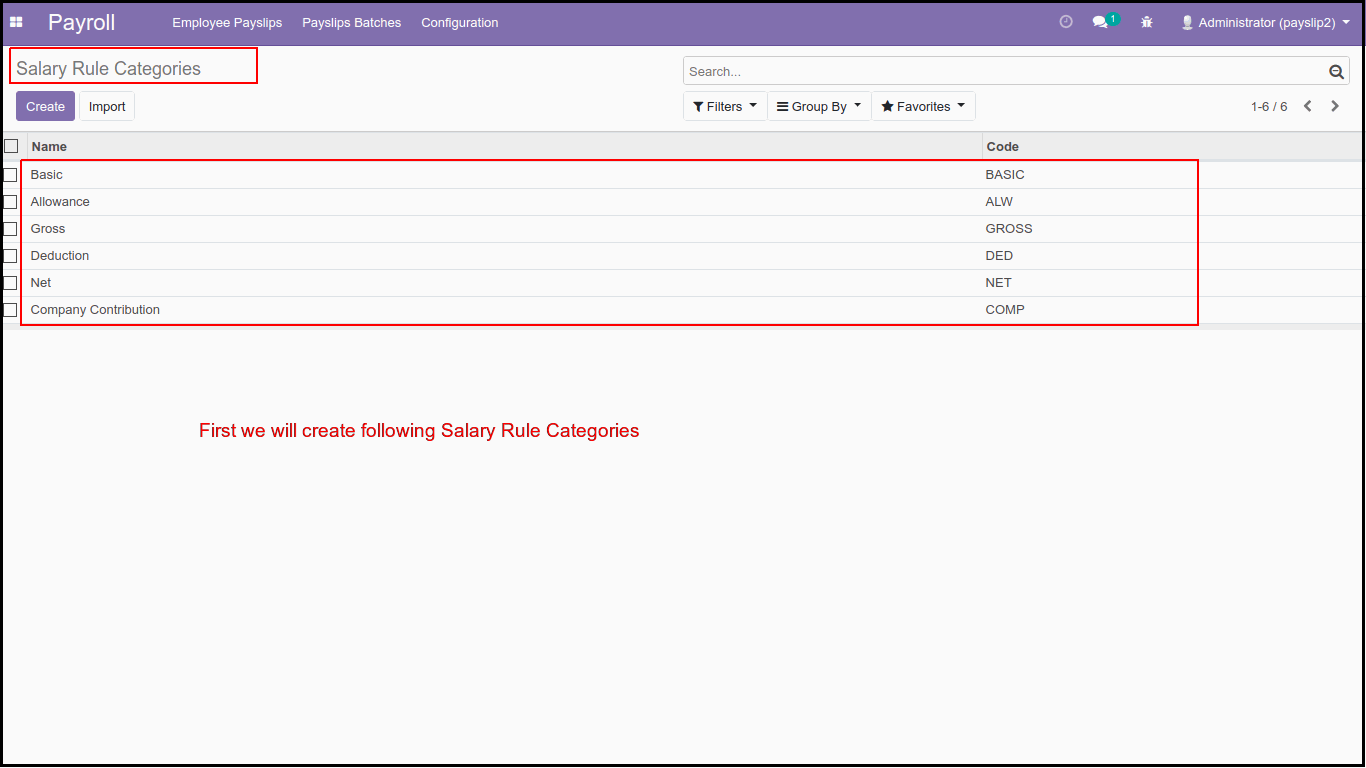
2. Now, we'll navigate to Payroll > Configuration > Salary Rule Categories. Here, we'll start by creating the following categories.
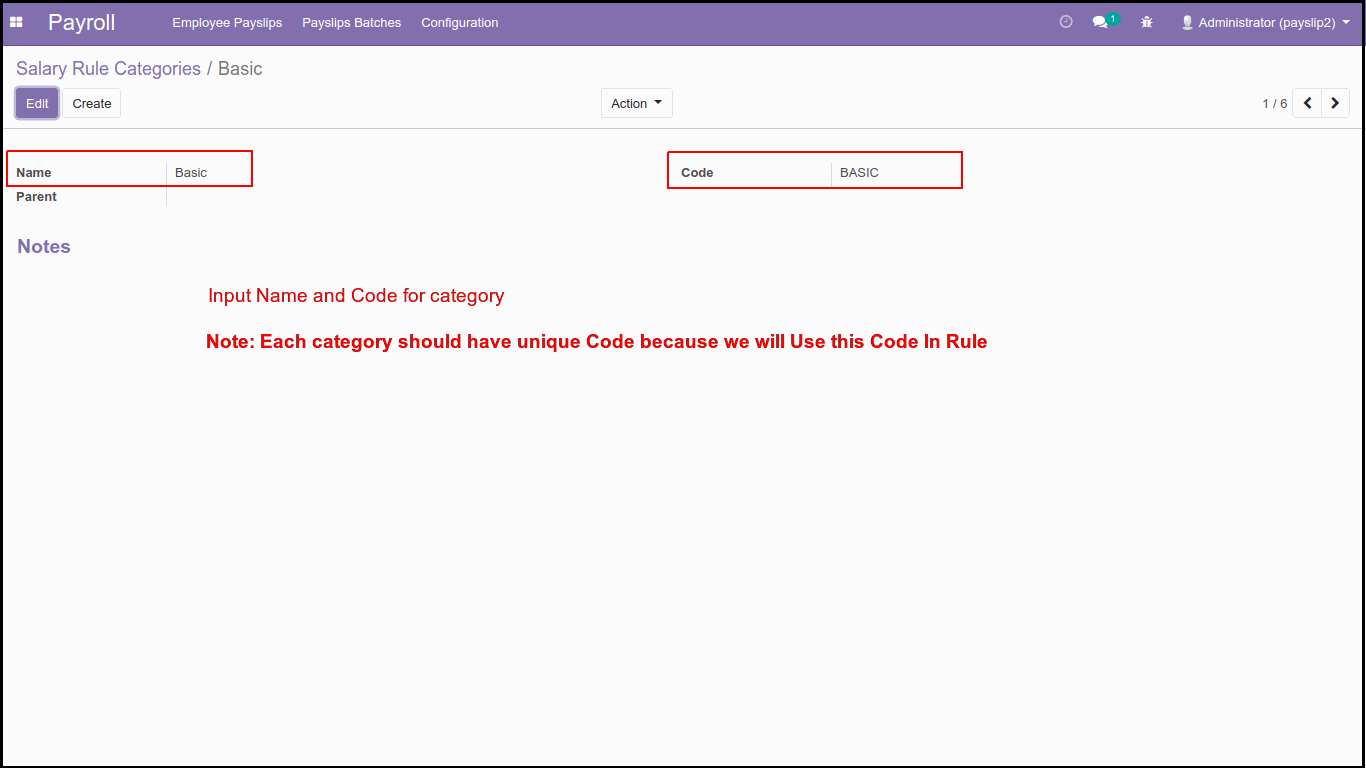
2.1 Basic Category: First, we will create Basic Category, mostly we use this category to compute the basic amount for salary, in Odoo, we can get the basic salary of an employee from his/her contract.
To create categories, we have to key in Name, Code, and Parent, here, if we want to do a Hierarchy of categories, then we have to set the Parent category in the Parent field this way we can create a Hierarchy of categories.
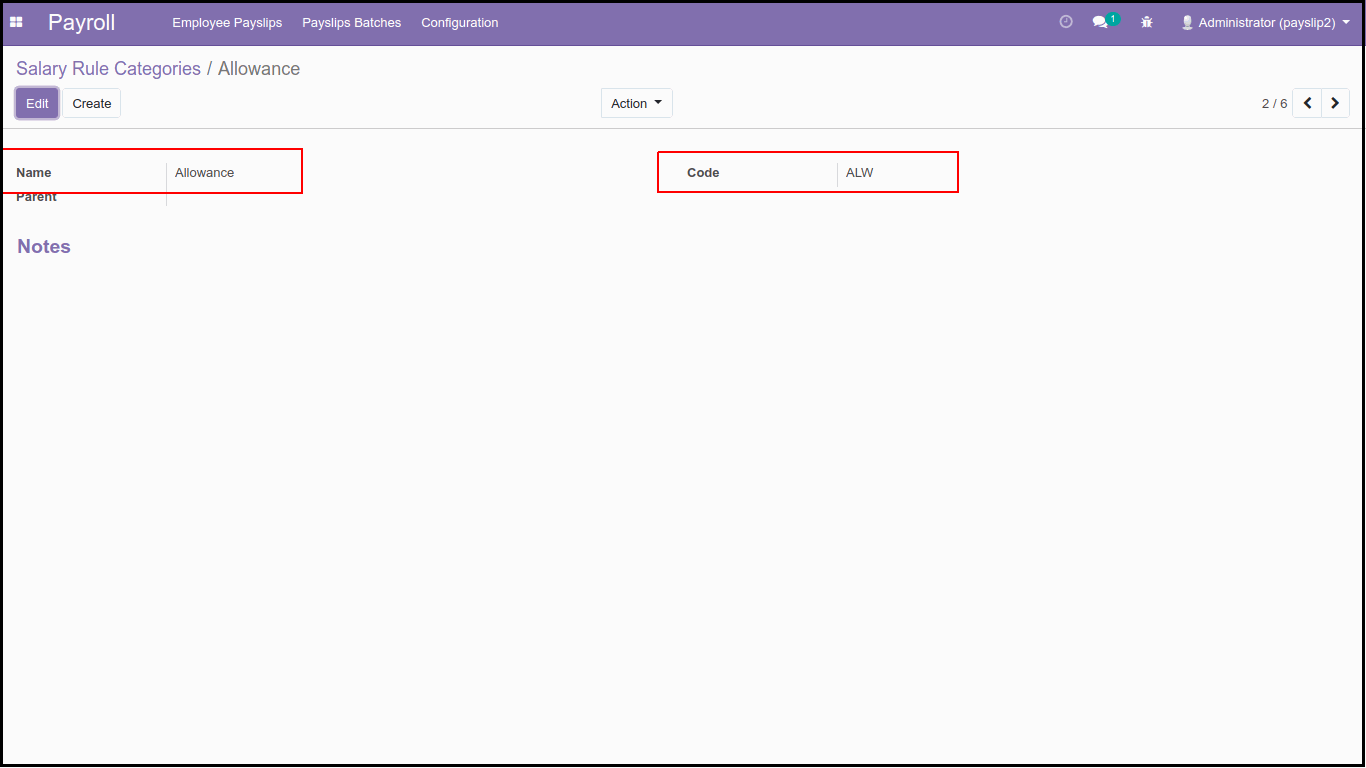
2.2 Allowance Category: Now, we'll create the 2nd category for allowance, almost all companies provide different kinds of allowance to their employee like HRA, CA, Medical, Meal Vouchers etc. So, to summarize all the allowances, we will create the allowance category. We will use the ALW code to calculate the Gross and Net amount.
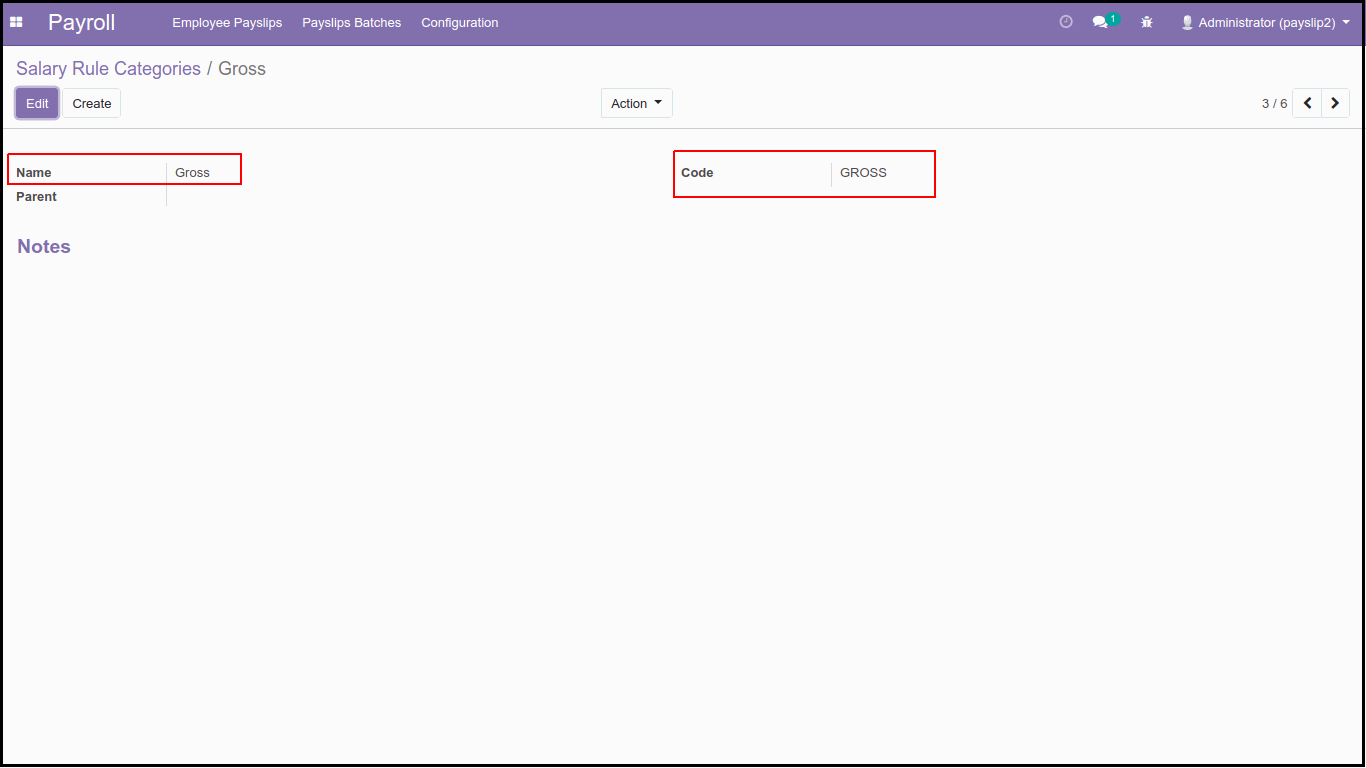
2.3 Gross Category: We create the 3rd category as Gross Category normally, we use this category for Gross rule, which is to calculate Gross Amount with Basic and Allowance.
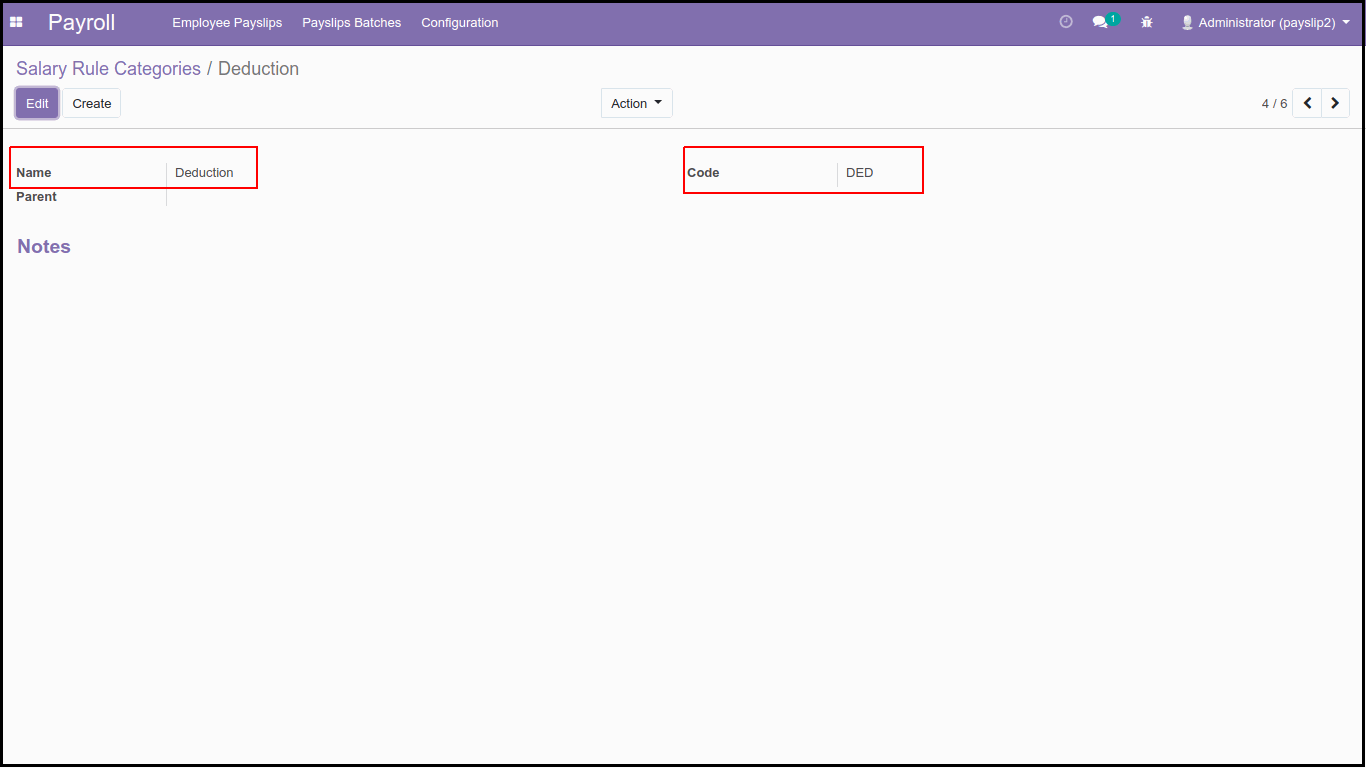
2.4 Deduction Category: The Fourth category will be the deduction category to summaries Deduction Rules Like Provident Fund, Professional Tax, and any other Deduction. We will DED code to Compute Net Salary.
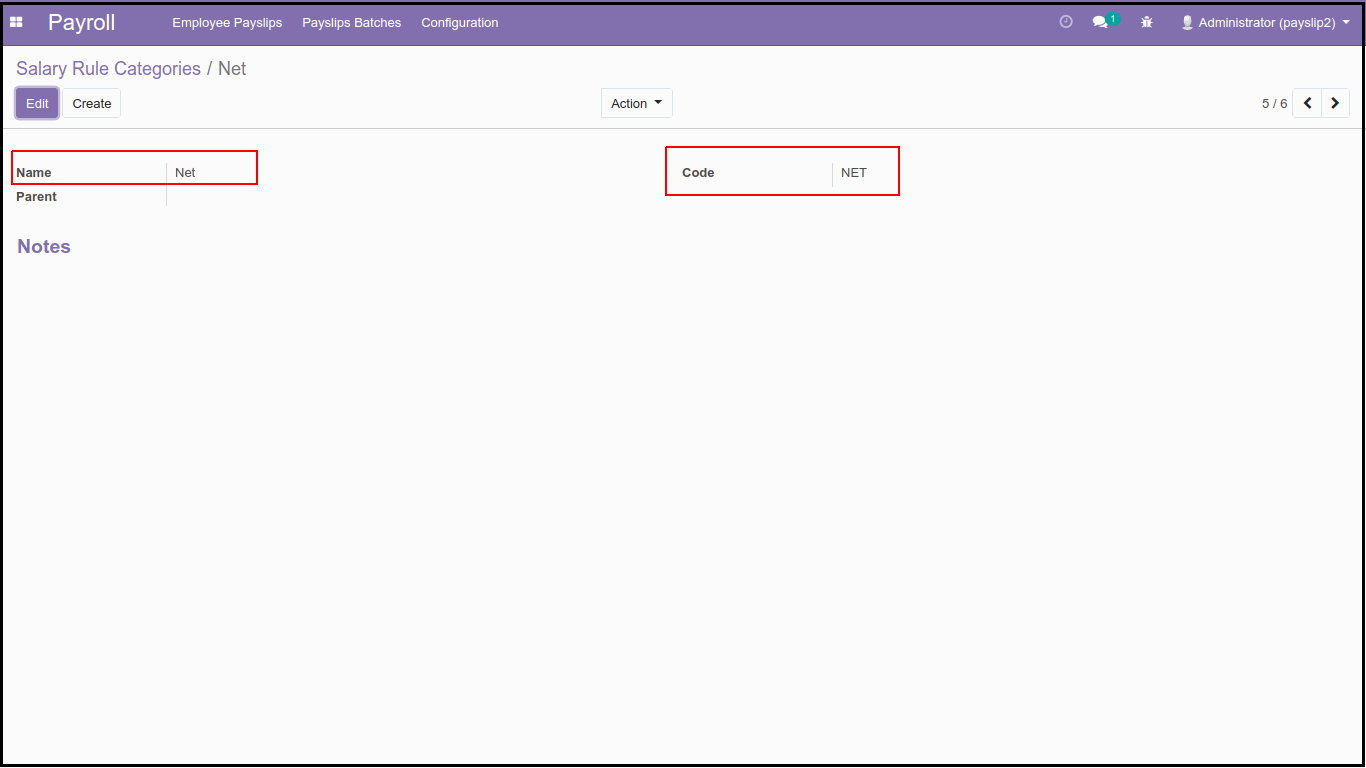
2.5 Net Category: We create the Fifth Net category to summaries Net Rules, which calculate the Net Salary of employees.
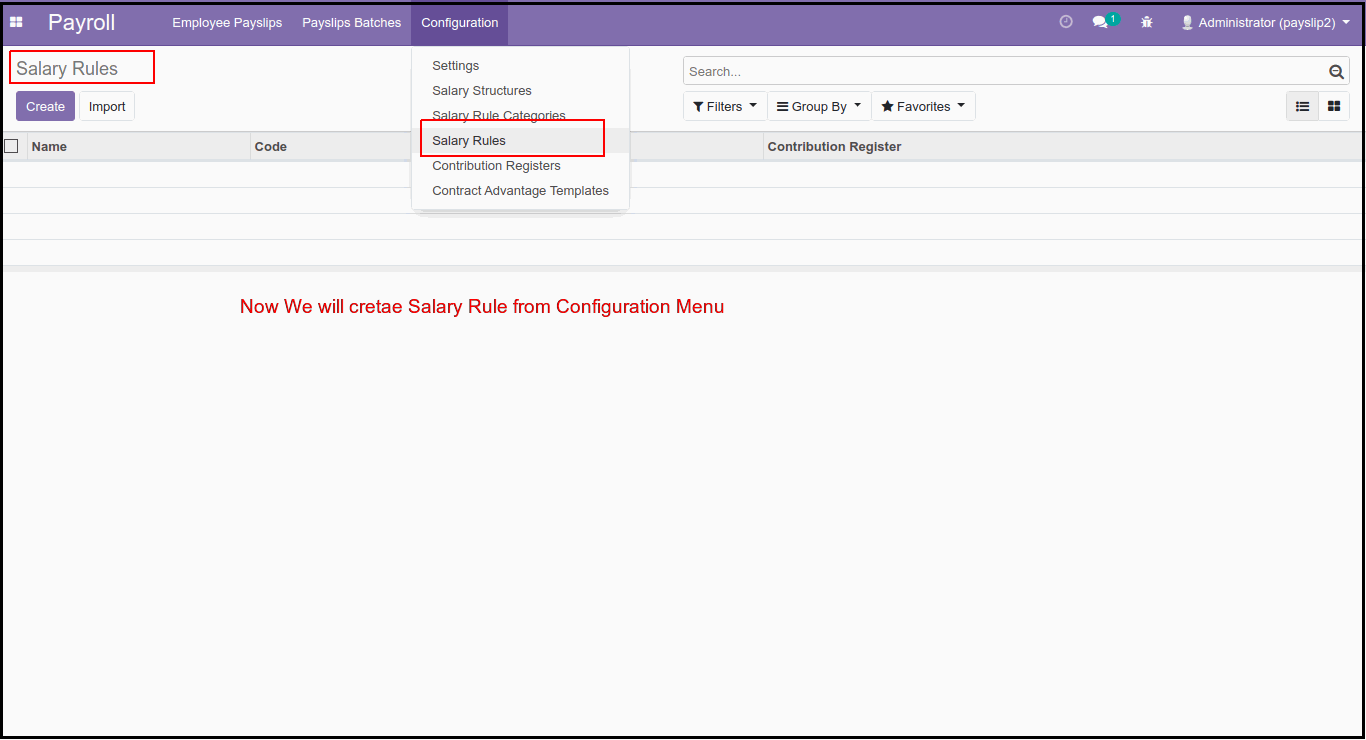
3. Now, We will create Salary Rules from the Config Menu of HR Payroll Apps.
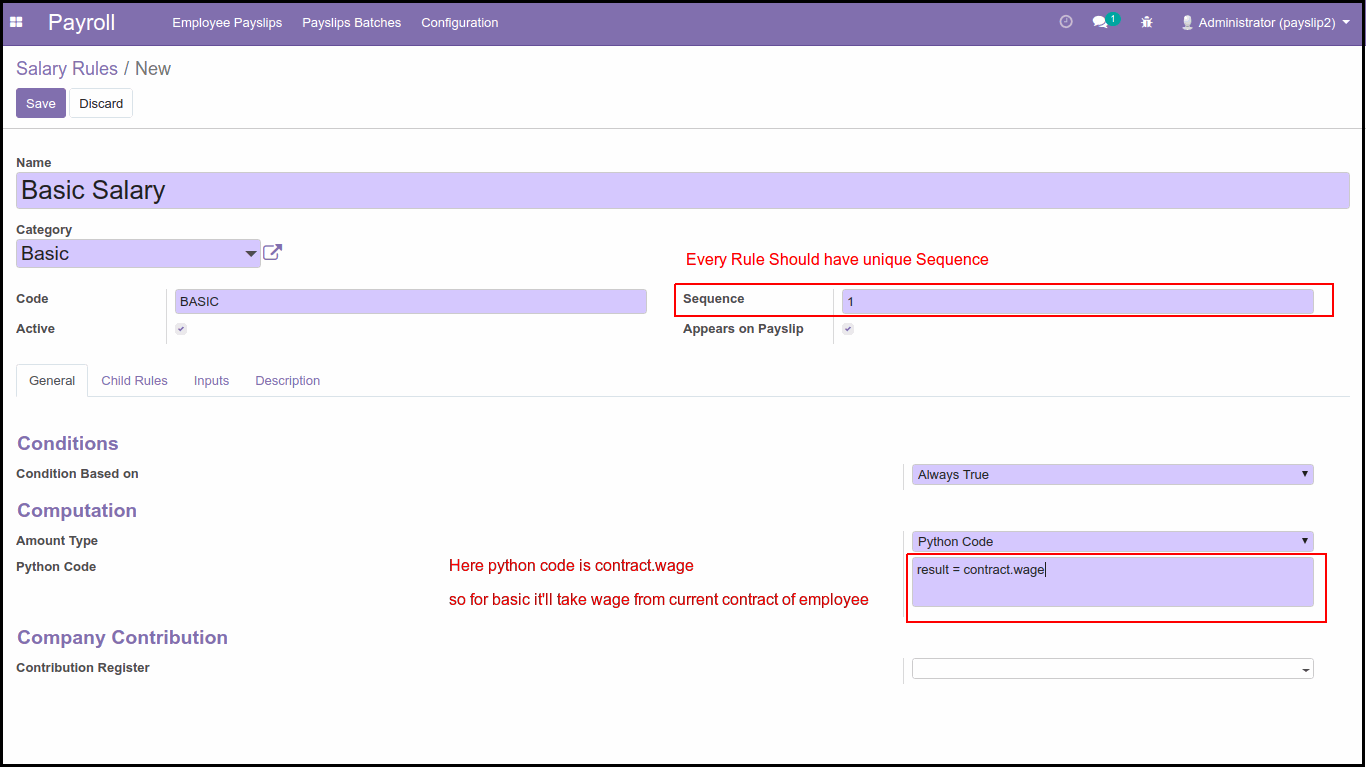
First, we will create a basic rule: This Rule calculates the basic amount for the Payslip, normally, we are getting the basic amount from the employee's Contract there, we define the Basic wage of the employee.
To create a Rule, we must key in Name of the rule, Category, Code, Sequence, and Set Active. For each rule, we have to set a Unique sequence because, in Salary Structure, it'll represent by sequence and calculate the amount.
Normally to Compute the amount, we have 3 options:
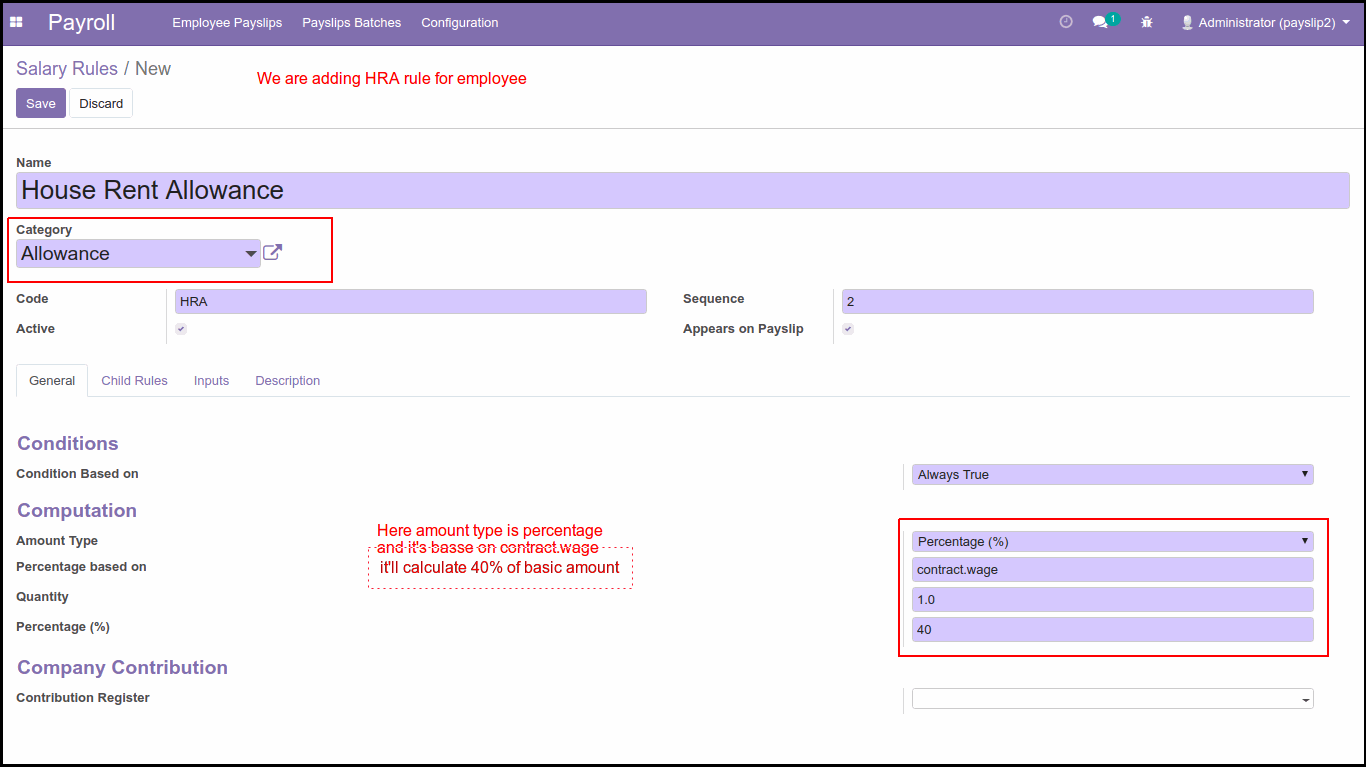
1. Percentage: If we select the percentage amount type, then it'll calculate the amount based on the percentage we set, for this we have to set Percentage based on here, we can set python code like a contract, wage, or workdays etc.., so if we set Percentage base on Contract Wage 10000 and we set percentage 10 then it'll calculate 1000 amount.
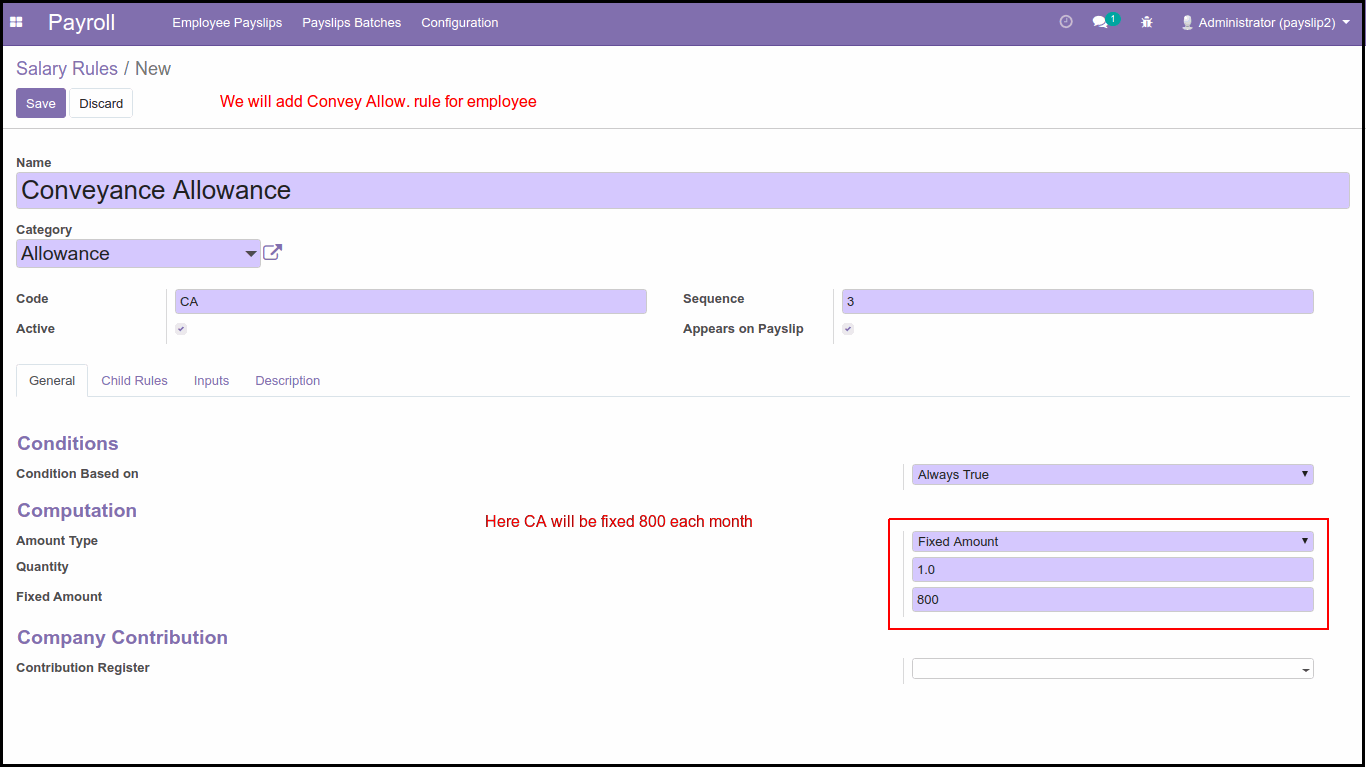
2. Fixed Amount: If we want to set a fixed amount, then we can use this type, normally for medical allowance or some other allowance we can use this type.
3. Python Code: The Third type is python code; here we can write python code based on available python attributes like Payslip, Employee, Contract, Worked days, and Inputs. using this attribute, we calculate the result for ex: to calculate Basic, we use this formula: result = contract.wage
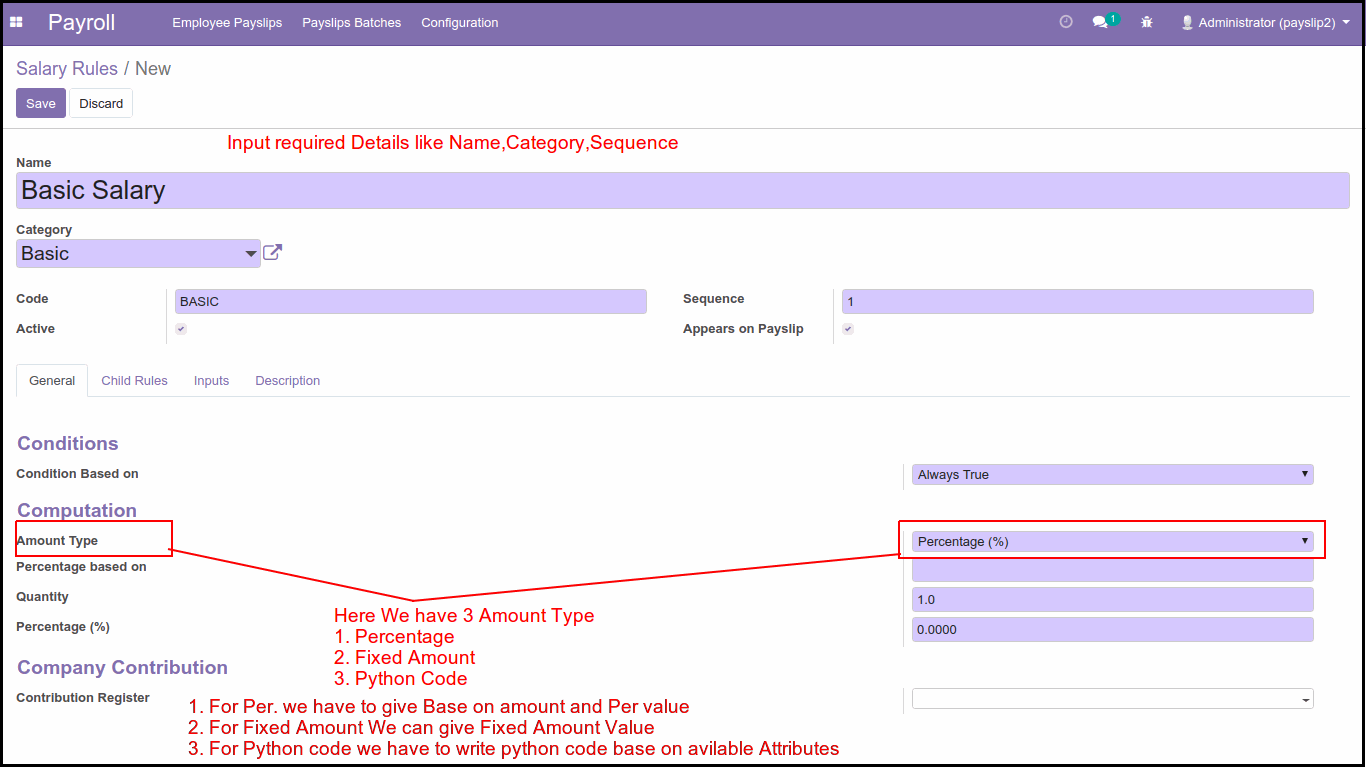
For Basic Rule: We will use Amount Type Python code because we get Wage from employee contract, so we use contract attribute and wage attribute from the contract so our formula to calculate basic is result = contract.wage
Now, we'll Configure Rules for some Allowances.
House Rent Allowance: We Create HRA Rule for employees; we will give HRA 40% based on the Employee Wage in the contract. So first, we set the Name of the Rule, Allowance Category, and sequence, and we use Amount Type Percentage and a percentage will be based on contract wage in this case we give 40% of wage so if the wage is 10000 in the contract then it'll calculate 4000 as HRA.
Conveyance Allowance Rule: We will add the Conveyance Allowance Rule; some companies give CA to their employee for some expenses like travel, food, etc..; in our case, we will use a Fixed Amount Type, so CA will be fixed at 800 per month 800 so when payslip we calculate it'll add 800 as CA.
Meal Voucher Rule: We are adding the Meal Vouchers Rule; some companies also give meal vouchers like Sodexo to their employee's lets, for example, they are giving 20, a fixed amount per day.
So in the payslip, we will use the Fixed amount type and worked_days attribute, which will get the employee's working days (leaves/ holidays) and based on a working day it'll multiply by 20. so let's for example working days of the employee is 24, then the amount will be 24*20=480 per month in the payslip.
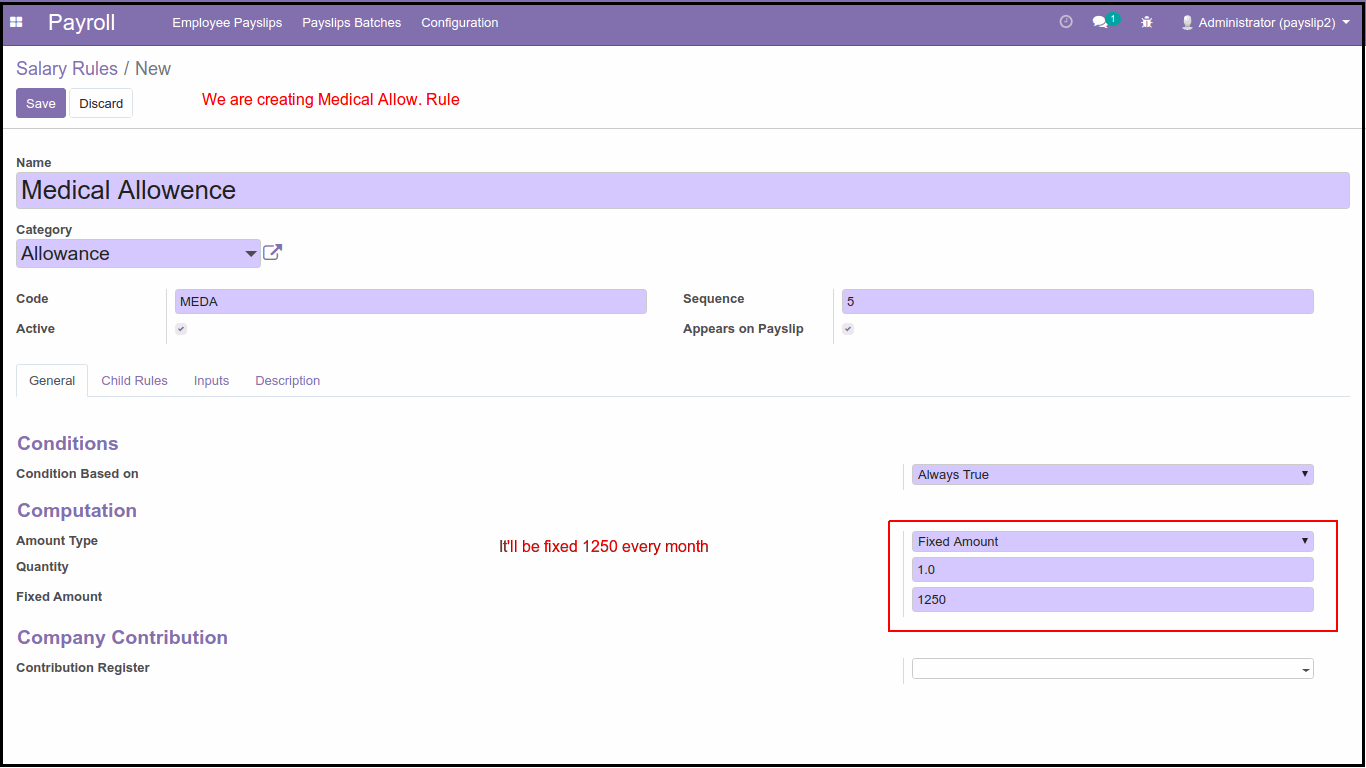
Medical Allowance Rule: Now, We are adding Medical Allowance Rule; some companies give medical allowance to their employees, some provide a fixed amount, or some companies give based on percentage, in our case, we'll give a 1250 fixed amount per month as medical allowance.
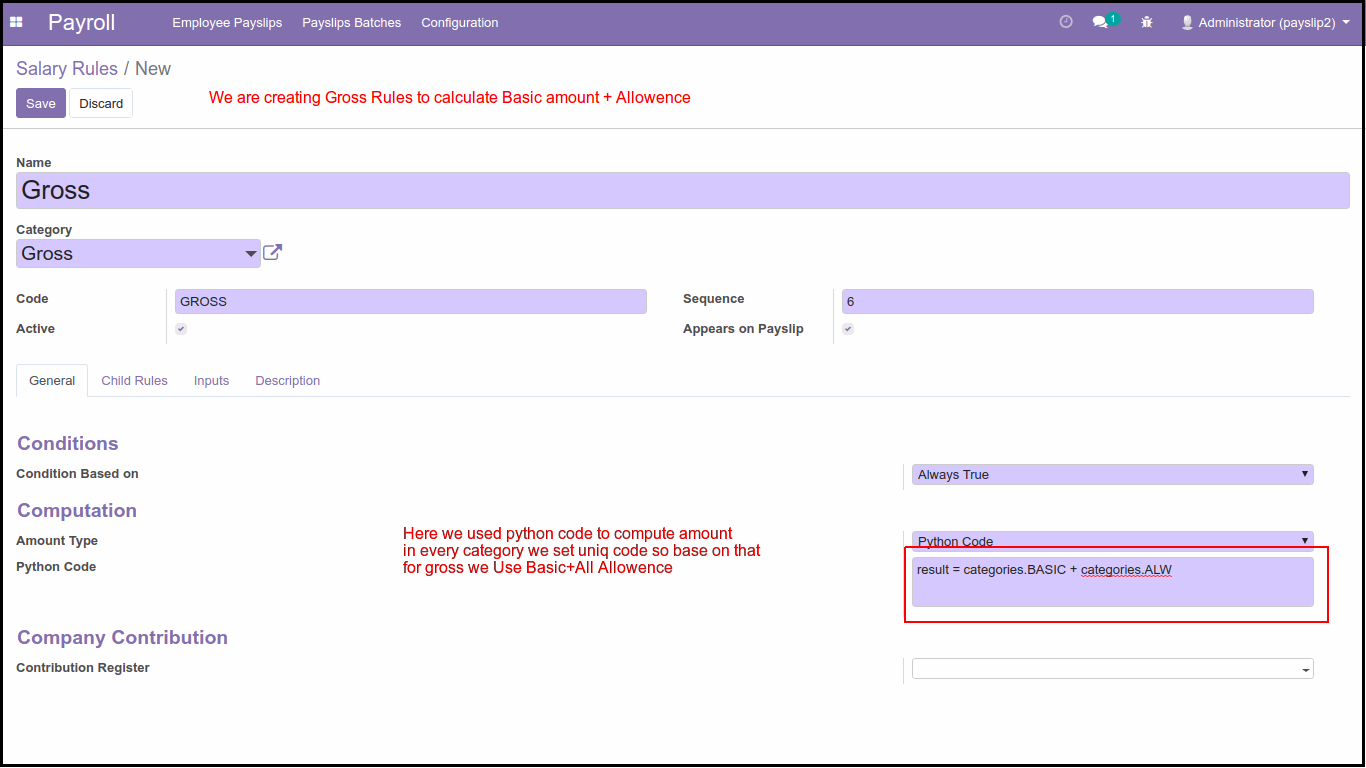
Gross Rule: After we are done creating the basic and all the allowance rules, we'll now create Gross Rule, which will calculate Gross Amount for that, we will use python code and in python code, we will use categories attribute and categories code, and we get all amount base on defined categories, for example, we use this formularesult = categories.BASIC + categories.ALW so it'll add all allowance to the basic amount and give us Gross Salary amount.
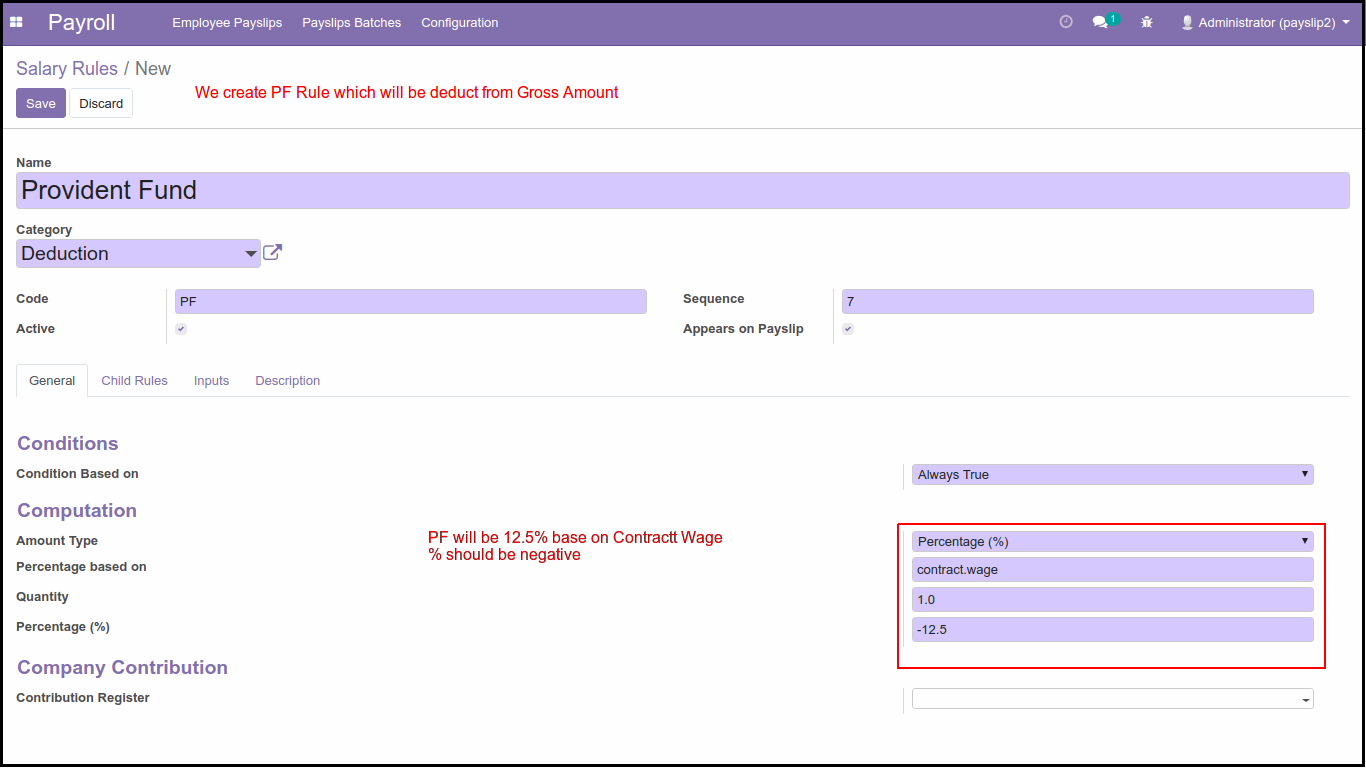
After Creating Basic and Allowance rules now, we will create Some Deduction rules. Companies deduct some amount like Provident Fund, Professional Tax, or any other employee expense. For deduction, we must have to set the amount/percentage with a negative sign (-) so that it'll be considered as the amount to deduct.
PF Deduction Rule: First, We will create the PF rule, normally companies deduct 12.5% pf of the basic salary, deduction Rules, for this we will use the Amount type percentage and set 12.5% and based on contract wage, so if basic is 10000, then as per 12.5 amount will be 1250 per month and this will deduct from employee's salary.
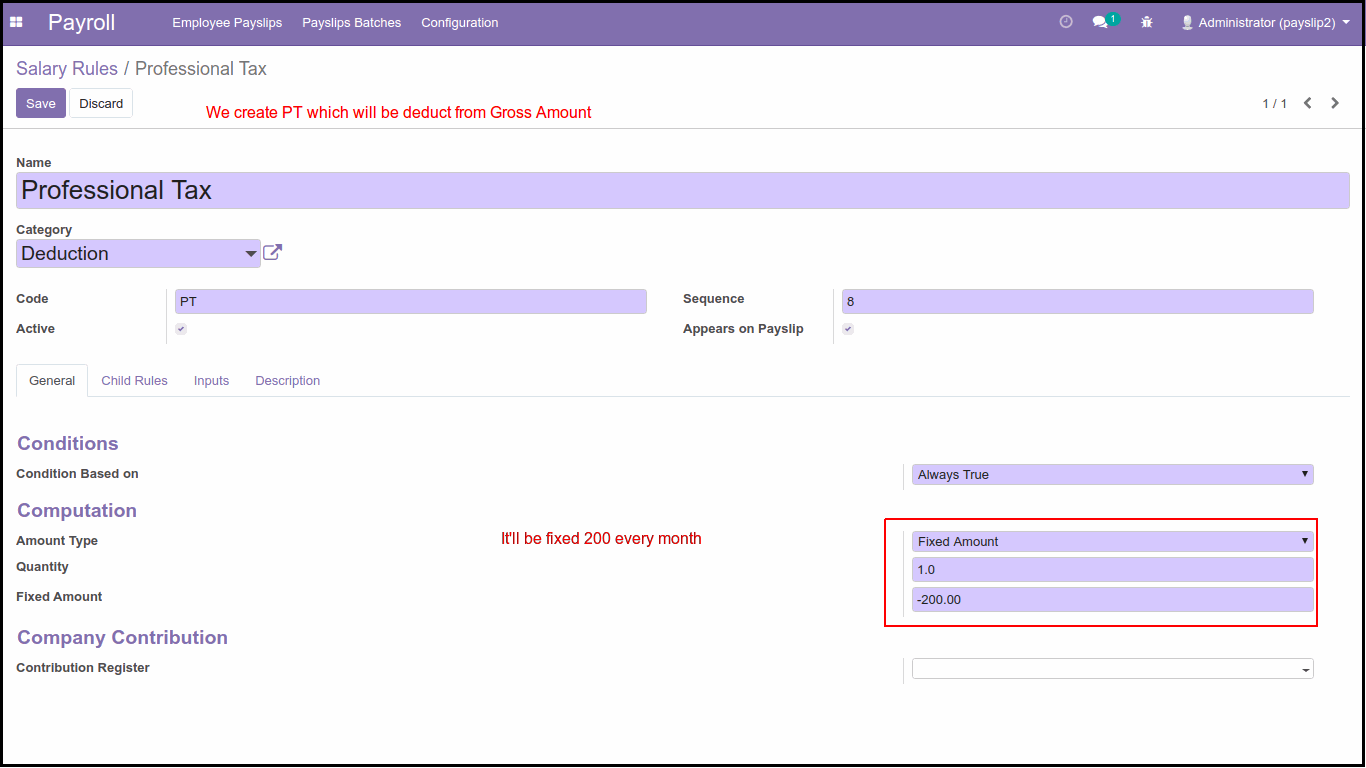
Professional Tax Rule: Then we will create the PT rule, some companies deduct PT from an employee's salary normally, PT is fixed at 200 per month based on some standard, so in our case, we will deduct 200 PT from the salary per month.
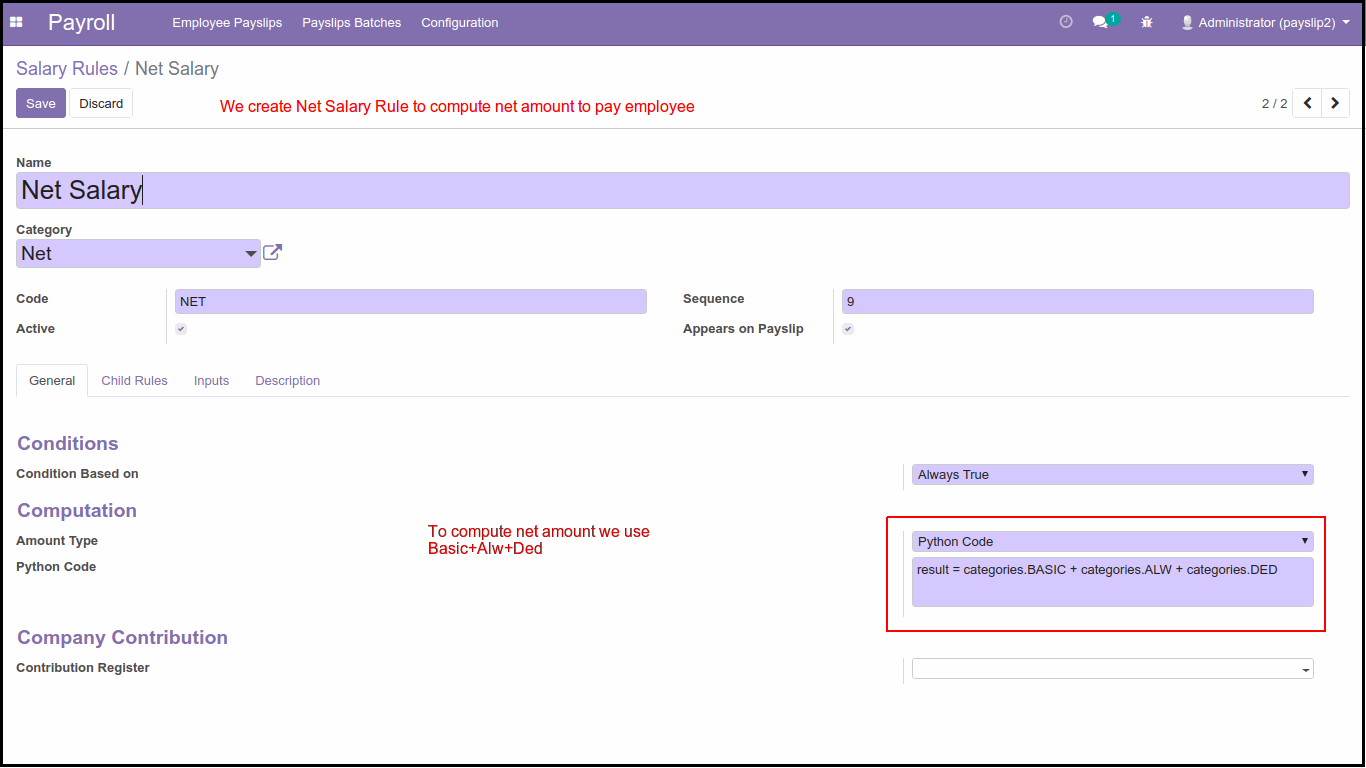
Net Salary Rule: Now, at last, to calculate the Net salary of employees, we will create this rule; this rule will calculate Net Amount, it'll Basic + Allowance - Deduction. So for that, we will use python code and we will use the categories attribute and its code so to compute Net salary, the formula will beresult = categories.BASIC+ categories+ ALW + categories.DED
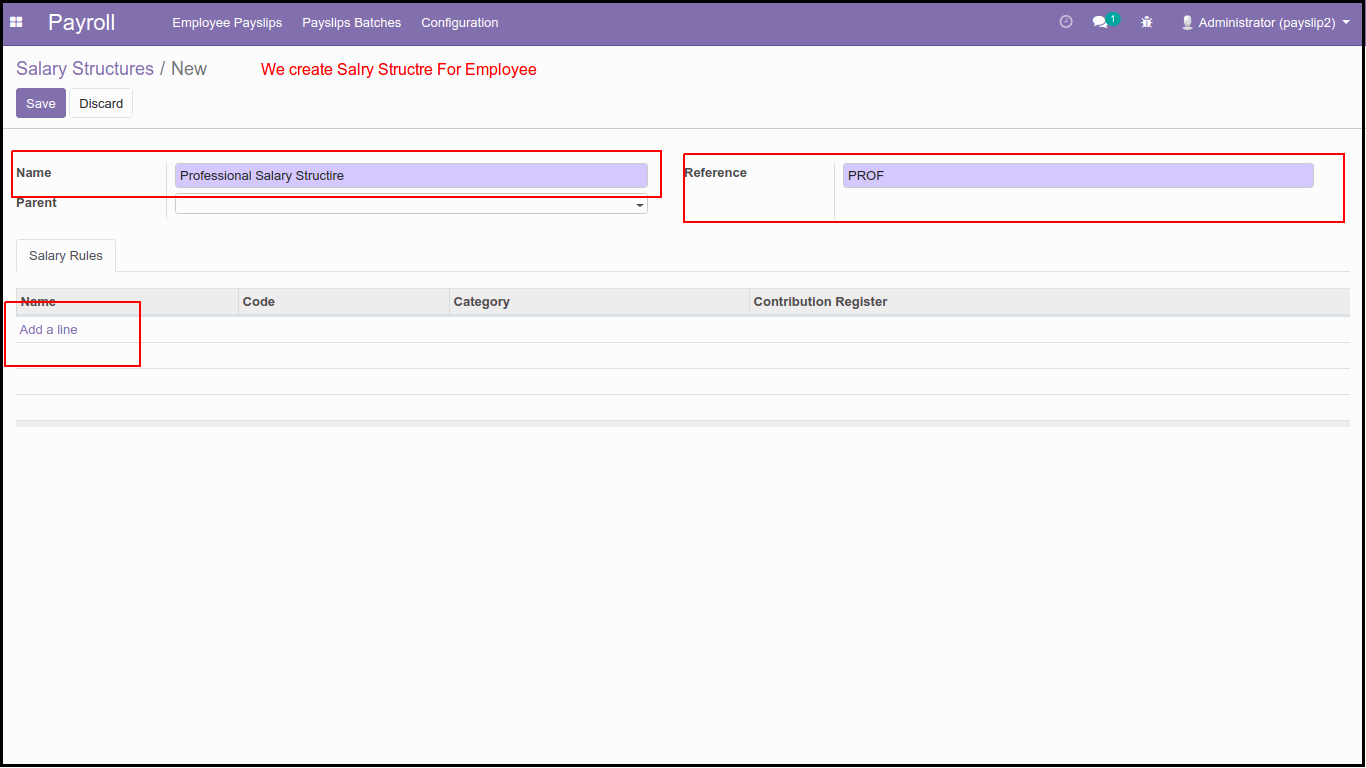
After Creating all the rules we will create a New Salary structure from the Salary Structure Menu of the Configuration Parent menu in this salary structure we will select rules base on company's standard some of the companies create one Salary structure for all employee or some are creating Structure base on employee's categories like the processional, workers, management etc.
4. New Salary Structure:
To Create a Salary Structure, we have to key in Name of the Structure, Ref and if we want to create a structural hierarchy, then we must have to select a Parent.
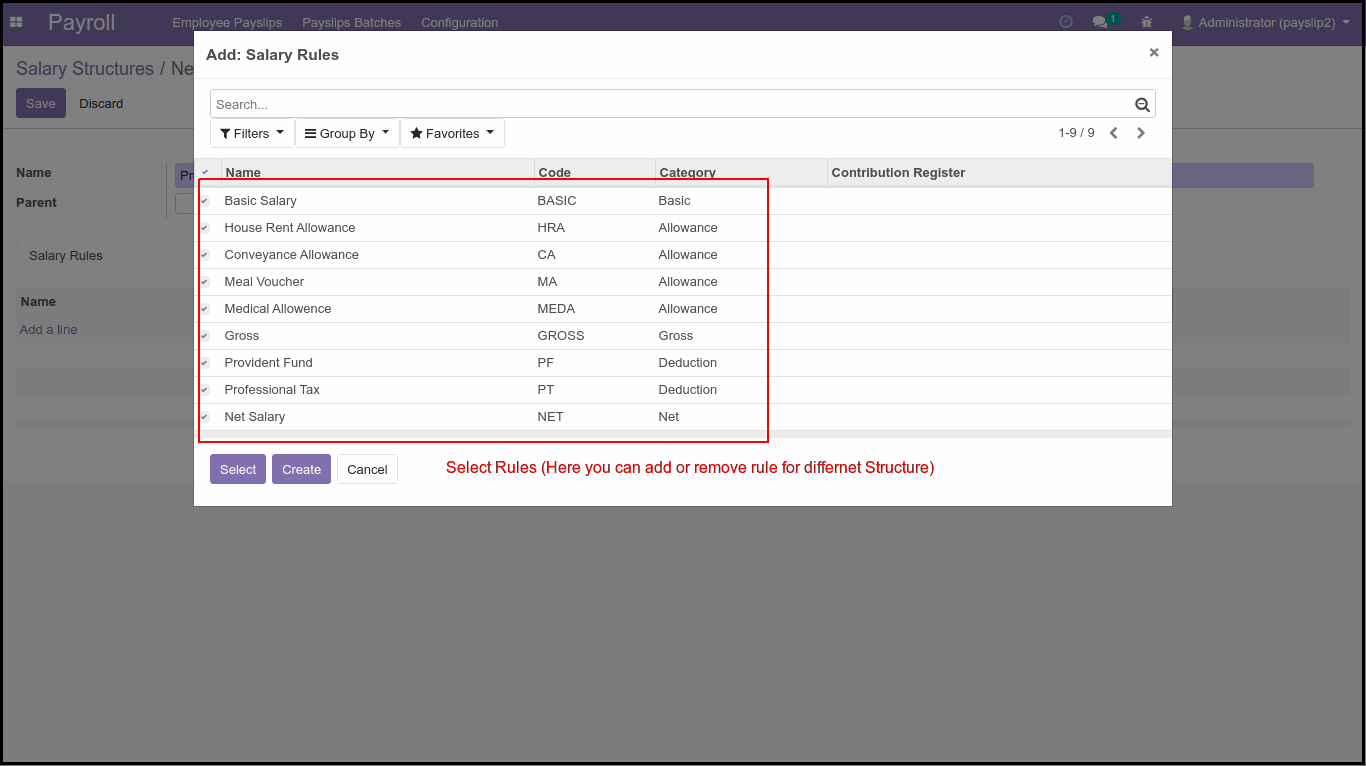
Now from the Salary Rule tab, we will click on Add a line link and it'll show a popup with all active rules so We can select rules for this structure here we are selecting all rules for professional structure.
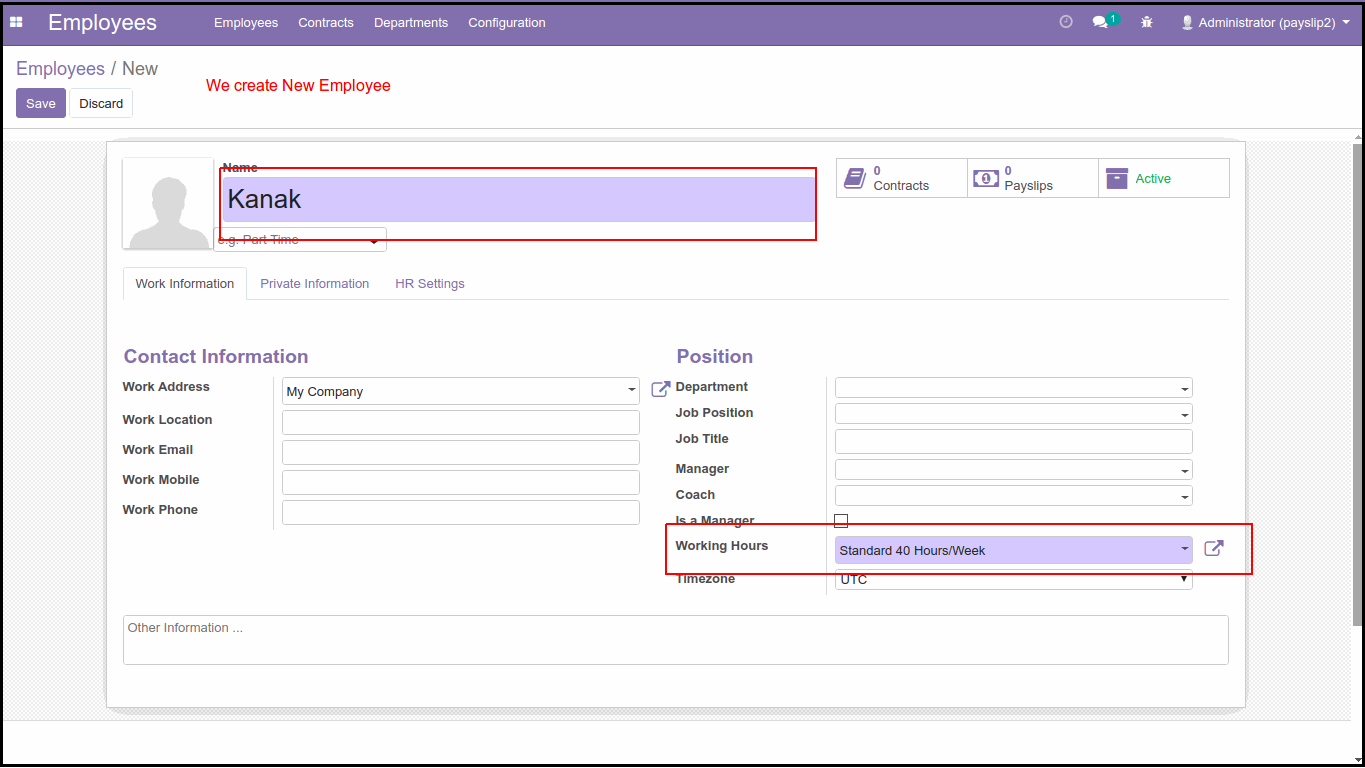
5. Create New Employee:
Now, We create a New employee from the Employees menu, and We will Set 40 hours Working Schedule means 5 days and 8 hours working, so based on that, we will compute salary. In the employee form, we can key in other information like work, and private information.
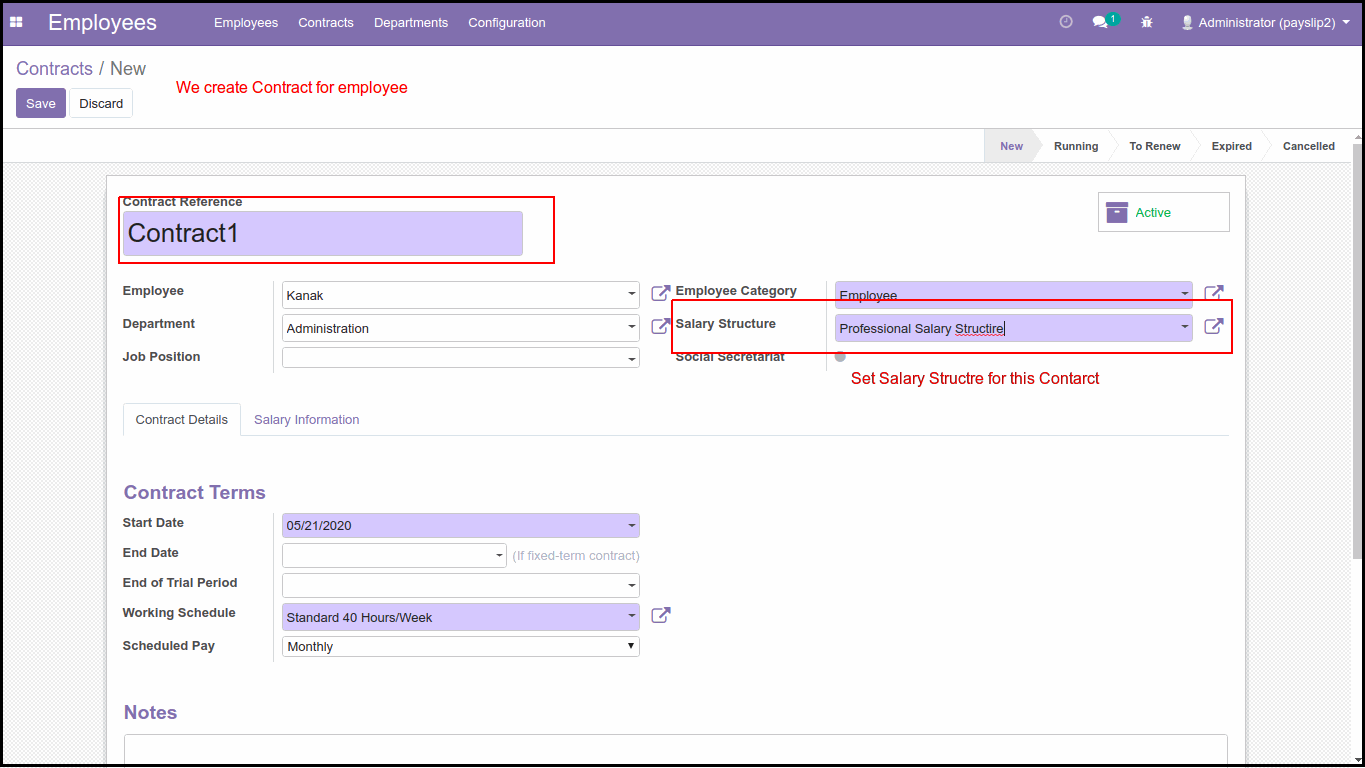
6. New Contract:
After creating an employee, we will now create New Contract from the Contracts menu and Set Salary Structure for this employee in the contract tab, we have to set the employee, his/her category, working schedule, and start/end date as contract duration. And in Salary information Tab, we will set Wage.
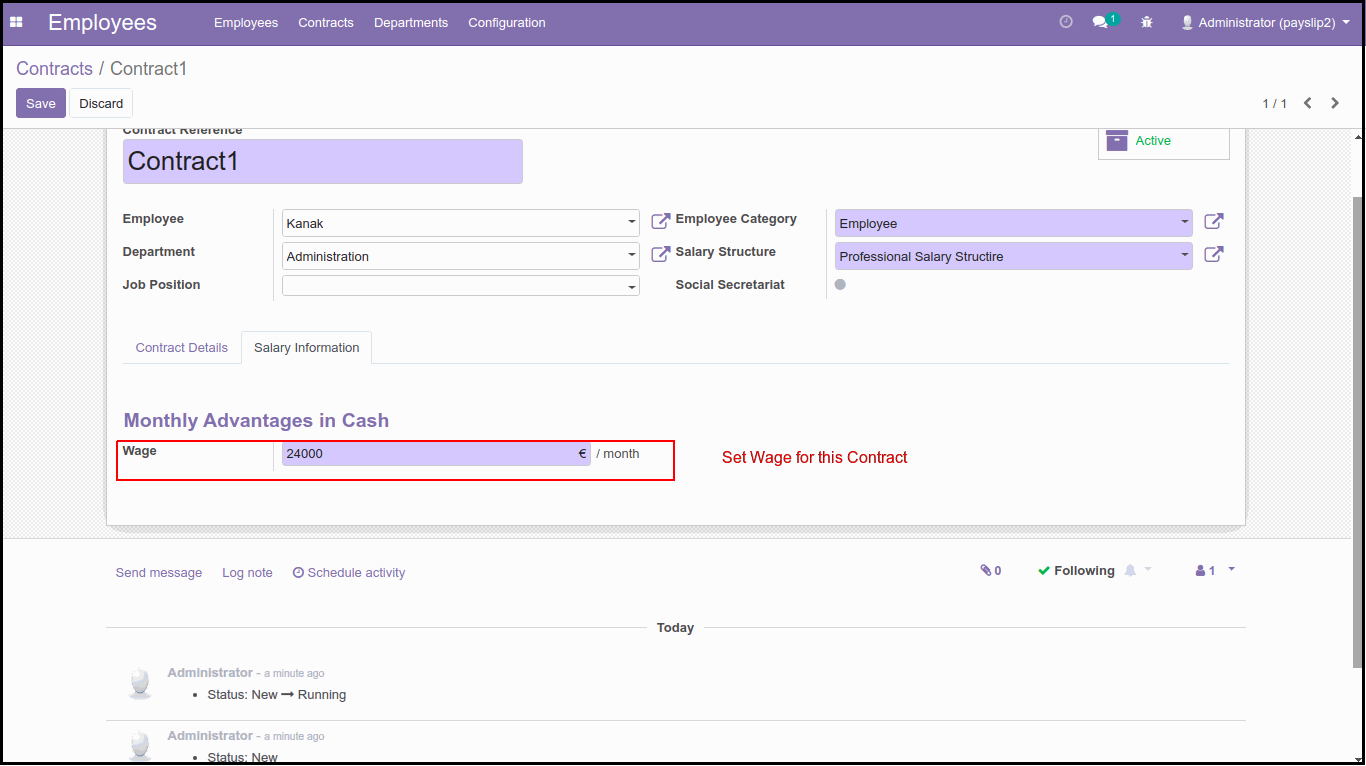
7. Set Wage In Contract in Salary information tab.
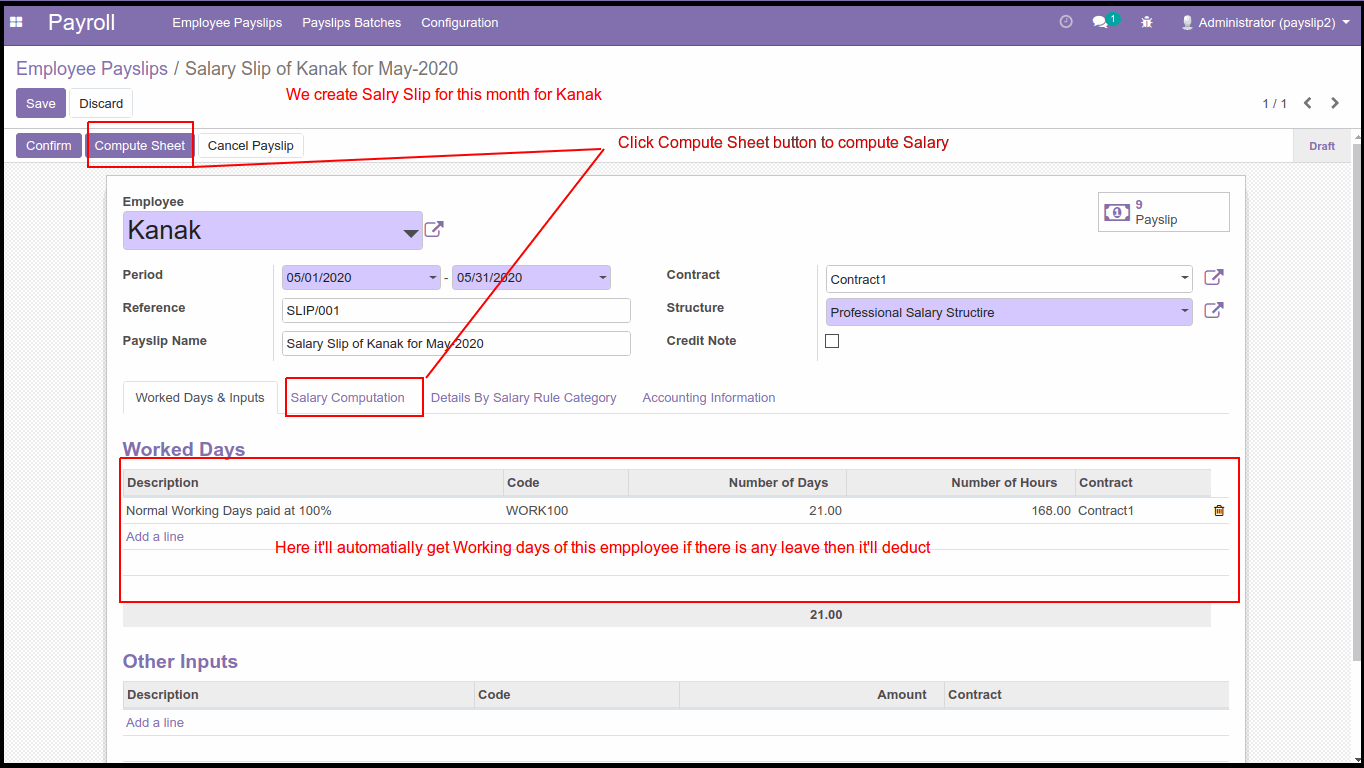
8. Creating the Final Payslip:
At the last, we will create a Payslip for this New employee and for that, we select employees and it’ll automatically get the contract and salary structure and it auto-set the start/end date of a month. If there is no leave taken by the employee, then as per the working schedule it’ll get the Number of worked days and if there is leave, it’ll deduct leave and get no. of taken leaves.
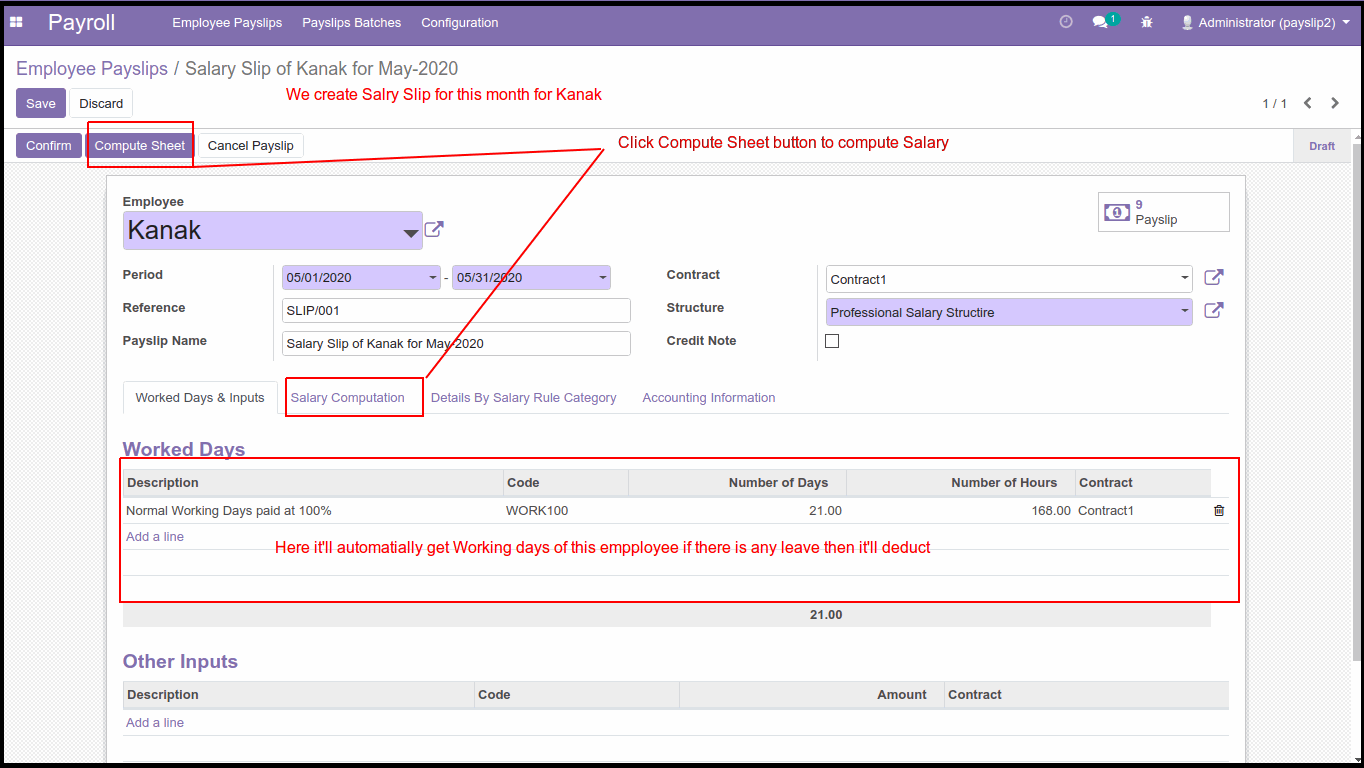
9. Calculate Salary:
To compute the Salary, we have to click on the Compute Sheet button, and based on all rules and working days, it’ll calculate the Net salary to pay to the employee. With all details like Basic, all allowance and deduction.
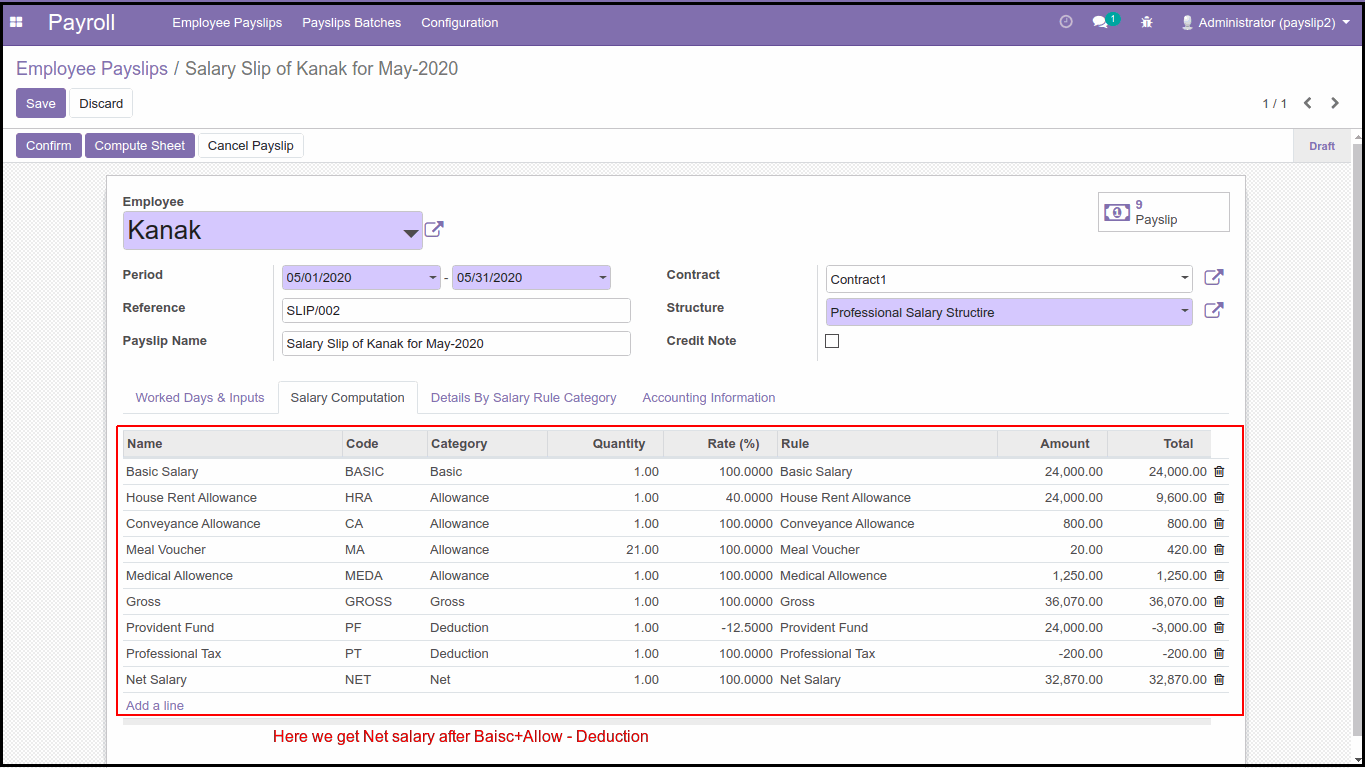
So, by following these simple steps, we can configure salary rules and easily manage Payroll in Odoo.

Your email address will not be published.
