 +91 981-810-8884, 0114-214-3250
Geo Location Attendance
Supported Editions
Community
Enterprise
Odoo.sh
Geo Location Attendance module is used to manage employee attendance through the geo-location in Odoo and also allows employee to check in/out within the active work location range. For example, as we have set the attendance range 60 meters from the backend, then the employee will not be able to check-in/out till he comes inside the attendance range.
**There can be variations if wifi is used instead of mobile network.
Key Features
You can set employees Active Work Location.
You can set Attendance Range in meter.
You can restrict employee to check in/out within Active Work Location Range.
Module is very useful for employees like Salesman, Hospital staff or labourer which are working on client location.
- Open Attendances configuration settings and set Attendance Range in meter.
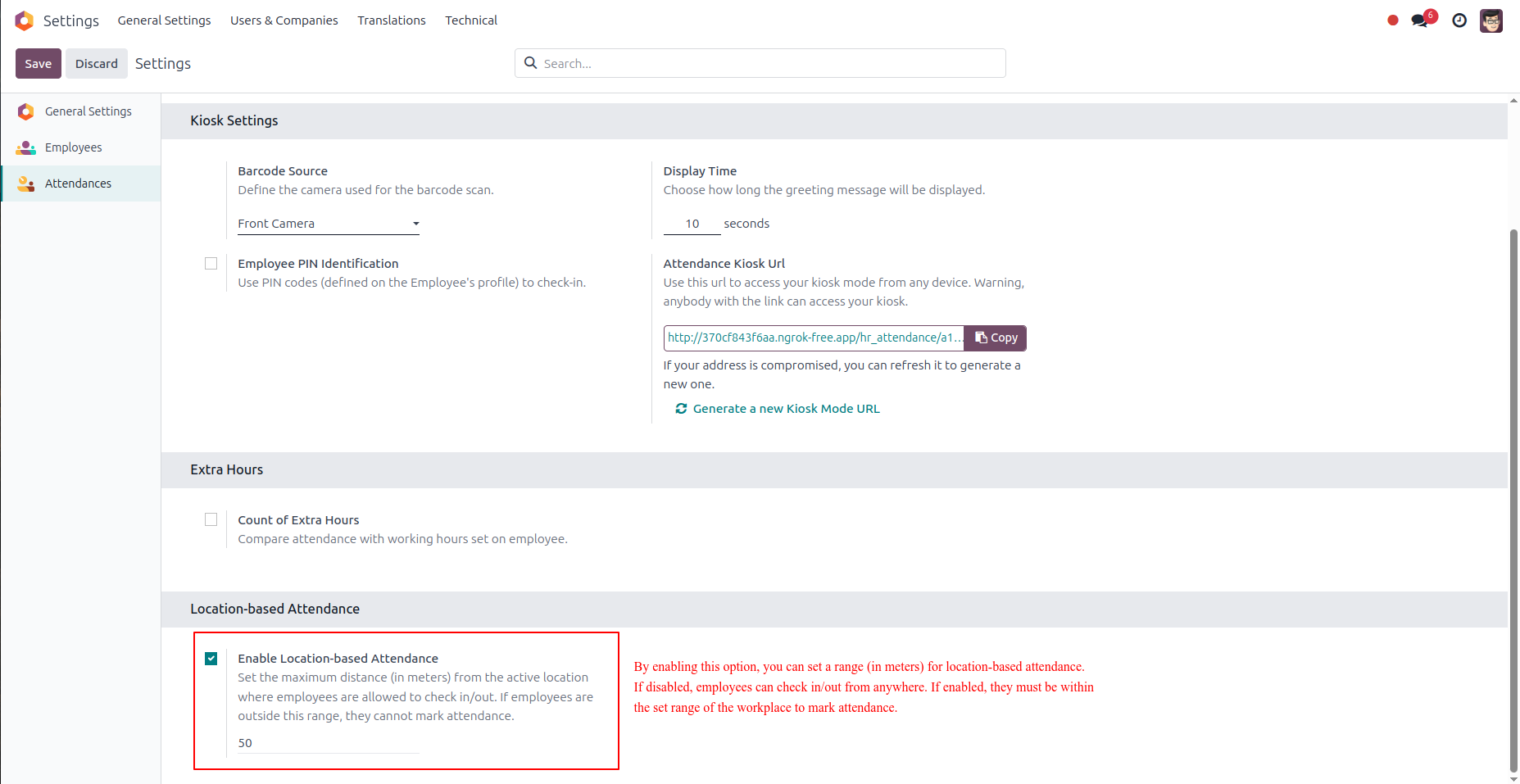
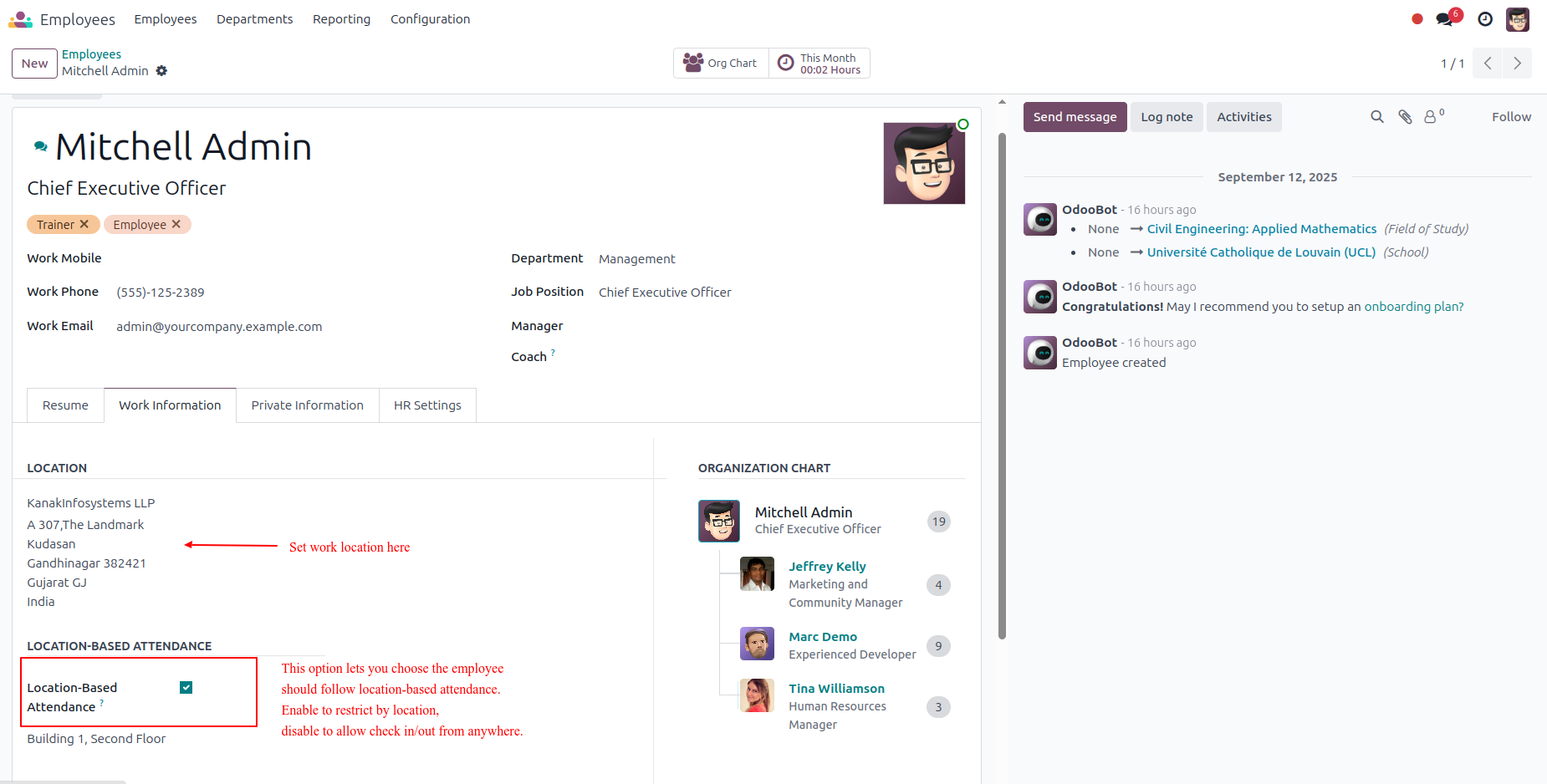
- Set the work location with its longitude and latitude in the employee's work information tab.
- Enable Location-based Attendance to enforce location-based attendance, or disable to allow check-in/out from anywhere.
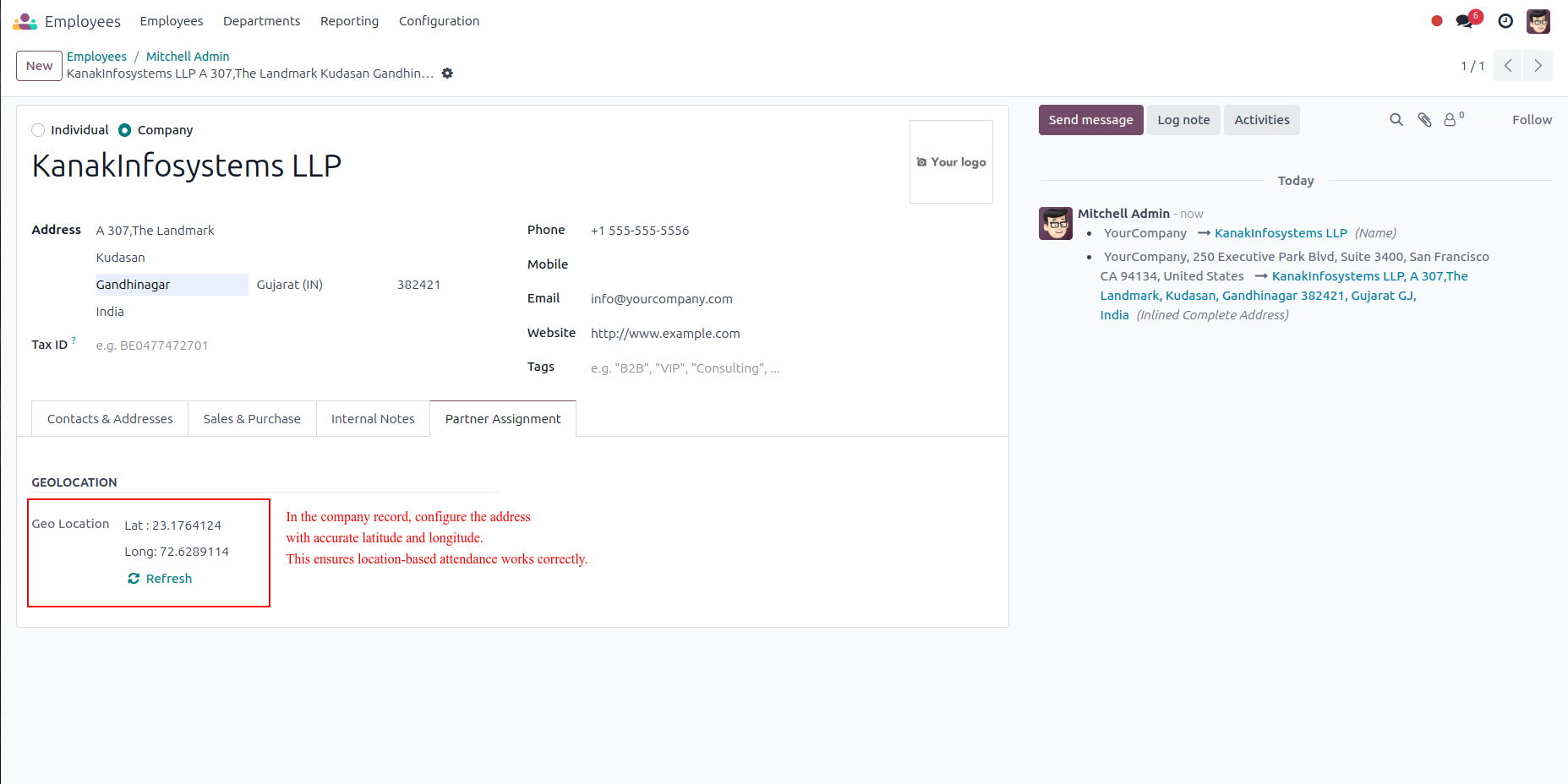
- Set the company address in the company record with accurate latitude and longitude.
- Ensure the location is precise to enable proper location-based functionalities for employees.
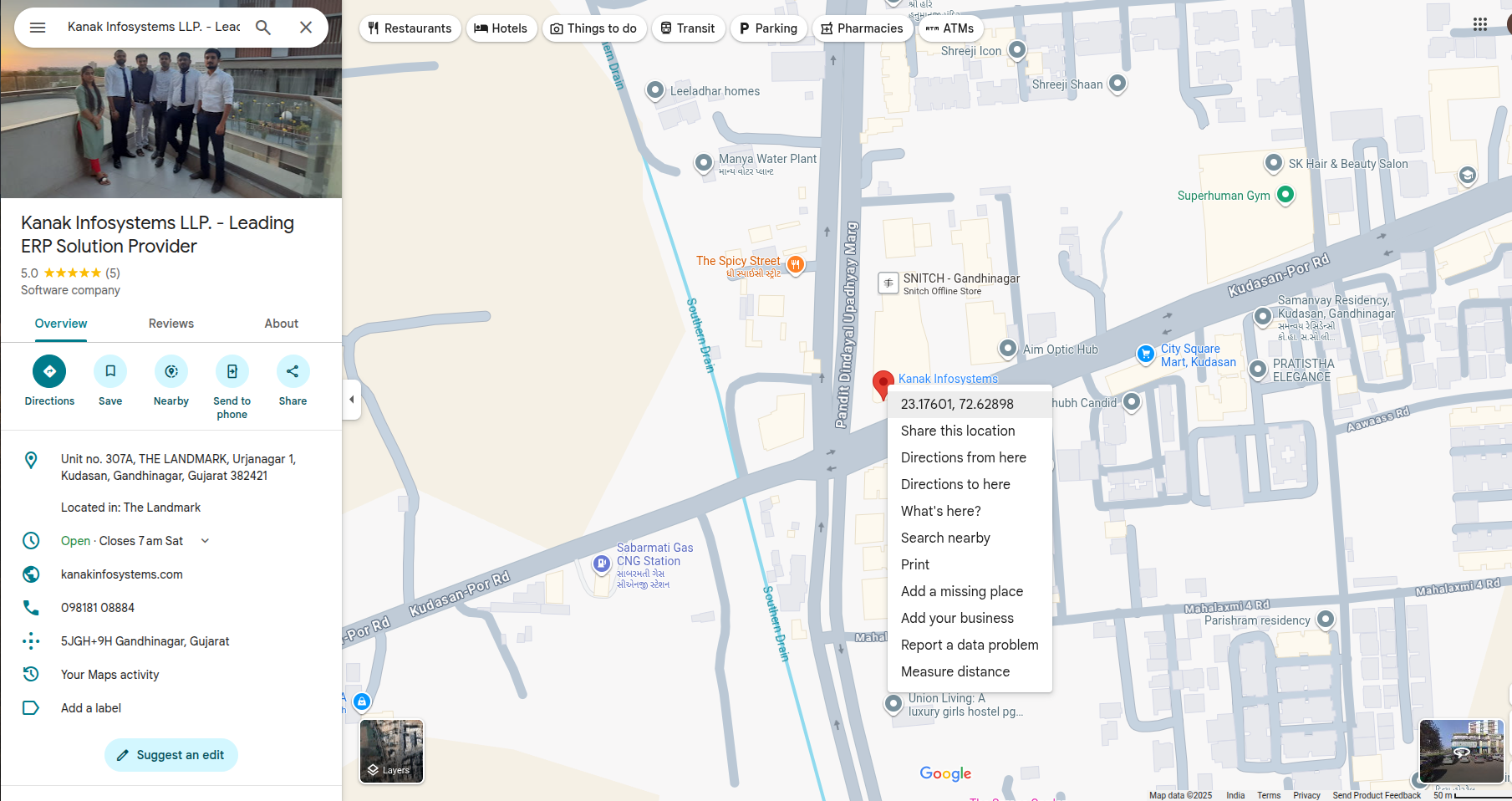
- This map displays the geolocation of the company with pinpoint accuracy.
- From here, you can obtain the exact longitude and latitude of the company location.
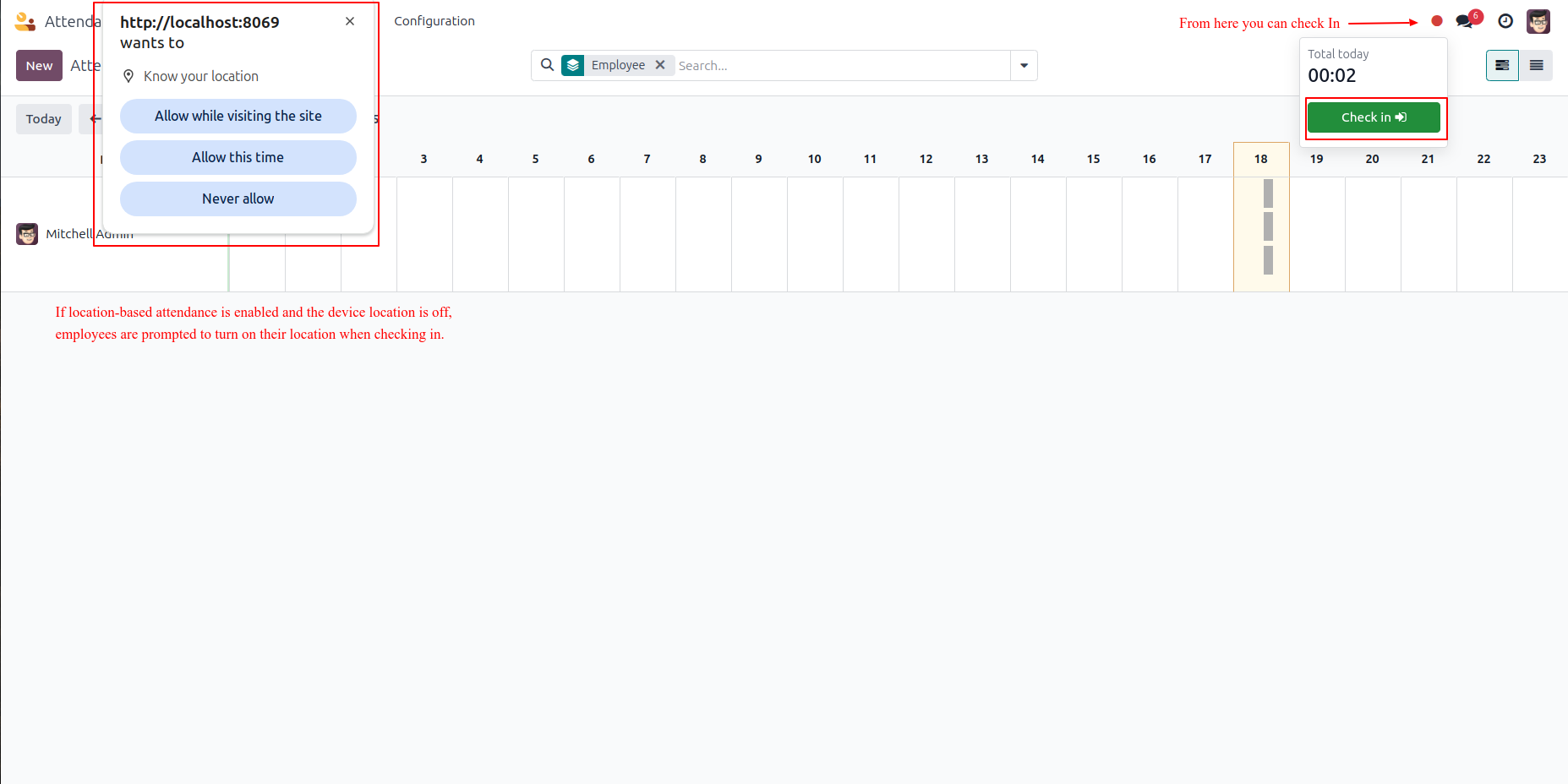
- You can check in from the top-right corner of the navbar. If location-based attendance is on and device location is off, the browser will ask to enable it.
- If location-based attendance is off, employees can check in directly without enabling device location.
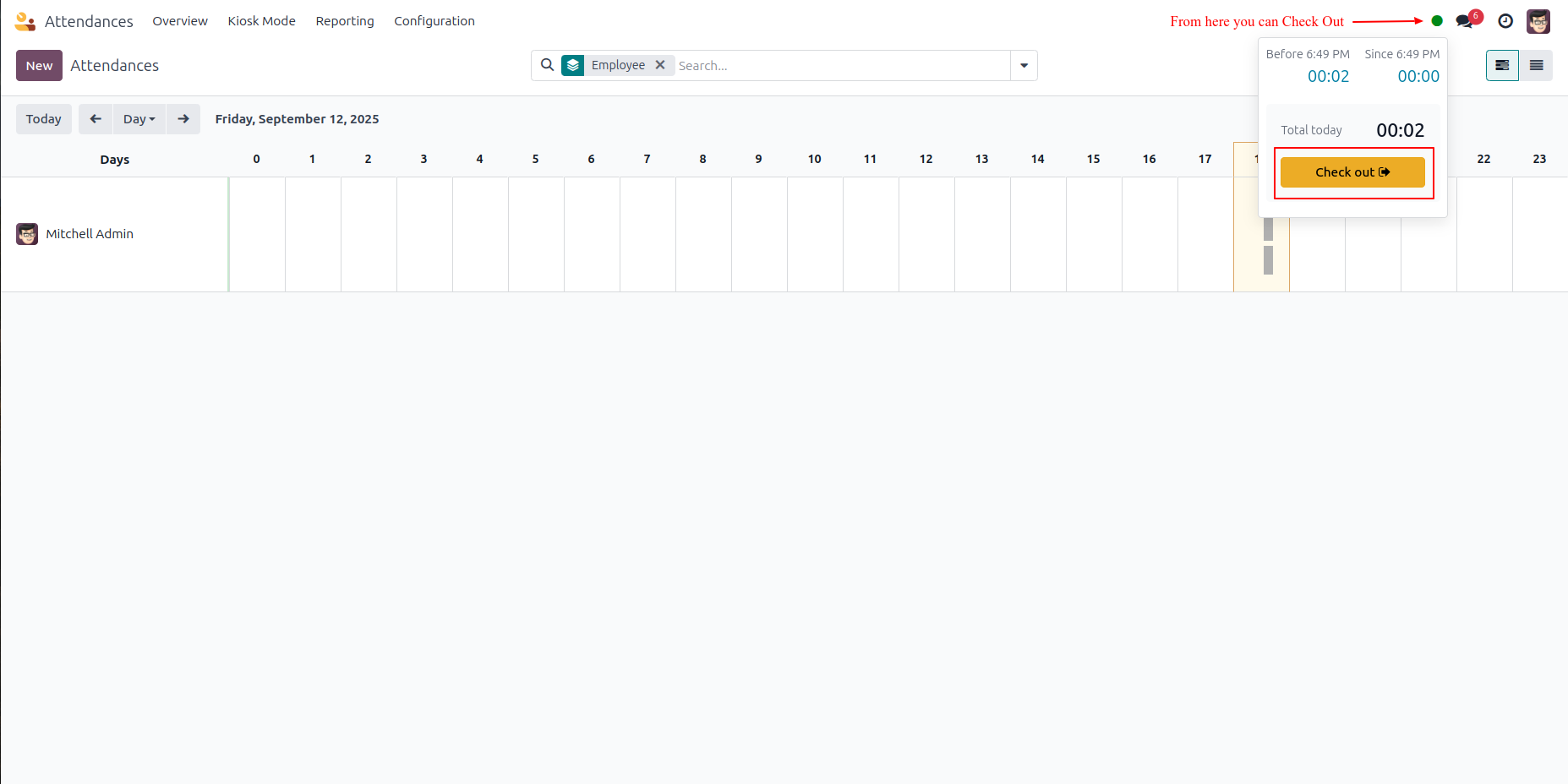
- When checking out, if location-based attendance is enabled and device location is off, the browser will ask you to turn it on.
- If location-based attendance is disabled, you can check out directly without enabling device location.
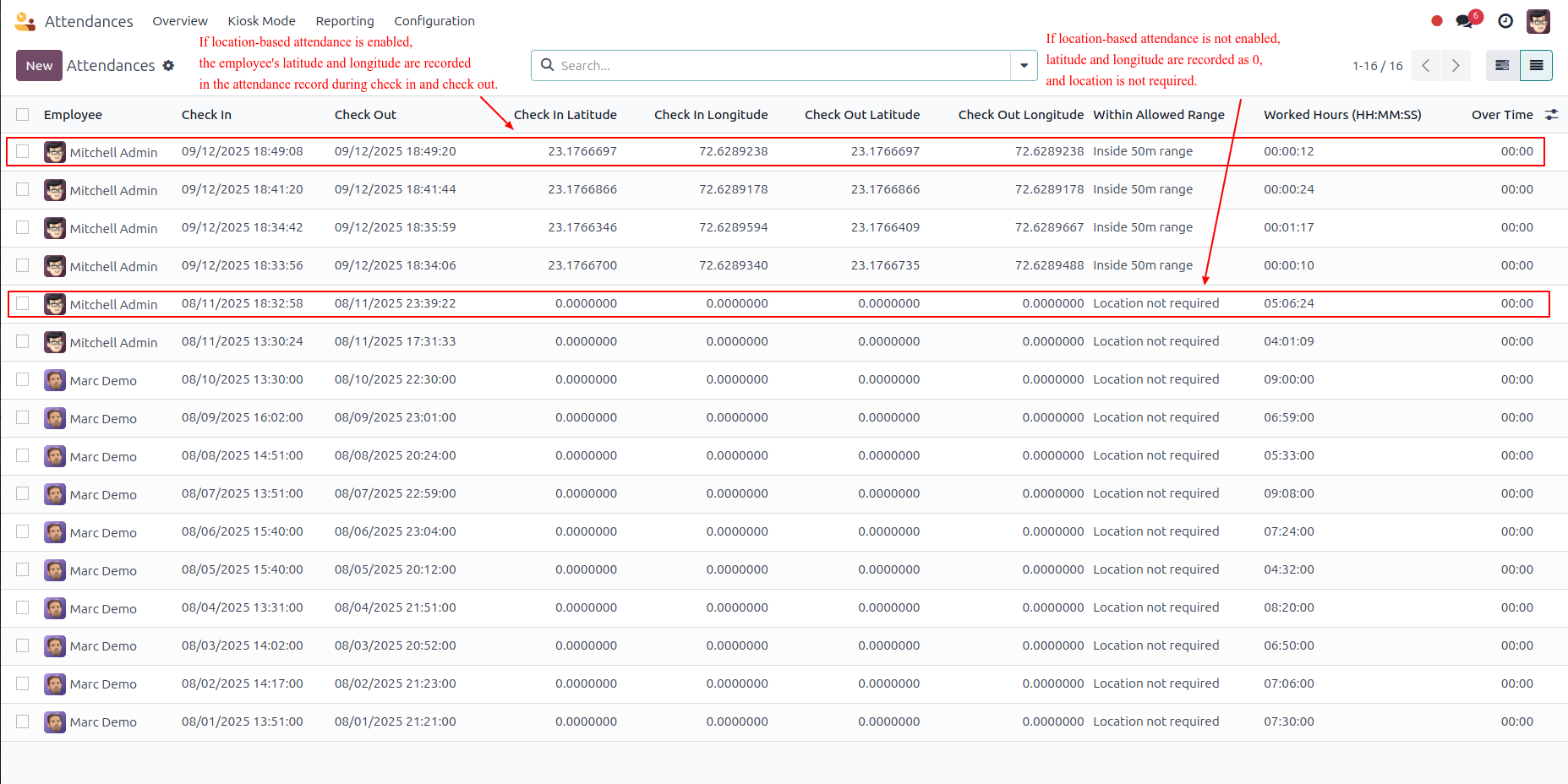
- The attendance list shows all employees with their check-in and check-out times.
- It records longitude and latitude details for each entry when location is required.
- The system also shows if the check-in/out was within the allowed range or if location tracking was not needed.
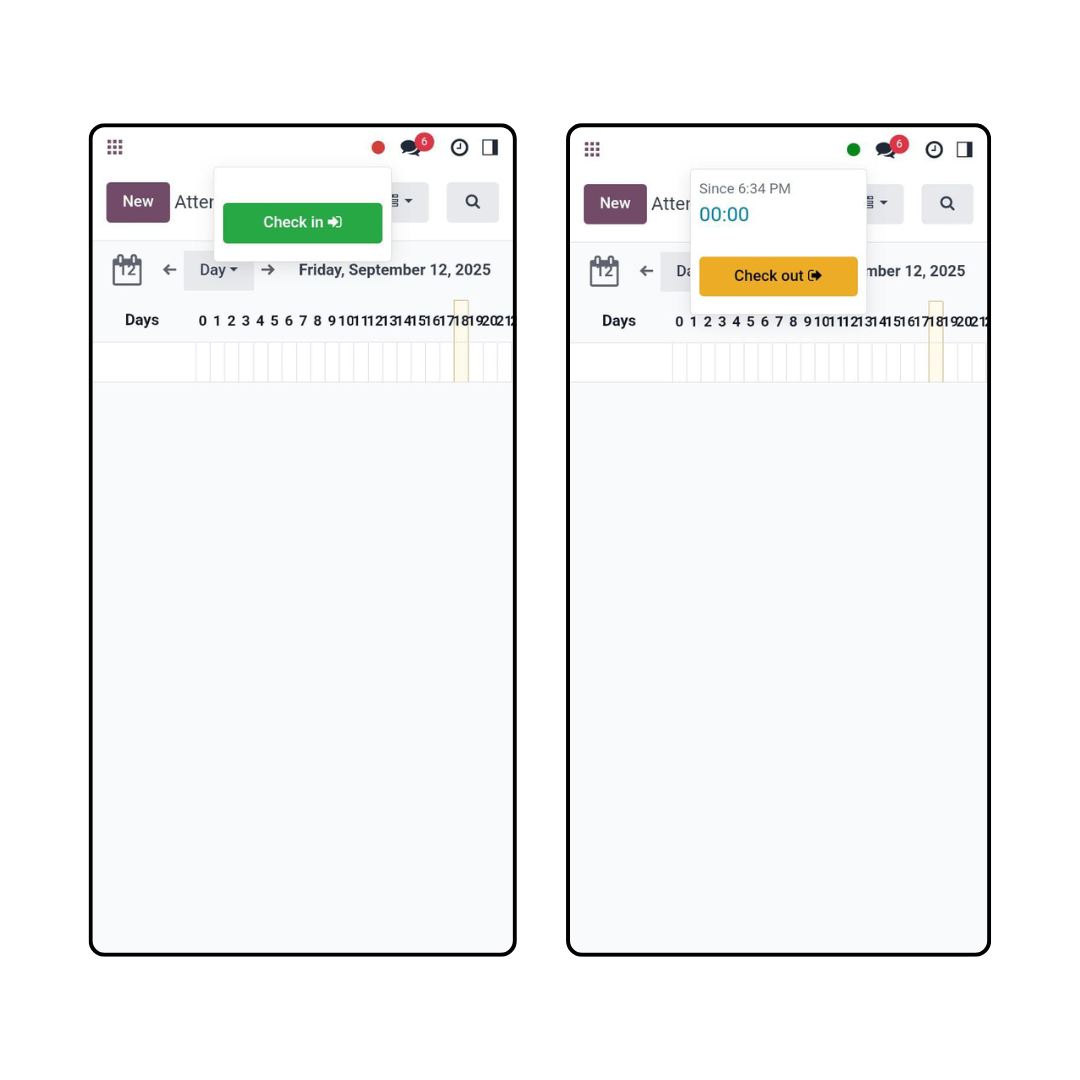
- Employees can easily check in/check out using their mobile device with location access.
Latest Release 1.2
Added option to open google map for check in/out.
Latest Release 1.1
Latest Release 1.0
First version to release.
Frequently Asked Question:-
FREE 3 MONTHS SUPPORT
Kanak Infosystem will provide free 3 months support for bug fixes, any doubts or queries, installation, configuration support or any types of issues related to this module.






OUR SERVICES

Hire Odoo Developer
Odoo Customization
Odoo Development

Odoo Installation
Odoo Integration
Odoo Resources

Odoo Themes

Odoo Training
Odoo Proprietary License v1.0

This software and associated files (the "Software") may only be used (executed,
modified, executed after modifications) if you have purchased a valid license
from the authors, typically via Odoo Apps, or if you have received a written
agreement from the authors of the Software (see the COPYRIGHT file).

You may develop Odoo modules that use the Software as a library (typically
by depending on it, importing it and using its resources), but without copying
any source code or material from the Software. You may distribute those
modules under the license of your choice, provided that this license is
compatible with the terms of the Odoo Proprietary License (For example:
LGPL, MIT, or proprietary licenses similar to this one).

It is forbidden to publish, distribute, sublicense, or sell copies of the Software
or modified copies of the Software.

The above copyright notice and this permission notice must be included in all
copies or substantial portions of the Software.

THE SOFTWARE IS PROVIDED "AS IS", WITHOUT WARRANTY OF ANY KIND, EXPRESS OR
IMPLIED, INCLUDING BUT NOT LIMITED TO THE WARRANTIES OF MERCHANTABILITY,
FITNESS FOR A PARTICULAR PURPOSE AND NONINFRINGEMENT.
IN NO EVENT SHALL THE AUTHORS OR COPYRIGHT HOLDERS BE LIABLE FOR ANY CLAIM,
DAMAGES OR OTHER LIABILITY, WHETHER IN AN ACTION OF CONTRACT, TORT OR OTHERWISE,
ARISING FROM, OUT OF OR IN CONNECTION WITH THE SOFTWARE OR THE USE OR OTHER
DEALINGS IN THE SOFTWARE.

Comment on this module. Please Login