 +91 981-810-8884, 0114-214-3250

Community
Enterprise
Odoo.sh

Website - Product Subscription Management
Website - Product Subscription Management module allows user to auto create subscription, sale order and delivery order for a product by allowing customers the option to subscribe the product from the website shop.
To set up the Website - Product Subscription in Odoo, follow these steps:
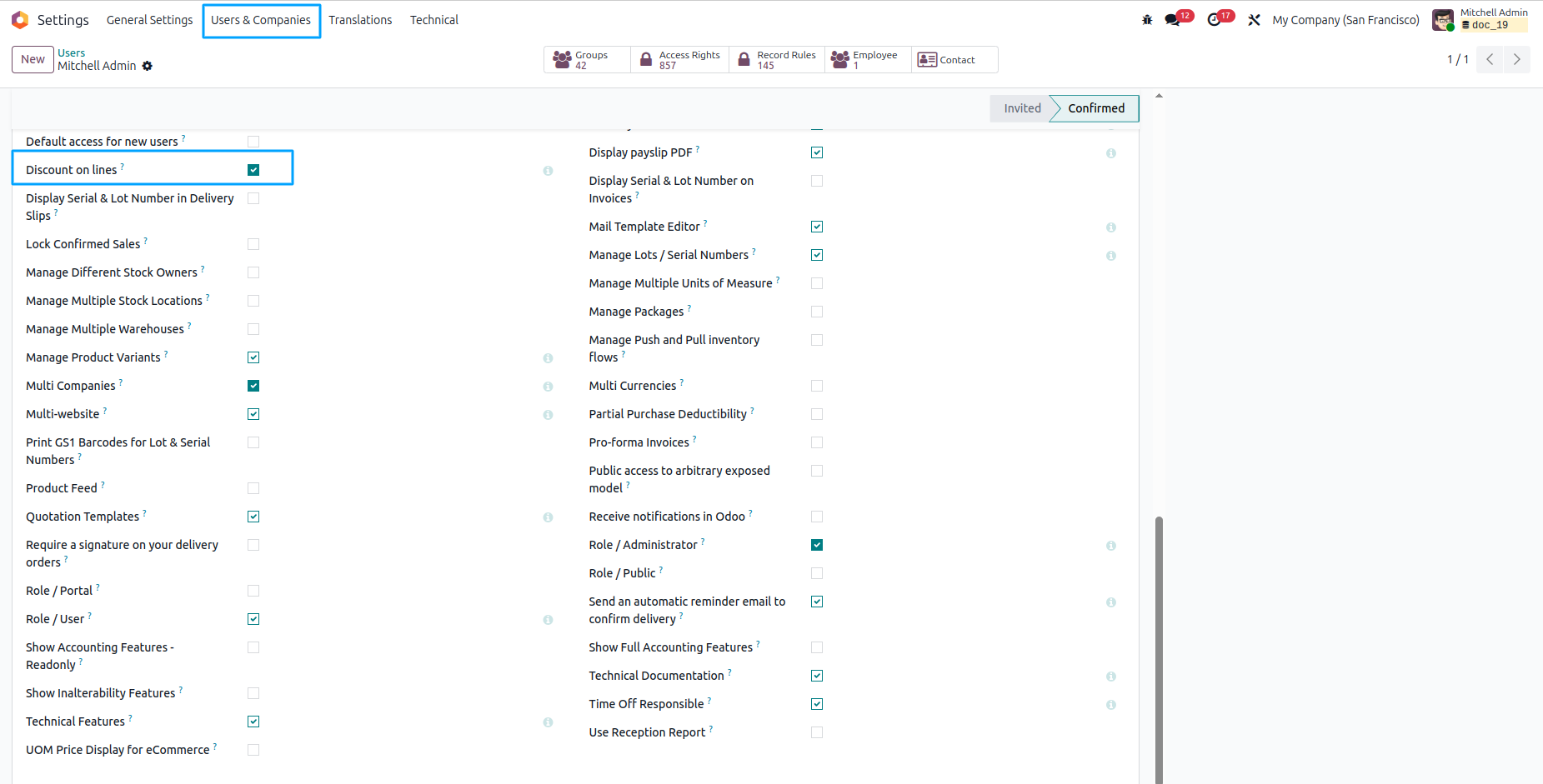
- Navigate to General settings and activate developer mode.
- Click on User & Companies menu and then Select User.
- In Technical Section, enable Discount on lines checkbox.
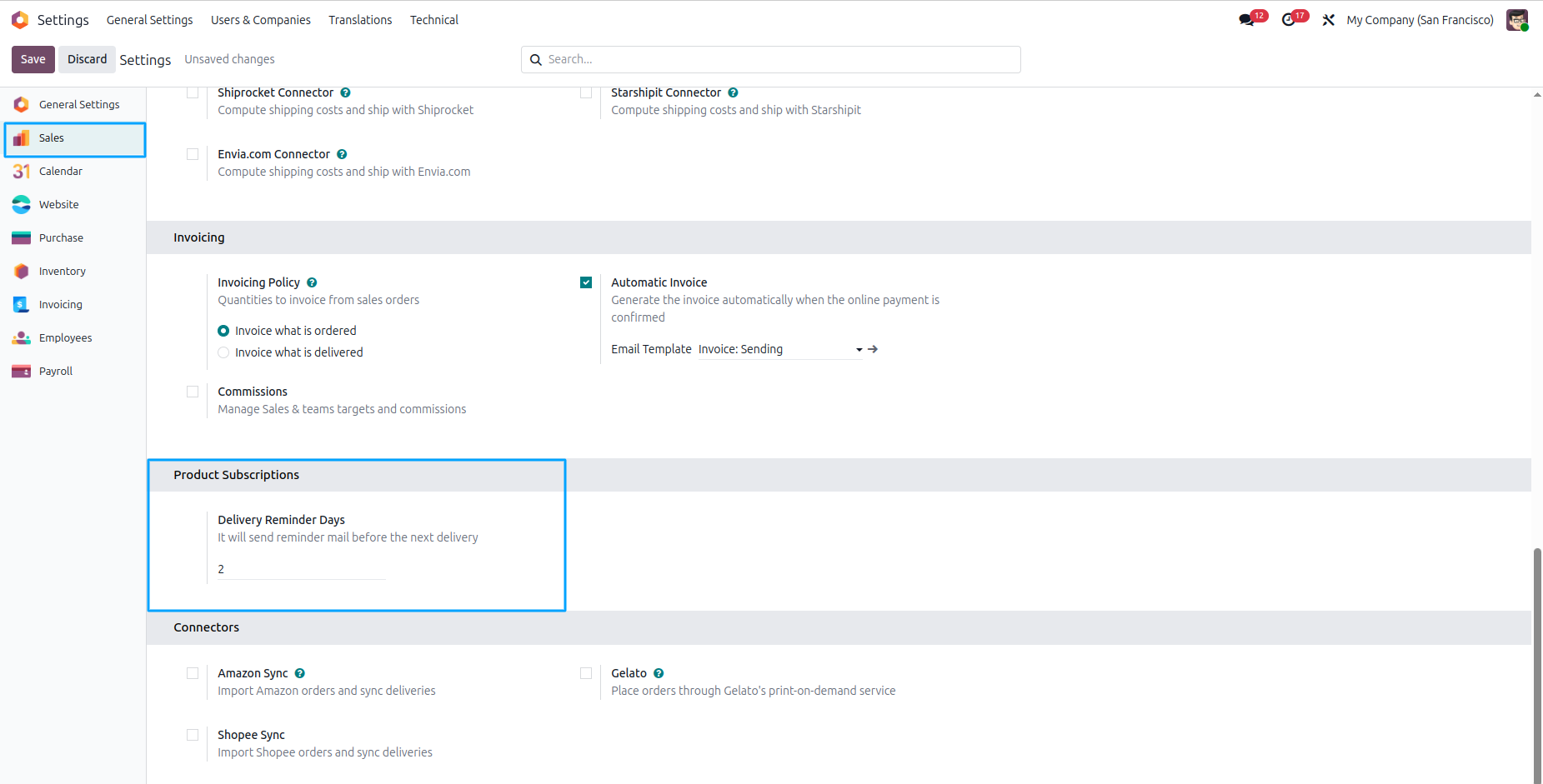
Now, Open Settings Of Sales, Set Delivery Reminder Days.
Now, Go to Sales's Configuration Menu and Open Subscription Interval menu, which are Default Subscription Interval, Here, we can create or delete more records(Subscription Intervals).
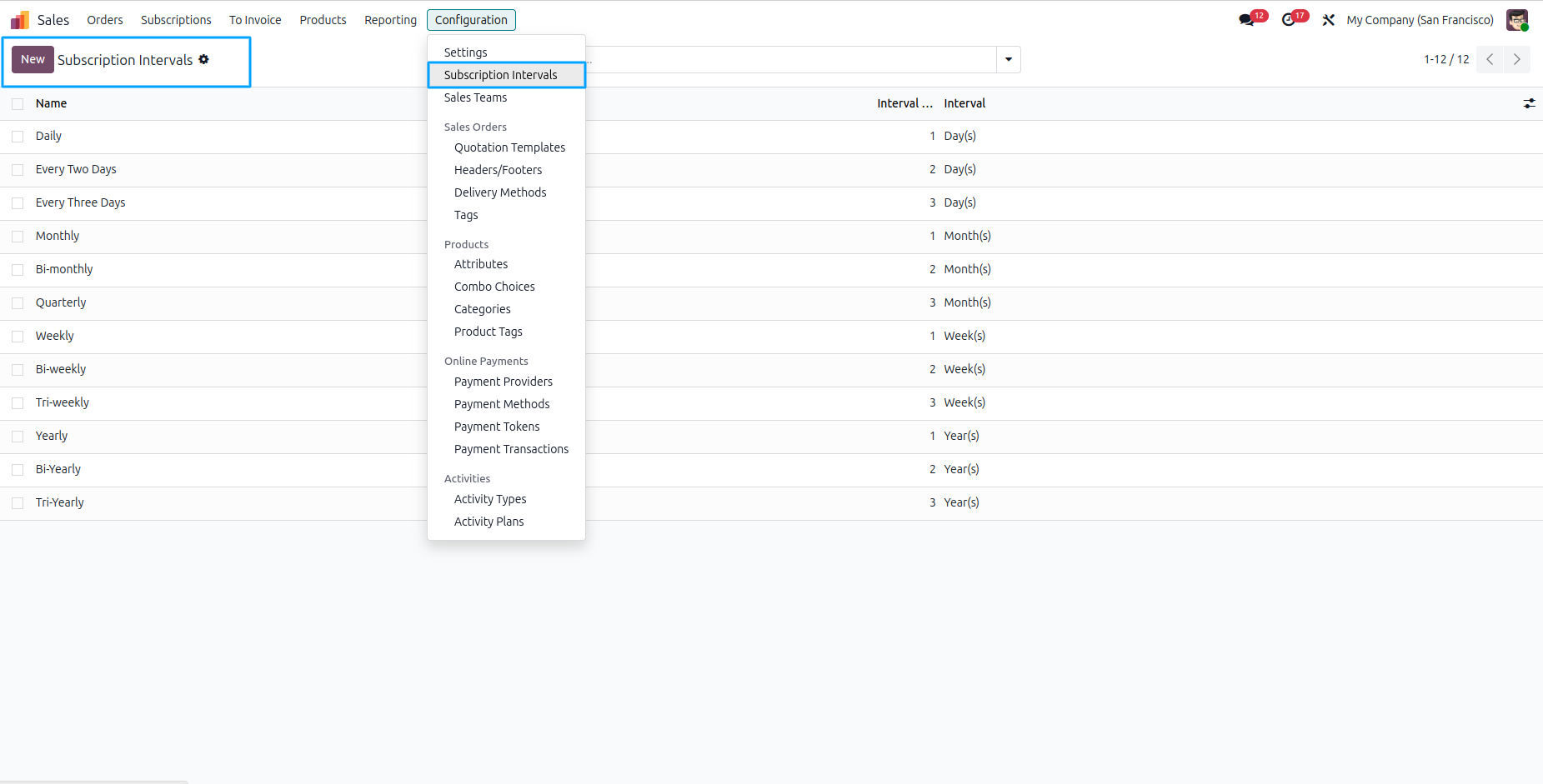
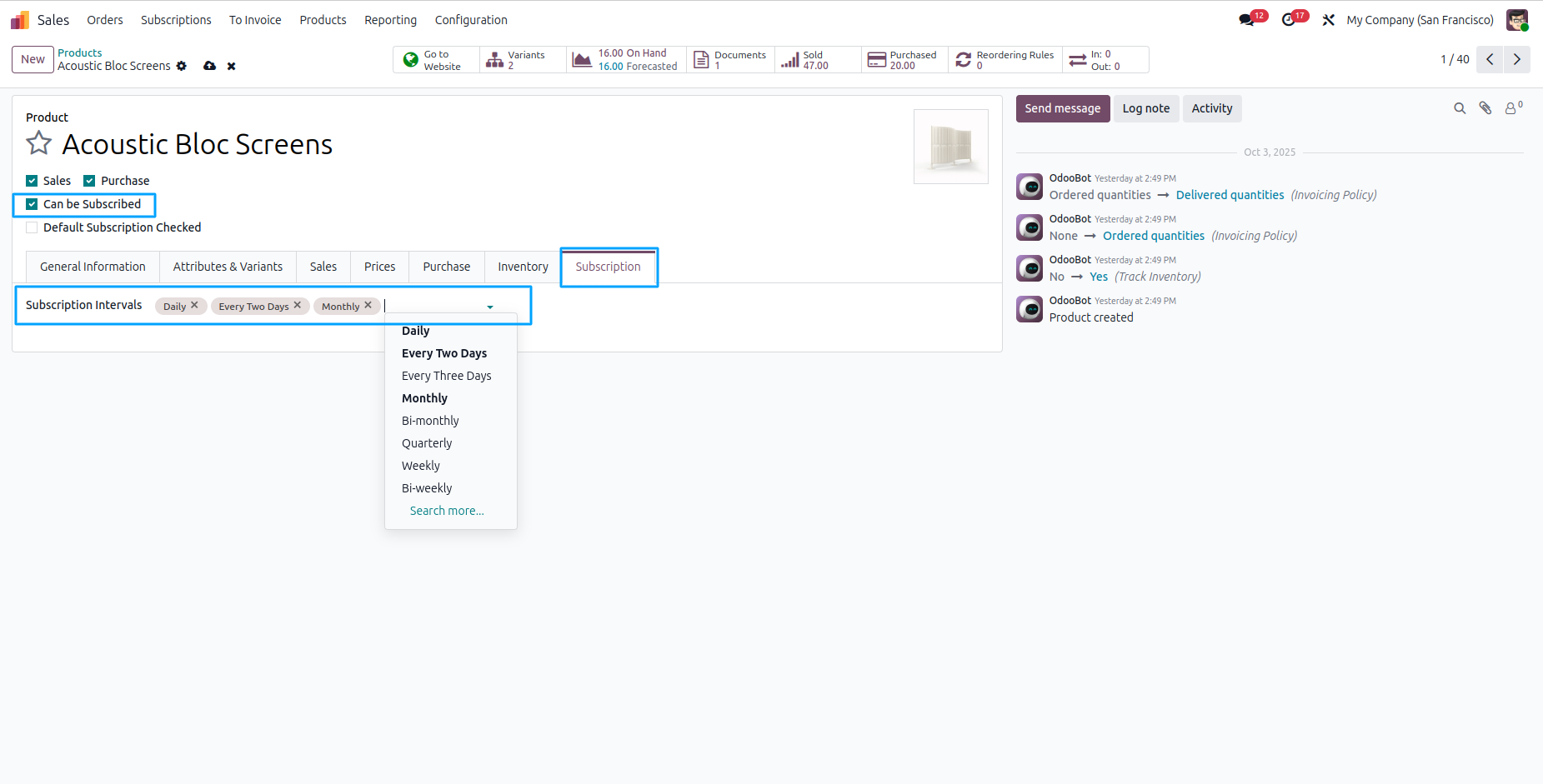
Go to Products and open the desired product. Enable the Can be Subscribed checkbox to make the product a subscription product. Then, open the Subscription tab and set the Subscription Intervals for the product as needed.
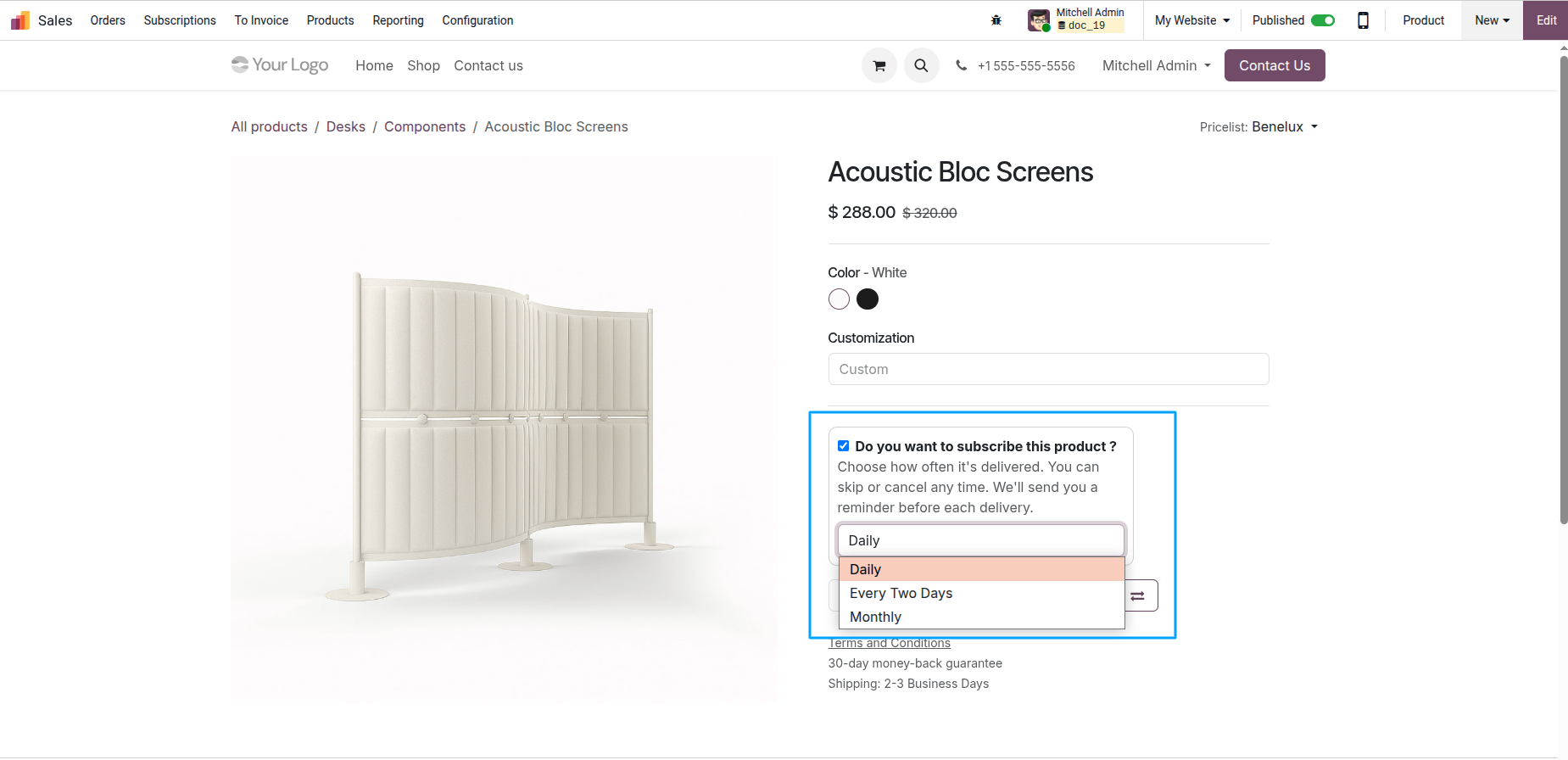
Go to the Website Shop and select the product you want to purchase. Set the product quantity as required.
Enable the option Do you want to subscribe this product? to subscribe to the product.
Select the Delivery Every interval that was previously created.
Finally, add the product to the cart and complete the checkout process.
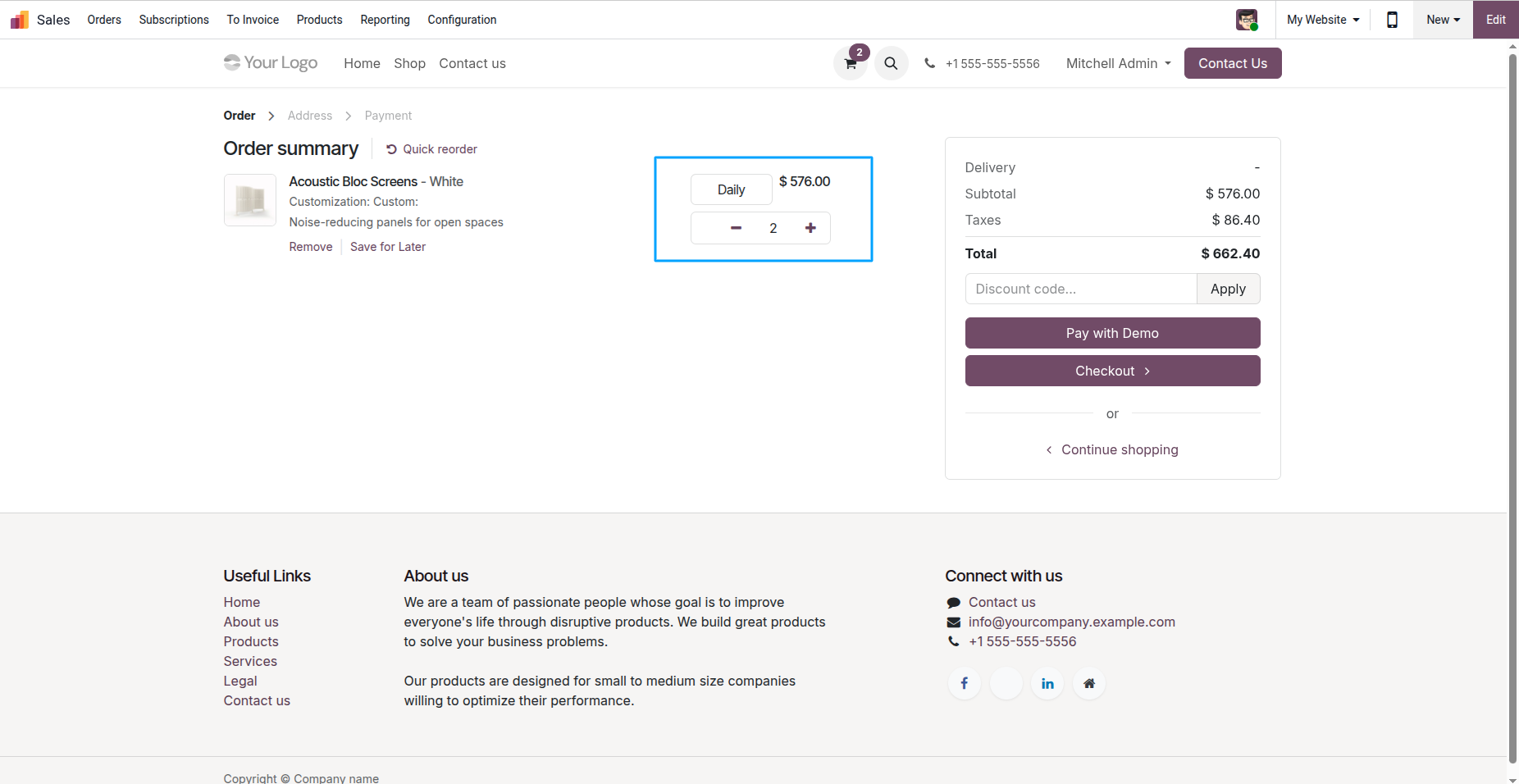
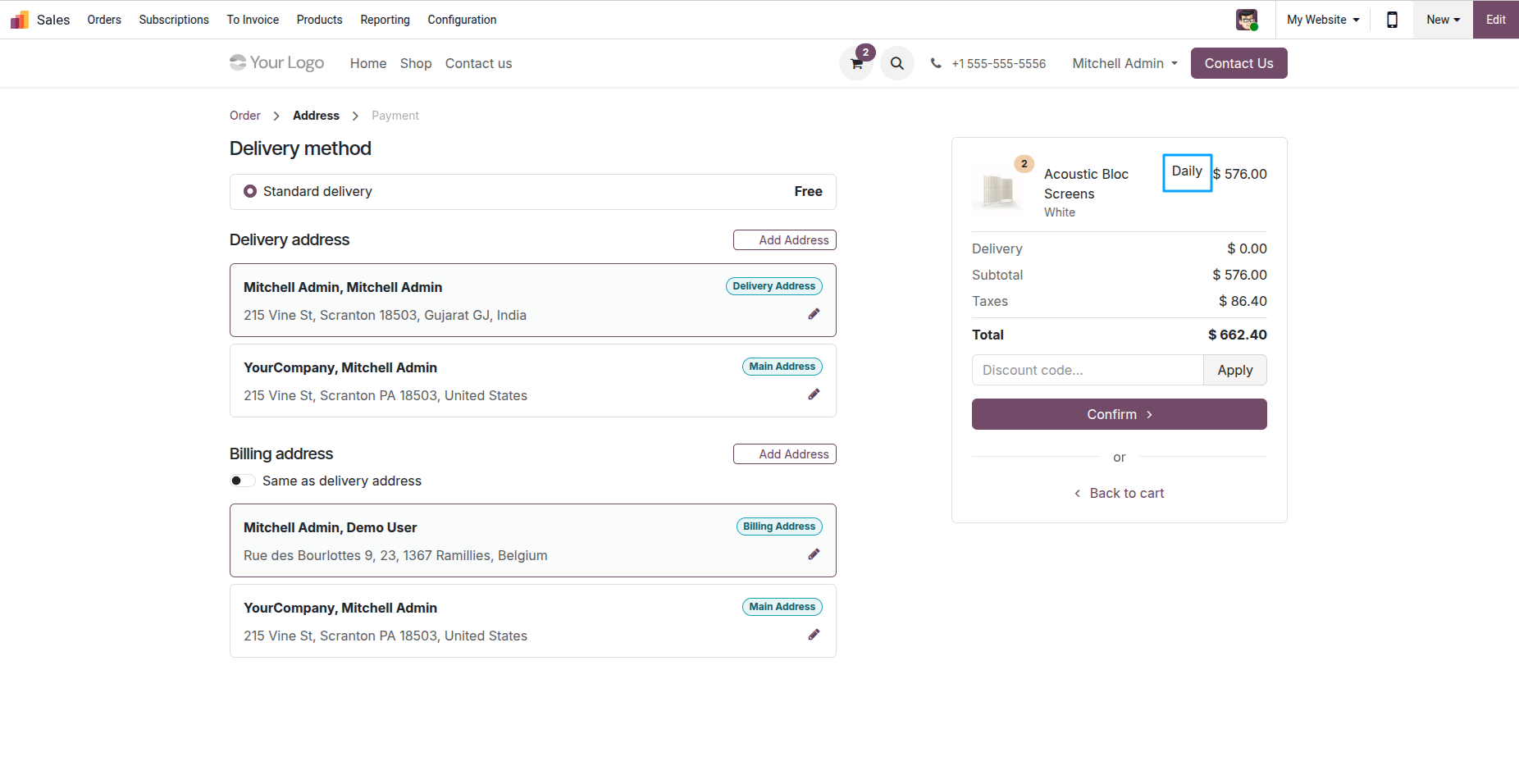
Once the payment has been successfully completed, the order will be confirmed automatically.
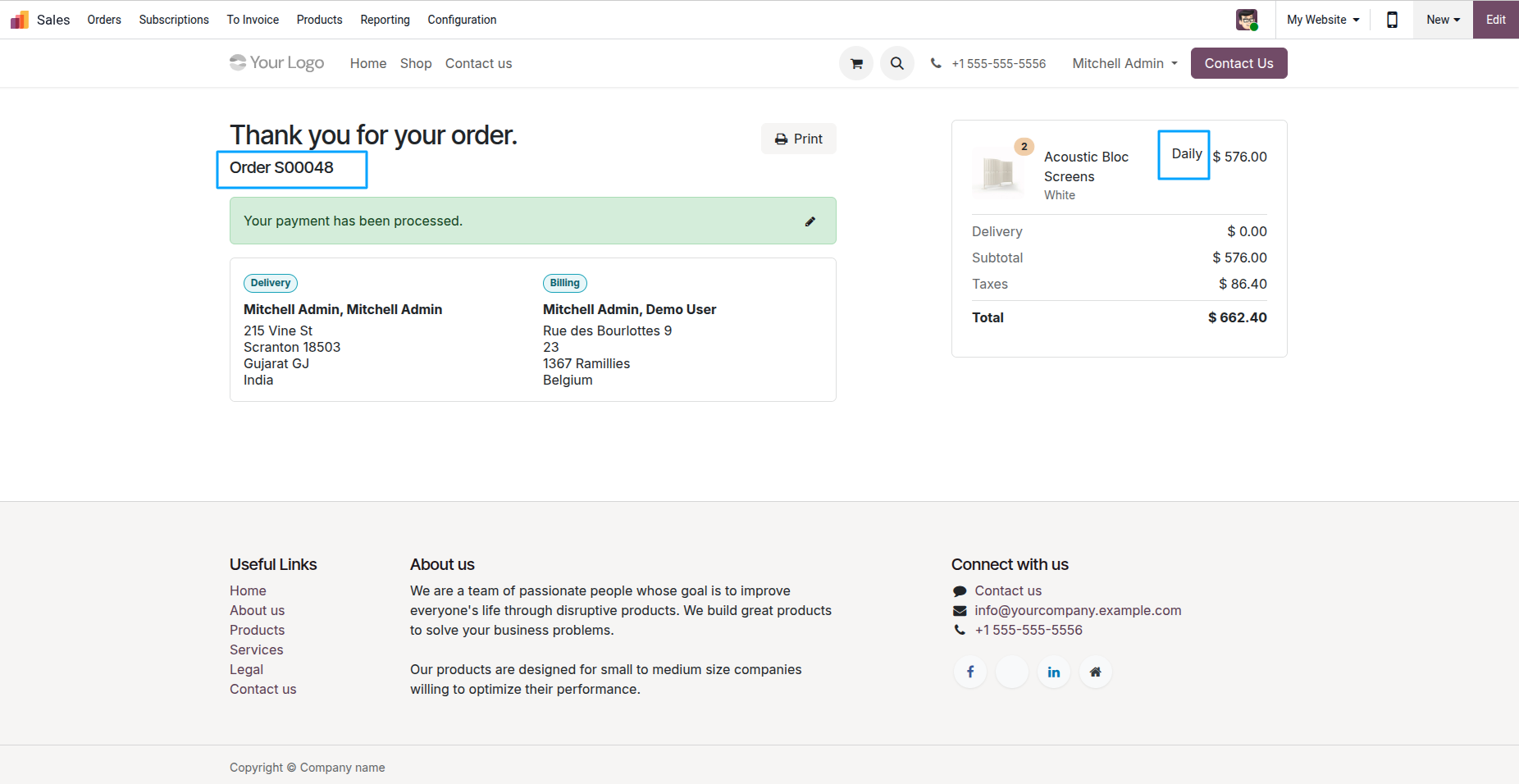
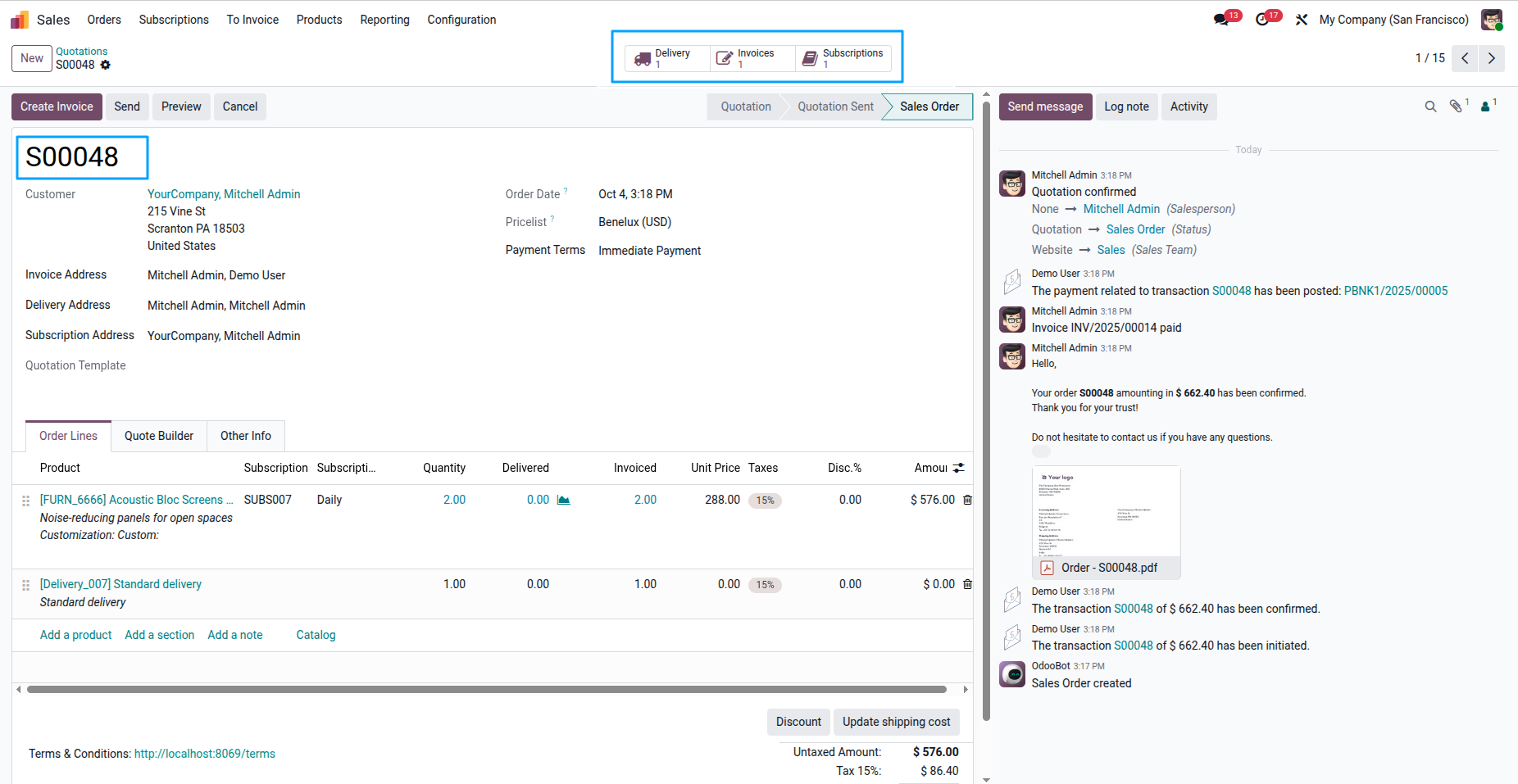
When the order is confirmed, a corresponding Sale Order will be created automatically in the system.
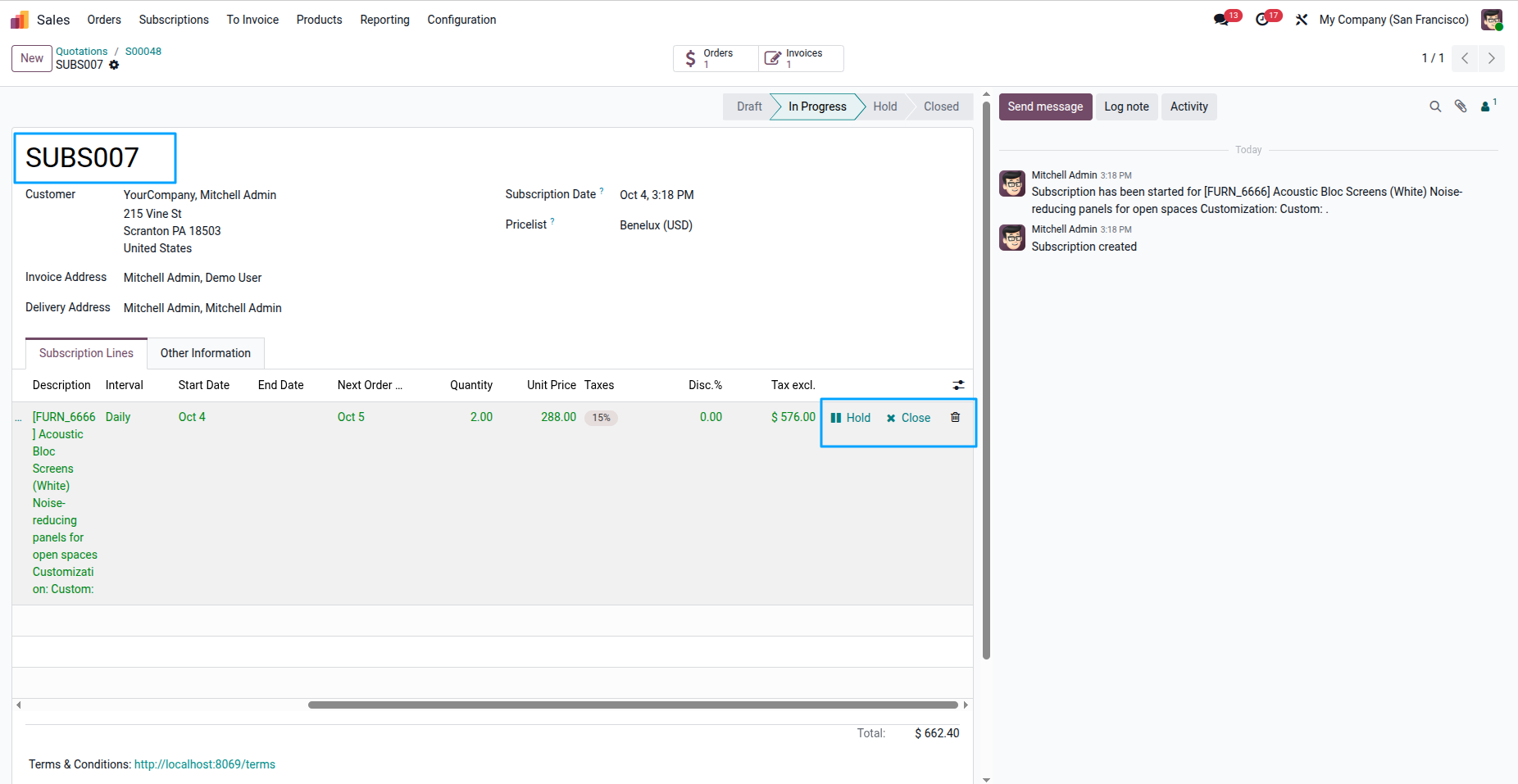
When the order is confirmed, a Product Subscription will be created automatically.
You can update the Invoice Address and Delivery Address as per your requirement directly from this view.
Additionally, you can change the state of the product subscription by clicking on the Pause icon.
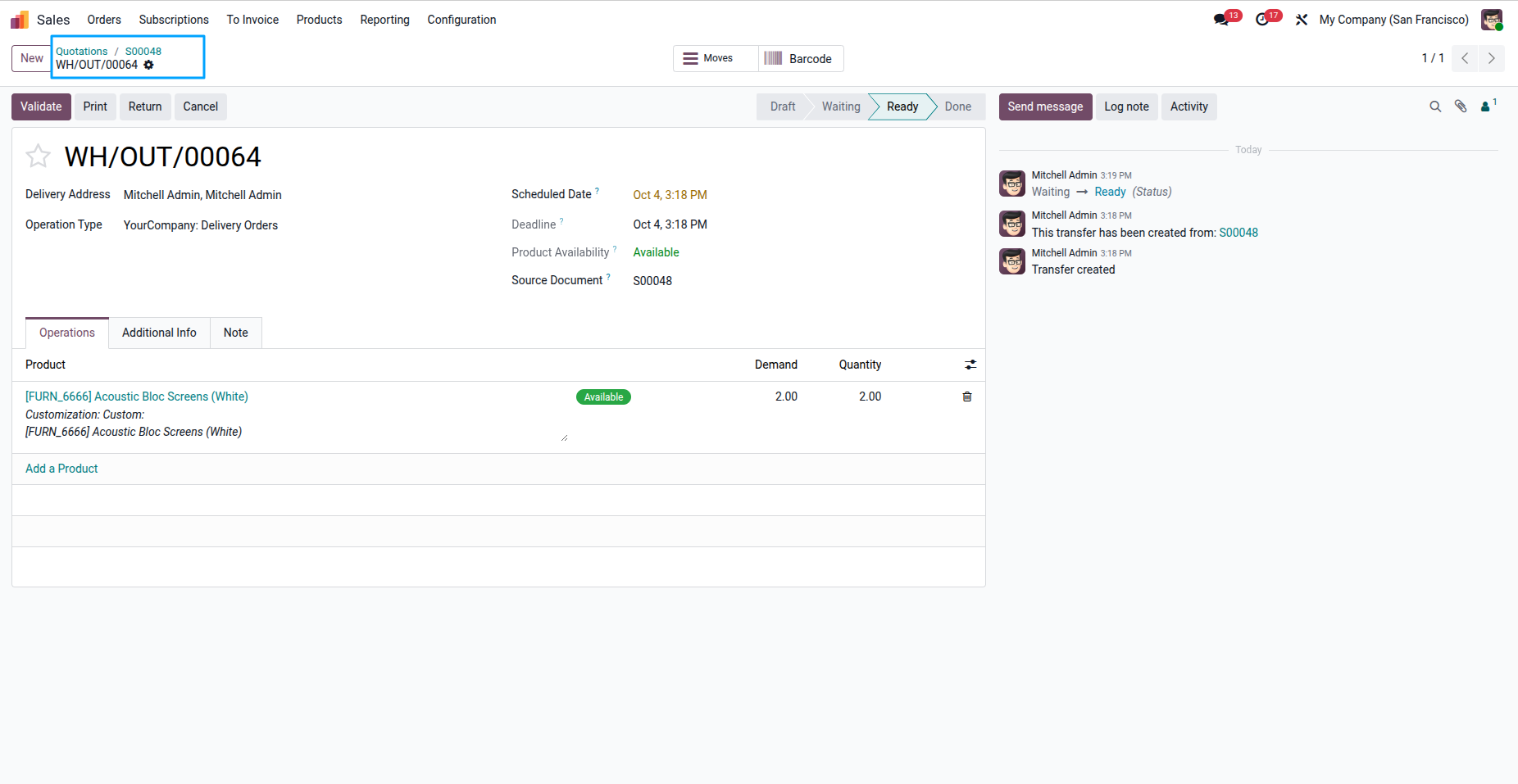
Once the order is confirmed, a corresponding Delivery Order will be automatically created in the system.
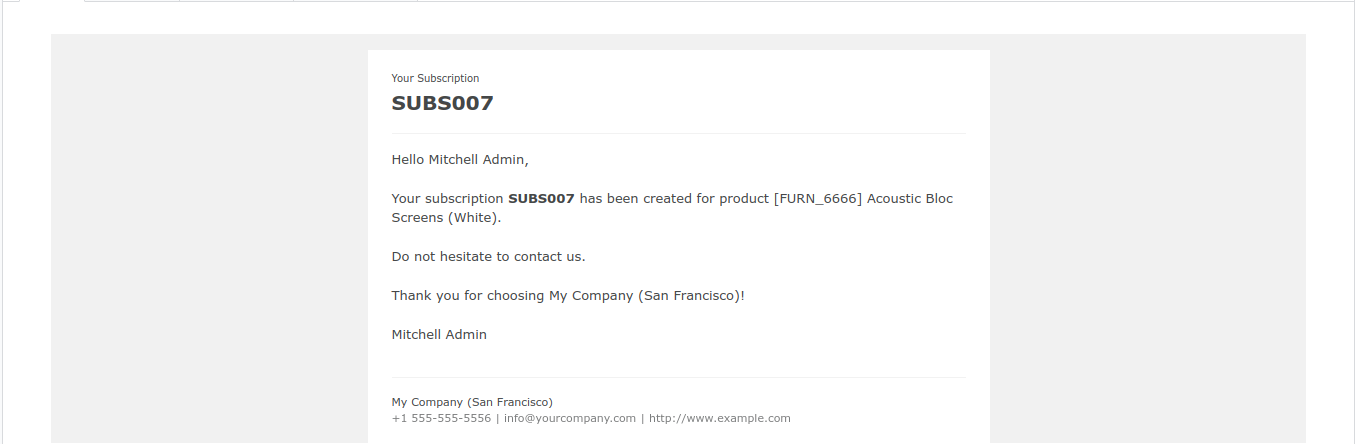
After the subscription is created, the customer will receive an email notification automatically.
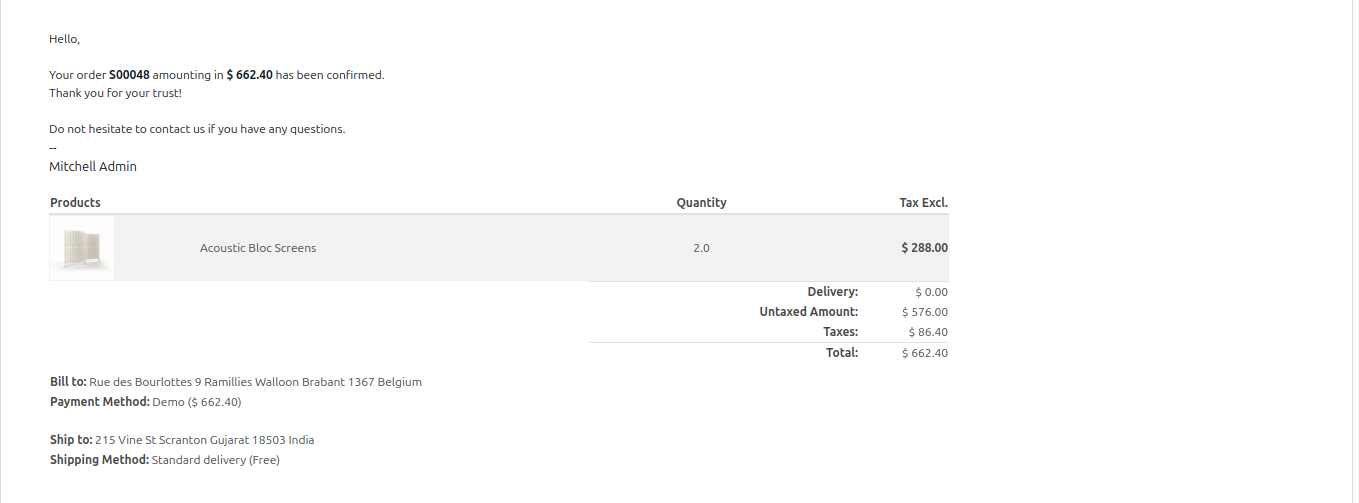
After the Sale Order is created, the customer will automatically receive an email notification regarding the order details.
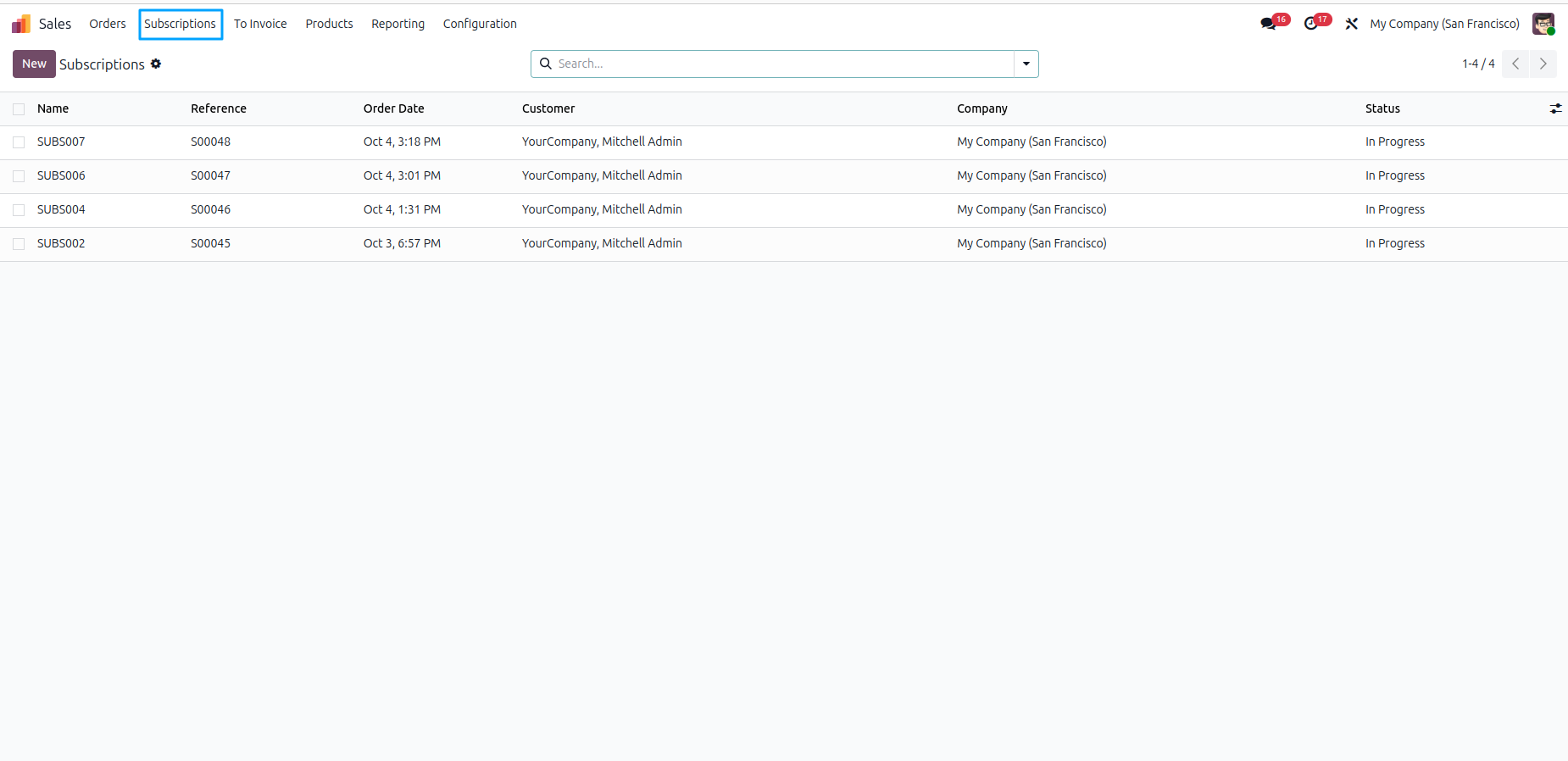
In this view, the user can see all product subscriptions that have been created and managed in the system.
The user can manage their subscription products directly from the portal. First, open the Portal and click on My Account. Then, navigate to the Product Subscription menu to view and manage subscriptions.
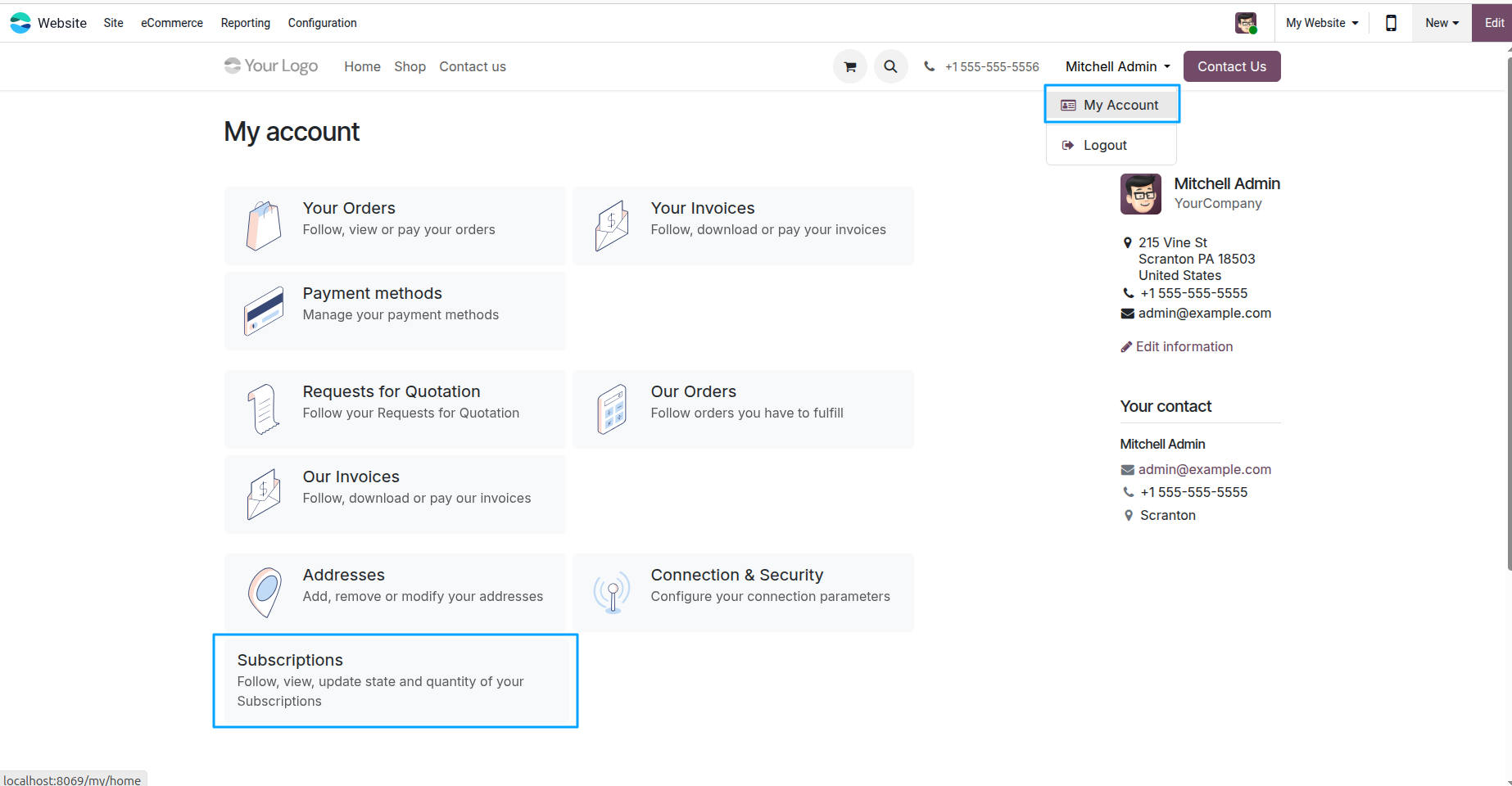
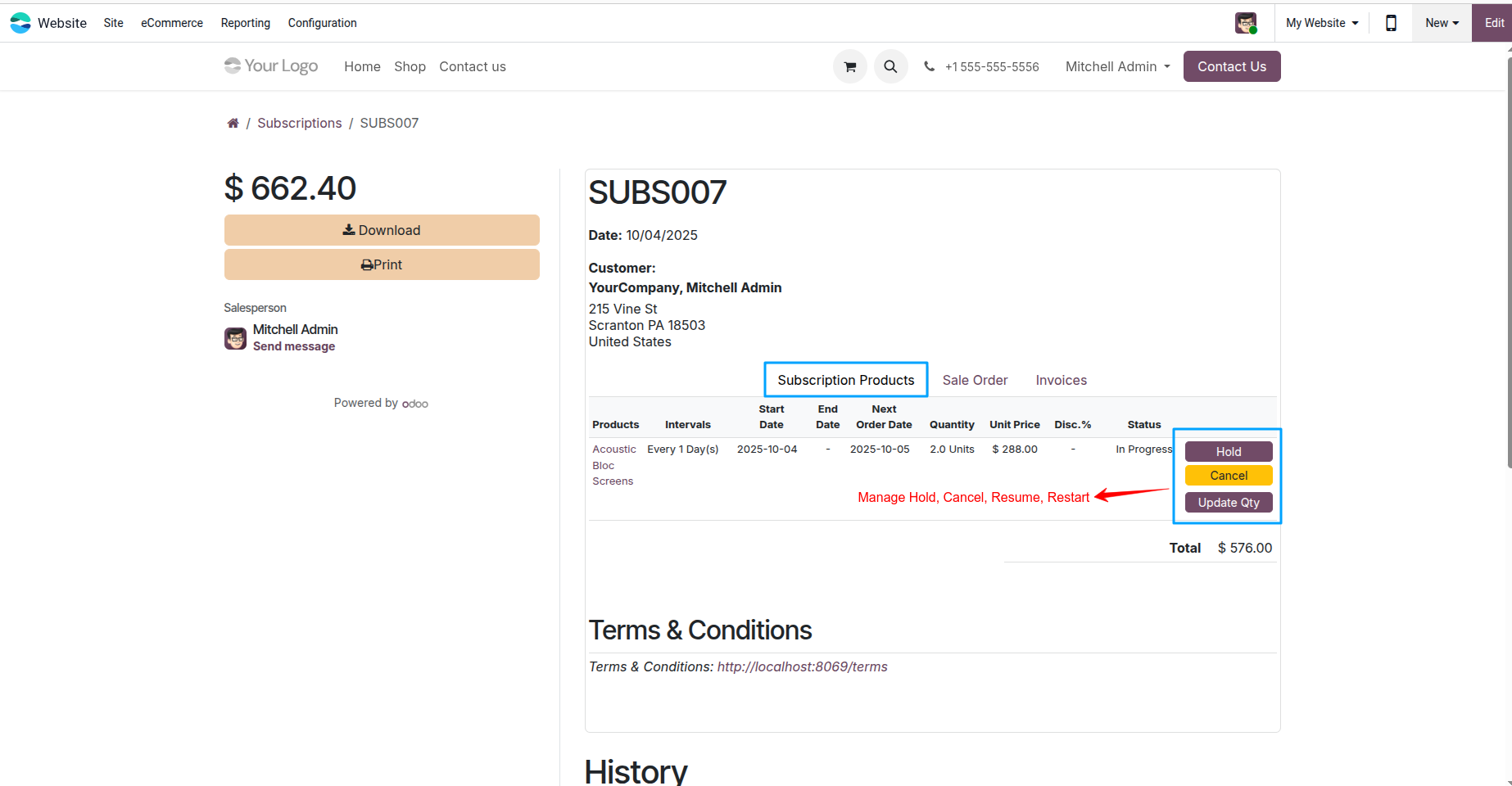
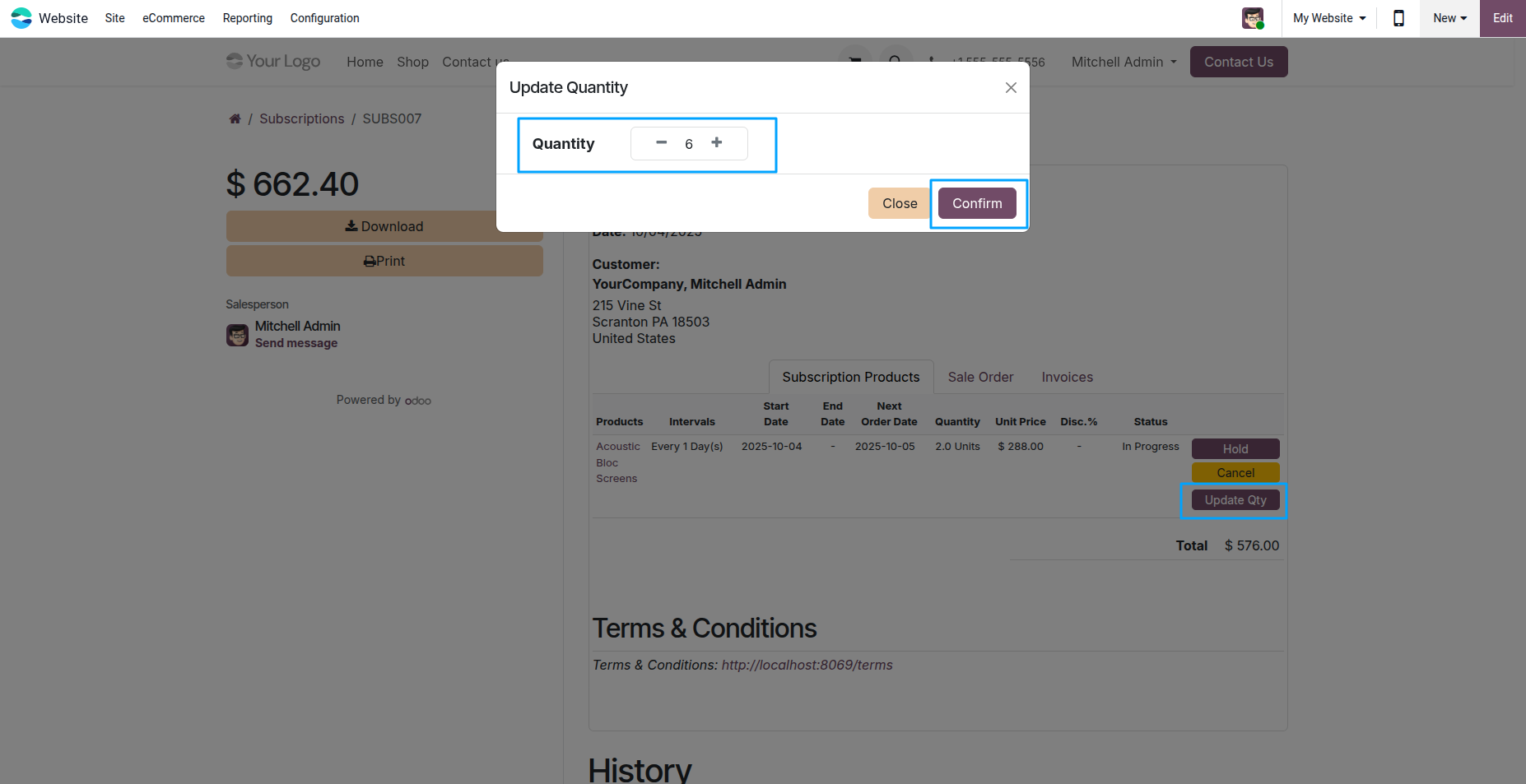
The user can manage their subscription products directly from the portal. Available actions include Hold, Cancel, Resume, and Restart for subscription products. Users can also update the quantity of their subscription products as needed.
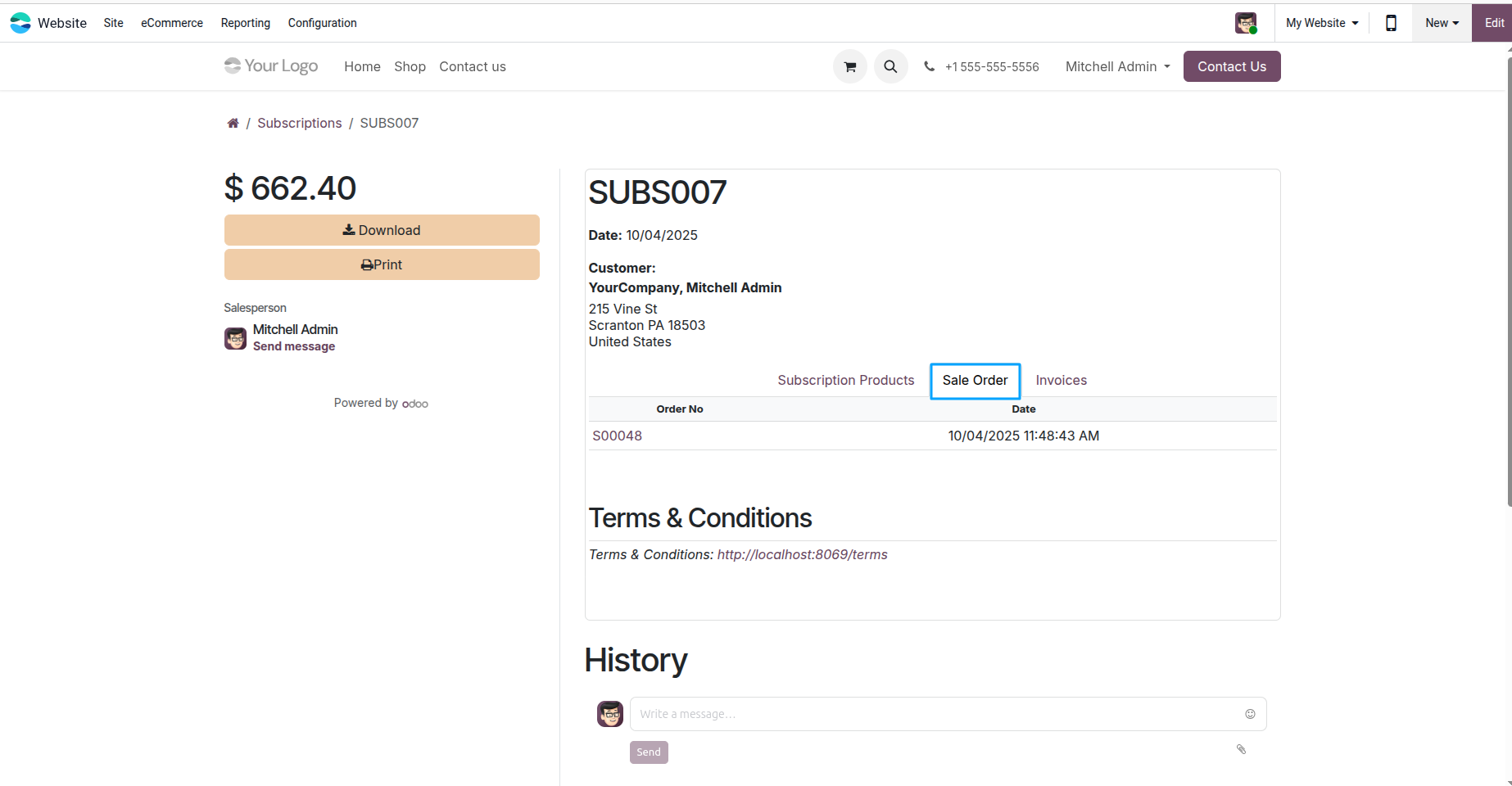
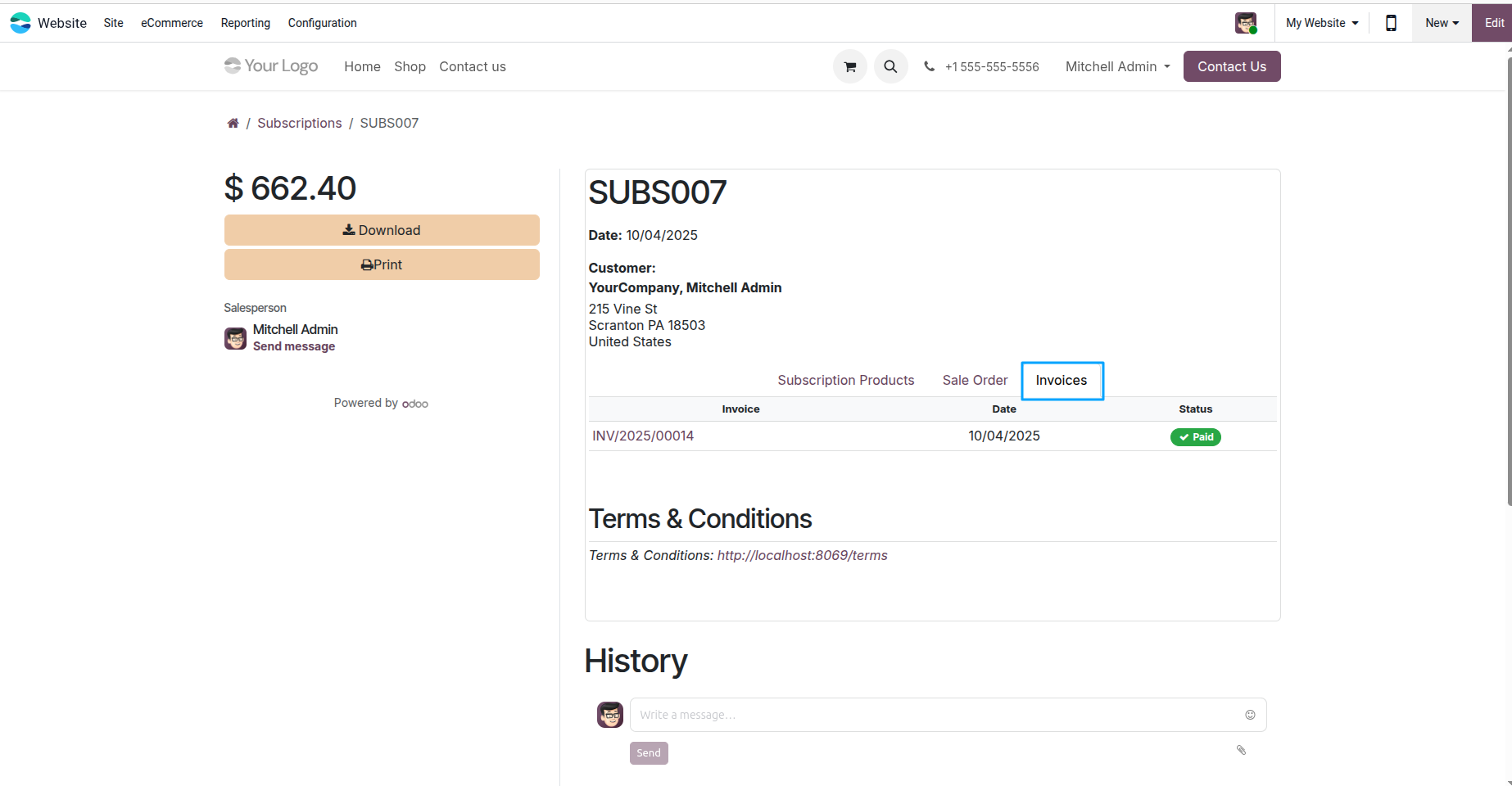
The user can download the Sale Order and Invoice for their subscription products directly from the portal for record-keeping or printing purposes.
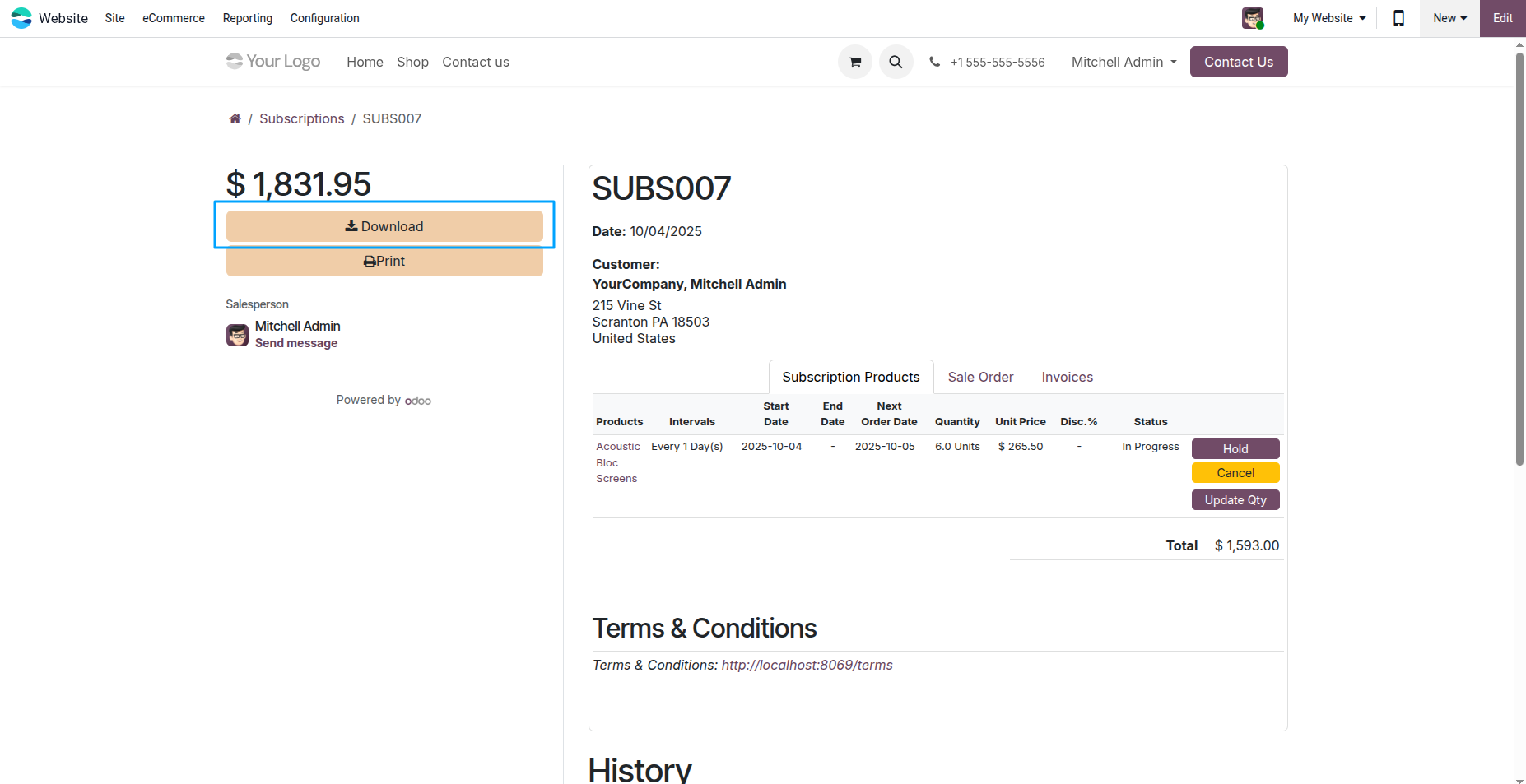
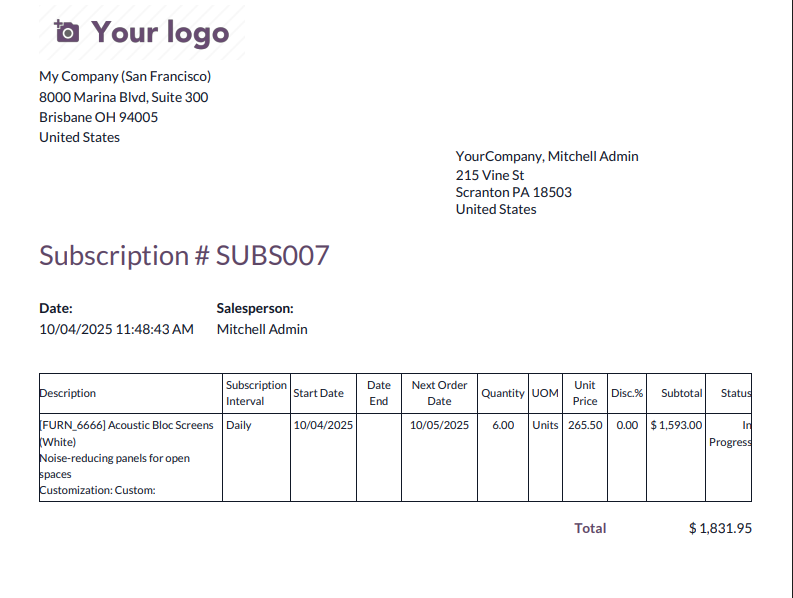
The user can download or print the Subscription Order PDF Report for their subscription products directly from the portal. This helps in maintaining records or sharing order details.
Key Features

Automatically create product subscriptions
Auto-generate Sales Orders for subscription products
Send reminder emails before the next delivery
Use default subscription intervals for quick setup
Automatically create delivery orders
Send email notifications to customers after auto-creating Sales Orders and subscriptions
Allow customers to manage their subscription products from the portal
Free 3 Months Support
Need help or any technical support ?
Kanak Infosystems LLP. will provide free 3 months support for bug fixes, any doubts or queries, installation, configuration support or any types of issues related to this module.
At our company, we take pride in providing exceptional help and technical support to our valued customers.
Our team of dedicated experts is well-versed in the intricacies of the Odoo platform.



Our Services

Hire Odoo Developer

Odoo Customization

Odoo Development

Odoo Installation

Odoo Integration

Odoo Resource

Odoo Themes

Odoo Training

Important Notice
All applications are developed within the default, up-to-date Odoo environment, and as such, we cannot guarantee flawless compatibility with third-party apps. While we strive to ensure smooth integration, any conflicts or issues that arise due to third-party applications will require additional support services, which can be provided at an extra cost. Kindly contact our support team for more information or to arrange paid support.
Reach out to us at our offices for any inquiries or collaboration.
Delhi Office
Unit no. 1017 & 1026, 11th Floor, Westend Mall,
Janak Puri, New Delhi,
Delhi, India - 110058
Gujarat Office
Unit no. 307, The Landmark, Urjanagar 1, Kudasan,
Gandhinagar, Gujarat, India - 382421
Kanak Infosystems LLP Proprietary License v1.0

This software and associated files (the "Software") may only be used (executed, modified, executed after modifications) if you have purchased a valid license from the authors, typically via Kanak Infosystems LLP Apps, or if you have received a written agreement from the authors of the Software (see the COPYRIGHT file).

You may develop Kanak Infosystems LLP modules that use the Software as a library (typically by depending on it, importing it and using its resources), but without copying any source code or material from the Software. You may distribute those modules under the license of your choice, provided that this license is compatible with the terms of the Kanak Infosystems LLP Proprietary License (For example: LGPL, MIT, or proprietary licenses similar to this one).

It is forbidden to publish, distribute, sublicense, or sell copies of the Software or modified copies of the Software.

The above copyright notice and this permission notice must be included in all copies or substantial portions of the Software.

THE SOFTWARE IS PROVIDED "AS IS", WITHOUT WARRANTY OF ANY KIND, EXPRESS OR IMPLIED, INCLUDING BUT NOT LIMITED TO THE WARRANTIES OF MERCHANTABILITY, FITNESS FOR A PARTICULAR PURPOSE AND NONINFRINGEMENT. IN NO EVENT SHALL THE AUTHORS OR COPYRIGHT HOLDERS BE LIABLE FOR ANY CLAIM, DAMAGES OR OTHER LIABILITY, WHETHER IN AN ACTION OF CONTRACT, TORT OR OTHERWISE, ARISING FROM, OUT OF OR IN CONNECTION WITH THE SOFTWARE OR THE USE OR OTHER DEALINGS IN THE SOFTWARE.

Comment on this module. Please Login