 +91 981-810-8884, 0114-214-3250
| Required Apps |
•
sale_management
|
| Technical Name | sale_loyalty_kanak |
| License | OPL-1 |
| Also available in version | v 16.0 v 17.0 v 18.0 |


Community
Enterprise
Odoo.sh

Sale Loyalty
The Sale Loyalty Module provides with the functionality wherein Customers can earn reward points based on defined loyalty program rules. These accumulated points can then be redeemed to receive rewards or discounts while making purchases.

Loyalty Programs
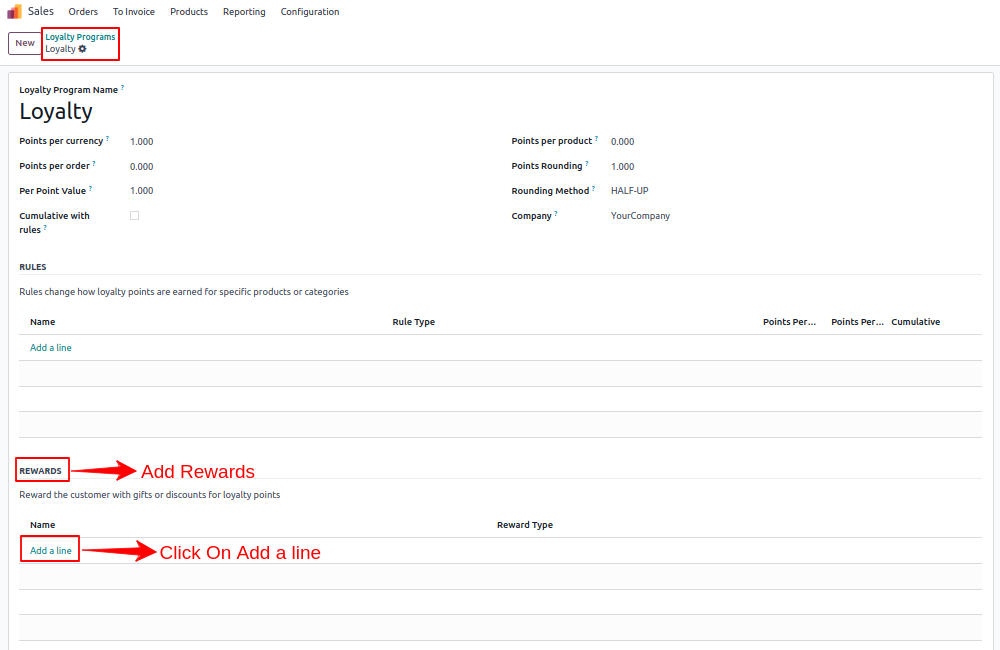
Navigate to sales and click on configuration menu.
Create Loyalty Program and add Rewards.
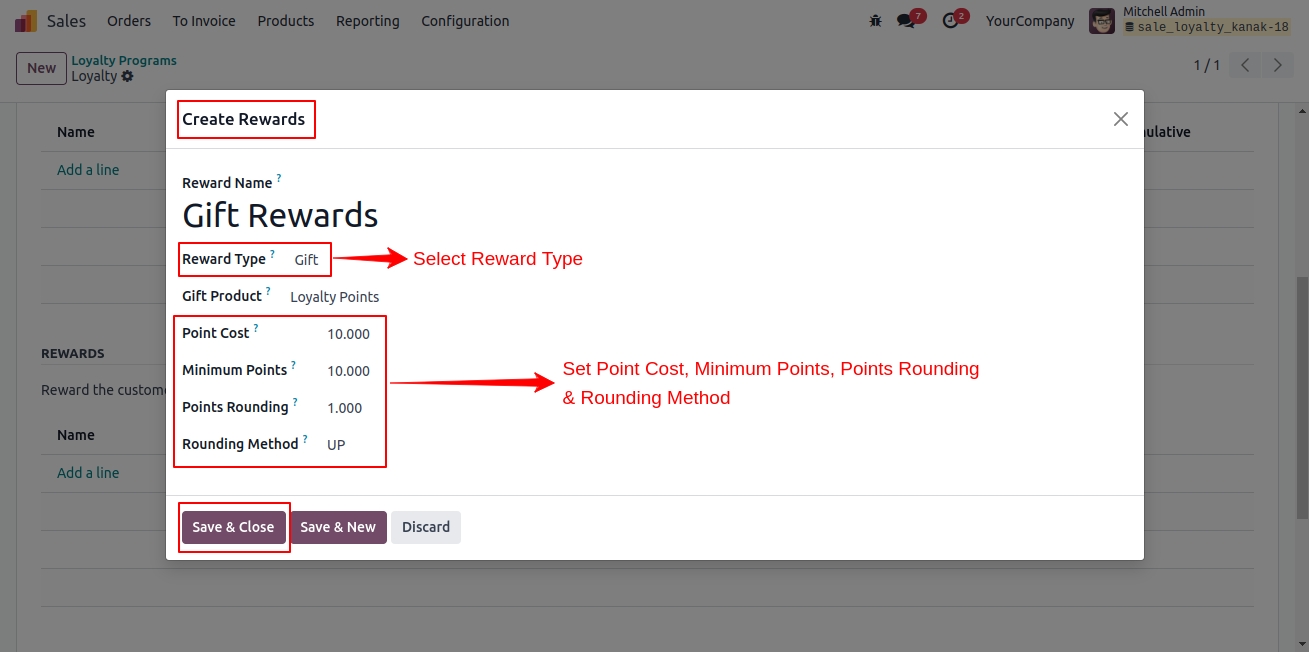
Create Reward
Add reward name and select reward type.
Now, set point cost, minimum points, points rounding, rounding method of reward.
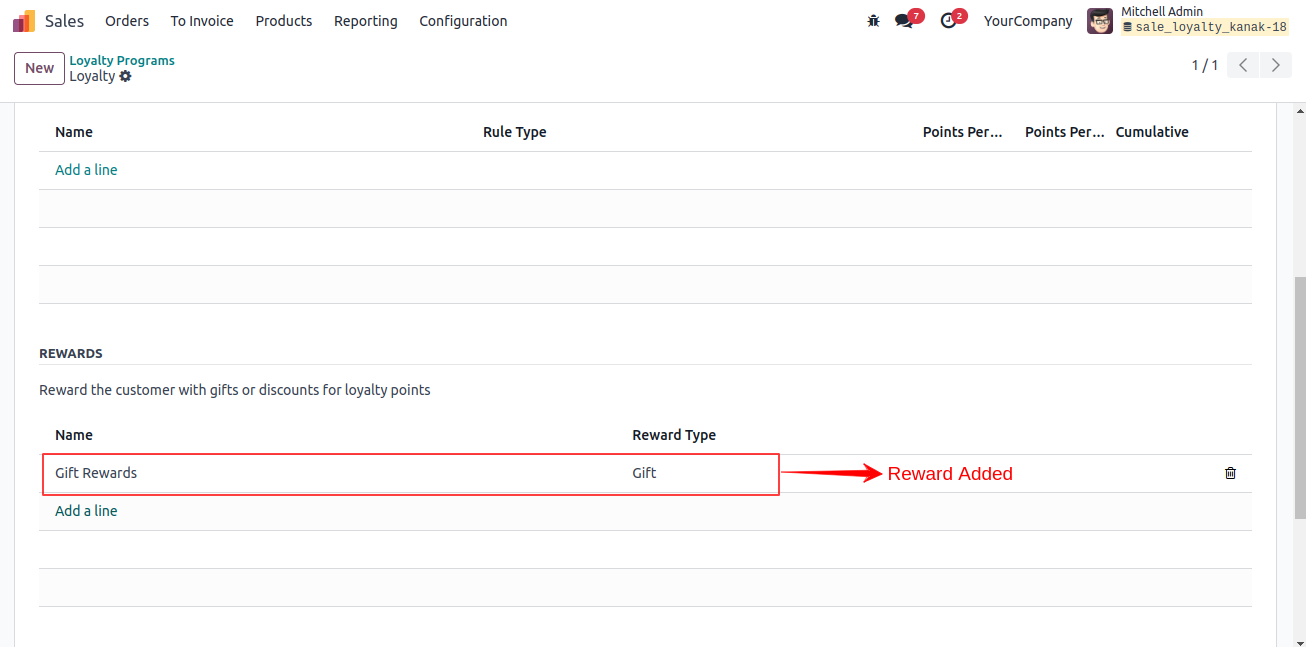
Added Reward
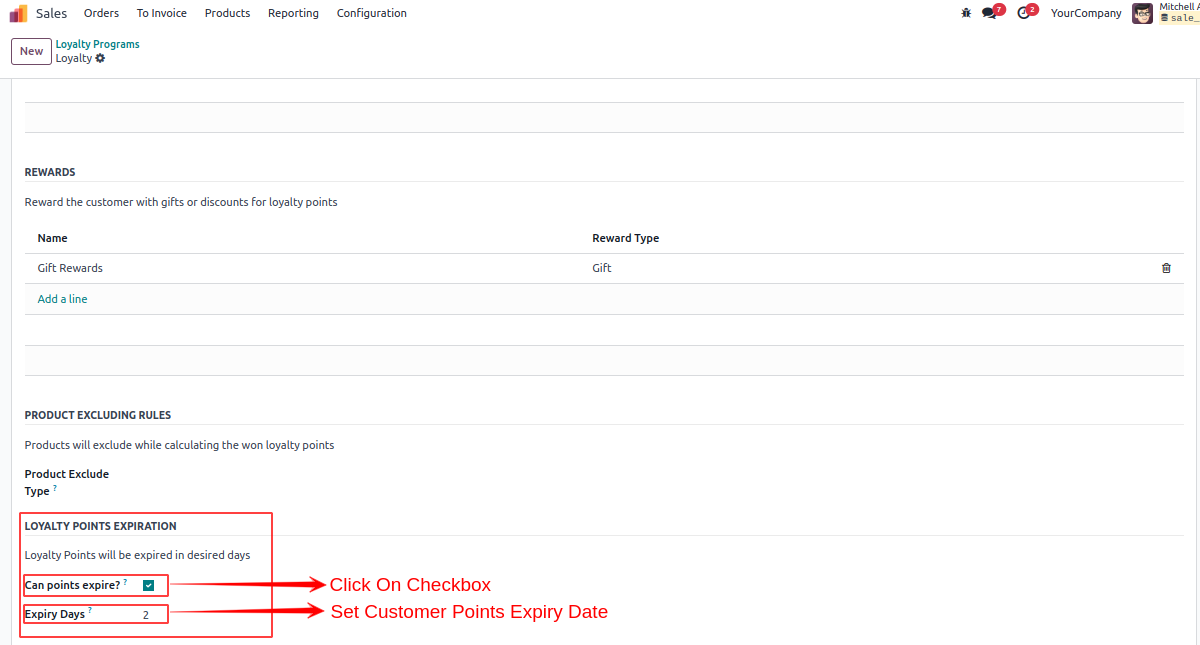
Loyalty Point Expiration
You can set loyalty point expiration from here.
Click on "Can points expire?" checkbox for enable point expiration feature and set points expiry days.
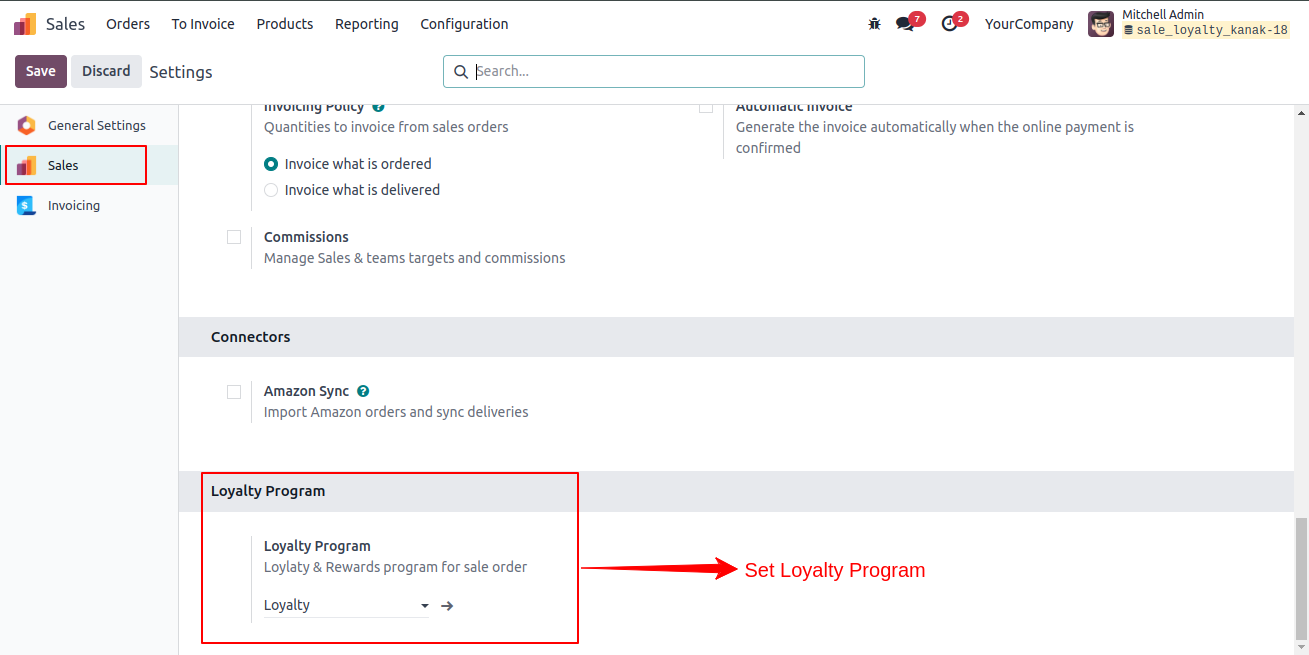
Loyalty Program in Setting
Open Sales configuration setting and set Loyalty Programs.
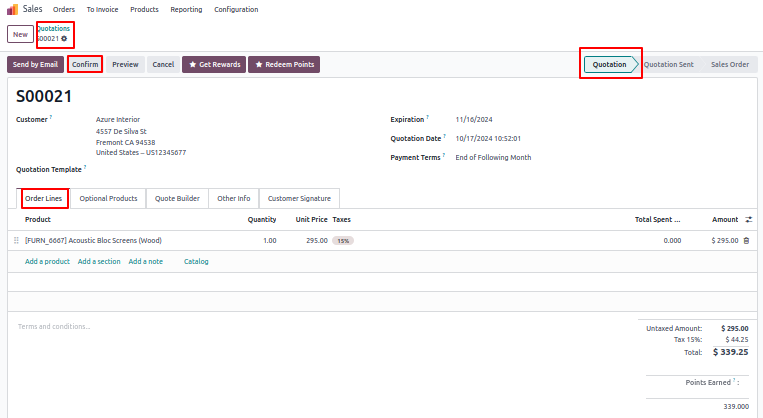
Create Quotation and check customer's profile.
Now, create quotation and confirm Sale Quotation.
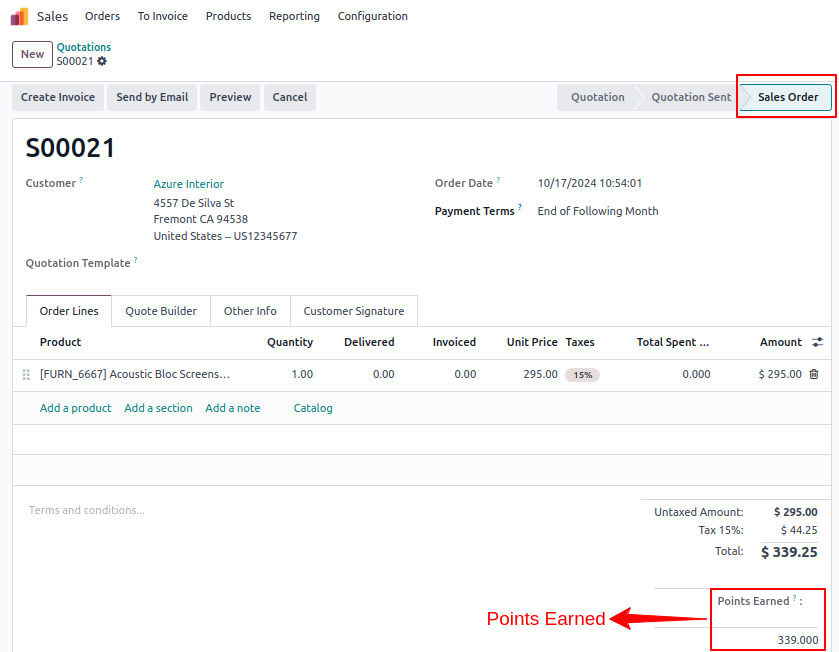
Confirmed Sales Order
After confirming sale order, points earned to be automatically added.
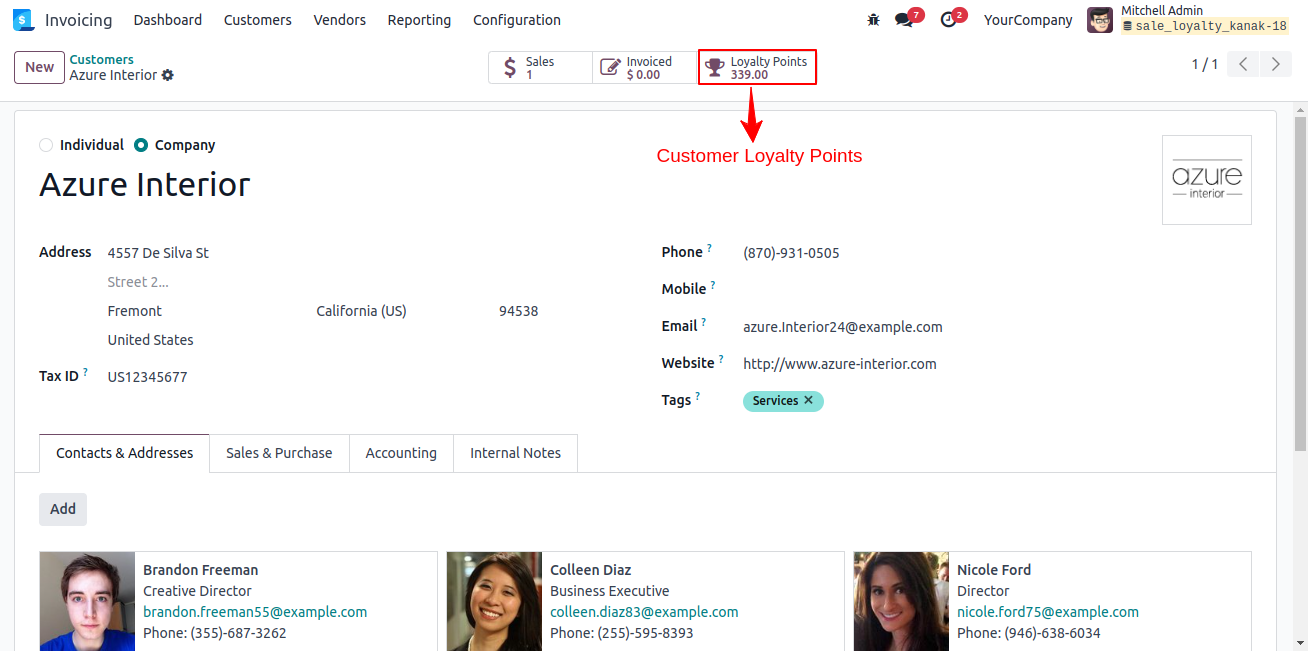
Customer's Profile
Open selected customer's profile.
Here, we can see loyalty points will be auto added in customer's profile.
Redeem Points
Again Create Quotation and Select Get Reward.
Now, again create another quotation and click on get rewards button.
Rewards will be automatically added in sale order lines.
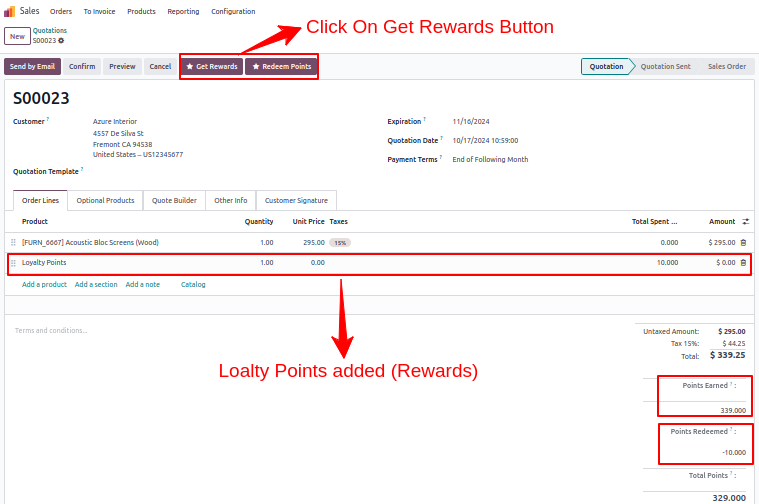
Redeem Points
Click on redeem points button, popup will be open.
Add redeem points.
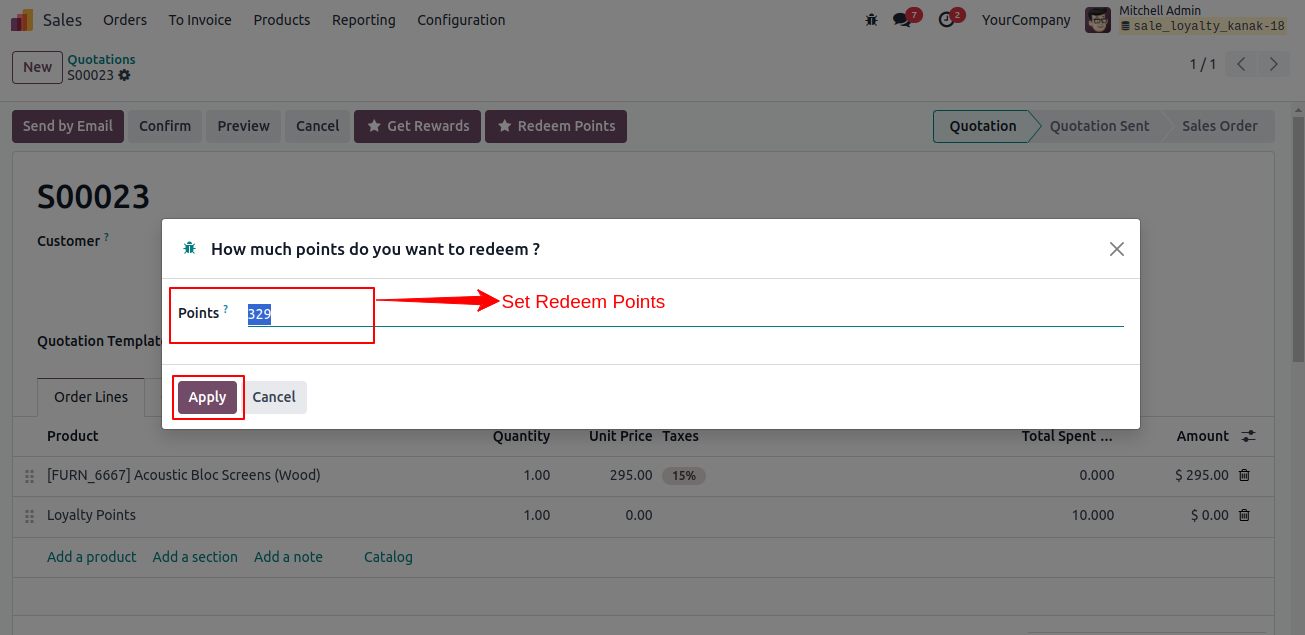
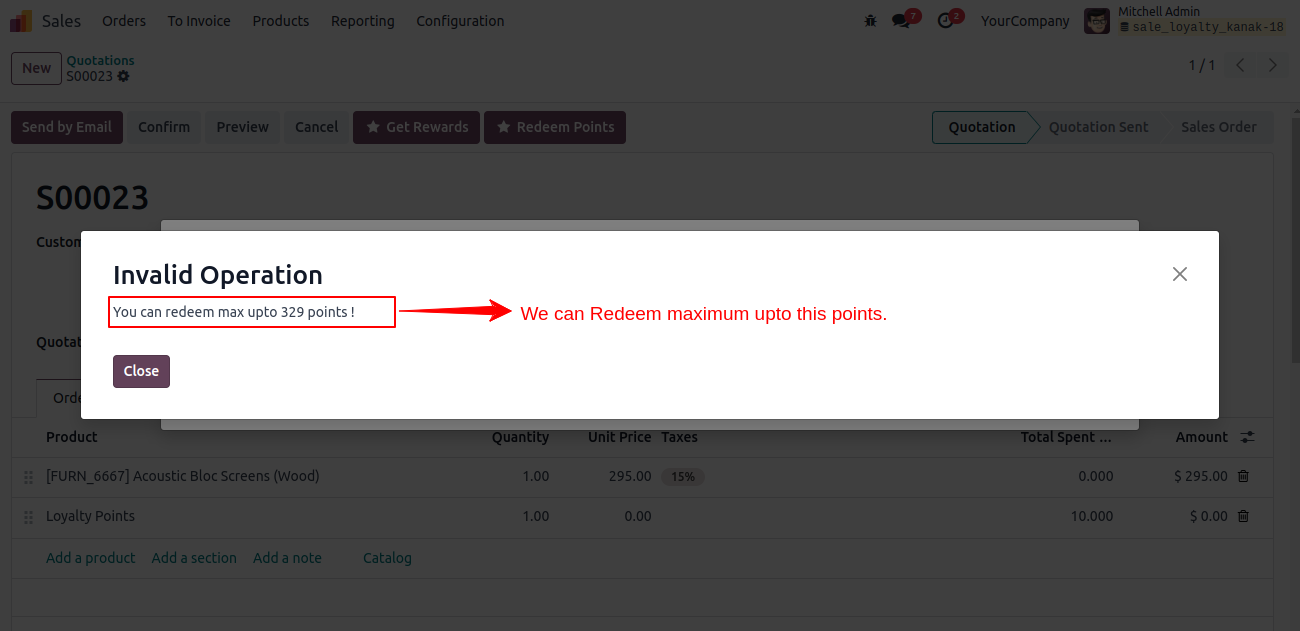
Set Redeem Maximum Up-to Sale Loyalty Points
If redeem points higher than the loyalty points. Warning message will be pop-up.
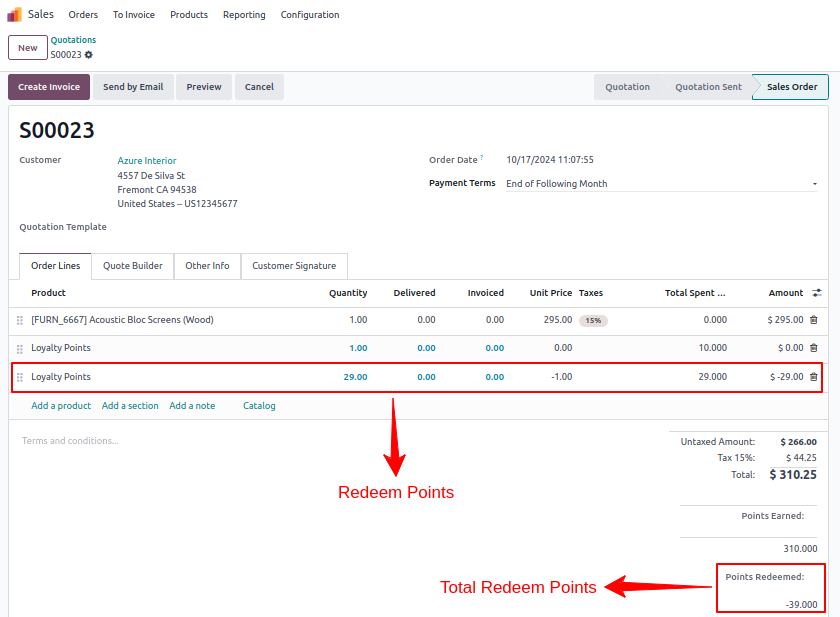
Get Redeem Points
Redeemed points are automatically added to the sale order lines.
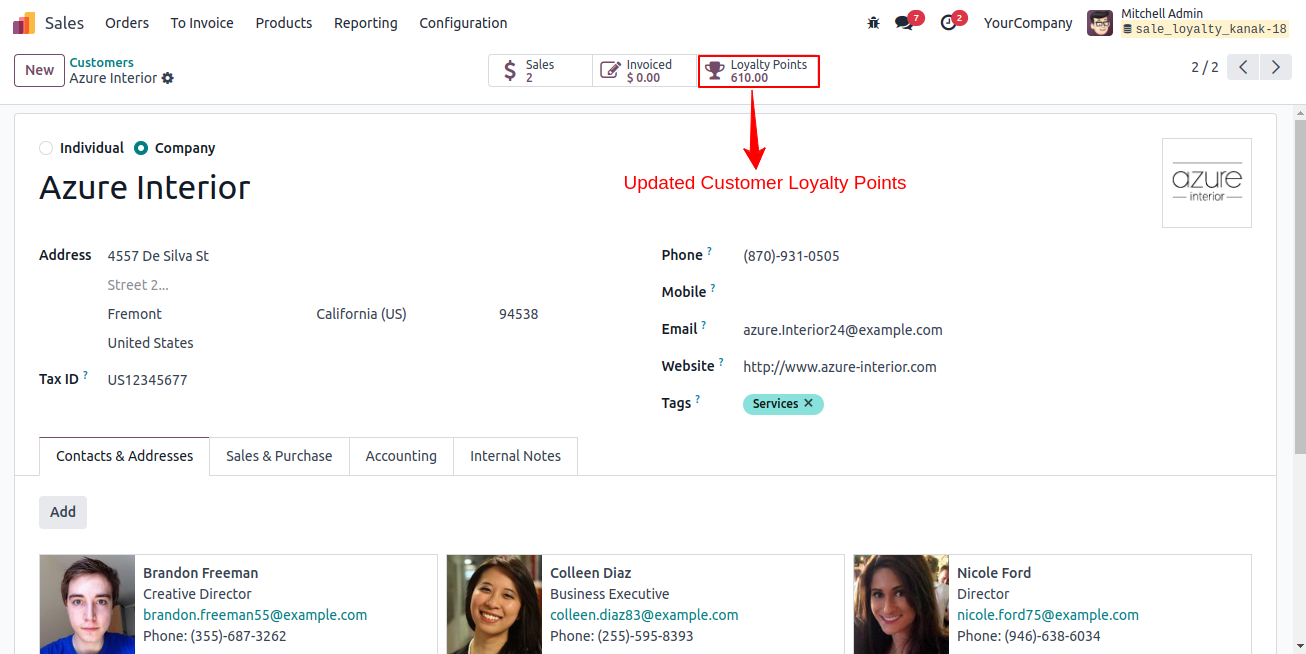
Check Sale Loyalty Points
Now, again open customer's profile and check updated loyalty points.
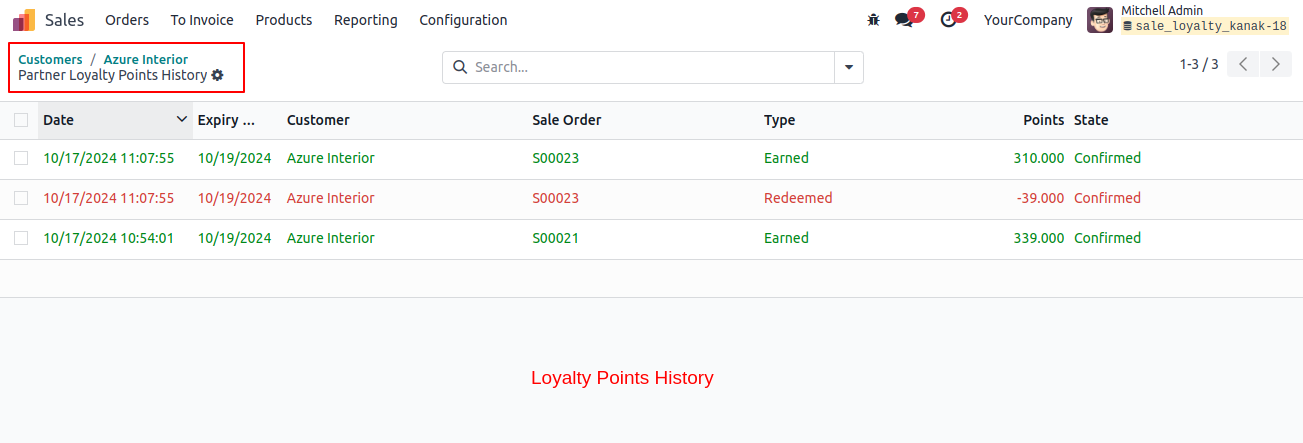
Loyalty Points History
Click on configuration menu and open loyalty points history.
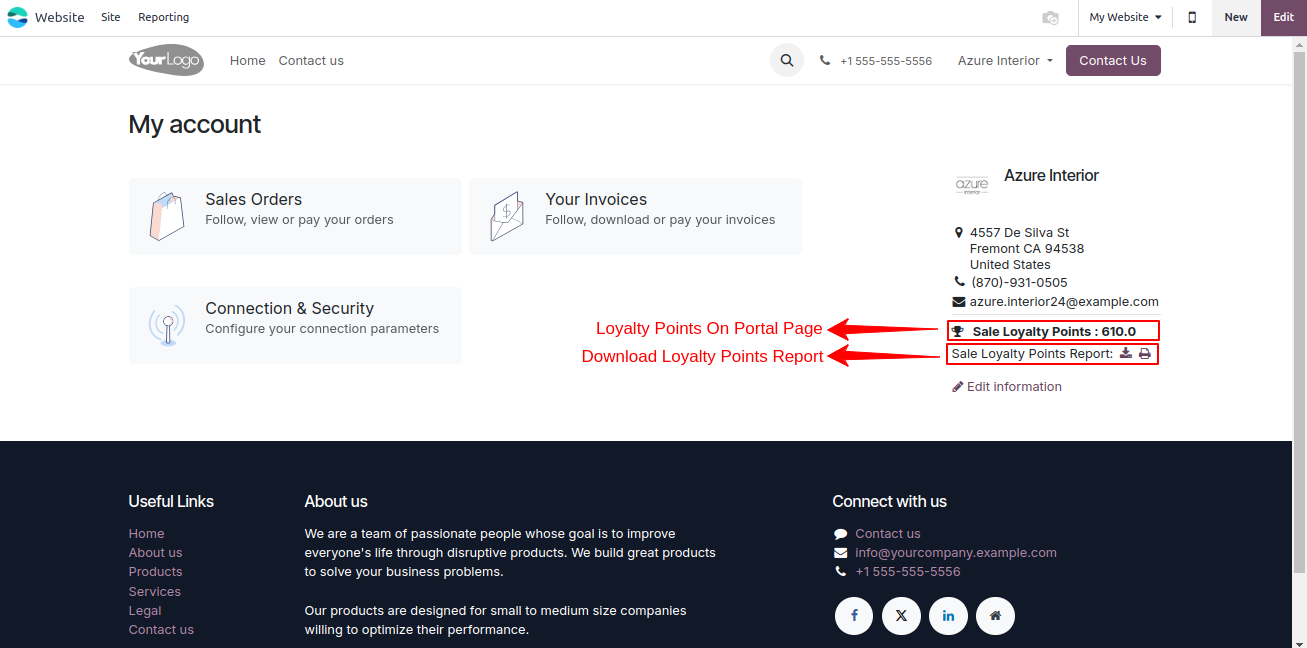
Loyalty Points on Portal Page
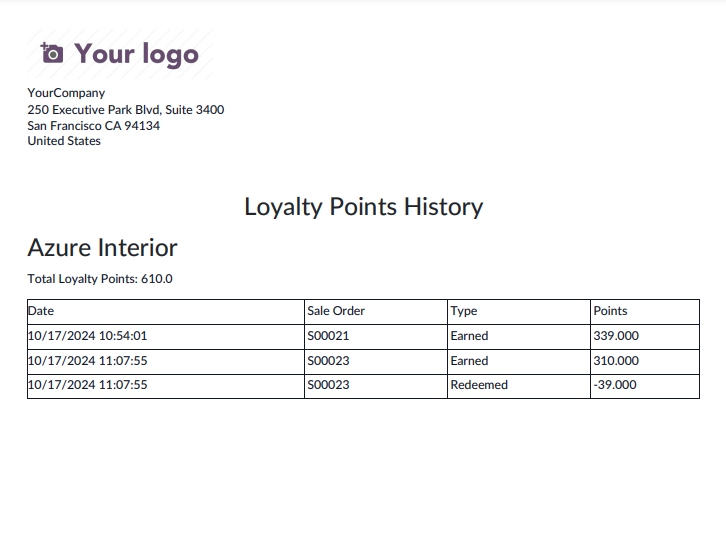
Customer can see their loyalty points on portal page and also get loyalty points report.
Loyalty Points History Reports
Key Features

User can set loyalty program and it is easier to manage a customer loyalty points for rewards option with Discount, Voucher, and Gift.
In Loyalty program you can use different options like Points Per Currency, Points Per Order, and Points Per Product.
You can set Rewards with a particular type of (Gift/Discount/Resale) with Point Cost and Minimum Points.
You can set Rules with a particular type of Product or Category on target product.
Rewards the customer with Gift, Discount, and Resale for loyalty points.
Rules can be applied on Specific Product or Category.
In Quotation, user can see how much Won Points and Spent Points on current order.
After confirming the Quotation Total Points will be Add/Subtract into customer loyalty points.
In Enterprise version, our sale loyalty is compatible with POS Loyalty. Download our module "Sale Loyalty Extension for POS Loyalty"
It supports multiple company.
User can Set and Customize Redeem Points on Current Order.
Free 3 Months Support
Need help or any technical support ?
Kanak Infosystems LLP. will provide free 3 months support for bug fixes, any doubts or queries, installation, configuration support or any types of issues related to this module.
At our company, we take pride in providing exceptional help and technical support to our valued customers.
Our team of dedicated experts is well-versed in the intricacies of the Odoo platform.




Our Services

Hire Odoo Developer

Odoo Customization

Odoo Development

Odoo Installation

Odoo Integration

Odoo Resource

Odoo Themes

Odoo Training

Important Notice
All applications are developed within the default, up-to-date Odoo environment, and as such, we cannot guarantee flawless compatibility with third-party apps. While we strive to ensure smooth integration, any conflicts or issues that arise due to third-party applications will require additional support services, which can be provided at an extra cost. Kindly contact our support team for more information or to arrange paid support.
Reach out to us at our offices for any inquiries or collaboration.
Delhi Office
Unit no. 1017 & 1026, 11th Floor, Westend Mall,
Janak Puri, New Delhi,
Delhi, India - 110058
Gujarat Office
Unit no. 307, The Landmark, Urjanagar 1, Kudasan,
Gandhinagar, Gujarat, India - 382421
OPL-1

Comment on this module. Please Login