 +91 981-810-8884, 0114-214-3250


Community
Enterprise
Odoo.sh

Multi Product Quick Import(Sales)
The Multi Product Quick Import (Sales) module allows users to add multiple products to the order line in one go, making the sales order creation process faster and more efficient.
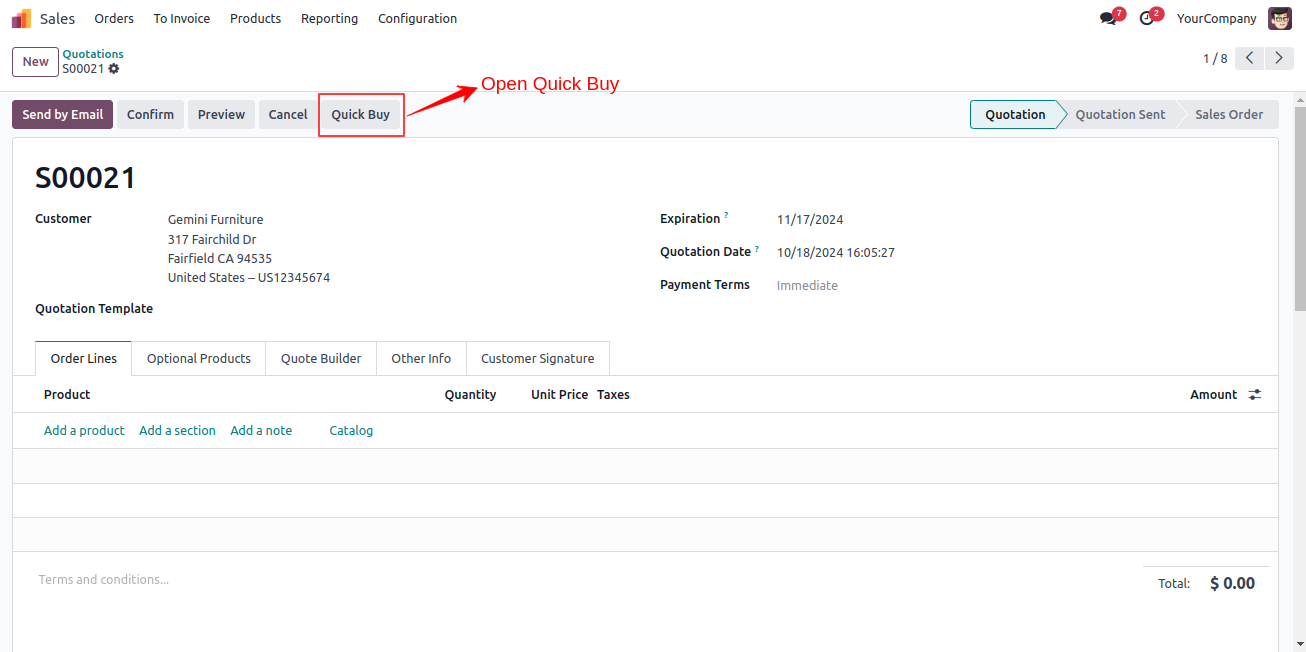
Click on the Quick Buy menu.
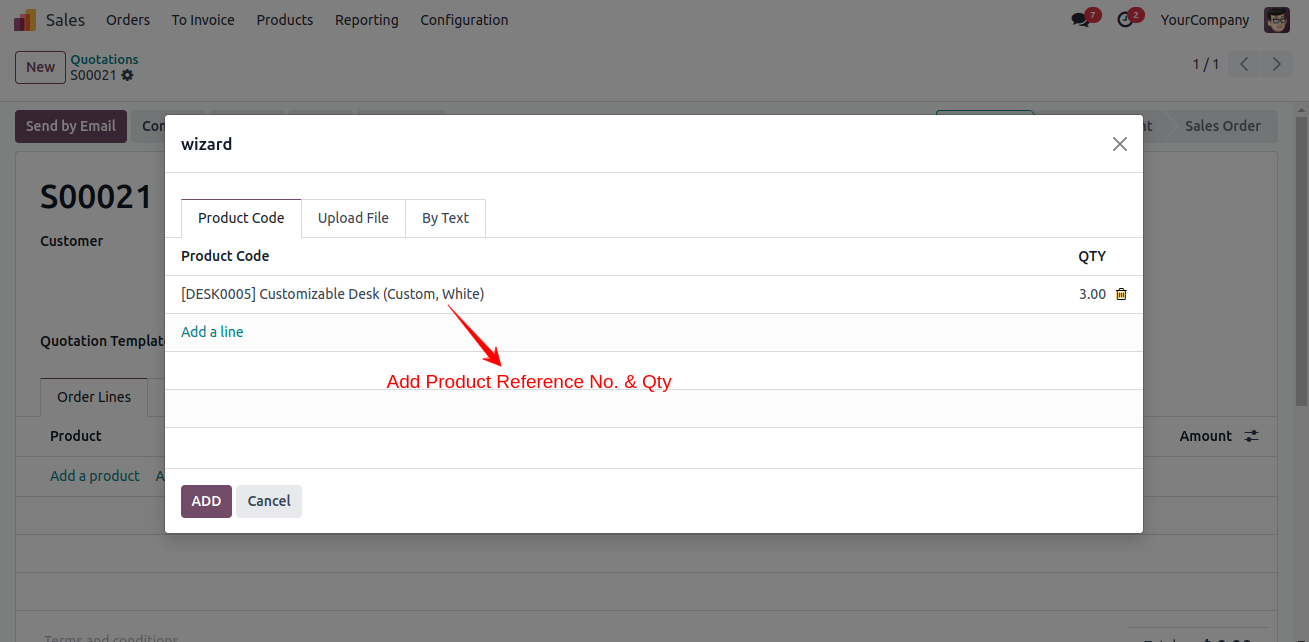
Upon clicking, a Quick Buy pop-up will open.
Here, we add product internal refrence no. & Quantity.
Now, we will click on Add to Cart button to add products in cart.
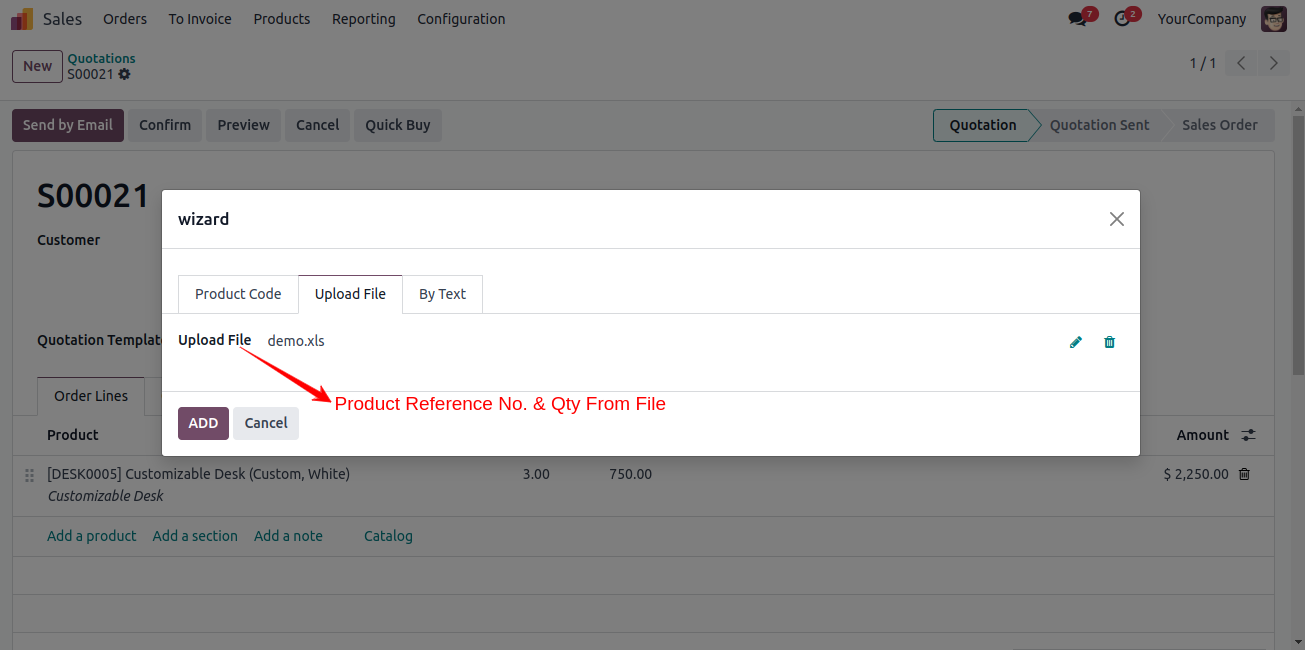
Here, we can add product in cart by Upload a File (.xlsx or .csv).
Now, we will click on Add to Cart button to add products in cart.
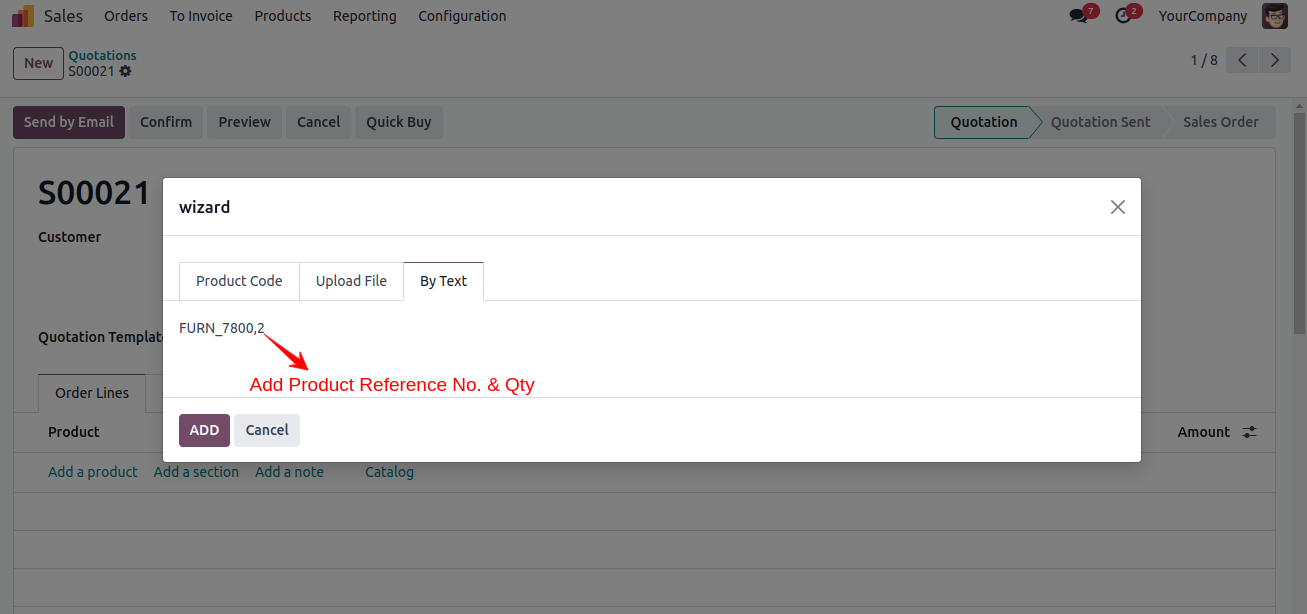
Here, we add product internal refrence no. & Quantity By Text.
Now, we will click on Add to Cart button to add products in cart.
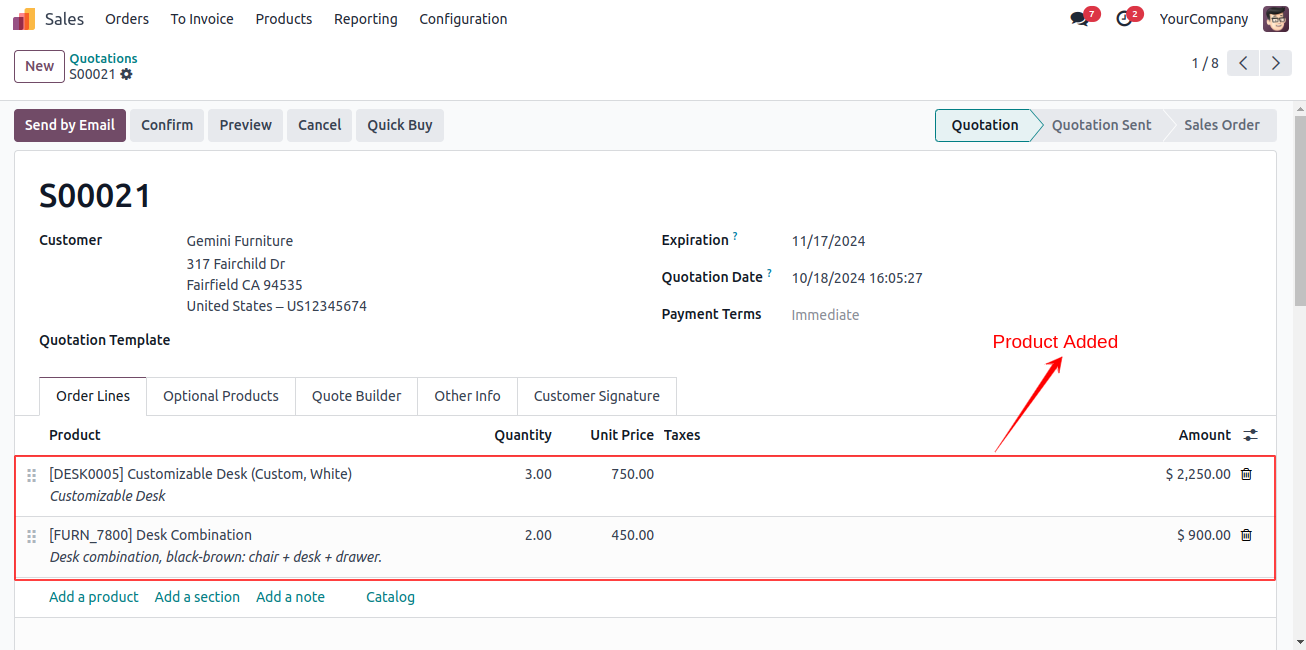
Here, we can see all products are added quickly.
Key Features

Quickly add multiple products to the order line in a single action.
Streamline bulk item entry for faster sales order creation.
Import products via the Quick Buy menu using product codes, text input, or file upload.
Supports bulk upload through .xlsx and .csv files for easy data import.
Free 3 Months Support
Need help or any technical support ?
Kanak Infosystems LLP. will provide free 3 months support for bug fixes, any doubts or queries, installation, configuration support or any types of issues related to this module.
At our company, we take pride in providing exceptional help and technical support to our valued customers.
Our team of dedicated experts is well-versed in the intricacies of the Odoo platform.





Our Services

Hire Odoo Developer

Odoo Customization

Odoo Development

Odoo Installation

Odoo Integration

Odoo Resource

Odoo Themes

Odoo Training

Important Notice
All applications are developed within the default, up-to-date Odoo environment, and as such, we cannot guarantee flawless compatibility with third-party apps. While we strive to ensure smooth integration, any conflicts or issues that arise due to third-party applications will require additional support services, which can be provided at an extra cost. Kindly contact our support team for more information or to arrange paid support.
Reach out to us at our offices for any inquiries or collaboration.
Delhi Office
Unit no. 1017 & 1026, 11th Floor, Westend Mall,
Janak Puri, New Delhi,
Delhi, India - 110058
Gujarat Office
Unit no. 307, The Landmark, Urjanagar 1, Kudasan,
Gandhinagar, Gujarat, India - 382421
OPL-1

Comment on this module. Please Login