Skip to Content
POS Pricelist Brand

POS Pricelist Brand

183.54   183.54
v 15.0 3
Required Apps point_of_sale
website_product_brand_knk
Technical Name pos_pricelist_brand_knk
License OPL-1
Also available in version v 14.0 v 16.0 v 18.0 v 17.0
You bought this module and need support? Click here!
Technical Name pos_pricelist_brand_knk
License OPL-1
Also available in version v 14.0 v 15.0 v 16.0 v 18.0 v 17.0
Supported Editions
Community
Enterprise
Odoo.sh

odoo-logo

POS Pricelist Brand

POS Pricelist Brand Using this module we can apply brand wise pricelist on website.

Key Features of POS Pricelist Brand

  • <"style="color:#28a745; font-size:16px; padding-right:5px">Easily add brand wise pricelist rules.
  • You can add different pricelist rule for differenct pricelist.
  • You can add different price rules for different brands.
Create Product Brand
  • Go to Inventory > Configuration > Product Brand
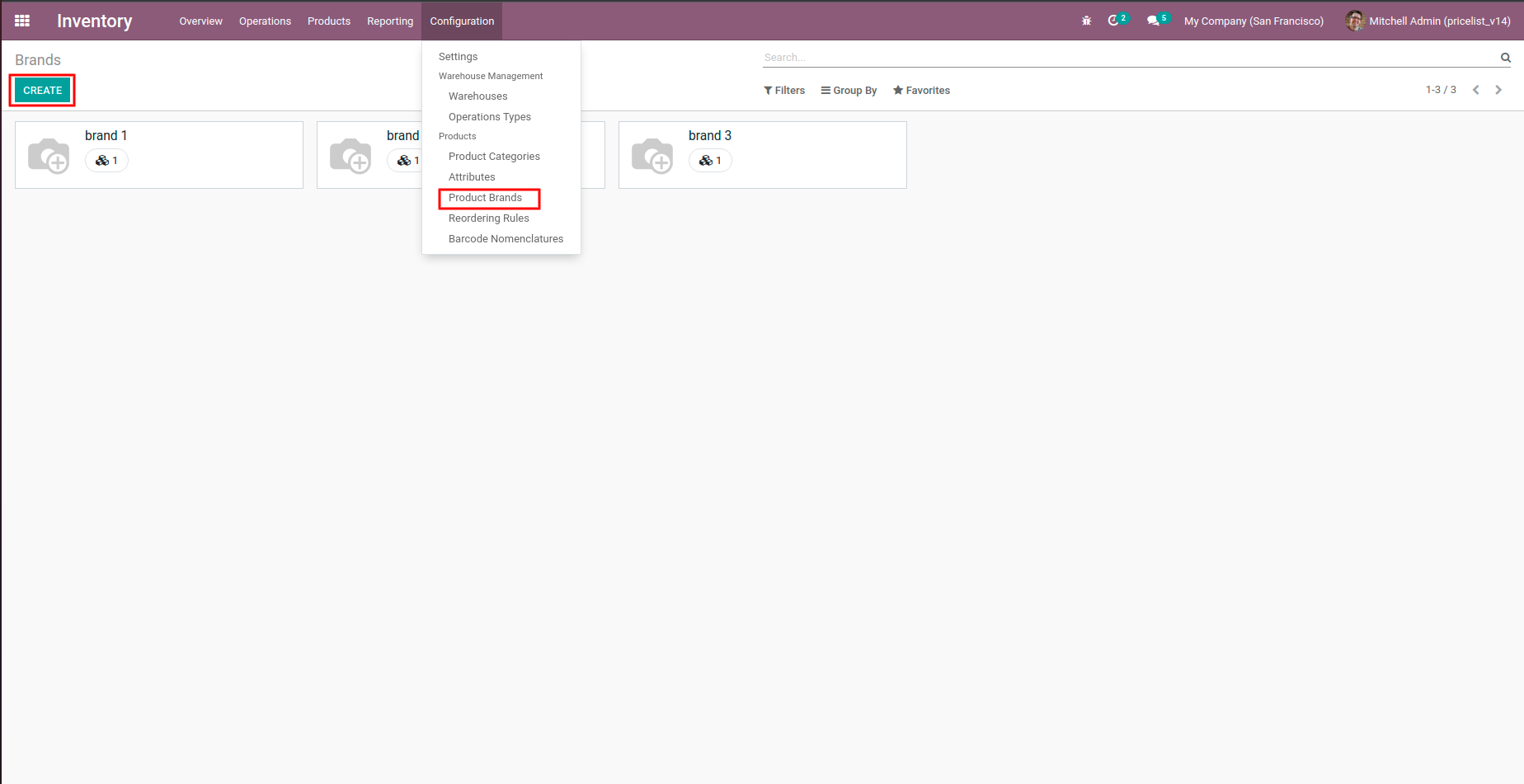
POS Pricelist Brand - You can give a discount on pos product brand-wise by using pricelist.Pricelist|Brand Pricelist|Brand|Brand wise Pricelist|Product Brand Pricelist|Product Pricelist

Set Brand in to Products
  • Go to Products.
  • Go to Sales tab and set according brand.
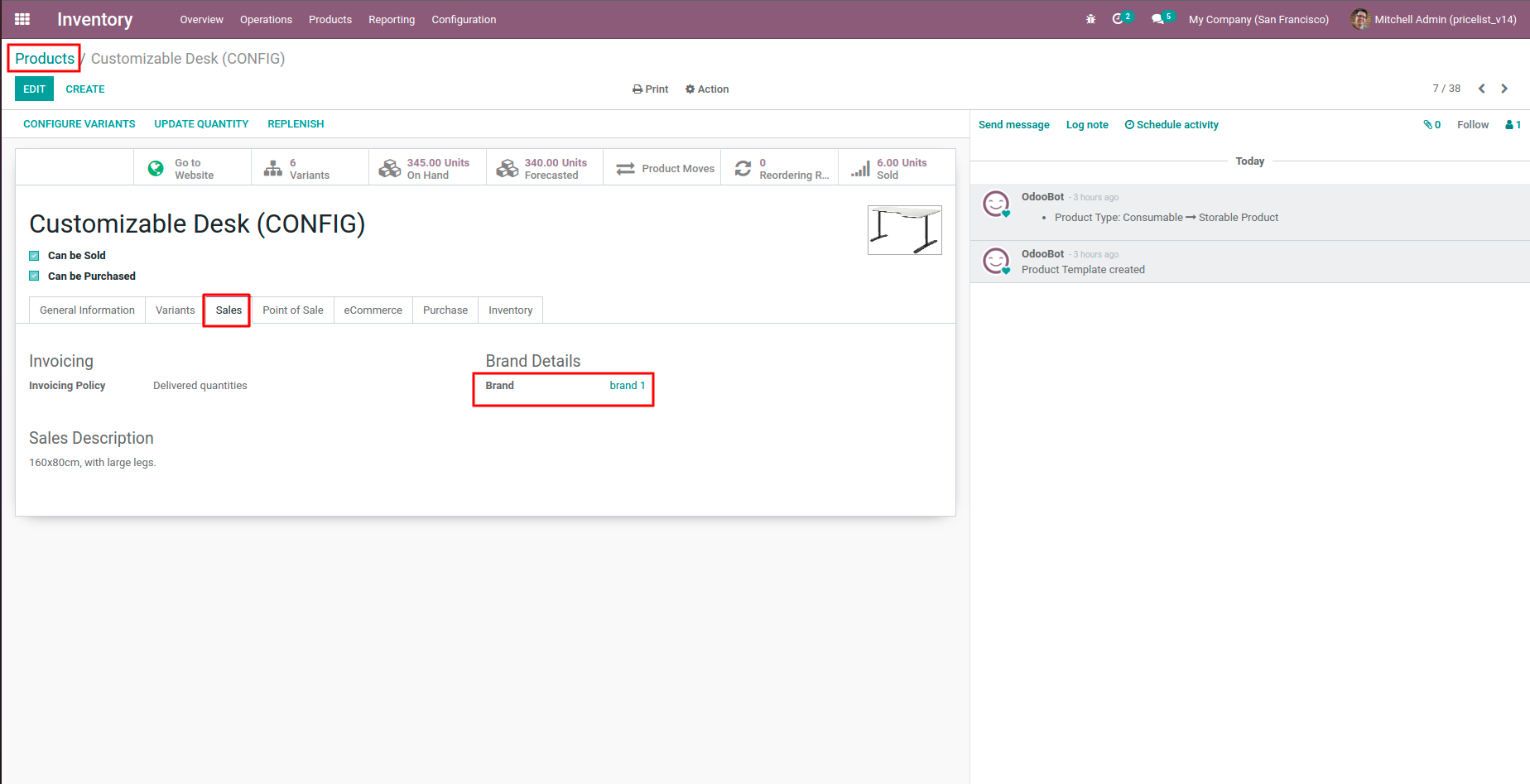
POS Pricelist Brand - You can give a discount on pos product brand-wise by using pricelist.Pricelist|Brand Pricelist|Brand|Brand wise Pricelist|Product Brand Pricelist|Product Pricelist

Pricelist Settings
  • Go to Website settings.
  • Set pricelist to Advanced price rules.
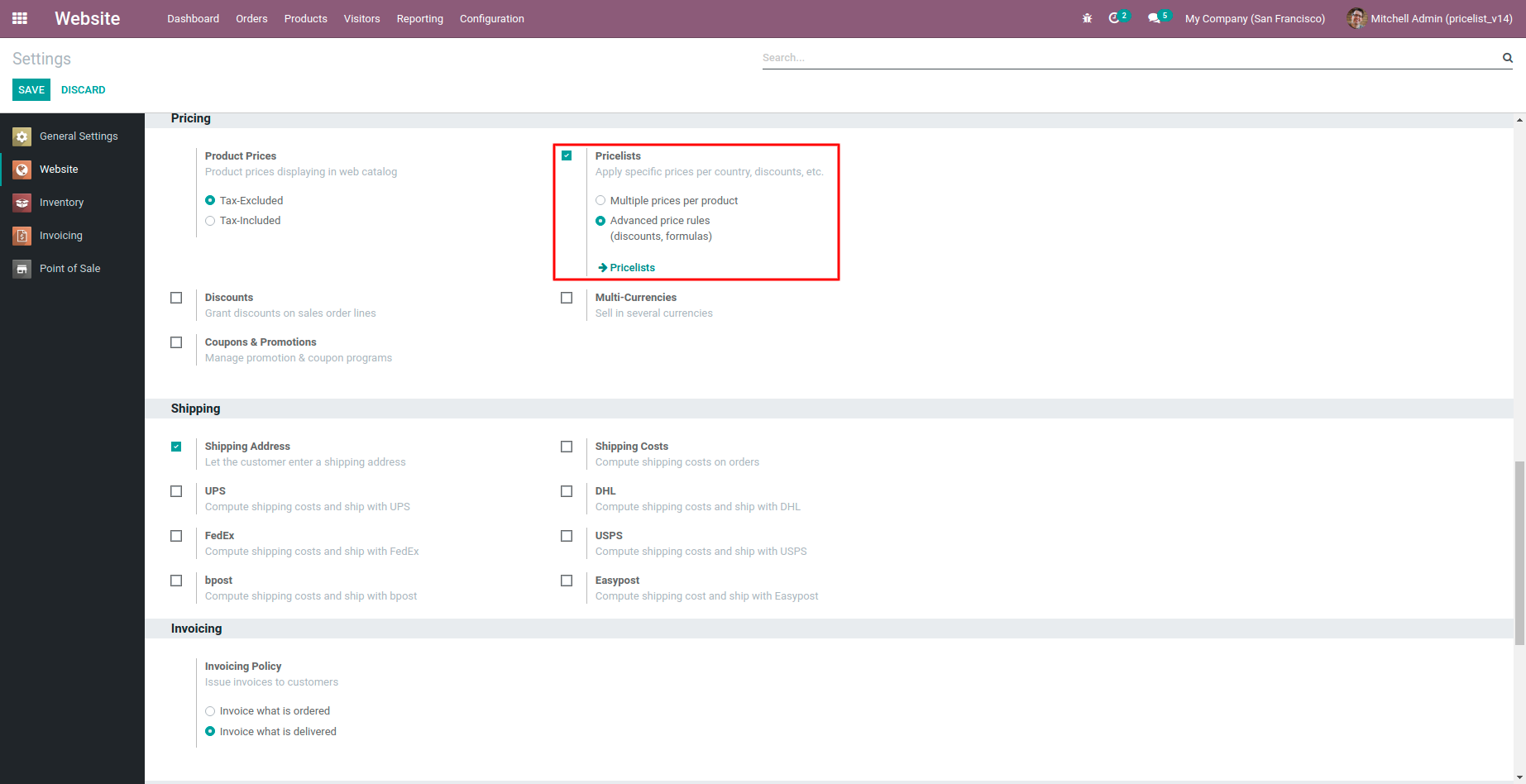
POS Pricelist Brand - You can give a discount on pos product brand-wise by using pricelist.Pricelist|Brand Pricelist|Brand|Brand wise Pricelist|Product Brand Pricelist|Product Pricelist

Different Pricelist Settings
  • Website > Products > Pricelists.
POS Pricelist Brand - You can give a discount on pos product brand-wise by using pricelist.Pricelist|Brand Pricelist|Brand|Brand wise Pricelist|Product Brand Pricelist|Product Pricelist

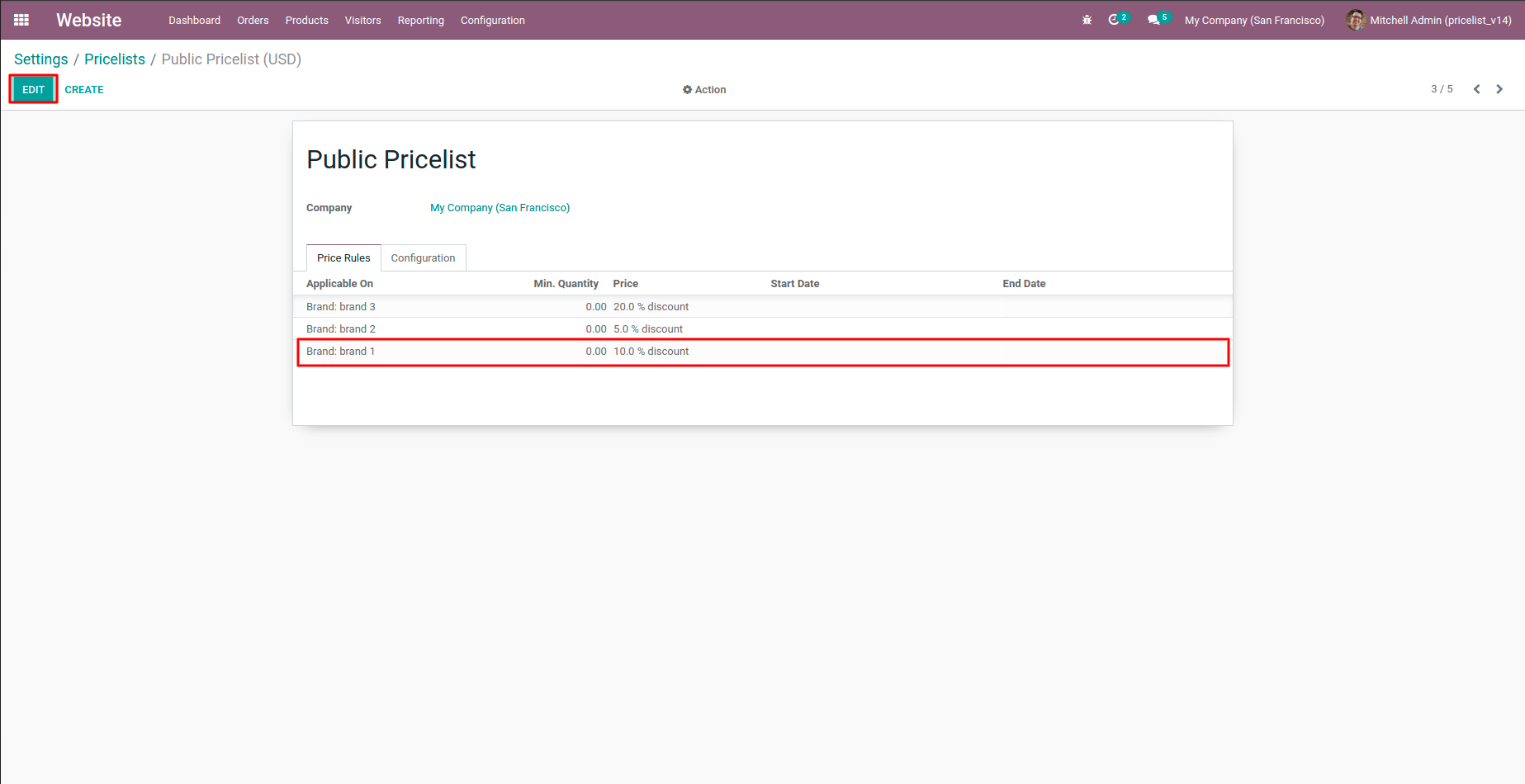
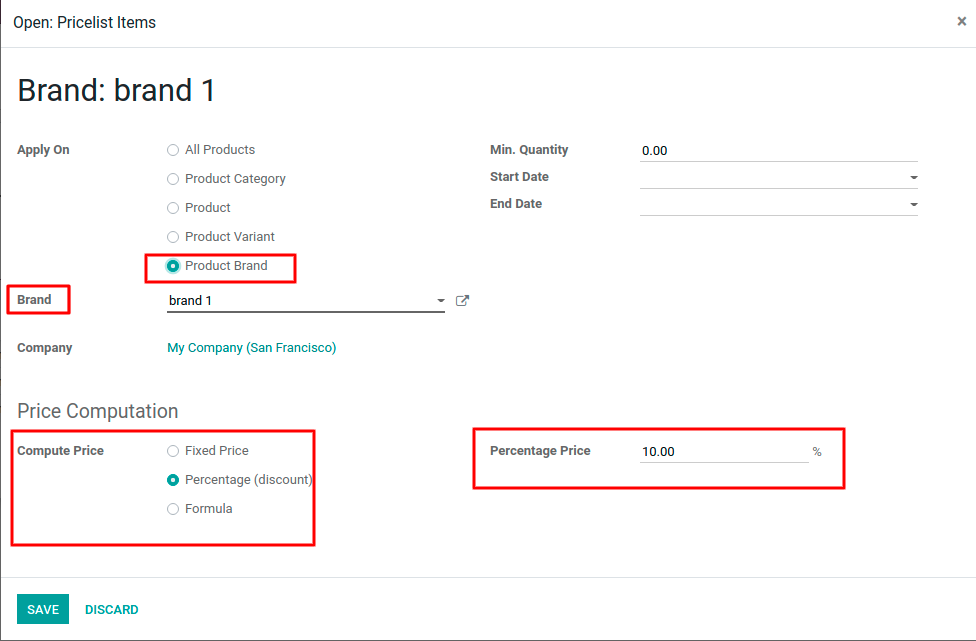
Set Brand into Price rules
  • Select one pricelist and edit the same.
  • Add line in to Price rules.
POS Pricelist Brand - You can give a discount on pos product brand-wise by using pricelist.Pricelist|Brand Pricelist|Brand|Brand wise Pricelist|Product Brand Pricelist|Product Pricelist

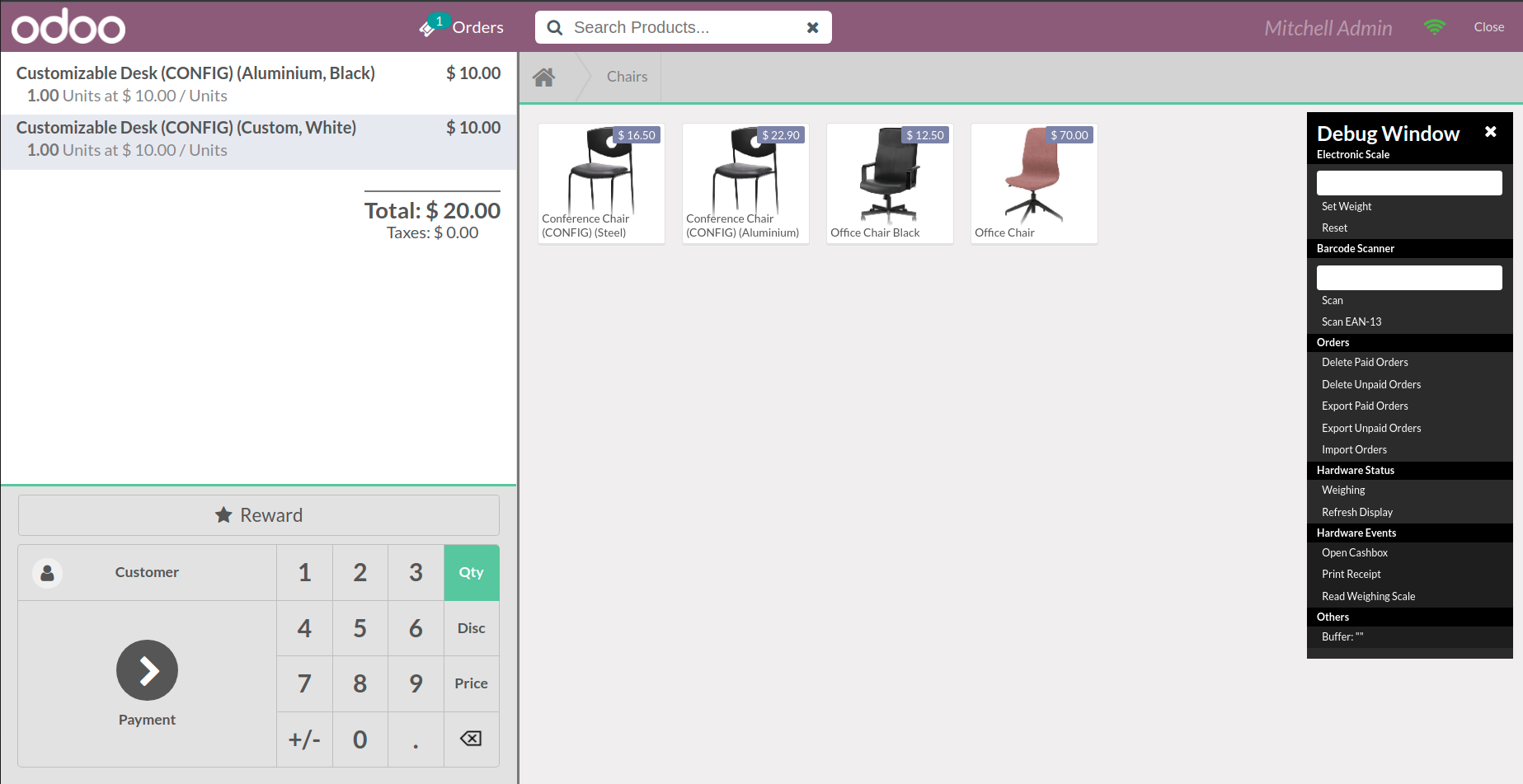
Go to POS
  • Here product price comes according to pricelist rules
  • Change Pricelist to see the difference.
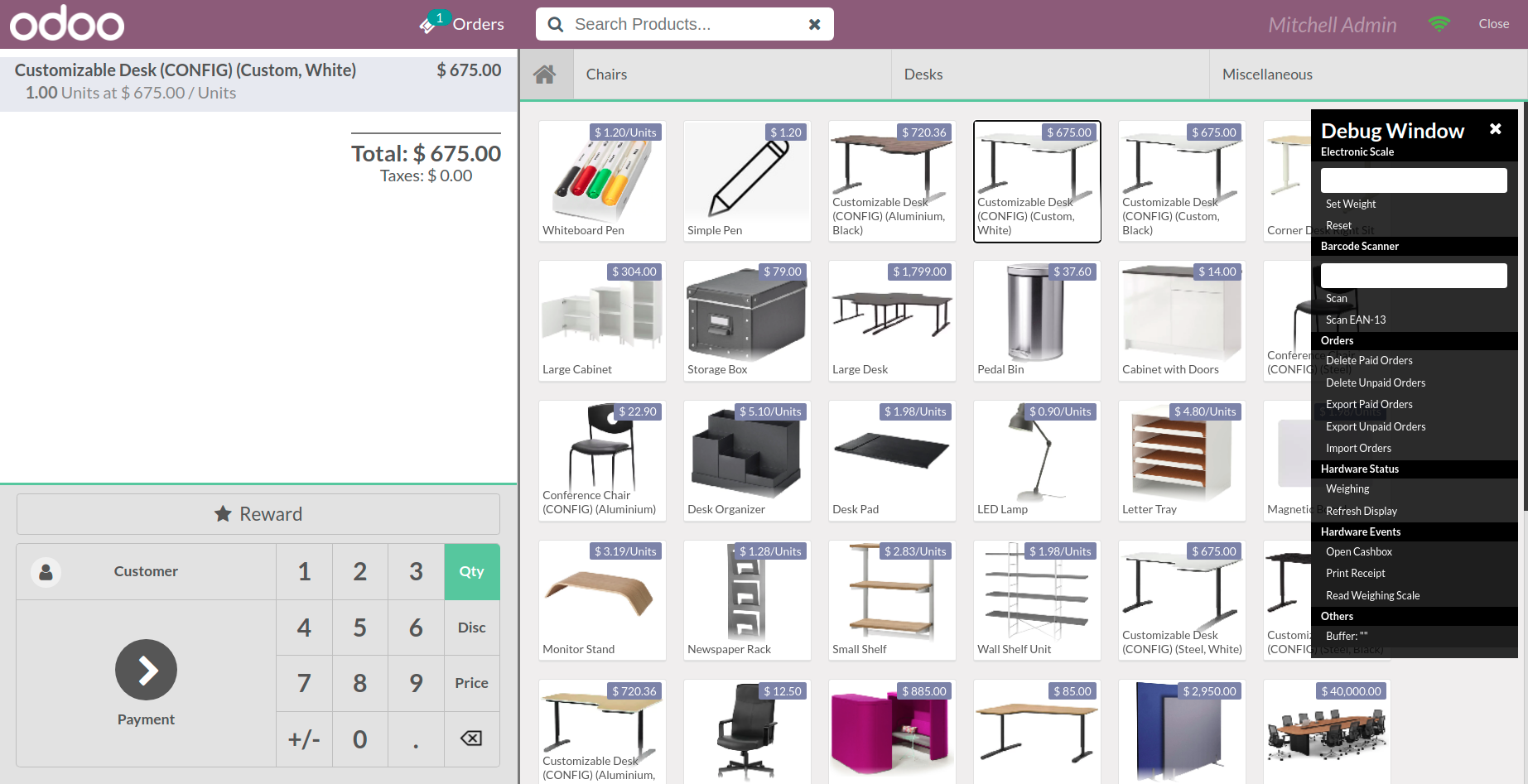
POS Pricelist Brand - You can give a discount on pos product brand-wise by using pricelist.Pricelist|Brand Pricelist|Brand|Brand wise Pricelist|Product Brand Pricelist|Product Pricelist

POS Pricelist Brand - You can give a discount on pos product brand-wise by using pricelist.Pricelist|Brand Pricelist|Brand|Brand wise Pricelist|Product Brand Pricelist|Product Pricelist
  1. POS Pricelist Brand

  2. Optimized code.

Q Can we show the price according to Product brand?
yes, you can set price of product according to pricelist.

Q Is this app compatible with Odoo Enterprise?
Yes, our app works with Odoo Enterprise.
Q Is this app compatible with Windows or Ubuntu?
Yes, our app works with Windows or Ubuntu operating system.

FREE 3 MONTHS SUPPORT

Kanak will provide free 3 months support for bug fixes, any doubts or queries, installation, configuration support or any types of issues related related to this module.

NOTE: This module do not required extra configuration.
Suggested Apps
Our Services
OPL-1

Comment on this module. Please Login