 +91 981-810-8884, 0114-214-3250
You can take snapshot/backup of your droplet/sever from https://cloud.digitalocean.com to Odoo
Create Token
Create token with generated token ID
1. Log into https://cloud.digitalocean.com and genearte Token
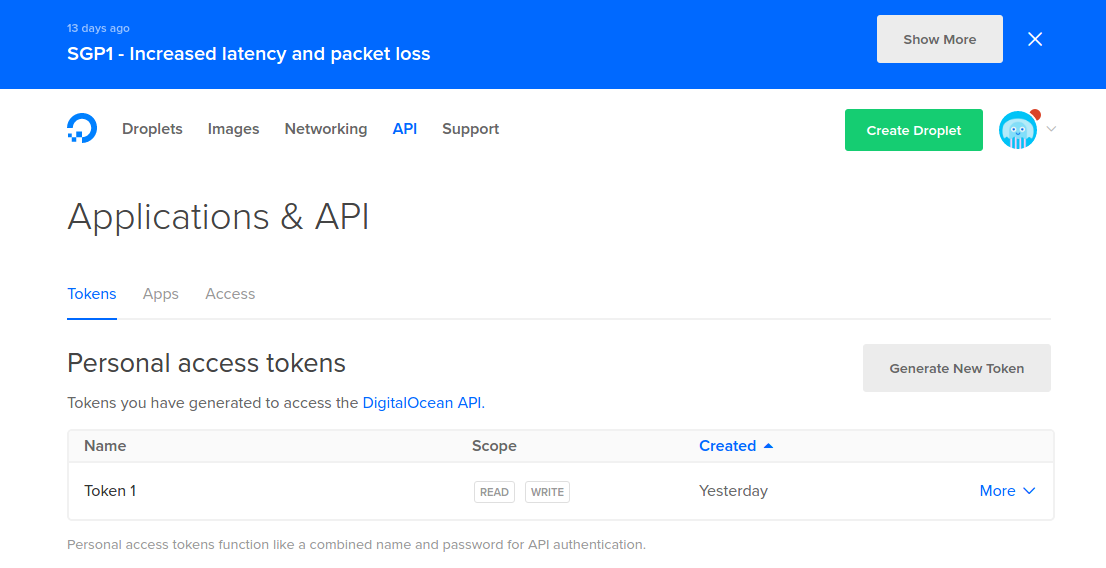
2. Generate token in cloud.digitalocean.com
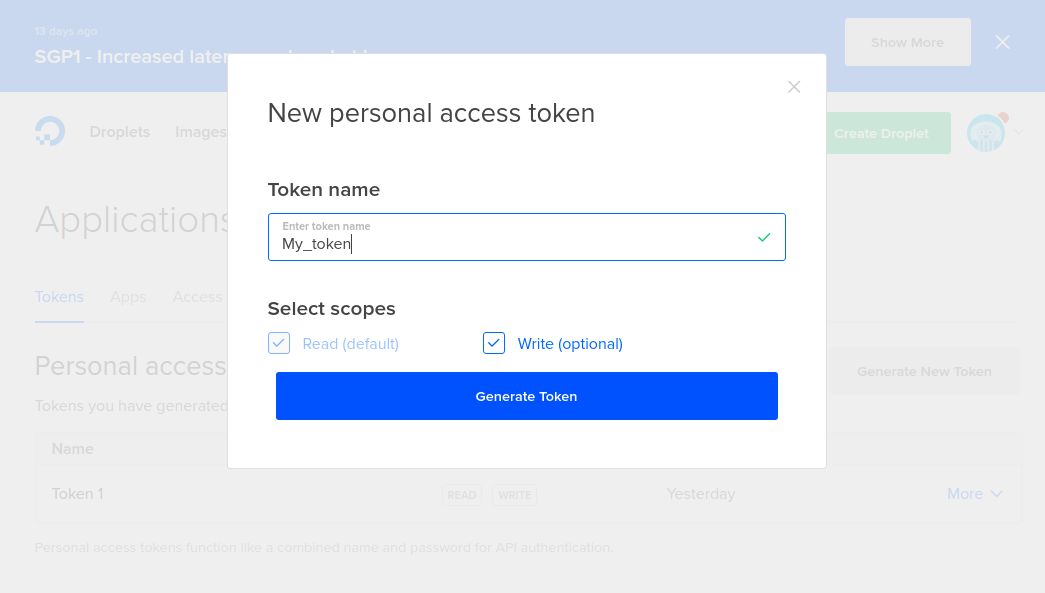
3. Copy generated Token ID
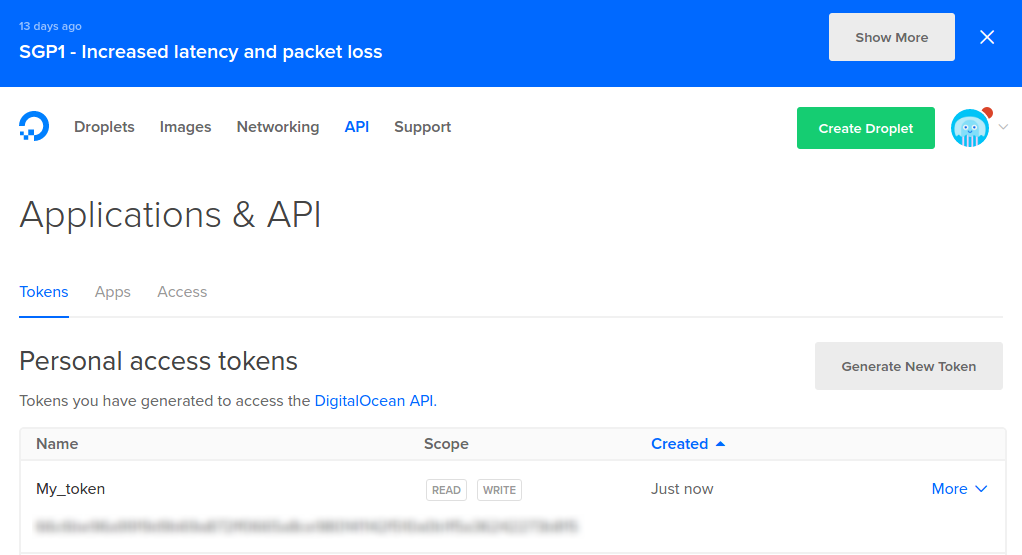
4. Go to Settings --> Digital Ocean Integration --> Configuration and create Token
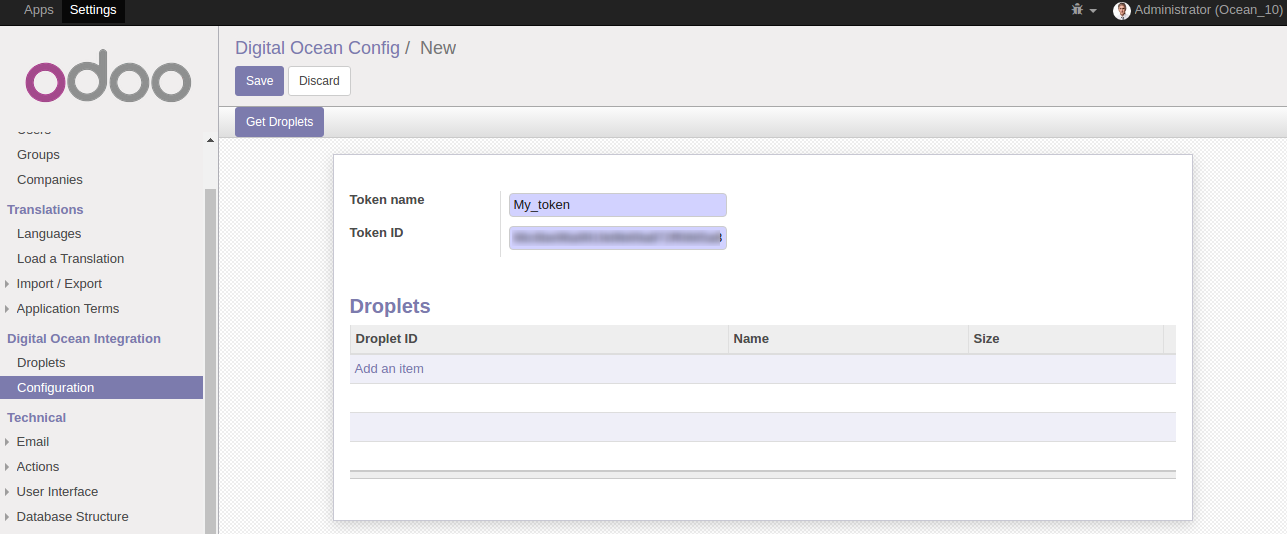
Get your Droplet/Server
From here you can genearte Droplet in Odoo
1. Check the Droplet list in https://cloud.digitalocean.com
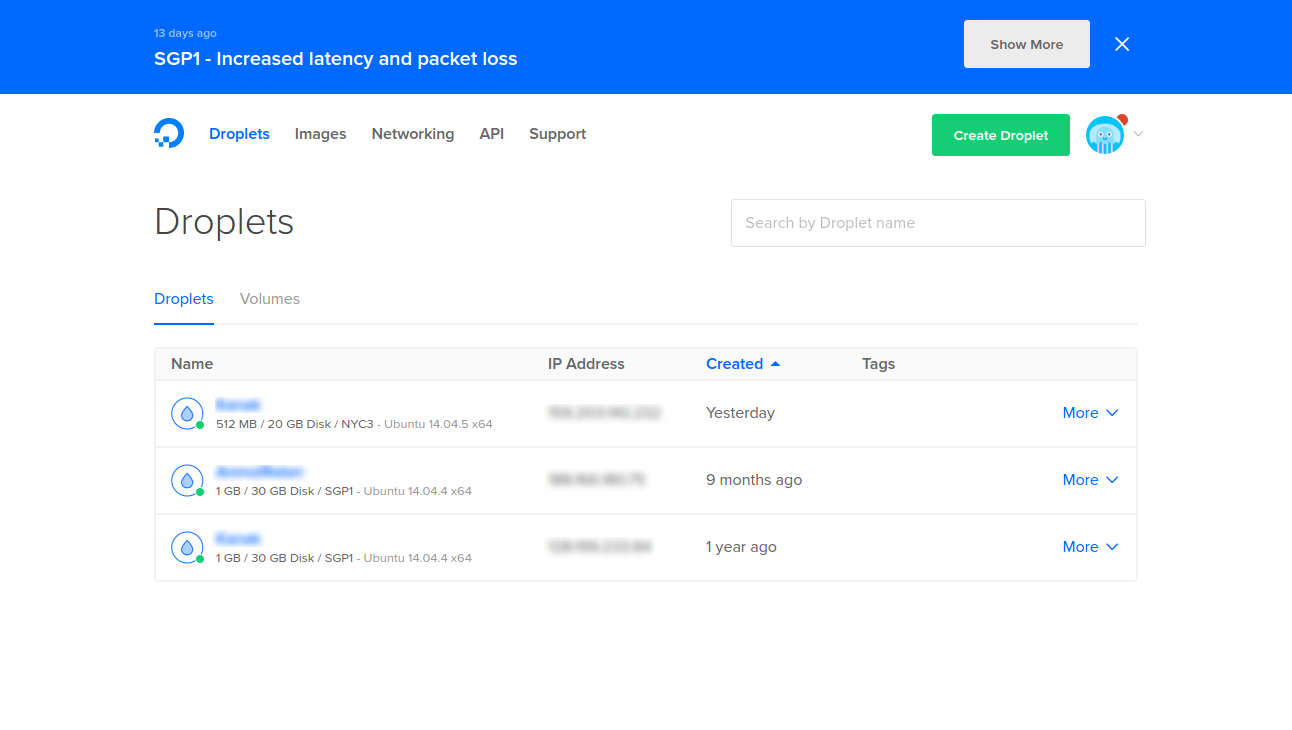
2. Click on 'Get Droplet' button and you will get all droplet from https://cloud.digitalocean.com
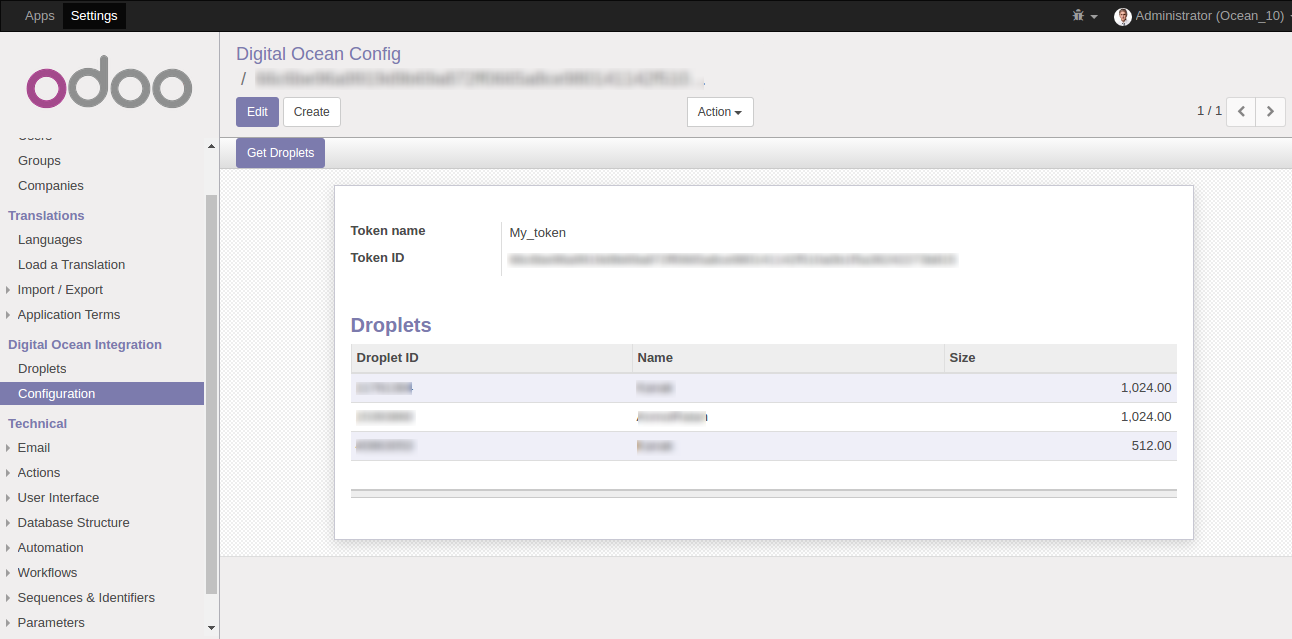
3. Go to Settings --> Digital Ocean Integration --> Droplets and you cal also find list of Droplet
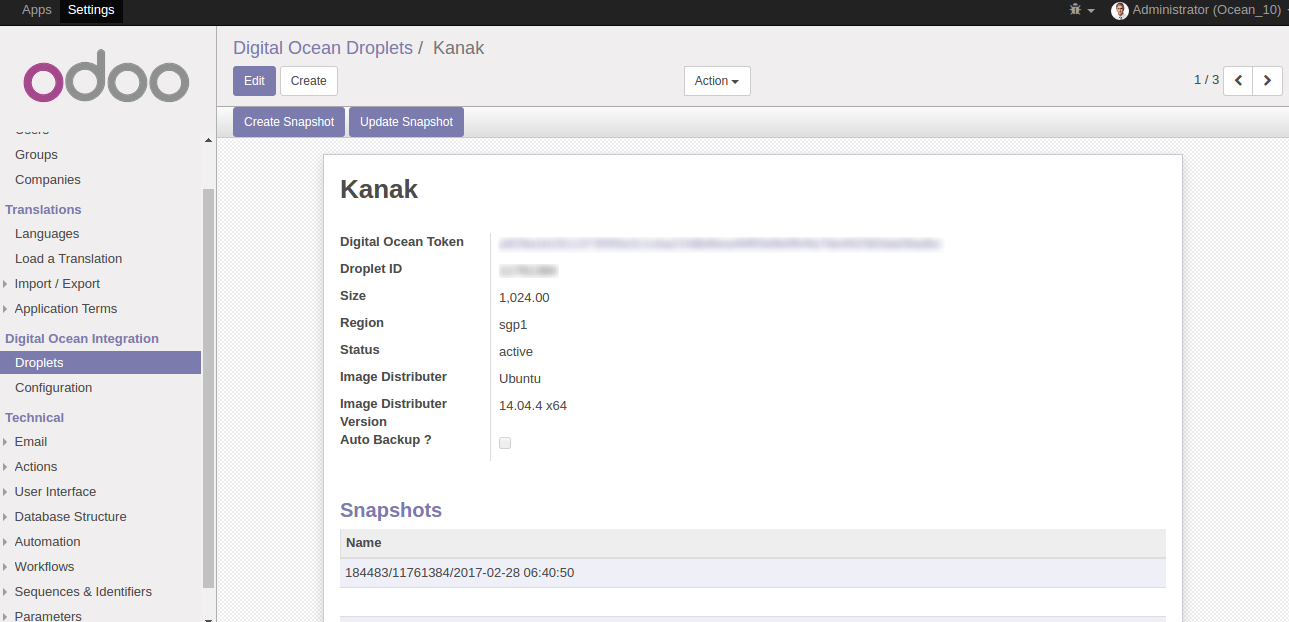
Take Backup/Snapshot of you Server
From here you can take your server backup/snapshot
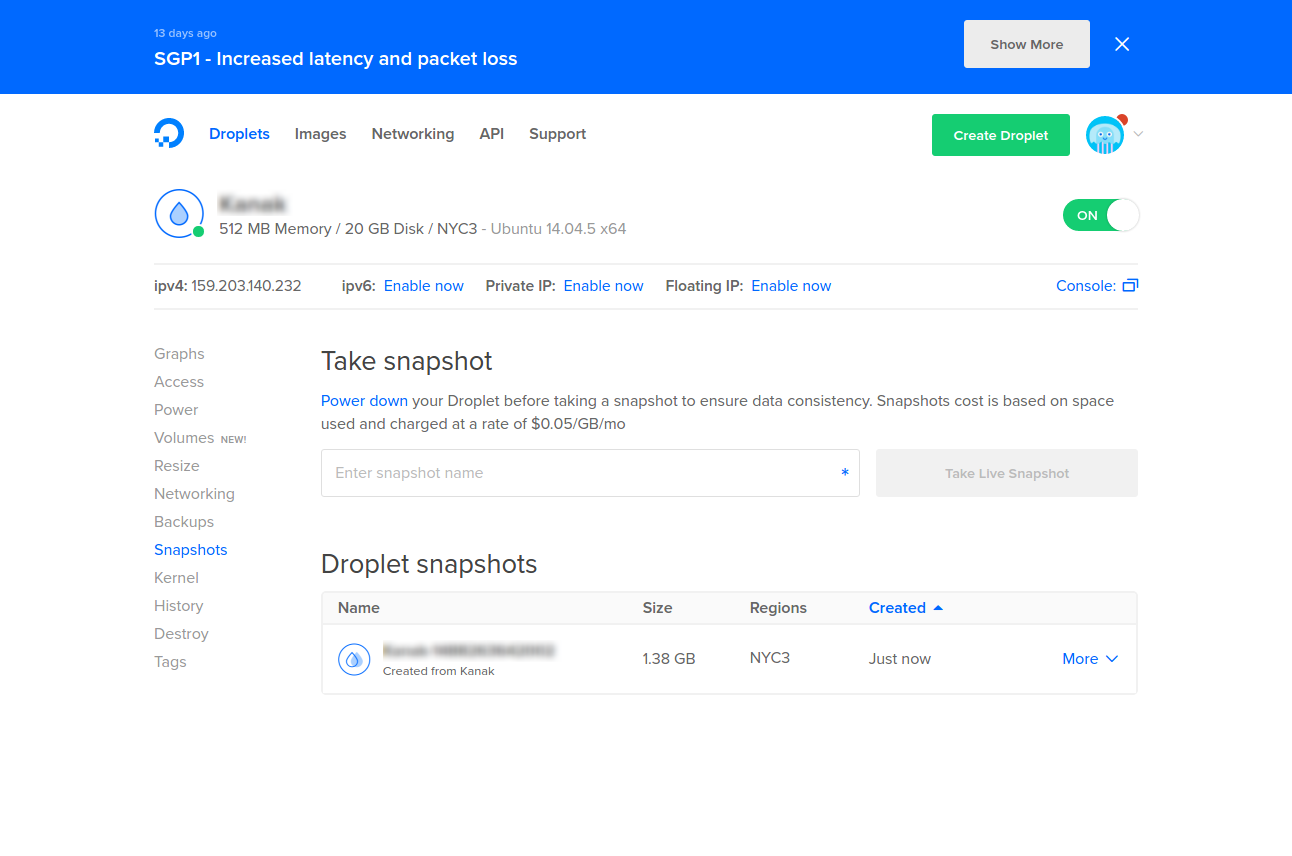
1. Select Server/Droplet in https://cloud.digitalocean.com
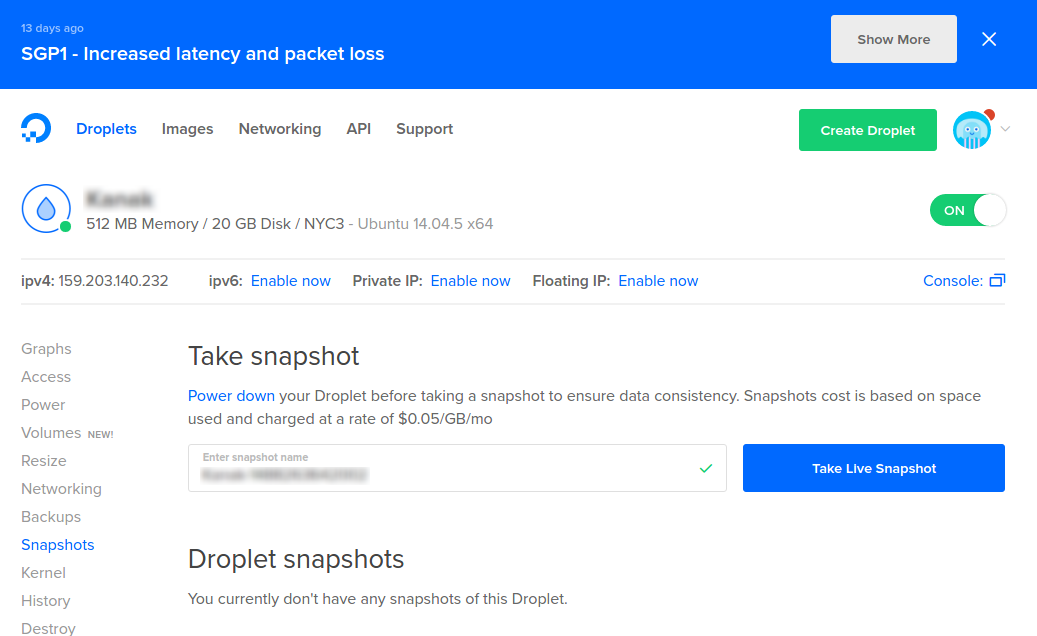
2. Got to 'Snapshot' and clik on 'Take Live Snapshot'
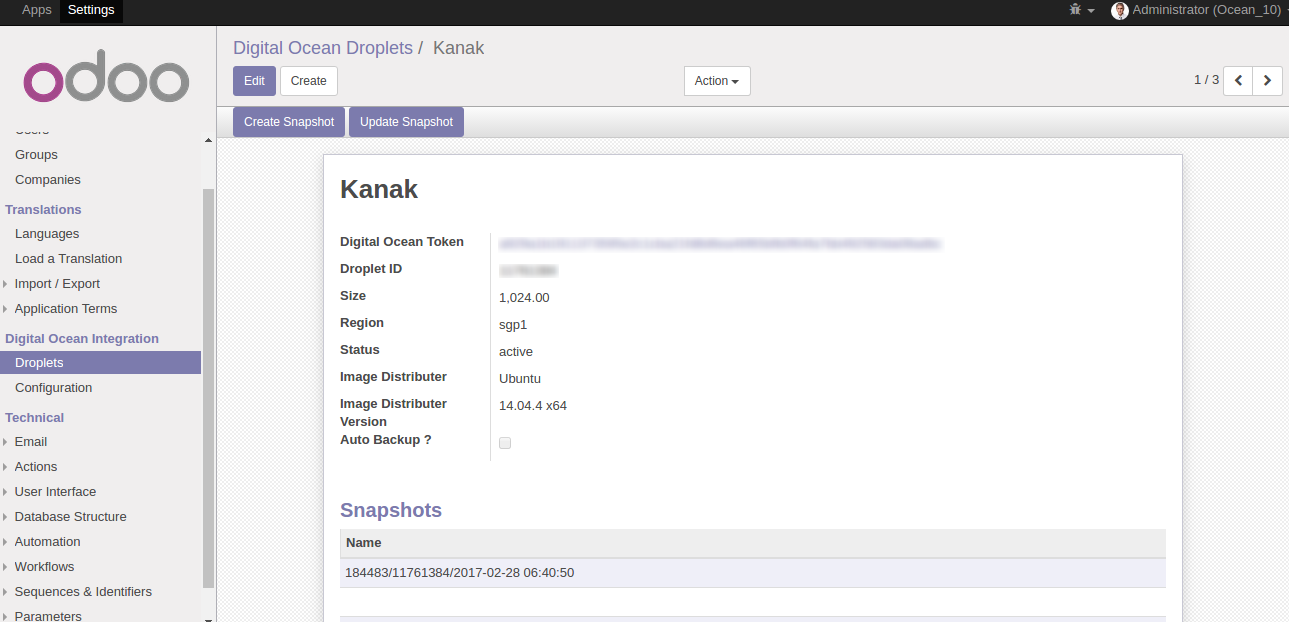
3. Select Droplet from list and click on 'Create Snapshot' button
Take Automatic Backup/Snapshot of you Server
From here you can take your server backup/snapshot automatically
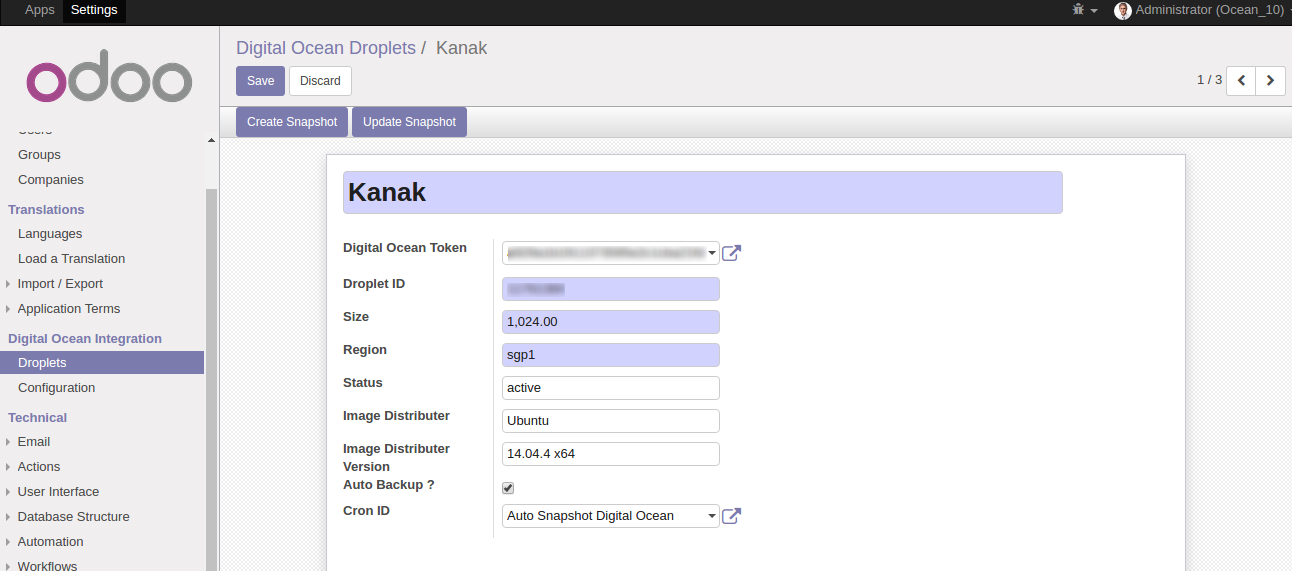
1. Make 'Auto Backup?' true
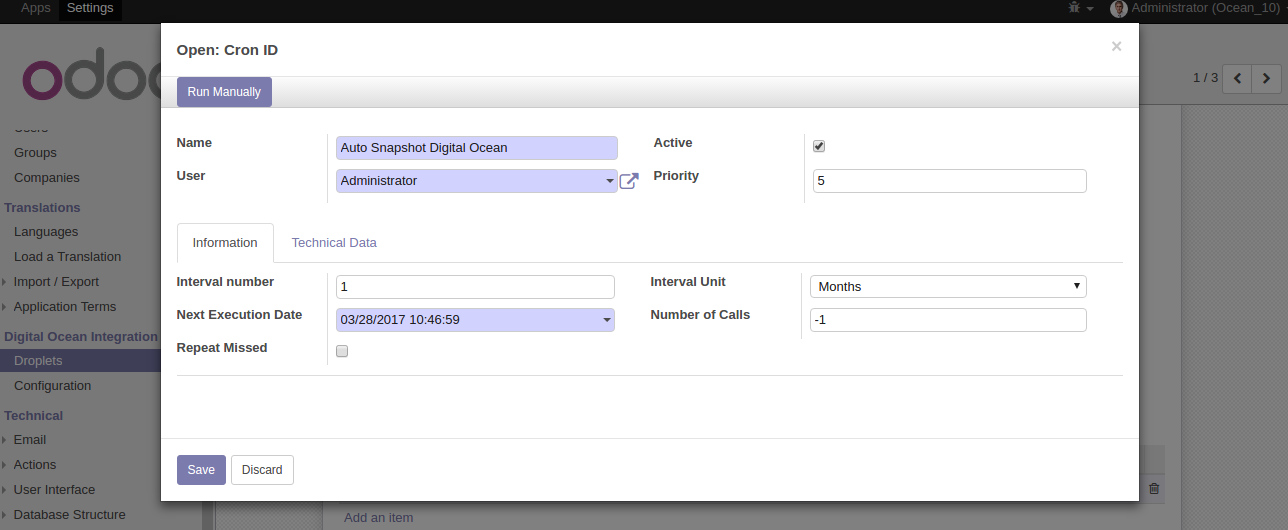
2. Set Auto Backup period/time

"We are groupies wrapped in Creativity, Skills and Innovation"
We are authorized IT company to offer advanced, hight quality and affordable IT solutions. We have years of rich experience in the field of ODOO Development, ERP Solutions, Web Development, Mobile Apps, Web Designing and Digital marketing. Around a decade are offering quality assured and 100% customer satisfaction services to global clientele.
Our highly experienced and devoted team of professionals works with there heart, passion and talent to provide the most dedicated IT Business Solutions to our valuable clients globally. Our team works on the real words "Dedication,"Timely Deliverables",And "Happy Clients"!
What We Do

Odoo Customization

Odoo Code Migration

Odoo Mobile App

Odoo DB Migration

Odoo Web Development

Odoo Themes
 Help
Help
 Support
Request New Features
Support
Request New Features
Odoo Proprietary License v1.0

This software and associated files (the "Software") may only be used (executed,
modified, executed after modifications) if you have purchased a valid license
from the authors, typically via Odoo Apps, or if you have received a written
agreement from the authors of the Software (see the COPYRIGHT file).

You may develop Odoo modules that use the Software as a library (typically
by depending on it, importing it and using its resources), but without copying
any source code or material from the Software. You may distribute those
modules under the license of your choice, provided that this license is
compatible with the terms of the Odoo Proprietary License (For example:
LGPL, MIT, or proprietary licenses similar to this one).

It is forbidden to publish, distribute, sublicense, or sell copies of the Software
or modified copies of the Software.

The above copyright notice and this permission notice must be included in all
copies or substantial portions of the Software.

THE SOFTWARE IS PROVIDED "AS IS", WITHOUT WARRANTY OF ANY KIND, EXPRESS OR
IMPLIED, INCLUDING BUT NOT LIMITED TO THE WARRANTIES OF MERCHANTABILITY,
FITNESS FOR A PARTICULAR PURPOSE AND NONINFRINGEMENT.
IN NO EVENT SHALL THE AUTHORS OR COPYRIGHT HOLDERS BE LIABLE FOR ANY CLAIM,
DAMAGES OR OTHER LIABILITY, WHETHER IN AN ACTION OF CONTRACT, TORT OR OTHERWISE,
ARISING FROM, OUT OF OR IN CONNECTION WITH THE SOFTWARE OR THE USE OR OTHER
DEALINGS IN THE SOFTWARE.

Comment on this module. Please Login