Skip to Content
Invoice Line Views

Invoice Line Views

22.91   22.91
v 14.0 2
Required Apps account
Technical Name knk_invoice_line_views_importable
License OPL-1
Also available in version v 11.0 v 12.0 v 13.0 v 15.0 v 16.0 v 17.0 v 18.0 v 19.0
You bought this module and need support? Click here!
Technical Name knk_invoice_line_views_importable
License OPL-1
Also available in version v 11.0 v 12.0 v 13.0 v 14.0 v 15.0 v 16.0 v 17.0 v 18.0 v 19.0
Supported Editions
Community
Enterprise
Odoo.sh

odoo-logo

The Invoice / Bill Line views

The Invoice / Bill Line views module is used to see the different views and information related to orders.Using filters and group by you can differentiate the records according to requirement.You can aslo add custom filters and group by.

Key Features

Easy Install
Fully Importable Module can be installed easily.
Zero Configurations
This Module can be installed without any configurations.
Differentiate Orders
You can easily differentiate the Invoice / Bill
Use Custom Filters
Add custom filters and use it by one click.
Timer Saver
This module saves your important time and human efforts.
Multi-Company Support
This application fluently work with multiple company.
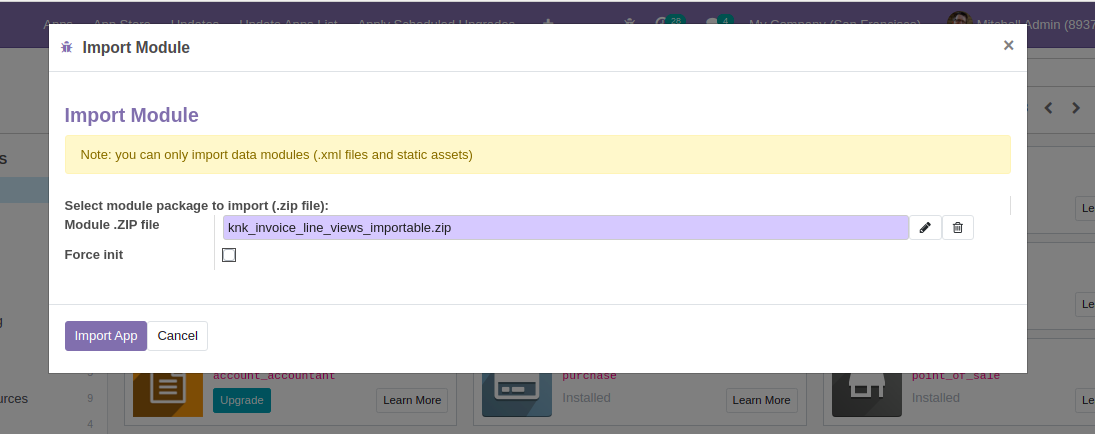
Importing Module
  • Enable Developer Mode
  • Goto Apps and click on import module menuitem
  • Upload zip file of the module and click Import App
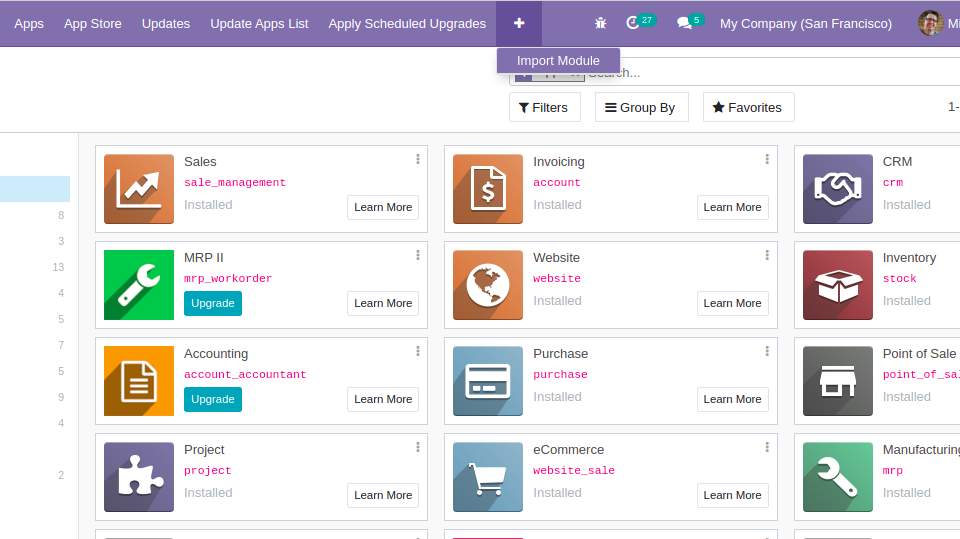
Invoice Line Views - Added the views of Invoice Line and Bill Line to show the Invoicing Lines details in easy way. This module is importable. You have to just import this module and module is ready to use.

Invoice Line Views - Added the views of Invoice Line and Bill Line to show the Invoicing Lines details in easy way. This module is importable. You have to just import this module and module is ready to use.

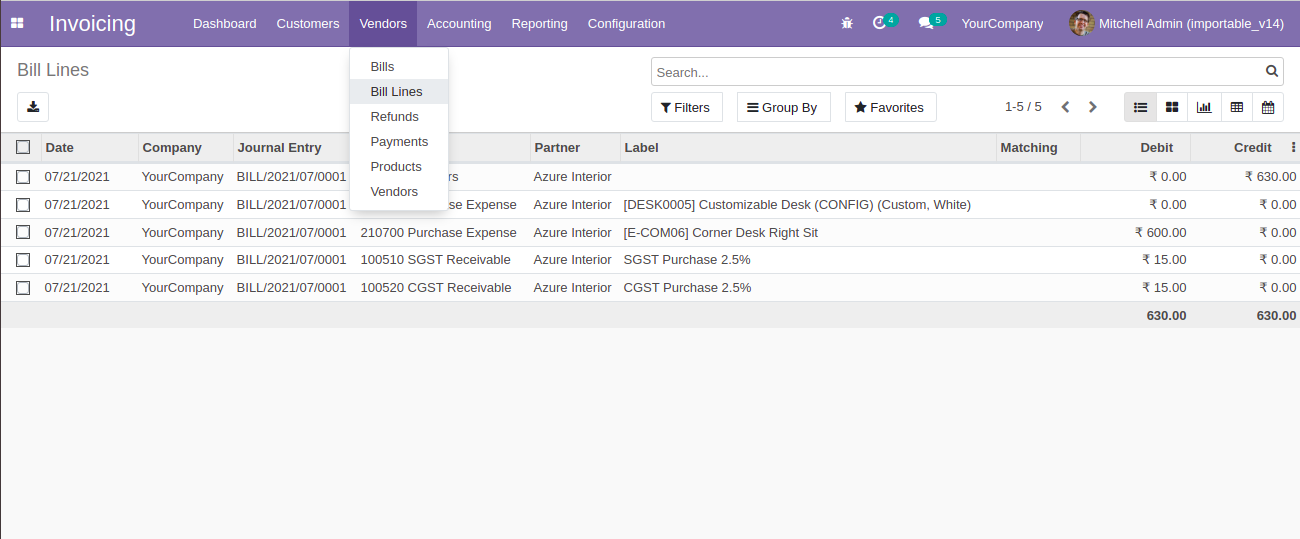
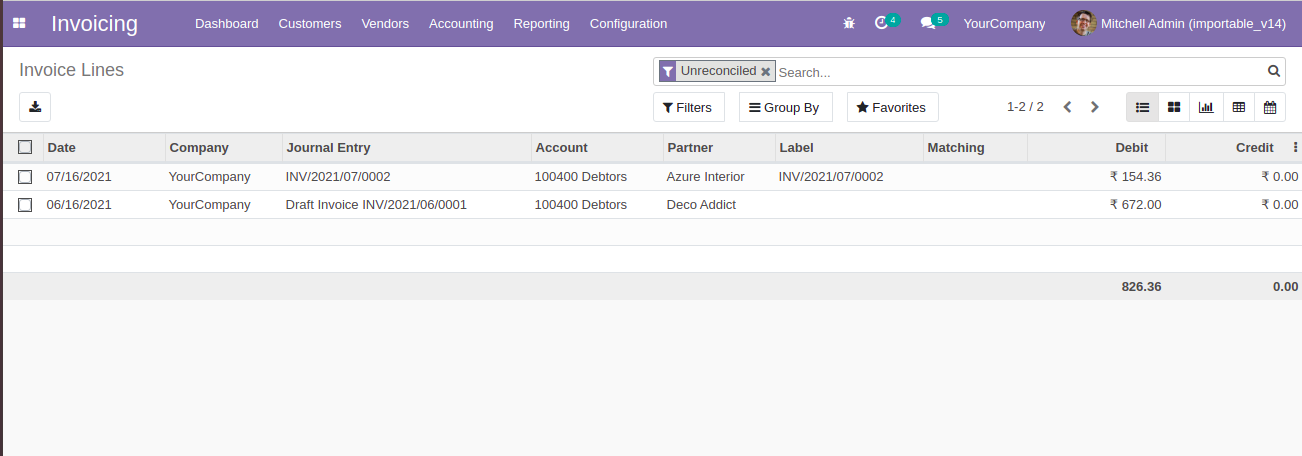
Invoice / Bill Lines Tree View
  • Invoice / Bill Lines views with details.
  • You can also see the different menu for Invoice / Bill Lines.
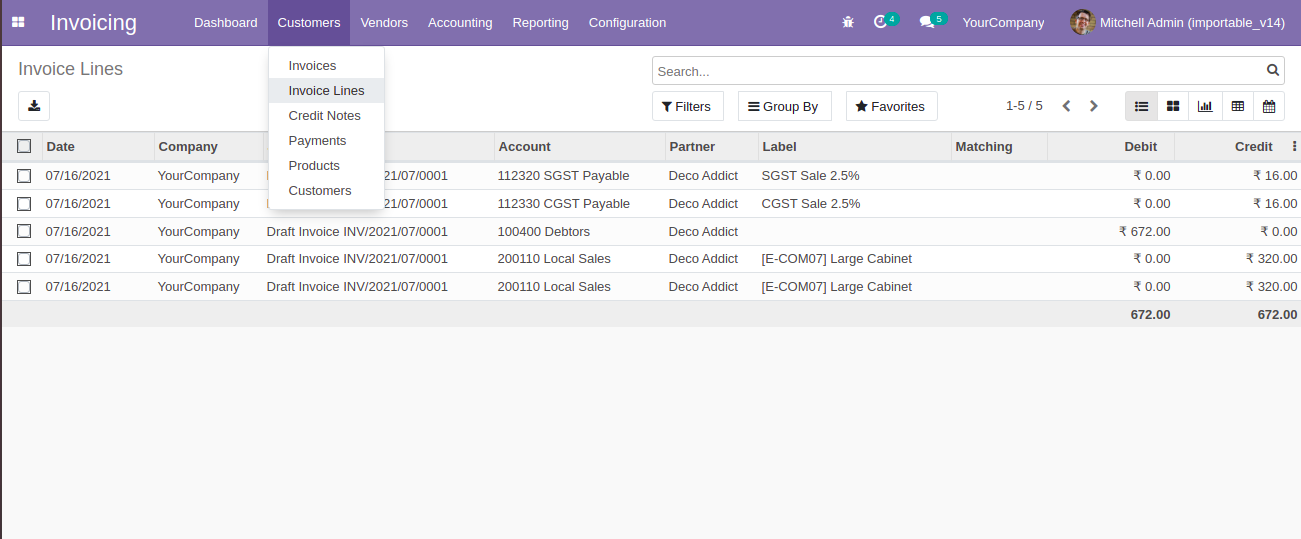
Invoice Line Views - Added the views of Invoice Line and Bill Line to show the Invoicing Lines details in easy way. This module is importable. You have to just import this module and module is ready to use.

Invoice Line Views - Added the views of Invoice Line and Bill Line to show the Invoicing Lines details in easy way. This module is importable. You have to just import this module and module is ready to use.

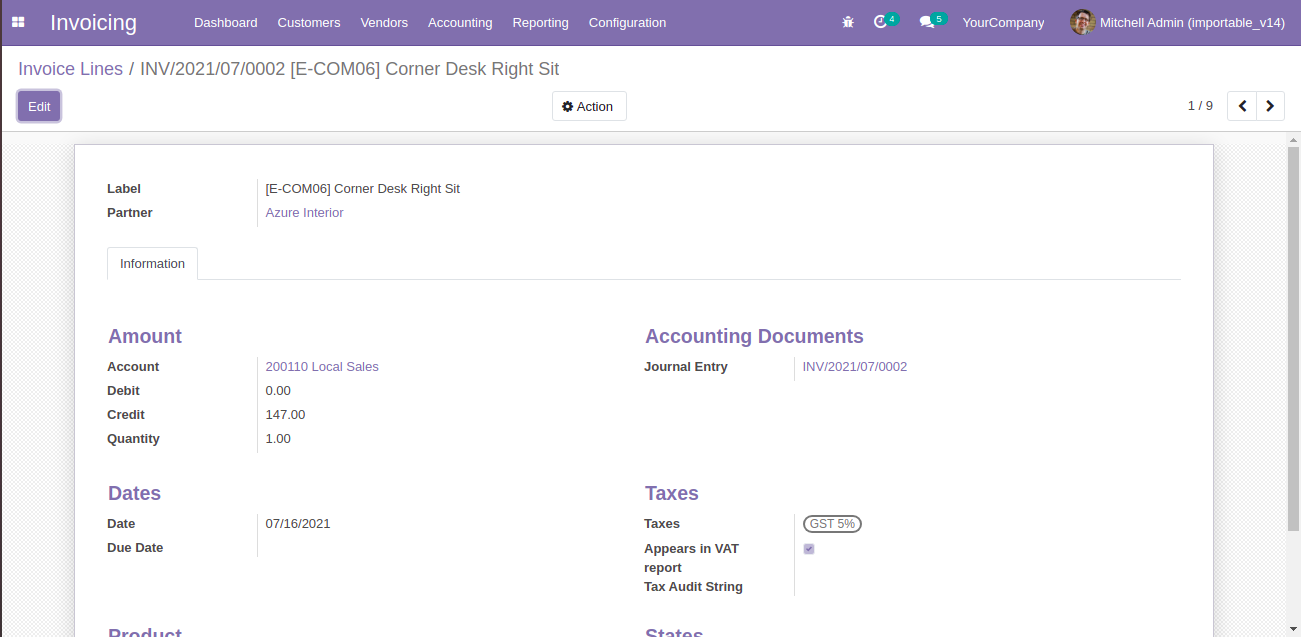
Invoice / Bill Lines Form view.
Invoice Line Views - Added the views of Invoice Line and Bill Line to show the Invoicing Lines details in easy way. This module is importable. You have to just import this module and module is ready to use.

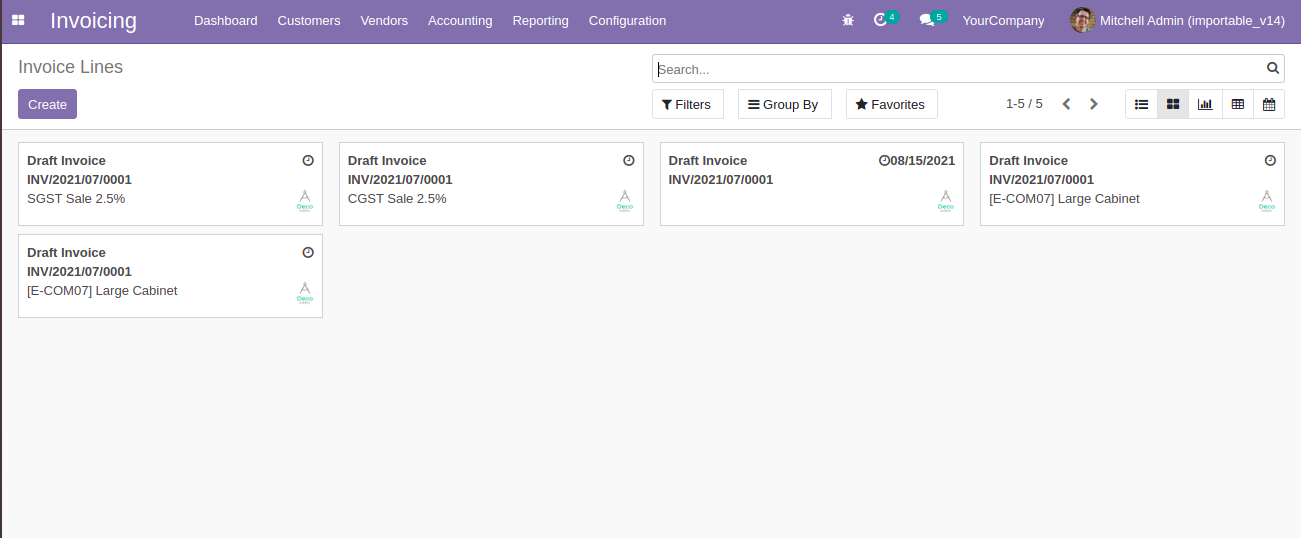
Invoice / Bill Lines Kanban view.
Invoice Line Views - Added the views of Invoice Line and Bill Line to show the Invoicing Lines details in easy way. This module is importable. You have to just import this module and module is ready to use.

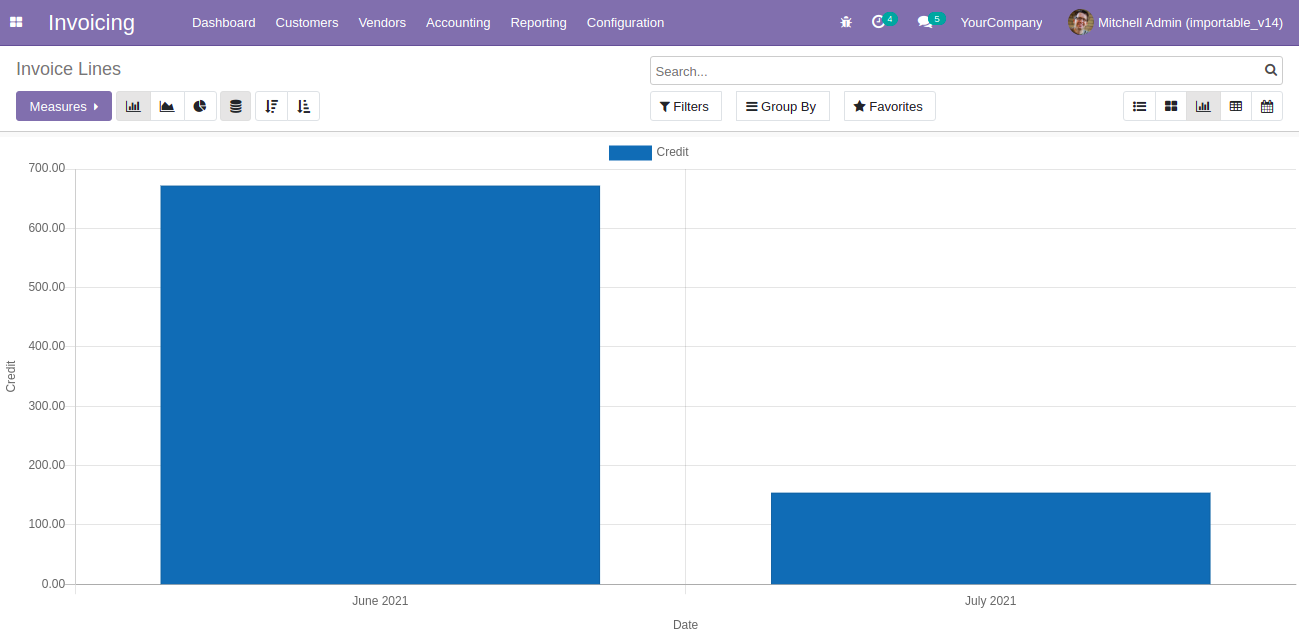
Invoice / Bill Lines Graph view.
Invoice Line Views - Added the views of Invoice Line and Bill Line to show the Invoicing Lines details in easy way. This module is importable. You have to just import this module and module is ready to use.

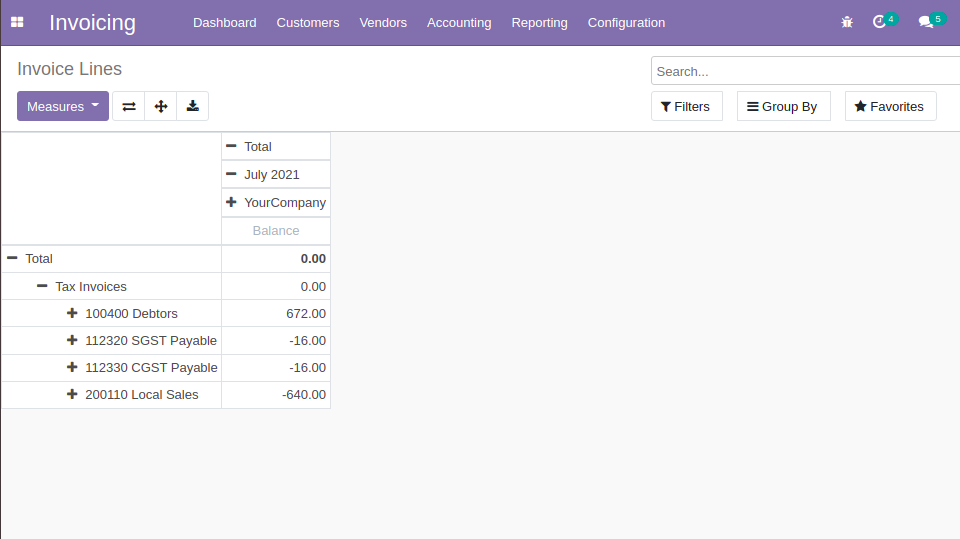
Invoice / Bill Lines Pivot view.
Invoice Line Views - Added the views of Invoice Line and Bill Line to show the Invoicing Lines details in easy way. This module is importable. You have to just import this module and module is ready to use.

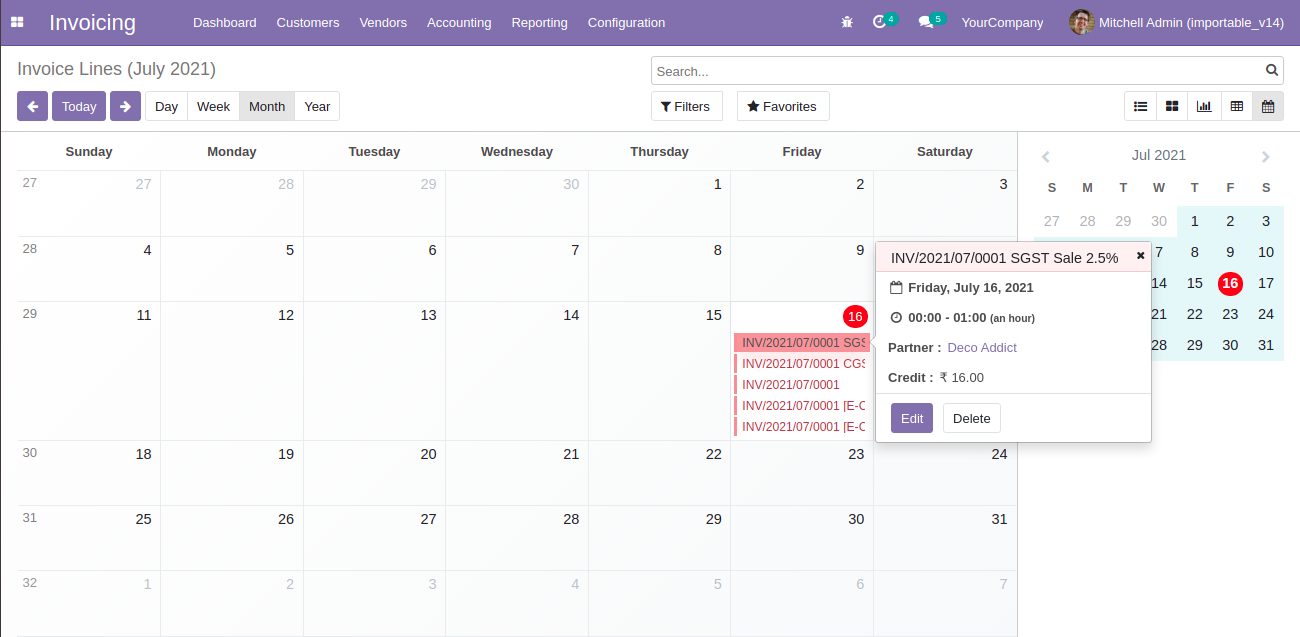
Invoice / Bill Lines Calendar view.
Invoice Line Views - Added the views of Invoice Line and Bill Line to show the Invoicing Lines details in easy way. This module is importable. You have to just import this module and module is ready to use.

Filters on Invoice / Bill Lines.
Invoice Line Views - Added the views of Invoice Line and Bill Line to show the Invoicing Lines details in easy way. This module is importable. You have to just import this module and module is ready to use.

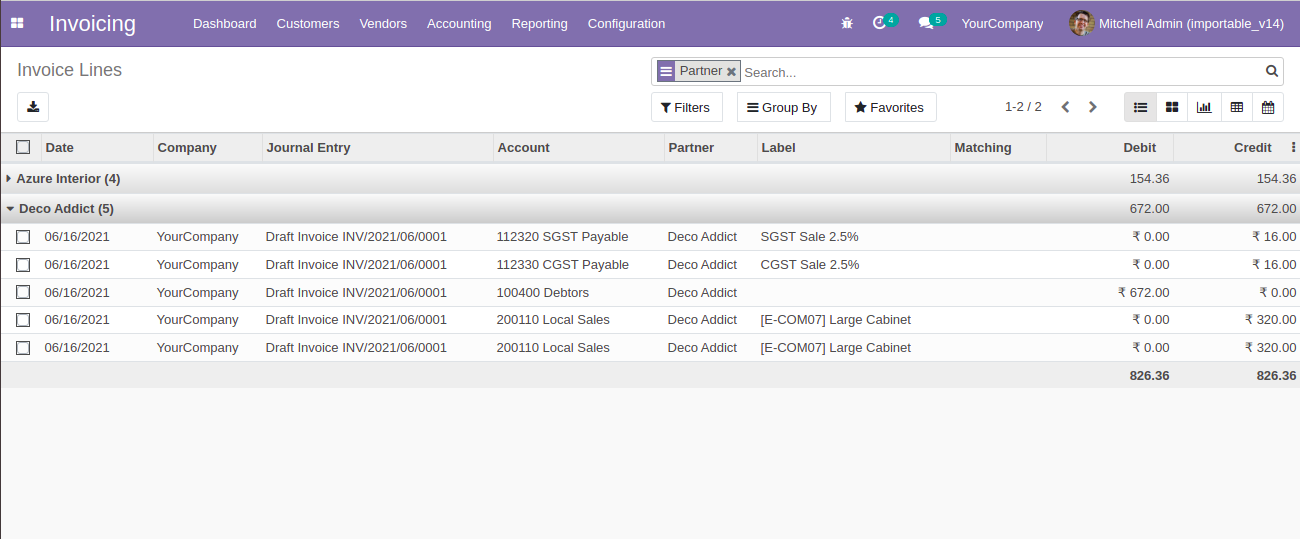
Group by on Invoice / Bill Lines.
Invoice Line Views - Added the views of Invoice Line and Bill Line to show the Invoicing Lines details in easy way. This module is importable. You have to just import this module and module is ready to use.

  1. [ADD] Added the different views.

  2. [ADD] Converted into importable module

  3. [ADD] Optimized code.

Q Do we need to restart the server for installation?
No, this module can directly be imported into server without any interruptions.
Q Is this app compatible with Odoo Enterprise?
Yes, our app works with Odoo Enterprise as well as Community.
Q Is this app compatible with Windows or Ubuntu?
Yes, our app works with Windows or Ubuntu operating system.

Q Is this app required any additional configuration?
No, just import module and use this features.

FREE 3 MONTHS SUPPORT

Kanak will provide free 3 months support for bug fixes, any doubts or queries, installation, configuration support or any types of issues related related to this module.

NOTE: This module do not required extra configuration.
Suggested Apps
Invoice Line Views - Added the views of Invoice Line and Bill Line to show the Invoicing Lines details in easy way. This module is importable. You have to just import this module and module is ready to use.
Sale Barcode Scan
Invoice Line Views - Added the views of Invoice Line and Bill Line to show the Invoicing Lines details in easy way. This module is importable. You have to just import this module and module is ready to use.
Sale Quotation
Multi Confirmation
Invoice Line Views - Added the views of Invoice Line and Bill Line to show the Invoicing Lines details in easy way. This module is importable. You have to just import this module and module is ready to use.
Sale Quotation
Multi Cancellation
Invoice Line Views - Added the views of Invoice Line and Bill Line to show the Invoicing Lines details in easy way. This module is importable. You have to just import this module and module is ready to use.
Sale Order History
Invoice Line Views - Added the views of Invoice Line and Bill Line to show the Invoicing Lines details in easy way. This module is importable. You have to just import this module and module is ready to use.
Sale Report Extension
Invoice Line Views - Added the views of Invoice Line and Bill Line to show the Invoicing Lines details in easy way. This module is importable. You have to just import this module and module is ready to use.
Sale Product Size Matrix
Our Services
OPL-1

Comment on this module. Please Login