 +91 981-810-8884, 0114-214-3250
| Required Apps |
•
project
• sale_timesheet_enterprise |
| Technical Name | project_timesheet_portal |
| License | OPL-1 |
| Technical Name | project_timesheet_portal |
| License | OPL-1 |

Project Timesheet Time Tracker From Portal module is a very useful Odoo addon to Start/Stop/Pause/Resume task timer from portal.
Key Features
- Start/Stop/Pause/Resume task timer from portal.
- Both users(admin/portal) can enable timesheet timer.
- Admin user can see task timer in both side(frontend/backend).
- Portal user only see task timer in portal.
- Admin user manage task timer in both side(fronteend/backend).
- Portal user manage task timer in only portal page.
- Admin user see timesheet in backend.
- Portal user see timesheet in portal page.
Timesheet Timer Configuration
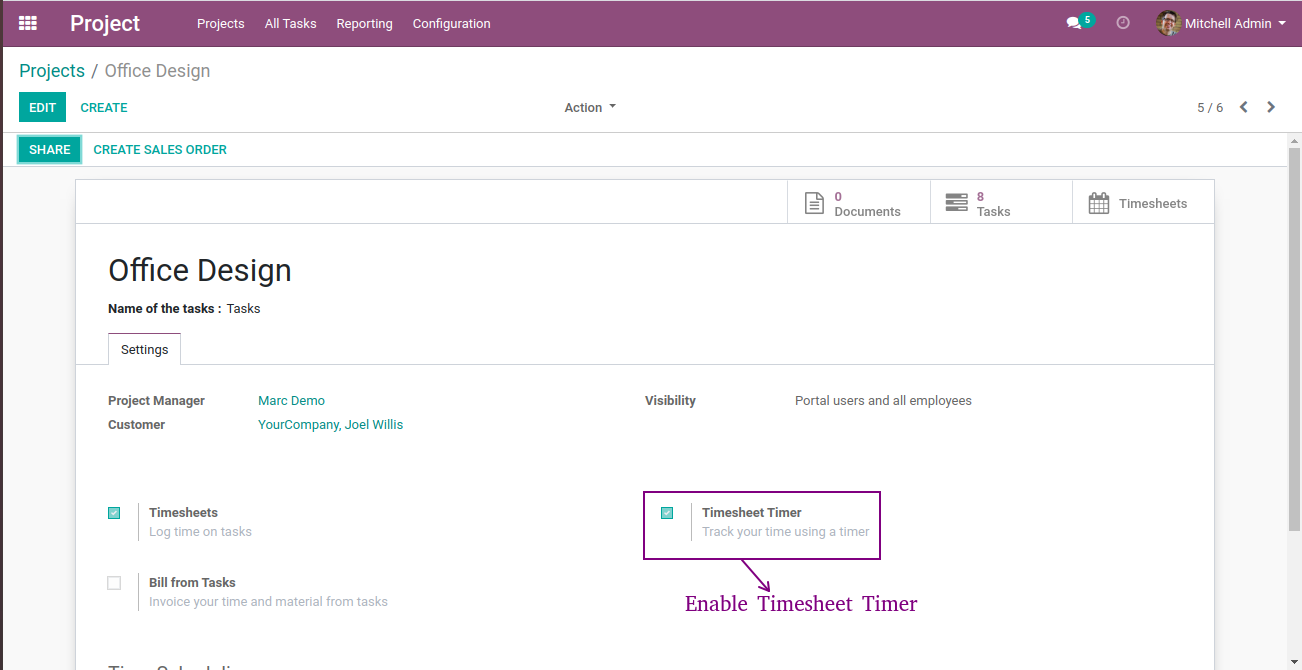
- Navigate to Projects and open projects.
- Enable timesheet timer checkbox to show timer in task page.
Portal User
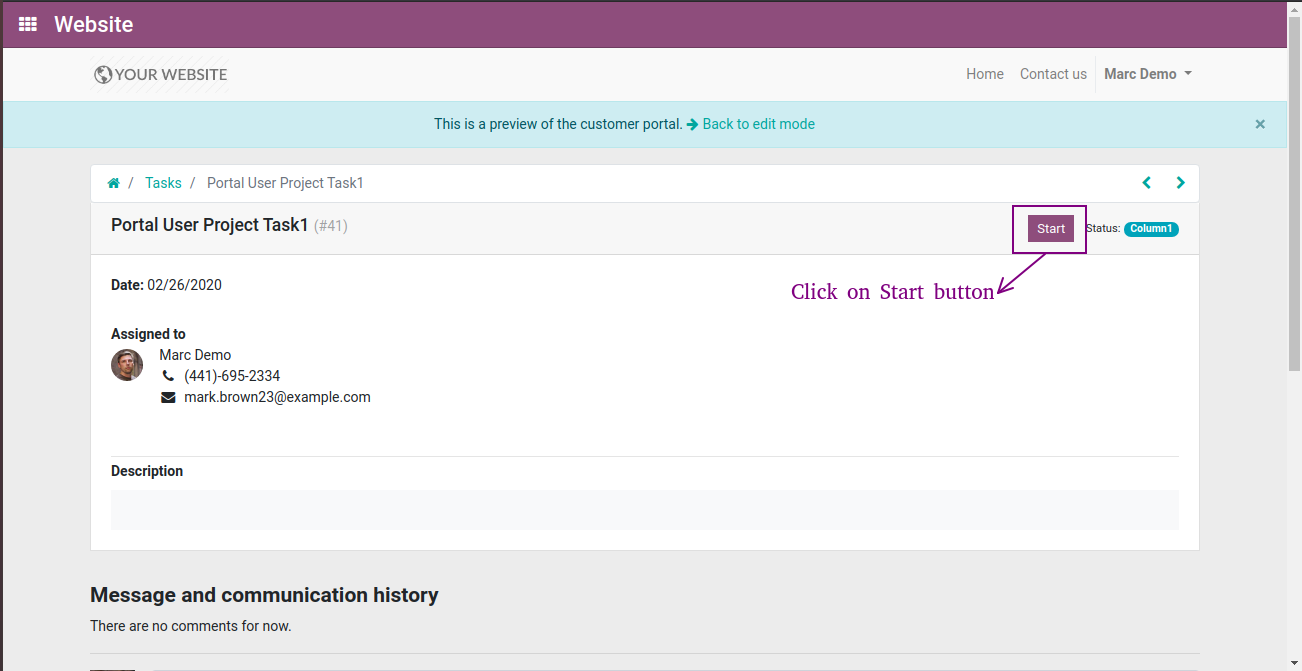
- After enabling timesheet timer, Start button will automatically come in portal page and click start button.
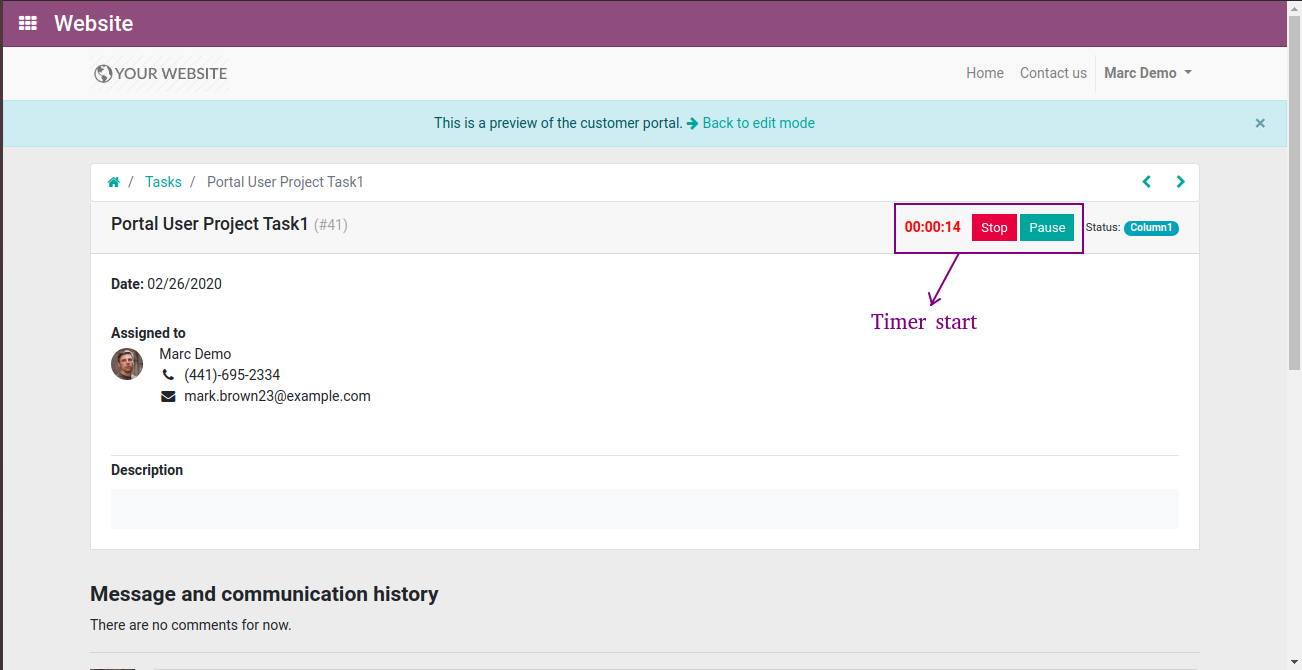
- After clicking start button task timer will start and Stop/Pause button will come.
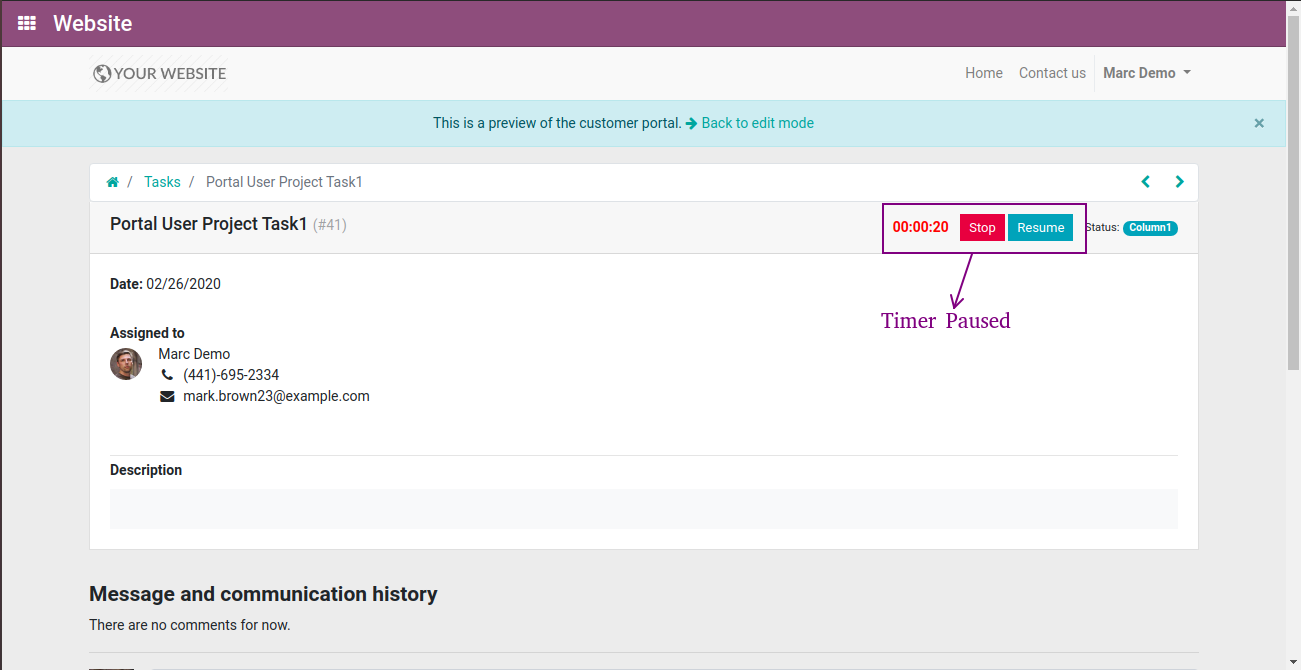
- Now, we'll click on pause button, timer will paused.
- Now, we'll click on stop button to save task timer, confirm time spent pop-up will be open.
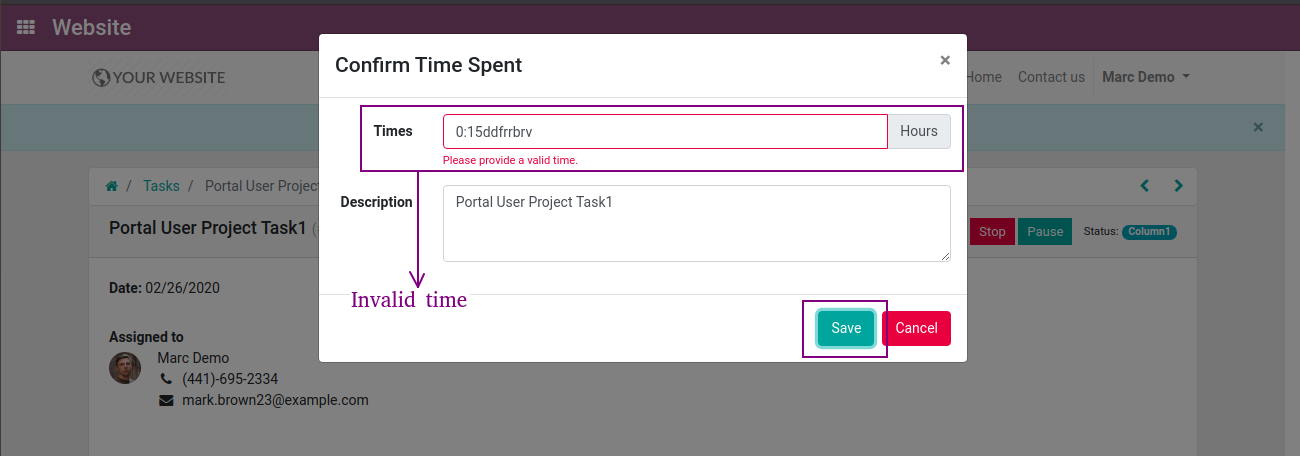
- Enter invalid time & valid description and click on save button, warning message will show.
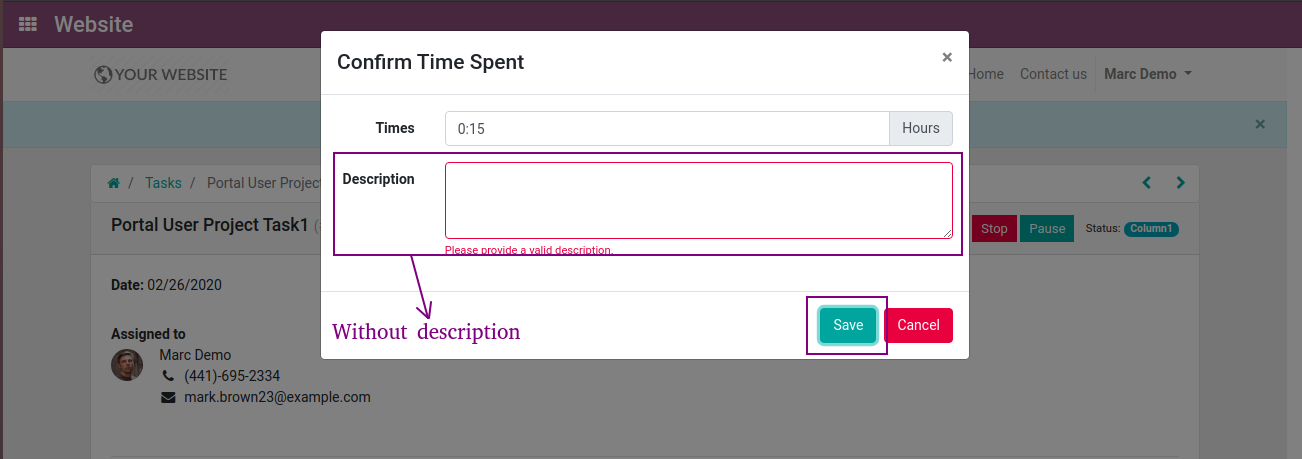
- Enter valid time & invalid description and click on save button, warning message will show.
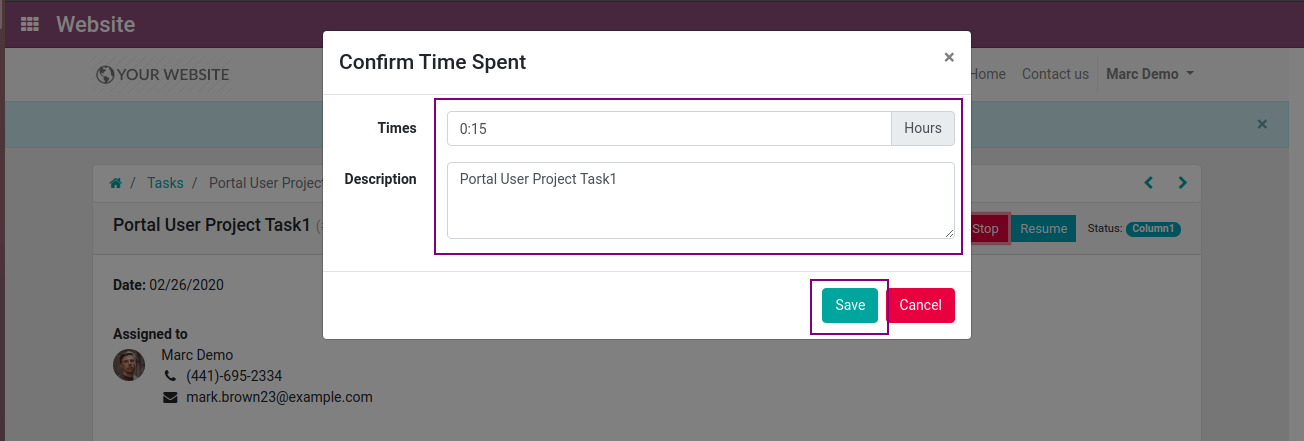
- Enter valid time & description and click on save button.
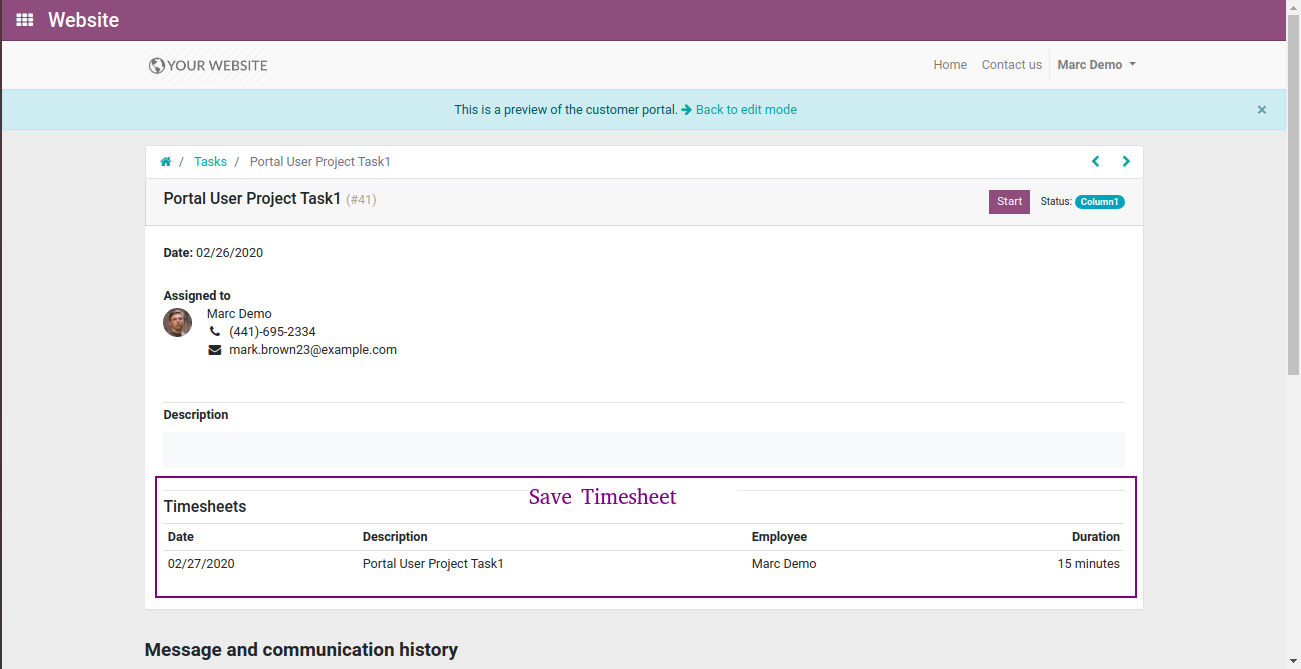
- Timesheet will be save and we can see timesheet on portal page.
Admin User
- After enabling timesheet timer, Start button will automatically come in task page.
- Now, we'll click on Start button.
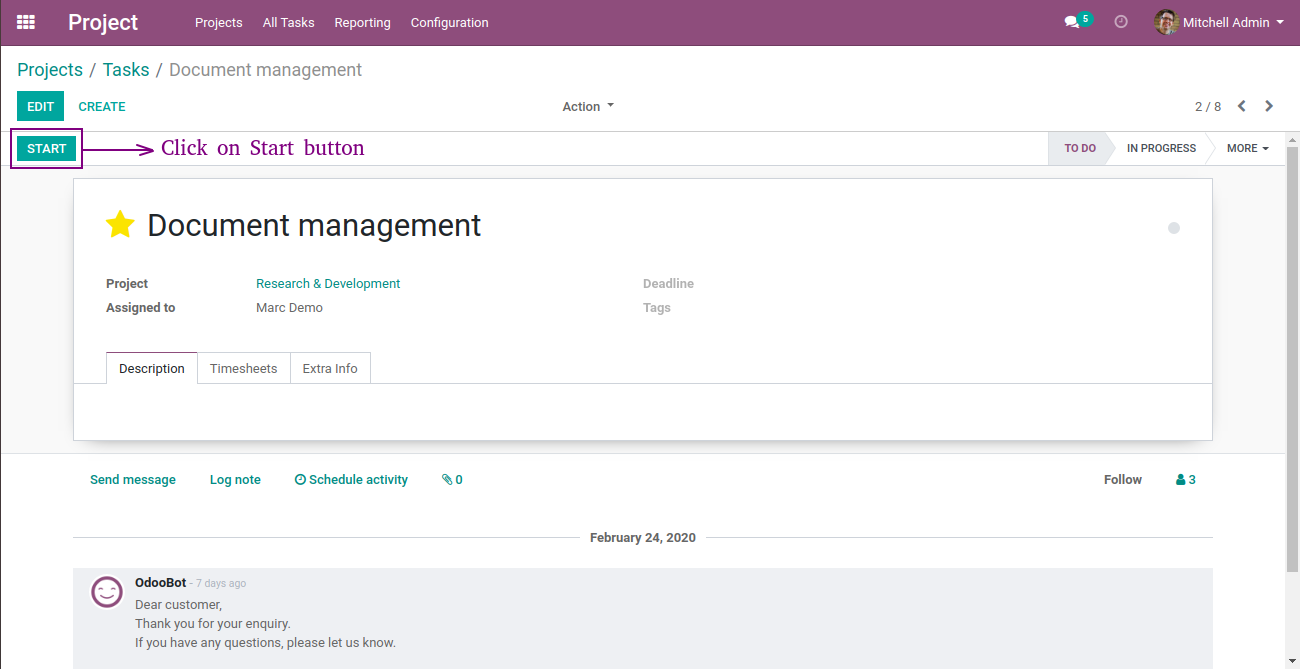
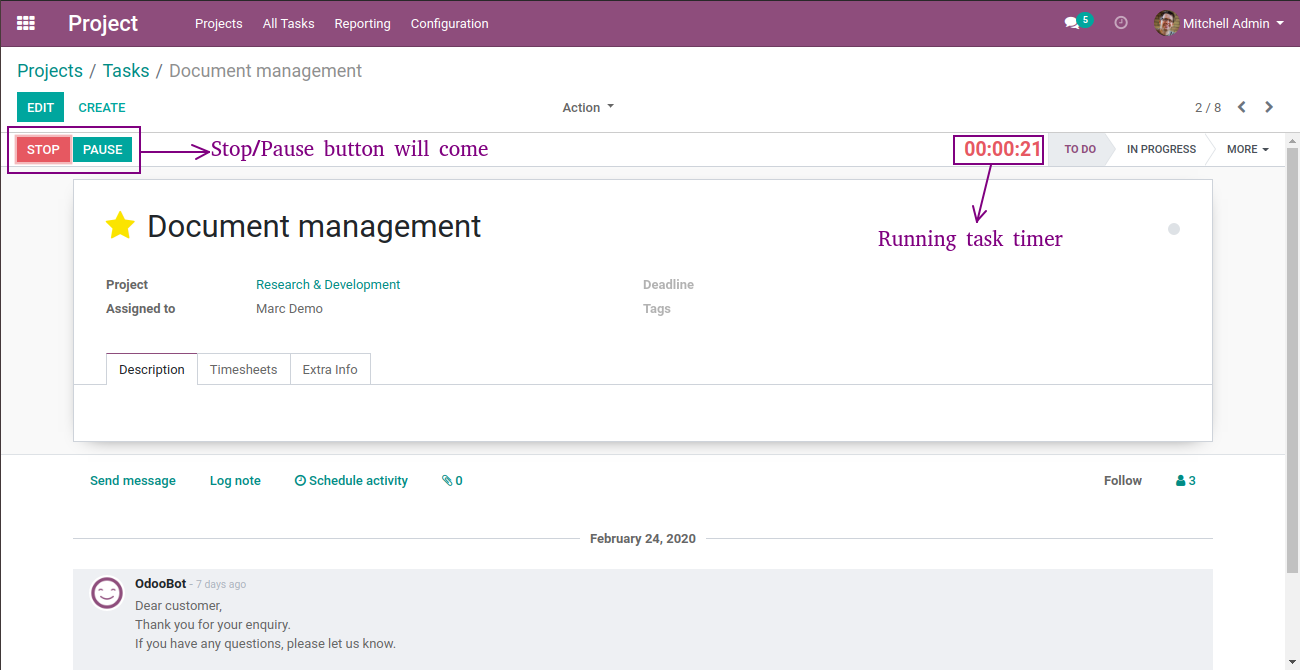
- When, we click on start button timer will automatically start.
- Stop/Pause button will automatically come.
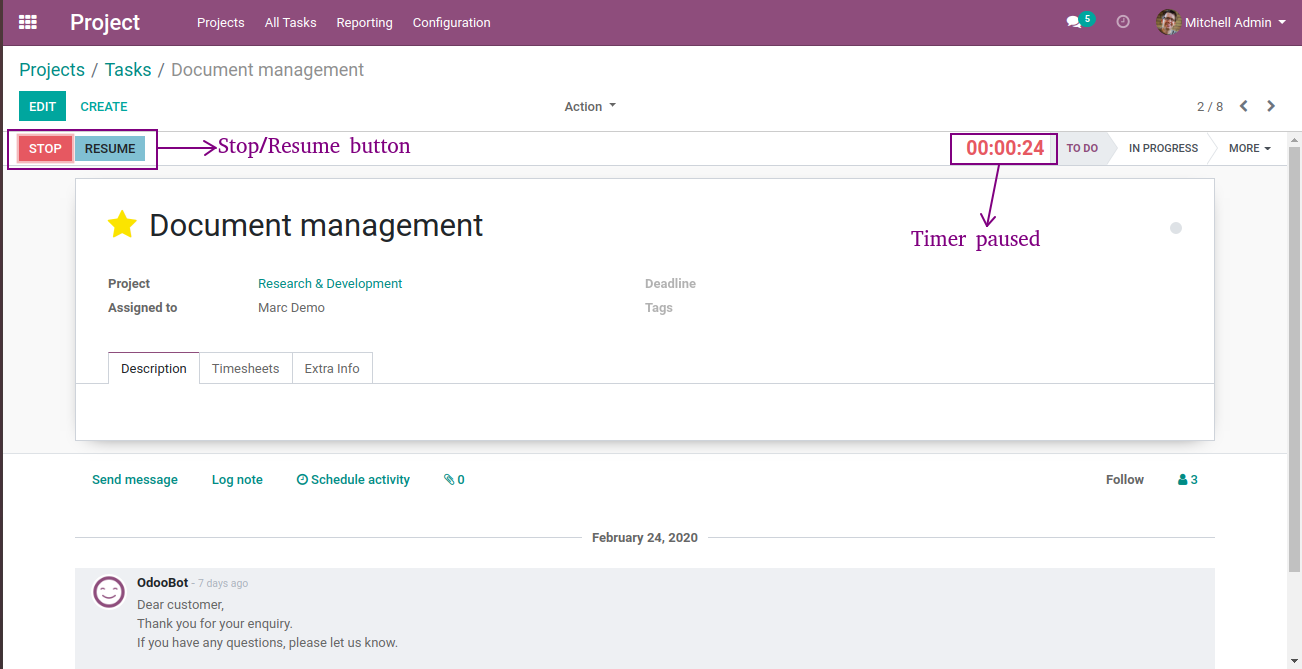
- Now, we'll click on pause button, running task timer will be paused.
- Pause button will automatically convert from pause to resume.
- Then, we'll click on stop button to stop task timer, Confirm Time Spent pop-up will be open.
- Now enter invalid time and valid description and click on save button, warning message will be showing.
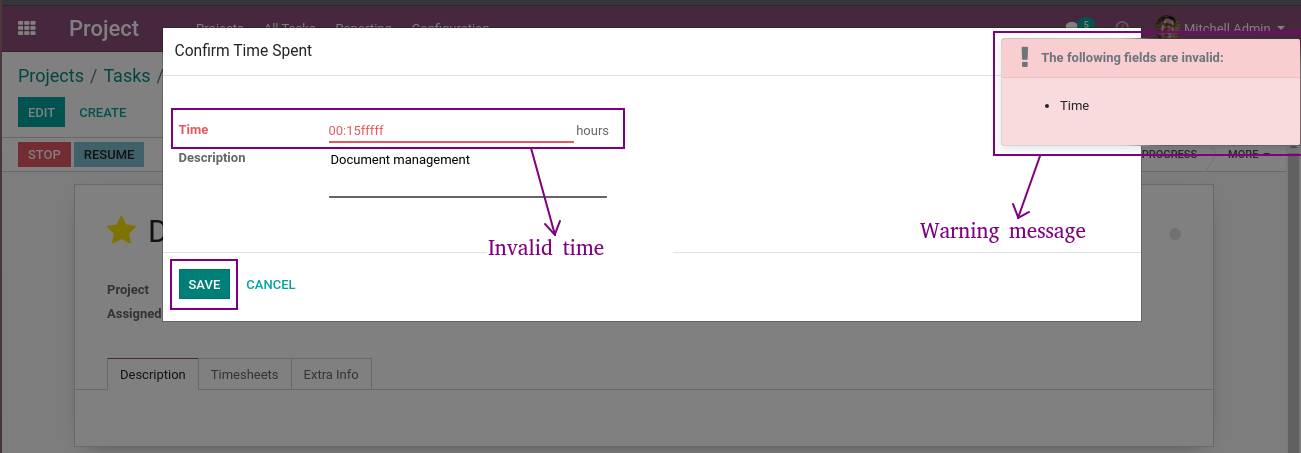
- Again enter valid time and invalid description and click on save button, warning message will be show.
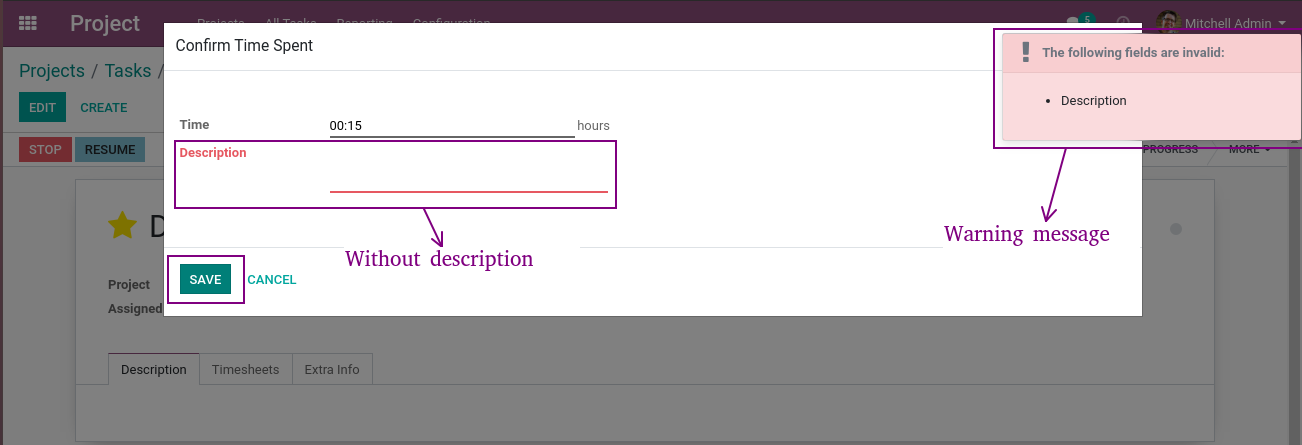
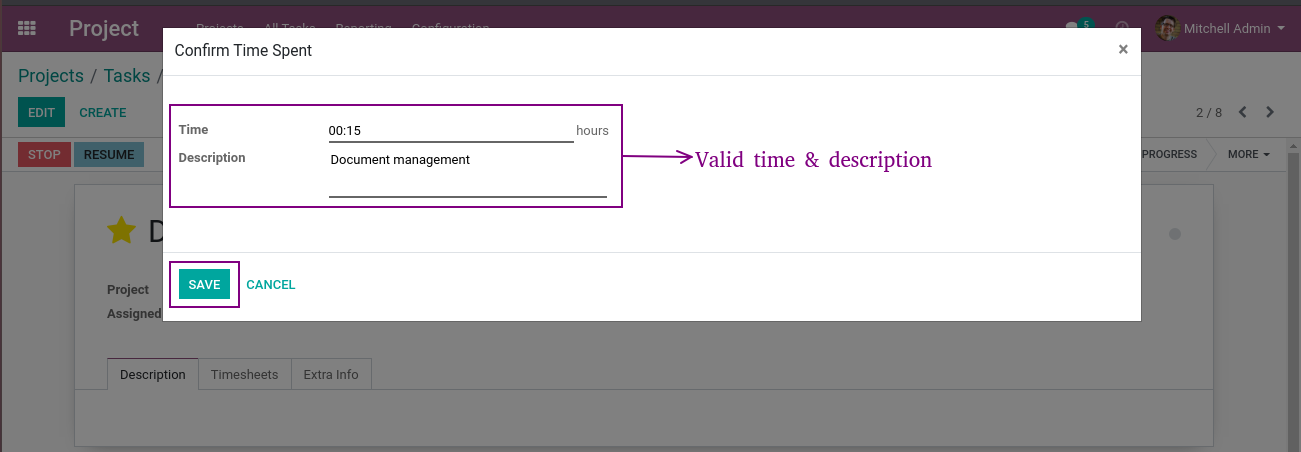
- And finally we'll enter valid time & description and click on save button.
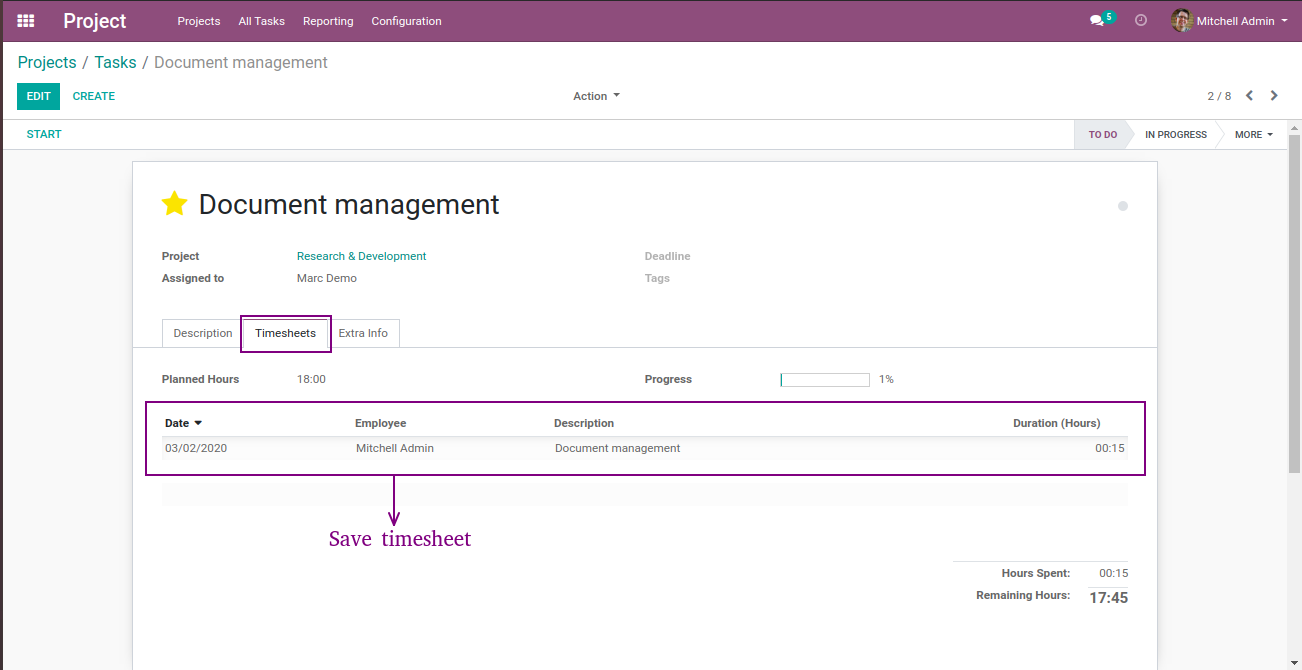
- Confirm Time Spent will be saved.
- Here, we can see saved timesheet in task page.


















OPL-1

Comment on this module. Please Login